Wednesday, May 6, 2026
Home Blog Page 421

Maniac Responds to Sexual Harassment Allegations

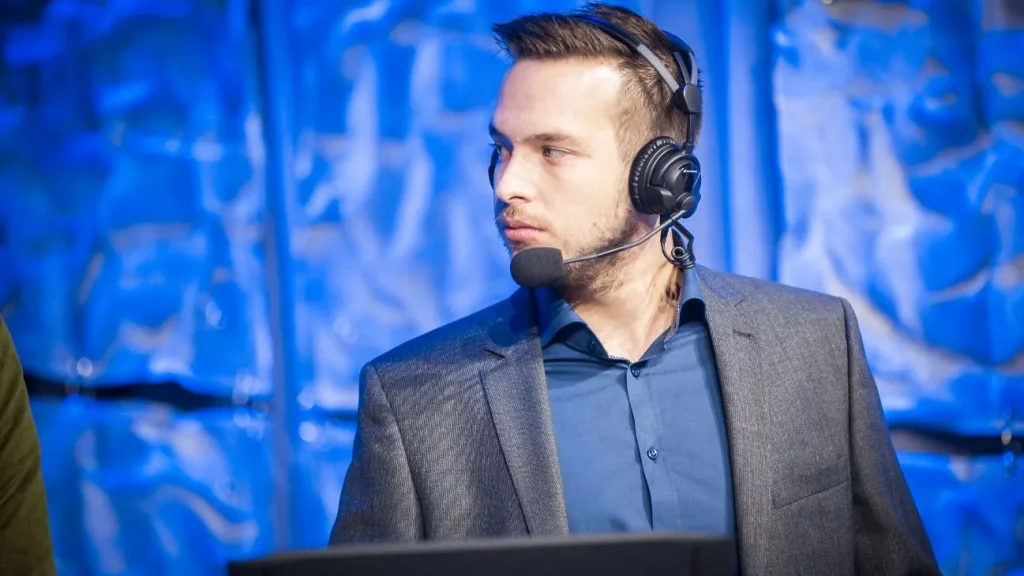
The sexual harassment allegations against popular Counter-Strike analyst and caster Mathieu “⁠Maniac⁠” Quiquerez have finally met a response where he neither admitted nor denied said allegations, rather pinned the blame on alcohol and a troubled childhood.

Less than 48 hours ago, British journalist Hannah Marie ZT claimed that Maniac groped and inappropriately touched him during a G2 Esports-sponsored June 16th afterparty in London for the BLAST Premier: Spring Finals. Her allegations were backed by Daisy “DAMP” Powers who had a similar experience with the Swiss analyst.

These allegations have surfaced amidst the 20th season of ESL Pro League where he was actively working as an analyst. Following the revelations, Maniac has removed himself from the panel and has put out a statement addressing his behavior.

I have been forced to peer into the abyss and face my worst demons in the last few days. I have had a problematic relationship with alcohol for most of my adult life. I have attempted in many ways to get it under control but I have failed miserably at various points. I am ashamed of my weakness and have been for years. Now I cannot turn a blind eye to it anymore. Alcohol reveals my self-doubt, my need for promiscuity, to be seen, to be wanted, because a part of me is broken and feels unworthy. I was broken during my childhood and I wish to one day have the strength to address it with courage. This led to unacceptable behaviors over the years for which I am truly sorry. Sorry doesn’t even begin to cover it. Social medias have allowed me to cowardly desensitize human interactions as if nothing really happened. This was an escape. I never wanted to hurt anyone and I have always tried to give people the respect and the agency they deserve. I looked to fill a void in a pathetic and destructive manner. I will take time to reassess my life, who I am, and who I want to be. I have let people down that I deeply care about, I have let this community down and I have let myself down.

Mathieu “⁠Maniac⁠” Quiquerez
Mathieu Maniac Quiquerez

Community members have taken it to the comment section of his apology Tweet to voice their dissatisfaction, given that he was extremely popular. Fans found pinning the blame on alcohol and childhood trauma was an obvious way of evading accountability.

Dust2 put out a report detailing multiple accounts of sexual harassment against Maniac. He has further promised to make a video once things have settled down.
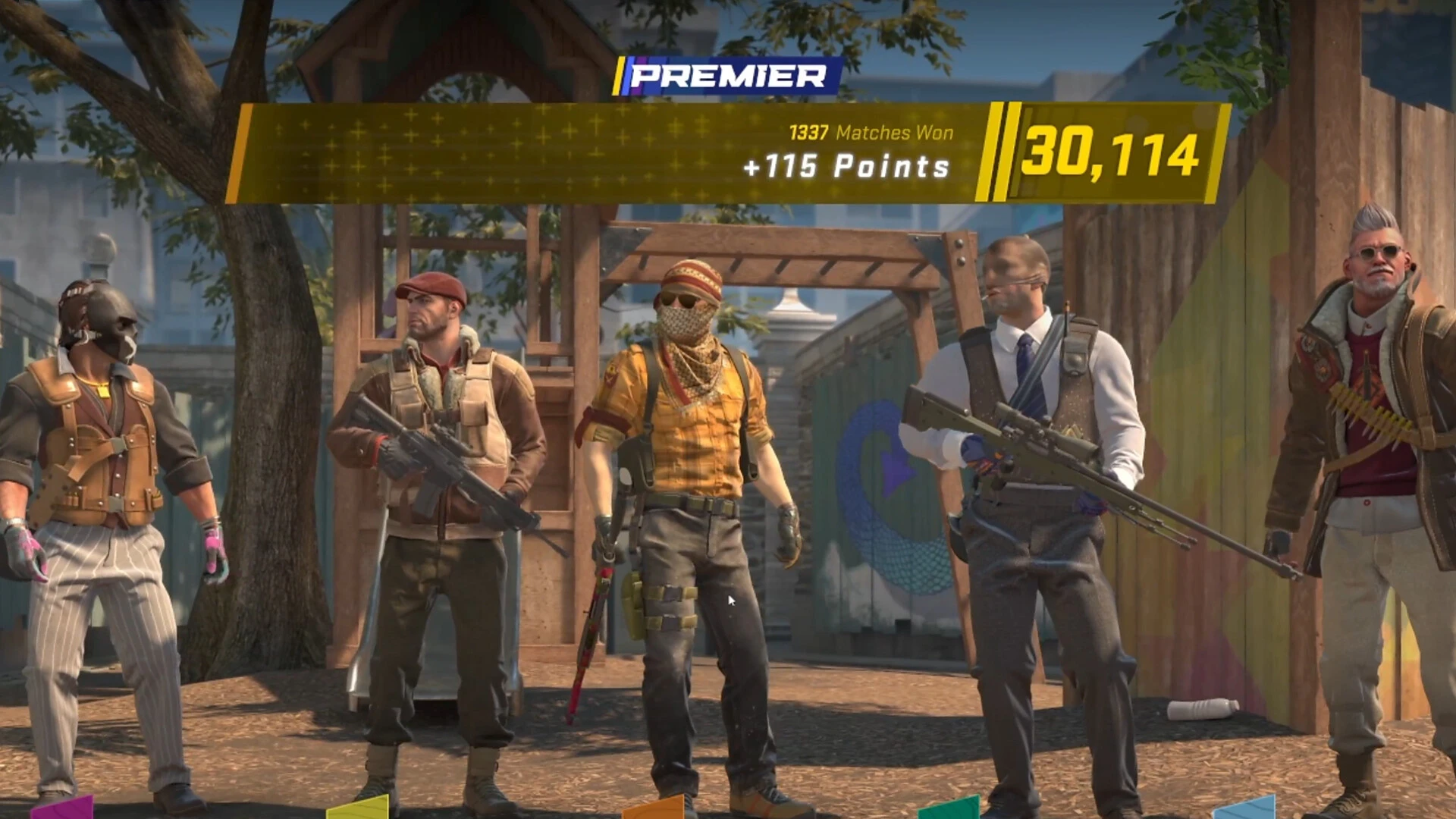
How To Rank Up in CS2?

Counter-Strike 2 is a highly competitive game, with players from throughout the world constantly trying to improve their skills and climbing up the ranked ladder of CS2.

Due to the competitive nature of CS2, ranking up in the game can often feel difficult and tedious, especially if you’re new to the genre of shooters.

If you’re struggling to rank up in CS2, don’t worry! There are several effective strategies you can use to improve your rank more quickly and efficiently.

In this article, we take a look at the best strategies you need to know to rank up in CS2. By following these tips, you’ll be able to rank up quickly and efficiently and glide through the competitive leaderboards in no time.

How To Rank Up Fast in CS2: Explained

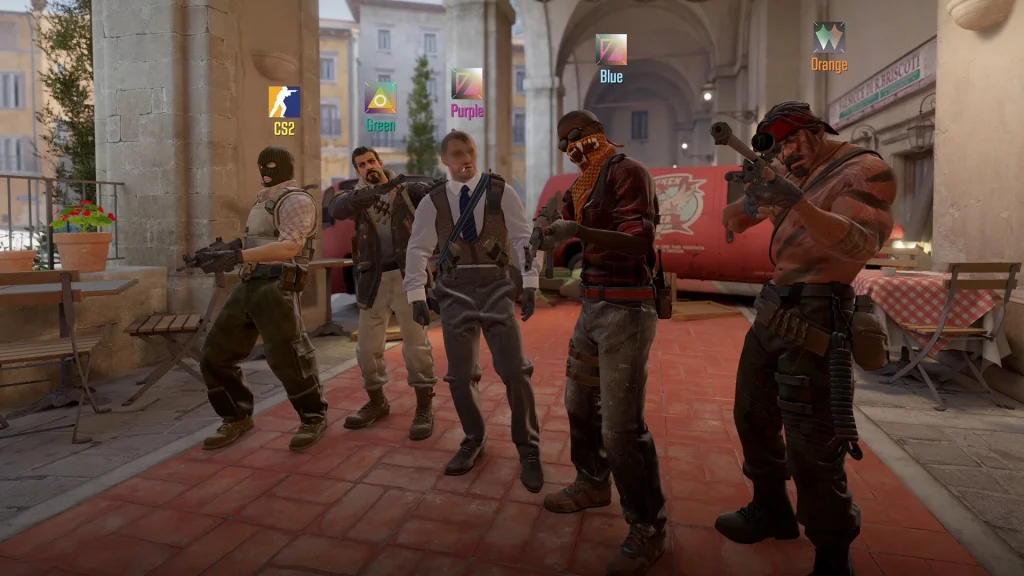
Rank up CS2

Below, we have listed some of the best tips that you can utilize to rank up fast in CS2. Using these tips, you’ll find yourself rapidly improving at the game and one step closer to your dream rank.

  • Always Warm Up: Never queue for a competitive game without warming up in Deathmatch or custom maps. The 1-minute warmup time you get in a game isn’t nearly enough for your muscle memory to kick in and perform at its best. Proper warmup sessions will ensure you’re fully prepared and can react quickly in intense situations.
  • Practice Utility: When playing a tactical shooter like CS2, using utility in the right situations can often be the best way to give yourself an edge in combat. Watch online guides, practice lineups, and most importantly, make sure to use your utility whenever the opportunity arises.
  • Perform Consistently: Consistency is the key to increasing your MMR in the current ranking system of CS2. Instead of dropping a 30-bomb one game and having 6 kills the next game, focus on performing consistently throughout your competitive games to have better chances at ranking up.
  • Never Give Up: Even if your team is down 12-0, remember that every game in CS2 can be winnable. Never opt to surrender when you’re playing competitive, since each round won can save you from losing some precious MMR.
  • Find Someone To Play With: Finding a friend to duo with can be one of the best ways to rank up fast in CS2. Not only will you have to play with one less random teammate, but you’ll also be able to synergize with your friend to perform boosts and trade with each other effectively.

This concludes our tips on how to rank up fast in CS2. By following the aforementioned tricks, you’ll be able to reach your dream MMR and rapidly climb up the ranked leaderboards of CS2.

Most Important CS2 Console Commands

Console commands are an important part of the Counter-Strike experience given they can be used to alter several settings in the game which aren’t readily available in the game menus. CS2 offers an insane stack of console commands that might come in handy at any point.

Most players go about their Counter-Strike journey without coming across a use case for half of the commands. Unless you set up private servers or host matches for your friends or the community in general, these commands are unlikely to help you but if you choose to learn them anyway, here are some of the most useful commands in CS2.

Important CS2 Console Commands

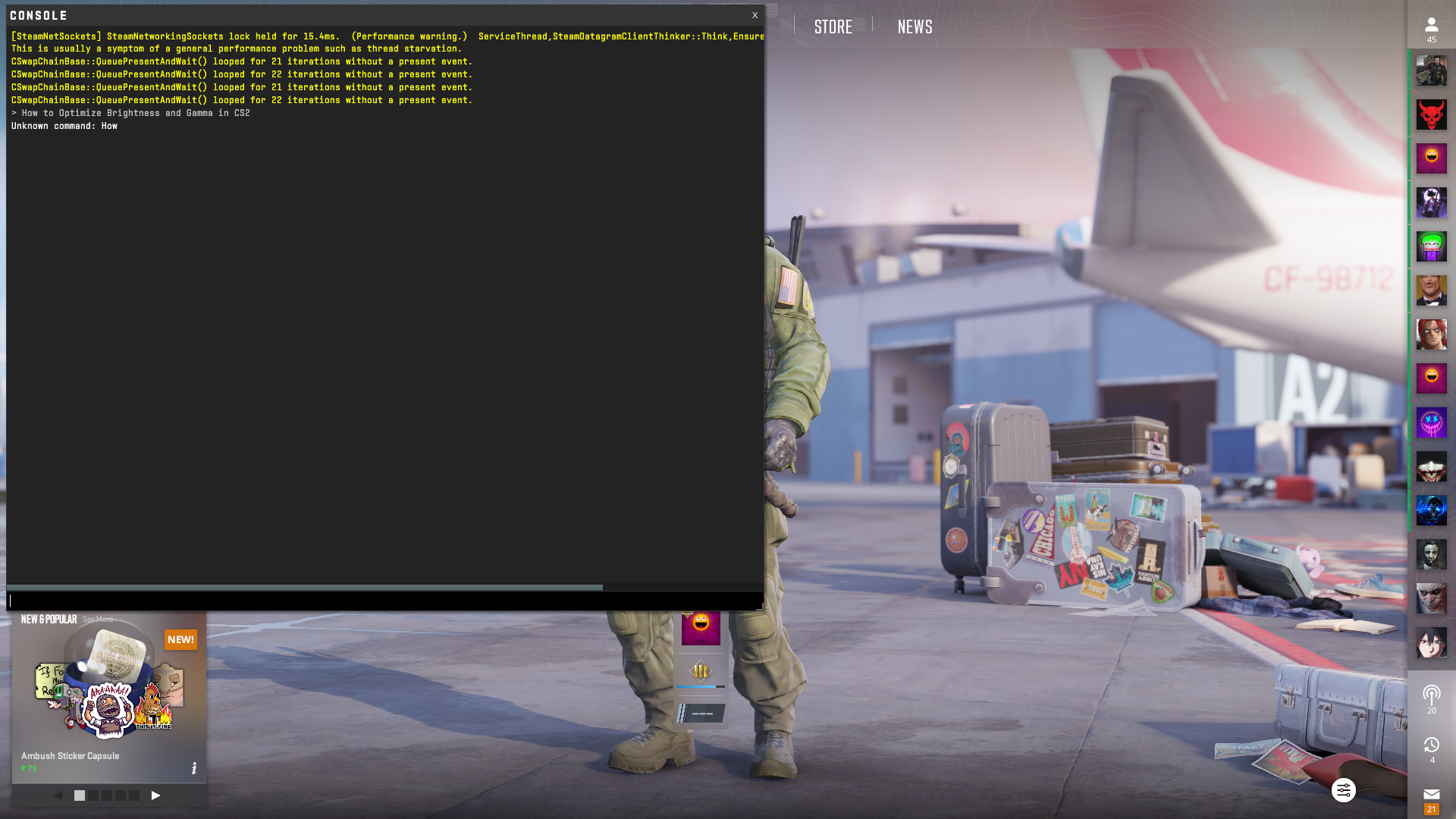
cs2 console
  • sv_cheats true/false: Enables cheat-protected CS2 commands in private matches
  • bind [action] [key]: Binds a specific action to a key
  • sv_infinite_ammo true/false: Gives you infinite ammo
  • noclip: Removes all clipping from your character, allows you to fly around
  • god: Enables God Mode
  • kill: Instantly kills you
  • disconnect: Disconnects you from your current game
  • quit: Closes CS2
  • cl_drawhud true/false: Enables or disables the HUD (great for screenshots)
  • cl_show_team_equipment: Shows your team’s equipment
  • r_drawtracers_firstperson true/false: Toggles firing tracers
  • cl_hide_avatar_images true/false: Toggles player avatars
  • give weapon_[weapon name]: Gives you specified CS2 weapon
  • sv_rethrow_last_grenade: Replays your last grenade throw (good combined with a bind to test smokes and flashes)
  • mp_roundtime [minutes]: Changes the round time to the specified number of minutes in private matches
  • mp_buytime [seconds]: Change the amount of time you can buy guns to specified number of seconds in private matches
  • mp_buy_anywhere true/false: Toggles the ability to buy guns anywhere on the map
  • mp_maxmoney [number]: Sets the maximum money you can have
  • mp_startmoney [number]: Sets the starting money you have
  • mp_restartgame 1: Restarts the current match
  • sensitivity [number]: Changes your mouse sensitivity (can also be done in in-game settings)
  • bot_kick: Kicks all bots in the current lobby
  • bot_add: Adds a single bot to the current lobby
  • bot_place: Places a bot at your position
  • bot_stop true: Stops all bots in place
  • volume [0-1]: Changes your in-game volume (can also be done in in-game settings)

CS2 Console Command List for FPS

  • fps_max 0: Removes the FPS limit – ensure V-Sync is disabled, too.
  • cl_disable_ragdolls true: Disables ragdolls to free up some CPU usage.
  • cl_autohelp false: Disables automatic tooltips in CS2.
  • cl_showfps true: This CS2 FPS command shows your frame rate on screen at all times, allowing you to

How To 1v1 in CS2?

If you’re looking to improve your marksmanship skills in Counter-Strike 2, then one of the most fun things you can do is to hop on a 1v1 game against your friend in CS2. Doing so will not only improve your aim at a steady pace, but it will also enable both of you to learn the mechanics of CS2 and take better gunfights when you’re in an actual game.

Whether you’re looking to sharpen your mechanical skills or simply want to earn some bragging rights against a friend, you might be wondering how to set up a 1v1 in CS2.

Luckily, with some recent updates, Valve has made it incredibly easy for players to set up their own custom servers in CS2 and battle it out against their friends.

How To 1v1 in CS2 Explained

1v1 CS2

As mentioned earlier, setting up a 1v1 server in CS2 with your friends is extremely easy and takes no more than a few seconds.

Firstly, follow these steps to set up your own server:

  • Launch CS2
  • Click on ‘Play’.
  • Head over to ‘Matchmaking’ > ‘Private Matchmaking’.
  • Click on ‘Share Code’.
  • Send the code to your friends.
  • Ask your friends to click on the ‘Manually Enter a Code’ button from the left-hand side menu of ‘Private Matchmaking’ and paste your code. 
  • Once your friends are in the lobby, hit ‘Go’.

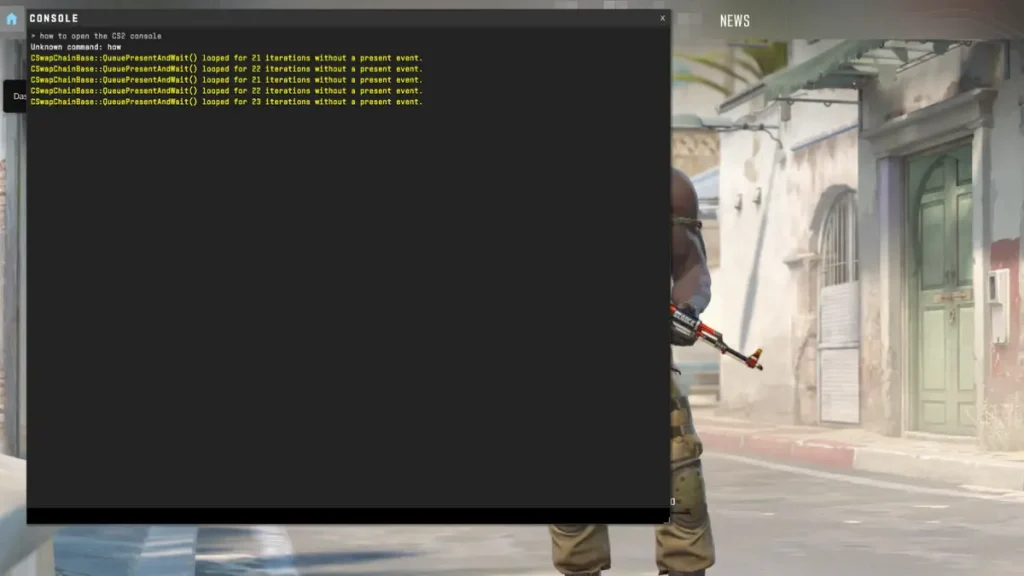
Once you’re in the game, you’ll need to kick the bots by typing ‘bot_kick’ in the developers console. You can also enter any additional console commands you want and properly set up your 1v1 against friends in CS2. 

Remember to download the official Talkesport app from the Play Store to stay updated with the latest CS2 news, updates, and more.

How to Get Black Panther Claws in Fortnite?

0

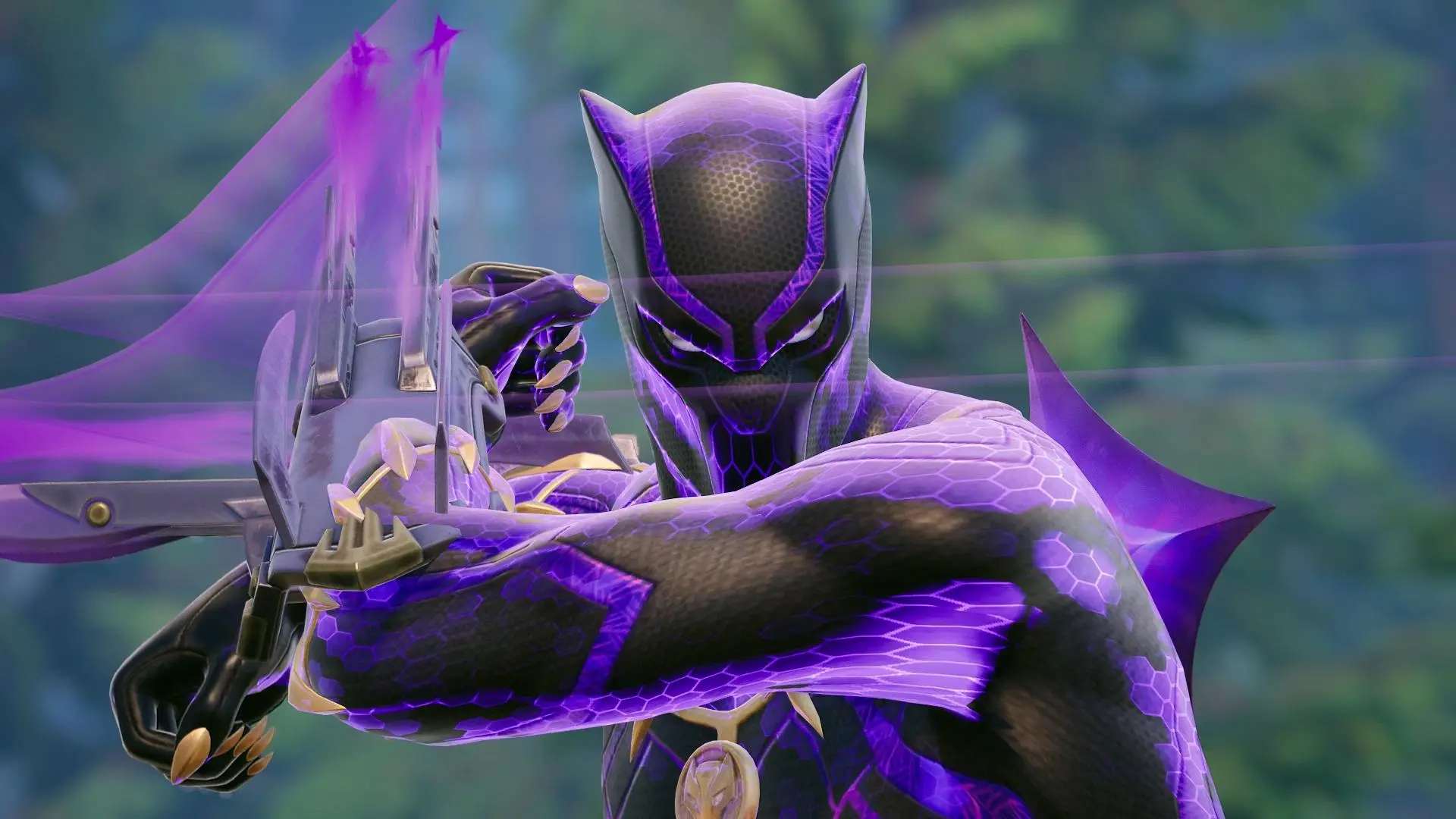
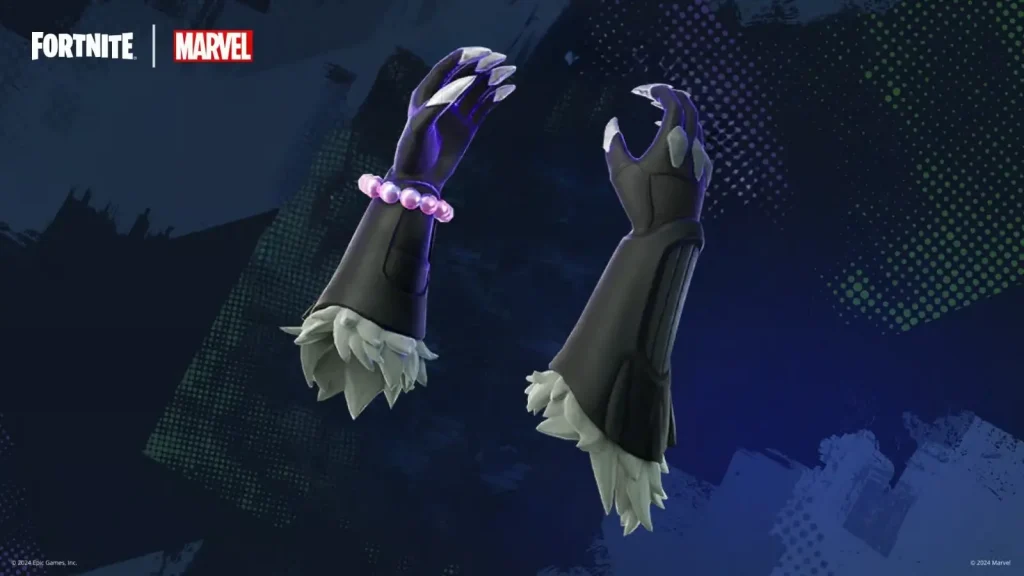
Black Panther Claws are some of the rarest weapons in Chapter Five, season four of Fortnite. Literally, you can find them anywhere on the island, from floor loot and normal chests to Avenger’s chests and even rare chests. But if you want to get them fast, you can skip the search for a more straightforward approach: buying them from Shuri herself.

In this article, we will find out how to get the Black Panther Claws in Fortnite. Keep reading till the end to find out.

How to Get Black Panther Claws in Fortnite?

Black Panther Claws Fortnite

Shuri runs around a small facility east of Nitrodrome. She will sell the Black Panther Claws for 300 Gold. Note only one player per match can buy them from Shuri, so if you want to use this powerful weapon you may just want to drop nearby.

While the Black Panther Claws are no Captain America shield, the things are quite deadly in dispatching enemies quickly as long as an element of surprise is applied. There is a standard slash-and-pounce attack with the Claws, which is also possible to perform either from the air or when sprinting.

Constantly attacking and sprinting with the Black Panther Claws will, over time, fill their Kinetic Energy bar, once full, allows for the supercharged mode to be activated, giving a major boost to speed and damage output.

Keep in mind that several slashes are required to take out an opponent, so it’s generally much better to attack from behind your opponent to close the distance as much as possible. If stealth isn’t really your thing, try combining Black Panther Claws with a weapon similar to War Machine’s Auto-turret for additional firepower.

Manchester City and Puma Unveils 2024/25 Esports Range

0

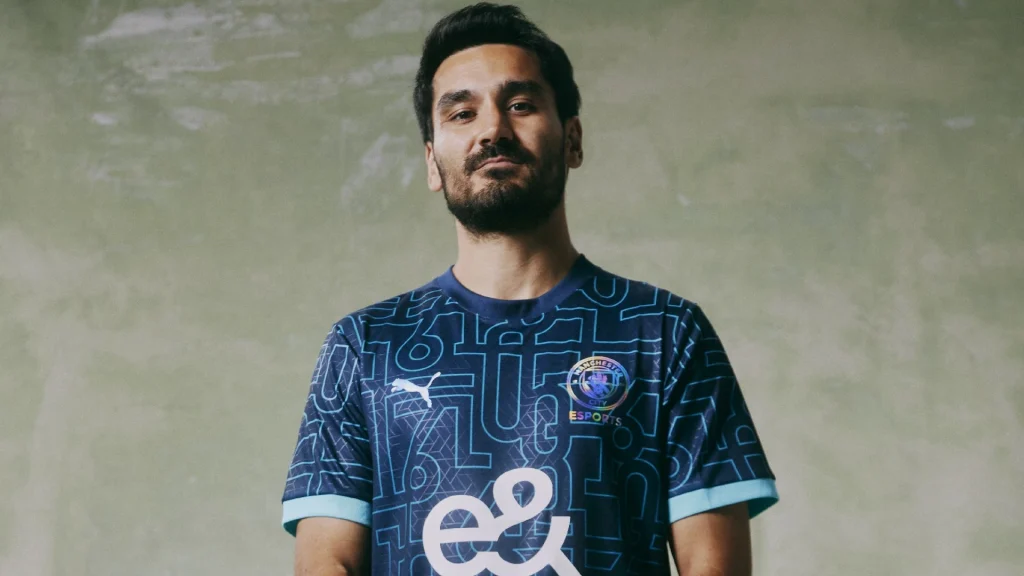
The English professional football club Manchester City just introduced its new jersey that the esports squad will wear in cooperation with the global sportswear brand PUMA. This jersey is going to make a statement both on and off the virtual battlefield.

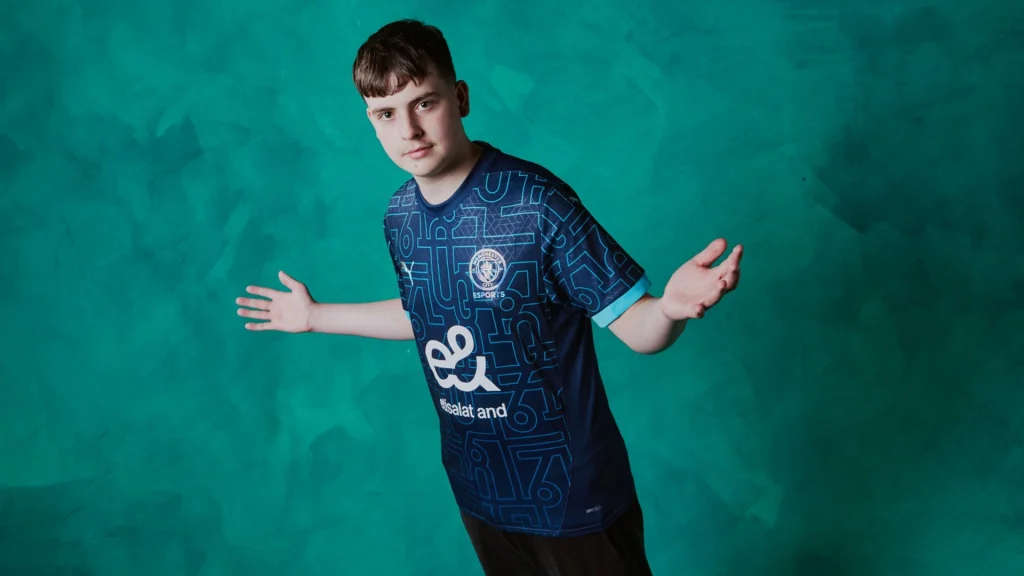
The 2024/25 esports jersey is really cool, constructed of holographic accents in a print inspired by Manchester’s iconic 0161 dialing code. That same code is still worn inside the neckline of Man City’s home kit for good local measure.

The new regular-fit jersey features, for the third successive season, the sponsorship of E&-previously known as Emirates Telecommunications Group Company PJSC-the UAE state-owned telecommunications company. It cements E&’s prominent commitment to supporting Manchester City’s esports projects front and center on the jersey.

Complementing the jersey is an official Man City Esports team jacket. Both jersey and jacket are available for personalization with the names of the esports stars on the books at Manchester City.

Manchester City Esports Jersey

It will wear the new kit for the first time at this week’s Fortnite Global Championships in Texas and will be represented there by Man City’s talented esports players, Joshua ‘Cold‘ Butler, Iwo ‘Setty‘ Zając and Aidan ‘Threats‘ Mong.

Manchester City’s esports department was established in 2016 and has been developing drastically for the last couple of years. Its esports roster comprises one of the most star-studded lineups of EA FC players and ePremier League champions, including Donovan ‘Tekkz‘ Hunt and Matías ‘Bonanno‘ Bonanno. Recently, these talented players participated in the FC Pro 24 World Championship in Berlin.

man city esports

Beyond competitive gaming, Manchester City’s esports efforts include fan engagement through a series of activations. Last month, the club made headlines when it was announced they were renewing their deal with the multinational esports organization known as Gen.G. Both are working on exciting initiatives leading to the League of Legends World Championships.

Manchester City and Puma Unveils 2024/25 Esports Range

0

The English professional football club Manchester City just introduced its new jersey that the esports squad will wear in cooperation with the global sportswear brand PUMA. This jersey is going to make a statement both on and off the virtual battlefield.

The 2024/25 esports jersey is really cool, constructed of holographic accents in a print inspired by Manchester’s iconic 0161 dialing code. That same code is still worn inside the neckline of Man City’s home kit for good local measure.

The new regular-fit jersey features, for the third successive season, the sponsorship of E&-previously known as Emirates Telecommunications Group Company PJSC-the UAE state-owned telecommunications company. It cements E&’s prominent commitment to supporting Manchester City’s esports projects front and center on the jersey.

Complementing the jersey is an official Man City Esports team jacket. Both jersey and jacket are available for personalization with the names of the esports stars on the books at Manchester City.

Manchester City Esports Jersey

It will wear the new kit for the first time at this week’s Fortnite Global Championships in Texas and will be represented there by Man City’s talented esports players, Joshua ‘Cold‘ Butler, Iwo ‘Setty‘ Zając and Aidan ‘Threats‘ Mong.

Manchester City’s esports department was established in 2016 and has been developing drastically for the last couple of years. Its esports roster comprises one of the most star-studded lineups of EA FC players and ePremier League champions, including Donovan ‘Tekkz‘ Hunt and Matías ‘Bonanno‘ Bonanno. Recently, these talented players participated in the FC Pro 24 World Championship in Berlin.

man city esports

Beyond competitive gaming, Manchester City’s esports efforts include fan engagement through a series of activations. Last month, the club made headlines when it was announced they were renewing their deal with the multinational esports organization known as Gen.G. Both are working on exciting initiatives leading to the League of Legends World Championships.

Netflix Reveals Official Trailer for Arcane Season 2

0

The official trailer for the highly anticipated Arcane season 2 has been revealed by Netflix, giving fans the first look at what awaits them in the final chapter of the series.

For the uninitiated, Arcane is an animated series set in the world of League of Legends that took the world by storm when it first launched on Netflix back in 2021—the first season of the show captivated millions of viewers worldwide, earning widespread praise from both fans and critics alike.

The first season of Arcane, consisting of nine episodes, made history as the first streaming series to win the Primetime Emmy Award for Outstanding Animated Program.

Arcane Season 2 Official Trailer

Fans can check out the official trailer for Arcane season 2 by heading to the Netflix YouTube channel.

Arcane is set to take center stage at Netflix’s live fan event, Geeked Week, on September 19. Expect to see even more exciting details being revealed about Arcane season 2 during the event.

Arcane season 2 is scheduled to return to Netflix in November 2024, which means you only have a couple of months left to catch up on the first season of Arcane.

Netflix Reveals Official Trailer for Arcane Season 2

0

The official trailer for the highly anticipated Arcane season 2 has been revealed by Netflix, giving fans the first look at what awaits them in the final chapter of the series.

For the uninitiated, Arcane is an animated series set in the world of League of Legends that took the world by storm when it first launched on Netflix back in 2021—the first season of the show captivated millions of viewers worldwide, earning widespread praise from both fans and critics alike.

The first season of Arcane, consisting of nine episodes, made history as the first streaming series to win the Primetime Emmy Award for Outstanding Animated Program.

Arcane Season 2 Official Trailer

Fans can check out the official trailer for Arcane season 2 by heading to the Netflix YouTube channel.

Arcane is set to take center stage at Netflix’s live fan event, Geeked Week, on September 19. Expect to see even more exciting details being revealed about Arcane season 2 during the event.

Arcane season 2 is scheduled to return to Netflix in November 2024, which means you only have a couple of months left to catch up on the first season of Arcane.

How To Check CS2 Skin Prices?

Whether you’re looking to buy or sell skins for Counter-Strike 2, knowing the accurate CS2 skin prices is crucial to avoid getting scammed or losing money on every trade you make. Skin trading is a significant part of the CS2 community, and staying updated on the latest prices ensures you get the best value for your items.

However, if you’re a new CS2 player or just new to the trading scene, you might find yourself getting confused about how you can check the updated skin prices for CS2 skins.

Luckily, getting accurate and updated price tags on CS2 skins or other cosmetics is extremely easy and takes no more than a few seconds.

How To Check Skin Prices in CS2

check CS2 skin price

There are a number of methods you can adopt to check skin prices in CS2, but not all of them will give you the updated prices of skins that you wish to buy or sell.

The safest way to check skin prices in CS2 is to visit the Steam Community Market and look for the skin that you’re willing to purchase.

If you have an item in your CS2 inventory that you want to sell, you can visit your inventory directly, click on the item, and see its market value along with its purchase history.

Generally, it’s best to assign value to your CS2 skins based on the Steam market. However, if you have a high-tier item or a skin with an extremely low float value, you might find it beneficial to browse through third-party markets instead.

Markets like Buff enable you to accurately assess the price tags for high-tier skins that may be unable to in the Steam market. If you’re looking to add skins like the Dragon Lore or Gungnir to your arsenal, then third-party markets are your best bet.

Remember to exercise caution when you’re buying or selling CS2 skins from third-party markets to avoid getting scammed.