Tuesday, May 5, 2026
Home Blog Page 411

How To Block Players in Valorant?

0

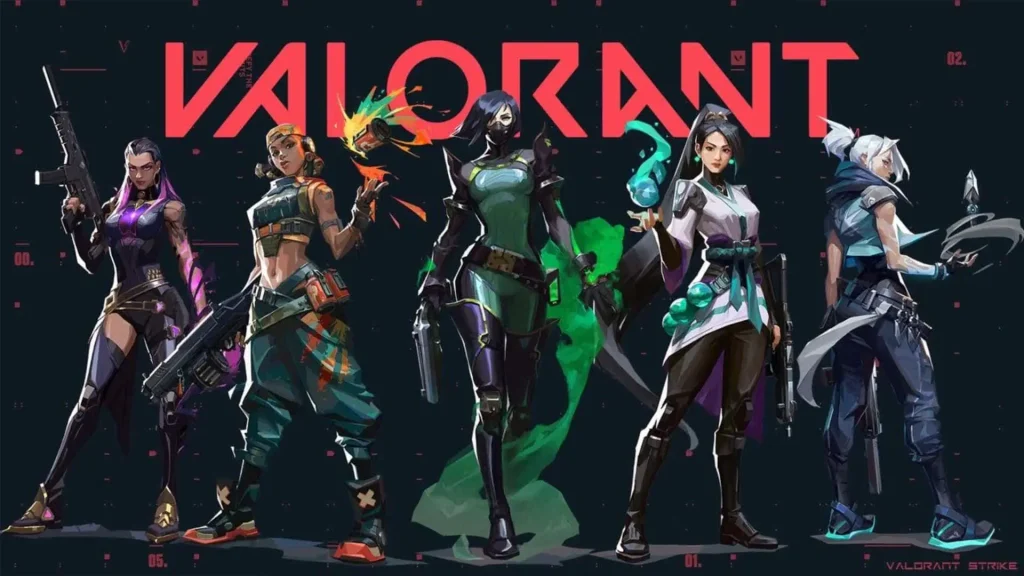
The highly anticipated Valorant 9.06 update is here, bringing with it the ‘block’ feature that fans of the shooter have been demanding for ages.

There is no shortage of toxic players in Valorant, and while you were able to mute them prior to patch 9.06, the new ‘block’ function offers a more effective solution for dealing with toxicity in the Riot Games title.

Blocking a player in Valorant will not only enable you to stop receiving text and voice comms from them, but they will also be unable to send you friend requests, invite you to a party, or contact you in the game. 

Without further ado, let’s take a look at how you can block players in Valorant. 

How To Block Players in Valorant
Block Players Valorant

Blocking a player in Valorant is extremely easy and takes no more than a few seconds.

Below, we’ve listed the steps that you need to follow in order to block someone in Valorant:

  • Launch Valorant
  • Go to the ‘Career’ tab to see a list of your recent games.
  • Navigate to the match where you encountered the player that you wish to block.
  • Find the player on the scoreboard.
  • Right-click on the player’s name, click “Block,” and confirm.

This will prevent the blocked player from communicating with you in any form when you’re playing Valorant.

However, note that this is not equivalent to an ‘avoid player’ feature in Valorant, something that has also been heavily requested by fans. The blocked player can still appear in the same game as you, but they will not be able to chat with you via text or voice comms.

LoL Worlds 2024 Anthem Honors Faker with Hidden Quote! (Details Inside)

We got the video for League of Legends 2024 Worlds anthem “Heavy is the Crown” before GTA VI and can’t believe that it has a hidden reference to an iconic quote from Faker – a LOL pro player.

League of Legends just dropped their World Anthem 2024 and the community couldn’t contain their excitement when it was revealed that the American rock band Linkin Park would be performing their latest song “Heavy is the crown” on the main stage!

The long-awaited video after a million teasers left everyone wanting a bit more than something that isn’t in the closest Worlds to League, but seems to love it regardless.

The Faker reference

But just before we thought it was over, we got yet another music video that featured iconic moments from pro players all along the years. The little moments and references were heartwarming callbacks to League of Legends evolving into the esport we know it today. 

But there seems to be one thing that everyone seems to have missed that we think is very cool of League to include from their iconic historical games. 

In the above tweet a user highlighted the amount of detail within the Heavy is the Crown music video. In a moment in the video, for a fraction of a second where there was some noticeable text beside Azir, right there was Korean text that said “All roads lead to me” 

This easter egg was such an interesting inclusion that goes to show how much attention to detail had gone into the designers who worked on the launch video. 

But, where is this reference from?

The quote in itself was something that Faker (referring to Ruler) said in 2023’s T1 vs JDG semifinale – “Ruler, you must not forget: All roads lead to me” This was followed by the choruss of Legends never die – at the moment, which led to a roar of hype built during the event. Truly iconic. We can’t wait for the LOL Worlds 2024 to progress and to stay updated, keep watching this space.

IEM Rio Group Matchups & Schedule Announced

0

ESL announced the groups and tie matches from which the opening rosters will be formed for its upcoming IEM Rio, an esports tournament that will take place in Rio de Janeiro, Brazil, from October 7th to 13th. The prize pool is expected to be substantial, standing at $250,000.

The 16 invited teams have been divided into two groups according to the format. The winners of the upper bracket finals will qualify directly for the semi-finals of the playoffs while the runners-up in the upper bracket finals, plus the winners of the lower bracket finals, will head towards the quarter-finals.

The strong lineup in the new Group A will be headed by one of the newly crowned ESL Pro League S20 champions, NAVI. The group also holds two of the most anticipated opening matches, which will include a revenge match between Liquid and Complexity, which went down to the playoffs in Malta, and another battle between FaZe and FURIA.

In Group B, the runners-up of the Pro League will play Astralis. Other notable teams in this group include Vitality and G2.

IEM Rio Major 2022

Let’s take a look at the schedule:

Group A – October 7 2024

TeamsTime
NaVi vs Rare Atom20:30 IST
Team Liquid vs Complexity20:30 IST
FaZe Clan vs FURIA Esports19:30 IST
MOUZE vs paiN Gaming19:30 IST

Group B – October 7 2024

TeamsTime
Virtus pro. vs The MongolZ22:30 IST
Eternal Fire vs Astralis22:30 IST
G2 Esports vs HEROIC21:30 IST
Team Vitality vs 9z Team21:30 IST

LEGO Fortnite to Launch Split Screen for PlayStation and Xbox Next Month

0

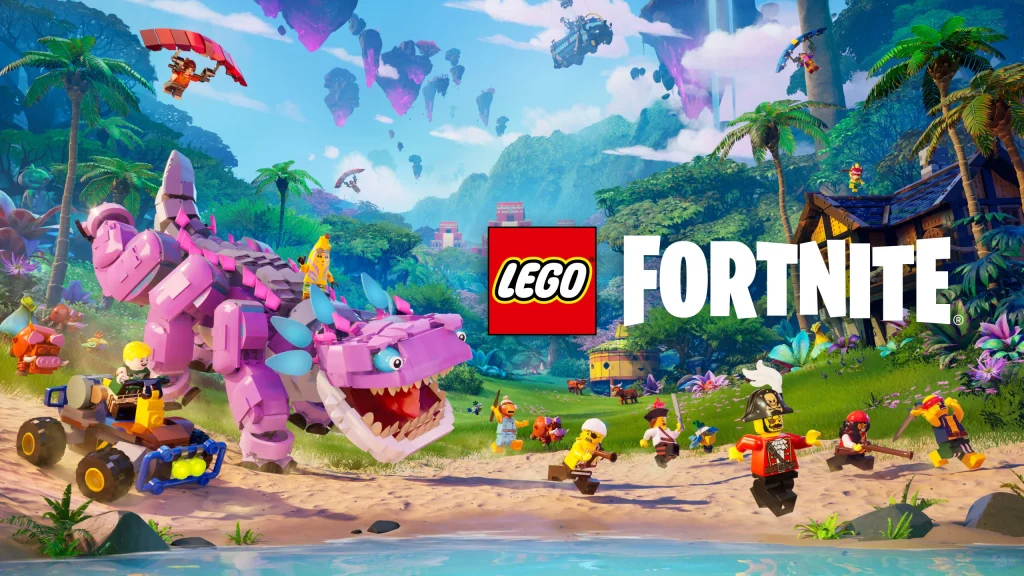
The LEGO Fortnite is one of the most hyped crossover games with the block-building franchise and the most happening battle royale phenomenon. In the game, split-screen multiplayer is a feature that almost every player has been waiting for. Finally, the developers have officially confirmed that it is coming next month.

Whilst this will add to the cooperative experience on PlayStation and Xbox, users on Nintendo Switch and mobile devices and others aren’t getting this.

LEGO Fortnite X account declared that, indeed, another upcoming split screen mode is coming sometime in October of 2024, which should celebrate the popular event Fortnitemares.

LEGO Fortnite split screen

LEGO Fortnite has just gotten better since coming into the market and those renews, specifically in such recent ones, have come with the return of the lovable dinosaur Klombo and new weapons, vehicles, and much more. Players should expect exciting new features and surprises in this game as it progresses.

How To Enable Quickcast in Deadlock, Valve’s Upcoming Hero Shooter

0

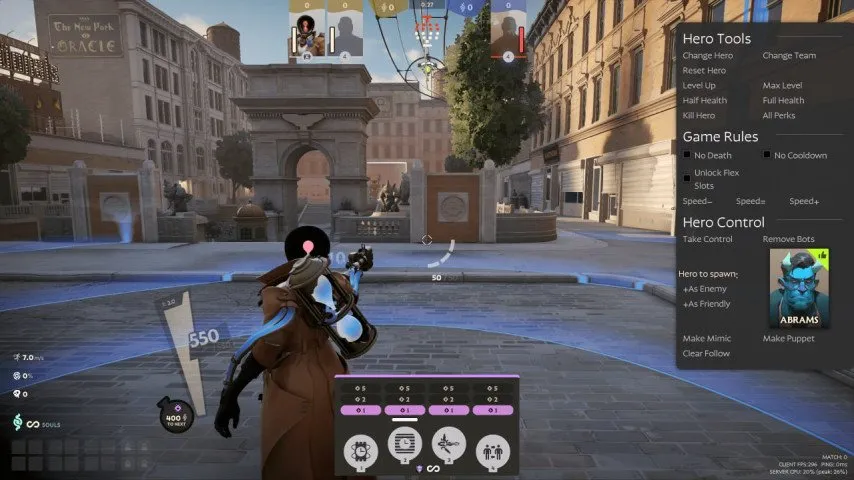
Quickcast is a crucial feature that’s present in most modern MOBAs, but it’s yet to be officially introduced in Valve’s Deadlock. Luckily, there’s still a way for players to enable quickcast in Deadlock, and it takes no more than a few seconds to set up.

With the official reveal of Deadlock in August 2023, Valve sent shockwaves throughout the multiplayer gaming community. Shortly after the closed alpha of the game went live, it managed to captivate the hearts of millions of players, with prominent streamers like Shroud claiming that Deadlock is “the best third-person shooter” they’ve ever played.

However, despite Deadlock rapidly gaining traction over the past few weeks, it’s important to note that the title is still in its early alpha phase. As a result, some important features like ’Quickcast’ are still missing from the game.

What is Quickcast in Deadlock?

For the uninitiated, quickcast in Deadlock (or any MOBA) enables players to use their abilities and items with a single keyboard tap. If your Quickcast is disabled, you will need to confirm your ability and item usage with a left-mouse button, which is the default setting in Valve’s Deadlock.

Enabling quickcast in Deadlock can save you precious milliseconds during combat which can often cause a significant difference in heated teamfights. For instance, game-changing items like ‘Silence Glyph’ and ‘Curse’ will be thrown instantaneously if you have quickcast enabled, giving your enemies almost no time to react.

How To Enable Quickcast in Deadlock?

Deadlock

While there’s no in-game setting to enable quickcast in Deadlock, it’s still extremely easy to set up.

Below, we’ve listed all the steps you need to follow to enable quickcast in Valve’s Deadlock:

  • Go to your Steam Library.
  • Right-click Deadlock and go to ‘Properties’.
  • Under ‘Launch Options’, type in ‘-exec autoexec’.
  • Go to ‘Installed Files’ and hit ‘Browse’.
  • Go to Game > Citadel > Cfg.
  • Create a new text file and name it ‘autoexec.cfg’.
  • Open the file with Notepad.
  • Type in the following commands:
  • bind v “+in_item4;+attack;-in_item4;-attack”
  • bind c “+in_item3;+attack;-in_item3;-attack”
  • bind x “+in_item2;+attack;-in_item2;-attack”
  • bind z “+in_item1;+attack;-in_item1;-attack”
  • bind 1 “+in_ability1;+attack;-in_ability1;-attack”
  • bind 2 “+in_ability2;+attack;-in_ability2;-attack”
  • bind 3 “+in_ability3;+attack;-in_ability3;-attack”
  • bind 4 “+in_ability4;+attack;-in_ability4;-attack”
  • Save and exit.
  • Launch Deadlock.
  • Unbind all items and abilities (or else they will override the quickcast keys).

And that’s it! Now you have successfully set all your abilities and items to quickcast in Deadlock.

If you wish to remove quickcast from one of your abilities, you can do so by assigning a keybind to the respective ability from the in-game settings. This will override your autoexec and let you confirm your ability or item usage manually. This can be helpful for abilities that have an AoE impact radius like Lady Geist’s grenade.

Is Quickcast Bannable in Deadlock?

Don’t worry, you won’t get banned for using quickcast in Deadlock. In fact, the devs behind Deadlock have confirmed that they plan to include quickcast to Deadlock in a future update.

However, using any form of macro to automatically use your abilities and items might be bannable in Deadlock.

Valorant 9.06 Update Brings New ‘Block’ Feature, Player Behavior Updates & More: Full Patch Notes

0

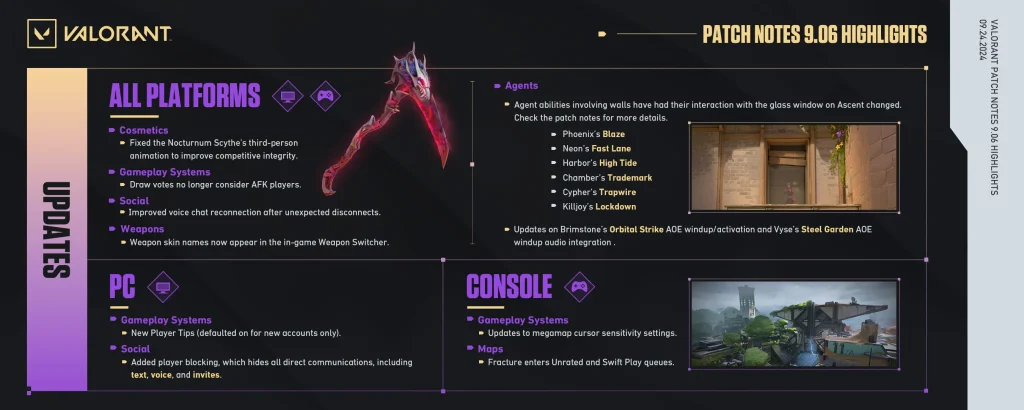
The patch notes for the Valorant 9.06 update have officially been revealed by Riot Games, and while it doesn’t bring any major changes to the shooter, there’s still plenty to look forward to. In this update, console players also gain access to a new map, completing their collection of the entire current Valorant map catalog.

The Valorant 9.06 aims to bring some quality-of-life changes to the title alongside a bunch of much-needed bug fixes. The update introduces several adjustments to how the Ascent window interacts with various Agent utilities, along with player behavior improvements to enhance the overall gaming experience.

A new ‘Block’ feature has been added to Valorant with the 9.06 patch. Moving forward, players will be able to block communications and will no longer see or hear any direct communication from the blocked user, including messages in text chat, voice comms, party invites, and friend requests.

Valorant 9.06 Patch Notes

Valorant 9.06

Without further ado, let’s check out the full patch notes of Valorant 9.06, as revealed by Riot Games:

ALL PLATFORMS

AGENT UPDATES

  • Agent abilities involving walls have had their interaction with the glass window on Ascent changed.
    • Phoenix’s Blaze and Neon’s Fast Lane will break the window if their initial cast center point would hit the window, but the walls themselves will not interact with the window.
    • Harbor’s High Tide will no longer break the glass window since it does not hit walls.
    • Chamber’s Trademark, Cypher’s Trapwire, and Killjoy’s Lockdown will no longer break windows when placed too close.
  • Brimstone’s Orbital Strike AOE windup/activation and Vyse’s Steel Garden AOE windup audio integration have been updated from being positioned directly on the Agent when in the AOE to being slightly directional toward the origin of the AOE to allow you to know which direction to travel in, in order to escape.

GAMEPLAY SYSTEMS UPDATES

  • Updated voting systems so that draw votes no longer take into account AFK players.

MAP UPDATES

  • Haven
    • There are several quality of life improvements to help with placing Vyse’s Arc Rose and Cypher’s Trapwire on crates on Haven.

PLAYER BEHAVIOR UPDATES

  • We have adjusted our comms abuse penalties to create a better comms experience in VALORANT. People who engage in repeat comms abuse behavior will receive increased penalties.
  • In order to create a healthier comms experience in VALORANT, we will be issuing comms abuse penalties to people who have received a manual behavioral evaluation due to their repeated pattern of comms abuse.

SOCIAL UPDATES

  • We made an update to our voice chat system. You should now more reliably reconnect to voice chat after unexpected disconnects.

WEAPONS UPDATES

  • We are adding Weapon Skin names to the in-game Weapon Switcher. We hope this will make it easier to determine what skin you are using when you pick up or switch to a weapon. You can see this change on your in-game HUD.

BUG FIXES

Agents
  • Fixed an issue where Deadlock’s Sonic Sensors could stay active if placed as Deadlock was killed.
  • Fixed an issue where Cypher’s Trapwire did not take damage from certain abilities.
  • Fixed an issue where Gekko’s Wingman could get stuck in a loop while attempting to chase an unreachable target.
  • Fixed an issue where Yoru’s Fakeout did not trigger Vyse’s Shear.
  • Fixed an issue where Breach was unable to cast abilities through Vyse’s Shear.
  • Fixed an issue where Sova’s Recon Bolt was destroyed by Vyse’s Shear.
  • Fixed an issue where Gekko’s Thrash and Raze’s Showstopper could hit people on the other side of Vyse’s Shear.
  • Fixed an issue where Vyse’s Arc Rose could be placed on invalid objects.
  • Fixed various collision issues with Vyse’s Shear, that blocked bullets and people while despawning.
  • Fixed rare instances of people’s bodies being clipped inside Vyse’s Shear.
  • Fixed an issue where Vyse’s Razorvine and Shear had lingering VFX when canceling early.
Cosmetics
  • Fixed the third person animation for the Nocturnum Scythe so it will no longer appear higher than the Agent model when you equip your melee. Thanks to Kanga for this report!
Gameplay Systems
  • Fixed an issue where the Combat Report did not display “killed” text when you kill an ally.
  • Fixed an issue where the Combat Report “killed by” text would have incorrect text alignment in Arabic.
Maps
  • Breeze
    • Fixed an issue with the mechanical door at A Switch where bullets were not able to go through even though the door was open.

PC

GAMEPLAY SYSTEMS UPDATES

  • New Player Tips (defaulted on for new accounts only)
    • As you join our community, complete the tutorial, and start sharpening your skills on the battlefield, we want to make sure you are armed with the right information in order to succeed and secure that clutch! So, we’ve implemented a “New Player Tip” system that will display useful in-game information based on the actions you take during the match. These tips will provide critical information for gameplay fundamentals, potential focuses for skill improvements, and suggestions for advanced strategies.
    • NOTE: If you’re an existing player, New Player Tips won’t show up unless turned on in Settings.
    • Our New Player Tips have been built from the ground up to give you more opportunities to skill-up and learn VALORANT faster via:
      • Tips that “listen” to your in-match actions and behaviors.
      • Tips that level up with you as you learn the fundamentals of VALORANT gameplay, from beginner to advanced strategies.
    • Tips can be switched On or Off in your Settings.

SOCIAL UPDATES

  • You can now block communications with other players. When you block someone, you will no longer see or hear any direct communications from them, including:
    • Messages in text chat
    • Voice comms
    • Party invites and requests
    • Friend requests

CONSOLE

GAMEPLAY SYSTEMS UPDATES

  • Updates to megamap cursor sensitivity settings:
    • Added a new setting to allow you to select an input curve for megamap cursor controls.
    • Added Agent-specific cursor curve settings for abilities that utilize the megamap:
      • Brimstone’s Sky Smoke and Orbital Strike.
      • Clove’s Ruse
      • Omen’s From the Shadows map ability controls
  • Removed aim assist from some abilities that aren’t intended to target opposing players.

MAPS UPDATES

  • Fracture enters Unrated & Swift Play queues. This is the final legacy map being added to console mode queues. Console players now have the entire catalog of current VALORANT maps.

That’s everything you need to know about the latest Valorant 9.06 update.

Valorant 9.06 Release Date

The Valorant 9.06 patch is expected to hit the live servers on Tuesday, September 24 or Wednesday, September 25, based on the region you play in.

VCT Ascension Pacific 2024: Teams, Schedule, Results & Where To Watch

The VCT Ascension Pacific 2024 is currently underway, and Valorant fans from throughout the globe are tuning in to see their favorite teams battle it out for a slot at the VCT Pacific 2025 League alongside a gigantic prize pool.

VCT Ascension Pacific 2024 features ten of the best Valorant teams from throughout the APAC region competing in a double-elimination bracket. The team that manages to land a first-place finish will find themselves qualifying for VCT Pacific 2025.

In this article, we take a look at everything you need to know about VCT Ascension Pacific 2024, including the participating teams, schedule, results, and official streams.

VCT Ascension Pacific 2024: Teams

Here’s a list of the 10 participating teams in VCT Ascension Pacific 2024:

  • Revenant Esports (South Asia)
  • FULL SENSE (Thailand)
  • Rapid Lofi (Vietnam)
  • Disguised (Malaysia/Singapore)
  • Sin Prisa Gaming (Korea)
  • RIDDLE ORDER (Japan)
  • Oblivion Force (Taiwan/Hong Kong)
  • NAOS (Philippines)
  • BOOM Esports (Indonesia)
  • JFT (Oceania)

VCT Ascension Pacific 2024: Schedule & Results

VCT Ascension Pacific 2024

The VCT Ascension Pacific 2024 kicked off on September 20th and will come to a conclusion with a winner being crowned on September 29th. Let’s take a look at the detailed schedule and results below:

Upper Bracket Round 1

  • Revenant Esports vs Sin Prisa Gaming (0-2): Bind (10-13); Icebox (5-13)
  • FULL SENSE vs Oblivion Force (2-0): Sunset (13-6); Haven (13-3)

Upper Bracket Quarterfinals

  • NAOS vs BOOM Esports (0-2): Sunset (3-13); Lotus (7-13)
  • JFT vs Rapid Lofi (2-0): Icebox (13-3); Lotus (13-8)
  • RIDDLE ORDER vs Sin Prisa Gaming (0-2): Sunset (12-14); Ascent (9-13)
  • Disguised vs FULL SENSE (0-2): Haven (7-13); Icebox (12-14)

Lower Bracket Round 1

  • NAOS vs Oblivion Force (2-0): Icebox (13-10); Lotus (13-7)
  • Rapid Lofi vs Revenant Esports (0-2): Bind (3-13); Haven (3-13)

Upper Bracket Semifinals

  • Sin Prisa Gaming vs BOOM Esports (2-0): Lotus (13-3); Icebox (13-9)
  • FULL SENSE vs JFT Esports (2-0): Ascent (13-8); Lotus (13-9)

Lower Bracket Round 2

  • RIDDLE ORDER vs NAOS (2-1): Haven (15-17); Lotus (13-3); Ascent (13-11)
  • Disguised vs Revenant Esports (2-1): Lotus (13-15); Bind (13-5); Ascent (13-5)

Lower Bracket Quarterfinals

  • JFT Esports vs RIDDLE ORDER: (September 24) 9:30 AM IST, 4:00 AM GMT, 12:00 AM ET, (September 23) 9:00 PM PT
  • BOOM Esports vs Disguised: (September 24) 12:30 PM IST, 7:00 AM GMT, 3:00 AM ET, (September 23) 12:00 PM PT

Upper Bracket Final

  • Sin Prisa Gaming vs FULL SENSE: (September 27) 12:30 PM IST, 7:00 AM GMT, 3:00 AM ET, (September 26) 12:00 PM PT

Lower Bracket Semifinal

  • TBD vs TBD: (September 27) 3:30 PM IST, 10:00 AM GMT, 6:00 AM ET, (September 26) 3:00 PM PT

Lower Bracket Final

  • TBD vs TBD: (September 28) 12:30 PM IST, 7:00 AM GMT, 3:00 AM ET, (September 27) 12:00 PM PT

Grand Final

  • TBD vs TBD: (September 29) 12:30 PM IST, 7:00 AM GMT, 3:00 AM ET, (September 28) 12:00 PM PT

All the matches in the event will be best-of-threes, with the exception of the lower bracket final and the grand final, both of which will be best-of-fives.

VCT Ascension Pacific 2024: Where To Watch

Fans will be able to catch all the action that unfolds during the VCT Ascension Pacific 2024 by tuning into the official livestream of the event on the YouTube and Twitch channels of Valorant Pacific.

Great Pagoda Black Myth Wukong: A Step-by-Step Guide to Unlocking its Secrets

0

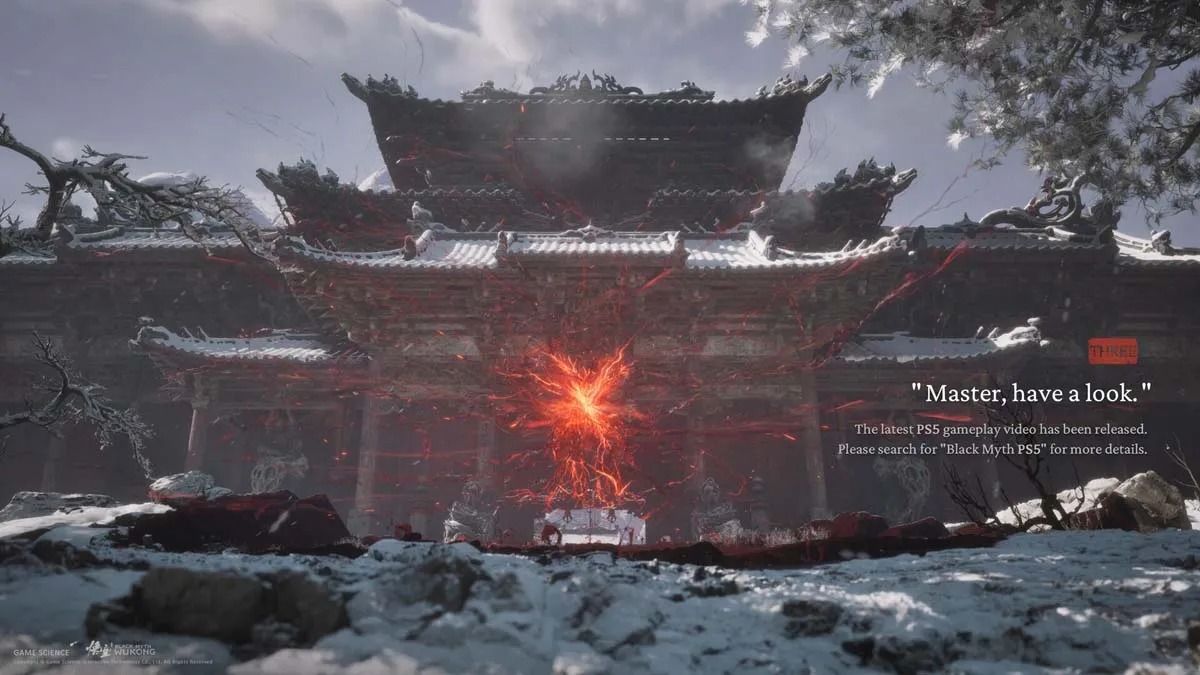
Black Myth: Wukong is the highly anticipated action RPG that has been captivating gamers with its richly detailed world and challenging gameplay. One of the game’s most interesting locations is The Great Pagoda, a mysterious and important structure that players can’t wait to access. In this post, we will delve into the mystery of The Great Pagoda and provide our readers with a step-by-step guide on how to open it up.

The Great Pagoda: A Monumental Location Full of Enigmas

Within Black Myth: Wukong, The Great Pagoda stands as a monumental location cloaked with mysteries and requires considerable efforts to reach there. Although its actual purpose still remains unknown, the intricate design as well as difficulty it takes to get there suggest that it holds great significance in the game. Gamers are convinced that this may be critical to the plot or even hold powerful relics and secrets.

How to reach The Great Pagoda

It is no easy task getting to The Great Pagoda requiring one to do through series of difficult steps necessary for you as you play through this game unlocking these inscrutable structures; therefore, we have put together an exhaustive guide below.

Step 1: Created Drama at Mirrormare Shrine

Mirrormare Shrine is where your adventure begins-a crucial place for starting off which gives you an overview of what lies ahead.

Step 2: Beating Kang-Jin Loong’s Strength

Next step involves fighting against Kang-Jin Loong who is quite formidable; hence defeating him would mean progress in your mission.

Step 3: Disclosing Lower Pagoda’s Secrets

As soon as you defeat Kang-Jin Loong, make your way into Lower Pagoda which will require careful navigation because it has many hidden challenges with intricate designs.

Step 4: Conquering Upper Pagoda Trials

After thoroughly exploring Lower Pagoda, you will move to the upper part of the temple. This section of the pagoda has its own set of trials and requires careful exploration.

Step 5: Beating Smart Captain Wise-Voice

Another major challenge is in the form of Captain Wise-Voice who you need to beat before you can proceed with your journey.

Step 6: Navigating Treacherous Snow-Veiled Trail

Once done defeating Captain Wise-Voice, head towards Snow-Veiled Trail which is a path that needs skillful navigation.

Step 7: Unlocking The Great Pagoda’s Secrets

Finally, having passed all these challenges, you will reach The Great Pagoda where the middle circular part of this temple will have fire inside it indicating that one has arrived at this critical point. To fully unlock its secrets, you’ll need to finish different chapters and earn life fragments for each side post.

The Great Pagoda in Black Myth: Wukong is an illustration of how deep and complex a game can be. While its exact purpose remains unknown, getting there involves difficult battles as well as detailed explorations. By following these steps outlined above, players can make their way through this enigmatic structure and uncover what lies behind it.

Finding Xu Dog in Black Myth: Wukong – A Comprehensive Guide

0

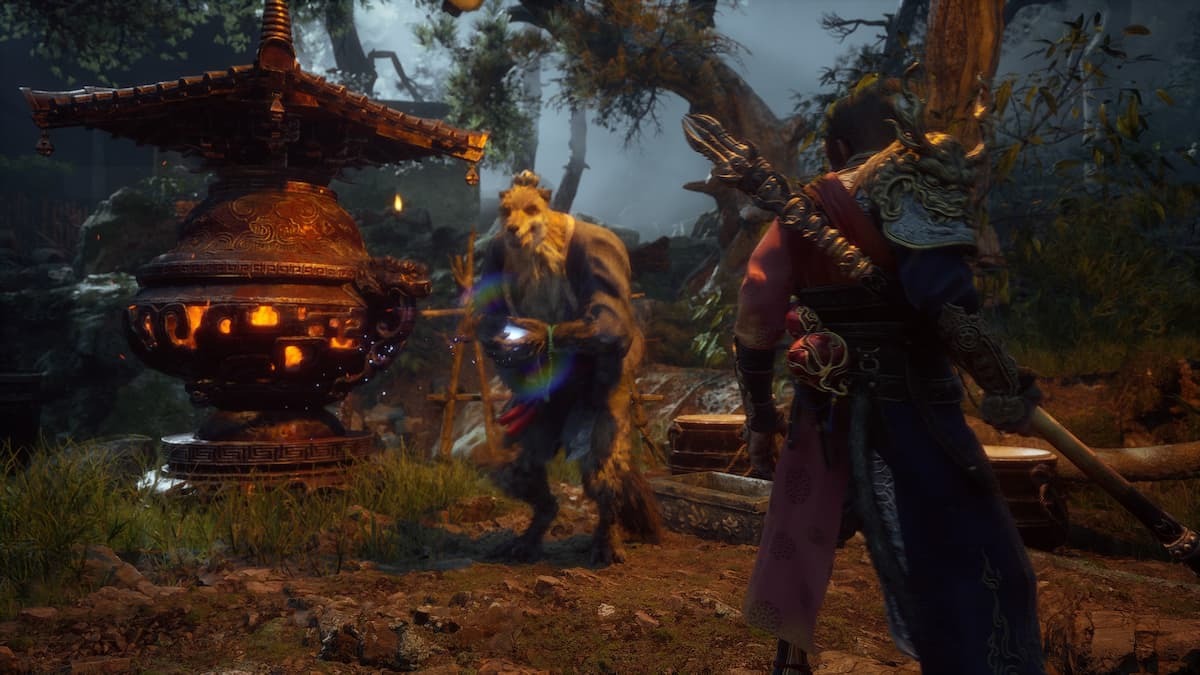
In the world of Black Myth: Wukong, Xu Dog is one of the most valuable NPCs (Non-Playable Characters) you will find. The purpose of this guide is to help you find Xu Dog throughout the vastness of its map so as not to miss any benefits that he brings.

Who is Xu Dog?

Xu Dog is an essential NPC in Black Myth: Wukong who typifies a Soulslike character. His quest spans almost the entire second chapter of the game, making him significant for those who are interested in delving deep into its story and getting different rewards too.

Where does Xu Dog hide?

  1. Sandgate Village

The first place you will meet him is at Sandgate Village which can be found easily early on in the game and talking to him here sets up the rest of his questline.

  1. Cellar Beneath Crouching Tiger Temple

The other location where he can be found is in the cellar beneath Crouching Tiger Temple. It’s harder to get here because it involves passing through different obstacles as well as enemies while locating him there is required for continuation with his quest.

  1. Ruyi Scroll

The final destination where you will find him appears within Ruyi Scroll which usually takes longer time before arriving at it thus finding him there completes his questline also. For instance, if you want to finish his story and reap all personal awards possible make sure that you reach Xu dog at these points only.

Getting through these three places –Sandgate village, basement below Crouching Tiger temple and inside Ruyi scroll – are crucial for anyone who wants complete Black Myth: Wukong experience.

Every meeting with Xu Dog not only progresses his mission but also helps make gameplay more exciting overall. So, do explore these sites thoroughly if stopping by them adds some sense to your journey in this fascinating game.

Star Wars Outlaws Spoilers Have Leaked Online

0

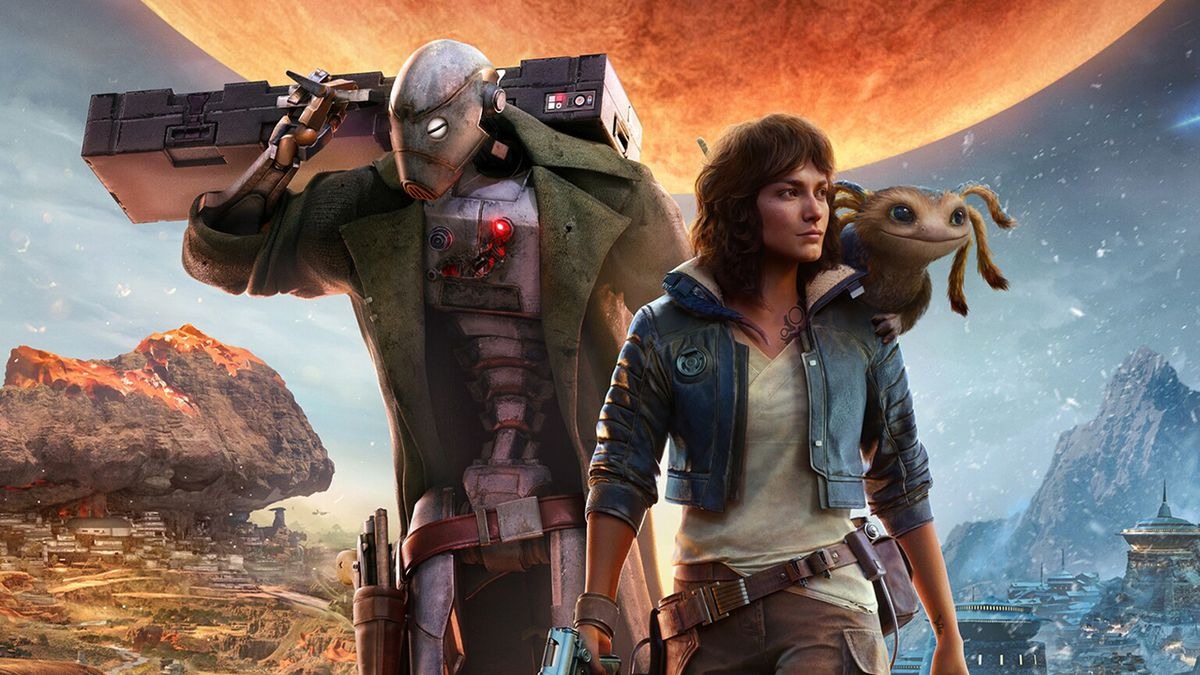
To everyone’s surprise, spoilers for the highly anticipated Ubisoft open-world game Star Wars Outlaws have appeared on the internet just days before it is due to be released. This unforeseen event has reverberated throughout the gaming community, raising concerns about the effect it could have on the launch and overall player experience.

From Kick, a live streaming platform user leaked Star Wars Outlaws. Five days ahead of its release date scheduled for August 27th, 2024, one user started streaming this game. Hence, game footage has since gone viral in different parts of the internet possibly ruining key information for those eager fans who have waited so long for its release.

For those unfamiliar with this; Star Wars Outlaws will go live on August 27, 2024 and will be available on PlayStation 5, Xbox Series X/S as well as PC. In three days after that is August 30 when Standard Edition costing $69.99 will become accessible. The story mode puts gamers into the shoes of Kay Vess, a rogue seeking her place in space without rules. The players are presented with five distinct Star War worlds where Tatooine and Kijimi are featured among them.

This latest leak isn’t an isolated instance with regard to Star Wars: Outlaws leaks over time. It was not until July 2024 that a thirteen-minute gameplay video was posted online giving fans a sneak peek at what lies ahead in this installment of the game series. These recurring events resulted in heated debates among members of society regarding maintenance of secrecy during digital era.

As we approach closer to official release day, there is a continued fear from spoiling anything more within gaming community. Despite these helpful hints however; excitement surrounding Ubisoft’s Star Wars Outlaws remains high and supporters are advised to stay sharp-witted and enjoy it as planned once it comes out. The Star Wars Outlaws gameplay is an immersive and intense experience that will leave fans breathless in their seats.