Home Blog Page 398

How to Get Kingambit in Pokémon Go?

0

The powerful Kingambit, a Dark/Steel dual-type Pokémon, has entered Pokémon GO, presenting trainers with a new evolution challenge. Kingambit first came out in Pokémon Scarlet and Violet, evolving from Bisharp, which evolves from Pawniard. Though the mainline games needed particular requirements, including the Leader’s Crest, Pokémon GO has a different evolution process.

In this article, we will explore how you can get Kingambit in Pokémon GO without any hassle.

How to Get Kingambit in Pokémon Go?

To transform your Bisharp to Kingambit in Pokémon GO, use these steps:

  • Make Bisharp Your Buddy: Go to your Pokémon inventory, choose Bisharp, and make it your active buddy.
  • Take Part in Raids: Take part in and win 15 Dark- or Steel-type Pokémon raids. Bisharp must be your buddy for the raids, though it doesn’t have to join the battles itself.
  • Amass Pawniard Candy: Make sure to have at least 100 Pawniard Candy. You can acquire candy through catching Pawniard, having it walk with you as your companion, or receiving duplicates.
  • Evolve: As soon as the aforementioned requirements are fulfilled, evolving Bisharp into Kingambit will become an option.

This evolutionary path follows the official debut of Kingambit in the game, providing trainers with a distinctive challenge to integrate this formidable Pokémon into their rosters.

How to Obtain Pawniard and Bisharp?

Pawniard, the initial stage in this evolution line, is not very common in Pokémon GO. Here is how you can get it:

  • 12 km Eggs: Pawniard can hatch out of 12 km “Strange Eggs,” which are earned through defeating Team GO Rocket Leaders.
  • 7 km Eggs: Through particular events, e.g., the “Crown Clash,” Pawniard can also hatch out of 7 km eggs earned through completing Routes.
  • Field Research Chores: Completing specific chores, such as “Power up Pokémon 5 times” or “Complete a raid,” will reward you with a Pawniard encounter.
  • Wild Encounters and Raids: In events, Pawniard can be found in the wild or as a one-star raid boss, but this is not common.

To evolve Pawniard to Bisharp, you will use 50 Pawniard Candy.

If you still have any other queries regarding it, let us know in the comments below.

NAVI Beat Aurora to Qualify for PGL Astana Playoffs

NAVI went through to the playoffs of PGL Astana after beating Aurora 2-0. Following the embarrassing loss against MongolZ, NAVI found their mojo against the Turkish side and found themselves in the next round of play.

VETO

  • Natus Vincere removed Anubis
  • Aurora removed Ancient
  • Natus Vincere picked Train
  • Aurora picked Inferno
  • Aurora removed Mirage
  • Natus Vincere removed Nuke
  • Dust2 was left over

Map 1: Train; Pick: NAVI; Winner: NAVI

Having managed to catch Aurora off guard with the Train pick, NAVI led the charge on the T side. Winning a few rounds right from the get-go, they dropped the ball, allowing Aurora to level the scoreline before switching sides. Aurora managed to go 10-6 up before NAVI could get going on their CT side. Once NAVI managed to stabilise their defence, Aurora failed to get anything further they NAVI closed out the map, and the Turkish side failed to manage anything more than one round.

Map 2: Inferno; Pick: Aurora ; Winner: NAVI

Starting on the defence, Aurora managed to get a strong start as they looked to take the series to a third map. As they managed to run away with it, NAVI won the final three rounds of the first half to close the lead before moving to the defence. After winning the pistol round, NAVI managed to get into the lead and continued their momentum as Aurora failed to get more than 3 rounds before NAVI closed the series. Despite being the best player on the server with 24 kills, XANTARES could not push it over the line for his team.

Aurora need one more win to advance to the next stage, and they’re likely to get it in the upcoming match. They will face ODDIK in the final round of the groups, and they are the favourites.

Riot Games Introduces New Player Behavior System to Combat League of Legends Toxicity

Riot Games is stepping up efforts to create a more respectful and enjoyable atmosphere within League of Legends. In a recent message, Lead Gameplay Designer Matt Leung-Harrison described the company’s new strategy to combat in-game toxicity, calling for a balance between punishment and behavioral change.

Traditionally, Riot’s response to misconduct was strict penalties. Yet Leung-Harrison identified a shift towards “timely nudges”. Real-time feedback systems are intended to signal to players where they are behaving improperly. Internal data has informed this approach as a way to show that players are far less likely to reoffend if they have an awareness of misconduct, and that reoffending can fall below 10% if players are quickly reminded of their misbehavior.

Augmenting the Reporting Ecosystem

The credibility of the reporting system plays a central role in Riot’s disciplinary system. Leung-Harrison encouraged players to make appropriate use of reporting mechanisms, noting that wholesale reporting tends to devalue the usefulness of the system. Riot algorithms evaluate the merits of reports, and false-reporting patterns decrease a player’s standing within the system. Helpful and considerate reports increase the system’s efficiency in detecting and dealing with genuine instances of impropriety.

Although most players react well to corrective feedback, a very small percentage, less than 0.1%, continue with egregious behavior. In such instances, Riot implements permanent bans to maintain the health of the community. The company recognizes the difficulties presented by account swapping and the utilization of alternate accounts to evade bans and is working diligently to address these issues.

Technological Innovations in Behavior Monitoring

Riot has incorporated sophisticated machine learning models into its monitoring systems, allowing for real-time analysis of in-game chatter. The models are capable of recognizing and silencing offensive language in real-time, stopping hurtful messages from being received by other players. The capabilities of the system reach all types of in-game chat, including party and team chat, and are constantly updated to ensure higher accuracy and responsiveness.

Aside from punitive measures, Riot is taking proactive steps to assist players impacted by harassing behavior. The “Disruptable Behavior Repair” initiative provides rewards, i.e., autofill safeguarding and consolation LP, to players whose games are detrimentally affected by leaving or purposefully feeding teammates. The move is designed to recognize and dampen frustration felt by players in these circumstances.

Riot’s dedication to building a positive gaming community goes beyond deterrence. The company has retooled the Honor system to reward players consistently showing sportsmanship, collaboration, and respectful communication. Players who earn consistently high Honor levels are eligible for special rewards, such as special skins and in-game content, that reinforce the importance of positive behavior.

G2 Eliminates BIG From PGL Astana 2025

Despite their constant struggles, G2 Esports has managed to secure a 2-0 victory with TaZ as the stand-in. While G2 was not in good shape after losing m0NESY, huNter’s temporary absences took them to new lows, but having fought back after losing two matches, they are just a win away from making it to the PGL Astana playoffs.

VETO

  • G2 removed Train
  • BIG removed Anubis
  • G2 picked Dust2
  • BIG picked Mirage
  • BIG removed Ancient
  • G2 removed Nuke
  • Inferno was left over

Map 1: Dust 2; Pick: G2; Winner: G2

Having remained inseparable for the better part of the first half, G2 Esports managed to edge out a narrow lead to get an early advantage moving to their defense. With malbs hitting his shots across the map, BIG had little room to play with on their T side. With only 2 rounds to their name, G2 managed to pull in 6 rounds to their name to close the series with a 13-7 scoreline. Dropping 25 kills at an IR of 1.84 malbs led his team to an early lead in the series.

Map 2: Mirage; Pick: BIG; Winner: G2

A poor start for BIG on their offence saw G2 get 8 rounds to kick off the second map of the series. Continuing their momentum from the previous map, malbs on the A site was a tough nut for the Germans to crack, which led to him leading the charts once again on the defense. With 8 rounds to their name, G2 Esports started their offence where they went on to put up a perfect T side, as BIG failed to get a single round on the board. Dominating completely, G2 made sure they stayed alive in Astana thanks to another supreme performance by malbsMd.

BIG were far from favorites to make it to the playoffs, but given the drop in form from G2, they were the favorites coming into the series. While it’s sad to see them go, the G2 dream run continues as little by little they are finding their form despite playing without their star man in huNter. With one win between them and the playoffs, G2 are in a prime position to make a deep run unless they bomb out in the next match.

Valorant Esports World Cup 2025: All Qualified Teams So Far

0

The Valorant community was taken by storm with the addition of the competitive shooter to the Esports World Cup in 2025, following a multi-year partnership between Riot Games and the EWC Foundation.

The Valorant Esports World Cup 2025 is set to feature some of the finest teams from throughout the world who will battle it out in the LAN event for a shot at a gigantic prize pool.

The highly anticipated tournament, which is set to kick off on July 8, 2025, will see sixteen elite Valorant teams split into four groups of four. Each group will compete in a double-elimination format, with the top two teams advancing to the Playoffs.

In this article, we’ll take a look at all the teams that have managed to qualify for the Valorant Esports World Cup 2025 so far.

All Qualified Teams in the Valorant Esports World Cup 2025

Below, we have included a list of all the teams that are confirmed to attend the Valorant EWC 2025 in July:

  • G2 Esports
  • Sentinels
  • Xi Lai Gaming
  • Bilibili Gaming
  • Gen G
  • RRQ
  • EDward Gaming
  • Titan Esports Club

We’ll be sure to keep you updated as more teams continue to qualify for this prestigious event.

Marvel Rivals Ignite 2025 Stage 1 Open Qualifiers Schedule Revealed

If you’re a Marvel Rivals player ranked Grandmaster or above, now might be a great time to go pro, as NetEase has officially confirmed the details of the open qualifiers for Ignite 2025 Stage 1.

For the uninitiated, Marvel Rivals Ignite 2025 is set to be the biggest event in the short history of the hero shooter, bringing together some of the best teams from throughout the globe and boasting a gigantic prize pool of $3 million USD.

Through an X (Formerly Twitter) post on May 11th, NetEase officially announced the detailed schedule of the highly anticipated Marvel Rivals Ignite 2025 Stage 1 open qualifiers.

Marvel Rivals Ignite 2025 Stage 1 Open Qualifiers Schedule

Scheduled to kick off on May 22, 2025, the open qualifiers for Marvel Rivals Ignite 2025 Stage 1 will take place across five regions: Americas, EMEA, Asia, China, and Oceania.

Players will be able to start registering for the tournament alongside their teams starting May 15th. The registrations will be open for a week before concluding on May 21st.

The open qualifiers will be conducted in two splits: the first running from May 15 to 25, and the second from May 26 to June 1, 2025. Each split will be divided into two phases, with the top 32 teams advancing to a single-elimination bracket. The single-elimination stages for each split is scheduled for May 23 to 25 and May 30 to June 1, respectively.

Now that you’re aware of the schedule for the Marvel Rivals Ignite Stage 1 open qualifiers, you might be curious about how you can register for the event alongside your team.

How To Join Marvel Rivals Ignite 2025 Stage 1 Open Qualifiers

Before you try and register for the Marvel Rivals Ignite 2025 Stage 1 open qualifiers, make sure that you are part of a faction and every member of your team has hit at least Grandmaster 3 in Season 2.

If your team meets this criteria, all you need to do is launch Marvel Rivals on your PC, head to the ‘Marvel Rivals Clash’ tab located under the ‘Tournaments’ section in the main menu, and submit your application for the event.

Marvel Rivals Shaders Compiling Slow? Here’s How To Fix

Despite over five months having passed since the release of Marvel Rivals, there are certain issues with the NetEase Games hero shooter that continue to haunt its player base to this day.

While players on low-end PCs have been facing problems with low FPS ever since the game’s initial launch, users across all hardware tiers have reported long shader compilation times when launching Marvel Rivals.

If you’ve been facing the infamous slow-shader compiling issue in Marvel Rivals and are looking for a quick fix, you’re in the right place.

How To Fix Marvel Rivals Compiling Shaders Slowly

Before you try and fix the slow shader compilation in Marvel Rivals, it’s important to note that it’s normal for the process to take a minute or two. However, if you suspect that the shaders are taking an unusually long time to compile, there are certain fixes that you can attempt to fix the issue.

Without further ado, let’s check out all the possible fixes for slow shader compilation in Marvel Rivals:

  1. Install Marvel Rivals on an SSD: This is probably the most obvious solution to the problem, but it’s also the most effective one. Installing Marvel Rivals on an SSD can significantly speed up your shader compilation times and spare you a few extra minutes every time you launch the game. It’s highly recommended for players to install Marvel Rivals on an SSD before proceeding to the next steps.
  1. Shader Cache Size: Many users have reported that setting the right Shader Cache Size on your NVIDIA Control Panel can reduce your shader compilation times when launching Marvel Rivals. 

Simply head over to your NVIDIA Control Panel, and under the ‘Manage 3D Settings’ tab, find ‘Shader Cache Size’ and set it to a value lower than or equal to your VRAM.

Not only will doing this give you a noticeable boost in shader compilation times, but you’ll also stop getting those annoying “out of VRAM memory” errors when playing the game.

  1. Switch Shader Compilation Mode: Alongside the Marvel Rivals Season 2 update, NetEase added an experimental ‘Switch Shader Compilation Mode’ to improve performance for players on low-end PCs. If you’re running Marvel Rivals with 16 GB of RAM or less, be sure to turn this setting on.

You can switch on the ‘Switch Shader Compilation Mode’ from the Marvel Rivals launcher. 

As a bonus, shader compilations will now occur only during the first time you launch Marvel Rivals after a game version or graphics driver update.

MongolZ Beat NAVI to Qualify for PGL Astana Playoffs

MongolZ are through to the playoffs of PGL Astana ahead of NAVI, having won all the matches they have played in the tournament. Having beaten lesser-known teams, they took down NAVI in a 2-0 fashion to make it into the next round in Astana.

VETO

  • The MongolZ removed Train
  • Natus Vincere removed Ancient
  • The MongolZ picked Inferno
  • Natus Vincere picked Mirage
  • Natus Vincere removed Anubis
  • The MongolZ removed Nuke
  • Dust2 was left over

Map 1: Inferno: Pick: MongolZ; Winner: MongolZ

Dominant opening rounds from NAVI kept MongolZ off the scoreboard until the 5th round. Having remained the better team for the better part of the first half, NAVI switched sides with an 8-4 lead. The MongolZ turned the game around with a pistol round win that saw them level the deficit, which led to them going toe to toe with NAVI. Winning 5 rounds in a row to close the map, MongolZ stealrolled through the NAVI defense in the final few rounds to bring home their map pick. Despite being the best player on the server, b1t, with 21 kills, failed to take it over the line for his side.

Map 2: Mirage: Pick: NAVI; Winner: MongolZ;

Continuing with the momentum from Inferno, MongolZ were by far the better side on their offence. Managing a decent lead early into the map, NAVI somehow put together a few rounds, thus making it a close affair before switching sides. The second half was a close affair as MongolZ and NAVI kept trading rounds until the end of the game before the Asian side edged out a lead. Senzu led the charts for his team with 21 kills and secured playoffs for his side with a 13-11 win in Mirage.

NAVI’s solid start to the campaign has met an unexpected halt against a familiar foe in MongolZ, a team they have had a lot of struggles in recent history. As NAVI continues to falter, their chances of putting up a decent showing at the Major look bleaker with every passing event.

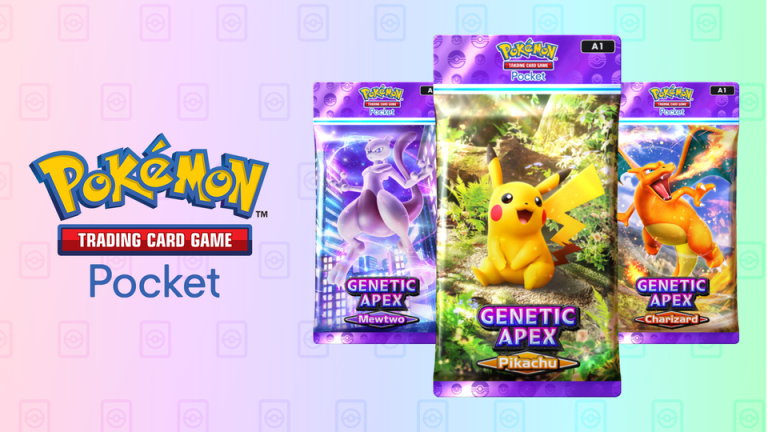
Pokemon TCG Pocket Codes for May 2025

0

Navigating the world of Pokémon TCG Pocket requires staying updated with the latest events and reward opportunities. While the game offers numerous avenues for progression, leveraging available codes and in-game strategies can significantly enhance your experience without additional spending.

Without wasting further time, let’s find out the active codes for this month and how to redeem them without any hassle.

Pokemon TCG Pocket Codes for May 2025

In celebration of the Celestial Guardians expansion, players can redeem the following code for valuable in-game items:

CodeRewardsExpiration
S5N4NDM00N24 Pack Hourglasses, 500 Trade TokensMay 27, 2025, 7:59 AM (local time)

This code provides resources to expedite pack openings and facilitate trades, aiding in the acquisition of new cards from the latest expansion.

How to Redeem Pokemon TCG Pocket Codes?

Unlike some mobile games, Pokémon TCG Pocket requires code redemption through an external website. Follow these steps:

  • Locate Your Support ID:
    • Open the game.
    • Tap the menu icon located in the bottom right corner.
    • Your Support ID appears at the top of the screen.
  • Redeem the Code:
  • Claim Your Rewards:
    • Return to the game.
    • Tap the gift icon in the top-right corner to access your Gift Inbox.
    • Collect your rewards.

If you haven’t redeemed the code yet, do it right now before it expires. If you still have any queries regarding it, let us know in the comments below.

Will Rockstar Release GTA 6 on Xbox Series S?

0

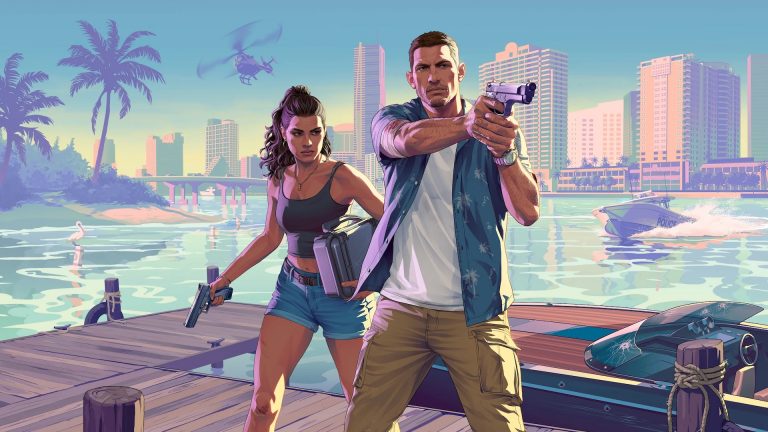
As the anticipation mounts for Grand Theft Auto VI, fans can’t wait to learn if the game will release on their gen consoles, specifically the Xbox Series S. As Rockstar Games officially announced a 2025 release window for GTA 6, the debate over platform compatibility has been raging. So, will GTA 6 release on Xbox Series S? Let’s get into it.

Will GTA 6 Come to Xbox Series S

Yes, GTA 6 will launch on the Xbox Series S and the Xbox Series X, and PlayStation 5. Rockstar revealed as much in their December 2023 announcement, which announced that the game is being designed solely for current-gen consoles, with no mention of last-gen consoles such as the Xbox One and PS4.

While Xbox Series S owners can rejoice, PC gamers and cloud gaming users may need to wait. As of now, there is no confirmed release date for a PC version of GTA 6, nor has Rockstar indicated any plans for Xbox Cloud Gaming compatibility. Historically, Rockstar has delayed PC releases of its flagship titles, so this isn’t entirely surprising.

Can Xbox Series S Handle GTA 6

The Series S Xbox, although not as powerful as the Series X, is no slouch itself. It can handle resolutions of up to 1440p and the same SSD technology that minimizes loading times significantly. Rockstar’s RAGE game engine has been thoroughly optimized for next-gen hardware, and thus GTA 6 on Series S should play fine, though at slightly reduced resolutions or graphics settings than on Series X.

It’s also worth mentioning that developers, including Rockstar, have gotten good at scaling performance for various versions of the same console family. So, although you may not receive native 4K textures on the Series S, you will still get the full GTA 6 experience.

One place where Xbox Series S users might struggle is storage capacity. The console comes with 512GB of built-in storage, but only around 364GB of that can be used. With the trend of huge open-world games, it’s not a stretch to say GTA 6 will take up 100GB or more, maybe even pushing players to deal with or upgrade their storage.

What do you think about the performance of GTA 6 on Xbox Series S? Let us know in the comments below.