Tuesday, May 5, 2026
Home Blog Page 399

How to Find Mephisto in Fortnite Chapter 5 Season 4?

0

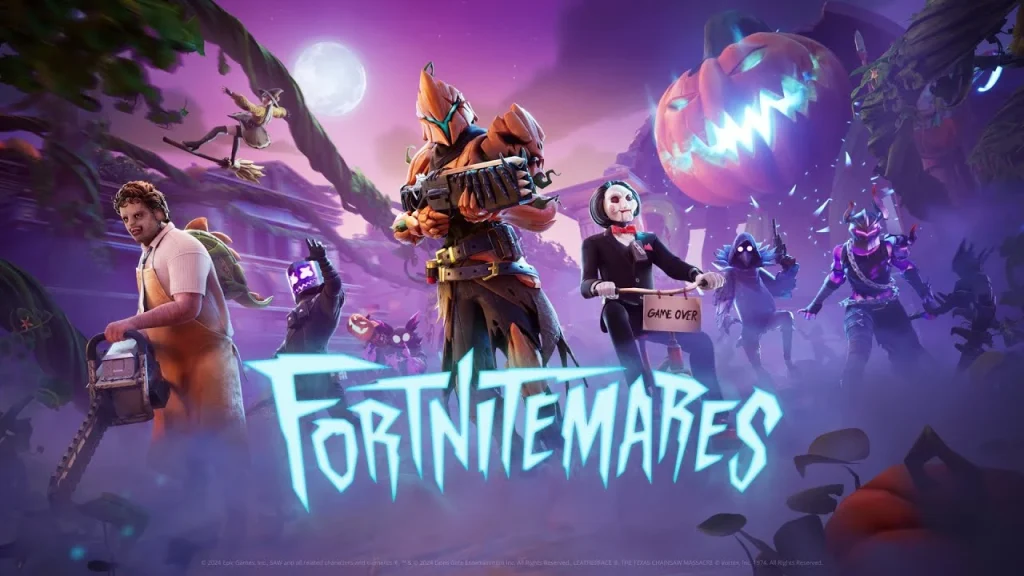
With Fortnitemares, there emerged a potentially strong NPC: Mephisto. This devil was introduced with an arsenal of new services that will greatly benefit those battling in Battle Royale.

In this article, we will explain how to find out the Mephisto in Fortnite.

Where to Find Mephisto in Fortnite Chapter 5 Season 4?

Mephisto Fortnite Chapter 5 Season 4

Mephisto is commonly found sitting at the POI, which had a drastic makeover – now, it comes off as more fiery and hellish; the actual layout and mechanical setup are nearly untouched.

To gather Mephisto’s services, the player will need to enter the main building and then find his throne. There, he could start talking and could select among two options:

  • Mephisto’s Gift: Trading 20 health points for a random weapon is a gamble to be taken when that single, certain weapon in the game is badly needed.
  • Mephisto’s Bargain is a steep price of 99 health points but at least the whole team can be revived. It is definitely a risk but it can really come in handy in tight spots.
  • Of course, with Mephisto’s services, one’s choice could be immeasurably helpful, but the risks go hand-in-hand with potential rewards.

How To Convert Valorant Sensitivity To FragPunk?

0

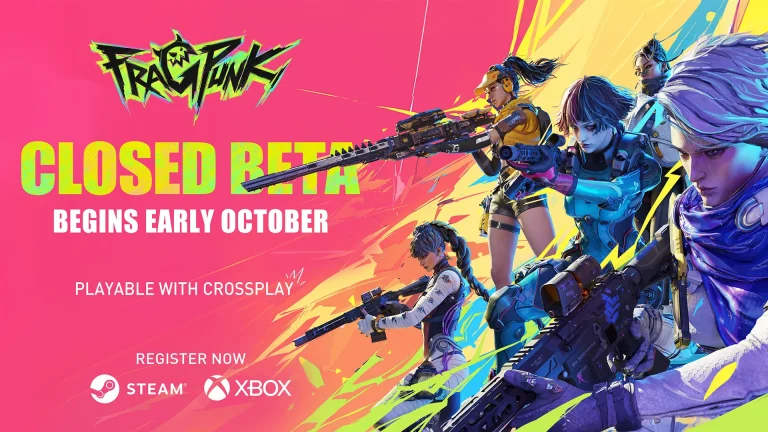
The closed beta of FragPunk is currently underway, and fans of the FPS genre from throughout the globe have tuned into the title to test out their marksmanship skills against other players.

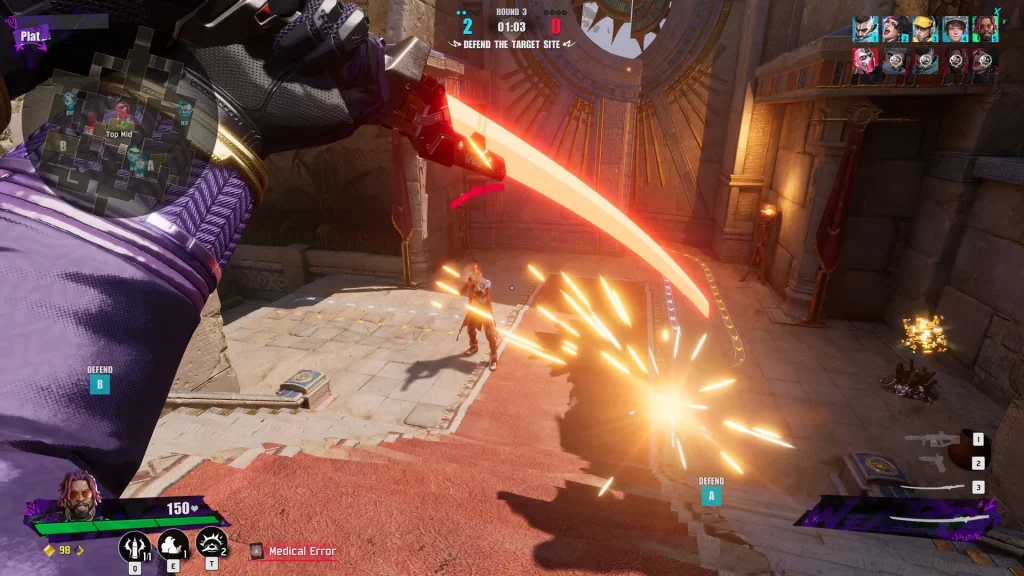
For the uninitiated, FragPunk is an upcoming hero shooter from Bad Guitar Studio that brings a unique twist to the genre by incorporating ‘Cards’ that alter the rules of the game. It features fast-paced combat and various ‘Lancers’ possessing an array of different skills.

If you’ve been lucky enough to secure yourself an invite to the FragPunk closed beta, the first thing you’ll need to do is adjust your sensitivity in the game.

Being a fast-paced shooter, players need to have a comfortable sens when playing FragPunk as it can determine the outcome of your gunfights. This is why it’s often a good idea for players to convert the sensitivity of a game that they’re already familiar with to have an easier time adapting to a new game.

How To Convert Valorant Sensitivity To FragPunk

Valorant Sensitivity to FragPunk convert

If you’re a Valorant player, you can convert your Valorant sensitivity to FragPunk in just a few seconds. Let’s check out how.

  • Step 1: Launch Valorant and take note of your sensitivity in the game.
  • Step 2: Multiply the number by 1.26. This is your new sensitivity for FragPunk. (If your Valorant sens is 1, your new number should be 1.26)
  • Step 3: Launch FragPunk and use this new sensitivity.

Using the aforementioned steps, you can easily convert your Valorant sensitivity to FragPunk. Your muscle memory will thank you, as you’ll have a much easier time taking down opponents using a sensitivity you’re already acquainted with.

How to Get the Mephisto Skin in Fortnite: A Guide to the Marvel Villain Outfit

Players can now earn Mephisto Fortnite skins as part of this year’s Fortnitemares event, as well as this devil-inspired cosmetic bundle.

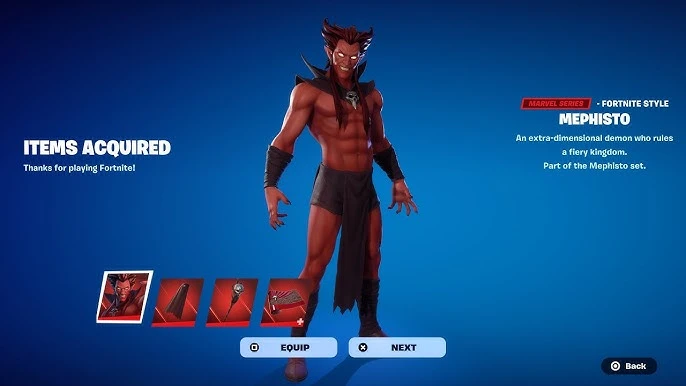
Many fans have been anticipating the arrival of Mephisto after the release of Fortnite’s Marvel collaboration in Chapter 5 Season 4. In the Halloween 31.40 update, the legendary comic enemy becomes the new NPC with his seat on the Underworld throne which is in place of Hades, while he turns the water red around him! 

Players can also gain access to Mephisto as a new skin as well as the new spooky, original, and collaborative skins from the Fortnitemares 2024 lineup.

Here’s how you can get your hands on the Mephisto skin and matching set items in Fortnite.

How to get the Mephisto Skin

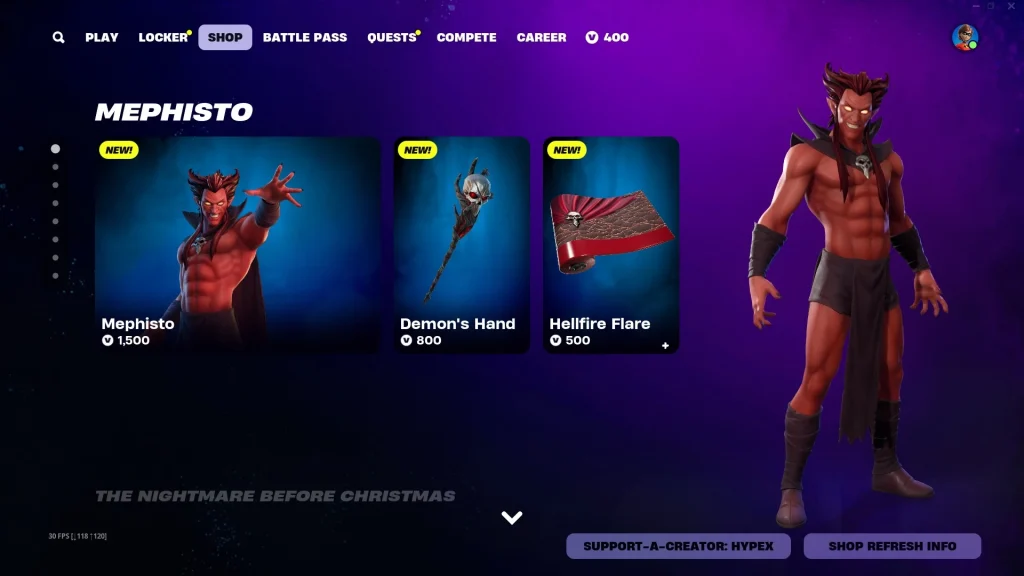
The Mephisto skin can be gotten by buying either the solo Outfit just for 1,500 V-Bucks, or the complete pack for 2,000 V-Bucks within the Item Shop.

If you want to add the skin or bundle to the Locker, you have to do so before October 19 at 8 PM ET and purchase it from the in-game store. Epic has not clarified whether any of the villain’s items will be available for redemption or purchase again after this said cutoff date.

As for the individual outfit, here is everything you will get when you plan on buying the Mephisto’s individual outfit: 

  • The actual Mephisto skin in itself
  • Mephisto LEGO outfit style
  • Mephisto’s cloak back bling

Mephisto Bundle

mephisto skin fortnite

But in case you make up your mind to buy the entire bundle, here’s a list of everything you will get in the package: 

  • Mephisto skin
  • Mephisto’s LEGO outfit
  • The black bling, we spoke about earlier
  • Demon’s Hand (Pickaxe)
  • Hellfire Flare (Wrap)

The option is yours and the bundle is priced on the higher end of the scale. Getting the Marvel Villain’s Cloak comes in handy with the standalone skin, but getting the bundle also gives you his staff as a Pickaxe and a glowing red Wrap for everything else!

Well, the pickings this time seem to be rich and in case you do want to make the purchase right from the browser, click here directly. Until next time, keep watching this space for more!

How To Get Access To FragPunk Closed Beta Test?

0

Unless you’ve been living under a rock for the past few months, chances are that you’ve heard of FragPunk, the newest talk of the town.

The tactical hero shooter by Bad Guitar Studio has managed to win the hearts of gamers from throughout the globe due to its unique gameplay loop featuring rule-bending cards alongside an immersive gunplay experience.

At the time of writing, FragPunk is still in its closed beta phase, and not everyone can play the game without getting an activation code first.

Luckily, due to the constantly rising demand for the game, the devs have implemented a number of ways for players to get FragPunk activation codes right away and start enjoying the game.

How To Get FragPunk Codes on Steam

Below, we’ve listed a number of methods that players can adopt to get their hands on a FragPunk activation key.

  1. Request Access: The easiest and most straightforward method to get access to the FragPunk playtest is to request it via Steam. To do so, simply head over to the FragPunk Steam page, scroll down, and hit ‘Request Access’. Note that it may take a while for the devs to invite you to the closed playtest, so you need to be patient or try another method.
FragPunk Closed Beta
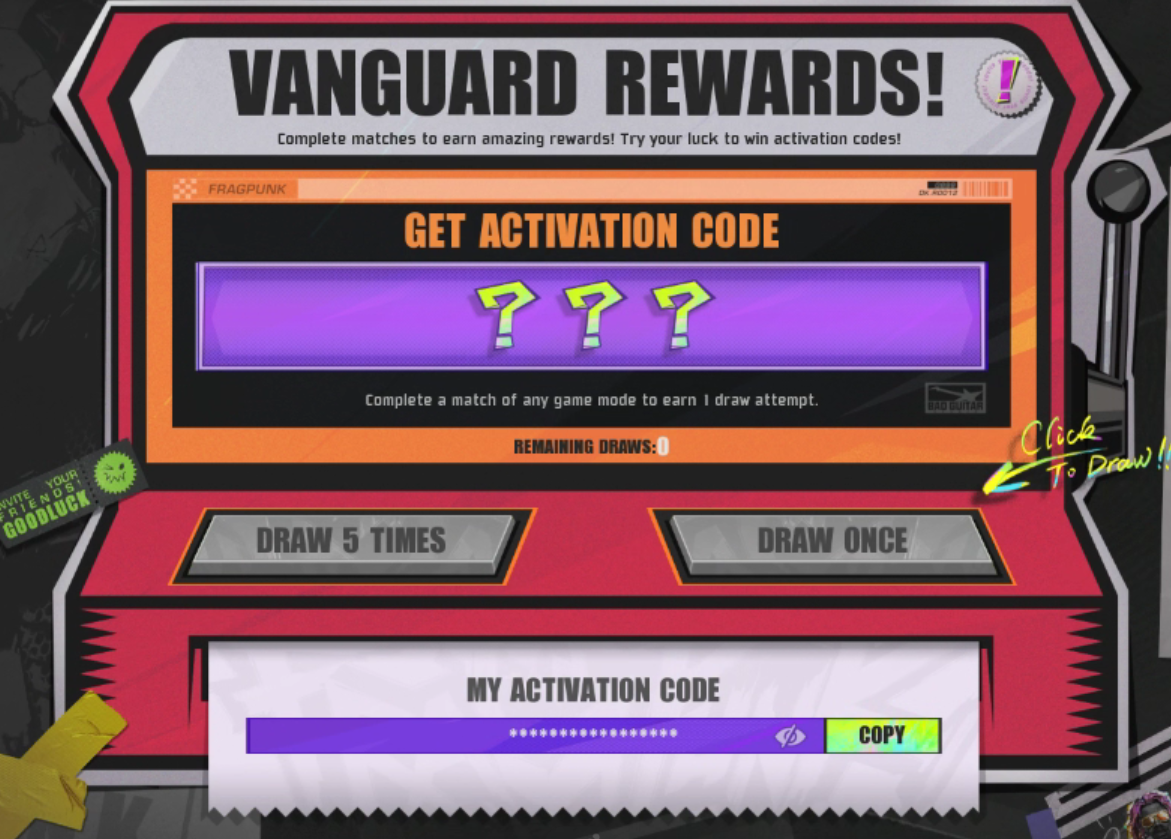
  1. Ask Your Friend for an Invite: If you have a friend who is already in on the playtest, then he can spin the ‘Vanguard Rewards’ wheel in-game to have a chance at obtaining an activation code for FragPunk. Once your friend has the code, you can add the game to your Steam library and play it with your friend.
FragPunk Closed Beta
  1. Participate in Discord Giveaways: The official FragPunk Discord server regularly holds giveaways for FragPunk access codes. You can try participating in them in hopes of getting a code.
  2. Get FragPunk Codes via Twitch Drops: FragPunk is currently giving out activation codes for its playtest via Twitch drops. Interested players can watch Twitch streams of FragPunk for a shot at receiving a code for the game.

New Deadlock Update Reverts Bebop Nerfs & Buffs Vindicta: Patch Notes Revealed

0

On October 10th, Deadlock received a massive update that heavily impacted the game’s meta by introducing significant changes to the hero roster.

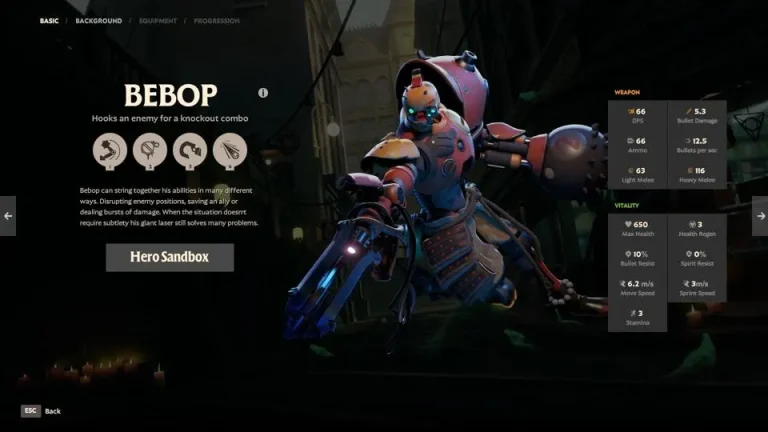
The highlight of the update was the heavy nerfs to Bebop, whose maximum bomb stacks were limited to 15, with each stack granting him 4% bonus bomb damage. On top of that, Bebop would also lose 2 bomb stacks on death.

The Bebop changes introduced via the last Deadlock update upset many avid fans of the shooter since it curbed the infinite scaling potential of the hero while also reducing his overall impact in the late game.

Luckily, the devs seem to have taken note of the players’ feedback. Just a day after the update, Valve released another minor patch for Deadlock, reverting the nerfs to Bebop and implementing other small adjustments to the game.

Deadlock October 11 Update: Patch Notes

Deadlock October 11

The October 11th Deadlock update reintroduces Bebop’s infinite scaling potential by eliminating the max stack limit for his bombs. As a result, the scaling of his bombs per stack has been reduced from 4% to 3%. He will still lose 2 bomb stacks per death.

Other than that, the update introduces a minor buff to Vindicta, whose movement speed has been increased from 8.3 to 9.

Let’s take a look at the official patch notes of the October 11th Deadlock update, as confirmed by Valve:

  • Bebop: Sticky Bomb no longer has a cap (was 15 stacks)
  • Bebop: Sticky Bomb scaling per hero reduced from 4% to 3% (previous uncapped was 2.5%)
  • Bebop: Sticky Bomb still loses 2 stacks on death
  • Bebop: Fixed some hook bugs causing it to sometimes not grab heroes near cover but still in collision range
  • Bebop: Hook collision against troopers reduced to 12 (default is 33)
  • Bebop: Hook no longer kills troopers (so you can bomb/uppercut/melee them)
  • Bebop: Hyper Beam duration increased from 10s to 11s
  • Vindicta: Movespeed increased from 8.3 to 9
  • Torment Pulse now scales with cooldown again
  • Torment Pulse Spirit power scaling reduced from 0.33 to 0.3
  • Fixed Ethereal Shift scaling with duration
  • Pause no longer restricted before 3 minutes (we plan to bring this back in the future, but we want to allow this for now while we are early and have technical issues sometimes)
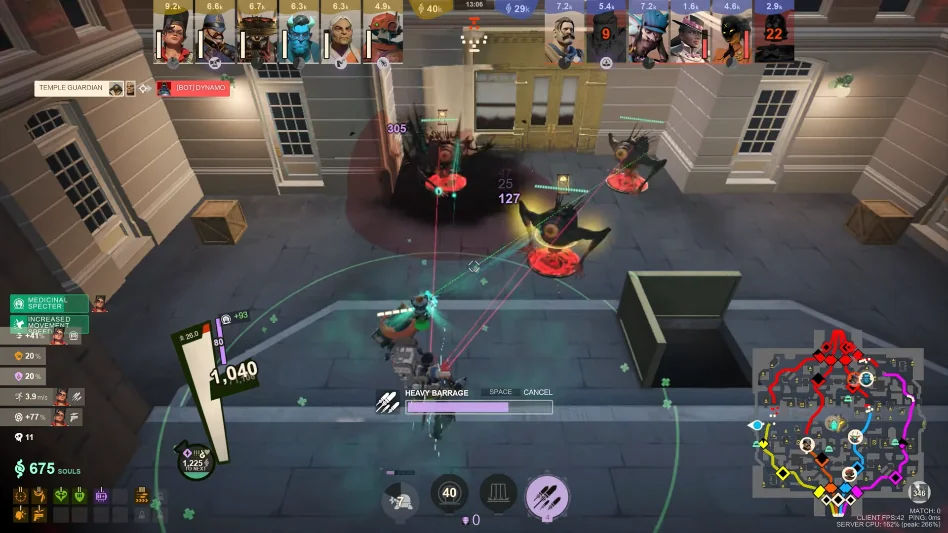
  • Updated Heavy Barrage sound

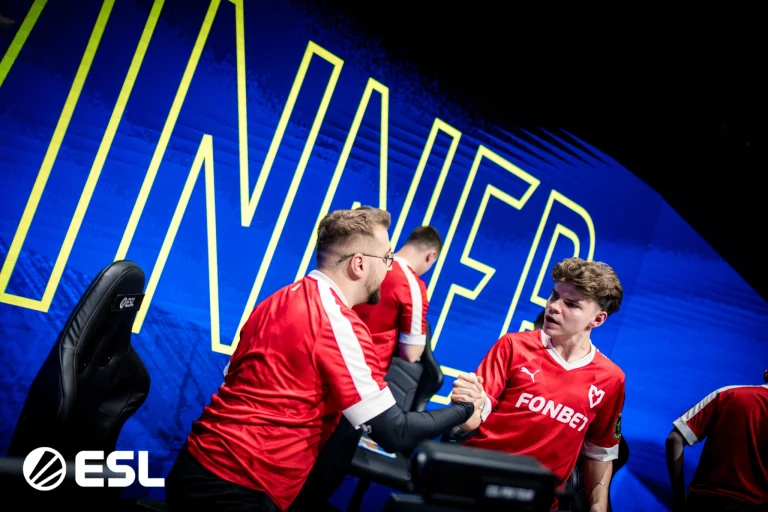
MOUZ Stuns Vitality to Reach IEM Rio Finals

MOUZ has overperformed to beat Vitality in the quarterfinals of IEM Rio to book a spot in the semi-finals of IEM Rio as Vitality crashed out.

VETO

  • MOUZ removed Anubis
  • Vitality removed Ancient
  • MOUZ picked Mirage
  • Vitality picked Nuke
  • MOUZ removed Dust2
  • Vitality removed Vertigo
  • Inferno was left over

Map 1: Mirage; Pick: MOUZ; Winner: Vitality

Mouz started in the most unconvincing ways on their own map pick that saw them go behind quite effortlessly as ZyWoo and Mezii put on a show. Mouz failed to find an answer to Vitality’s solid defense as we moved over to the second half. The second half had both teams share the same number of rounds which eventually led to Vitality winning the map.

Map 2: Nuke; Pick: Vitality: Winner: MOUZ

A better start for MOUZ on Vitality’s pick that saw them post a respectable 7 rounds in the first half alone. While Vitality has been very dominant on Nuke, the first half was enough for Mouz to shut down their offense in the earlier phase which later turned into a closer half. A similar story in the second half forced them to grind out the match as Mouz took us to the third map.

Map 3: Inferno; Decider; Winner: MOUZ

A 5-0 start from Mouz put Vitality on the backfoot. Vitality only managed two rounds in the first half which put MOUZ in prime position to close out the map. However, Vitality managed to bring the round to difference down but it was far from enough to put MOUZ down as they managed to make a comeback and book a spot in the semis. With 23 kills, xertion inspired a statement victory for MOUZ.

How to Enable Split Screen in Lego Fortnite: A Step-by-Step Guide

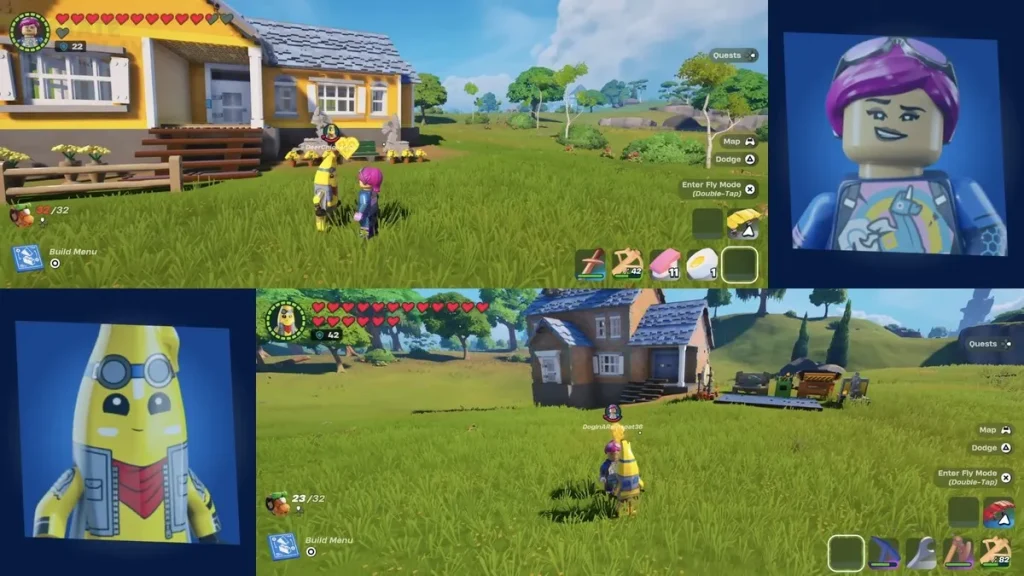
We think the newly launched feature called Split Screen will bring a lot of fun to LEGO Fortnite and will help step up the experience of the multiplayer mode. Here’s how to activate it.

As we approach the spooky days LEGO Fortnite is looking forward to getting loads of novelties with the 31.40 Fortnitemares patch. In addition to this, another build-buy, or the Nightmare Before Christmas bundle, will be out shortly, and in addition, a mini pass, with all sorts of builds and enhancements will take the appearance of your house to the next level.

Other than physical appearance, split screen can be categorized as one of the newest features in the mode. The new feature will allow you to build resources and share experiences together with friends without effort.

Here’s how to play split screen in Lego Fortnite

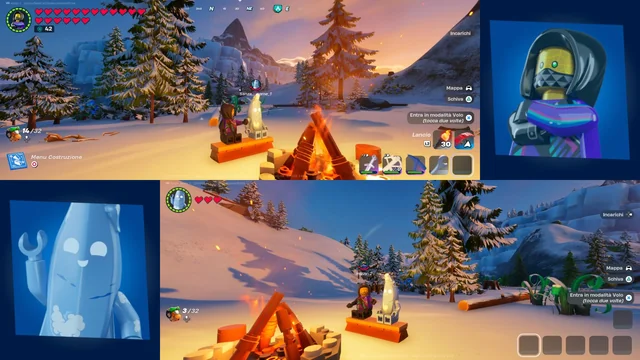
lego fortnite split screen

In the same way and in a similar spirit to the split-screen mode in the main Battle Royale modes, this feature reawakens the tradition of multiplayer in gaming. It’s fun for when you have a flame over or when two of you want to play a game together on the same console. Well, without further ado, here’s how to use it in your game:

  1. Of course, you start by launching Fortnite, Duh are we right?
  2. Now select the Lego Fortnite game mode
  3. Connect another secondary controller 
  4. Now select the second player’s console account and once set have them link their Epic account
  5. Now they should be appearing in your lobby after logging onto Fortnite

From the above steps that you must have followed, you can be in a position to play LEGO Fortnite with a split screen. But do remember the following as there are still some drawbacks to this.

But, which platforms actually support Fortnite Split screen mode?

Well, as confirmed by Epic Games in an exhaustive post on their website, they seem to have mentioned the following platforms that support this feature. Namely, 

Well, hopefully, we’ve helped you set up a split screen on your Lego Fortnite mode and are all set to play! If you want more such guides on Fortnite, keep watching this space on Talkesport!

Pokemon Go Announces Halloween 2024 Event: New Pokemon, Bonuses, and Raids!

October every year makes sure that the gaming scene progresses into ventures that come out with their themed versions of Halloween for geeks. Of course, these events have a horror flair to them, to give the fans a proper ‘feel’ of the show.

A recent addition to this list is Pokemon Go which recently released its Pokemon Go Halloween 2024 update together with the new adventures and characters.

But, what new Pokemons can I get in this event?

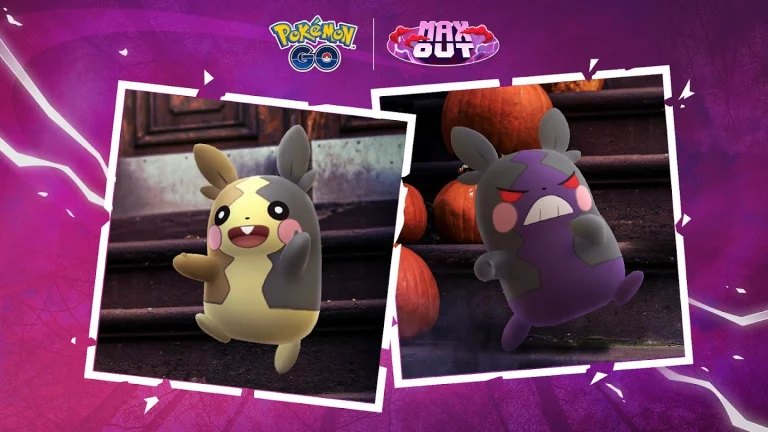
For a Halloween-themed update this upcoming year, it will bring Morpeko, the rodent of Galar into the gaming scene. From this character, two different kinds of attack are expected. The first is Full Belly Mode, enhanced by the Electric type Charged Attack Aura Wheel with a power of 100 which upgrades the attack to the next level. The second attack mode is Hangry which also gets buffed by a Dark-type Charged Attack called Aura Wheel, which goes up by one stage.

The first segment of the event will be executed from the 22nd of October to the 28th of October. The bonuses that players will get throughout the event include the following: double candy for capturing Pokemon, enhancing XL candy for trainers at level 31 and you can get Nice Throws & more chances to catch Shiny Umbreon in raids along with Shiny Zorua in the wild.

Those who are looking forward to getting new things can get it from the office store where Halloween items for Woobat, and Morpeko will be available. There’ll be well over a dozen Pokemon during the Halloween event, where all types of Shiny Pokemon can be caught except for poor Greavard. There will be changes to One and Three-star raids and all Pokemon associated with them will appear in shiny forms.

Also, there are going to be the Research quests. In the Halloween event there will be a Free Time Research and completing it allows the player to meet some of the ghost-type Pokemon like Spiritomb. Two Paid Time Research Quests will be offered, and any player who wants to participate must complete the registration before November 2.

For more such spooky updates in Spooktober, stay tuned to Talkesport!

Fortnitemares 2024 Delayed: Epic Games Apologizes for Major Update Pushback

The much anticipated Fortnitemares 2024 event for Fortnite was rescheduled, by Epic Games, by a day hours before the update was to roll out.

On October 11, through their official account on Twitter/X, Epic explained that due to issues Fortnite 31.40 Halloween update would be delayed by a few hours. It was supposed to go live on October 11th at 4 AM ET and was announced to bring a plethora of versatile features for the festive season.

But soon they came back with another update to state that the downtimes for Fortnitemares would begin almost 22 hours later, on ‘Saturday at 2 AM ET’.

“We are sorry for any misunderstanding and the amount of time that has been taken, and we will let you know as soon as the update has gone live,” they said.

It also is not the first time Epic has delayed updates, but often these updates were delayed for only a few hours which makes this one of the biggest delays.

Fortnitemares 2024

Not surprisingly, this has made many in the Fortnite community angry, with one player responding, ‘You’ve got to be joking,’ as others chimed the same opinion.

Several players complained about their night-long wait for the update and interacted with the year’s Halloween release when it was released.

One of these tweets included “The true Fortnitemares is the mere 3 hours of sleep I just managed for this update!”

Some others went about how the days they decided to dedicate to taking a break from work to enjoy various Fortnitemares content at the moment were rendered useless because of this incident.

“The extent of this delay certainly paves the way for something in the way of compensation,” as did multiple others demanding “V-Bucks compensation” which Epic has offered in the past concerning such circumstances.

Meanwhile, other competitors said that they will turn their attention to other games, such as the Sparking Zero, and MW3 – The Haunting event.

“I will just go straight to Call of Duty’s Halloween event because they don’t have any problem in releasing their content instantly or even right on the dot, more specifically to the time frame we speak of here.” He says that he can simply name a billion-dollar company such as Fortnite, just for that.

Fortnite’s 31.40 update for Fortnitemares 2024 is going to bring a range of Halloween changes to the Battle Royale island including skins, collaborations, quests, map changes, and more. LEGO Fortnite will also be getting a similar eerie update with new LEGO exclusives detailed in the full patch notes.

For more such updates, stay tuned to Talkesport.

Optimize Your CS2 Interp Settings for Better Gameplay

0

In the ever-changing world of Counter Strike 2 (CS2) fine tuning your game settings can make the difference between winning and losing. Among these settings, interpolation, or “interp,” plays a crucial role in ensuring smooth gameplay and accurate hit registration. These settings can be understood and optimized to make a huge difference in your performance.

Interpolation in CS2: Why It’s Important

The term interpolation in CS2 is used to describe how the game takes and shows the data it receives from the server. This makes the game feel smoother, by smoothing the movements of players. But bad interp settings can cause problems such as delayed hit registration, where your shots don’t connect as they should.

Key Interp Settings to Adjust In CS2

cl_interp: This interpolation amount is controlled by this setting. By default, it’s usually 0.1, but many players have found that lowering it to 0.01 can help with hit registration. Your internet connection, server stability, it can all affect the optimal value.

cl_interp_ratio: cl_interp works in tandem with this setting. By default, it is set to 2 but setting it to 1 can make for a more responsive experience. This is again dependent on your particular situation.

cl_updaterate and cl_cmdrate: The settings in these determine how fast your game client sends and receives updates from the server. If you set them both to the server’s tick rate (usually 64 or 128) it will help your game be as responsive as possible.

Finding the Right Balance

Interp settings have no one size fits all. The way I see it is that you should experiment with different values and see what works best for you. Use the recommended settings and make small changes according to your experience. Watch how your game feels and how your shots are registering.

Optimization Practical Tips

  • Monitor Your Ping: Interpolation can be made worse by high ping. Try to play on servers where your ping is always low.
  • Stable Connection: Make sure your internet connection is running stable. Wireless ones are usually not as reliable as wired ones.
  • Regular Updates: Benefits from latest optimization and fix by keeping your game and drivers updated.

Being able to fine tune interp settings in CS2 can put you ahead of the competition as it will make sure your game is running and that your shots hit their mark. But it does take some trial and error, but the payoff is well worth it. Knowing and changing these settings will help you improve your gameplay experience and your game performance.