Home Blog Page 344

Valorant Masters Santiago & London Confirmed by Riot Games, Champions 2026 To Take Place in Shanghai

With the finals weekend of Valorant Champions 2025 underway, Riot Games has officially disclosed details about the upcoming VCT season, including the venues for next year’s major events.

As confirmed by Riot, the VCT 2026 season will introduce several significant changes that were initially planned for 2027. Still, the developers have decided to roll them out a bit earlier in hopes of creating a more “open” circuit with more events and a bigger variety of competition.

Without further ado, let’s take a look at everything you need to know before heading into the next VCT season.

Valorant Masters 2026 Locations

For the first time in history, Valorant Masters will head to LATAM, with the opening Masters event of 2026 set to take place in Santiago, Chile. This marks the game’s return to South America since the LOCK//IN event way back in February 2023.

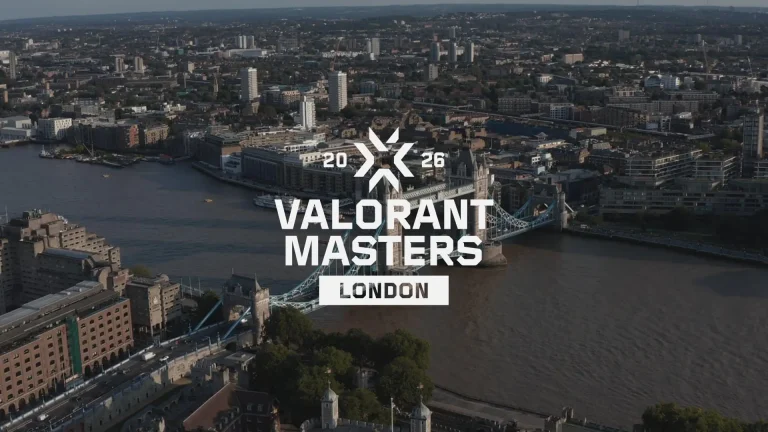
The second Valorant Masters event of the year will head to London, England, also marking the city’s debut as a stage for a global Valorant event.

The VCT Season will culminate with the Valorant Champions 2026 in Shanghai, China, where the world champion will be crowned.

Riot Reveals Major Changes for VCT 2026

Alongside revealing the venues for the major events of VCT 2026, Riot Games has also revealed some big changes for the upcoming season.

Moving forward, the final weekends of each Stage 2 Playoffs will be destination events, providing more opportunities for fans to show support for their favorite teams and attend the tournaments in person. The VCT China league will span across five major cities over the course of the season.

The Kickoff event will also see some major changes moving forward, with the event running longer and shifting to a triple-elimination format.

“Starting 2026, every competition in the VCT will feature high stakes, do-or-die bracket-style play,” Leo Faria, Global Head of Valorant Esports, said in a statement. “That includes Kickoff, IL stage competitions, and global events.”

Lastly, starting in 2026, Riot is replacing Ascension with a new Path to Champions system. Under this change, teams from Challengers leagues will have the opportunity to qualify directly for Valorant Champions via their respective Stage 2 Playoffs. Four Challengers teams, one from each region, will be able to earn this shot, with Riot providing the necessary travel support and financial resources.
CS2 Adds Game Options for Scope Thickness With October 3 Update

Valve released a Counter-Strike 2 update on 3rd October, with the focus being on community maps, weapon optics, and scripting stability.

The Palacio, Rooftop, and Golden community Workshop maps have been updated to their most recent versions, including recent design enhancements and balance changes to provide a smoother competitive experience.

On the gun side, the AUG and SG 553 got some subtle yet effective changes. Scope dot sizes have been adjusted, and players can tailor dot scale and sniper-rifle scope thickness through new game settings. Letterbox has also been introduced for camera path transitions.

Let’s check out the official patch notes of the latest update.

CS2 October 3 Update Patch Notes

https://twitter.com/CounterStrike/status/1973896868699791756

[ MAPS ]

  • Updated Palacio, Rooftop, and Golden to the latest Community Workshop versions.

[ MISC ]

  • Adjusted AUG and SG 553 scope dot sizes.
  • Added game options for dot scale and sniper rifle scope thickness.
  • Added letterbox for camera path transitions.
  • Fixed a regression in certain bullet penetration scenarios.
  • Stability improvements.

[ MAP SCRIPTING ]

  • Fixed a bug where old callbacks could be invoked after a script reload.
  • Fixed a bug where new callbacks could be invoked multiple times after a script reload.
  • Fixed missing Instance.IsFreezePeriod.
  • Fixed Instance.OnGunReload and Instance.OnGunFire not working for XM1014, Nova, and Sawed-Off.

How to Fix Fortnite Sound Not Working on Xbox?

If you are facing Fortnite sound problems on Xbox, you are not the only one. This tutorial describes the best methods to recover audio in Fortnite on Xbox Series X, Series S, and Xbox One consoles, according to the most recent troubleshooting steps and recent updates released by Epic Games.

The Fortnite audio problems on Xbox can be caused by a number of factors. Spatial audio clashes between Fortnite’s Unreal Engine 5 audio system and the hardware-accelerated 3D audio processing of Xbox may be the main cause. Memory allocation clashes between game audio and system tasks amid high-intensity gameplay may be the cause as well. Besides that, audio pipeline interruptions can interrupt the flow from game generation to Xbox processing and then to output devices. Recent patches may also create compatibility problems with Windows Sonic, Dolby Atmos, and other spatial audio codecs.

Keep reading till the end to find out all the fixes.

Quick Fix: Disable Spatial Audio (Most Effective)

Epic Games officially acknowledged that players on Xbox may experience distorted audio when using spatial audio formats like Windows Sonic or Dolby Atmos. The recommended immediate fix is switching to stereo sound:

  • Press the Xbox button on your controller
  • Navigate to Profile & System > Settings > General
  • Select Volume & Audio Output
  • Change the audio format to “Stereo Uncompressed”
  • Restart Fortnite to apply the changes

This solution has proven effective for most players experiencing audio issues as of October 2025.

System-Level Audio Reset

The most comprehensive fix involves a complete Xbox audio system reset:

Step 1: Reset Xbox Audio Settings

  • Go to Settings > General > Volume & Audio Output
  • Select Advanced > Audio Testing and Details
  • Choose “Reset Audio Settings”
  • Confirm the reset to return all options to default values

Step 2: Power Cycle the Console

  • Turn off the Xbox completely (hold the power button for 5-6 seconds until the light goes dark)
  • Unplug the power cable from the back of the console
  • Wait 5-10 minutes while holding the power button for 30 seconds to drain capacitors
  • Reconnect the power and restart the console

Fortnite In-Game Audio Configuration

Optimize Game Audio Settings

  1. Open Fortnite and access the main menu
  2. Navigate to Settings > Audio tab
  3. Configure these essential settings:
    • Main Volume: Set to maximum (100%)
    • Sound Effects Volume: 100%
    • Voice Chat Volume: 80-100%
    • Music Volume: Adjust to preference

Voice Chat Configuration

  • Set Voice Chat to “Friends and Teammates” or “Everybody” (not “Off”)
  • Choose Voice Chat Method: “Open Mic” or “Push to Talk”
  • Verify Voice Chat Input Device matches your headset or is set to “Default”

Xbox Audio Settings Optimization

Headset Configuration

  1. Press the Xbox button and go to Audio and Music
  2. Enable the “Headset Mic” option
  3. Set Headset Volume to 70-100%
  4. Position Headset Chat Mixer in the middle (50%)
  5. Set Mic Monitoring to 0% or low setting

Advanced Audio Options

Navigate to Settings > General > Volume & Audio Output > Advanced:

  • Check “Mute Speaker Audio When Headset Attached” if using headphones
  • Set Party Chat Output to “Headset” or “Headset and Speakers”
  • Choose appropriate Multi Channel Output settings

Controller and Hardware Troubleshooting

Update Xbox Controller

Outdated controller firmware can cause audio issues:

  1. Connect your headset to the controller
  2. Press Xbox button > Profile & System > Settings
  3. Go to Devices & Connections > Controllers and Headsets
  4. Select your controller and choose “Update Controller”

Hardware Connection Checks

  • Inspect all cables for damage or loose connections
  • Clean controller ports to remove dust that causes crackling
  • Test with different headsets to isolate hardware issues
  • Verify HDMI connections for TV audio output

Advanced Troubleshooting Methods

Clear Xbox Cache

For persistent audio issues, clearing the system cache can resolve deeper conflicts:

  1. Turn off the console completely
  2. Unplug the power cable
  3. Wait exactly two minutes
  4. Hold the power button down while reconnecting
  5. Restart the console

Game-Specific Solutions

  • Force quit Fortnite: Press the Xbox button, highlight Fortnite, press the Menu button, select “Quit”
  • Leave Xbox Party Chat: Party chat overrides Fortnite’s voice system
  • Update Fortnite: Check for the latest game updates that may contain audio fixes

Update Fortnite

Epic Games released Fortnite Update 1.000.197 on October 2, 2025, which specifically addressed:

  • Resolved distorted audio for Xbox and PC players using Windows Sonic or Dolby Atmos
  • Fixed audio desync issues where sound didn’t match on-screen actions
  • Improved spatial audio compatibility with Xbox hardware

If all troubleshooting steps fail, reinstalling Fortnite may be necessary. This won’t affect purchased items, emotes, or account progress as they’re stored on Epic’s servers. However, try all other solutions first as reinstallation is time-intensive.

Esports Granted National Status in India – Draft Rules Place Esports Under Sports Ministry

0

The Indian government has done what the country’s gamers have long been waiting for. With the release of draft rules in October 2025, esports is on course to be officially recognized as a national sport. What looks like a dry legal notification could end up changing the landscape of Indian gaming forever.

What the Rules Actually Do

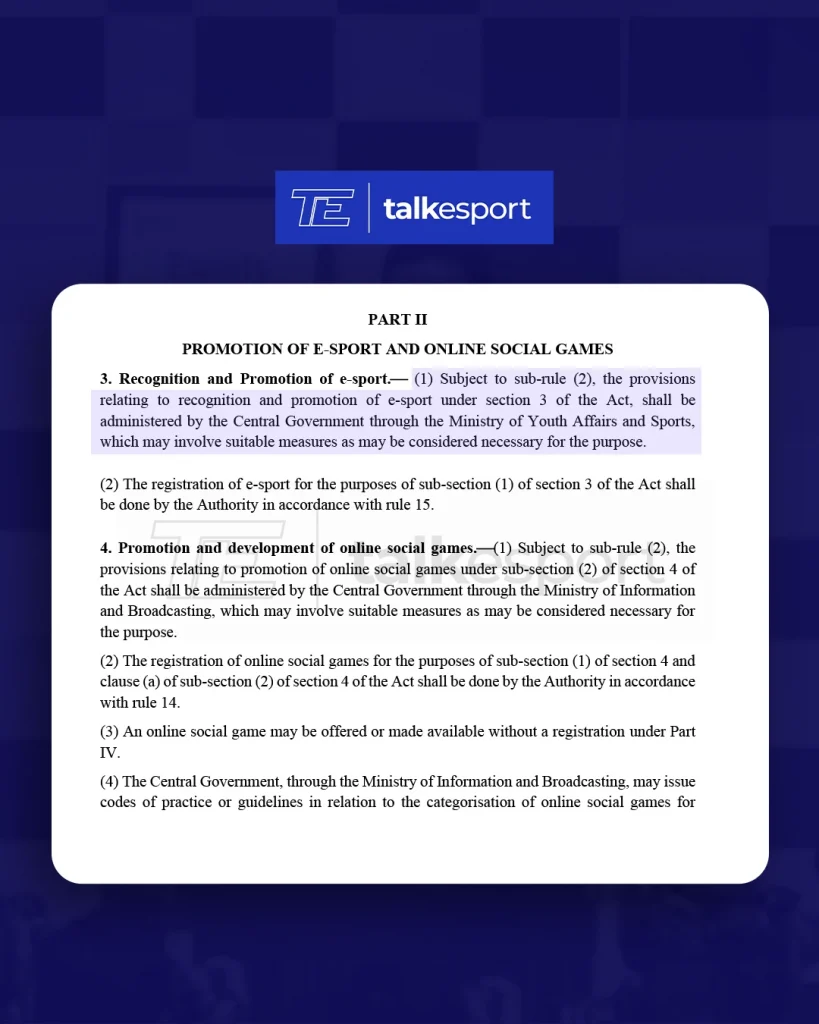
The new draft, titled The Promotion and Regulation of Online Gaming Rules, 2025, places esports firmly under the Ministry of Youth Affairs and Sports, pulling it out of the regulatory limbo where it was often confused with gambling. Alongside this, an Online Gaming Authority will register esports titles, oversee compliance, and settle grievances. In short, esports now has the same bureaucratic machinery that cricket or hockey enjoy.

The rules draw a hard line: esports will be treated as a skill-based, competitive activity, distinct from games of chance. Gambling-linked titles are out. Recognized esports titles, meanwhile, get government protection, funding opportunities, and the right to be staged as official sporting events.

Key takeaways from the rules:

  • Esports is now officially recognized as a sport, governed by the Sports Ministry for matters relating to promotion and development—just like cricket, hockey, or athletics.
  • An Online Gaming Authority of India will take care of day-to-day regulation: registering esports titles, approving their inclusion in the national sports framework, and ensuring compliance with national laws.
  • The Ministry of Information and Broadcasting will oversee online social games (think casual, non-competitive games), while the Sports Ministry handles esports (titles played at a competitive level, with clear rules and a skill-first approach).
  • Esports events and titles must register with the Authority for official recognition, eligibility for government support, and media rights protection.
  • Esports are distinct from gambling: The rules explicitly state that games involving stakes or wagers are not eligible for esports status under the National Sports Governance Act, 2025.

Until now, esports in India thrived in a grey space – prize pools grew, teams rose, and brands sponsored, but without formal recognition. Players weren’t “athletes” in the eyes of the state. Tournaments weren’t protected under sports law. That changes now.

National status brings legitimacy. Top players may qualify for sports quota jobs and international representation. Events gain legal protection. Investors get clarity. Most importantly, the Sports Ministry can finally build infrastructure – from grassroots coaching to national leagues.

The Bigger Picture

This is about more than paperwork. It signals a cultural shift: India is officially putting esports on the same pedestal as traditional sport. For gamers, it’s validation. For parents, it’s assurance. For the industry, it’s a runway for growth.

The draft rules will be notified in the Gazette of India shortly. When that happens, esports will move from being an industry on the margins to a sport with full state backing. The journey won’t be instant, but the direction is clear.

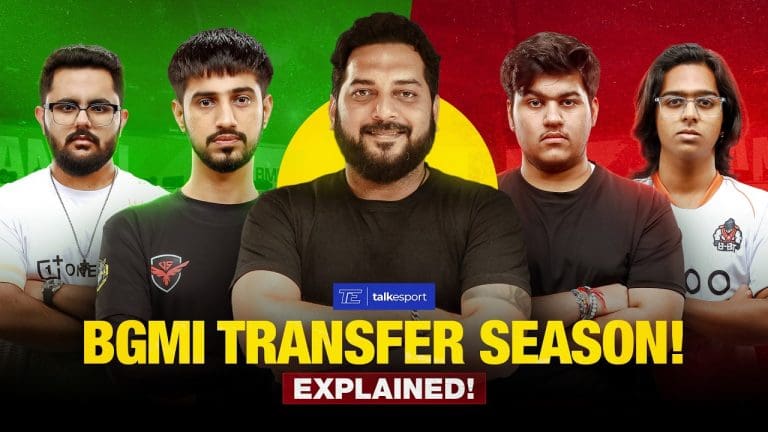
What is BGMI Transfer Season

Krafton India is set to introduce transfer seasons for Battlegrounds Mobile India (BGMI) beginning in October 2025. This marks a turning point for Indian esports, bringing structure and professionalism to roster management. Until now, player transfers often happened unpredictably, sometimes mid-tournament, leading to instability for teams and uncertainty for fans. Moreover, with a dedicated BGMI Transfer Season, roster movement will be streamlined and aligned with the competitive calendar.

How BGMI Transfer Seasons Work

A transfer season is a defined period during which teams can officially sign, release, or transfer players. Once the BGMI transfer season closes, Krafton will lock the rosters for the upcoming cycle of tournaments. This ensures that teams compete with stable line-ups throughout major events, avoiding last-minute changes that can disrupt competition.

There will be two six-month transfer windows every year:

  • Window 1 (October – March/April): Covers the Battlegrounds Mobile India Series (BGIS) and third-party tournaments.
  • Window 2 (April – September): Runs alongside the Battlegrounds Mobile Pro Series (BMPS), Battlegrounds Mobile Masters Series (BGMS), Skyesports Championship, Upthrust, and other major competitions.

Why This Matters for Esports

Transfer seasons bring clarity, fairness, and professionalism to the BGMI ecosystem. Players benefit from greater contract security and transparent opportunities for movement, while teams gain stability in their line-ups. For fans, it means fewer surprises and stronger narratives as line-ups remain intact throughout tournaments.

In short, the BGMI Transfer Season will help BGMI take a step closer to the standards followed in global sports and leading esports ecosystems.

BGMI Transfer SeasonRules and Enforcement

Krafton India has confirmed that non-compliance will have consequences. Teams that fail to follow BGMI transfer season regulations risk being barred from participating in third-party tournaments. Moreover, event organizers are expected to conduct eligibility checks, ensuring that only registered and compliant rosters take part.

Leaderboards and Rankings

To support the BGMI transfer season framework, Krafton will introduce a live leaderboard with world rankings. This system has already been tested and will launch alongside the transfer windows. It will allow fans and organizations to track performance across the ecosystem, giving visibility not just to top teams but also to the estimated 300,000-400,000 squads competing in BGMI.

For more details on the future of BGMI esports, what players and fans can look forward to, and more, watch our podcast with Karan Pathak, Associate Director of Esports at Krafton India:

For players, the new system promises stability and transparency. Movement between organizations will happen during official windows, ensuring fair opportunities without mid-season disruptions. The live leaderboard also provides greater visibility, rewarding consistent performance across tournaments. Most importantly, players can expect fewer abrupt roster changes once competitions are underway.

Skyesports and IICT Sign MoU to Drive Esports Education and Industry Growth in India

0

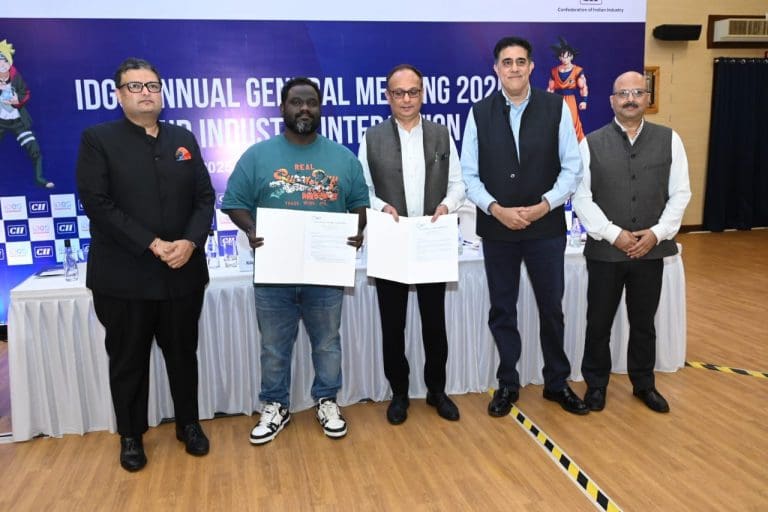
Skyesports, India’s leading esports plus gaming IP and community builder, has signed a Memorandum of Understanding (MoU) with the Indian Institute of Creative Technologies (IICT) to accelerate the integration of esports into India’s academic and professional landscape.

The MoU was formalised at the Annual General Meeting of the Indian Digital Gaming Society (IDGS), hosted in collaboration with the Ministry of Information and Broadcasting. The signing aligns with IDGS’ rebrand to the Indian Digital Gaming & Esports Society (IDGES), which underscores a sharper focus on esports as part of India’s broader digital gaming and AVGC-XR agenda.

Objectives of the MoU Between Skyesports and IICT

The collaboration aims to strengthen academic–industry linkages, create pathways for student engagement, and position India as a hub for global-standard esports talent, research, and innovation.

Through the MoU, Skyesports and IICT will work across six focus areas:

  • Esports Curriculum and Training: Co-developing academic and professional programs in esports, including tournament management, production, game strategy, shout casting, and player well-being.
  • Student Engagement: Providing pathways for IICT students to participate in tournaments through internships, volunteering, and live projects.
  • Joint Events: Co-hosting tournaments, hackathons, and innovation challenges to scout and nurture talent.
  • Research and Policy Advocacy: Conducting research on the socio-economic impact of esports and supporting responsible industry growth.
  • Infrastructure Support: Advising on the setup of esports arenas, broadcast facilities, and gaming labs.
  • Incubation and Start-Ups: Supporting gaming and esports start-ups with mentorship, industry connections, and visibility.

Commenting on the collaboration, Shiva Nandy, Founder and CEO, Skyesports, said: “At Skyesports, our mission has always been to create opportunities — from grassroots tournaments that gave aspiring players their first stage, to working with governments on inclusive policies for esports. This collaboration with IICT, signed at the IDGS AGM as India sharpens its focus on esports, is the next step in that journey. Together, we will take our experience into academia, build structured pathways, and deliver sustainable careers for the next wave of Indian talent.”

Dr Vishhwas Deosskar, CEO, IICT, added, “At IICT, we believe the future of education lies in aligning academia with emerging industries. This collaboration with Skyesports allows us to integrate esports into our curriculum, giving students hands-on exposure, research opportunities, and pathways to global careers. Together, we aim to position India not just as a participant but as a leader in the global esports and gaming ecosystem.”

Duration of the Agreement

The MoU will be effective for one year, with provisions for extension based on mutual agreement.

This agreement builds on Skyesports’ years of grassroots engagement and government collaborations that have shaped the Indian esports ecosystem. From pioneering open-for-all community tournaments to establishing long-running IPs that nurtured upcoming players, Skyesports has consistently invested in creating opportunities at the ground level. The organisation has also worked with governments on policy initiatives, including contributing to the Tamil Nadu Government’s multi-sporting event, the Chief Minister’s Trophy, by including esports as well as the Chennai Esports Global Championship (CEGC), furthering esports’ recognition within the AVGC-XR sector.

How To Get the Prank of Monkey King Achievement in Marvel Rivals

The “Prank of Monkey King” is one of the latest achievements introduced in Marvel Rivals with the game’s Season 4 update. Completing it contributes to your progress in the Chronoverse achievement line, which provides players with a bunch of free Units alongside a variety of other rewards.

The Prank of Monkey King achievement in Marvel Rivals can only be completed in the K’un-Lun: Heart of Heaven map. For the uninitiated, this new map was added to the NetEase hero shooter with its latest season alongside the new hero Angela, a fresh Battle Pass, and much more.

If you’re confused about how to get the Prank of Monkey King achievement in Marvel Rivals, we’ve got you covered.

Marvel Rivals Prank of Monkey King Achievement: How To Get

Taking a look at the Chronoverse Saga achievements in Marvel Rivals, it’s evident that the Prank of Monkey King requires players to “Smash 10 Fruit of Immortality at the Jade Pond banquet in K’un-Lun: Heart of Heaven.” But where exactly do you find the Fruit of Immortality or the Jade Pond?

To smash the Fruit of Immortality at the Jade Pond banquet, you’ll first need to get into a match on the K’un-Lun: Heart of Heaven map. There’s currently a limited-time queue that guarantees placement on this new map, or you can jump into Quick Play and just hope for the best.

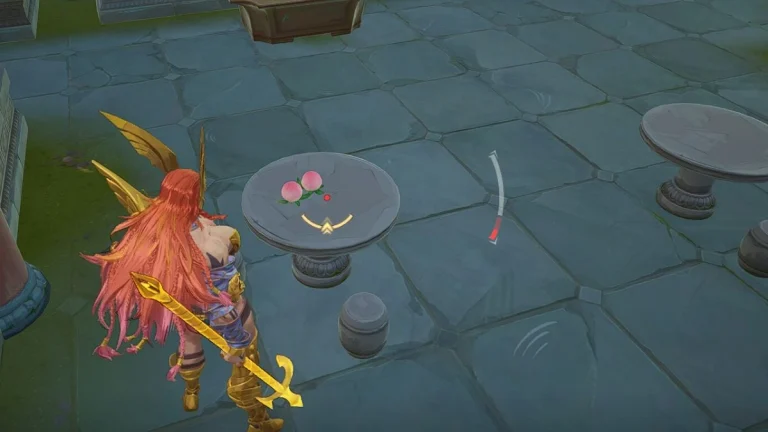
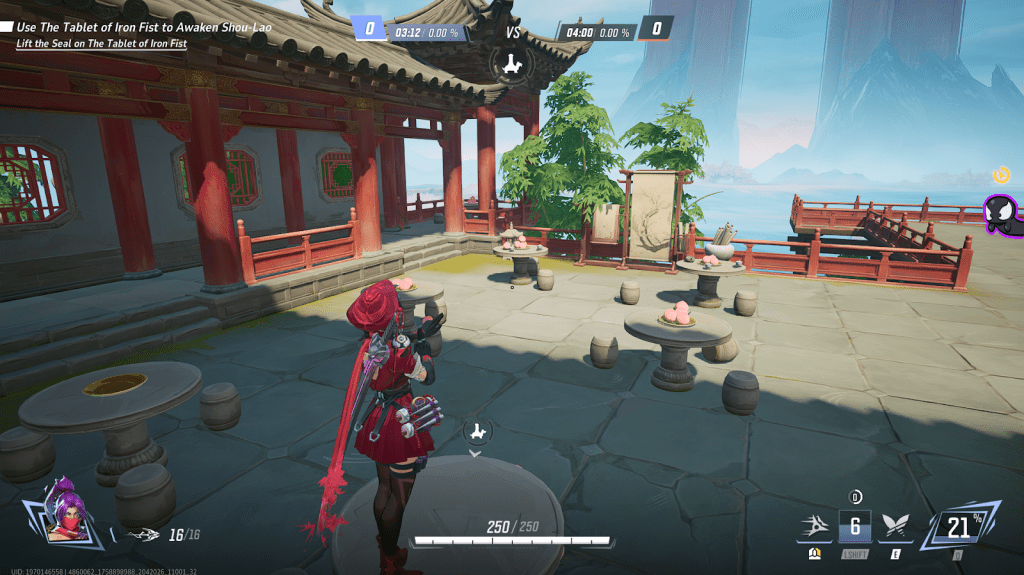
Once you’re in a game, you need to head over to the Jade Pond banquet near the Attacker Spawn area (check the image below for the precise location). Near the tables, you’ll be able to see a bunch of Fruit of Immortality scattered around.

Now, all you need to do is destroy the Fruit of Immortality with your auto attack or melee, and you’ll get your achievement in no time!

Note that you’ll need to smash 10 Fruit of Immortality to get the Prank of Monkey King achievement.

Forza Horizon 6 Release Date Revealed, Japan Confirmed as Setting

0

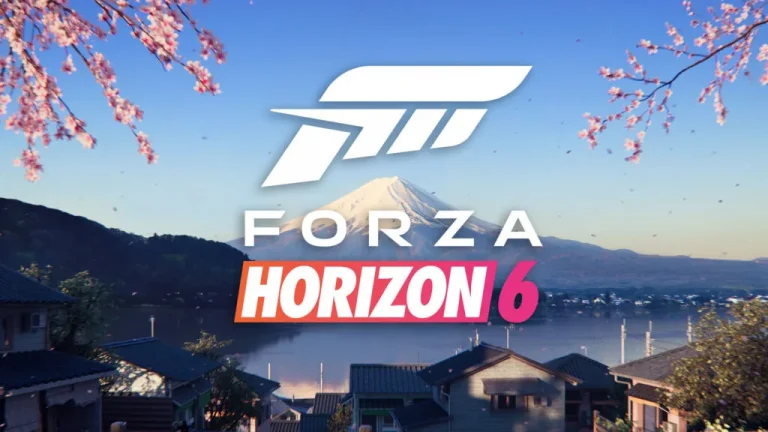
On September 25th, Microsoft caught the gaming community off guard with the surprise announcement of Forza Horizon 6 during the Xbox Tokyo Game Show 2025 Broadcast. The highly anticipated sequel to the beloved open-world racing franchise will transport players to the scenic landscapes of Japan, which is in line with the accidental leak we saw just a few hours before the official announcement on the same day.

“For a long time, Japan has been top of Horizon fans’ wish lists, so we’re excited to finally be bringing this much-requested location to players in Forza Horizon 6,” Art Director Don Arceta said in a statement. “Japan has such a unique culture – from cars, to music, to fashion – that makes it perfect for the next Horizon setting. As with any Horizon title, we want to make sure we do the country justice in terms of authentic representation and Horizon open world playability – and now is the right time to realize that fully for players.”

Fans can check out the teaser trailer for Forza Horizon 6 embedded below:

Forza Horizon 6 Release Date & Setting

The teaser confirms that Forza Horizon 6 is scheduled to launch at some point in 2026, but the devs have yet to provide fans with an exact release date at the time of writing.

Microsoft has announced that they are planning to reveal more of the upcoming title in early 2026. Fans are advised to follow the official Forza channels for regular updates.

Interested readers can also check out the Xbox blog post for further details on the setting of Forza Horizon 6 and the finer gameplay mechanics.

Gen.G Makes Strategic Entry into Call of Duty: Warzone Esports

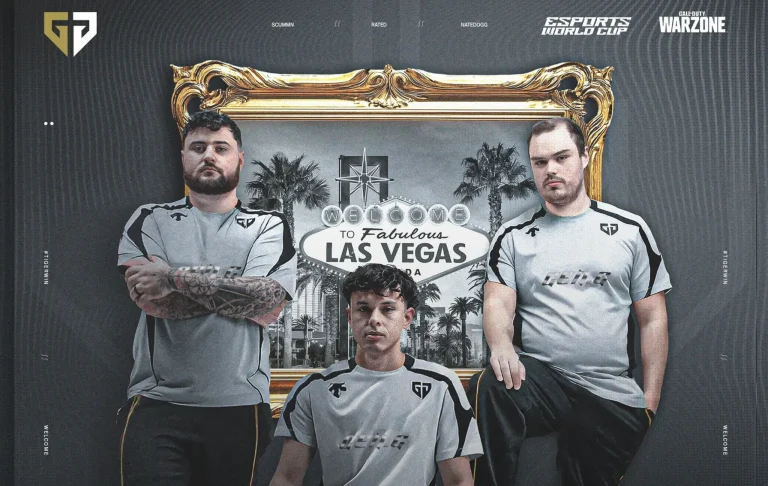
Gen.G Esports has officially unveiled its foray into Call of Duty: Warzone competitive esports, acquiring the extremely talented trio previously known as All Gamers. The Korean-American organization has acquired Nate “Natedogg” Taylor, Rhys “Rated” Price, and Callum “ScummN” Taylor.

Gen.G has purchased what many regard as one of the most well-rounded trios of professional Warzone, a team that has shown top-notch performances in various tournaments and seasons. This move marks Gen.G’s inaugural foray into Warzone competitive gaming, further building their already impressive lineup that features League of Legends, Valorant, and other leading esports titles.

Meet the Roster

Nate “Natedogg” Taylor is a skilled battle royale player. Natedogg contributes significant competition know-how to Gen.G. Born on 4th December 2002, the US player is a seasoned competitor in the Warzone competitive landscape, regularly finishing top at premium competitions, such as the World Series of Warzone events.

Regarded for his strategic play and leadership abilities, Rhys “Rated” Price has been the backbone of competitive Warzone since its early days. Experience includes stints with top-tier organizations, and he brings incredibly valuable tournament experience to the Gen.G team.

Callum “ScummN” Taylor was born on the 12th of April in 1995. He is acclaimed as among the most mechanically proficient players in the competitive Warzone community. His phenomenal aim and game knowledge have established him as a top performer in many high-stakes competitions, such as consistent top finishes in World Series of Warzone competitions.

The trio of new signings has shown incredible consistency and chemistry throughout their competitive path. Recent performances include top-tier finishes at the 2025 World Series of Warzone Regional Finals, Upper Bracket Qualifiers, and Group Stage tournaments. The team’s capability for meta-adaptation and for keeping up a competitive edge in different tournament formats has been a hallmark of their achievement.

NetEase Announces Twitch Drops for Marvel Rivals Ignite Stage 2

NetEase has announced Twitch drops set to last for the duration of Marvel Rivals Ignite Stage 2. During Stage 2, players watching Marvel Rivals live stream on Twitch will earn a plethora of rewards, including but not limited to skins and emotes.

The drops are set to start from September 25th at 2:00 PM UTC / 7:00 AM PT to October 23rd, 2025, at 9:00 AM UTC / 2:00 AM PT. Rocket Raccoon is the character that will make the most out of this drop session, with the rewards mentioned below.

Watch TimeReward
30 minutesWill of Galacta Spray
1 hourWill of Galacta Nameplate
2 hoursIt’s Ready! Emote
4 hoursWill of Galacta Costume

How to Claim the Marvel Rivals Twitch Drops?

While simply watching streams on Twitch will not do the job, you have to follow all of the steps mentioned below to make sure that the Twitch Drops land in your account.

  • Connect your Marvel Rivals account to your Twitch account.
  • Watch any Marvel Rivals stream that has drops enabled.
  • Rewards will show up in your Twitch inventory page, where you have to claim them.
  • The rewards will now be available in Marvel Rivals.

    Make sure to only watch streams on Twitch that have drops enabled to get the skins. Marvel Rivals is famous for hosting frequent drop sessions, and even if you miss out on Rocket Raccoon, there are plenty of characters in the game that will be subjected to skin drops.