Monday, April 13, 2026
Home Blog Page 236

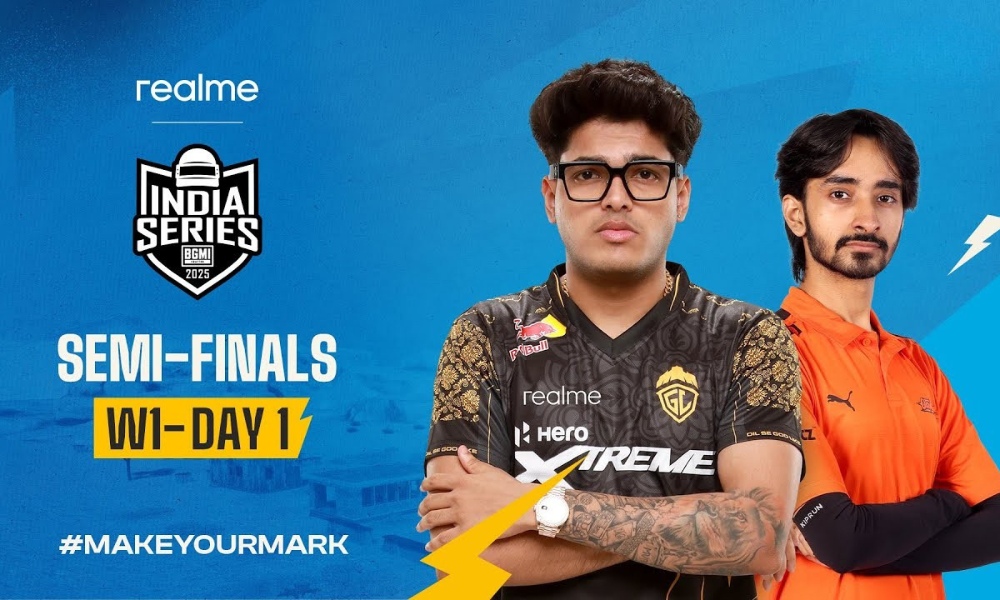
BGIS 2025 Semi Finals Week 1 Day 1 Points Table

Battlegrounds Mobile India Series 2025 Semi Finals kicked off with a bang as teams battled it out in BGIS 2025 Week 1 Day 1 of the action-packed competition. This stage features 32 teams, divided into four groups, fighting out three days to earn a prized spot in the Grand Finals. With the BGIS 2025 Semi Finals Day, IQOO Orangutan has established an early lead in the points table.

Points Table After BGIS 2025 Semi Finals Day 1 

After the end of a gritty day of matches, IQOO Orangutan led the table with 38 points, establishing a strong early lead. IQOO 8BIT and Bot Army Esports were hot on their heels with 31 and 28 points, respectively.

RankTeamMatchesWinsFinishesTable
1IQOO Orangutan312238
2IQOO 8BIT311631
3Bot Army Esports311528
4FS Esports311828
5HEROXtreme Godlike301828
6Cincinnati Kids401928
7IQOO Reckoning402027
8Rider Esport301625
9Medal Esports411323
10Genesis Esports401422
11SOA Esports301722
12Mastermind Mavericks401321
13Team H4K301919
14True Rippers Esports301919
15Glitch X Reborn401818
16IQOO Team Tamilas301116
17Hail Inferno Squad301216
18IQOO Revenant XSPARK301516
19TWOB301215
20Likitha Esports201313
21Altitude301112
224EVER x REDXROSS301112
23Rivalry Esports301111
24Troy Tamilan Esports301010
25Wobble Esports3099
26THWxNONx Esports2099
27Team Versatile2079
28Diesel Esports4077
29Vasista Esports3066
30IQOO SOUL2056
31Phoenix Esports2033
32Hyderabad Hydras2000

Match Format and Overview

Each group will play 6 matches a day, totaling 18 matches for three days. The best 8 teams in the overall ranking will earn a slot in the Grand Finals, while the others will be given another opportunity through the Semi Finals Week 2.

What’s Next in the BGIS 2025 Semi Finals?

With three more days to go in Semi Finals Week 1, the standings could shift dramatically. Teams in the lower half still have a fighting chance, and consistent performances will be key. Fans can tune in on the official Krafton India Esports YouTube channel for live updates and match streams.


For those tracking the tournament closely, stay connected to TalkEsport for daily updates, match analysis, and more. You can also download TalKEsport App for faster updates, live points tables, comprehensive esports calendars, and live streams of your favorite tournaments!
VALORANT’s Ranked Rollback System: Does It Actually Work?

0

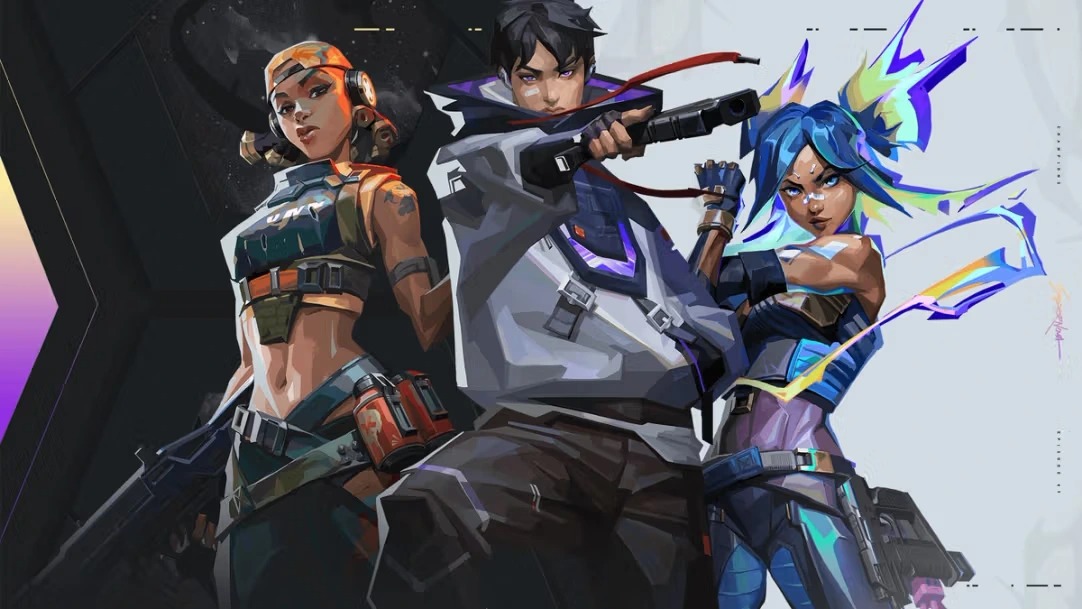
With Patch 10.05, Riot Games introduced a new ranked rollback system in VALORANT — a move meant to improve competitive integrity by refunding lost Rank Rating (RR) when a confirmed cheater is found in a match. However, while the intention seems player-focused, the actual implementation reveals a series of limitations and frustrations that have ignited community-wide debate.

How the Ranked Rollback System Works

The system activates when Riot detects a confirmed cheater in a ranked match. Affected players receive a notification in-client and are refunded their lost RR. However, the rollback only applies to lost RR, not to RR gains, and often takes days or even weeks to process. Additionally, the match remains in the player’s history and can break ongoing win streaks with no compensation for momentum or time lost.

What Are the Limits on Rollback?

A major point of contention is whether there is a limit on how much RR can be refunded. According to reports, there appears to be a cap — possibly tied to each Act — on how much RR can be restored. Riot has not publicly defined this threshold, creating confusion and dissatisfaction among competitive players.

Even in matches where cheaters were confirmed and banned, some users report receiving no RR at all, raising questions about consistency.

Community Reaction: A Step Forward or a Half-Measure?

Across platforms like Reddit and X (formerly Twitter), players are divided. Some applaud the rollback concept as a necessary fix to an old problem. Others label it a “Band-Aid on a bullet wound,” citing poor transparency and inconsistent compensation.

While VALORANT’s ranked rollback system shows Riot’s commitment to fairness, the limited functionality, delay in execution, and lack of transparency leave much to be desired. Until these issues are addressed, the community remains skeptical about whether this system truly supports competitive integrity.

Honkai Star Rail 3.2 Banners: All New Characters & Release Dates

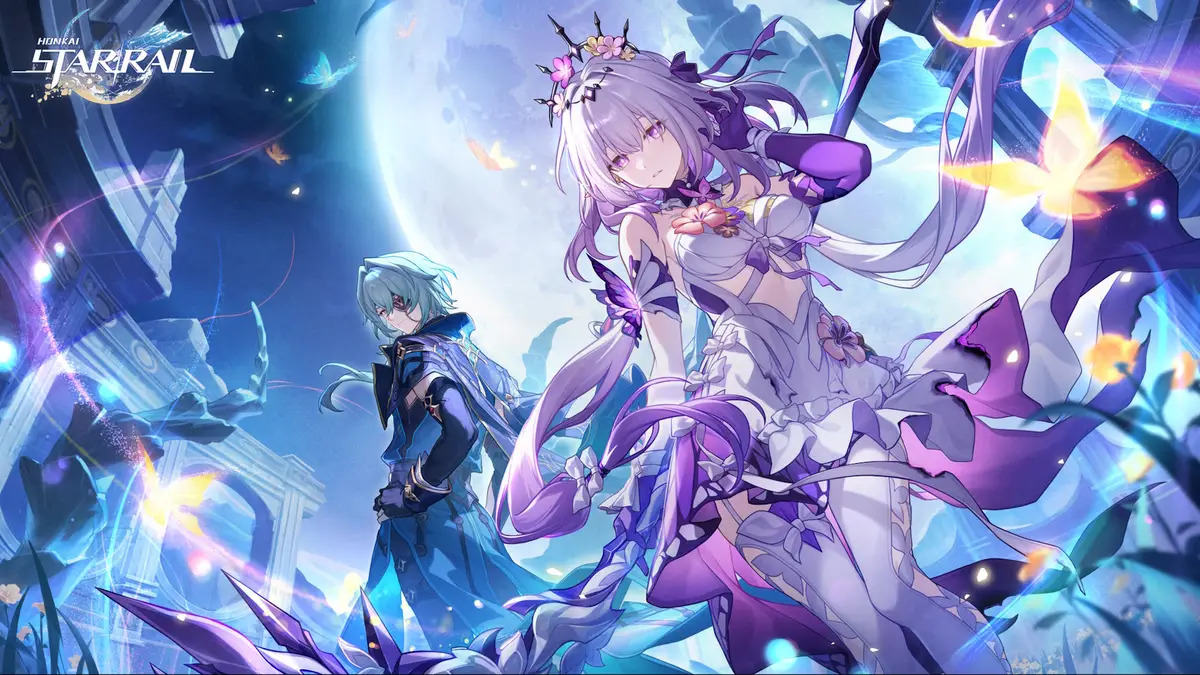
With the highly anticipated Honkai Star Rail version 3.2 update set to release in only a few days, fans of the action RPG can’t wait to be able to pull for their favorite characters in the upcoming banners.

Honkai Star Rail 3.2 will see HoYoverse dropping in a bunch of new character banners for the fans to collect, while some other fan-favorite characters will make their return with the rerun banners.

In this article, we will take a look at everything you need to know about the HSR 3.2 banners, including a list of all the new and returning characters alongside the light cone banners.

Honkai Star Rail 3.2 Banner Dates

The new banners for Honkai Star Rail will go live with the game’s version 3.2 update on April 9, 2025, for EU/Asia servers and on April 8, 2025, for NA servers.

Below, we have marked the start and end dates for each banner included in the 3.2 update:

  • Phase 1 Banners Start Date: April 9, 2025
  • Phase 1 Banners End Date: April 30, 2025
  • Phase 2 Banners Start Date: April 30, 2025
  • Phase 2 Banners End Date: May 21, 2025

Honkai Star Rail 3.2 New Characters & Light Cone Banners

Honkai Star Rail 3.2 will introduce two new 5-star characters alongside two new 5-star light cone banners to the game.

Let’s take a look at the new character and light cone banners for Phase 1 and Phase 2 of the HSR 3.2 update.

Phase 1 New Character Banners

  • Castorice: 5-star, Remembrance, Quantum

Phase 1 New Light Cone Banners

  • Make Farewells More Beautiful: 5-star Remembrance

Phase 2 New Character Banners

  • Anaxa: 5-star, Erudition, Wind

Phase 2 New Light Cone Banners

  • Life Should Be Cast to Flames: 5-star, Erudition

Honkai Star Rail 3.2 Rerun Banners

In the first phase of the HSR 3.2 update, fans will be able to see three 5-star rerun characters, three 5-star light cones, three 4-star rerun characters and three 4-star light cones.

The second phase will feature only one 5-star rerun character, one 5-star light cone, three 4-star rerun characters and three 4-star light cones.

Check out the rerun banners below:

Phase 1 Rerun Character Banners

  • Fugue: 5-star, Nihility, Fire
  • Jiaoqiu: 5-star, Nihility, Fire
  • Acheron: 5-star, Nihility, Lightning
  • Pela: 4-star, Nihility, Ice
  • Gallagher: 4-star, Abundance, Fire
  • Lynx: 4-star, Abundance, Quantum

Phase 1 Rerun Light Cone Banners

  • Long Road Leads Home: 5-star, Nihility
  • Those Many Springs: 5-star, Nihility
  • Along the Passing Shore: 5-star, Nihility
  • Dream’s Montage: 4-star, Abundance
  • Post-Op Conversation: 4-star, Abundance
  • Boundless Choreo: 4-star, Nihility

Phase 2 Rerun Character Banners

  • Dr. Ratio: 5-star, Hunt, Imaginary
  • Dan heng: 4-star, Hunt, Wind
  • Serval: 4-star, Erudition, Lightning
  • Moze: 4-star, Hunt, Quantum

Phase 2 Rerun Light Cone Banners

  • Baptism of Pure Thought: 5-star, Hunt
  • Trend of the Universal Market: 4-star, Preservation
  • After the Charmony Fall: 4-star, Erudition
  • The Moles Welcome You: 4-star, Destruction

That’s everything you need to know about all the exciting new and rerun characters and light cone banners in Honkai Star Rail version 3.2.


Q: When does HSR 3.2 release?
A: April 9 for EU/Asia, April 8 for NA servers

Q: Who are the new 5★ characters?
A: Castorice (Phase 1) and Anaxa (Phase 2)

How to Check Your Valorant Hours

0

As Valorant continues to dominate the competitive FPS landscape in 2025, many players are asking a common question: “How many hours have I spent in Valorant?” Unlike many modern games, Riot Games doesn’t offer a built-in tracker to show total playtime directly in the Riot Client. However, recent buzz reveals a reliable workaround using a third-party tool.

Use Tracker.gg to View Your Valorant Hours

The easiest and most reliable way to view your total Valorant playtime is by using Tracker.gg, a trusted community favorite that provides comprehensive statistics.

Steps to Check Your Valorant Hours:

  1. Visit Tracker.gg in your browser.
  2. Enter your Riot ID (or the tag of another player).
  3. After the profile loads, select your preferred game mode (e.g., Competitive, Deathmatch).
  4. Use filters like Episode and Act to narrow down the time period or select “All Acts” for your lifetime hours.
  5. You’ll find your total hours played alongside stats like win rate and match count.

Track Agent-Specific Playtime

For players curious about their favorite agents, Tracker.gg also provides a breakdown of time spent per agent:

  • Click on the “Agents” tab under your player profile.
  • Choose your game mode and act.
  • A list appears showing how much time you’ve spent with each agent.

This feature is especially useful for players trying to master a specific character or analyze their gameplay trends.

Why Riot Still Doesn’t Show Hours In-Client

Despite the demand, Valorant still does not offer a native method to view total playtime. Riot Games may be focusing on performance-based stats rather than time metrics, possibly to avoid promoting unhealthy play habits. Until then, third-party tools like Tracker.gg remain the go-to solution.

Whether you’re looking to evaluate your skills, spot an addiction, or just satisfy curiosity, knowing your Valorant playtime can be insightful. Until Riot implements an official solution, Tracker.gg is your best bet for accurate and timely stats.

Want to take a break or double down? Your hours might just give you the answer.

Is Fortnite Down Right Now? Epic Confirms Servers Are Back Online

0

Gamers worldwide were left frustrated on March 29, 2025, as Fortnite experienced unexpected downtime that made matchmaking and game selection impossible. The good news? The issue has now been resolved, and servers are back online.

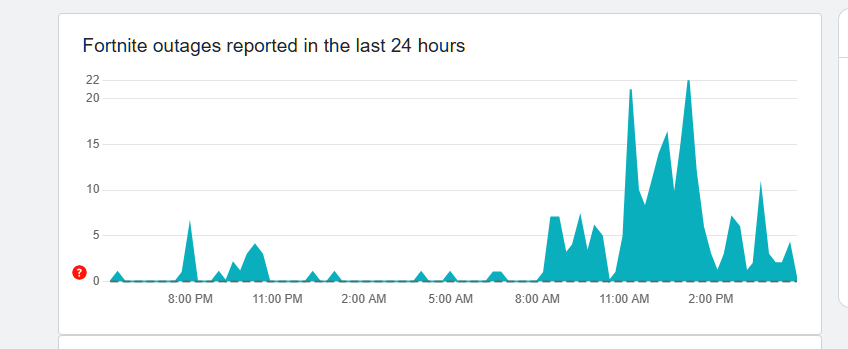
Reports began flooding platforms like Downdetector early Friday morning, peaking at over 11,000 outage complaints. Players found themselves unable to access game modes in the Discovery tab, effectively locking them out of gameplay during Fortnite OG Chapter 1 Season 3.

What Caused the Fortnite Outage?

According to a statement from Epic Games, the issue stemmed from an error that prevented players from matching into games or selecting game modes from the lobby. Despite the Fortnite launcher and in-game store functioning normally, the actual play experience was inaccessible.

The timing couldn’t have been worse—on a weekend with many users eager to dive into the latest update. Epic’s Fortnite Status team acknowledged the problem and assured fans they were working on a fix.

Epic Games Fixes the Problem—Servers Are Live Again

By 1 AM PT on March 29, Epic confirmed that the matchmaking and Discover lobby issues were fully resolved. Players can now resume their games and explore everything Fortnite’s latest update has to offer.

The OCE Division Cup Final, which was impacted by the outage, has been postponed, though a new date has not yet been announced.

How to Stay Updated on Fortnite Server Status

If you’re unsure whether Fortnite is down in the future, Epic recommends checking their official server status page or the Fortnite Status Twitter/X account for real-time updates.

Some minor bugs from the March 25 update, including missing audio and abnormal server tick rates in Creative and UEFN islands, were previously reported but have also been patched.

Will Players Get Compensation?

While there’s no official announcement yet, Epic Games has historically offered XP boosts or in-game freebies after similar issues to placate the player base.

For now, Fortnite fans can relax—the game is back online, and matchmaking is fully functional. Just in time to enjoy the latest updates and gear up for the upcoming Mortal Kombat collaboration.

What Is Fortnite Matchmaking Error #1 and How to Fix It (2025 Guide)

0

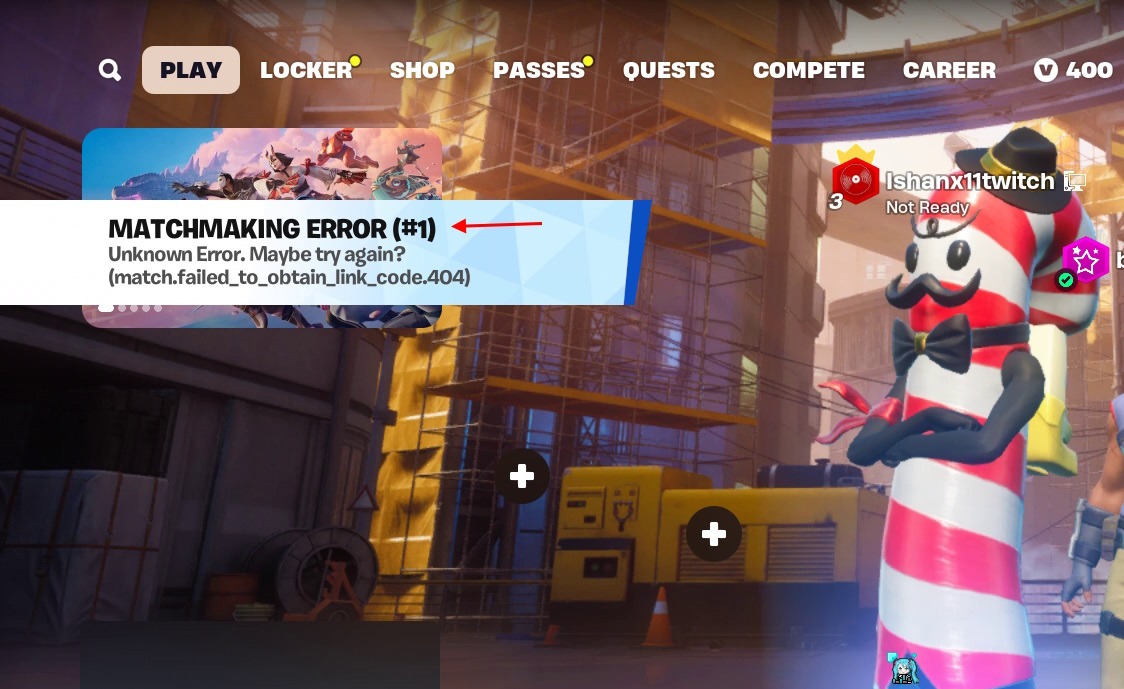
Fortnite players are no strangers to in-game hiccups, but a recurring issue — matchmaking error #1 — has recently disrupted matches for many. This error usually pops up after major updates or during new game mode releases, halting the matchmaking process with an “Unknown Error. Maybe try again?” message. It affects players across platforms, including PC, mobile, and consoles.

Common Causes of the Matchmaking Error

Several factors contribute to matchmaking error #1 in Fortnite:

  • Corrupt game files after major updates or new mode installs.
  • Server outages or region-specific downtime.
  • Internet issues, such as unstable or slow connections.
  • Epic Games Launcher bugs, particularly after patches.
  • Cache issues on mobile devices or rooted phones.

How to Fix Fortnite Matchmaking Error #1

1. Verify Game File Integrity

Corrupted files are often the culprit. Use the Epic Games Launcher to verify Fortnite’s file integrity:

  • Click the three dots below Fortnite in the library.
  • Navigate to Manage > Verify.

2. Switch Matchmaking Region

If specific servers are down, switching regions may help:

  • Open Fortnite Settings > Game tab.
  • Change the Matchmaking Region to another available option.

3. Restart Router and Game

Sometimes, a simple network or game restart can resolve temporary glitches.

4. Reinstall Epic Games Launcher

If problems persist, uninstalling and reinstalling the launcher may reset any backend conflicts causing the issue.

5. Fix for Mobile Players

For mobile users:

  • Avoid using rooted devices.
  • Clear the Epic Games app cache after updates.

6. Wait for an Official Fix

If all else fails, check the Fortnite Status Page on X (formerly Twitter) for outage reports or upcoming patches.

Fortnite Not Working on PS5? Top Fixes & Troubleshooting Steps (2025)

0

Fortnite fans on PlayStation 5 have recently reported technical issues preventing the game from launching or functioning properly. With 2025 already seeing updates to both the game and system software, players need to stay proactive with troubleshooting. If Fortnite is not working on your PS5, there are several effective solutions worth trying before contacting support.


Check for Error Codes and Software Updates

Start by looking for any Fortnite error codes displayed on your screen. These codes can often be searched in the Fortnite Help Center for specific fixes. Equally important is ensuring both the game and your PS5 system software are fully updated.

To update Fortnite on PS5:

  • Highlight the game icon, press “Options,” then select “Check for Update.”

To update the PS5 system software:

  • Go to Settings > System > System Software > System Software Update.

Reboot and Check Network Status

Sometimes, a simple reboot can resolve hidden glitches. Fully power down your PS5 (don’t just put it in rest mode), unplug it for 30 seconds, and restart. Additionally, restart your router to ensure optimal connectivity.

Check the PlayStation Network Status and Fortnite Status Page for any ongoing outages that could be affecting gameplay.


Clear PS5 Cache and Reinstall Fortnite

If issues persist, try clearing the PS5 cache:

  • Turn off the console completely.
  • Unplug it from the power source for 30-60 seconds.
  • Plug it back in and restart.

Still no luck? Reinstall Fortnite:

  • Highlight the game, press “Options,” select “Delete,” and reinstall it from the PlayStation Store. Make sure saved data is backed up via cloud if you have PlayStation Plus.

Advanced Fixes: NAT Type & Network Settings

For persistent network errors:

  • Use a wired Ethernet connection for stability.
  • Switch to a 2.4GHz network if using Wi-Fi.
  • Check NAT type in Settings > Network > View Connection Status. A NAT Type 3 may cause restrictions and require port forwarding or placing the PS5 in your router’s DMZ.

Final Word: Stay Updated and Seek Support

If none of these methods resolve the issue, contact Epic Games Support or PlayStation Support directly. Regularly checking Fortnite’s official social channels and patch notes will also help you stay ahead of known bugs and fixes.

With the right steps, you’ll be landing on the Island again—fully geared and glitch-free.

Ubisoft Secures €1.16bn From Tencent for Its Subsidiary

0

Ubisoft is going through a massive overhaul with the establishment of a new subsidiary dedicated to three of its most recognizable franchises: Assassin’s Creed, Far Cry, and Tom Clancy’s Rainbow Six. In addition, Chinese technology conglomerate Tencent will be investing €1.16 billion for a minority stake in the new company.

This subsidiary will be dedicated to developing multi-platform game ecosystems. Apart from that, they will also integrate evergreen content strategies and expand the scope of single-player, multiplayer. The move is a crucial step in Ubisoft’s plan to revamp its business model and intensify the quality of its AAA titles.

The new subsidiary has been estimated to be worth €4 billion. The 25% stake in the firm held by Tencent will assist Ubisoft in strengthening its balance sheet while keeping its eyes on creating next-gen gaming experiences. Ubisoft will maintain complete control over the subsidiary even after the investment to ensure that its direction is preserved.

Ubisoft CEO Yves Guillemot emphasized the strategic importance of the move in the press release:

As we accelerate the company’s transformation, this is a foundational step that enables us to be both agile and ambitious. With a dedicated team, we will focus on creating strong game ecosystems designed to become evergreen, growing high-performing brands, and pioneering new IPs with emerging technologies.”

Tencent expressed optimism about the collaboration. Martin Lau, President of Tencent, stated:

We see the immense potential for these franchises to evolve into long-term evergreen game platforms, offering engaging new experiences for gamers worldwide.”

The subsidiary will receive development teams from Ubisoft studios in Montreal, Quebec, Sherbrooke, Saguenay, Barcelona, and Sofia. It will make sure that Ubisoft’s creative talent continues to fuel the expansion of Assassin’s Creed, Far Cry, and Rainbow Six. The gaming giant intends to develop its single-player stories, release more multiplayer content, add free-to-play features, and integrate sophisticated social features.

Apart from that, Ubisoft will keep expanding its other hit franchises, such as Tom Clancy’s Ghost Recon and The Division, while investing in new IPs and emerging technologies.

The deal is conditional on regulatory approvals and is anticipated to close prior to the end of 2025. Tencent will enjoy customary minority protection rights and certain conditions on share transfers.

Industry observers believe that this action could put Ubisoft in a position of greater financial strength and competitiveness. With Tencent’s support and more streamlined strategy, Ubisoft is preparing to enter a new generation of gaming experiences with innovation, accessibility, and sustained player interaction.

How to Get FREE Mortal Kombat Cosmetics in Fortnite (Twitch Drops 2025)

0

Fortnite’s Chapter 6 Season 2, named “Lawless,” introduced an exciting collaboration with the Mortal Kombat franchise. Now the developers are offering Mortal Kombat cosmetic items in the game for free. You can now get them as Twitch drops.  We all know Fortnite loves a good crossover. If you’re waiting for more than just a skin, Epic’s rolling out a Twitch Drops campaign, giving away wraps, pickaxes, and emotes.

In this article, we will find out how you can get these free Mortal Kombat cosmetics in Fortnite. Without wasting time, let’s get started.

How to Get Mortal Kombat Cosmetics via Twitch Drops?

Basically, you’ll have to sit in front of a Fortnite stream on Twitch. Between March 28th to April 8th, 2025, any live stream in the Fortnite category will work. The catch? Time. You must accumulate viewing time to redeem each reward. Here’s the rundown:

  • March 28th (2 AM ET) to March 31st (2 AM ET): One hour of viewing gets you the Command Executor Pickaxe.
  • March 31st (2 AM ET) – April 4th (12 AM ET): Thirty minutes earns you the Raiden Lightning Bolt Wrap. One hour gets you the Scorpion Flame Aura Wrap. One and a half hours gives you the Kitana Fan Swipe Wrap.
  • April 4th (12 AM ET) – April 8th (12 AM ET): Two hours gets you the Lil’ Armored Truck Emote.

Note: To monitor your progress, just click your profile image on Twitch and go to the “Drops and Rewards” page.

To redeem the rewards, you must have your Epic and Twitch accounts linked. If you haven’t linked them yet, follow the steps mentioned below:

  • Go to the Epic Games website and click on “Sign In” in the top right-hand corner.​
  • Log in using your credentials to access your account.​
  • After signing in, move your cursor over your username in the top right-hand corner and click on “Account” from the dropdown menu.​
  • In the left-hand sidebar, click on “Connections.”​
  • Click on the “Accounts” tab to see available platforms to link.​
  • Find the Twitch section and click on the “Connect” button.
  • You will be presented with a new window to sign in to your Twitch account.
  • Enter your Twitch credentials and accept that Epic Games has access to your Twitch account details.​
  • Once authorized, your Epic Games account will be connected to your Twitch account.​

Note: You can confirm the link by verifying that the “Connect” button is now replaced by “Disconnect” under the Twitch option.

If you want to receive all the Mortal Kombat rewards, you have to start now. Follow the steps mentioned above, and you will receive them without any hassle. If you still have any questions, let us know in the comments.

How to Unlock Twerking Venom Emote in Marvel Rivals?

0

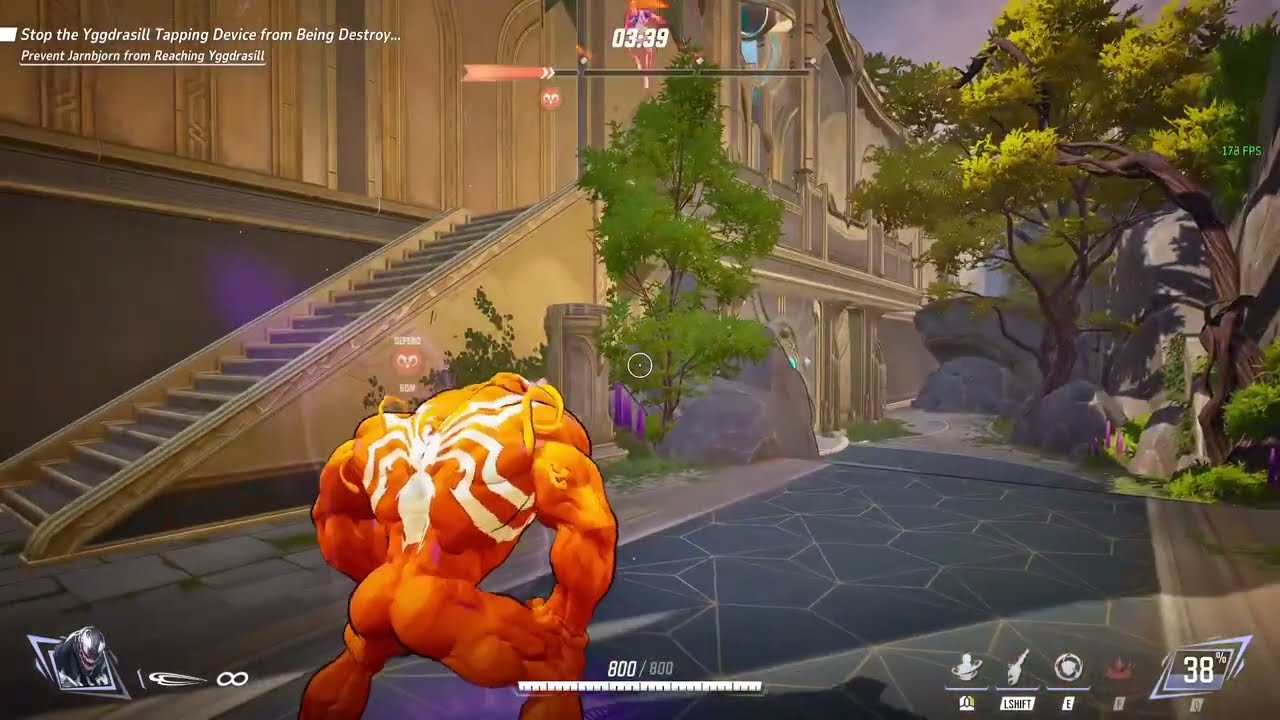
Overwatch 2’s competitor Marvel Rivals keeps players hyped with several events and exclusive cosmetic rewards. Arguably one of the most hotly anticipated new additions is the Twerking Venom emote. a witty and highly sought-after animation depicting the symbiote anti-hero in a fun and unscripted gesture. 

If you are keen on claiming this exclusive emote as your own, read this guide till the end. Without wasting further time, let’s get started.

How to Unlock the Twerking Venom Emote in Marvel Rivals?

The Twerking Venom emote is accessible as part of the limited-time Galacta’s Cosmic Adventure event. The event will be live between March 7 and April 11, 2025. Therefore, you will get over a month to complete it. To take part in the event, go to the event page in the Marvel Rivals menu and start engaging in the challenges.

To go through the event, you need to earn Power Cosmic. It is an event currency, which is utilized to roll dice and travel across the event board. Follow the steps mentioned below to get Power Cosmic:

  • Daily Challenges: You’ll get several challenges every day to finish in the game. Successfully completing these tasks will earn you 20 Power Cosmic per task. With two challenges available each day, you can accumulate enough for one roll of the dice per day.
  • Play Clone Rumble Mode on Weekends: There’s a special game mode, Clone Rumble, accessible every weekend during the event. Playing three games in the mode will earn you 90 Power Cosmic, sufficient for three rolls of the dice.

After gathering a sufficient number of Power Cosmic, proceed to move around the event board by utilizing your dice rolls. Each space on the board presents diverse rewards, ranging from skins, sprays, and other emotes. Your final aim is to unlock all spaces available on the board in order to access the final central rewards, such as the Twerking Venom emote.

Once all board rewards are done, the Twerking Venom emote will be available for redemption from April 1 to April 4, 2025. To redeem it, simply go back to the event screen within this time and redeem the emote before the end of the time limit. If you fail to redeem it within this time, you will miss your opportunity to get it.