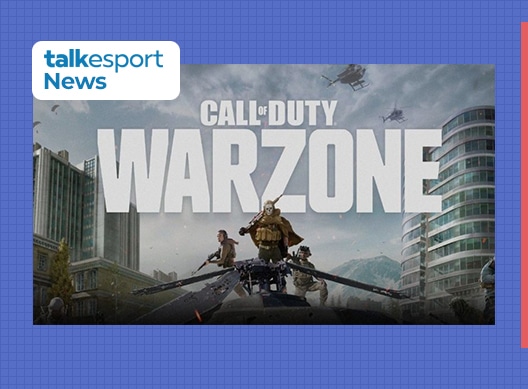
Activision entered into the realms of mobile gaming last year by introducing their first portable version from Call of Duty franchise in the form of COD Mobile. Call of Duty: Mobile brought in a blend of iconic maps, weapons and features from various other COD titles and the developers introduced this game with the multiplayer matches at its core. While this game may provide perfect MP experience, it still lacks way behind in the battle-royale mode and to compensate for this, Activision Blizzard might launch their iconic game COD: Warzone for mobiles.
COD Warzone Mobile Details:
Call of Duty: Warzone is a free-to-play battle royale title which is available on PC and consoles. There were rumours about this title being introduced in mobile gaming due to a job posting which was instantly taken down and since then, the COD lovers are eager to play a battle-royale with more realistic details on a mobile. COD: Warzone mobile might not be declared right now but recently, the Activision Blizzard President implied that this game might be on its way.
Activision Blizzard President Daniel Alerge expressed their pan to tap in to the potential of mobile market and possibly launch all of their major franchise titles as mobile games.
WE NEED TO MAKE SURE THAT WE’RE ENABLING OUR FRANCHISES ON THE BILLIONS OF MOBILE DEVICES THAT ARE AVAILABLE RIGHT NOW. THAT’S BY FAR OUR BIGGEST OPPORTUNITY AND WE’RE INVESTING MEANINGFULLY TO CAPITALIZE ON THIS AND TO TAKE ALL OUR FRANCHISES TO MOBILE OVER TIME.
ACTIVISION BLIZZARD PRESIDENT DANIEL ALERGE
COD Warzone Mobile Release Date
Currently, there is no release date to COD Warzone Mobile but potentially, it can hit the market very soon. This is due to the fact that if major Activision franchises are coming to mobile market, it is only plausible to assume that COD Warzone Mobile might be one of them.
Warzone fans have already formed a community around this rumoured game. The r/WarZoneMobile is the dedicated subreddit for passionate COD players that are waiting to see a on the go COD Warzone version which as over 3000 users. This is the testament to popularity of COD Warzone and with the affirmative responses from company itself, it is almost certain that Warzone will hit mobile markets very soon.
A new patch for Rogue Company has just been shipped, and it looks like the developers have worked on a number of fixes for the tactical battle royale.
Rogue Company patch 1.39 primarily focuses on fixing the matchmaking of the game. The official Rogue Company Twitter handle has claimed that “most matchmaking issues have been resolved.”
Our latest update has been deployed across Live servers & most matchmaking issues have been resolved.
Catch up on everything available in All The Fixins with our update notes – available now on https://t.co/dMoA021lIP!
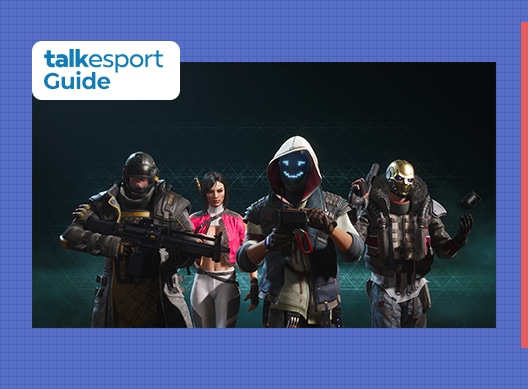
Rogue Company is a free-to-play multiplayer, tactical, third-person shooter video game that entered its open beta stage on October 1st.
It quickly gained popularity across the world and steadily rose through the charts of Epic Games. However, the game wasn’t free from bugs and errors.
Many players are still reporting various sorts of problems while attempting to play Rogue Company. One of the most common problems is the “loading player data” issue where the game often gets stuck. Here’s how you can fix it.
Rogue Company Stuck on Loading Player Data Fix
Here are the steps you can try to fix the issue:
Relaunch the game. It might sound unbelievable but simply relaunching the game has fixed the issue in the majority of the scenarios.
If the problem persists, there might be an issue with the game servers. Your best bet might be to wait it out for a few hours and then try again. Otherwise, you can also take a glance at third-party websites to check server status.
If everything else fails, reinstall the game. Uninstall the game from your Epic Games client or from the control panel, and get yourself a fresh copy of Rogue Company (Don’t worry, you won’t have to pay again.)
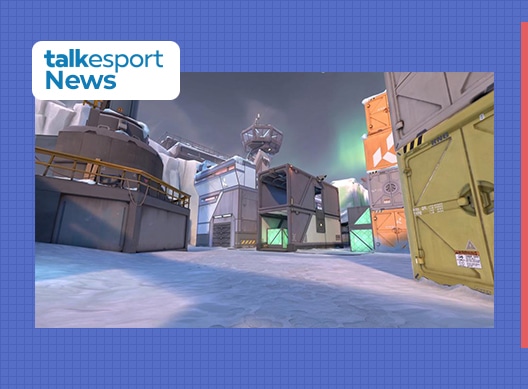
After a post surfaced on Reddit asking players about their opinions on the newly introduced map, it was clear that the community wasn’t a big fan of it.
With the exception of one or two people, everybody spoke in unison about the map being “trash”.
Other than the map being too large, the aspect that players seem to hate the most is the increased verticality of the map, which means that players have to clear an awfully high number of vertical angles (alongside horizontal angles) when trying to enter a site or take vital choke points.
Redditor u/BlaqRain seems to have put together an interesting list of reasons why players are hating the map. The following are some of the reasons why he feels the map should be removed from ranked:
The map contains way too many corners & vertical angles to clear for an attacker (or a defender retaking a site.)
Smokes are not very useful on A with attackers’ high ground advantage
Mid control is incredibly hard to gain as an attacker.
The map is tough to play without proper and precise communication.
The map relies on taking aim duels rather than strategic gameplay.
Agents possessing one or two mobility skills like Raze, Jett, or Omen who can easily get on top of crates and structure seem to have an unfair advantage in this map compared to non-mobile agents like Sova or Killjoy.
Another Reddit user u/pinki97 also spots an interesting issue with the map, “Every peek is a gamble, in order to check one spot you have to expose yourself to like 4 other possible spots where enemies might be.”
Due to the map still being in its initial stages, it’s likely that the map will undergo revamps at some point in the future. It’s unclear if the revamps can minimize the issues listed above, but fans can only hope for Icebox to get ready for competitive play soon.
Hi-Rez studios has released a new update for Rogue Company today bumping the game version to 1.38. Here are the complete patch notes for this update.
Rogue Company 1.38 Update Size
Rogue Company Update Size For PS4 is 7.2 GB.
Rogue Company Patch Notes 1.38
(NEW) THE FIXER:
When the World’s Elite have problems they are desperate to solve, and no one else can help, the Fixer soon approaches with a solution and a deal. He is a peerless marksman, and should one choose to accept his terms, it comes at a steep price. He deals in favors, and you never know when he’ll come to collect.
Primary
(New) Tyr
The Tyr is a bolt action .50 Caliber sniper rifle.
Body Damage: 70
Fire Rate: 3.85
Range: 50
Handling: 15
Mag Size: 2
Reload Time: 2.4
D3d-I
Secondary
(New) Warrant
A low profile and lightweight semi-automatic firearm with a fast rate of fire.
Body Damage: 21
Fire Rate: 6.9
Range: 14
Handling: 28
Mag Size: 15
Reload Time: 1.7
Gadgets
(New) Cluster Smoke
C4
Perks
Shredder Rounds
Berserker
Helping Hand
Bounce Back
Life Drain
Headstrong
Active Ability
Thermal Vision: While activated, see enemy heat signatures for a duration.
Passive Ability
Shrapnel Rounds: Damaging an enemy with a firearm will slow them for a duration.
Mastery Rewards
Avatar
Banner
Border
Spray
Emote
The Boogeyman
RANKED BETA
Overview
Ranked Beta is a competitive game mode meant to test the skills of every Rogue and provide more intense matches than ordinarily found in casual queues. It is currently in a Beta form which will see more features and seasons/rewards in the near future.
Players must be Level 30 to participate in this mode.
Players can earn up to Ranked Level 30 through experience
Experience is gained from winning matches in Ranked mode however you will lose experience for losses.
There are rewards for playing 30 Ranked matches and reaching Ranked Level 30 during the Beta.
Ranked Beta will be played in the Demolition game mode.
Ranked Beta will not use the current skill-based matchmaking and will prioritize matches where players have comparable skill ratings.
Players will be able to queue in this mode in any sized party.
Ranked Beta matches will award 10% more Mastery experience
MAPS
Canals
Adjusted mid-point by opening windows and rearranged cover.
High Castle
Adjusted the area near the tower bridge on High Castle by rearranging cover and adding a ‘backboard’ to allow for grenade bounces.
Windward
Simplified furniture and railing in a few spots on the map.
Before
After
Before
After
ROGUES
Anvil
Fixed an issue that would prevent Anvil from deploying his Barricade.
Glitch
The Bounce Back Perk (reduce your Health Regeneration delay) has been replaced by Tenacity (take reduced damage from explosives)
Ronin
Ronin’s Ballistic Knife should no longer be used up if a player reclaims and equips it.
Scorch
Fixed an issue where a green tint could be observed from her activated ability.
Trench
The Tenacity Perk (take reduced damage from explosives) has been replaced by Helping Hand (revives teammates faster).
GADGETS
Flashbang (Chaac, Gl1tch, Talon)
Flashbang fuse time has been reduced from 2 to 1.75 seconds.
Fixed an issue where players would sometimes see a hitmarker on enemies outside of the Flashbang radius.
EMP Grenade (Dallas, Dima, Scorch)
Increased radius from 6 to 8 meters.
Tear Gas Grenade (Trench, Vy)
Radius reduced from 10 to 8 meters.
Duration reduced from 8 to 7 seconds.
Slow effect was reduced from 25% to 20%.
PERKS
Headstrong Update (Anvil, Dallas, Gl1tch, Scorch, The Fixer, and Trench)
When the player’s armor has taken damage and they are standing still, they gain an interact prompt to repair their armor.
Total repair time is 3 seconds
Similar to reviving, players will temporarily crouch and the repair will end if the player moves.
There will be an audio notification for the duration of the repair.
When the player finishes or interrupts repairing their armor, they must retrieve their weapon.
They may not interact with any other object during this repair.
Let us know what you think!
WEAPONS
Assault Rifles
KA30 (Dima, Ronin)
Reduced the reticle bloom.
SMG
Nightshade (Vy)
Body damage was increased from 16 to 17.
Accuracy loss per shot was slightly reduced.
SL-C (Ronin, Scorch)
Fixed an issue where the Level 1 and 2 Upgrades had the wrong recoil.
DMR
D3D-i (Talon, Fixer)
Hipfire accuracy was slightly reduced.
Adjusted damage falloff range.
Mamba (Dima, Saint)
Range was increased from 27 to 29 meters.
Horizontal recoil was slightly reduced.
MX-R (Dahlia, Trench)
Hipfire accuracy was slightly reduced.
Range reduced from 31 to 27 meters.
Adjusted damage falloff range.
Fixed an issue where players would still show up on the mini-map when shooting after purchasing the Level 3 Upgrade.
Fixed an issue where this weapon had smaller reticle bloom than intended.
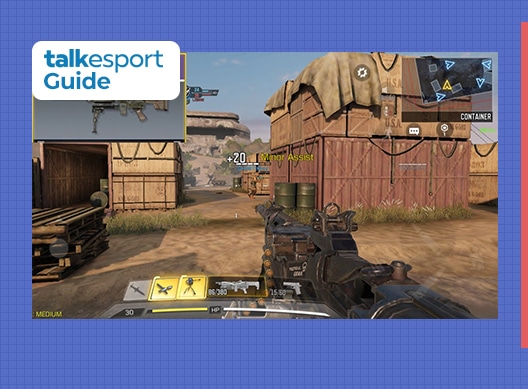
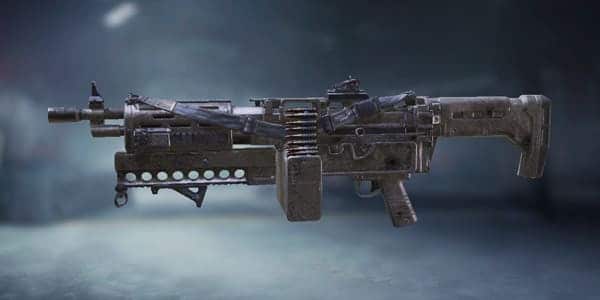
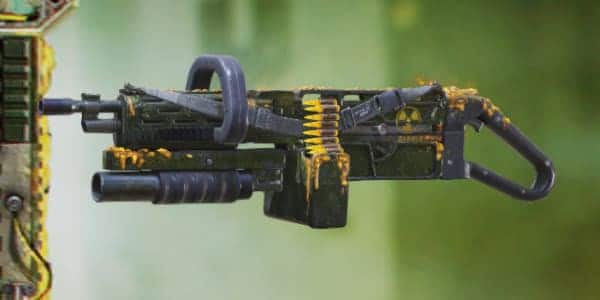
COD Mobile Season 7 brings a lot of hype and excitement to Call of Duty: Mobile fans and for good reason. Season 7, named Radioactive Agent brings a new map, aesthetic changes, expansion of the Battle Royale mode, and of course new guns. The Chainsaw from Call of Duty: Ghost is introduced in the game as the Chopper LMG, which is obtainable via completion of missions or can be grabbed from the lucky draw.
Best Chopper loadout for COD Mobile
The best attachment setup so far is to have a Suppressor which helps in reducing the recoils as well the sounds, a foregrip to improve accuracy, extra ammunition with a laser sight, and grip tape.
Muzzle: OWC Light Suppressor.
Underbarrel: Strike Foregrip.
Laser: OWC Laser – Tactical.
Ammunition: 120 Round Reload.
Rear Grip: Stippled Grip Tape.
COD Mobile Chopper Stats
Chopper LMG
Stats
Damage:
40
Fire Rate:
75
Accuracy:
43
Mobility:
41
Range:
46
Controls:
52
Tier:
S
Best Perk For Chopper in COD Mobile
COD Mobile Chopper Skins
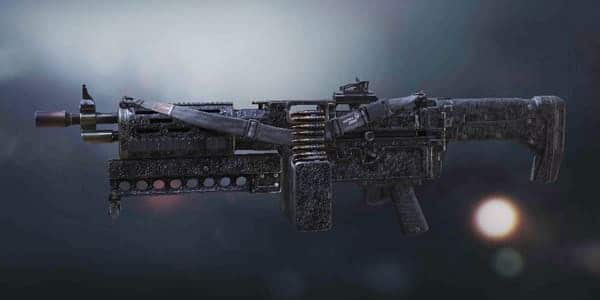
Chopper Black Top [Uncommon]
Chopper Static Electricity [Rare]
Chopper Collateral [Epic]
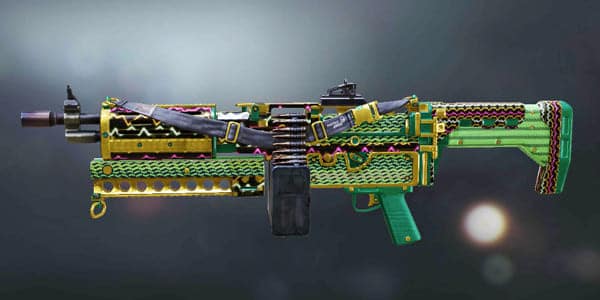
Chopper Fortress [Blueprint]
Chopper Chain Reaction
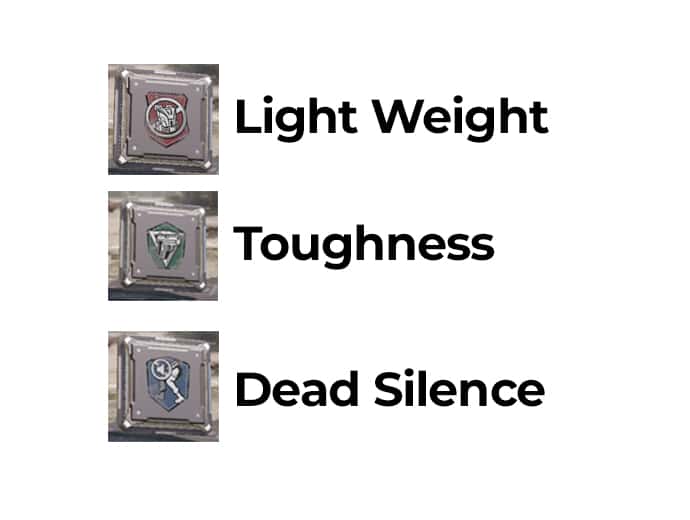
Attachments are unlocked via leveling up the gun, and we have a guide dedicated to that. With a higher level, several attachments are unlocked which improves and alters the stats of the gun for better usability in the game. Given the fact that it is an LMG, the name is as heavy as the gun itself, so having perks like quickdraw and lightweight can be beneficial. One can never go wrong with more ammo but this gun has sufficient for you to overlook frequent reloads.
EA Sports has released a new update for FIFA 21 today bumping the game version to 1.06. Here are the complete patch notes for this update.
FIFA 21 Update 1.06 Patch Notes
Gameplay
Made the following changes:
Adjusted referee logic in potential yellow card scenarios, with the intent of reducing the likelihood of a yellow card being given.
The Ball Roll to Scoop Turn combination now requires a five star Skill Move Rating to perform.
Added the “Royal Wave” Celebration to the pool of Celebrations that can occur when requesting a Random Celebration.
Addressed the following issues:
Sometimes, the referee would end the game during inappropriate situations during Stoppage Time.
Sometimes, players could briefly float in the air following a physically contested header, a pass, or a shot.
Following specific dribbling sequences, the CPU AI would stop approaching the ball carrier, on some Difficulty Levels.
The Instant Hard Tackle would sometimes result in the player lunging further forward than intended due to an animation inconsistency.
Users could trigger Directed Runs and Player Locks on other users that were locked to one player while using Auto Positioning.
In rare instances in certain stadiums, the goalkeeper could get stuck when trying to retrieve the ball.
Booking scenes did not appear in some instances following a player injury.
In some instances, the Competitor Mode CPUI AI would frequently toggle between two tactics when losing a match by two or more goals.
In some out of game scenes, player heads would shift erratically.
When an outfield player collided with a goalkeeper, the outfield player’s animations could become visually corrupted before recovering.
Following a shot that connected with the goal frame, the frame could shake erratically.
In rare instances, a goal was counted as an own goal instead of being attributed to the correct player.
When an advantage call occurred as the first half was ending, the on screen advantage icon would sometimes persist into the second half.
Following a foul from a tackle in the box, the foul and penalty kick was sometimes not awarded.
In some situations following a header pass, an unnecessary defensive auto switch could occur.
Adjusted unintentional player placement found in Skill Games Practice Scenarios.
The Trainer overlay would display incorrect button callouts in some situations when using mouse and keyboard controls.
The Team Press Defensive D-Pad Tactic icon didn’t always display the correct status of the action until the Defensive D-Pad Tactics were requested again. This was a visual issue only.
In some modes, the Player Lock setting would remain enabled even after being set to Off by the player.
This impacted FUT Champions, Online Draft and Friendlies Play A Friend.
FIFA Ultimate Team
Made the following changes:
Added new animations to the Transfer Market tab of the Squads screen for when an item you have bid on is either outbid by another player, or if you have won the item.
When using the Radial Menu on the Transfer Market tab of the Squads screen, a new icon has been added to denote the current Bid Status of the selected Player Item.
When selecting an Anthem, Crowd Chants, Goal Song, or Club Nickname Item on the Transfer Market, the audio can now be previewed from the Bidding Options screen.
Updated some Co-Op messaging windows to be more specific.
Addressed the following issues:
Match lobbies displayed a one-way numerical ping value instead of the round trip.
The value shown is now the round trip ping value, meaning that a higher value will be displayed.
This was a visual issue only.
Club badges did not display on kits during matches in some FUT game modes.
Squad Battles displayed two different Battle Points values upon match completion.
This was a visual issue only, the player was being given the correct amount of Battle Points.
When using the Compare Price function, some of the on screen text was incorrectly colored, making it difficult to read.
Updated the overlay color when adjusting a Bid in order to make the numbers more legible.
When claiming a Player Item Reward from Season progress, while having other Player Items on the Transfer List, the corresponding animation would display the highest OVR Player Item from the Transfer List instead of the Player Item Reward.
In some cases, Anthem previews did not play in My Stadium customization.
In Squad Battles, the player’s rank was not visible on the Your Rank tab in some situations.
The first goal scored in a match was not available to view in the post-match Highlights.
Some Badge Items displayed a placeholder image.
When searching Home and Away Kits in My Stadium, the filters are now available for use.
Some UI elements did not display in the More Options menu.
When browsing the Transfer Market, the Co-Op Friends List could sometimes create a button conflict.
Addressed a potential stability issue that could occur in Squad Battles when the ball went out of play.
An error would occur when trying to start a FUT Co-Op Squad Battles match where one or more of the Player Items on the Captain’s Squad matched the Player Items of the opponent’s Squad.
When switching between Confetti and Fireworks Items in My Stadium, some visual corruption could occur in the middle of the stadium.
Some My Stadium customization changes were not saving correctly if the player viewed the screen multiple times during the same session.
Inactive button callouts would display if the player used a ‘Take Me There’ button and immediately after tried to navigate using the Left Stick.
The camera during the substitution scene would be blocked when using a Quick Sub in a Co-Op Squad Battles match.
Some TIFO Items were missing an image.
Stability issue when using the View Player Info button following a Co-Op match.
Scoring multiple own-goals was not resulting in the match being forfeit.
This was correctly working in other Online game modes.
Multiple button callouts for the Left Stick were displayed on the Squad Battles Top 200 Leaderboard screen.
Placeholder text was present on one of the Anthem Items.
The Assisted Headers Controller Setting could have been enabled in online FUT modes.
The Premier League logo was hard to see on the Draft summary screen.
Stability issue could occur when entering FUT after playing a match in Kick-Off.
Placeholder text was displayed during the Co-Op invite flow.
Volta Football
Made the following changes:
Updated the UI in VOLTA Squads to allow players to see the following:
Active Event’s Division and Rank from the VOLTA Squads HUB.
Rewards that are available in the active event.
Placement Matches information until the player has completed the 5 matches.
Added Stars to the one-time rewards for obtaining a new Division in VOLTA Squads.
There will be a Claim Rewards flow for players that have already earned their one-time reward for a Division.
Reduced the impact of excessive flair actions such as Skill Moves on Match Rating calculation.
Increased the impact of goals scored on Match Rating calculation.
Addressed the following issues:
Your Avatar’s Match Rating was sometimes too low, despite a good performance, if a match ended very early, such as in a ‘First to 5 Goals’ match where the 5 goals were scored quickly.
AI Teammate kick-ins would sometimes kick the ball towards an unintended target.
Prevented Stamina and fatigue effects from unintentionally impacting players during matches.
In VOLTA Squads, the VOLTA COINS and growth bonuses that you get when playing with Friends were not applied to every player when playing with invited teammates.
A Directed Run indicator would not display if the opponent performed a Directed Run first.
Recruitable Avatars would sometimes be wearing default clothes.
In some instances, the name above the Player Indicator was not formatted correctly.
Following a match with 3 or more user controlled players, on the Match Result screen, “My Stats” were not calculated correctly if another player left the match before kick off.
The player Avatar’s 2D Portrait could display a placeholder image.
The Inventory limit could have been exceeded.
The “Claim Reward” text was difficult to read on the Objectives screen.
Pre-match scenes could sometimes display the incorrect match type.
In Featured Battles, after hitting a Milestone, the ‘Next Reward’ displayed was the reward you had just earned.
The progress animation on the post match Event Progress screen did not display correctly.
Avatar Face Morphing customizations were not always saved.
The post match Recruitment screen could become visually corrupted if a player didn’t have a ‘Known As’ name defined
Sometimes, VOLTA COINS and Skill Points did not immediately update on menu UI following match completion.
This was a visual issue only and players were getting the correct amount of VOLTA COINS and Skill Points.
In certain languages, some of the Objective descriptions were being cut off.
Updated some text in Featured Battles so that it doesn’t overlap with other UI elements.
Corrected a text inconsistency where VOLTA Squads Recent Teammates were being called Recent Squadmates.
Updated Ed Van Gils’ model during cutscenes.
Career Mode
Made the following changes:
Added the ability to select a player for a Training Drill when they were already selected for a Training Drill. Doing so will prompt a confirmation pop-up.
Adjusted Training UI to emphasize potential Sharpness gains where appropriate.
Made the Schedule Rules easier to view while on the Weekly Schedule screen for Training.
Increased potential variety of Youth Player kit styles, boots, and accessories.
Addressed the following issues:
An incorrect Press Conference question could sometimes be asked after the player won their respective league competition.
When entering a match through the Interactive Match Sim, Player Lock would become unavailable.
In a rare situation involving a small Squad, the player controlled team could be filled with goalkeepers when Simulating for an extended period of time.
After creating a new Career Mode save and immediately setting up a Scouting Network, the Finances screen would not display correctly when entered.
Center Forwards were taking an unintentionally long amount of time to be retrained as Strikers.
Some Center Forwards may still take a long time, though less than it did prior to the above change, to train as a Striker due to their Attributes.
When entering a match after half of it has been Simulated, the in-game camera would be zoomed out unintentionally.
Addressed some instances of News items not displaying correctly.
Youth Scouts were sometimes finding similar numbers of highly rated and high potential players regardless of the country that they were scouting.
Player Value could sometimes greatly exceed a player’s Release Clause.
A News story was incorrectly stating that David Silva’s contract was 5 years long when it was actually 2.
It was possible to view unscouted players OVRs through the Import Team Sheets screens.
After recalling all Scouts on the GTN, a confirmation window could incorrectly appear.
When exiting the Weekly Schedule screen, the player would be taken to an incorrect screen.
Improved transitions between Training Drills.
Changing Schedule Rules in the Calendar or Weekly Schedule did not always highlight the correct dates.
On the Budget screen, Transfer sums did not count towards the Players Purchased number when the transfer was done outside of a Transfer Window.
In some instances, the incorrect Board Objective was being set for the UEFA Champions League.
When editing a player’s gloves, the change would not always save and apply.
Players with a high OVR were sometimes retired earlier than intended.
When playing in the Bundesliga in Player Career, some of the text on the My Career screens was hard to read.
Club worth for some clubs was increasing faster than intended.
Acquiring a player through a player swap transfer was not tracking against the appropriate Board Objectives.
Post match screens would sometimes indicate that a team won a two-legged fixture via away goals when they actually won via penalties.
An incorrect confirmation window could display when deleting a Team Sheet.
Typo in the Accomplishments tutorial screen in Player Career.
Adjusted several UI button callouts.
Updated some outdated Club Bio information.
The Reply option did not function during Player Conversations when using a mouse.
Addressed some potential stability issues.
Pro Clubs
Made the following change:
Increased the window of time a celebration can be requested in.
Addressed the following issues:
When changing the active Camera, the Radar would not shift immediately in some situations.
The correct height and weight did not always apply to the Virtual Pro 3D preview in the My Pro tab.
An incorrect OVR could display for Center Forward Virtual Pros in some circumstances, depending on the Virtual Pro’s height and weight.
Addressed a rare instance in which a player could unintentionally gain control of a teammates’ Virtual Pro.
Team Badges would display placeholder images in stadiums.
Accessibility options did not always perform as expected.
The scoreboard could display incorrect booking information in-game.
When playing King of the Hill as a goalkeeper, the Radar would incorrectly display the Hill.
Boot customizations for AI teammates were not being saved.
In a specific instance, a confirmation window was not appearing when making Custom Tactics changes.
UI elements could sometimes shift incorrectly when customizing hair color.
UI elements could sometimes overlap when editing a Club’s Kit and Crest.
Some on screen text would overlap when transitioning between matches directly.
After winning the Mystery Ball Cup, the trophy would float during post-match celebrations.
General, Audio, and Visual
Made the following changes:
Added 2 Legacy Player Star Heads for Jack Rose and Adil Rami respectively.
These will only be available following a Server Release. Please follow the EA SPORTS FIFA Tracker for updates on when these will be live in-game.
Updated some badges, kits, audio, ad boards, tifos, broadcast packages, stadiums, scenes, and banners.
Addressed the following issues:
Players who are a part of Adidas All-Stars did not appear in the Club Transfers list for their normal club.
Sometimes, the Co-Op Camera would shift focus unexpectedly during a Corner Kick.
Addressed a specific Camera obstruction on the Signal Iduna Park stadium.
Fireworks did not display in some stadiums during the UEFA Europa League Final.
Parts of the Skill Games UI would become unresponsive when the Right Stick was remapped through the Accessibility settings.
Custom Co-Op Camera settings could create visual issues on the Carrow Road stadium.
Selecting to play with Ultimate difficulty in a CONMEBOL Libertadores Tournament would result in the Play Match screen showing the difficulty as Legendary.
This was a visual issue only, the correct difficulty was used during gameplay.
Updated the highlight color used when swapping teams in the CONMEBOL Libertadores Tournament.
Sometimes the ‘Handful For Defenders’ overlay would show a player’s conversion rate as 200% when playing in LaLiga.
A button call out was incorrectly formatted on the Game Plans tutorial message.
A broken animation would occur following a penalty kick being awarded for a handball in the box.
The penalty kick in this specific instance could only be given if the Handball setting was enabled.
Audio was sometimes cutting out for brief periods while playing a match.
Addressed several instances of incorrect commentary occurring while in a match.
Addressed several potential stability issues.
Addressed several minor audio issues.
Kick Off
Addressed the following issues:
If the Rewind functionality was used during the match, it would not end as a forfeit if a team ended up with 5 red cards.
After Rewinding, incorrect commentary would sometimes play over match Highlights.
After Rewinding, the Pause Menu countdown UI could remain on screen.
When viewing a replay and transitioning between players, the Player Indicator would move faster than intended.
A Team Select UI element would sometimes display incorrectly when hovered over by a mouse cursor.
Stability issue when selecting to play a FUT Match during the FIFA 21 New User flow.
In Mystery Ball, when playing VOLTA FOOTBALL, goal values were sometimes incorrectly tallied.
Weather or Pitch Wear would carry over to a VOLTA FOOTBALL Kick Off match if a previous 11v11 Kick Off match had either setting defined through the Game Settings.
Cloud9 signed 13-year-old League of Legends streamer Rayan ‘General Sniper’ Shoura only to terminate his contract after a few hours.
Cloud9 neglected the rules set by the League Of Legends Championship Series which forbid any organization to hand out contracts to players under 15. Cloud9 are bounded by the LCS rules given the fact that they are competing in it.
Cloud9 were aware but misinterpreted the rule as they only intended to sign the 13-year-old as a streamer/entertainer, however, the rule remains unchanged for either streamers or professional players.
Turns out the minimum age to join any team is 15 (even as a streamer) so my contract was terminated, very sad news☹️ I'll be back stronger than ever next year 🙂
The rules we received were specific about not contracting the services of anyone under 15 as a pro player, which we didn't do. We were informed after our announcement that what the rules intended are to bar hiring of any person below the age of 15 for any reason.
A heartbroken General Sniper expressed himself on Twitter, as joining as an organization as prestigious as Cloud9 is a dream for many.
The rules we received were specific about not contracting the services of anyone under 15 as a pro player, which we didn’t do. We were informed after our announcement that what the rules intended are to bar hiring of any person below the age of 15 for any reason.
Jack Etienne
General Sniper garnered his reputation after reaching Challenger in ranked League of Legends as well as winning the Twitch Rivals showdown with Tyler ‘Tyler1’ Steinkamp.
The deal concluded in a disappointment for the player, org, and the fans as well. One important takeaway being Etienne’s promise to figure out a way for Cloud9 and General Sniper to work together in the future, hopefully when later turns 15.
In case you’re unaware, ‘gems’ are a form of in-game currency in miHoYo’s open-world RPG Genshin Impact. Players can purchase these gems with real money which can then be exchanged for in-game gacha.
Reddit user u/WalkFreeeeee has taken note of this price hike and has mentioned the countries where the prices increased through a post dated November 3rd. The list includes the countries of Brazil, Columbia, Iceland, India, Indonesia, Russia, South Africa.
List Of Countries Affected By Price Increase in Genshin Impact
Brazil
Columbia
Iceland
India
Indonesia
Russia
South Africa
The unexpected increase in gem prices might be a direct result of the rather sudden changes in the App Store policies by Apple.
Needless to say, fans aren’t very happy about the escalation in gem prices. Players have resorted to social media to complain about the situation and have requested the developers to cut down the prices by a margin.
PUBG Mobile is one of the biggest mobile games in the world and has a very large player base. The competition to become best among the best is very tough in this game. Players are always striving to show off their skills and one of the best ways to get recognised is to reach Conqueror tier.
What is Conqueror in PUBG Mobile
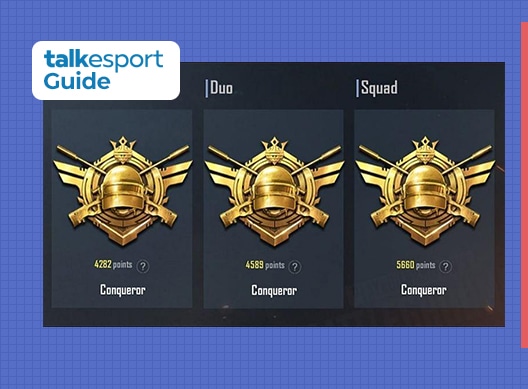
Conqueror tier is the highest rank tier a player can achieve in PUBG Mobile. Unlike any other ranks, there is no baseline to reach this rank and only top 500 players from each server are rewarded with this rank.
A conqueror-ranked player easily stands out in the lobby due to the famous title and it is very alluring to reach this rank. Any player with above average skill level can reach upto Ace tier but going a step further is one of the hardest task. Yet, there is a way to actually earn this title.
How to get Conqueror in PUBG Mobile?
Reaching Conqueror is a very long process and there is actually no shortcut to it. Players need to have a ton of experience and need to play the game very strategically to gain certain advantages to gain valuable survival and kill points at the end, with a chicken dinner.
As stated above, 5000+ points are usually required to reach this tier and these points can vary for each server and hence, players have to put in hours and hours into the matches to reach the tier. There is a simpler method to reach this rank and almost anybody with enough free time and skills can reach Conqueror at the start of a new season.
Reach up to Ace tier till the end of any season and wait for rank reset.
After rank is reset, all the higher ranked players drop down to Platinum and once it happens, get ready to hit the ranked matches.
Play classic matches as much as you can, and take a safer stance in each game and focus on survival.
Aim to take as many wins as possible to get the maximum number of points and reach Ace as soon as you can.
The first 500 players to reach Ace tier will be awarded with conqueror rank and gifts like a frame and title.
Remember that it is very hard to reach Conqueror tier and normally, you would have to play the game in all your free time to maintain this rank.
Also, reaching Conqueror in squad mode is harder than other modes so it is recommended to push the rank in solo or duo mode to have a better chance at reaching this rank.
Remember to play it safe because one wrong step and you can lose more points in a single match for which you have fought very hard in previous couple of games. We wish you good luck to reach Conqueror in PUBG Mobile.