Home Blog Page 1104

All Winter Wonderland Challenges in Overwatch 2 – Listed

0

Overwatch 2’s seasonal event is among the greatest in the first-person shooter genre and is enjoyed by a sizable portion of the game’s player base. There are quite a few different kinds of minigames available.

Collectively, there are the Freezethaw Elimination, the Snowball Deathmatch, the Yeti Hunter, and finally Mei’s Snowball Offensive events. 

There are three previously featured arcade modes that will be playable during the Winter Wonderland event. As an added bonus, players that participate in the event and complete the tasks associated with these game modes will gain access to the new Ice Queen Brigitte skin.

In the elimination mode known as Mei’s Snowball Offensive, players take on the role of Mei and fire off one-shot snowballs at each other. Both a five-on-five format and an eight-player free-for-all style known as Snowball Deathmatch are available.

In the Yeti Hunter mode, up to five players take on the role of Mei and must collaborate to freeze a Winston who has broken into their food cache.

For Winston to unleash his ultimate and go mad on the Mei menagerie, he must consume a certain quantity of food. The game style Freezethaw Elimination (4v4) pits two teams of four players against one another in an effort to win. The catch is that when a player is eliminated, they are frozen in place and must be thawed out by a teammate.

Each time a team wins a round, they lose access to their previously used heroes, requiring them to find new strategies each time.

All of Overwatch 2’s Winter Wonderland Quests Listed

There are nine challenges for the Winter Wonderland event in 2022.

  • Snowstorm – Win a game in Snowball Deathmatch – 1500 Battle Pass XP
  • Block of Ice – Block 8 snowballs with Cryo-Freeze or Ice Wall in Snowball Deathmatch or Mei’s Snowball Offensive – Sojourn Ornament Spray and 1500 Battle Pass XP
  • Abominable – Win a game in Yeti Hunter as a Yeti – Ramattra Ornament Spray and 1500 Battle Pass XP
  • Time for Cocoa – Win a game in Mei’s Snowball Offensive – 1500 Battle Pass XP
  • Monster Hunter – Win a game in Yeti Hunter as a Mei – 1500 Battle Pass XP
  • Warmhearted – Thaw 15 Allies in Freezethaw Elimination – Kiriko Ornament Spray and 1500 Battle Pass XP
  • Caught a Cold – Catch 6 snowballs in Snowball Deathmatch – Junker Queen Ornament Spray and 1500 Battle Pass XP
  • Unthawed – Win a game of Freezethaw Elimination – 1500 Battle Pass XP
  • Season’s Greetings – Complete 6 Winter Wonderland Challenges – Ice Queen Brigitte Skin and Snowman Head Weapon Charm.

For more guides on Overwatch 2, make sure to follow TalkEsport on Google News.

How To Get Stay Frosty Pulse Rifle In Destiny 2?

0

The Dawning, Destiny 2’s seasonal winter event, has officially launched across all platforms. New quests, decorations, weapons, and more will be available in The Dawning 2022, just as in years past.    

In addition to that, this time around there is a new Event Card that has a greater variety of challenges and rewards.

You’ll probably be farming the new Dawning weaponry when you’re not making treats or completing the event challenges. The Legendary Pulse Rifle Stay Frosty is one of the new Dawning weapons that are available in Destiny 2 right now. This is how you can acquire it if you want it.

How to get Stay Frosty in Destiny 2?

In The Dawning event, completing the initial quest will net you the Stay Frosty Legendary Pulse Rifle. The first step is to meet with Eva Levante, the resident event vendor, at the Tower.

You are going to receive Eva’s festive oven. Gain access to the oven, and prepare one Gjallardoodle for Zavala to eat.

You can claim the first event challenge, “Dawn of the Dawning,” from the Event Card menu by delivering the Gjallardoodles to Zavala in the Tower. This will grant you access to the Stay Frosty Pulse Rifle’s first roll of ammunition.

How to farm Stay Frosty for god rolls in Destiny 2?

After getting your hands on a Stay Frosty Pulse Rifle, you can farm it again and over again to get your hands on a god roll. Unlock the Limit Exchange Ticket improvement by paying 40 Dawning Spirit to Eva. This will allow you to do so.

Thereafter, 25 Dawning Spirit and 1 A Gift in Return are required for each new Stay Frosty roll. The Stay Frosty Pulse Rifle is equipped with a perk called “Dawning Surprise,” which, when used, grants you the Dawning Gift as a reward for quickly killing enemies.

For more guides on Destiny 2, make sure to follow TalkEsport on Google News. 
Valorant “Keeps crashing” error: How to fix?

0

Quite a few Valorant players have reported glitches and freezes recently. Because of its repetition, this can be irritating and spoil your game experience.

This issue, it turns out, can be brought on by using a third-party program or using an older version of a graphics driver. Any part of the game, from the title screen to the middle of a mission, is susceptible to crashing. 

Since this issue has affected numerous people, we will go over several potential solutions here.

WHAT CAUSES VALORANT TO CRASH RANDOMLY?

We warned you before that the answer to your problem might be different depending on the system you’re using. Not everything that goes wrong can be traced back to third-party intervention or dated display drivers.

The game may crash if the necessary permissions aren’t granted. When a system service causes a game to crash, this is the result. You can fix the game by starting it in administrative mode.

Outdated BIOS:  The problem could be caused by an outdated BIOS. Since BIOS is rarely used, it’s easy to forget about it. However, this is only one of several issues that could arise from using an out-of-date version. The problem can be resolved by installing the latest BIOS update.

Older Windows Version:  Causes include the game’s BIOS or running it on an outdated version of Windows. If you’re having compatibility issues, the newest version of Windows should resolve the issue.

Outdated Graphics Drivers:  It’s also possible that the issue stems from outdated graphics drivers. When playing games, outdated graphics drivers can be a major hindrance. The solution is to upgrade your graphics drivers.

Valorant CPU Priority: Last but not least, the gaming priority that your CPU has set for itself can be the source of the issue. The game could crash if it’s not the highest priority and you’re also using it. Focusing on the client and the game first will prevent this from happening.

It is never a good idea to play a game with an out-of-date graphics driver. The computer’s graphics drivers are essential for gaming. You absolutely must run the latest release of your graphics driver software.

Do not overclock

Overclocking is a great option because it enhances your equipment’s performance without increasing your budget. Therefore, if your CPU or GPU has been overclocked, you should roll back the overclock and see if the issue still occurs.

They found that disabling the overclock resolved the issue, therefore you might find the same to be true in your case. To check for issues, play the game without any overclocks and see what happens.

Update your BIOS

It has already been established that BIOS upgrades can improve hardware performance by addressing bugs and adding new features. As a result of its infrequency of use, the BIOS menu is often neglected in terms of updates. This, however, is a vital part of your PC and needs to be brought up to date immediately.

The latest BIOS for your motherboard can be found on the site of its manufacturer. Manufacturer-supplied tools can be used as an additional convenience. Start the game and look for problems after updating the BIOS.

Perform a Clean Boot

If none of these solutions have helped, it’s possible that an application other than the game itself is interfering with your experience. You may have downloaded and installed some sort of third-party antivirus software, which is to blame for this problem.

The quickest way to accomplish this is to uninstall the existing graphics drivers through the Device Manager, then obtain the most recent drivers from the manufacturer’s website and install them.

For more coverage on the crash, make sure to follow TalkEsport on Google News.

Mobile Legends Adventure Codes December 2022: Get Diamonds and more

0

Mobile Legends: Bang Bang is a very popular MOBA title in mobile games. This game is extremely famous in the Southeast Asian region and as a thanking gesture, MLBB often arranges several events or mini-collaborations that gift some goodies to the players as a token of appreciation.

Redeem codes in MLBB are special codes which can be used to get free items in the game. These codes are released frequently by the developers as a reward system to its player base. Most of these codes have certain restrictions and hence, players from specific regions can obtain these rewards.

Players can easily use the redeem codes to get their favourite items free of cost in MLBB. It is fairly simple to do so and you can read the guide given below to do it.

Mobile Legends Adventure Active Codes – December 2022

Use the redeem codes given below to get free stuff and diamonds:

  • D8XKVZ – 500 Diamonds
  • XT83Q622297 – 1000 Diamonds & 10 Premium Summon Scrolls
  • 4336BV – 1000 Diamonds
  • 5KWA9B – 1000 Diamonds
  • FWT9L5 – 500 Diamonds

Remember that these codes are region specific so others who try to redeem these items may get an error message. These codes are usually time and user limited and hence, make sure to hurry up to get these items.

How to download Minecraft 1.19 on every platform?

0

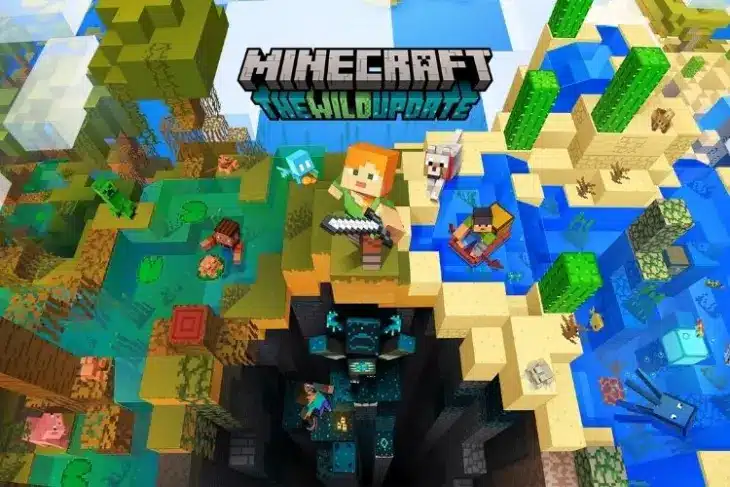
Before version 1.20 of the game is published somewhere in 2023, version 1.19 of Minecraft, popularly known as The Wild Update, is the most recent significant content update to the game.

Version 1.19 is very simple to buy and download on a variety of platforms, and it takes just a few minutes for gamers interested in playing it. Even if you haven’t played the game in a while, you may update to version 1.19+ and start playing right away after a brief download.

In this article, we will discuss how to get Minecraft 1.19 on every platform.

How to get Minecraft 1.19 on PC?

Choose the “get Minecraft” button on the home page of Minecraft.net. Choose the console (computer) and the game edition that you want to buy. Java and the Bedrock Edition are included in the same purchase.

Once your transaction is complete, open the game launcher that you downloaded. Select the green install button after choosing the Java or Bedrock game edition you wish to play. The install button should change to a play button after a brief download. If you open the launcher, the game will automatically update to the most recent version.

How to get Minecraft 1.19 on Console?

Open your virtual shop (PS Store, Xbox Marketplace, Nintendo eShop) and search bar from your console’s dashboard or main menu. Press Enter after typing “Minecraft” into the search box. Quickly after clicking, the game’s thumbnail should show; click it to see the game’s page.

To start the download, click the page’s associated buy or download button and input your payment details. When the download is finished, go back to your dashboard and choose the game. To make sure the game is running on version 1.19 or higher, it might first need to apply a brief update.

How to get Minecraft 1.19 on Mobile?

Search for Minecraft on Google Play or the Apple App Store by opening their respective platforms. Click the “Get/Download” button on the game’s website to launch it. Your payment information must be entered before the app can start to download.

The game will automatically download with the most recent stable build, so you shouldn’t have to manually upgrade it to 1.19. Play the game by launching it.

For more exclusive esports and gaming content, please follow TalkEsport on Google News.

COD Mobile Season 11 Patch Notes: Read More Inside

Call of Duty Mobile Season 11 has commenced and the new season looks amazing. This will be the last update for the game in 2022 with the winter-based theme. The new update includes new weapons, operator skills, maps, modes, and more. Read our complete article to know the details for Call of Duty Mobile Season 11 patch notes.

COD MOBILE SEASON 11 PATCH NOTES

Multiplayer

New Map: Crossroads

More areas in the Crossroads will soon be open for soldiers to explore. Let’s play on a broader battlefield in Ground War 2.0!

Gameplay Update: Ground War 2.0

  • New Vehicle: War Beast and Cargo Truck are added to Ground War 2.0.
  • New Mechanism: Added shot-down helicopter effect at Mega Point, optimized spawning base.
  • Map Pool updated: Crossroads is added to Ground War 2.0.
  • New Perk – Pin Point: Outline enemies when dealing or taking weapon damage and slightly enhance aim assist.

Battle Royale

New Supply Drop

A new supply drop in Battle Royale: EM2

Weapons

New Weapon: Assault Rifle – EM2

  • An assault rifle with a built-in optical sight from Call of Duty: Black Ops Cold War, of high accuracy and reliable damage but a low fire rate.
  • New Attachment for Striker – RTC Retractable Barrel
  • RTC Retractable barrel. Significantly increases bullets’ central density.

Balance Adjustment

MP & BR

  • Crossbow
    • Bullet speed: Increased
    • Damage: Increased only in BR
  • BK57
    • OWC ranger barrel:
      • Range buff: Increased
      • ADS Speed debuff: Decreased
    • 7.62mm ammo:
      • Damage: Increased
  • HBRa3
    • Thunderbolt Sling
    • ADS spread debuff: Removed
    • ADS speed buff: Added
    • Hit flinch control buff: Added
  • CR-56 AMAX
    • ADS bullet dispersion: Reduced
    • Recoil gets optimized to be more smoothly
  • AS VAL
    • Range: Increased
    • Extended Mag
    • Mag capacity: Increased
  • Peacekeeper MK2
    • Range: Increased
  • DL Q33
    • Head damage multiplier: Increased
  • UL736
    • ADS speed: Increased
    • Sprint-to-Fire Delay: Reduced
    • ADS Bullet dispersion: Reduced
  • Echo
    • Slug:
      • Damage: Increased
  • Striker
    • Reloading speed: Increased
    • Slug:
      • Damage: Increased
  • MAC-10
    • Range: Increased only in MP
    • Damage: Reduced in BR
  • AGR 556
  • Armor piercing: Increased
  • Range: Increased
  • 5.56 Mag:
    • ADS time debuff: Reduced
  • Extended mag:
    • Magazine capacity: Increased
  • Razorback
    • Basic movement speed: Increased
    • ADS speed: Increased
    • ADS movement speed: Increased
  • PDW-57
    • Damage: Increased
    • Range: Increased
  • HG 40
    • Recoil: Reduced
  • GKS
    • Damage: Increased
    • Range: Adjusted
  • Fennec
    • Range: Increased
    • Damage multiplier: Increased
  • Kilo-Bolt Action
    • ADS speed: Increased
    • Reloading speed: Increased

MP

  • Scorestreaks
    • Shock RC
      • Maximum number of enemies being controlled is reduced to 1 (Current : 2).
    • Swarm
      • Required scores: Increased
  • VTOL
    • HP: Increased
  • Lethal and Tactical
    • Molotov Cocktail
      • Duration slightly: Reduced
  • EMP Systems
    • Explosion delay: Reduced
    • Maximum effective duration: Reduced
    • Minimum effective duration: Reduced
    • Maximum effective duration to users: Reduced
    • Minimum effective duration to users: Reduced

BR

  • PKM
    • Vertical recoil: Reduced
  • S36
    • Range: Increased
    • Damage multiplier: Increased
  • MK2
    • ADS speed: Increased
    • Damage multiplier: Increased
    • Damage: Increased
  • BR Class
    • Refitter
      • HP upgrade maximum of vehicles reduced
      • Recharging speed: Increased
  • Rewind
    • Recharging speed: Reduced
  • Igniter
    • Initial energy consumption: Reduced
    • Continuous energy consumption: Reduced
    • Speed-up effect: Increased
  • Trickster
    • Being able to recharge twice
    • Recharging speed: Increased

Also Read | CSGO Knife Commands: Play With Any Knife For Free!

Who Is The First Player To Reach 13K MMR In Dota 2?

Talon Esports star Nuengnara “23savage” Teeramahanon has become the first player in the history of Dota 2 to reach 13,000 MMR in the game’s ranked system.

The 20-year-old shared his achievement through a Twitter post today, where he shared a screenshot of him hitting the seemingly impossible milestone. He also claimed that he had to grind Dota 2 non-stop for three weeks to accomplish this.

“After 3 weeks of playing 24/7 I reached 13k mmr,” he said.

However, this achievement from the position one player doesn’t come as much of a surprise. 23savage had previously taken the world by storm by becoming the first player to hit the 12K MMR bracket back in 2021. He was also the second player to hit 11K MMR IN 2020.

Since the conclusion of The International 2022 in October, 23savage has been rocking the SEA pubs ahead of the upcoming DPC season. Some of his most-played heroes of all time include Morphling, Faceless Void, Monkey King, Juggernaut, and Phantom Assassin.

Currently, 23savage is a part of the active roster of Talon Esports alongside Rafli “Mikoto” Rahman, Anucha “Jabz” Jirawong, Worawit “Q” Mekchai, and Chan “Oli” Chon Kien.

Dota 2 fans throughout the world have congratulated 23savage in unison on this remarkable achievement.

List Of Esports Awards 2022 Winners

0

This year, the Esports Awards 2022 nominated personalities and brands in more than 30 categories across the world of esports. That said, here are all the nominees and winners of the Esports Awards 2022.

List of Eports Awards 2022 Winners

  • Esports PC Player of the Year: S1mple
  • Esports Team of the Year: LOUD
  • Esports Org of the Year: OpTic Gaming
  • Esports Coach of the Year: B1ade
  • Esports PC Rookie of the Year: mONESY
  • Esports controller player of the Year: FormaL
  • Esports Controller Rookie of the Year: Seikoo
  • Esports Mobile Player of the Year: Ceng ‘Order’ Zehai
  • Esports Color Caster of the Year: Andy ‘Bravo’ Dudynsky
  • Esports Desk Analyst: Jessica ‘JessGOAT’ Bolden
  • Esports Host of the Year: James ‘Dash’ Patterson
  • Esports Play-By-Play Caster of the Year: Lauren ‘Pansy’ Scott [Winner]
  • Content Grup of the Year: S8ul esports
  • Esports Content Creator of the Year: Hungrybox
  • Esports Content Series of the Year: Players
  • Esports Game of the Year: Valorant
  • Esports Mobile Game of the Year: PUBG Mobile
  • Esports Personality of the Year: Nadeshot
  • Esports Play of the Year: Twistzz @ IEM Cologne
  • Streamer of the Year: Ibai
  • Esports Commercial Partner of the Year: Verizon
  • Esports Coverage Platform: Dexerto
  • Esports Hardware Provider: Logitech
  • Esports Journalist of the Year: Ashley Kang
  • Esports Publisher of the Year: Riot Games
  • Esports Supporting Service of the Year: Esports Engine
  • Esports Broadcast/Production Team of the Year: Riot Games
  • Esports Apparel fo the Year: 100 Thieves
  • Esports Cosplay of the Year: Kinpatsu Cosplay
  • Esports Creative of the Year: Christian Skimmeland
  • Esports Creative Piece of the Year: The Bellhop
  • Esports Creative Team of the Year: LOUD
  • Esports Collegiate Program of the Year: University of Hawaii
  • Esports Collegiate Ambassador of the Year: Christine Fan

Information Sourced From Esports.gg

Marvel Snap: How to Win a Location With 1 Card?

0

You’re here because you’re in a rush to finish the Marvel Snap task that requires you to win a location with only one card, but you simply can’t seem to figure out how to accomplish it consistently. Prima Games is quite active in Marvel Snap, and you may utilize a few strategies to complete this goal.

How to Win a Location With 1 Card?

Some players report that it is conceivable to Retreat early on in the game if you are ahead in one or more locations, however, we were unable to duplicate this and lost a few cubes while trying. However, if your opponent flees, it still functions. So, we must go about this the difficult way. We will give you advice on which cards to use and how to combine them to achieve the goal of winning the location with just one card.

Infinaut

Skip your fifth turn and smack it on an unguarded adversary. It’s difficult to “sell” this strategy now that more people are aware of this card. Try using Hulk or another like beater.

Forge and Nova, or Ka-Zar, Blue Marvel, and Onslaught

They are excellent for giving your cards from different areas of the board boosts.

Mister Fantastic and Klaw

Excellent cards for giving a location a boost generally originate from outside the location. Better yet, magnify them if you can.

Death, Devil Dinosaur, and Black Panther

My personal favorites for the job are these. In particular, whenever a location that mimics the current or on-reveal impact appears. Arnim Zola further imitates Black Panther. Think about having Moon Girl fill up your hand for Devil Dinosaur.

Carnage, Deadpool, and Venom

The Marvel Snap trio that self-destructs. Carnage can consume three cards at once and turn into an 8-Power card. The Power becomes 9 if Nova passes away during the procedure. Because Venom absorbs their Power, he is superior. Depending on how many times you can defeat Deadpool, he may be the greatest.

Hulk Buster

It adds extra Power by fusing with a card.

Namor

If he is the only person there, he receives a bonus.

Shang-Chi

Think about your opponent as having 4 Hulks and playing 4 cards in a Hulk Lab. Shang-Chi is likely to win that match.

For more exclusive esports and gaming content, please follow TalkEsport on Google News.

How to Evolve Chansey in Pokemon Scarlet and Violet

0

Both Chansey and Blissey have been around for quite some time in Pokémon. In Generation I, we met Chansey, and in Generation II, we met Blissey. It wasn’t until Generation IV that the original form of Chansey, Happiny, was released.

Their popularity, however, has been driven by the fact that they retain their pink, egg-like appearance throughout their evolution, making them a target for fans collecting the cutest Pokémon.

As for Pokémon Scarlet and Pokémon Violet, this remains unchanged. Moreover, as Normal-type Pokémon, they prove to be quite a handful, especially the strongest of the lot, Blissey. It takes a little longer for them to evolve than other things.

Like a lot of the other Gen II creatures, Chansey requires a lot of Friendship in order to progress. It doesn’t matter what level it is, as long as you give it the right quantity, it will instantly evolve the moment it reaches the needed level.

Make careful to treat it well to increase the Friendship values and keep it smiling on you. Since the minimum cost to evolve a Pokemon from Blissey has been reduced from 220 to 160 in Generation VIII, and the value has been maintained in Scarlet and Violet, you should be able to evolve your Pokémon quickly.

The simplest method is to capture a Pokemon with a Friend Ball, which will automatically raise its Friendship to 150. You can earn Friend Balls by capturing 260 different species, or you might find one in one of the auctions taking place in Port Marinada.

Walking around with your Pokemon and winning battles without fainting will gradually build your Friendship, and if your Pokemon has a Soothe Bell, it will double. Putting together a picnic is a great way to bring people closer together.

So, in conclusion, if you treat Chansey well, it shouldn’t take long for it to evolve. It shouldn’t take more than a few minutes to obtain those hashing outcomes if you caught it with a Friend Ball.

For more guides on Pokemon, make sure to follow TalkEsport on Google News.