Wednesday, July 15, 2026
Home Blog Page 1081

How to fix Apex Legends Dxgi Error Device Hung error code

How to Fix DXGI_ERROR_DEVICE_HUNG Error?

Method 1: Update Your Graphics Card Driver

When games and other other graphical applications crash, it can be signs of issues with your graphics drivers. In the case of DXGI_ERROR_DEVICE_HUNG, the video card drivers may have become corrupt.

In some cases, you can get this error when the version of the graphics driver you are using is the issue. In that case, a newer or even an older graphics driver may resolve the program. This is how you can update your graphics drivers:

Step 1: Press the Windows key to open the Start Search box

Step 2: Type ‘device manager’ (without quotes) into the search box

Step 3: Click the + next two Display Adapters to see your graphics card

Step 4: Right click on your graphics card (display adapter) and click Update Driver

Step 5: Choose ‘Search automatically for updated driver software and let Windows install the newest driver version’

Step 6: Reboot your PC 

Method 2: Update DirectX

Another really common fix for DXGI_ERROR_DEVICE_HUNG error is to update DirectX. Sometimes files can become corrupt and reinstalling or updating DirectX can resolve that.

Step 1: Visit Microsoft’s DirectX End-User Runtime Web Installer page.

Step 2: Choose your language

Step 3: Click Download

Step 4: Find the downloaded file and double-click it

Step 5: Follow the on-screen instructions

Step 6: Start the game and see if the issue is resolved

Method 3: Roll-Back Your Graphics Drivers

This should solve the issue, but if it doesn’t, then players might have to consider setting their drivers back. Users are experiencing ‘little to no crashing’ when rolling back to earlier versions of drivers.

If the current version of the driver is corrupt, you can roll-back to previous versions the following way:

Step 1: Type Device Manager into the search box

Step 2: Expand your Display adapters and pick the graphics card you are using

Step 3: Rick-click your Display Adapter and click Properties

Step 4: Go to Driver tab

Step 5: Select Roll back driver

Method 4: Reseat your system memory (RAM)

Sometimes, dust can creep in between the pins that cannot your system memopry to the rest of the system. So, if you are getting random errors and have tried everything else, it might be an issue with your RAM.

RAM does sometimes go bad, but usually, this is not the case. But of the time when there is a problem with system memory, all you have to do is tack it out and put it back again.

This process varies widely from computer to computer, and it will be especially different when comparing laptops and desktops. Most all-in-one computers use laptop memory modules.

Consult your user manual to find out how to upgrade the RAM in your system. Reseating the memory is the same process as upgrading your RAM. The only difference is when you are reseating your memory modules, you are putting the same ones back in.

Method 5: Change Nvidia Control Panel Settings

Sometimes this error can happen because of incorrect settings in your Nvidia control panel. To try to resolve this issue, perform the following steps:

Step 1: Right click the desktop and open the Nvidia control panel

Step 2: Click on 3D settings

Step 3: Click Adjust image settings with Preview

Step 4: Check ‘Use advanced 3D image settings’

Step 5: Click Apply

Step 6: Click Manage 3D settings on the left

Step 7: In the Program Settings tab, click Add 

Step 8: Choose the executable of the game you are having troubles with

Method 6: Disable Graphics Card Overclocking

You may be seeing the DXGI_ERROR_DEVICE_HUNG error if your GPU is working beyond its intended limit. Overclocking is a great tool for extracting more performance out of your hardware, but it can lead to system stability issues at times.

So, if you are overclocking your graphics card and you are getting this error, it’s a good idea to disable your overclocking settings, at least temporarily, to see if that’s what’s causing the issue.
How to unlock and change classes in Xenoblade Chronicles 3?

0

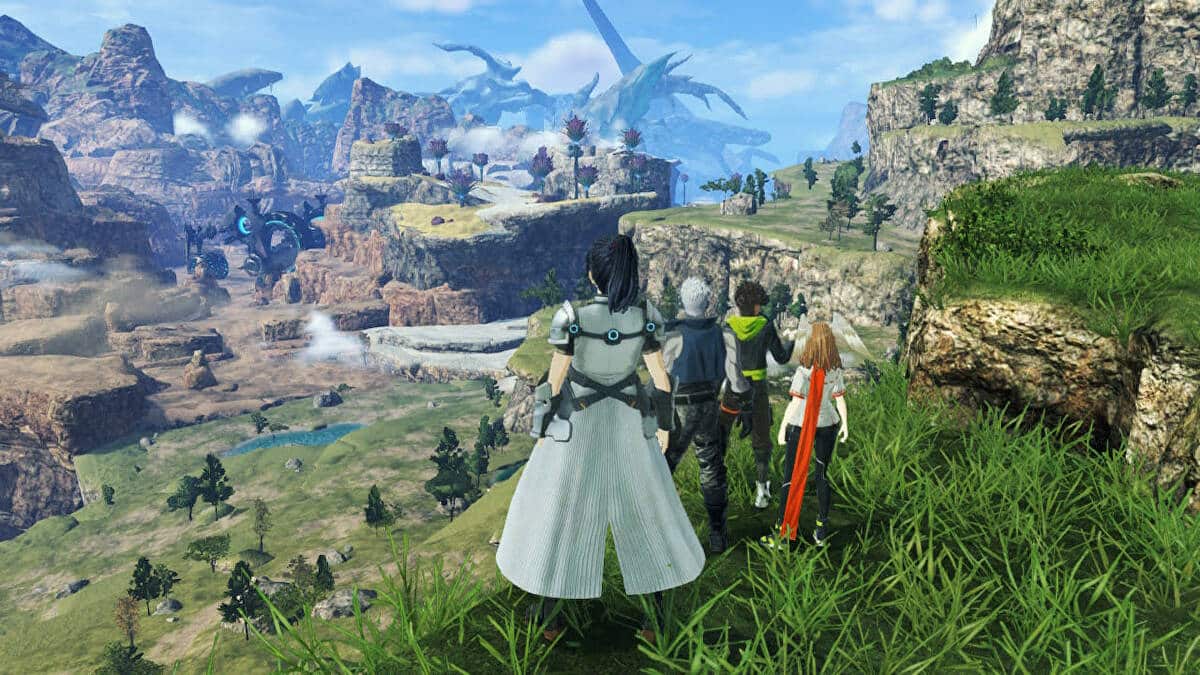
Classes are quite significant in Xenoblade Chronicles 3 as each of them has different offensive output, defensive strength, and support capabilities. By combining different character classes you can create a very powerful composition. Therefore, you need to know how to unlock and change the classes in the game. Keep reading this article till the end to find out.

How to unlock classes in Xenoblade Chronicles 3?

To unlock a character’s class, you need to fight alongside the respective character. Apart from fighting together, you can also unlock a character’s class from their primary class.

How to change classes in Xenoblade Chronicles 3?

In Xenoblade Chronicles 3, only after reaching a certain point in the story, you can change the class of a character. Once you see Noah and Mio teaming up together to trade cloth, follow the steps mentioned below to change your character’s class:

  • Open up Menu and go to the Characters section.
  • Select the specific character.
  • Then click on Class.
  • After that, you have to choose your desired class.
  • You have successfully changed the character’s class.

Follow TalkEsport for more amazing gaming guides.

Fan Puts CSGO Skins on Valorant Guns and They Look Stunning

Valve’s Counter-Strike: Global Offensive and Riot Games’ Valorant are the biggest competitive first-person shooters on the internet with millions of players tuning into the titles each day.

While CS:GO and Valorant might vastly differ in gameplay, they both manage to shine equally as bright when it comes to weapon skins. Players might argue that CS:GO skins are more realistic while Valorant skins are a lot more flamboyant, but it doesn’t take away the charm from either game.

However, some of you may have questioned what would happen if someone decided to implement the unique skin patterns of CS:GO on Valorant?

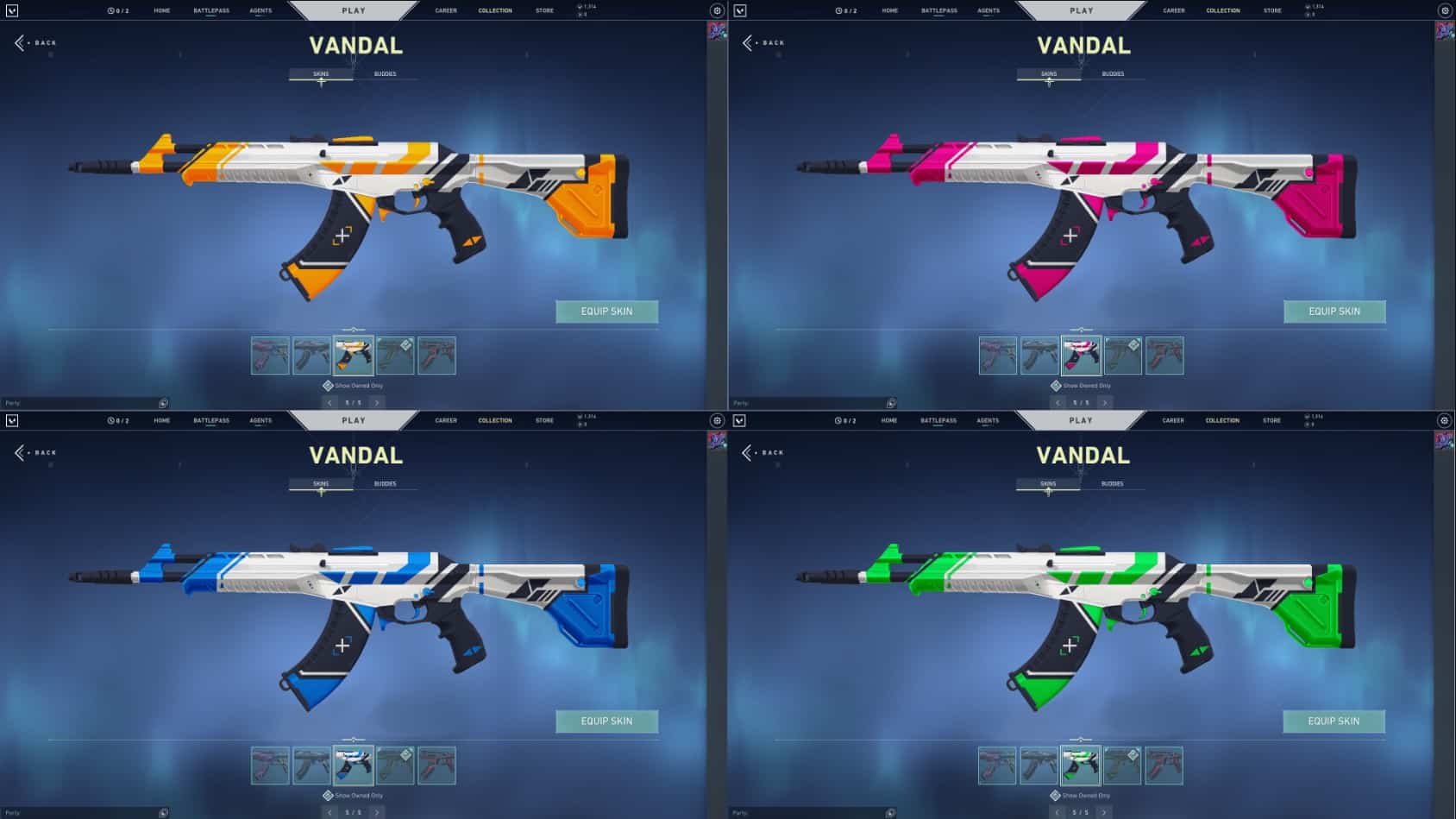
We now have the answer, as an artist has managed to recreate the iconic ‘Asiimov’ skins from CS:GO on Valorant guns, and they look absolutely stunning.

Asiimov Skins in Valorant

Reddit user ‘Tanniko’ has recreated the Asiimov pattern on the Vandal, which is the counterpart of CS:GO’s AK-47 in Valorant.

On top of that, the artist has also created some additional variants for the Asiimov that aren’t present in CS:GO, and they look equally as gorgeous.

Fans can check out the implementation of the Asiimov skin line in Valorant here:

While this Valorant weapon skin has gained quite the traction in the community, don’t expect to see it in the actual game as it’s simply a fan-made project. However, fans have the option to check out the plethora of Vandal skins that are already present in the game. You might also consider grabbing one from the Night Market if you’re looking to save a few bucks.

Apex Legends Players Getting Banned For No Reason

The anti-cheat system in Apex Legends appears to be malfunctioning since it is banning gamers for no apparent reason.

The third-party anti-cheat software called Easy Anti-Cheat (EAC), which is used in Apex Legends, is banning players for no apparent reason and throwing errors. Players who are banned can’t contact EA owing to weak support channels that can’t fix issues in time.

Problems with Easy Anti Cheat can sometimes be caused by third-party software.

Respawn has neglected to resolve concerns with its anti-cheat engine, despite the fact that social media sites are swamped with complaints about EAC. Even though everyone knows that a lot of players use cheats and other programs that can get them banned, a lot of players say that they got banned because the program that checks for cheats crashed.

Apex Legends Ban

The bans are intended to be evaluated on a case-by-case basis, however, whenever players submit an appeal for bans to be reviewed, the support channels send back automatic responses.

In January 2022, journalist Tom Henderson researched EAC malfunctions and found the app restricted gamers from using MSI Afterburner or RGB programs. It’s possible for anti-cheat programs to have faults and incorrectly ban people, although Respawn/help EA’s channels are typically ineffectual. Anti-cheat software may end up flagging gamers when the connection to EAC’s servers times out as a result of problems with the internet in certain circumstances.

Because bots reply to player tickets, it’s impossible to develop a direct channel of contact for concerned players. With EAC’s issues affecting not only Apex Legends but also other EA titles such as Battlefield 2042, Respawn should investigate the matter and assist legitimate users in regaining access to their accounts.

FURIA’s female CS:GO team break trophy while celebrating

On Saturday, August 6, after FURIA Esports Female’s all-female CS:GO division won Gamers Club Masters Feminina V, Olga “olga” Rodrigues and company accidentally damaged a piece of the trophy while celebrating.

Fortunately, only a small piece of the award, which took the form of a hand, shattered during the accident. The event left the crew partially shocked and partially amused, and they responded by laughing it off in a positive manner.

Among the many notable teams competing in the women’s CS:GO scene, FURIA Esports Female is among the most prominent. In Gamers Club Masters Feminina V, they swept the upper bracket and beat MIBR Female in the final. They made a total of 30,000 Brazilian Reals, which is equivalent to around $5,800 in American currency.

FURIA Esports Female finished in second place in two important international championships earlier this year. These competitions were the ESL Impact League Season one and the ESL Impact Valencia 2022. They were defeated by Nigma Galaxy Female in both of the competitions they entered. Nevertheless, the overall results of the competition earned them a total of $55,000.

The team has been one of the strongest in South America over the past year, winning multiple regional tournaments, including the previous edition of Gamers Club Masters Feminina and WESG 2021 Female Latin America: Brazil. They are definitely one of the teams to keep an eye on in the ever-growing women’s Counter-Strike: Global Offensive landscape.

Will there be a third Overwatch 2 beta?

0

While the latest Overwatch 2 beta period has come to an end, numerous players are asking for a third beta. There are several reasons behind asking for the next beta. The community wants changes with the support heroes along with the 5v5 match. Apart from that, a lot of players are also asking for new maps and gameplay changes. That’s why the question comes. Will there be a third Overwatch 2 beta?

The Overwatch community wants another beta not only for new features but also for providing feedback so that the game gets a good kickstart. According to Jon Spector, Blizzard VP, there won’t be any third Overwatch 2 beta.

Overwatch 2 is going to be launched on 4th October. We are still two months away from the official launch. Unfortunately, there won’t be any third beta test for Overwatch 2.

We know players are eager to dive in and have seen questions about the possibility of a third public beta. While we will continue testing OW2 daily internally, we’re not planning any additional public beta tests.

Jon Spector, Blizzard VP

Spector also added that Blizzard has received more than enough feedback to work on during their two beta tests. Therefore, the developers are going to release the best possible game on the 4th of October.

Recommended | Claim 3 Free Overwatch Loot Boxes With Prime Gaming

List Of Teams Qualified for LCS 2022 Summer Playoffs

The rankings are getting more transparent and understandable with each new match that is played in the majority of regions, and the final few weeks of each region’s regular season are rapidly approaching.

In North America’s League Championship Series (LCS), the top and lowest teams are clearly separated. Two teams have already secured their spots in the LCS 2022 Summer Playoffs following the conclusion of Week 6 of the Summer Split.

LCS 2022 Summer Split Rankings:

There are a large number of teams competing for third and fourth place in the LCS 2022 Summer Split. These teams are all clustered in the center of the standings. Cloud9, Counter Logic Gaming, and Team Liquid are currently in a three-way tie for first place in this tournament.

FlyQuest is hard on their heels, behind these teams by just one victory in the win column. On the other hand, the teams who round up the league’s cellar have a much more limited collection of victories to their name. After Week 6, the Dignitas team has only two victories and is in tenth place overall.

Two teams have guaranteed themselves a spot in the LCS Summer Playoffs 2022.

Evil Geniuses and 100 Thieves are the two teams that have already secured a slot for themselves in the LCS 2022 Summer Playoffs. EG leads the LCS with an 11-2 record, and 100T is second with 10 victories and 3 defeats.

Throughout the course of the split, the only teams that EG has lost games to are 100T and CLG. In the meanwhile, 100T has been defeated by EG, FLY, and C9. Teams that beat EG and 100T are all in the running for the LCS 2022 Summer Playoffs, reinforcing the league’s imbalance.

The next two weeks, Weeks 7 and 8, will be extremely important for the teams that are now in the middle of the pack. Within the following one or two matches, Team SoloMid, Immortals, and Dignitas will all learn their ultimate destinies. All teams have five more games to win before the LCS 2022 Summer Playoffs and Championship.

The top eight teams will be seeded for the LCS 2022 Summer Playoffs depending on standings. It is important to note that Week 8 of the League of Legends Championship Series will be a super week, which means that teams will compete on three consecutive days rather than the usual two.

At the completion of Week 7 of the LCS, Evil Geniuses and 100 Thieves locked down their playoff positions. Now, three additional high-ranking clubs have joined them in the playoffs. Counter Logic Gaming is in the LCS Summer 2022 playoffs after wins over Cloud9 and FlyQuest. Meanwhile, Team Liquid and Cloud9 advanced with 10-5 and 8-7 records, respectively.

Apex Legends Season 14: Patch Notes and Download Size

0

With Apex Legends Season 13 coming to a conclusion soon, fans of the battle royale throughout the globe are eager to know more about the upcoming Apex Legends Season 14 ‘Hunted’ and everything new that it’ll bring to the title.

If you’re an avid Apex Legends fan and want to get a sneak peek at the next Apex Legends update, look no further.

In this article, we’re gonna take a dive into the Apex Legends season 14, its release date, contents, upcoming buffs and nerfs, and everything else that you need to know about the new update.

Apex Legends Season 14 Release Date & Time:

Season 14 of Apex Legends will be released tomorrow! That’s August 9 2022 at…

  • 10 am PST
  • 12 pm EST
  • 5 pm GMT
  • 6 pm BST
  • 7 pm CEST

Apex Legends Season 14 Update: What’s New?

The Apex Legends Season 14 update will bring alongside it a plethora of new content to the Respawn Entertainment title.

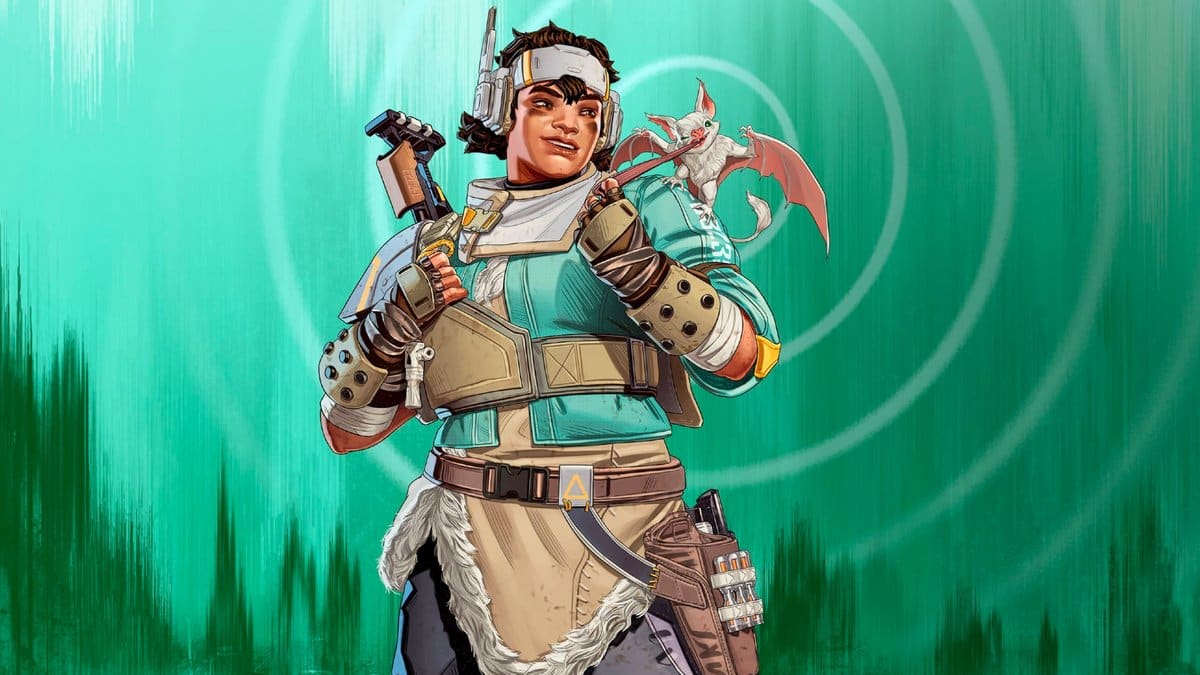
What players are looking forward to the most in the Season 14 update is perhaps the new Legend named Vantage. 18-year-old Xiomara “Mara” Contreras will be the youngest Legend to join the game’s roster and the 22nd Legend overall.

Fans can check out the release trailer for the new Legend here.

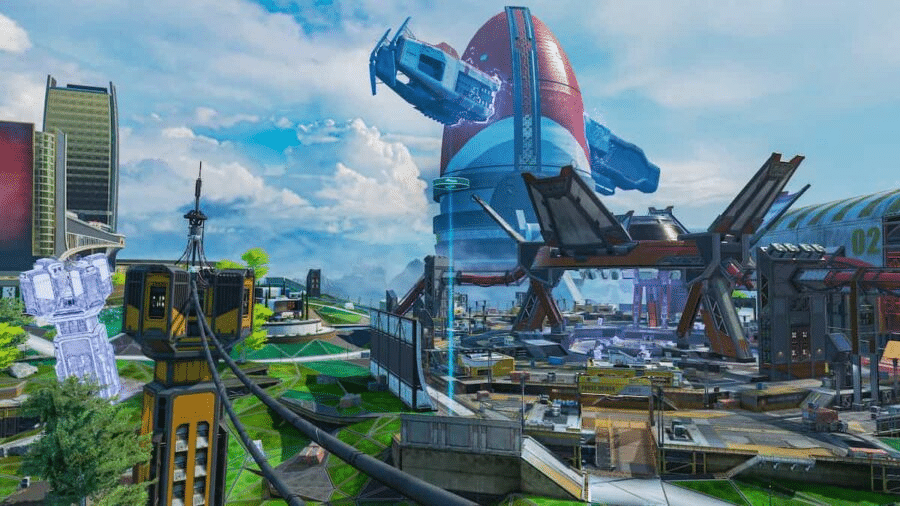
Besides the new Legend, the Apex Legends Season 14 update will also bring a bunch of weapon changes, re-introduce Kings Canyon on the map pool, remove self-revival mechanics from the game, and much more.

Apex Legends Season 14 Download Size

The Season 13 update was around 35GB on PC, while the PS4 update weighed in at 45.8GB and the PS5, 38.2GB. While it’s hard to know exactly how big Season 14 will be, we reckon it’ll be about the 40GB mark.

Apex Legends Season 14: Buffs And Nerfs

In addition to adding a brand-new playable character to the Apex Legends roster, the next Season 14 will also include updates to the game’s weaponry, equipment, and even its Legends themselves.

It is likely that Newcastle and other recon characters will receive a buff throughout this season in response to Valkyrie receiving a nerf. Let’s take a look at some of the new Legends and modifications that will be included in Apex Legends during the Hunted season.

Season 14 of Apex Legends brings new upgrades to Legends

Also Read: Apex Legends Season 14 Release Date and Time

HisWattson says Newcastle’s movement speed will enhance with his shield out. Even though Newcastle already had a slower movement speed in comparison to other legends, the addition of the shield slowed him down even more than the other legends. Because he now has the lowest pick rate of any legend, Newcastle will receive a buff that is very much required as a result of this.

One of the options that are now considered to be among the most popular among both players and professionals is Valkyrie. The trio consisting of Valkyrie, Gibraltar, and Caustic was one of the most played at the Apex Legends Global Series: 2022 Championship.

Valkyrie’s rotation, Caustic’s area control, and Gibraltar’s defense outclassed every comp by 33%. In light of the fact that it was so well received in the ALGS, TSM FTX DUNC stated in a tweet that Apex must take action in order to change the meta.

Josh Medina, the Senior Producer on Apex Legends, provided a response, stating that the team was working on it.

During the course of his stream, HisWattson provided confirmation that the recon role that Valkyrie has been playing would be transitioning into the role of an assault character.

This means that she will no longer be able to scan a beacon and then use her ultimate ability to instantly transport the entirety of her team to the next zone.

Recon characters will soon have the ability to execute map room scans using beacons, which is another significant change that will soon be implemented.

Map room scans have the ability to show the location of all hostile squads on a map and tag them. As part of Crypto’s Town Takeover, it was initially made accessible in Crypto’s Map Room, which was located on Kings Canyon.

Apex Legends Season 14 Update: Release Date and Time

With Apex Legends Season 13 coming to a conclusion soon, fans of the battle royale throughout the globe are eager to know more about the upcoming Apex Legends Season 14 ‘Hunted’ and everything new that it’ll bring to the title.

If you’re an avid Apex Legends fan and want to get a sneak peek at the next Apex Legends update, look no further.

In this article, we’re gonna take a dive into the Apex Legends season 14, its release date, contents, upcoming buffs and nerfs, and everything else that you need to know about the new update.

Apex Legends Season 14 Release Date & Time:

According to the ongoing in-game Apex Legends Battle Pass, we can see that the current season will come to an end on 9th August. Fans can expect Apex Legends Season 14 to hit the live servers around Tuesday, August 9th, 2022 at 10 am PT / 1 pm ET / 10:30 pm IST / 1:00 am SGT (August 10th).

Apex Legends Season 14 Update: What’s New?

The Apex Legends Season 14 update will bring alongside it a plethora of new content to the Respawn Entertainment title.

What players are looking forward to the most in the Season 14 update is perhaps the new Legend named Vantage. 18-year-old Xiomara “Mara” Contreras will be the youngest Legend to join the game’s roster and the 22nd Legend overall.

Fans can check out the release trailer for the new Legend here.

Besides the new Legend, the Apex Legends Season 14 update will also bring a bunch of weapon changes, re-introduce Kings Canyon on the map pool, remove self-revival mechanics from the game, and much more.