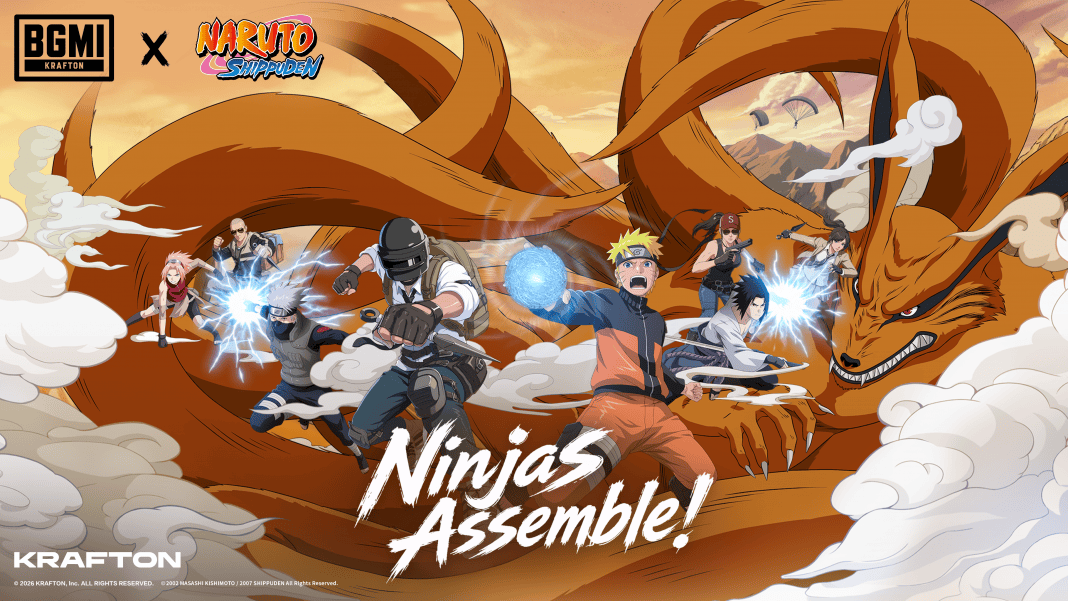
The wait is finally over for Apple users. KRAFTON India has started rolling out the BGMI 4.5 Update through the Apple App Store. If you play BGMI on an iPhone or iPad, you can now update the game and enjoy all the new content. The update is being released in phases, so if you do not see it immediately, you may have to wait for some time before it appears on your device. Here’s a simple guide on how to download the BGMI 4.5 Update on iOS.
BGMI 4.5 Update iOS Download Link
You can download the latest version of BGMI directly from the official App Store.
Official App Store: BGMI on the Apple App Store
Always use the official App Store to update the game. This ensures you receive the latest version safely without any risk.
How to Download BGMI 4.5 Update on iPhone
Follow these simple steps to install the latest BGMI update.
- Step 1: Open the Apple App Store on your iPhone or iPad.
- Step 2: Search for BGMI in the search bar.
- Step 3: Tap the Update button next to the game.
- Step 4: Wait for the download and installation to complete.
- Step 5: Open BGMI after the update is installed.
- Step 6: Allow the game to download the required in-game resource files and start playing.
What If the BGMI Update Is Not Showing?
The BGMI 4.5 Update is rolling out in phases, so some players may receive it later than others. If the update is not showing on your iPhone, don’t panic.
You can try these simple solutions:
- Refresh the App Store.
- Close and reopen the App Store.
- Restart your iPhone.
- Make sure you are connected to a stable Wi-Fi or mobile network.
- Wait for a few hours and check again.
Most users receive the update shortly after the rollout begins.
BGMI 4.5 Update iOS Release Time
KRAFTON India started releasing the update for iOS users on 16 July 2026.
- Platform: Apple App Store
- Release Time: 9:00 AM IST
Since the rollout is gradual, the timing may vary slightly depending on your device and App Store region.
Read More: BGMI 4.5 Update Download is Now Live: Check Link for iOS, Android, and APK
What’s New in BGMI 4.5 Update?
The latest update introduces the Naruto collaboration, bringing several new features to the game. Players can visit locations such as the Hidden Leaf Village, Hokage Rock, Naruto’s Apartment, Ichiraku Ramen Shop, and the Valley of the End.
The update also adds powerful ninja abilities including Rasengan, Chidori, Flying Raijin Jutsu, Shadow Clone Jutsu, and Great Fireball Jutsu. Players can challenge the legendary Kurama Boss, participate in themed events, and unlock exclusive outfits, weapon skins, emotes, and collectibles.
The BGMI 4.5 Update is now available for iPhone users and brings one of the biggest content updates ever released for the game. If you don’t see the update yet, simply wait for the phased rollout to reach your device. Once available, update the game through the official App Store and enjoy the new Naruto-themed gameplay.