

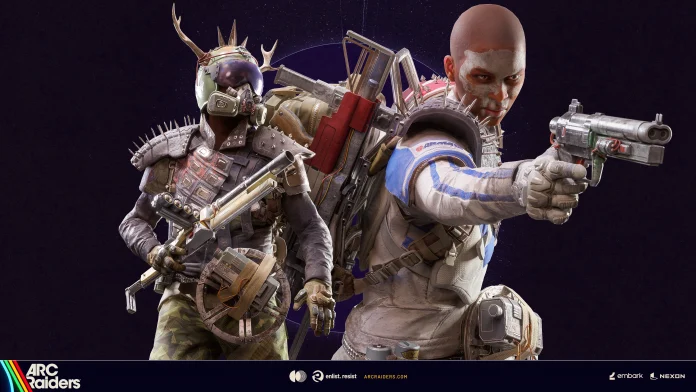

Arc Raiders Update 1.33.0 introduces the highly anticipated Forgotten Relics event along with the Converging Paths seasonal project. Players will earn Merits by gaining XP and extracting relics during raids, Raider Tokens, gameplay items, and a plethora of other rewards.
Along with all that, this Arc Raiders update focuses on several micro improvements like bug fixes, enhanced aiming, audio, loot distribution, map stability, and UI functionality. Anti-cheat measures have been expanded, including loot compensation for players affected by confirmed cheaters.
Find the patch highlights below:
CONTENT AND BUG FIXES
GENERAL
- Corrected unexpected behaviors when aiming down sights that impacted aiming accuracy with some weapons.
- Players will no longer occasionally fall through the map when stepping on Fireballs and Pop parts.
- Fixed an issue where quest objectives in rare cases could activate out of order, causing later steps to appear before they were intended to.
- Fixed damage tracking for expeditions so that it excludes damage done by squad members.
ANIMATION
- Fixed a case where your Raider could briefly T-pose when moving backwards right after a sprint Dodge Roll.
- Fixed an issue where long weapons could detach and appear behind the player when switching weapons after vaulting; equip and unequip animations now play correctly.
- The Sandveil outfit no longer stretches unnaturally around the neck and shoulders.
ARC
- The Rocketeer now drops Launcher Ammo instead of Heavy Ammo.
- Fixed an issue where the Firefly would sometimes drop an incendiary grenade without being destroyed.
- Queen & Matriarch can now successfully plant their feet in more varied terrain, in addition to being able to stand on moving surfaces.
AUDIO
- Announcements now play correctly when calling for extraction.
- Fixed the Barricade Kit not playing audio when being dismantled.
- Improved audio cues for Raider Caches to make them easier to find.
- Adjusted footstep volumes for standing still, walking, crouching, running, and sprinting; increased metal slide volume for clearer movement audio.
MAPS
- The player can no longer fall through the map by walking near the wall of the Pilgrim’s Peak building.
SOCIAL
- Adding friends outside of the game now updates their presence inside the game if they own it.
UI
- Ermal’s available offers now correctly display stack sizes, such as “Raider Tokens x25”.
- Added input shortcuts to the inventory action menu: Sell, Recycle, Repair (gamepad only), Salvage and Drop.
- Fixed an issue where selecting Upgrade on a weapon could open a different weapon when managing large inventories.
- Fixed an issue where the expedition damage tracker would not display a correct damage number to players once they had dealt a significant amount of damage.
- Updated the Free Loadout warning to correctly account for refilling item stacks when checking available inventory space.
- Fixed an issue where merging stacks in the stash failed to refill with overflowing items.
- The current loadout is no longer cleared when selecting Free Loadout until a round is played.
- When readied up, the Inventory screen now correctly displays the Free Loadout instead of an empty inventory.
- Fixed jitter in the health and armor bar during healing.
- Opening the console menu on PS5/Xbox while matchmaking no longer causes the matchmaking to be cancelled.
- In-game countdowns for Map Conditions will now only be visible 60 minutes before the conditions go live.
- Dev note: Beyond this visual change, we are actively investigating improvements in Map Conditions based on your feedback, including separate schedules for different timezones for better coverage. If you’re interested in checking which Map Conditions will be live throughout the day and when, you can always check the schedule at https://arcraiders.com/map-conditions.
UTILITY
- Knocked out players don’t stop Barricade Kits from expanding after deployment.
- Fixed an issue where the healing cloud of Tactical Mk.3 Healing augment could revive DBNO players.
KNOWN ISSUES
- We know some PC players may experience lower FPS than usual.
- While we investigate, please ensure your GPU drivers are up to date, or, if you’re still experiencing the issue, attempt rolling back to a previous driver version.
- We are investigating an ongoing issue where some XBOX players (particularly on Series S) are experiencing crashes.
- We are looking into your reports of unwanted behaviours related to the Quick Wheel.
- The Dolabra, Hullcracker and Rascal do not deal damage to training dummies on Practice Range.
- The throw animation may sometimes fail to play when attempting to detonate a Trigger ‘Nade immediately after throwing it.
- Some gadgets and throwables lack a “Cancel” button when preparing to throw them.
- The weapon swap animation may appear broken if weapon swapping right after vaulting.
- Player animations may appear broken when interrupting a search of the Baron Husk.
- Some hairstyles may clip through the Reaver outfit helmet.
- The Saltwalker outfit preview in the Forgotten Relics page may incorrectly contain two toggles for each element.
- Shredders float to the ceiling in some rooms of the Hidden Bunker.
- The Leaper can jump through the ARC Turbine.
- Occasionally, the Access Capacitor Rack may spawn without interactable batteries.
- When picking up items, the pickup sound may not be the correct one.
- When bringing items that give Merits with you into a Raid, the items will wrongfully display a Merits icon.
- Shots taken while riding ARC may not register correctly.
- After a player is revived, some Augments’ health restoration effects no longer pause when taking damage.
ANTI-CHEAT
As part of our ongoing efforts against unfair play, we’re continuing to expand Denuvo Anti-Cheat to more players. We’re pleased with the progress so far, and expect further improvement as we scale up.
In addition, we’ve been focusing on addressing item duplication and taking strict measures against those involved. This means carefully detecting incidents, addressing them directly, and building safeguards to prevent them from happening in the future. It’s detailed, methodical work, and we truly appreciate your patience while we see it through.
We’ve also introduced a new inbox message to let you know when we’ve taken action against a player you reported. Going forward, you can expect to receive two kinds of messages, depending on the situation:
- Action Notice: A confirmation message sent to you once we have banned a player you reported.
- Loot Compensation: If we identify a cheater who knocked you out, your lost loot will be returned automatically via an inbox message. No report is necessary.
Because these notifications are independent, you may receive both under certain circumstances. For example, if you report a cheater who also knocked you out, you could get both an action notice and your loot back simultaneously.
