Tuesday, July 7, 2026
Home Blog Page 962

Destiny 2 Dawning Event 2022: Start Date & Time

0

December marks the return of The Dawning, Destiny 2’s yearly celebration of the holiday season.

Release Time, task, rewards, and additional information for the Dawning Event 2022 are detailed below.

Seasonal events in Destiny 2 provide unique activities, missions, and rewards and rotate annually. Seasonal free-for-all events, such as the Solstice of Heroes in the heat of summer, the Festival of the Lost in the chill of autumn, and the Dawning in the depths of winter, are a fun opportunity to bond with other Guardians and unlock special rewards.

Destiny 2’s Dawning event decorates the Tower for Christmas and brings back Eva Levante, who will ask guardians to acquire ingredients for her Dawning Recipes List.

More specific information regarding this year’s winter event has not been disclosed by Bungie as of yet. So, in that light, here is everything you can look forward to in Destiny 2 in the year 2022.

Destiny 2 Dawning Event 2022 – Start Date & Time

The Dawning began on December 14, 2021, and ended on January 4, 2021. Similarly, this year’s winter celebration should have been expected to go about as long as last year’s.

At the time this article was written, neither the precise starting date nor the time of day for The Dawning 2022 had been disclosed. As soon as Bungie provides official word on the dates, we will do all in our power to keep our readers informed. Yet, we anticipate official word won’t come until late November.

The Destiny 2 Dawning event 2022 quests & rewards

Two quests were made available by Eva Levante in 2021 as a part of the Dawning Event. Both “The Pigeon Provides” and “The Rite of Dawning” fell under this category. The exotic Vapoorwill Spin ship and the Zephyr legendary sword might have been obtained upon completion of these quests.

It’s probable that, like previous years, this year’s Dawning event will feature a raffle for a rare ship.

The Event Card was first released by Bungie for the Solstice of Heroes summer event this year and may return for the Dawning 2022 as well. As soon as we have additional information in this area, we will update this article.

The Destiny 2 Dawning Event 2022 Triumphs & Seals

New Triumphs are made available to gamers each year at the Dawning event. These are associated with the tasks and rewards offered by Eva Levante in the Tower during the Dawning.

For more exclusive esports and gaming content, please follow TalkEsport on Google News.
When Is Dawning Destiny 2 2022?

0

December marks the return of The Dawning, Destiny 2’s yearly celebration of the holiday season.

Release Time, task, rewards, and additional information for the Dawning Event 2022 are detailed below.

Seasonal events in Destiny 2 provide unique activities, missions, and rewards and rotate annually. Seasonal free-for-all events, such as the Solstice of Heroes in the heat of summer, the Festival of the Lost in the chill of autumn, and the Dawning in the depths of winter, are a fun opportunity to bond with other Guardians and unlock special rewards.

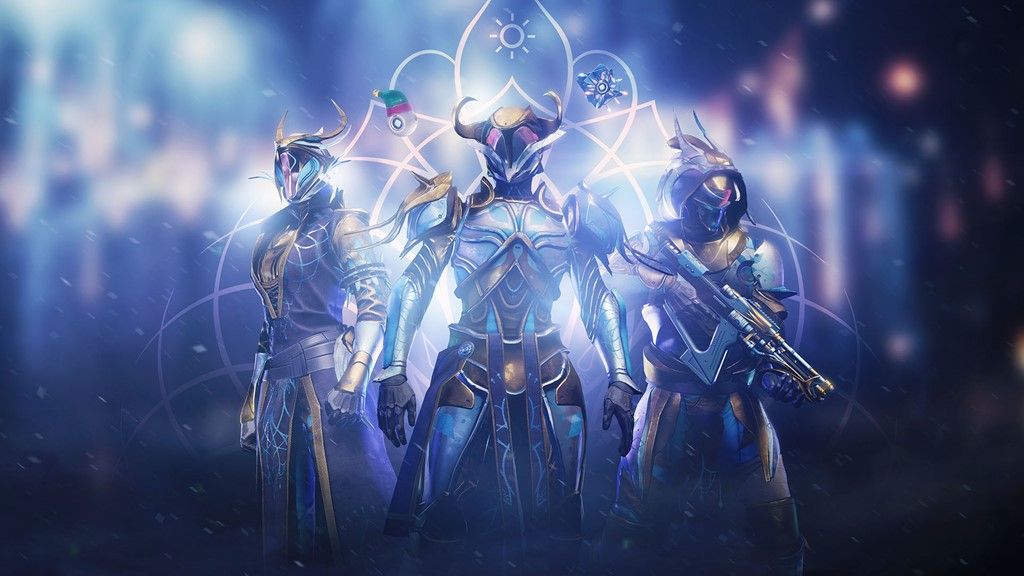
Destiny 2’s Dawning event decorates the Tower for Christmas and brings back Eva Levante, who will ask guardians to acquire ingredients for her Dawning Recipes List.

More specific information regarding this year’s winter event has not been disclosed by Bungie as of yet. So, in that light, here is everything you can look forward to in Destiny 2 in the year 2022.

Destiny 2 Dawning Event 2022 – Start Date & Time

The Dawning began on December 14, 2021, and ended on January 4, 2021. Similarly, this year’s winter celebration should have been expected to go about as long as last year’s.

At the time this article was written, neither the precise starting date nor the time of day for The Dawning 2022 had been disclosed. As soon as Bungie provides official word on the dates, we will do all in our power to keep our readers informed. Yet, we anticipate official word won’t come until late November.

The Destiny 2 Dawning event 2022 quests & rewards

Two quests were made available by Eva Levante in 2021 as a part of the Dawning Event. Both “The Pigeon Provides” and “The Rite of Dawning” fell under this category. The exotic Vapoorwill Spin ship and the Zephyr legendary sword might have been obtained upon completion of these quests.

It’s probable that, like previous years, this year’s Dawning event will feature a raffle for a rare ship.

The Event Card was first released by Bungie for the Solstice of Heroes summer event this year and may return for the Dawning 2022 as well. As soon as we have additional information in this area, we will update this article.

The Destiny 2 Dawning Event 2022 Triumphs & Seals

New Triumphs are made available to gamers each year at the Dawning event. These are associated with the tasks and rewards offered by Eva Levante in the Tower during the Dawning.

For more exclusive esports and gaming content, please follow TalkEsport on Google News.
Fortnite: How to find out Cozy Lodge and Get Pizza?

0

For the most recent Fortnite weekly tasks, players will have to visit the Cozy Lodge and buy some pizza there. Here’s how to accomplish it. A number of new features have been incorporated with Winterfest 2022, which is now well underway.

Fans may anticipate seeing a more celebratory side to the island, with daily free presents and brand-new attire. You’ll also have to find some delectable pizza in addition to receiving those daily freebies from the Cozy Lodge. Thankfully, it’s fairly simple to accomplish.

How to find out Cozy Lodge and Get Pizza?

The primary menu will take you to the Cozy Lodge, also known as the Winterfest Cabin. You won’t have to play Fortnite to discover it. You may see a snowflake on the lobby screen at the top. Simply hit RB on a console or click it on a computer to access it and receive all the goodies within.

In Fortnite’s Cozy Lodge, pizza can be found on the floor next to the sofa. Select it by either moving your joystick or sliding your mouse pointer over it until a white outline appears. Pizza may not always be there and occurs at random.

Simply hit X on a PlayStation, A on an Xbox or Nintendo Switch, or the left mouse button on a PC to pick up the pizza. Grab three pieces of pizza to finish the Fortnite weekly task “Check the Cozy Lodge every day to maybe locate a slice of pizza.” In addition to the 16K XP you’ll receive for finishing the quest, every slice of pizza you take will give you an extra 10,000 XP.

For more exclusive esports and gaming content, please follow TalkEsport on Google News.

All Quests In Fortnite WinterFest 2022

0

Following a year-long wait, the heavily anticipated Fortnite WinterFest 2022 event is finally here, and it has brought with it a bunch of exciting new content to the Epic Games battle royale title. By participating in this event, players will also be able to receive various rewards, new characters, and more.

Let’s take a look at everything that you need to know about the Fortnite WinterFest 2022 event.

Fortnite WinterFest 2022

The Fortnite WinterFest 2022 event has introduced a number of challenges in the game that players can complete to earn XP. Let’s take a look at all the quests in the WinterFest 2022 event.

Fortnite WinterFest 2022 Quests

Here’s a list of all the quests that are set to be included in the event:

  • Deal damage with an SMG – 50
  • Gain shields – 150
  • Open chests – 21
  • Collect bars from eliminated players – 25, 50, 75, 125, and 200
  • Warm yourself at the Yule Log in the Cozy Lodge
  • Hide in a giant snowball at Frosty Fire, Brutal Bastion and Lonely Labs 
  • Check the Cozy Lodge each day to possibly find a slice of pizza 
  • Eliminate opponents using the Snowball Launcher – 5
  • Land trick points using a dirtbike – 150,0000
  • Deal DMR damage to opponents – 100

Finishing each of these quests will net you a whopping 16,000 seasonal XP. Players also get an additional 30,000 XP on completing three, six, and nine challenges respectively. Completing 14 challenges will reward you with a full Battle Pass level.

That’s everything you need to know about the Fortnite WinterFest 2022 quests.

How to find Snom and Frosmoth in Pokemon Scarlet and Violet

0

Pokemon Scarlet and Violet reintroduce the cute Snom and Frosmouth from Generation 8. For those looking to capture these two Ice/Bug types in Paldea, here is all the information you’ll need.

Scarlet & Violet has various new and recurring Ice-type Pokemon like Snom and Frosmoth thanks to great late-game trainers.

Two of the Elite Four members are weak to Ice-type attacks, making them essential for trainers seeking type advantage in the final stage of the Champion storyline.

Where to find Snom in Pokemon Scarlet & Violet

The Ice-type Pokemon Snom may be found frequently in the Glaseado Mountain area.

In particular, the southern and eastern flanks of the mountain are where trainees will find them. Keep in mind that Snom is a rather little Pokemon that blends in well with the snow on Glaseado Mountain, so you might accidentally encounter a couple of them as you make your way to Montenevera and Grusha’s Gym.

Where to find Frosmoth in Pokemon Scarlet & Violet

Frosmoth is far less common than its predecessor in Pokemon Scarlet and Violet.

Trainers can discover Frosmoth on the eastern slope of Glaseado Mountain, above Casseroya Lake, and near the ice river south of North Province (Area Three).

When passing through Paldea’s Great Crater, Frosmoth is also frequently encountered (Area Zero). However, players can’t access The Great Crater until the very end of the game, so they should just catch a Frosmoth somewhere else and use it to challenge the Elite Four.

Players have banded together in Pokemon Scarlet and Violet’s Tera Raid Battle events, designed by the game’s producers to thwart particularly formidable enemies. The legendary Pokémon Charizard, along with its allies Charmeleon and Charmander, made their debut in the new area of Paldea during one such event.

There is a Mystery Gift option in the main menu where players can enter a code provided by The Game Publisher to receive a free pocket monster or another item.

Make sure to follow TalkEsport on Google News for more guides on Pokemon Scarlet and Violet. 

COD Warzone Mobile APK and OBB Download

Call of Duty: Warzone mobile is here but being in the beta stage has restricted the game to certain regions. Unfortunately, Indian gamers have to jump over a few hurdles before they can get to play the game and here in this article we explore how to bypass the geographical restrictions that the developers have put in place with the beta.

If gamers head to the App Store right now, Call of Duty Warzone is listed, however, it is mentioned that the game would not be available before March of 2023. However, the beta is available for Australia, so a VPN might do the trick for players living in India or in the vicinity.

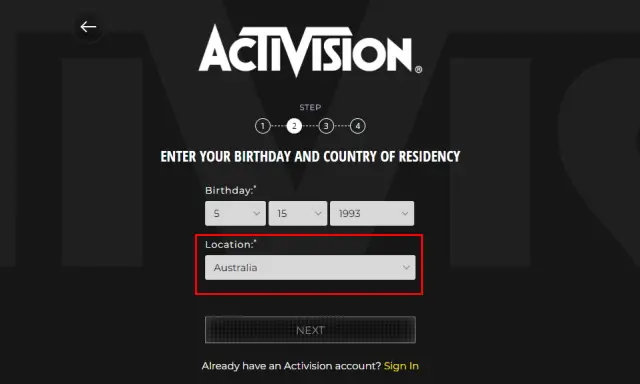
Before you go over and start downloading the APK file, make sure you have a reliable VPN service that will keep a stable connection between you and the Australian servers. Once you have found your VPN, that offers low latency with said servers, you can move on to making Activision and Apple/Google accounts.

Make sure you have an Australian Activision account followed by an Australian Google or Apple account. Sign in with Google or Apple account on your Android or iOS devices respectively and go to the Store. Unless your VPN and Google/Apple account are all pointing towards Australia, the Warzone Beta will not show up in the Play Store or App Store.

Once you have the game downloaded on your devices, make sure to sign in with an Australian Activision account otherwise you will end up not being able to play the Beta and there is a good chance that your VPN might not hold a stable connection so be sure to use a reliable one.

Android Users can try downloading the APK and OBB files from various platforms and try installing them manually. Sign in with an Australian account while being connected to a VPN and enjoy the Warzone beta.

Thank you for reading, For more exclusive esports and gaming content, please follow us on Google News.

How to fix the Destiny 2 Centipede error code?

0

When trying to launch Destiny 2, if Error Code Centipede appears, it means that your network connection is malfunctioning. As soon as you log in, your game fails, indicating a problem with your connection to the servers.

Of course, there’s always the potential that you’re simply at a location where problems are right now. You may always wait it out and try to launch Destiny 2 later if you encounter Error Code Centipede. Sometimes the best solution is just a little patience. If the issue doesn’t resolve itself, let’s go through the steps listed above in more depth.

How to fix the Destiny 2 Centipede error code?

Networking problems and a break in communication with Bungie’s servers are the root causes of the Centipede error code. There are two significant solutions to this problem. The first involves changing your Wi-Fi connection to a wired one, and the second is changing the NAT setting on your router from Strict or Type 3 to Type 1 or Open.

Like other games of a similar nature, occasionally servers simply go down. In large part, maintenance is to blame. So, keep an eye on the Bungie Help Twitter feed to see if anything has been announced.

Your internet connection may be too shaky to connect to the Destiny 2 servers if you get connection errors. Therefore, check your WiFi signal. For something more dependable, you might occasionally need to utilize a wired connection instead. Your NAT (Network Address Translation) may be too restrictive if you have Error Code Centipede in Destiny 2. Verify whether Type 3 or Strict is selected. Change it to Type 1/Open if applicable. If you can’t modify this, you’re presumably in a place that’s intentionally restrictive, like a job or college campus. Without administrator rights, you are unable to make any changes.

Always make sure your game is current. It’s crucial to install every update for Destiny 2 in order to maintain the stability of your game. You won’t miss any updates if you set your PC or console to install them automatically.

As was already said, there are instances when you’re connected to a network that by default limits your internet usage. If so, think about connecting to a VPN so you may access the Destiny 2 servers without restriction. You’re in favor of this situation because Bungie has nothing against gamers utilizing VPNs in a secure manner.

For more exclusive esports and gaming content, please follow TalkEsport on Google News.
GTA 5 Online leak hints at massive GTA 6 teasers

0

Dataminers for GTA Online believe they have uncovered two unpublished GTA 6 teasers buried in the source code of two previous releases.

Fans are still eager to get any details they can about Rockstar’s upcoming game, Grand Theft Auto 6, which is widely considered to be the most anticipated game in development.

Players are watching the developer’s every step since the massive gameplay leak earlier in 2022 when they first heard that Grand Theft Auto 6 was in development. Now, data miners believe they have discovered yet another GTA 6 hint buried deep within the GTA Online game files.

LS Tuners mentioned a Vice City Mambas decal for the Vectre in their 2021 update. The Mambas were the local football team featured prominently in posters around both GTA Vice City and San Andreas.

This may be filed away as an easter egg for future fans to find, but the Vice City Metro Mule artwork that was included in 2018’s Arena Wars update can’t. The fact that these logos were introduced to GTA Online before 2022 but have yet to be made available to players only adds to the game’s intrigue.

The transport company has never appeared in the series, but eagle-eyed fans saw it in the leaked GTA 6 gameplay, both as posters and on car sides. Rockstar Games has a history of hinting at upcoming projects in their titles, such as when they mentioned Los Santos, the setting of GTA 5, in GTA 4.

The fact that both of these were found in the files for GTA Online gives the impression that Rockstar Games is getting ready to drop hints about their upcoming game inside of the game itself in the days leading up to the big announcement. 

Fans will be pleased if the devs are hiding teasers, as it might signal a reveal is coming soon. Leaks and reports have said GTA 6 won’t be released for years.

Thus, the argument that Rockstar snuck in this previously unknown emblem as a reference to Vice City doesn’t make sense, suggesting it was an Easter Egg. The Metro Mule logo being shown in the leaked GTA 6 footage lends credence to this theory.

Which begs the question, how many other clues about GTA 6 might already be present in GTA Online and just not have been discovered by players as of yet? As the release of GTA 6 draws near, only time will tell if Rockstar games will use GTA Online as a testing ground for Easter Eggs.

For more coverage on GTA 6, make sure to follow TalkEsport on Google News

Valorant Voice Chat Not Working: How To Fix

0

Valorant is a competitive shooter by Riot that requires intense teamwork and proper communication skills to get to the top levels of the game, which is simply not possible unless you have a functioning microphone that works properly in-game.

In case you have a good microphone that refuses to work when you enter a game of Valorant, the problem might be lying elsewhere. Let’s take a look at the possible reasons behind the issue of Valorant voice chat not working and ways to fix it.

Reasons and Fixes to Valorant Voice Chat Not Working

Some obvious reasons why your microphone is not working properly in-game include the mic not being properly plugged in, your Valorant settings being misconfigured, or your windows not detecting the mic automatically.

Valorant Voice Chat Not Working Fix:

  1. Check if your microphone works. Plug it in your PC or Phone and run a simple voice test to see if it is in good condition. If you use a splitter, make sure the microphone wire isn’t torn.
  2. Right-click on the volume icon at the bottom right of your taskbar, click on ‘Sounds’, go to ‘Recording’ and make sure you have the correct mic selected as default. Once done, try talking in the mic and see if the green bar adjoining the default microphone goes up.
  3. Launch Valorant, and go to the settings menu from the top right. Navigate to ‘Audio’ and select ‘VOICE CHAT’. Double-check the voice settings to see if everything is correctly configured.
  4. Your problem should be fixed once you follow these simple steps. If it still persists, chances are that your microphone is the root of the issue and you should consider replacing it.

Thumbnail Photo Via: SlurpTech

Dota 2: Somnus Might Play For Team Old Boys in 2023

Legendary Dota 2 midlaner Lu “Somnus” Yao might be bidding farewell to Royal Never Give Up (RNG) in the near future. During one of his recent livestreams, the 26-year-old revealed his plans for the upcoming DPC season, and it caught the entire Dota 2 community by surprise.

Following a disappointing run at TI11 alongside the RNG Dota 2 roster, Somnus hinted at his retirement in a Weibo post.

“My youth is destined to have regrets and hard feelings, right? Thank you all for your concern and encouragement. My youth is over,” Somnus said in the post. “Somnus out.”

However, it seems that Somnus might not be calling it quits yet. During a livestream, Somnus was being coached by former RNG teammate Yap “xNova” Jian Wei when he was asked about his plans for the future.

When xNova asked Somnus which team would he join in the upcoming season, Somnus replied with, “Team OB.”

For the uninitiated, Team OB refers to Team Old Boys, which is a team consisting of retired Chinese Dota 2 pros. However, the team has not been registered in the Chinese DPC league for the upcoming season.

While there hasn’t been an official word as of yet, the Chinese Dota 2 community will eagerly be looking forward to seeing Somnus return to playing professionally next year.