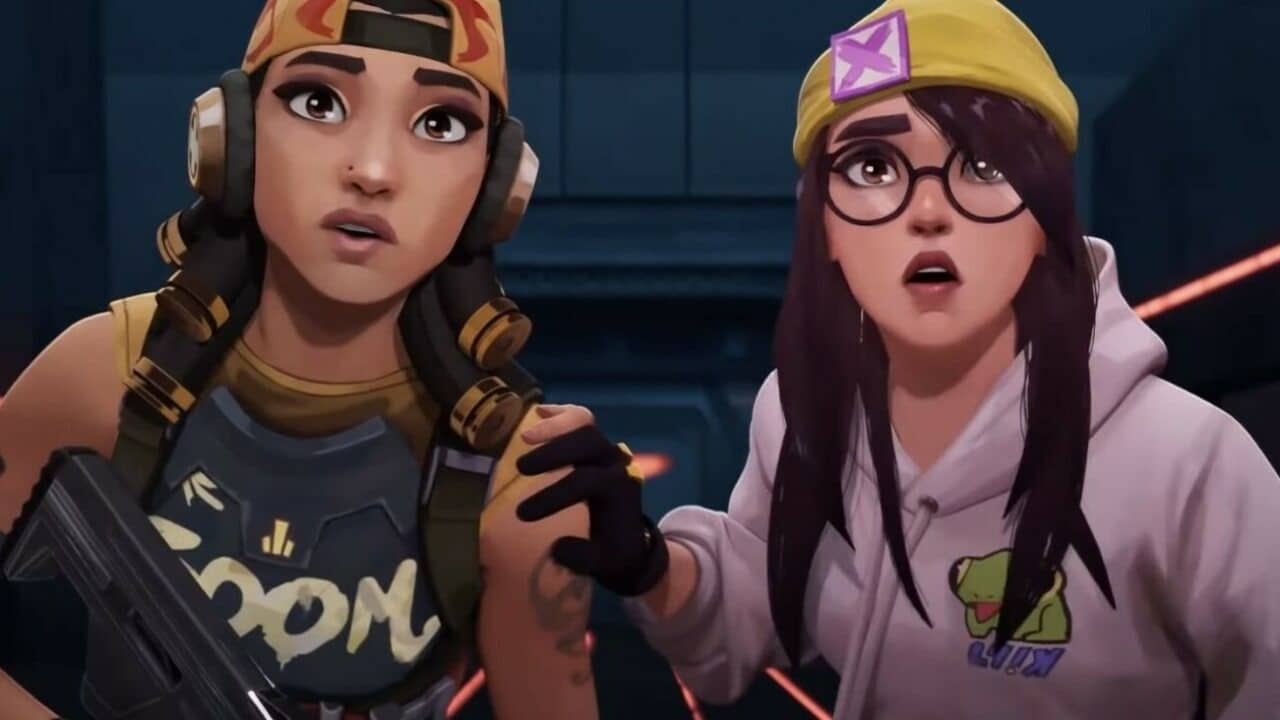
2022 has been a terrific year for Valorant fans, with Riot Games’ flagship FPS title receiving constant updates throughout the year. One of the highlights of the past year has been the advancement of the smurf detection system of the title. Heading into 2023, Valorant is set to have an even better smurf detection system, as confirmed by the developers themselves.
In their latest dev diary, Riot developers have shared their progress over the past year, while also giving players a hint of what’s to come in the upcoming year.
When talking about the smurf detection system, the devs stated that the smurf detection system, which is now live across all regions, has resulted in a “substantial decrease in the number of unfair matches that happen because of Smurfs.”
They further claimed that they’d be releasing a newer version of the smurf detection system that’ll be an improvement over the current version.
“Next year, we will be releasing our 2nd version of Smurf Detection that will make our automated detection faster and more accurate (no Smurfs slipping through the cracks),” the blog post reads.
On top of that, the devs will also work on improving the ‘Data Warehouse’ that the game’s development teams use to review game performance, balance, competitive integrity, and more.
Valorant players will be eagerly looking forward to seeing what Riot Games has in store for them heading into the next VCT season.
Despite having simple gameplay and being a sandbox game, many users have trouble using some aspects of Minecraft on smartphones. Additionally, separating objects on mobile devices is one of the most difficult tasks. We’ll talk about how to split objects in this post when playing mobile versions of Minecraft.
In the game, 64 identical blocks may be collected in total. However, there are certain game-related circumstances in which you do not have to exhaust the full stack. For instance, splitting stuff is your sole choice when you wish to craft items or drop a tiny portion of your resources to a colleague. It allows you to quickly obtain the necessary quantity of a given resource.
How to Split Items in Minecraft PE?
Open the inventory first, and then put the resource you wish to split here. Once the distinctive green bar shows on the screen, push and hold this item down. The amount of resources you want to split is shown by this bar. You will receive half of the resource after dividing it once it has reached the halfway point.
After releasing the hold tap on an empty spot in your inventory when the green ball is complete. Additionally, take in mind that while splitting the resource, it may be difficult to get the appropriate quantity. As a result, successfully splitting things in Minecraft PE may take many tries. Only keep your finger on the necessary item, then let go when the green bar is fully filled.
Minecraft concentrates on personalization and setting oneself out from other players. You may do this by building enormous houses, stables for horses, cool-looking walkways, and more! By giving your characters skins, you may further personalize your game and set yourself out from the competition.
It’s not easy to add skins to your Minecraft PE game, therefore some gamers might require assistance. The great news is that you can effectively add a lot of skins to your game in a timely manner. We will go through how to add skins to Minecraft PE in this tutorial.
How to Upload Skins to Minecraft PE?
This article will mostly focus on customising your primary character’s skins rather than other in-game character models. You must look for texture packs designed to achieve that goal if you want other models, such as the minions, to seem differently than they often do. Let’s look at how to upload skins for your protagonist in your game.
To see any skin in your game, go to the Minecraft Skindex site and click on it. After choosing a skin, click the download icon on the right side. The PNG file will be downloaded to your device. You may now find this skin in your downloads folder.
Open Minecraft and choose the profile icon on the right side of the screen. You must click “edit character” on the character selection screen that appears after doing this. You should click on the tab in the top left corner. Click import under the “owned” column. To select a new skin, click. The window will change. Pick the PNG skin file you downloaded by going to your downloads folder. Then click on Open.
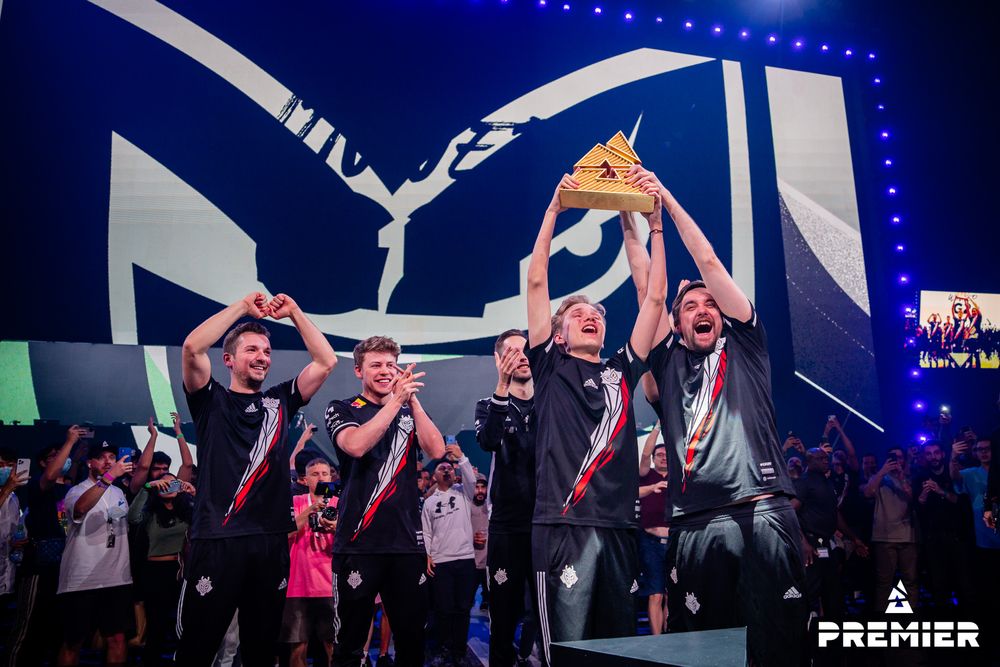
The BLAST Premier World Final has finally come to an end with Rasmus “HooXi” Nielsen and his men sweeping Team Liquid 2-0 in the Grand Finals.
The Multi-national side takes home a lion’s share of $500,00 USD from the $1M USD prize pool. After a year of lackluster showings, G2 Esports seem to have risen to prominence by achieving this feat in Abu Dabhi.
The win was the organization’s first Big Event win since DreamHack Masters Malmö 2017 when they still had an all-French squad. Team Liquid looked destitute and listless in the Finals as G2 with no room for error cruised past them. After losing the opening series against FaZe, G2 defeated Outsiders in the Group A lower final, Vitality in the quarters, and FaZe again in the semis to reach the grand final.
The players under the spotlight were Justin “jks” Savage and HooXi who were believed to perform under impending scrutiny. For jks, the 27-year-old Aussie kicked off 2022 with the Intel Extreme Masters XVI – Katowice triumph under FaZe Clan to running it back with G2 at the Blast Premier.
With every challenging odd to face, HooXi made sure to leave no stone unturned when he was to steer G2 after Aleksib’s axe. By winning the tournament’s Most Valuable Player title, Ilya “m0NESY” Osipov was set as the tournament’s youngest champion. The AWPer, who is only 17 years old, finished the record competition with a rating of 1.24 across all 12 maps, which was the highest rating in the event.
Below is the data of the final standings across the Blast Premier World Final alongside the breakup of the prize money.
Millions of players across the world enjoy playing Minecraft, one of the finest survival games. To play Minecraft with your friends, however, you must set up your own private server, unlike other multiplayer games. In addition, maintaining a server 24/7 may be expensive, not to mention the high cost of the game itself.
You may create your own free Minecraft server with no additional fees using sites like Minehut and Aternos. We will go through how to set up a Minecraft server using Minehut in this tutorial.
How to set up Minecraft server for free using Minehut?
Visit Minehut.com and select the Sign Up in Seconds option to create a free game server. Fill in your name and other information on the next screen. Next, click Sign Up to complete the account creation process. When that, Minehut will automatically log you into your account after you confirm your email address.
Click the Add Server button on the account dashboard, enter the appropriate server name, and press Create. To use your free Minecraft server, click the Activate Server button when the screen has loaded. You will be asked to wait for 30 seconds while Minehut sets up the server for you. When the DDOS-protected server transfer question displays, click on the Continue button.
You can manage the current game world, add and configure Minecraft add-ons, browse game files using the file manager, start and stop the server, visit the console, and generate backups from the server dashboard. By sliding down the page, you may also modify the server’s “Message of the Day” or experiment with its settings.
As you can see, only 10 players are permitted to join the server under the free server plan. Additionally, a free account entitles you to the creation of two servers. Additionally, Minehut enables cross-platform play, allowing users from both Java and Bedrock Edition to connect to your server.
Java users of Minecraft can connect to the server directly by entering the server address in the game (servername.minehut.gg). However, in order to connect to the server, Bedrock or Pocket Edition users must do an additional step. You must first connect to port 19132 of the bedrock.minehut.com server. To connect to the server, use “/join servername.minehut.gg” in the chat window. You’ll be instantly transferred to that specific world if the server is active.
CSGO, the world’s premier First Person Shooter, is completing its 10 year anniversary in a few months. Despite its many bugs, glitches and exploits, one thing CSGO has always been praised for is the gunplay.
The weapon mechanics in CSGO are second to none, and it is always taken as a standard when it comes to other shooters, how well they compare to Counter Strike’s gunplay etc.
So which weapons are these, which make CS as great as it is? Let’s dive into it
CSGO has a total of 34 weapons that are divided into 4 categories. These include Pistols, 10 of which are available, 11 Rifles, 7 kinds of SMGs and 6 Heavy Weapons.
Each weapon set has their own unique characteristics, as well as cost which come into play. Some weapons may be good for partial buys but may not be useful vs Full buys.
Some may be life savers in eco rounds, while some may give you an edge in long range combats. The thing with CSGO is, is that almost all weapons, bar 1 or 2, will yield you a kill in certain situations.
CSGO WEAPONS DAMAGE CHART, KILL REWARD, PRICE ETC.
Each weapon in CSGO yields a certain amount of damage to the body. The damage is maximum when shooting at the head. Each kill with a weapon also gives some kill reward in terms of money, for the AWP it is $100 per kill while for SMGs like the MP9 it is $600 per kill. Down below is the full list for pistols:
Pistols
Price
Kill Award
Damage
HeadshotMultiplier
MagazineSize
Mobility
RecoilAmount
Desert Eagle
$700
$300
53
3.900x
7
230
48.2
R8 Revolver
$600
$300
86
4.000x
8
180
20.0
Dual Berettas
$300
$300
38
4.000x
30
240
27.0
Five-SeveN
$500
$300
32
4.000x
20
240
25.0
Glock-18
$200
$300
30
4.000x
20
240
18.0
P2000
$200
$300
35
4.000x
13
240
26.0
USP-S
$200
$300
35
4.000x
12
240
29.0
P250
$300
$300
38
4.000x
13
240
26.0
CZ75 Auto
$500
$100
31
4.000x
12
240
31.0
Tec-9
$500
$300
33
4.000x
18
240
23.0
SHOTGUNS
These are good for short range fights, especially on smaller maps like Inferno. These are useful in force buy rounds, especially on the CT side. And buying them is almost never a waste as the high kill reward makes up for the purchasing cost, with each kill netting the player $900.
Shotguns
Price
Kill Award
Damage
HeadshotMultiplier
MagazineSize
Mobility
RecoilAmount
Mag-7
$1,300
$900
30
4.000x
5
225
165.0
Nova
$1,050
$900
26
4.000x
8
220
143.0
Sawed-Off
$1,100
$900
32
4.000x
7
210
143.0
XM1014
$2,000
$900
20
4.000x
7
215
80.0
SMGs
Sub machine guns are very useful in CSGO when it comes to close quarter combat (CQC). The high fire rate up close can shred players very easily, especially when they dont have a helmet. SMGs are also highly accurate when moving, so running around while shooting makes the player difficult to hit for the opponent as well.
SMGs
Price
Kill Award
Damage
HeadshotMultiplier
MagazineSize
Mobility
RecoilAmount
PP-Bizon
$1,400
$600
27
4.000x
64
240
18.0
MAC-10
$1,050
$600
29
4.000x
30
240
18.0
MP7
$1,500
$600
29
4.000x
30
220
16.0
MP5-SD
$1,500
$600
27
4.000x
30
235
16.0
MP9
$1,250
$600
26
4.000x
30
240
19.0
P90
$2,350
$300
26
4.000x
50
230
16.0
UMP-45
$1,200
$600
35
4.000x
25
230
23.
ASSAULT RIFLES
Rifles are the go to weapons for every CSGO players. They yield the most damage, and are best for close, mid and even long range fights.
There is very little damage drop off and they are very accurate over range making it the best weapon to use in CSGO.
In ARs, the AK47 and the SG 553 can kill players with a single bullet to the head, even if they are wearing a helmet.
This makes it a very potent weapon to have. The M4A1-S has taken over the M4A4 in recent times with the increased damage. The silencer means no bullet tracers, making it easier to spam through smokes.
Automatic Rifles
Price
Kill Award
Damage
HeadshotMultiplier
MagazineSize
Mobility
RecoilAmount
AK-47
$2,700
$300
36
4.000x
30
215
30.0
AUG
$3,300
$300
28
4.000x
30
220
24.0
FAMAS
$2,050
$300
30
4.000x
25
220
20.0
Galil AR
$1,800
$300
30
4.000x
35
215
21.0
M4A4
$3,100
$300
33
4.000x
30
225
23.0
M4A1-S
$2,900
$300
38
3.475x
25
225
25.0
SG 553
$3,000
$300
30
4.000x
30
210
28.0
LMGs
Light Machine Guns are the least commonly used weapons in CSGO due to the low movement speed that comes with it. LMGs are also pretty inaccurate with low damage. The Negev is used by players on occasion, usually to spam smokes in the hopes that that’ll net them a kill.
MGs
Price
Kill Award
Damage
HeadshotMultiplier
MagazineSize
Mobility
RecoilAmount
M249
$5,200
$300
32
4.000x
100
195
25.0
Negev
$1,700
$300
35
4.000x
150
150
20.0
SNIPERS
Snipers are scoped rifles, useful for long range duels. The AWP is the primary Sniper in CSGO, as it has a one bullet one kill policy.
It does 85 damage if it hits the legs, but apart from that, a shot anywhere is a straight up kill. The SSG08 or the Scout is useful for force buys, its high movement speed and ~70 damage with each bullet can be deadly. The scout also kills with a single bullet to the head.
Sniper Rifles
Price
Kill Award
Damage
HeadshotMultiplier
MagazineSize
Mobility
RecoilAmount
AWP
$4,750
$100
115
4.000x
10
200
78.0
G3SG1
$5,000
$300
80
4.000x
20
215
30.0
SCAR-20
$5,000
$300
80
4.000x
20
215
31.0
SSG 08
$1,700
$300
88
4.000x
10
230
33.0
WHICH WEAPONS MUST BE USED IN DIFFERENT SITUATIONS?
PISTOL ROUNDS
The first round of a CSGO match is always the pistol round. The default pistols are pretty useful in these rounds so a player is better off just buying the $650 Kevlar. Some teams equip their best player with a P250, by dropping the pistol to them for the raid-boss setup. Like s1mple with NaVi.
The p250 can kill with a single bullet to the head over range, unlike the glock which can only do it up close.
The P200 and USP-S are both useful on the CT side and dont need alternatives. More bullets in the P200 come at the cost of slight inaccuracy over range.
FORCE BUYS
T side force buys usually consist of MAC-10s and Galil ARs. The Galil has the fire rate of the M4A4 but is slightly inaccurate, but still very useful for force buys. MAC-10s with their high jumping accuracy can surprise opponents and can melt CTs without helmets.
On the CT side, MP-9 and FAMAS are the go to weapons for force buys. Some players like arT from FURIA prefer the MAG-7 shotgun and it is viable on maps like Inferno. Dust2 force buys can be Scout heavy with 2 scouts in play during force buys.
ANTI ECO ROUNDS
Anti eco rounds are the best to make money, hence players prefer SMGs like the MP9 or the MAC-10 on the T side.
This helps the team build a bank from the start, but can be a problem if teams face the next gun round with the SMGs still in hand. That is why some players go for the standard AK-47 or the M4 in anti ecos.
FULL BUY ROUNDS
Full buy rounds are pretty standard, with the CTs having 1 or 2 AWPs surrounded by M4s. M4A4 and the M4A1-s dont kill with a single bullet to the head, but do around 90 damage so players need to use their nades smartly to get the opponent near that mark.
On the T side, players usually buy the AK-47, or the SG553 as a rifle. The Krieg’s scope can give them an edge, but the slower rate of fire takes away the buff.
There is usually 1 AWP on the T side, and on maps like Inferno and Nuke, some players prefer to rifle altogether.
Logan Paul has gotten himself into more controversies than one can count, and by the looks of things, he has successfully added one more to his tally following his comments on Christianity.
During an episode of the Impaulsive podcast, Logan Paul questioned the emotional intelligence of Geroge, who everyone perceives as his best friend. What prompted the fans to speak up against him was the elder Paul brother using his religious belief to insult him.
An attack on religion never goes unnoticed by the masses. Logan may have successfully pitted a large part of his audience against him by choosing to insult his best friend by downplaying his religious beliefs.
Logan Paul called out George for his belief in Christianity as “f***ing silly” and thought it “deserves satire.” George said, “Genuinely, I know people who hate me that treat me better about my faith than you, and you’re my best friend.”
As uncomfortable as this conversation is, I’m very proud of us. And I’ll tell you why: because nobody else would have the guts to have this kind of conversation out there,” George added.
Logan Paul showed his true colors
Absolutely disgusting way to talk about someone religion, especially a friend who you “love”
Logan Paul called into question the belief of many of his fans which can be summarized as “lethal PR.” Even though he is no stranger to heavy criticism, openly criticizing religious beliefs is outrageous, even by his standards.
Fans have flooded Twitter with Tweets against Logan, with many calling for strict action while some suggest boycotting him altogether. Logan hasn’t spoken up since then, much less a public apology, and only time can tell where this goes.
Thank you for reading; for more exclusive esports and gaming content, please follow us on Google News.
Open qualifiers for the Dota 2 2023 DPC have begun, with teams finally having finalized their lineups. Both newcomers and seasoned competitors have been trying their luck in the Closed Qualifiers, with some actively trying to game the system from the very start, earlier today.
Dota 2’s global qualifiers have begun, but the DPC leagues have yet to begin. From the looks of things, Valve is more dedicated to a level playing field this season than in years past.
PGL’s official Twitter account broke the news, with the organizer revealing the names of those permanently prohibited from participating in any upcoming or ongoing Valve competitions.
Open qualifiers for the Dota 2 2023 DPC have begun, with teams finally having finalized their lineups. Both newcomers and seasoned competitors have been trying their luck in the Closed Qualifiers, with some actively trying to game the system from the very start, earlier today.
Dota 2’s global qualifiers have begun, but the DPC leagues have yet to begin. From the looks of things, Valve is more dedicated to a level playing field this season than in years past.
As a result of account sharing and impersonating members of other teams during tournament games, the following players are permanently banned by Valve:
PGL’s official Twitter account broke the news, with the organizer revealing the names of those permanently prohibited from participating in any upcoming or ongoing Valve competitions.
All players on the list are permanently barred from PGL competitions and are also permanently banned from future Valve competitions. If they want to play competitive Dota 2, the players will only be permitted to play in minor tournaments not affiliated with Valve or PGL.
Those gamers were found guilty of impersonating other players and sharing their accounts with others in order to help their teams advance in the Open Qualifiers.
Valve has also banned Gianluca “Migi” Mendoza, a South American gamer, for match-fixing.
Using another player’s account to compete in a game or competition is known as “account sharing,” whereas “impersonation” entails falsely claiming to be a member of an opposing team. Both of these tactics are banned from competitive Dota 2 games, with Valve previously taking a hard stance against them.
Valve has sent a strong statement that it will not stand for any form of unfair play or cheating in its events by banning these ten players. The severity of the repercussions should make future gamers think twice before engaging in similar behavior.
It is unclear how these sanctions will affect the teams and players, but they will undoubtedly face considerable interruptions and problems as they rebuild and move forward. However, the long-term impact of these bans may prevent other players from similar actions.
For more updates, make sure to follow TalkEsport on Google News.
Phasmophobia has been a sensation ever since it dropped. It is something pop culture refers to as “covid discovery”.
While many games found themselves as a daily go-to during covid times, Phasmophobia remains a game with a huge active player base to date and as a result, the developers are pushing regular updates so that the fanbase never loses interest in it.
With the holiday season arriving, players are expecting some Christmas-themed updates in the game and the developers answered their needs.
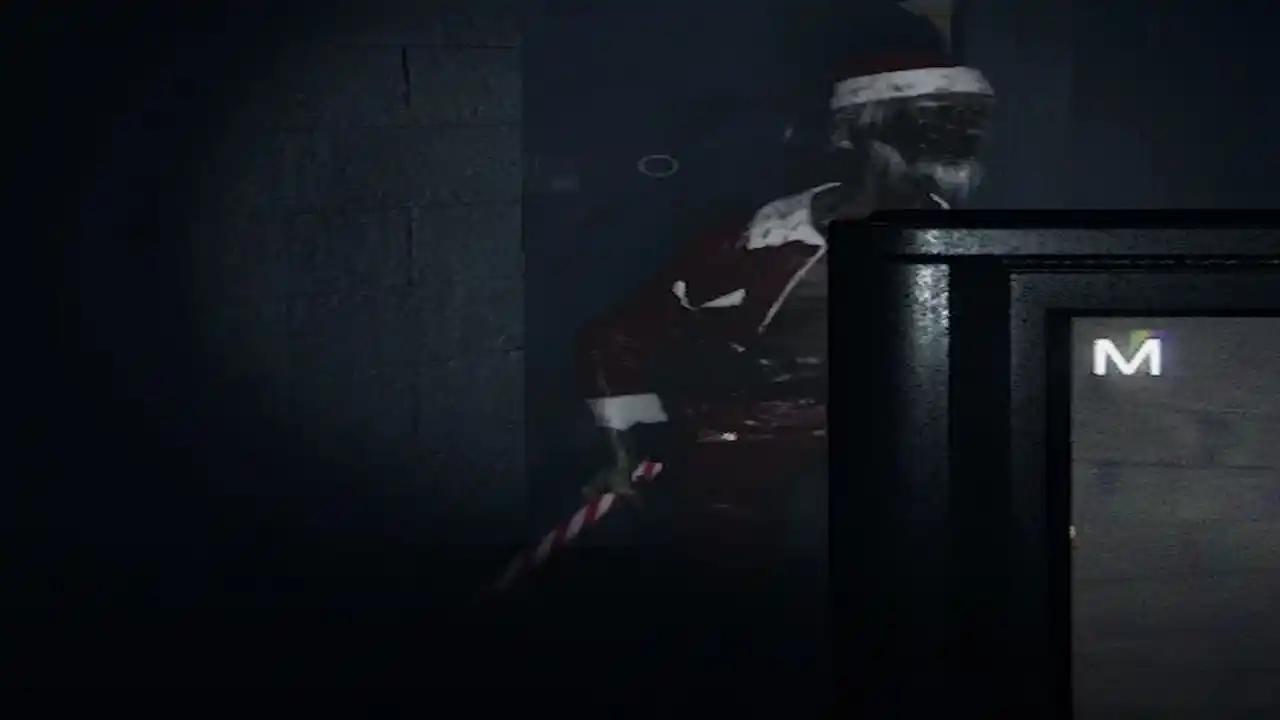
In the last update, Phasmophobia saw a Santa Ghost get added to the game again for 2022 which many deem to be the scariest of the pack and equally deadly ever since it dropped. Like last year, the Santa Ghost doesn’t spawn right away, there are some things that are to be done if you want to face it.
Following the update, you will find cookies spread across the map when playing in intermediate mode. During your ghost-hunting adventure, look for all six cookies and collect them. Collect a plate from your fan and leave the cookies on the plate for the ghost.
Photo via Phasmophobia.
Given in the 2022 version, the Santa Ghost can appear in any form and shape which reduces the odds of you coming across it. The extremely creepy Santa ghost will soon make an appearance when you set the plate with all 6 cookies. A Christmas theme tune will be playing the Ghost makes an appearance so look out for it.
If you are able to capture the ghost, the game will reward you with the Holiday 2022 badge, commemorating your participation in the event.
Thank you for reading, For more exclusive esports and gaming content, please follow us on Google News.