Saturday, July 4, 2026
Home Blog Page 934

Esports and Fair Play: The Responsibility of Organizers and Players

0

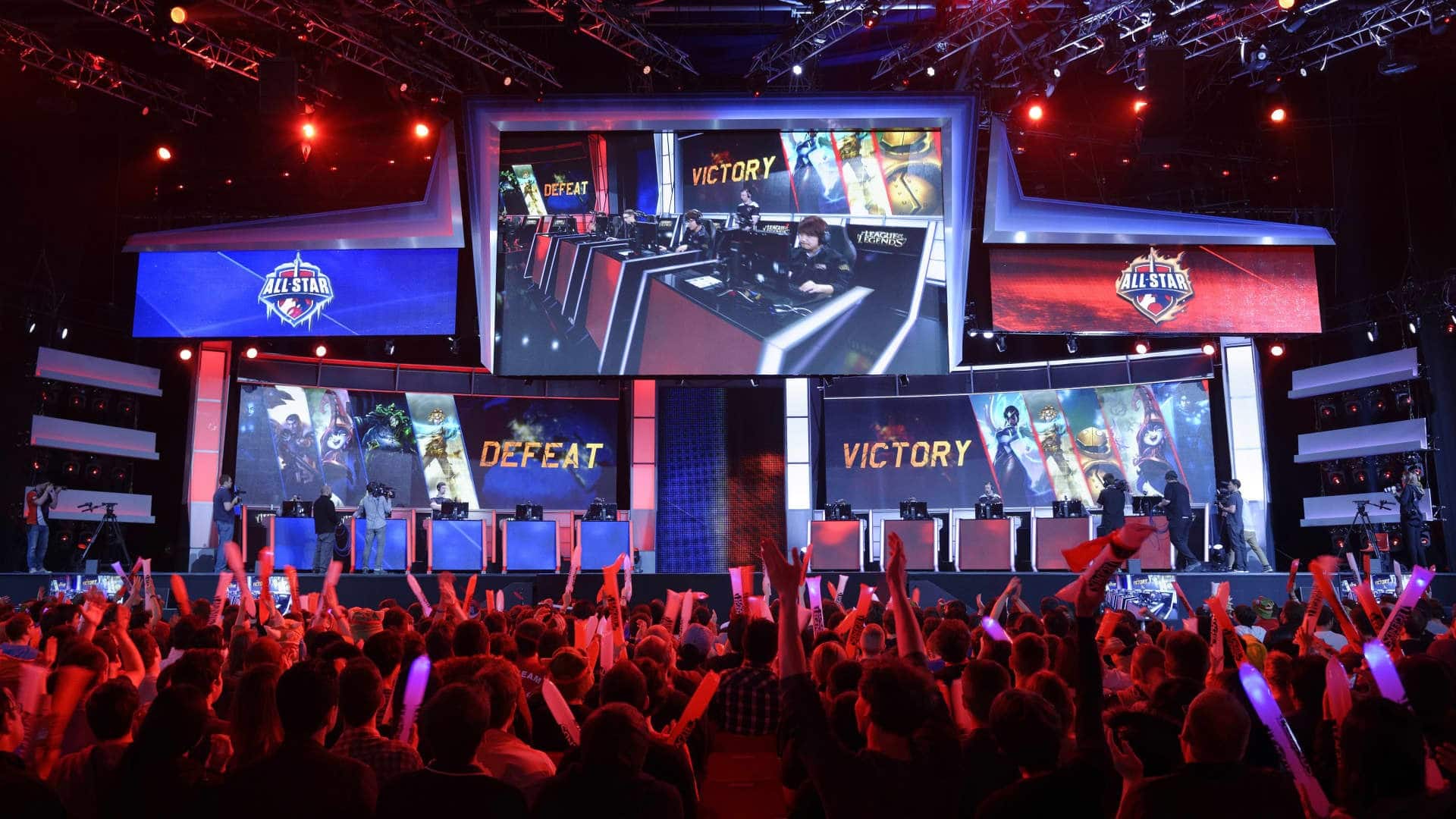
Esports, or electronic sports, refer to organized video game competitions that are often played at a professional level. While the world of esports is growing rapidly, it is not immune to issues of fair play and the responsibility of organizers and players to uphold the integrity of the competition.

One major aspect of fair play in esports is cheating. Cheating can take many forms, such as using hacks or glitches to gain an unfair advantage over opponents, or simply not adhering to the rules of the game. This can undermine the legitimacy of esports competitions and lead to a lack of trust in the fairness of the competition.

To address this issue, esports organizers must have strict rules in place to prevent cheating and enforce penalties for those who are caught breaking the rules. Players also have a responsibility to adhere to these rules and refrain from cheating.

Another aspect of fair play in esports is match fixing, where players or teams intentionally lose a match in order to gain a financial advantage. This is a serious issue that can damage the reputation of esports and erode trust in the integrity of the competition.

To prevent match fixing, organizers must have robust systems in place to detect and investigate any suspicious activity. Players must also be held accountable for their actions and face penalties if they are found to have participated in match fixing.

In addition to preventing cheating and match fixing, it is also important for esports organizers to ensure that all players are treated fairly and have an equal opportunity to compete. This includes providing a level playing field, both literally and figuratively, as well as addressing any issues of discrimination or harassment.

Overall, the responsibility of fair play in esports falls on both organizers and players. By working together to uphold the integrity of the competition and ensure that all players are treated fairly, the esports industry can continue to grow and thrive.

Top 5 Best COD Warzone 2.0 Loadouts for Ultimate Victory

0

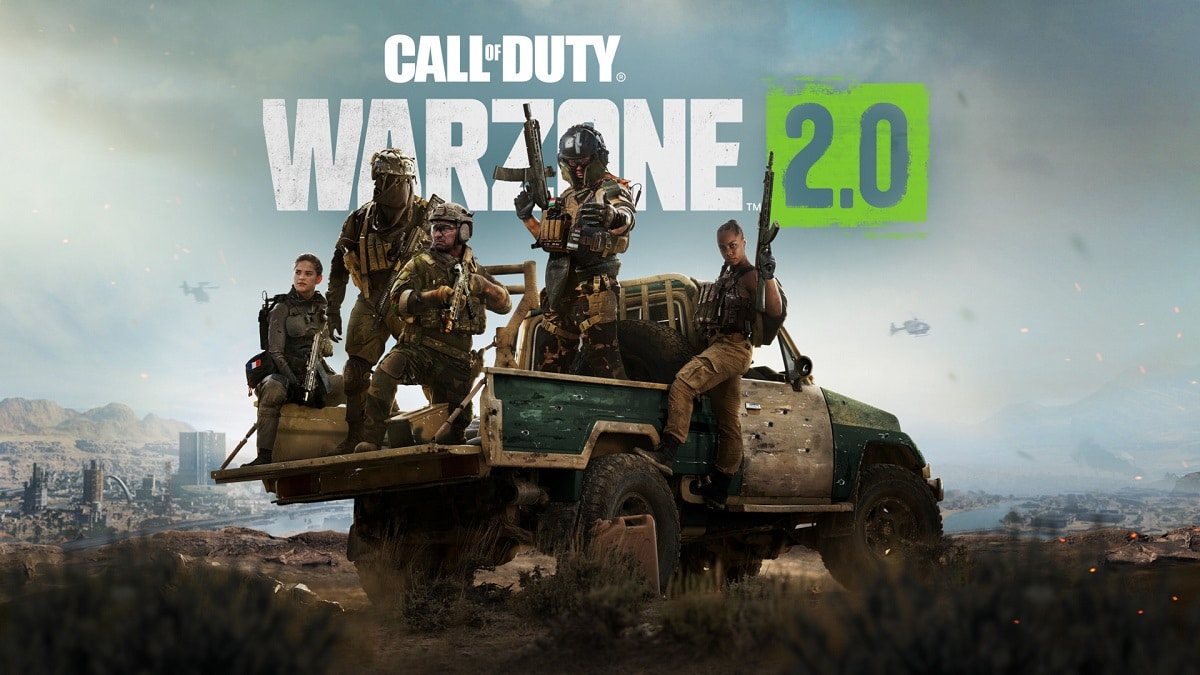
Call of Duty: Warzone is a battle royale game that has gained massive popularity since its release in 2020. It has a huge player base, with millions of active players each day. One of the main reasons for its popularity is the vast array of weapons and attachments that players can choose from, allowing for a wide range of loadout options.

In this article, we will be discussing the best Warzone 2.0 loadouts right now, which are sure to give you an edge in your matches.

Best Warzone 2 Loadouts:

M4A1

The M4A1 is a reliable and versatile assault rifle that has been a fan favorite in Warzone for a long time. It has a high fire rate and can be effective at a range of distances. The key to using the M4A1 effectively is to choose the right attachments.

For the best M4A1 loadout, we recommend the following attachments:

  • Monolithic suppressor
  • Stock M16 Grenadier
  • XRK Summit 26.4″
  • XRK Void II
  • XRK Gatekeeper

The monolithic suppressor will help to keep you off the radar, while the stock M16 Grenadier will improve your aim down sight speed and movement speed. The XRK Summit 26.4″ barrel will give you a boost to range and accuracy, and the XRK Void II and XRK Gatekeeper will improve your damage output and bullet velocity.

MP5

The MP5 is another popular choice for players in Warzone. It is a submachine gun with a high fire rate and excellent accuracy. It is particularly effective in close-quarters combat, but can also hold its own at medium ranges.

For the best MP5 loadout, we recommend the following attachments:

  • Monolithic suppressor
  • FTAC Collapsible
  • XRK Summit 26.4″
  • XRK VELOX II
  • XRK Gatekeeper

The monolithic suppressor and FTAC Collapsible will help to keep you off the radar and improve your mobility.

The XRK Summit 26.4″ barrel will give you a boost to range and accuracy, and the XRK VELOX II and XRK Gatekeeper will improve your damage output and bullet velocity.

Kilo 141

The Kilo 141 is a strong assault rifle that is effective at a variety of ranges. It has a high fire rate and good accuracy, making it a solid choice for players who prefer a more balanced loadout.

For the best Kilo 141 loadout, we recommend the following attachments:

  • Monolithic suppressor
  • XRK Summit 26.4″
  • XRK VELOX II
  • XRK Gatekeeper
  • XRK Striker 45

The monolithic suppressor and XRK Summit 26.4″ barrel will help to keep you off the radar and improve your range and accuracy. The XRK VELOX II and XRK Gatekeeper will increase your damage output and bullet velocity, and the XRK Striker 45 will give you a boost to your fire rate.

AX-50

The AX-50 is a powerful bolt-action sniper rifle that is extremely effective at long ranges. It has high damage and accuracy, making it a great choice for players who prefer a more strategic playstyle.

For the best AX-50 loadout, we recommend the following attachments:

  • Monolithic suppressor
  • XRK Summit 26.4″
  • XRK VELOX II
  • XEK GATEKEEPER
  • XRK Pro Grip

The monolithic suppressor and XRK Summit 26.4″ barrel will help to keep you off the radar and improve your range and accuracy. The XRK VELOX II and XRK Gatekeeper will increase your damage output and bullet velocity, and the XRK Pro Grip will give you a boost to your stability and aim down sight speed.

Kar98k

The Kar98k is a classic bolt-action sniper rifle that has been a popular choice in Warzone for a long time. It has high damage and accuracy, making it a strong choice for players who prefer a more strategic playstyle.

For the best Kar98k loadout, we recommend the following attachments:

  • Monolithic suppressor
  • XRK Summit 26.4″
  • XRK VELOX II
  • XRK Gatekeeper
  • XRK Pro Grip

The monolithic suppressor and XRK Summit 26.4″ barrel will help to keep you off the radar and improve your range and accuracy. The XRK VELOX II and XRK Gatekeeper will increase your damage output and bullet velocity, and the XRK Pro Grip will give you a boost to your stability and aim down sight speed.

In conclusion, the M4A1, MP5, Kilo 141, AX-50, and Kar98k are all excellent choices for Warzone 2.0 loadouts. Each of these weapons has its own unique strengths and can be effective in different situations.

By choosing the right attachments, you can tailor your loadout to suit your playstyle and give you an edge in your matches.


Soul Land Reloaded Redeem Codes for January 2023

0

In the real-time action role-playing game Soul Land Reloaded, you may select your squad of heroes and engage in combat with other players. The name is derived from the first Soul Land tale. You must construct the greatest guild, fight with other players in epic cross-server battles, and team up with pals to take on the most formidable Soul-Beast in this game.

As you progress through the game, you’ll need diamonds and coins to unlock new heroes and more powerful in-game goods. You may get those in-game items in Soul Land Reloaded for free by redeeming the codes.

Soul Land Reloaded Redeem Codes for January 2023

  • WAQRZ 
  • HappyNewYear
  • AGTLG
  • snowman666
  • XmY794

How to redeem Soul Land Reloaded codes?

  • Launch the game and click on your profile picture on the top left.
  • Then go to Settings and press the Redeem Code button.
  • Insert a code and click the Confirm button to receive your rewards.

For more exclusive esports and gaming content, please follow TalkEsport on Google News.

Roblox Shindo Life Redeem Codes for January 2023

0

Players in Roblox Shindo Life have a tonne of various options for customizing their characters. To purchase cosmetics for yourself, you would typically need to use the website’s currency, Robux, but you may also do it for free. For a complete list of all presently valid Roblox Shindo Life discount codes for December 2021, keep reading this post.

You can get skins for free via promo codes, but finding them might be quite challenging. You’ve come to the correct site if you’re looking for Roblox Shindo Life discount codes to purchase some lovely skins.

Roblox Shindo Life Redeem Codes for January 2023

  • ShindoXm4z1!
  • ShindoXm4z2!

How to redeem Shindo Life codes?

These Shindo Life Codes will provide you free spins. You can earn the daily rewards easily just by completing daily missions.

  • Open your game and go to the “Edit” section.
  • On the top-right corner, you’ll get “YouTube Codes”.
  • Then enter your code and click on the Redeem button.
  • Enjoy your rewards.

For more exclusive esports and gaming content, please follow TalkEsport on Google News.

xQc denies marriage rumors, says “I am not married”

0

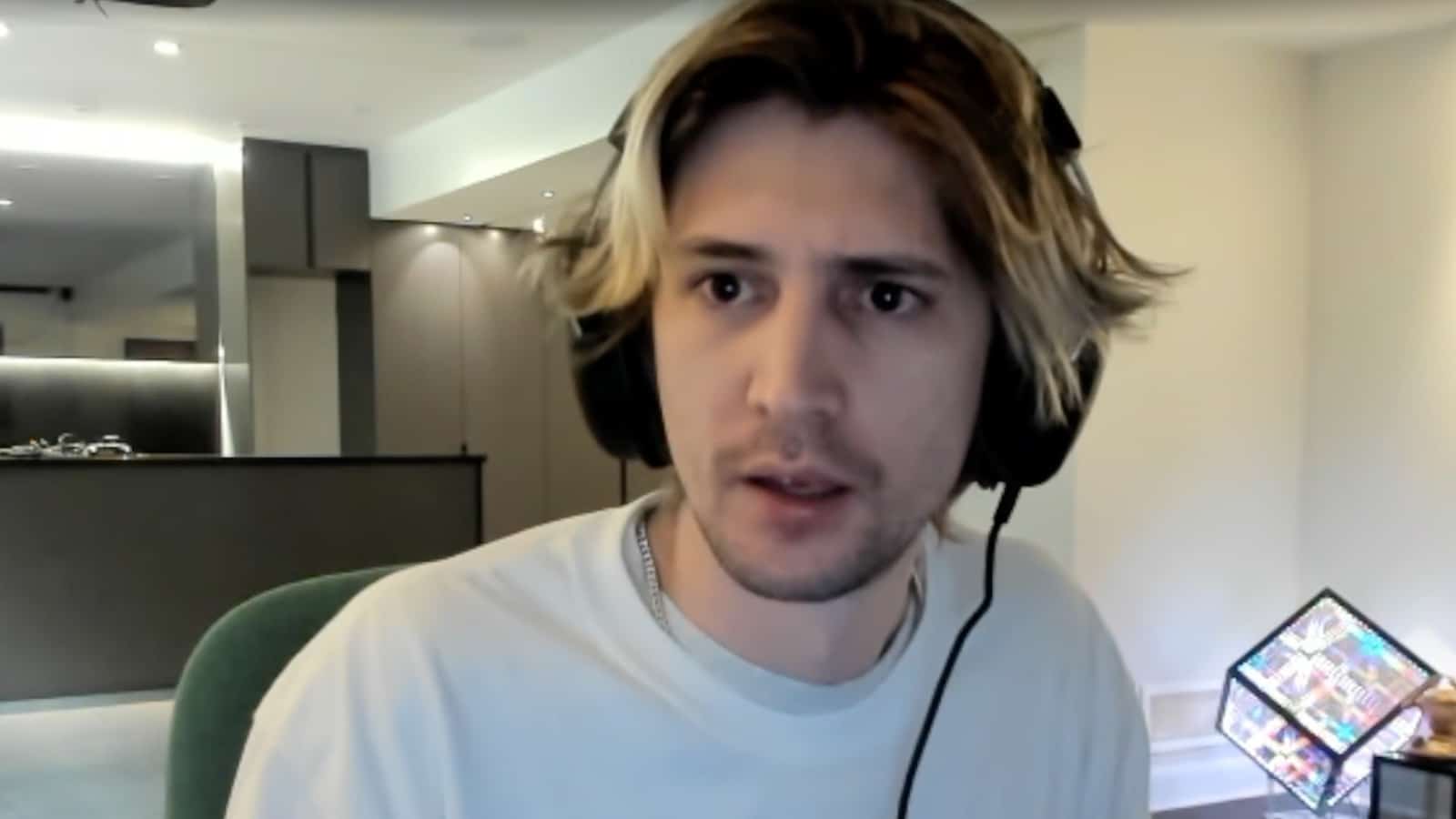
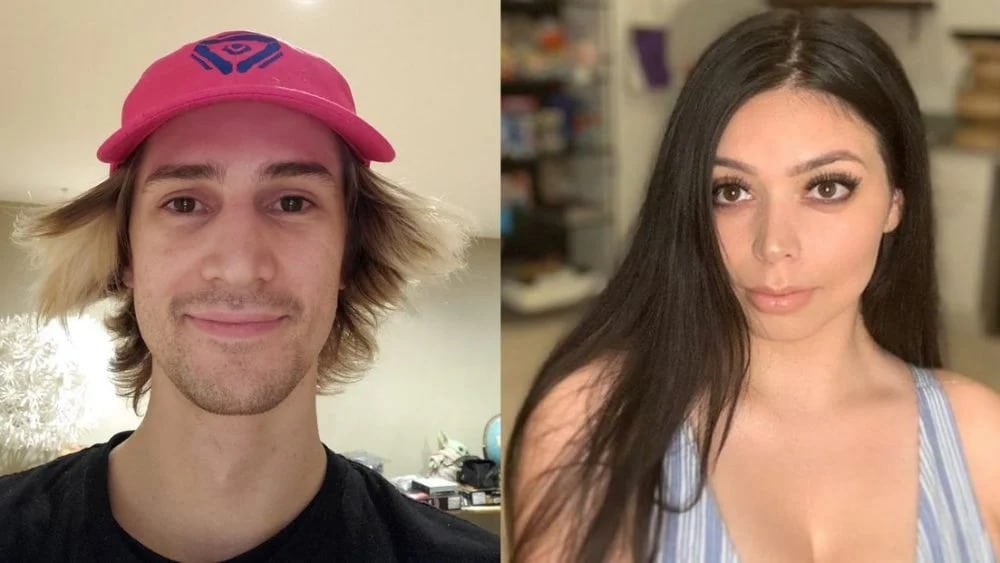
Felix “xQc” Lengyel and Samantha “Adept” Lopez have been at the center of a scandal on social media following a viral tweet claiming that the two were married and currently filing for divorce.

xQc, a popular Twitch streamer, has denied these claims and addressed the rumors in a recent stream.

The couple, who have had a tumultuous relationship for several years, have been the subject of numerous controversies in recent months due to their very public breakup.

In his stream, xQc denied being married and suggested that the legal complications mentioned in the viral tweet were not accurate. He hinted that there may be other factors at play, but did not provide further details.

During his stream, xQc requested that his fans respect his privacy and not be too involved in his personal life. He also indicated that the current situation has been ongoing for a while and mentioned that there are certain topics he is unable to discuss due to legal reasons.

I really wish you guys understood and you weren’t this stupid-minded about this. ‘Cause this is a very important and serious topic, okay… This is nothing new, okay? I can’t say certain things, okay? And its been like this, that’s it. It’s supposed to be like that. Fair enough?

Read More Here:

xQc and Adept’s Legal Marriage: Twitch streamers filing for divorce?

0

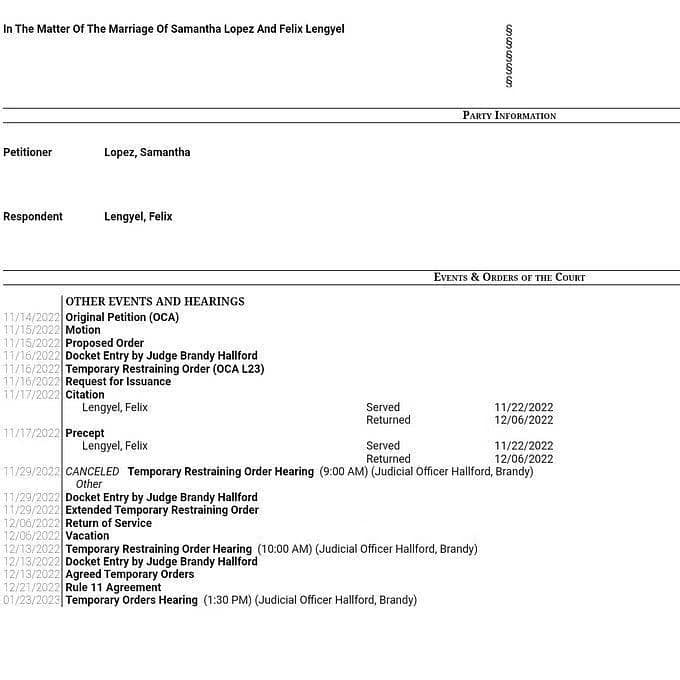
According to a now-deleted tweet and subsequent viral Reddit post, it appears that popular streamers Felix “xQc” Lengyel and Samantha “Adept” Lopez may have been secretly married and are now in the process of getting divorced.

The tweet included purported public records of the couple’s divorce filings in Texas from November 2022, which included mention of a Temporary Restraining Order.

The couple, who have had a tumultuous relationship for several years and were previously considered a power couple in the streaming community, sparked drama in September 2022 when they discussed personal issues related to their breakup on stream.

It was revealed that xQc had been told to choose between his girlfriend and his family, leading to public criticism and emotional on-stream clashes between the two.

Despite the apparent marriage and divorce, the couple had never previously mentioned being married and had always referred to each other as “boyfriend” or “girlfriend.”

A video of a private conversation between xQc and Adept during a stream, in which Adept is accused of violating a court order, has gained significant attention on Reddit, with over 150K views at the time of writing.

The majority of the comments on Twitter and Reddit have expressed negative opinions about Adept and have speculated about the potential financial consequences for xQc in a court settlement. The video has sparked discussions about the possibility that xQc and Adept were secretly married.

Here is how the community responded upon learning that the streamer couple may have been secretly married:

Since the news broke around an hour ago, it has been the topic of discussion in the streaming community.

How To Fix “van9003” Error In Valorant: Easily Step By Step

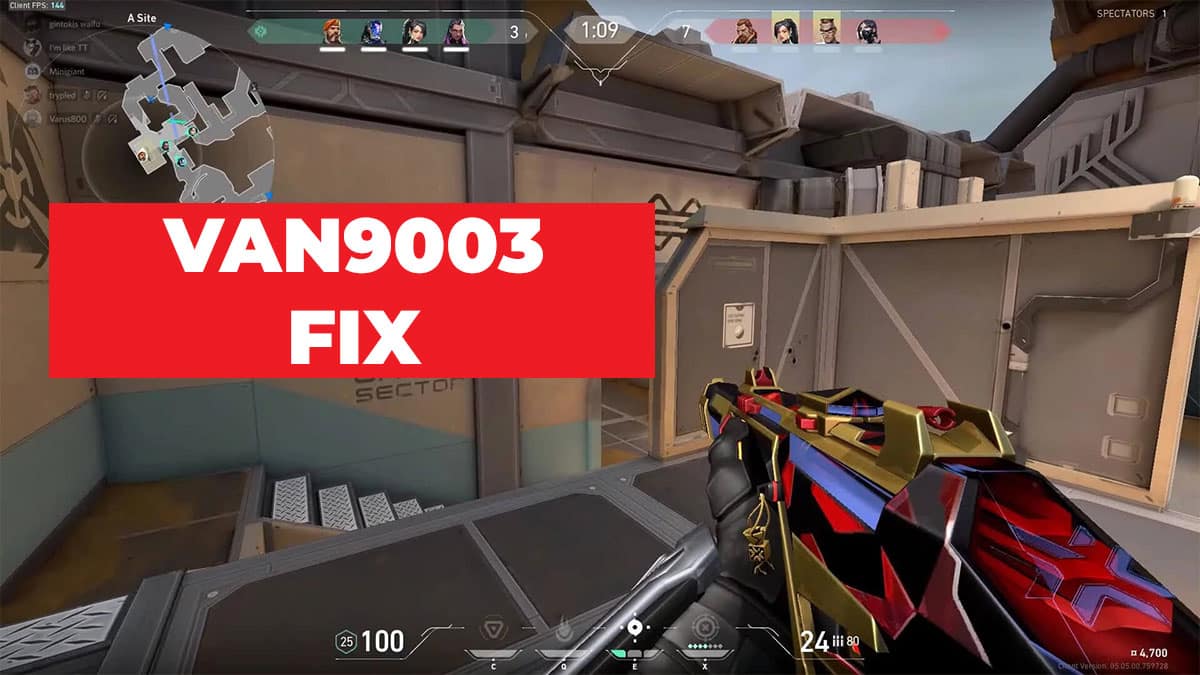
If you’re a Valorant player, you may have encountered the frustrating error code van9003. This error can occur for a variety of reasons, and it can be difficult to know where to start when it comes to troubleshooting and fixing the problem.

In this article, we’ll go through the most common causes of the van9003 error and provide step-by-step instructions for resolving it.

What Causes the van9003 Error in Valorant?

There are several potential causes of the van9003 error in Valorant. Some of the most common include:

  • Server issues: If the Valorant servers are down or experiencing problems, you may see the van9003 error. This is generally beyond your control, and the best thing you can do is wait for the servers to come back online or for the issue to be resolved.
  • Internet connection issues: If your internet connection is unstable or weak, you may see the van9003 error. This can be caused by a variety of issues, including problems with your router or modem, interference from other devices, or a poor connection to your internet service provider (ISP).
  • Firewall or antivirus issues: If your firewall or antivirus software is blocking Valorant from connecting to the internet, you may see the van9003 error. This is usually the result of incorrect settings or conflicting software.
  • Game files corruption: In some cases, the van9003 error can be caused by corrupted game files. This can happen if the files become damaged during the installation process or if they are modified in some way.

Step-by-Step Guide for Resolving the van9003 Error in Valorant

If you’re seeing the van9003 error in Valorant, here are some steps you can take to try and resolve the issue:

Check the Valorant server status: The first thing you should do is check the Valorant server status to see if there are any known issues or outages. You can do this by visiting the Valorant website or checking social media channels for updates. If the servers are down, there’s not much you can do except wait for them to come back up.

  • Check the Valorant server status: The first thing you should do is check the Valorant server status to see if there are any known issues or outages. You can do this by visiting the Valorant website or checking social media channels for updates. If the servers are down, there’s not much you can do except wait for them to come back up.
  • Restart your router and modem: If you’re experiencing internet connection issues, the first thing you should try is restarting your router and modem. To do this, turn off the power to both devices, wait a few seconds, and then turn them back on. This can often resolve minor connection problems.
  • Check your internet connection: If restarting your router and modem doesn’t fix the problem, the next step is to check your internet connection. Make sure you have a stable and strong connection, and try running a speed test to see if you’re getting the speeds you’re supposed to. If your connection is weak or unstable, try moving your router or modem to a different location or contacting your ISP for help.
  • Check your firewall and antivirus settings: If your firewall or antivirus software is blocking Valorant from connecting to the internet, you’ll need to adjust the settings to allow the game to connect. Check the documentation for your firewall or antivirus software for instructions on how to do this. You may also need to add Valorant to the list of allowed programs.
  • Verify the game files: If you’re seeing the van9003 error due to corrupted game files, you’ll need to verify the integrity of the game files.

To do this in Valorant, follow these steps:

  • In the Valorant client, click on the gear icon in the top right corner
  • Select “Verify”
  • Wait for the process to complete, which may take a few minutes.
  • If any files are found to be corrupt, they will be re-downloaded and replaced
  • Repair the game client: If verifying the game files doesn’t resolve the van9003 error, you may need to try repairing the game client. To do this in Valorant, follow these steps:
  • In the Valorant client, click on the gear icon in the top right corner
  • Select “Repair”
  • Wait for the process to complete, which may take a few minutes
  • If any issues are found and fixed, you’ll need to restart the Valorant client
  • Uninstall and reinstall Valorant: If none of the above steps have worked, you may need to try uninstalling and reinstalling Valorant. To do this, follow these steps:
  • Close the Valorant client and any other programs you have running
  • Press the Windows key + R to open the “Run” dialogue
  • Type “appwiz.cpl” and press Enter
  • Find Valorant in the list of programs and select it
  • Click “Uninstall” and follow the prompts to uninstall the game
  • Once the game is uninstalled, restart your computer
  • Download and install the latest version of Valorant from the official website

The van9003 error in Valorant can be frustrating, but with a little patience and some troubleshooting, it can usually be resolved. By following the steps outlined above, you should be able to get back to playing the game in no time.

If you’re still having issues after trying all of the above, you may need to seek further assistance from the Valorant support team or from your ISP.

Disguised Toast Reveals His Valorant Team “DSG”

0

Disguised Toast is a well-known Twitch streamer and content creator who streams and creates videos featuring the game Valorant. He is known for his entertaining commentary and engaging personality, and has a large following on social media platforms.

On October 31st, Disguised Toast took to Twitter to ask for recommendations for the best unsigned professional Valorant players. Pro players and personalities, including Connor “PROD” Moran, Matthew “Wedid” Suchan, and Hannah “bnans” Kenney, responded to the post. William “Scarra” Li, a former League of Legends pro player, commented that Disguised Toast might be serious about starting a team, to which Disguised Toast replied that he is always serious.

Disguised Toast recently announced on Twitch that he has established a new company to sign Valorant players and that he has already signed three players to the team. He said that he is waiting for a few more players to sign the contracts he sent out and will make an announcement once everyone has signed. He mentioned that he is having trouble coming up with a team name and expressed his desire to avoid using the word “esports” in the team’s name.

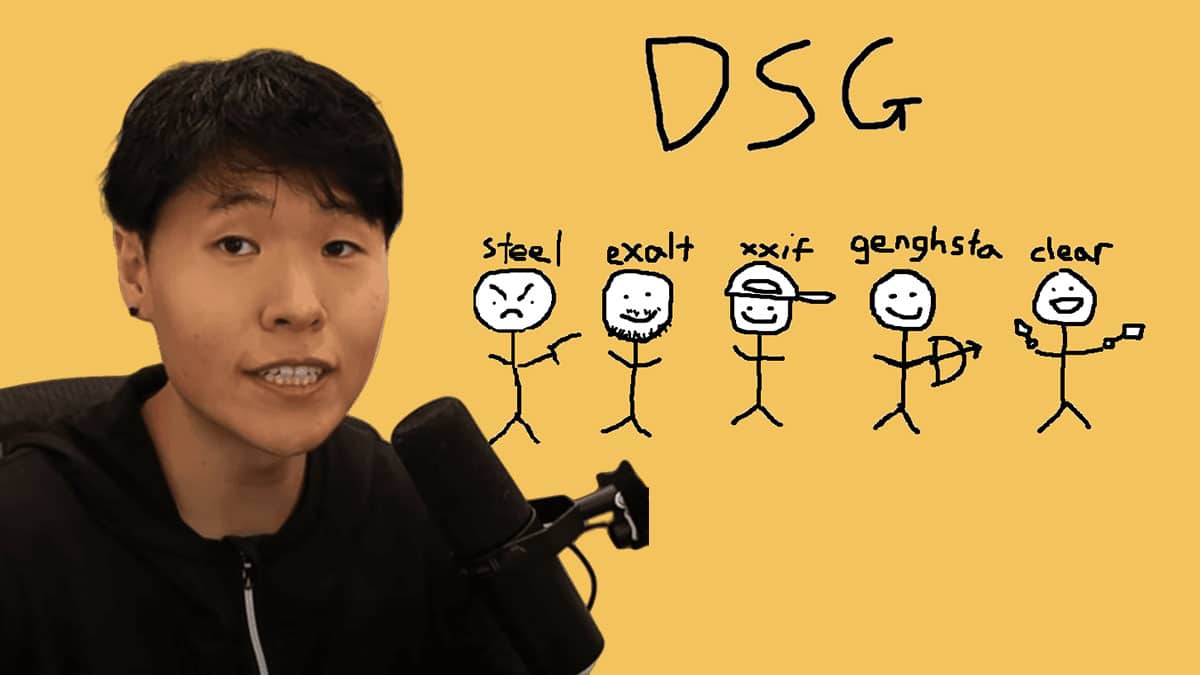
Disguised Toast, a popular streamer and member of the OfflineTV group, has revealed the creation of his professional Valorant team, known as Disguised or DSG. The announcement of the team has been highly anticipated by his followers.

The official roster for Disguised Toast’s Valorant team, as reported by Dot Esports, includes Joshua “steel” Nissan, Damion “XXiF” Cook, Drake “Exalt” Branly, Joseph “clear” Allen, and Amgalan “Genghsta” Nemekhbayar. XXiF, Exalt, Genghsta, and coach Kyle “OCEAN” O’Brien previously played together on the Knights team.

Now that the deals have been finalized, Disguised Toast’s Valorant team will participate in the open qualifiers for the NA VALORANT Challengers League, which begins on January 9th.

The goal is to become one of six teams from the open qualifier to reach the league through one of two open qualifier brackets. The first open qualifier will run from January 9th to January 13th, with the top four teams advancing to the league.

A second “last chance” qualifier will take place from January 17th to January 22nd, with the top two teams advancing. The league play for the NA VALORANT Challengers League will begin on February 1st and will consist of two splits with a mid-season invitational in between, followed by playoffs.

Is Pokemon Coming To Fornite In 2023?

0

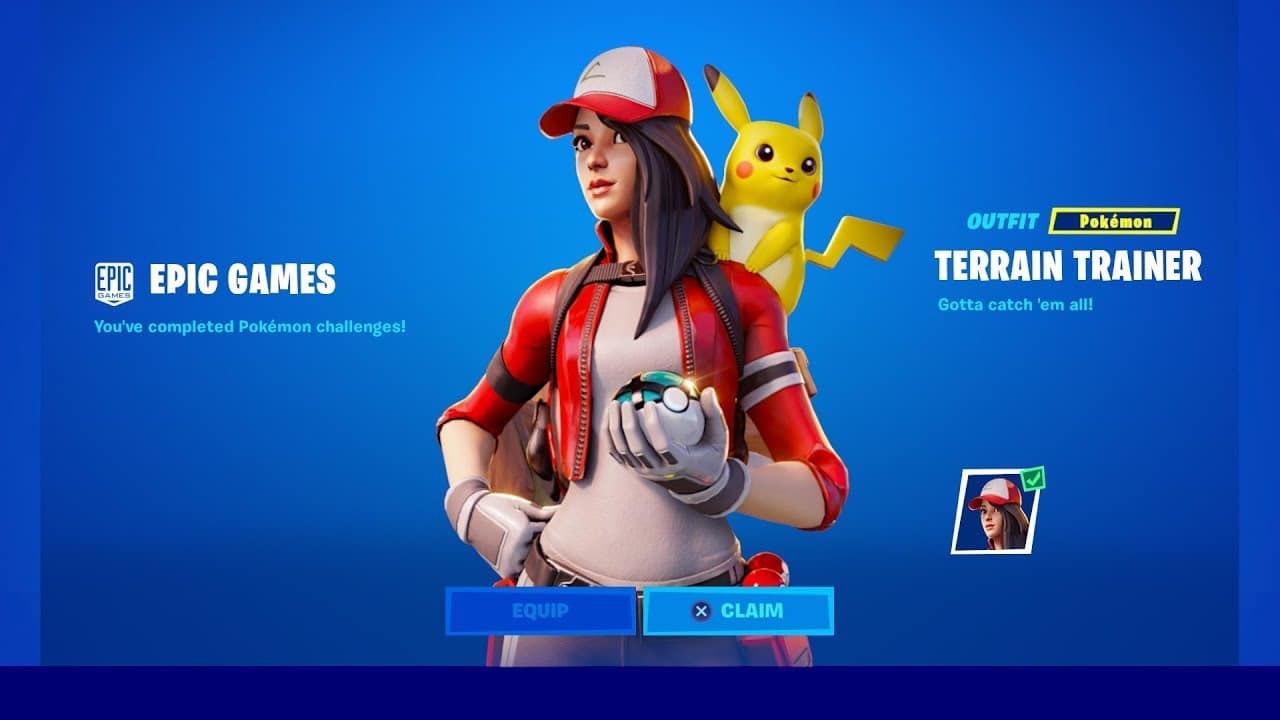
There has been a lot of speculation and rumors about the possibility of Pokemon coming to Fortnite, the popular battle royale game developed by Epic Games. Fans of both franchises have been eagerly wondering if and when they might see their favorite pocket monsters make an appearance in Fortnite.

Unfortunately, it seems that the answer to this question is a bit complicated. While there has been no official confirmation from either Epic Games or Nintendo (the company behind Pokemon), there are a few clues that suggest a crossover between the two franchises may be in the works.

One of the biggest pieces of evidence supporting the possibility of Pokemon in Fortnite is the fact that Epic Games has a history of collaborating with other brands and franchises. In the past, the developer has added items and skins based on franchises like Marvel, DC Comics, and Star Wars to the game. Given this history, it’s not out of the realm of possibility that Epic could eventually bring Pokemon to Fortnite as well.

Another clue that has fans buzzing is the fact that Epic Games has recently acquired the company behind the popular Pokemon-themed game, “Pokemon Go.” While the acquisition may not necessarily lead to a crossover between the two franchises, it does suggest that Epic is interested in the Pokemon brand and could potentially be considering bringing it to Fortnite in some form.

However, it’s also worth noting that there has been no official announcement or confirmation from either Epic Games or Nintendo about a potential crossover between the two franchises. Until an official announcement is made, it’s impossible to say for certain whether or not Pokemon will be coming to Fortnite.

In conclusion, while there are certainly some clues that suggest a crossover between Pokemon and Fortnite could be in the works, it’s important to remember that nothing has been officially confirmed by either Epic Games or Nintendo. Until an announcement is made, it’s best to take any rumors or speculation about Pokemon in Fortnite with a grain of salt.


FAN MADE TRAILER:

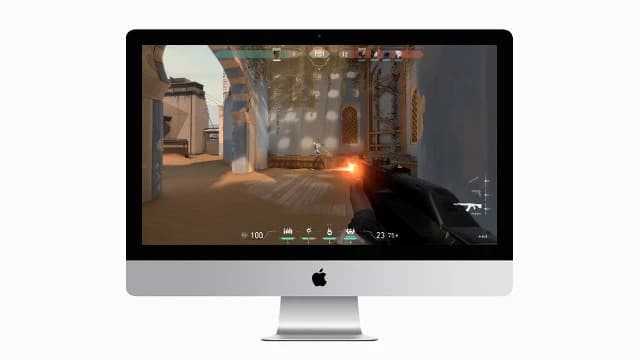
Can You Play Valorant on Mac?

Valorant, the highly popular first-person shooter game developed by Riot Games, has garnered a massive player base since its release in June 2020. It has quickly become one of the most played games on the market, with fans eager to jump into the action and test their skills against other players.

One question that has come up frequently among Mac users is whether or not Valorant can be played on their devices. After all, many modern games are only available for Windows, leaving Mac users out in the cold.

Fortunately, the answer is yes – you can play Valorant on your Mac. Here’s what you need to know.

First and foremost, it’s important to note that Valorant is available for both Windows and Mac. This means that you can simply download the game from the official website and install it on your Mac, just like you would on a Windows PC.

However, it’s worth noting that Valorant can be somewhat resource-intensive, so you’ll need to make sure that your Mac has sufficient hardware to run the game smoothly. Here are the minimum requirements for running Valorant on a Mac:

  • OS: MacOS Sierra (10.12) or higher
  • Processor: Intel Core i3-4150 or higher
  • Memory: 8 GB RAM
  • Graphics: Intel UHD Graphics 630 or higher

If your Mac meets these requirements, you should be able to run Valorant without any major issues. However, if you want to run the game on higher settings or play at higher resolutions, you’ll need a more powerful Mac with a more powerful graphics card.

It’s worth noting that Valorant is not natively supported on Mac, which means that it relies on a compatibility layer called “Wine” to run on the platform. Wine is an open-source tool that allows users to run Windows applications on non-Windows operating systems, such as MacOS and Linux.

While Wine is generally reliable, it’s worth noting that it can sometimes cause issues with certain games or applications. If you encounter any problems while playing Valorant on your Mac, it may be worth trying to troubleshoot the issue or contacting Riot Games for assistance.

In conclusion, yes, you can play Valorant on your Mac. As long as your Mac meets the minimum requirements and you’re comfortable using Wine, you should be able to enjoy the game without any major issues. Just be prepared to potentially encounter some minor bugs or compatibility issues along the way.