Wednesday, July 1, 2026
Home Blog Page 915

What Does CSGO Stand For? Meaning Of CSGO Answered

CSGO, or Counter-Strike: Global Offensive, is a first-person shooter video game that has become one of the most popular esports in the world. The game was developed and published by Valve Corporation and was released in 2012.

The game is a sequel to the original Counter-Strike game, which was released in 2000. CSGO is played on personal computers and is available on platforms such as Steam, Xbox Live, and PlayStation Network.

The game is a team-based, tactical shooter in which players take on the roles of terrorists and counter-terrorists.

The objective of the game is for one team to successfully plant and detonate a bomb, while the other team must prevent it from happening.

One of the reasons for CSGO’s popularity is its high level of replayability. The game features a wide variety of weapons and equipment that players can use, as well as different game modes and maps. This allows players to tailor their gameplay to their own preferences and skill level. The game also features a wide variety of customization options, such as different weapon skins and character models, which allows players to personalize their experience and make it unique.

Another reason for CSGO’s popularity is its competitive scene. The game has a built-in matchmaking system that allows players to compete against others of a similar skill level. Additionally, there are numerous professional esports teams and leagues that compete in the game, with large cash prizes for the winners. This has led to a thriving community of players who are dedicated to becoming the best at the game and competing at the highest level.

In addition to its competitive scene, CSGO also has a strong community of content creators. There are countless YouTube channels and Twitch streams dedicated to the game, with players and commentators providing tips, strategies, and commentary on the latest updates and matches. This community has also led to the development of third-party software and websites, such as aim trainers and statistics trackers, which allow players to improve their skills and track their progress.
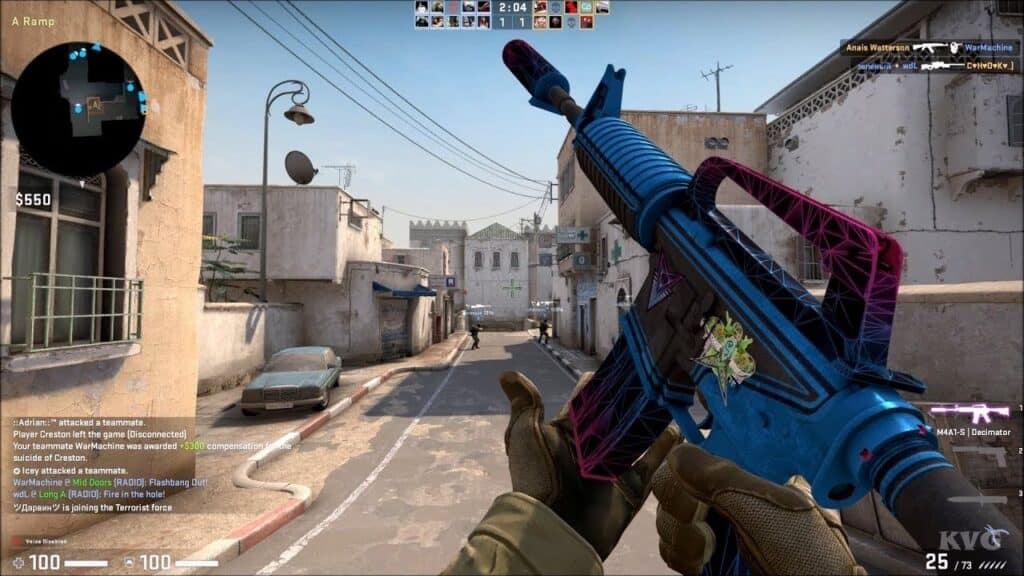
Despite its popularity, CSGO has not been without its controversies. The game has been criticized for its use of microtransactions, which allow players to purchase in-game items such as weapons skins and character models.

Some have argued that this system allows players who are willing to spend money to have an unfair advantage over others. Additionally, the game has been linked to the rise of skin gambling, where players can use in-game items as currency to gamble on the outcome of matches or other events.

In conclusion, CSGO is a first-person shooter video game that has become one of the most popular esports in the world. The game’s high level of replayability, competitive scene, and dedicated community of content creators have all contributed to its success. While the game has been criticized for its use of microtransactions and its association with skin gambling, its popularity continues to grow. CSGO is a game that offers players a lot of choice and variety in how they want to play, whether it be casually or competitively, and has a strong and dedicated community of players and fans.

Valorant Update Keeps Pausing: How to Fix it?

0

Riot Games is quite frequent when it comes to providing Valorant updates. Recently, the developers released the Episode 6 Act 1 update. However, such significant updates occur to be huge as they introduce a lot of changes to the game. Even after setting up everything perfectly, sometimes, you may face an issue where the Valorant update keeps pausing after the download kicks off.

If you are facing the same issue, we’ve got your back. This article will explain several fixes to the issue. Keep reading till the end to resolve the issue and download the Valorant update ASAP.

How to Fix Valorant Update Keeps Pausing?

There can be multiple reasons behind the problem. We will discuss all of them one by one.

First, you have to check if your internet connection is working perfectly or not. An unstable connection with low bandwidth might be the primary cause. You can go to Network and Internet Settings to check out the health of your connection. Apart from that, you can try out an ethernet cable connection instead of WiFi.

If the internet is perfectly working, then the issue may occur due to storage problems. Check out if your HDD or SSD has enough free space to install the new update or not. If your storage device is filled up, please try to clean out the unnecessary files.

Also, check out your firewall settings as they may put a stop to any download from the internet. In addition, if you are using any anti-virus software, don’t forget to whitelist the Valorant and Riot executable files.

We hope that your problem has been resolved. For more exclusive esports and gaming content, please follow TalkEsport on Google News.

Skyesports announces Esports roadmap till March 2023

0

Skyesports has been one of the biggest tournament organizers in India for the past few years. The organization dabbles in some of the biggest video games and organizes tournaments at a countrywide scale. Just when fans were about to think they have slowed down, the CEO revealed the schedule for the first quarter of 2023.

Founder and CEO of Skyesports Shiva Nandy aka Marvel shared their plans on 22nd January. In his announcement, Nandy highlighted the 6 tournaments that will keep us entertained till March which incorporate some of the biggest titles in video games.

Skyesports Esports Roadmap (January to March): Complete Details

We have put together the tournaments announced by the CEO that will take place between now and March.

  1. Pokemon Unite Asia Champions League – Jan to Mar
  2. Skyesports Grandslam – Feb
  3. WD Black Cup Season 4 – Jan to Feb
  4. TECNO POVA CODM Cup – Jan to Mar
  5. Skyesports SEA Championship – TBD
  6. Skyesports Arabia Championship – TBD

Besides the ongoing Pokemon tournament, the organizers are another Asia-wide event that will run from January and March. PUBG events will take place outside India for the ban that is yet to be lifted.

The announcement has sparked a feeling of excitement among fans. The coming few months will be packed with tournaments for them to enjoy and they have Skyesports to thank for it.

Thank you for reading, For more exclusive esports and gaming content, please follow us on Google News.

GTA Trilogy 50% Off on Steam – How To Get It? Answered

0

The release date and time for the Grand Theft Auto Trilogy Definitive Edition on Steam and Epic Games was leaked for January 19th. The bundle is now available to buy on Valve’s store, but it is not free on the Epic Games Store despite previous misconceptions.

Rockstar’s Grand Theft Auto Trilogy The Definitive Edition was released on consoles in November 2021, but the launch was met with poor reception. It only has a 54 on Metacritic and the poor reception was mostly attributed to glitches, which were subsequently patched to fix hundreds of bugs.

GTA Trilogy Definitive Edition Steam Release Date

The game is now available to buy on Steam at a hefty discount. The leaked release date and time for the Grand Theft Auto Trilogy Definitive Edition on Steam and Epic Games was 08:00 PST, 11:00 EDT, and 16:00 GMT on January 19th.

It was released on Steam at 18:00 GMT instead of 16:00. You can now buy it at a 50% discount for £27.49 until February 2nd.

Is Grand Theft Auto Free on Epic Games?

The game is not yet available on the Epic Games store, but Rockstar has confirmed it will be added to the store later in January. While leaked to be joining the Epic Games store, the leaker never claimed that the GTA Trilogy Definitive Edition would be free.

Some people mistook the leak as another free games announcement when in actuality it simply reported that the bundle was joining the EGS store with a 50% discount until February 6th.

Fish mint Location In Tower Of Fantasy

0

In Tower of Fantasy, players can collect a variety of minerals, plants, and meat. These can be used in recipes to create different items.

Some plants and meats are essential ingredients in certain recipes. For example, Fish Mint is required to make the Cold Fish Mint and Scramble Egg with Fish Mint recipes.

Some recipes in the game have special effects, such as healing and damage boosts. However, certain ingredients can be harder to gather because they are rare in the game.

Ingredients like lettuce are relatively easy to find, as they can be found in many locations. However, other ingredients, like fish mint, can be more challenging to locate.

In this guide, we’ll show you where to find fish mint in Tower of Fantasy, so you can make various recipes. With this information, you’ll be able to craft the items you need with ease.

Fish mint location in Tower of Fantasy

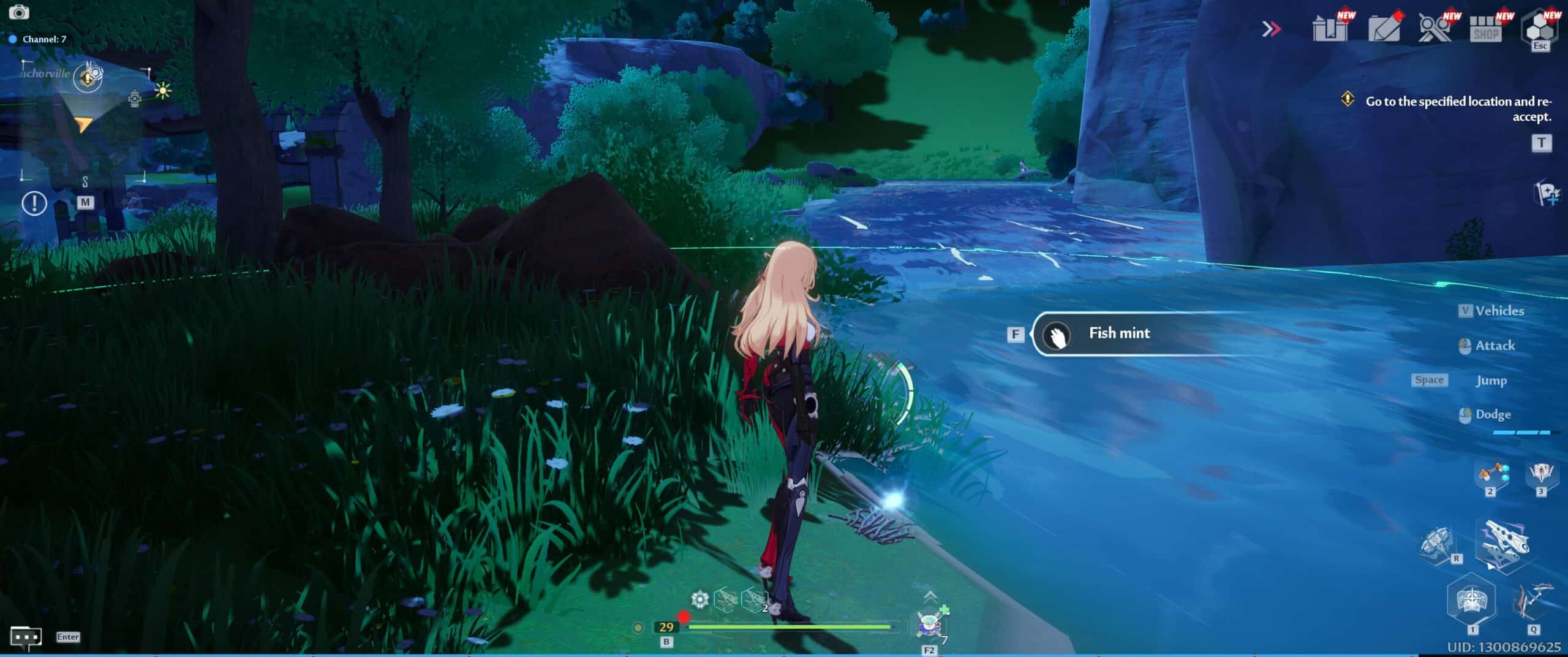
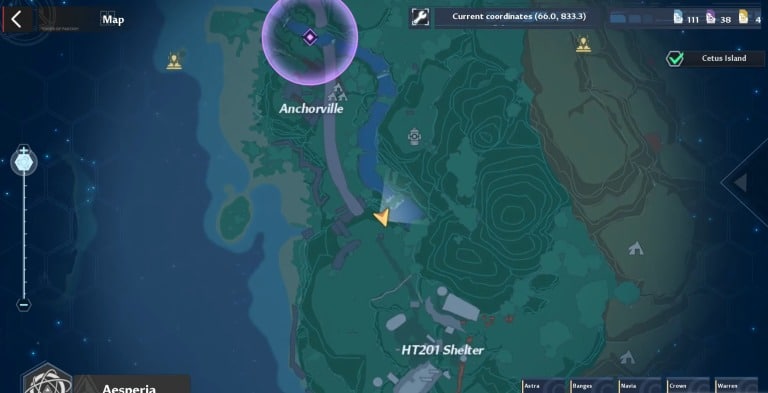
The location of Fish Mint in Tower of Fantasy is found south of Anchorville at coordinates 66.0, 833.3. It can be found growing near the waterfall and in the river.

To find Fish Mint in Tower of Fantasy, players should search near rivers. Not only can it be used to discover new recipes, but it can also be consumed to restore certain attributes.

Fish mint can be found south of Anchorville and north of HT201 Shelter, specifically growing along the waterfall and the river.

To gather Fish Mint, players can walk along the river or go in it. A great farming route is to start at the top of the waterfall, drop down, and walk along the river.

The fish mint is needed to make Cold Fish Mint and Scramble Egg with Fish Mint.

Cold Fish Mint regenerates 10 satiety and restores 16% +34,000 HP while Scramble Egg with Fish Mint regenerates 600 endurance and 16% +34,000 HP.

Minecraft Forge 1.19: How To Download And Install Easily

0

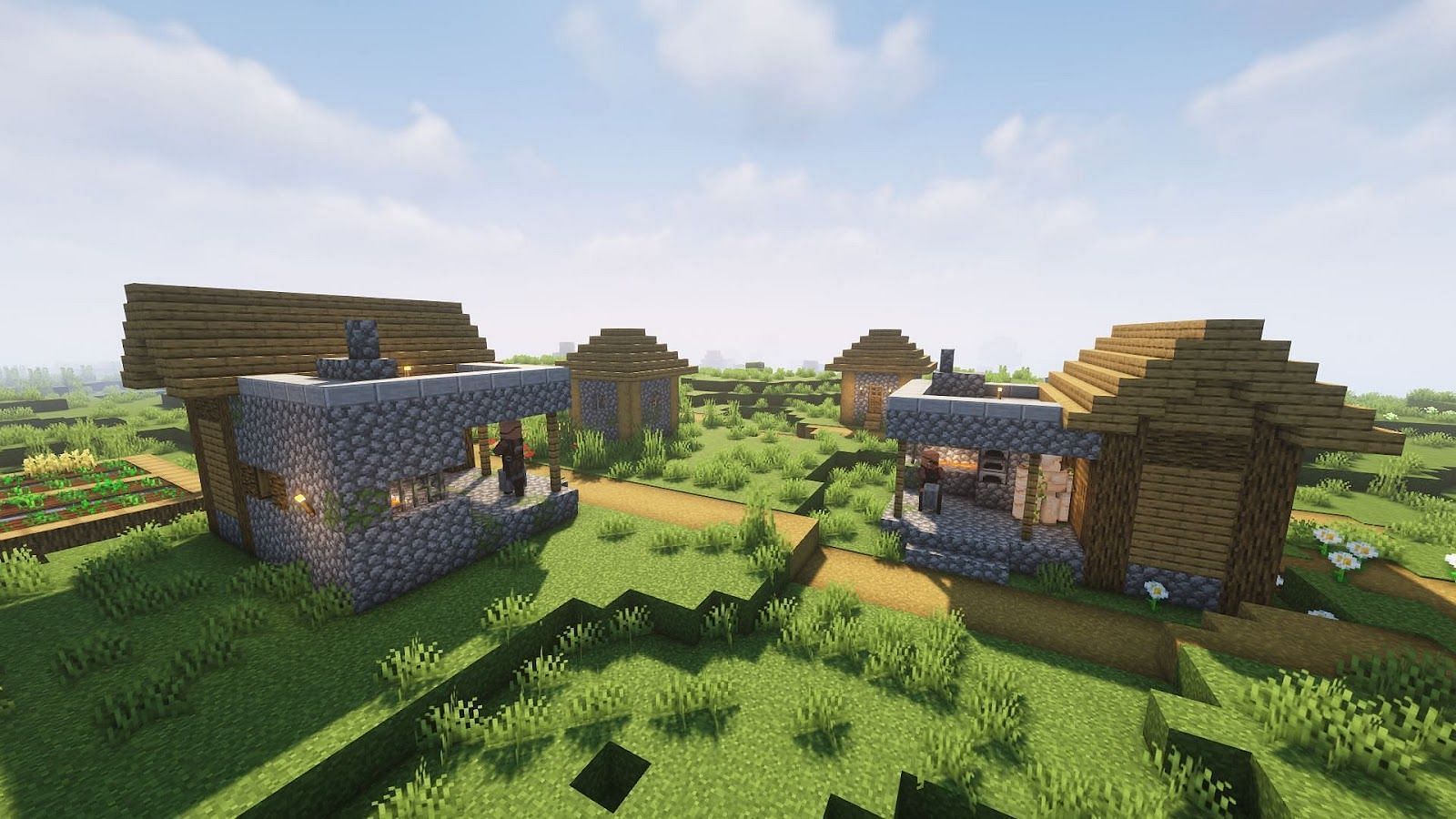
Installing Minecraft Forge is a simple process and once you start, you’ll have a dedicated place to keep track of all your mods, whether you’re looking to tweak your interface or enhance your exploration.

Minecraft is a classic sandbox game that has stood the test of time, and one of the reasons players keep coming back is the abundance of mods available. However, managing your Forge mods can be a bit overwhelming due to the sheer volume. If you’re playing the Java Edition, Minecraft Forge is a fantastic tool for managing all your compatible mods.

Approaching Minecraft Forge for the first time can be daunting, but we’ve created an easy step-by-step guide to help you install it and seamlessly alter your Minecraft experience. The tool acts as a hub for sorting, storing, and keeping tabs on all your mods.

How To Install Minecraft Forge 1.19

Installing Minecraft Forge can be done in just a few simple steps:

  • Step 1: Visit the official website of Minecraft Forge and download the correct version for your game by double-checking the version list on the left side of the page.
  • Step 2: Run the downloaded installer, and proceed with the installation by confirming with ‘Install Client’ selected and clicking ‘OK’.
  • Step 3: Open the Minecraft Launcher and change the profile to ‘forge.’
  • Step 4: Once the game loads, you will find a new ‘Mods’ menu option available at the start.
  • Step 5: Access the ‘Mods’ folder and install all your desired addons to the game using Minecraft Forge.

Additionally, for more inspiration, our guide to the best Minecraft shaders and texture packs can add more visual appeal to your blocky universe.

How to join Voice Chat in Overwatch 2

0

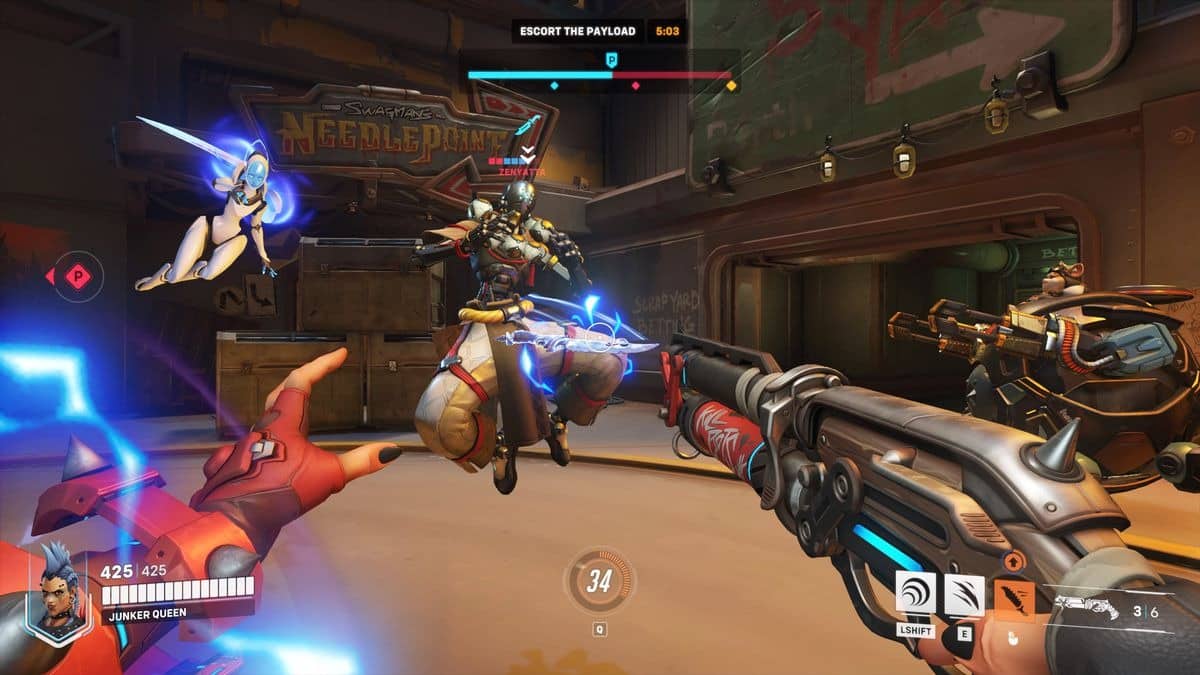
Effective communication is a vital component in any online multiplayer shooter game with team-based gameplay, and Overwatch 2 is no exception.

The game emphasizes the use of Voice Chat, allowing players to make quick and decisive decisions during gameplay. Whether it’s calling for a teammate to switch to a Tank role or requesting a heal, clear communication is crucial for success.

If you’re new to Overwatch 2 or online shooters in general, setting up Voice Chat may not be immediately obvious.

To help, we’ve outlined the simple steps to follow to get you and your team locked into a party and using Voice Chat:

Steps to join Voice Chat in Overwatch 2:

  1. Start up Overwatch 2 and go to the game’s main multiplayer menu.
  2. Navigate to the Settings option.
  3. In the Settings menu, select the Sound option.
  4. In the Sound menu, select the Voice Chat option under the General sub-menu.
  5. Change the settings for Group Voice Chat, Team Voice Chat, and Match Voice Chat to Auto Join to automatically join Voice Chats without invites.
  6. Alternatively, you can set the options to simply “On” and choose which options to apply this setting too.

Adin Ross urgers Twitch to ban “hot tub” streamers; calls it “soft porn”

0

Adin Ross is one of the biggest names in the streaming community and remains vocal on the plethora of issues plaguing the Twitch community. While a big part of the community believes “hot tub” streamers to be said “plagues”, their audience would like to think otherwise.

Ross is not the first person to criticize “hot tub” streamers. Many believe that they abuse the grey area where between Twitch’s guidelines and their content is borderline suggestive and has turned into one of Twitch’s biggest attractions with gaming playing second fiddle to it at times.

The streamer has used Twitch’s treatment towards gambling to draw a comparison as the Amazon-owned streaming platform moved quickly to shut down streaming and promotion of gambling-related content but has failed to establish anything to prevent “hot tub” streams f from spreading despite acknowledging its downsides.

<iframe src="https://clips.twitch.tv/embed?clip=PluckyTalentedRabbitVoteNay-ufTdAmhVsoRqySVZ&parent=www.example.com" frameborder="0" allowfullscreen="true" scrolling="no" height="378" width="620"></iframe>

“I saw one person that lost a lot of money to gambling,” he started. “You guys banned gambling, you guys moved on it quick. I think we have a problem Twitch. I think the hot tub streams should be banned from Twitch… it’s a portal to Only Fans. It’s in the same category as gambling.” 

Ross has labelled said streams to be “soft porn” and is playing a critical role in developing addiction in the same way gambling streams do. If it were up to him, the promotion of suggestive content would be shut down immediately.

Thank you for reading, For more exclusive esports and gaming content, please follow us on Google News.

Roblox Apex Simulator Codes for January 2023

0

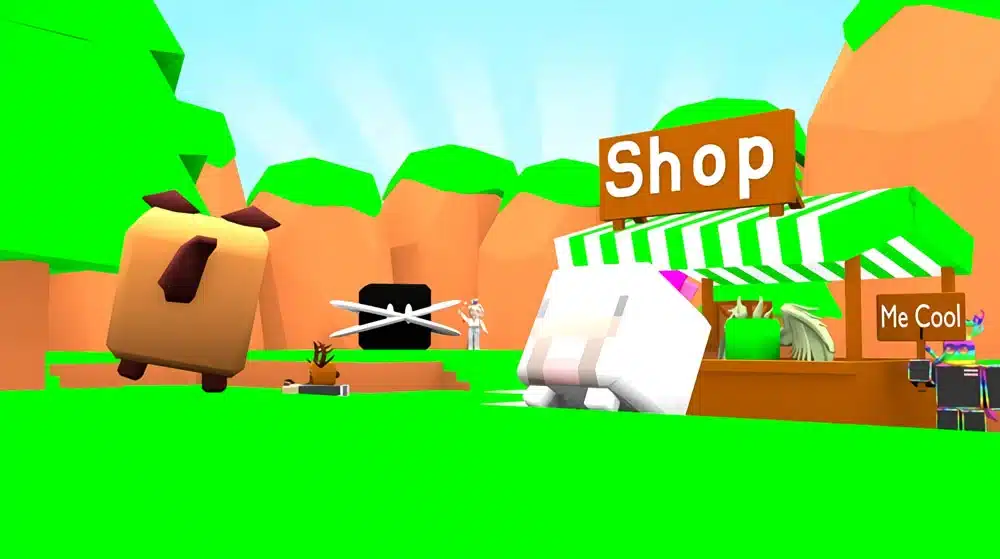
Apex Simulator is a game on Roblox developed by Apex Game Studio that allows players to purchase and hatch virtual pets. By hatching eggs and multiplying coins, players can level up in the game. The game includes a variety of pets in shiny, normal, and mutated varieties, and luck also plays a factor in hatching rarer pets.

In this article, you will receive all the active Apex Simulator codes for January 2023. Let’s take a look at the codes.

Roblox Apex Simulator Codes for January 2023

  • HAPPYHOLITDAY: 10 Hours Every Boosts 
  • FREEBOOSTB4UPDATE: 10 Hours Every Boosts
  • 24HOURS: 10 Hours Every Boosts
  • BOOSTEX: 10 Hours Every Boosts
  • BOOSTXD: 10 Hours Every Boosts
  • FREEBOOSTLAZY: 10 Hours Every Boosts
  • FreeSecret2: Free gifts
  • ChristmasQuest: 100T Coins and also 25K Clicks
  • GiftReward: 3 Hours Of Every Boosts
  • YourDog: 3 Hours Of Every Boosts
  • ILoveDog: 2 Hours Every Boosts
  • FrozenUpdate: 2 Hours Every Boosts
  • Annonymous: 2 Hours Every Boosts
  • Update25: 2 Hours Every Boosts
  • PetIndex: 2 Hours Every Boosts
  • Update24: 2 Hours Every Boosts
  • ByeByeDupeGlitch: 2 Hours Every Boosts
  • Update23: 7 Hours Of x2 Luck
  • Titles: 7 Hours Of x2 Hatch Speed
  • ILoveRoblox: 1 Hour Of Mutated Chance
  • Yes: 1 Hour Of Shiny Chance
  • SryForTheBugAndTyToDiscordMembers: 2 Hours Every Boosts
  • DataApologyAgain: 10T Coins and also Shiny Data Doggy
  • Rzill3xPet: Rzill3x’s Dog, 555M Coins and also 3 Hours Every Boosts
  • NoeliaIsGe: 2 Hours Every Boosts
  • SurnovaIsCool: 3 Hours Every Boosts
  • FakebarisIsCool: 3 Hours Every Boosts
  • SenkoBread: Senko Bread and also 1 Hour Every Boosts
  • FallEvent: 3 Hours Every Boosts
  • LikeNowOrNoLucky: 3 Hours Every Boosts
  • GoToHatchEggWhereYouWant: 100T Coins
  • Update20: 2 Hours Of every boost
  • 4MUpdate: 2 Hours Of every boost
  • SurnovaPet: 50T Coins and also the Surnova’s Pet
  • 6KLikes: 1 Hour Of every boost
  • Update19: 1 Hour Of every boost
  • SryForTheBug: 1 Hour Of every boost
  • Update18: 1 Hour Of x2 Luck
  • Multi-Delete: 1 Hour Of x2 Hatch Speed
  • ByeByeLag: 1 Hour Of x2 Mutated Chance
  • BigMamaReward: 1 Hour Of x2 Luck
  • Update17: 1 Hour Of x2 Luck
  • Annoying: 1 Hour Of x2 Hatch Speed
  • SryForNoUpdate: 1 Hour Of x2 Mutated Chance
  • BoostCelebration: 1 Hour Of x2 Luck
  • 3MVisits: 1 Hour Of x2 Hatch Speed
  • Update16: 1 Hour Of x2 Mutated Chance
  • MutatedUpdate: 20T Coins
  • TimeToParty: 20T Coins
  • LikeOrGe: 20T Coins
  • 3MUpdate: 20T Coins
  • LikeOrDieV2: 20T Coins
  • APSComeBackOML: 20T Coins
  • LikeToAPSorNotEpic: 20T Coins
  • 2MVisits: 10T Coins
  • TeddyBear: 7T Coins
  • StayChillArmy: 1T Coins
  • DataApology: 5T Coins and also a Doggy pet
  • ApexGameStudio: 15T Coins
  • 1MVisitsPartUwU: 15T Coins
  • BananaGang: 10T Coins
  • 1MVisits: 10T Coins
  • SubToPokebeachballer: 10T Coins
  • SubToRzill3x: 10T Coins
  • SubToZomG_Gaming: 10T Coins
  • 500KUpdate: 30T Coins
  • GalaxyBoom: 3T Coins
  • Update7$#@: 1T Coins
  • FixCodeGui#$@: 1T Coins

How to redeem Apex Simulator codes?

  • Launch the game and press the Codes button on the left side.
  • Insert a code inside the redemption box.
  • Press the Redeem button to receive the rewards.

For more exclusive esports and gaming content, please follow TalkEsport on Google News.

World of Tanks Codes for January 2023

0

World of Tanks is an online multiplayer game developed by Wargaming, in which players control tanks and battle against each other in a team-based environment. The game features a wide variety of tanks from different countries and eras, each with its own unique characteristics and abilities. Players can also earn experience points and in-game currency to upgrade and customize their tanks.

World of Tanks is free-to-play, but players can purchase premium content and services to enhance their gaming experience. The game is available on PC, Xbox, PlayStation, and mobile devices.

World of Tanks codes are special codes that players can redeem for various in-game bonuses and rewards such as gold, premium tanks, or other items. The developers often give out these codes as a promotional offer or as part of a special event. It’s worth noting that these codes may have expiration dates or can only be used a certain number of times, and not all codes are available all the time.

Let’s check out all the active World of Tanks codes for January 2023.

World of Tanks Codes for January 2023

  • INSPIREDBYYOU – 3x Large Repair Kit and 3x Personal Reserves: +200% to Crew Experience for 1 hour 
  • ITMAKESNOSCENTS – 7 days of premium, 1000 gold, 200.000 credits 
  • DISISSANTA2022 – light a window in Pirate Santa’s House
  • STEAMAWARDS – 1 Day of WoT Premium
  • STRONGERTOGETHERNAEU – 16 Bunks in Barracks, 1 Garage Slot, 5 5x XP Victory Bonus for any vehicle, 2 XP Personal Reserves, and 2 Free and Crew XP Personal Reserves
  • WoTi – Churchill III, 7 days of premium, 200,000 credits
  • MANKERCODE – Churchill III, 7 days of premium, 200,000 credits
  • OPISOP – Churchill III, M22 Locust, 850 gold
  • FREESTUFFYAY – 7 days of premium, 250 gold, Ram II, 25 Battle rental of M4A3E8 Thunderbolt VII
  • SUPERNOVA – 7 days of premium, 1,000 gold, 200,000 credits, 2x 200% crew XP (1 hour), 2x 50% XP (1 hour), 2x 25% credits (1 hour).
  • WOTGURU – T14, 3 days of premium, 1,000 gold, 4x 25% credits (1 hour), 2x 100% XP (1 hour)
  • WORLDOFTACOS – Churchill III, 1000 gold, 6x 50% XP (2 hours), 6x 25% credits (2 hours)
  • FyxentoBoost – 6× 300% XP (2 hours), 6× 200% crew XP (2 hours), 6× 100% XP (2 hours), 6× 50% credits (2 hours)
  • CODEPIZZA – T-34S, Gun Rammer, 550 gold
  • SILVERNICUM – 7 days of premium, 1,000 gold, 20× 50% XP (1 hour), 20× 200% crew XP (1 hour)
  • GUIDOGRIND – Ram II, 3 days of premium, 800 gold, 2x 100% crew XP (1 hour), 2x 50% XP (1 hour), 2x 25% credits (1 hour)
  • JERM – Ram II, 3 days of premium, 850 gold, 2× 50% XP (1 hour), 2× 25% credits (1 hour)
  • AIRGMEOW – T14, 1,000 gold, 6x 50% XP (2 hours), 6x 25% credits (2 hours)
  • 21NOOBS – Excelsior, 7 days of premium, 4x 50% credits (2 hours)
  • SOFILEIN – T-34S, 3 days of premium, 400 gold
  • Beardiful – Pz.Kpfw. T 25, 3 days of premium, 1,000 gold, 4× 25% credit boosters (1 hour)
  • RUDYRUDYRUDY – T-127, Pz.Kpfw. T 15, T2 Light Tank, 3 days of premium, 100 gold
  • NOFUNFORYOU – 7 days of premium, 1,000 gold, 20× 50% XP (1 hour), 20× 200% crew XP (1 hour)
  • SIRWOT – 7 days of premium, 3× 200% XP (2 hours), 3× 50% XP (2 hours), 3× 50% XP (1 hour), 3× 50% credit (1 hour)
  • NandoCapoWOT – Excelsior, 14 days of premium Time, 250,000 Credits, 10 battle rental of Tiger 131, Lansen C and IS-6
  • ONTRMUSEUM – Ram II, 14 days of premium Time. 500,000 Credits
  • PewDiePie – Excelsior, 14 days of premium, 250,000 credits, 10 battle rental of Tiger 131, Lansen C and IS-6
  • WOTREDDIT – Churchill III, 7 days of Premium, 500 Gold

How to redeem World of Tanks codes?

To redeem World of Tanks codes, players can follow these steps:

  1. Log in to your World of Tanks account on the official website or through the game client.
  2. Click on the “Redeem Wargaming Code” button, which can typically be found on the homepage or in the account management section.
  3. Enter the code exactly as it appears, taking note of any capitalization or special characters.
  4. Click the “Redeem” button to apply the code and claim your rewards.

For more exclusive esports and gaming content, please follow TalkEsport on Google News.