Home Blog Page 880

Tyler ‘Ninja’ Blevins Banned on TikTok Live for Imitating ‘Glizzy Overdrive’

0

Tyler ‘Ninja’ Blevins, a renowned streaming superstar, recently faced an unexpected hiccup during a TikTok livestream. His attempt to replicate the trending ‘Glizzy Overdrive’ video led to an abrupt ban, leaving fans and Ninja himself in disbelief.

Ninja’s influence in the streaming world remains undeniable. With no exclusive ties to any platform, Ninja’s strategy involves streaming across multiple platforms, ensuring accessibility for his vast fanbase.

The ‘Glizzy Overdrive’ clips, which have gained immense popularity on TikTok and other social platforms, depict a user dressed as a hot dog engaging in humorous antics. Inspired by this trend, Ninja decided to create his version during a TikTok livestream. However, within moments, he found himself banned. Ninja’s reaction oscillated between amusement and confusion, as he remarked, “A guy can dress up as a hot dog and literally suck glizzies for like four hours straight, but I impersonate him one time and I’m banned in the first 30 seconds?”

TikTok live bans can vary in duration, ranging from 24-48 hours to more extended periods, depending on the perceived severity of the violation. While the exact length of Ninja’s ban remains uncertain, it’s evident that such incidents can have implications for content creators, especially those with significant followings.

Stay updated with the latest news in gaming and esports by signing up for early access to TalkEsport’s Mobile App. Follow us on Twitter and Google News to ensure you never miss the exciting updates.

Overwatch 2: How to Get Cybermedic Ana Skin for Free?

0

Overwatch 2, the sequel to Blizzard’s iconic first-person shooter, offers a plethora of skins to customize your heroes. Among these, the Cybermedic Ana skin stands out, especially since it’s now available for free through Samsung Rewards. Here’s a step-by-step guide to claim this exclusive skin.

Originally from Overwatch 1, the Cybermedic Ana skin was a coveted reward during the 2021 anniversary event. Its reintroduction in Overwatch 2 as a purchasable skin stirred discussions among fans. However, the recent collaboration between Overwatch 2 and Samsung Rewards brings this skin back into the spotlight, offering it for free to UK players.

How to Get Cybermedic Ana Skin for Free in Overwatch 2?

  • Samsung Rewards Account: Ensure you have an account and are logged into the Samsung Rewards website. Note that this offer might be exclusive to UK-based users.
  • Claim Your Code: Navigate to the rewards tab on the Samsung Rewards website. Secure a unique code, which you’ll need for the next step. Remember to jot it down or copy it.
  • Redeeming on BattleNet: Access your BattleNet account settings and select the “account overview” tab. Click on the “redeem code” option and input the code you obtained from Samsung Rewards. Each code is unique and can be used only once.
  • Enjoy Your Skin: Once the code is redeemed successfully, the Cybermedic Ana skin will be available in your Overwatch 2 account the next time you launch the game.

The Cybermedic Ana skin is not just a cosmetic upgrade; it’s a testament to the game’s history and the dedication of its player base. By reintroducing it through Samsung Rewards, Blizzard acknowledges the community’s passion and offers a unique way to celebrate it.

Stay updated with the latest news in gaming and esports by signing up for early access to TalkEsport’s Mobile App. Follow us on Twitter and Google News to ensure you never miss the exciting updates.

How to Evolve Applin into Dipplin in Pokemon Scarlet and Violet?

0

Pokémon enthusiasts are in for a treat with the latest Pokémon Scarlet and Violet DLC, The Teal Mask. Among the many surprises, the DLC introduces a delightful new evolution for the apple-inspired Pokémon, Applin. Let’s dive into the steps to achieve this evolution and welcome Dipplin into your Pokémon roster.

Applin, a unique blend of Grass and Dragon-type Pokémon from Generation VIII, previously had two evolutionary paths: Flapple and Appletun. However, The Teal Mask DLC brings a third, delectable option to the table: Dipplin. Resembling a toffee-dipped apple, Dipplin is sure to be a favorite among trainers.

How to Evolve Applin into Dipplin in Pokemon Scarlet and Violet?

  • The Essential Ingredient – Syrupy Apple: To evolve Applin into Dipplin, trainers need the Syrupy Apple item. This can be procured from a stand located at the Mossfell Confluence in The Teal Mask DLC, specifically on the map’s bottom right.
  • The Evolution Process: Once the Syrupy Apple is in your possession, navigate to your inventory. Select the Syrupy Apple, opt for ‘use’, and then choose Applin from your party. Voilà! Witness the magical transformation as Applin evolves into the delightful Dipplin.

Dipplin in the Wild: While trainers can evolve Applin into Dipplin, capturing a wild Dipplin seems unlikely. Current gameplay in The Teal Mask DLC does not indicate any locations where Dipplin can be found in its natural habitat.

Speculations abound regarding further evolutions for Dipplin. Data miners have hinted at potential developments, but as of now, no concrete evidence supports these claims. Trainers will have to stay tuned for any updates or additional DLCs that might shed light on this mystery.

Stay updated with the latest news in gaming and esports by signing up for early access to TalkEsport’s Mobile App. Follow us on Twitter and Google News to ensure you never miss the exciting updates.

Mortal Kombat 1 Players Will Have to Wait for Cross-Play

0

The gaming community eagerly awaits the release of Mortal Kombat 1, set for September 19, 2023. However, recent announcements from NetherRealm Studios have stirred mixed reactions among fans. The game will not support cross-play at its initial launch, a feature deemed essential by many in the fighting game community.

Cross-play has become a cornerstone feature in modern gaming, especially for fighting games. It bridges the gap between different gaming platforms, fostering a united community and ensuring a sustained player count. The absence of this feature, even temporarily, can impact the game’s initial reception.

While the absence of cross-play at launch is a letdown for many, NetherRealm Studios’ proactive communication has garnered appreciation. The studio took to Twitter, stating, “Regarding Kross-Play, it will not be available at launch, but know we are hard at work at implementing the feature into the game and it will be koming post launch.”

The silver lining is that cross-play will be introduced to Mortal Kombat 1 post-launch. Although the exact timeline remains undisclosed, the developers’ commitment to integrating this feature offers solace to the fans. However, some concerns linger, especially considering the past. Mortal Kombat 11, for instance, supported cross-play for Xbox and PlayStation but excluded PC. This omission led to a decline in the PC player base. Fans are hopeful that Mortal Kombat 1 will not tread the same path and will offer cross-play across all platforms.

Stay updated with the latest news in gaming and esports by signing up for early access to TalkEsport’s Mobile App. Follow us on Twitter and Google News to ensure you never miss the exciting updates.

PS5 Update Improves Accessibility, Audio, and Social Features

0

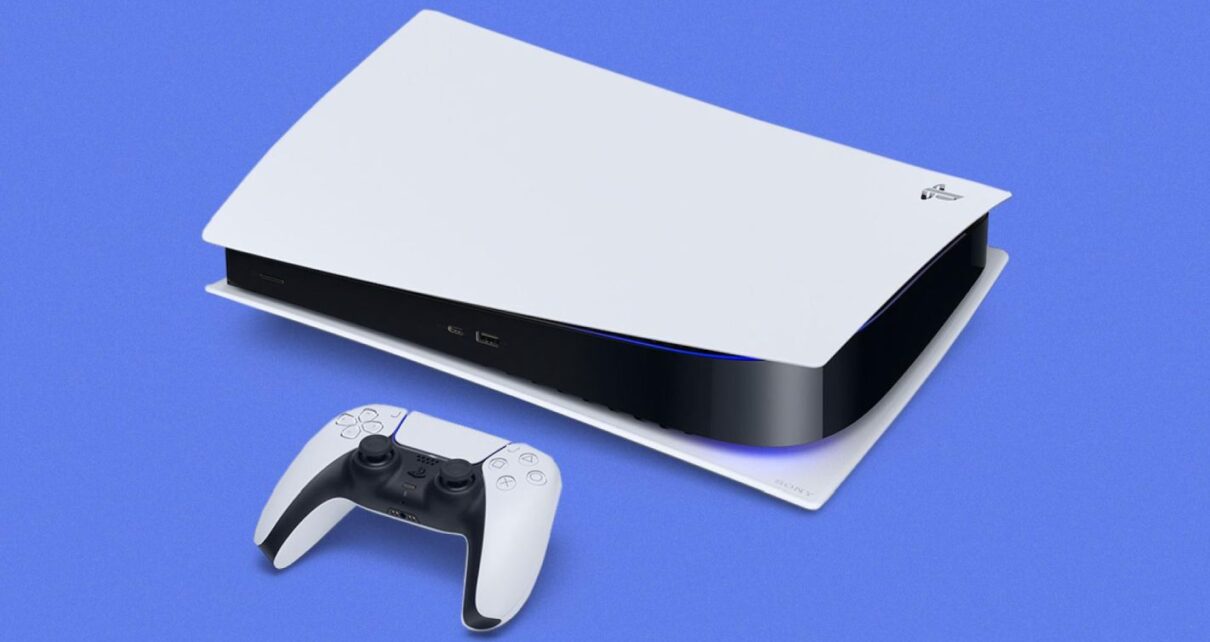
Sony’s PlayStation 5 continues to evolve, offering gamers an enhanced experience with every update. The latest system software update, rolling out globally, brings a plethora of new features and improvements, ensuring an even more immersive gaming journey.

The PS5’s latest software update is a testament to Sony’s commitment to refining the gaming experience. Here’s a breakdown of the exciting additions:

Enhanced Accessibility and Audio Features

  • DualSense Assistance: Gamers can now use a second DualSense controller to assist in gameplay. This feature is perfect for collaborative gaming or helping a friend through challenging game sections.
  • System UI Haptic Feedback: Navigate the PS5 interface with enhanced haptic feedback, offering a tactile response to system sound effects and notifications.
  • Dolby Atmos Support: Experience 3D Audio on compatible Dolby Atmos-enabled HDMI devices, taking immersion to new heights with Tempest 3D AudioTech.

Social and Connectivity Upgrades

  • Revamped Party UI: Invite players to closed parties without automatically adding them to groups, offering more flexibility in multiplayer sessions.
  • Share Screen Preview: Before joining a party, get a sneak peek of someone’s shared screen.
  • Join Friends’ Sessions: Easily spot friends in joinable game activities and hop into their sessions directly.

Ease-of-Use Enhancements

  • Game Library Search: Quickly find your favorite titles within your game library.
  • Game Help Improvements: Access help cards with ease, showcasing available, upcoming, and completed activities.
  • Discover New Features: Explore the “Discover Tips” section for useful insights on maximizing your PS5 experience.
  • Mute PS5 Beep Sound: Adjust or mute the beep sound when turning the PS5 on or off.

Storage Expansion

  • Support for Larger M.2 SSDs: Expand your PS5’s storage with M.2 SSDs up to 8TB, ensuring ample space for all your gaming adventures.

Stay updated with the latest news in gaming and esports by signing up for early access to TalkEsport’s Mobile App. Follow us on Twitter and Google News to ensure you never miss the exciting updates.
BGMI Customer Care Number: Does It Have One?

0

Krafton’s popular battle royale title Battlegrounds Mobile India (BGMI) has taken the Indian gaming community by storm. The game has captured the hearts of millions of gamers with its intense gameplay and stunning graphics. However, as with any popular game, players often have questions and concerns that require assistance. Many players wonder if BGMI has a customer care number to address their queries and issues. In this article, we will explore this topic in detail and shed light on the avenues available for player support in BGMI.

What is BGMI Customer Care Number?

As gamers immerse themselves in BGMI, it’s only natural for questions and issues to arise. Whether it’s technical glitches, account-related problems, or general inquiries, having access to a customer care number can be handy for players seeking immediate assistance.

Despite the growing demand for a dedicated BGMI customer care number, it’s important to note that BGMI does not have a customer care number for players to call. Instead, Krafton, Inc. has established alternative methods to address players’ concerns and provide support.

While BGMI may not offer a traditional customer care number, they have implemented various methods to ensure player satisfaction and assistance:

1. In-Game Support:

Players can access support directly within the game. BGMI provides an in-game support system where players can submit their queries, issues, or feedback. To access this, follow these steps:

  1. Launch BGMI on your mobile device.
  2. Click on the “Setting”” icon.
  3. Scroll down and select “Customer Service.”
  4. Here, you can submit a request or report an issue by providing details about your concern.

2. Official Website:

The official BGMI website also offers a support section. Players can visit the website and navigate to the “Support” section, where they can find FAQs and information on common issues. Additionally, players can also visit the “Contact Us” section to submit a report about the problem you are facing.

3. Social Media and Community Forums:

BGMI maintains an active presence on social media platforms like Facebook, Twitter, and Instagram. Players can reach out to BGMI through these channels to ask questions or report problems. However, it is extremely tough to connect through this medium due to high engagement from the audience. 

4. Email Support

For more complex issues or those requiring personal attention, players can contact BGMI support via email. Players can email their issues or concerns to the following email address: [email protected].

Although BGMI does not have a customer care number, BGMI remains committed to providing assistance to its dedicated player base through these alternative means.


Stay updated with the latest news in gaming and esports by signing up for early access to TalkEsport’s Mobile App. Follow us on Twitter and Google News to ensure you never miss the exciting updates.

Apple Revolutionizes Mobile Gaming With the New iPhone Series

0

Apple recently launched its newest lineup of smartphones – the iPhone 15, iPhone 15 Plus, iPhone 15 Pro, and iPhone 15 Pro Max. While each of these devices boasts impressive features, one segment of the event that truly stole the spotlight was Apple’s foray into mobile gaming. With a powerful chipset, cutting-edge graphics, and remarkable gaming partnerships, Apple has positioned the iPhone 15 Pro and iPhone 15 Pro Max as the ultimate gaming companion.

iPhone 15 Pro Series Features the Best Gaming Chipset

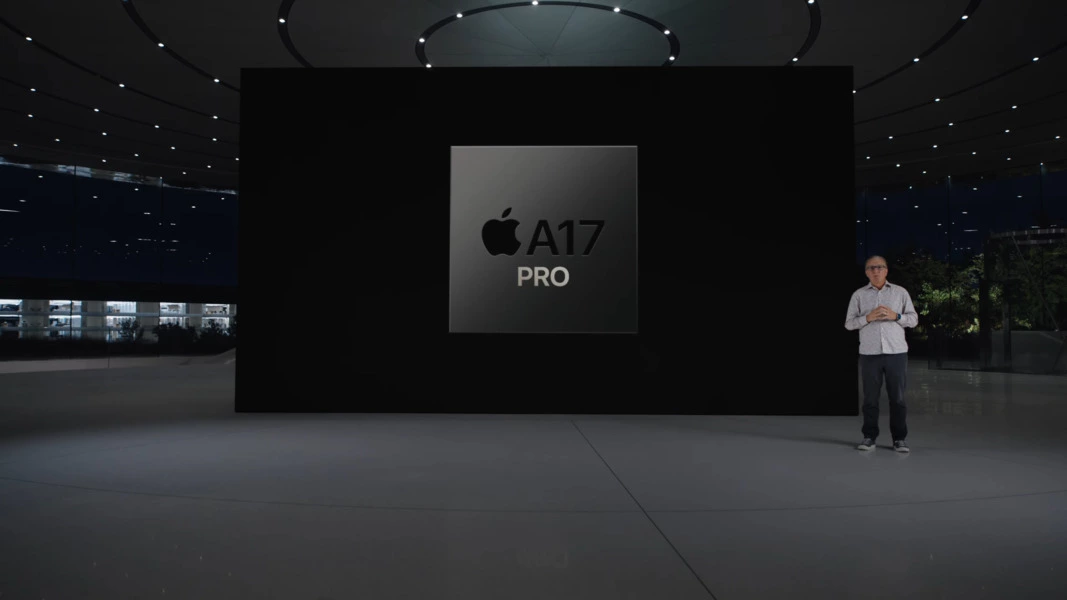
At the core of this gaming revolution lies the new groundbreaking A17 Bionic chipset, a technological marvel in the world of mobile processors. Built on a 3nm process, this chip represents a leap forward in terms of both performance and efficiency. With a hexa-core CPU configuration – 2x high-performance cores and 4x high-efficiency cores, the A17 promises unparalleled processing power. It’s no wonder Apple proudly claimed it as the “fastest mobile CPU” in any smartphone.

Accompanying the A17 Bionic is an Apple-designed GPU sporting six cores. This graphics powerhouse is a 20% improvement over its predecessor, offering an immersive gaming experience like never before. But the real highlight is the integration of Hardware Accelerated Ray Tracing, marking a significant milestone in mobile gaming. The iPhone 15 series showcases the fastest Ray Tracing performance in any smartphone, bringing console-like visual fidelity to the palm of your hand.

iPhone 15 Pro Series to Bring Console Games on Mobile

For the first time, console titles like “Resident Evil Village” and “Resident Evil 4” will be available on iPhone. Furthermore, Ubisoft is all set to launch “Mirage,” the latest installment of the Assassin’s Creed franchise, in early 2024. This marks a historic moment as the console version of Assassin’s Creed makes its native debut on a smartphone. 

Game Developers’ Views on the New A17 Bionic Chip

Game developers have also shared their excitement about the A17 Bionic’s capabilities. Fabrice Navrez, from Ubisoft praised the A17’s capabilities, highlighting improved resolution, dynamic lighting, and realistic fire and weather effects that enrich the gaming experience. Fish Ling, from HoYoverse – Honkai: Star Rail, noted that the chip’s updates allowed them to develop high-quality water features. In addition, Meng Wang, from HoYoverse – Genshin Impact, emphasized the A17 GPU’s exceptional speed and how MetalFX Upscaling has enabled them to create faster response times and more detailed environments. These enhancements promise to deliver an even more immersive experience for players.

Apple’s iPhone 15 series marks a significant leap forward in mobile gaming, thanks to the revolutionary A17 Bionic chipset. With the promise of console-quality gaming experiences, the iPhone 15 series is all set to redefine mobile gaming.


Stay updated with the latest news in gaming and esports by signing up for early access to TalkEsport’s Mobile App. Follow us on Twitter and Google News to ensure you never miss the exciting updates.
Is iPhone 15 Series the Best Choice for PUBG Mobile and BGMI Pros?

0

Apple’s recent iPhone 15 launch event created waves in the tech world, with the company unveiling four new smartphones – iPhone 15, iPhone 15 Plus, iPhone 15 Pro, and iPhone 15 Pro Max. While these new devices come with a plethora of exciting features, the gaming community was particularly intrigued by Apple’s emphasis on gaming during the event. With a focus on the revolutionary ‘A17 Bionic’ chipset and its cutting-edge GPU, Apple claimed to have taken mobile gaming to the next level. In this article, we’ll delve into the gaming capabilities of the iPhone 15 series, especially for professional players of popular titles like PUBG Mobile and BGMI.

The iPhone 15 Series Chipsets

The heart of the iPhone 15 and iPhone 15 Plus is the A16 Bionic chipset, which might sound familiar to some, as it’s the same powerhouse that graced last year’s iPhone 14 Pro. This chipset is based on 4nm technology, promising a significant performance like last year’s 14 Pro series. This chipset features a Hexa-core CPU configuration, comprising 2×3.46 GHz Everest cores and 4×2.02 GHz Sawtooth cores.

The true star of the show, especially for gaming enthusiasts, is the A17 Bionic chipset in the iPhone 15 Pro and iPhone 15 Pro Max. Apple has proudly labeled it the “fastest mobile CPU” in any smartphone. This chipset boasts an industry-leading 3nm technology, making it a true powerhouse. The Hexa-core CPU architecture has been optimized for maximum performance, offering two high-performance cores and four efficient cores.

iPhone 15 Pricing

iPhone 15 and iPhone 15 Plus will start at ₹79,900 or $799 and ₹89,900 or $899, respectively. On the other hand, iPhone 15 Pro and iPhone 15 Pro Max will start at ₹1,34,900 or $999 and ₹1,59,900 or $1,199, respectively.

Is iPhone 15 Series Worth it For PUBG Mobile and BGMI Pros?

For professional players of PUBG Mobile and BGMI, every bit of performance matters. These games require rapid response times, fluid graphics, and seamless gameplay. The iPhone 15 series, armed with the ‘A17 Bionic’ chipset and enhanced GPU, appears to be tailor-made for such gamers.

With faster CPU cores and improved GPU performance, players can expect reduced lag, quicker load times, and a competitive edge in intense gaming situations. The iPhone 15’s 4nm and iPhone 15 Pro’s 3nm technology should also result in better power efficiency, keeping the device cool and responsive during extended gaming sessions.

However, it is important to note that iPhone 15 and iPhone 15 Plus comes with a 60 Hz display, whereas iPhone 15 Pro and iPhone 15 Pro Max comes with a 120 Hz display. This can be a gamechanger for pro players as PUBG Mobile and BGMI now feature 90 FPS as well. iPhone 15 and iPhone 15 Plus will cap the display at 60 FPS, but iPhone 15 Pro and iPhone 15 Pro Max will offer 90 FPS gameplay.

For pro PUBG Mobile and BGMI players, the iPhone 15 series will deliver a gaming experience like no other. However, the decision ultimately depends on your budget and gaming priorities. If you’re looking for the best of the best in mobile gaming, the iPhone 15 Pro and Pro Max are the top contenders. The standard iPhone 15 and iPhone 15 Plus still offer formidable gaming performance and might be a more budget-friendly option.


Stay updated with the latest news in gaming and esports by signing up for early access to TalkEsport’s Mobile App. Follow us on Twitter and Google News to ensure you never miss the exciting updates.
Roblox Clicker on Scratch Codes for September 2023

0

Roblox Clicker on Scratch offers an engaging clicker experience, allowing players to accumulate Robux through clicks. With the addition of redeemable codes, players can enhance their gaming experience. Dive into this guide to discover the latest codes and gameplay insights.

Roblox Clicker, available on Scratch, is a captivating game where the primary objective is to amass as many Robux as possible through clicks. Players can purchase upgrades to boost their Robux per click or achieve a steady Robux flow per second.

Roblox Clicker on Scratch Codes for September 2023

  • GameXLegend123 – Enter this code to get 50k free clicks.
  • Roblox2023 – Enter this code to get 1000 clicks, 10 Robux per second, and 100 click power.

How to Redeem Roblox Clicker on Scratch Codes?

Redeeming codes in Roblox Clicker is a straightforward process:

  • Launch the game in your browser.
  • Locate and click the “Codes” button in the game’s main menu.
  • Input your chosen code in the provided field.
  • Confirm by clicking the check mark.

Stay updated with the latest news in gaming and esports by signing up for early access to TalkEsport’s Mobile App. Follow us on Twitter and Google News to ensure you never miss the exciting updates.
WWE 2K23 Locker Codes for September 2023

0

Dive into the thrilling world of WWE 2K23 with Locker Codes, your key to unlocking exclusive rewards in the game’s MyFaction mode. Whether you’re a seasoned player or just stepping into the ring, these codes are your ticket to leveling up your gameplay experience.

What are WWE 2K23 Locker Codes?

Locker Codes in WWE 2K23 are time-sensitive passwords that grant players access to special rewards. While some remain active indefinitely, others have a limited lifespan, often released to coincide with special events or pay-per-view matches.

WWE 2K23 Locker Codes for September 2023

  • AUSTIN316ESB: Secure the Steve Austin ‘Broken Skull’ emerald card.
  • NEWDAYROCKS: Get the Xavier Woods emerald manager.
  • UPUPDOWNDOWN: Unlock the Tyler Breeze emerald manager.

How to Redeem WWE 2K23 Locker Codes?

Follow the steps mentioned below to redeem the codes:

  • Step into MyFaction: Launch WWE 2K23 and navigate to the MyFaction mode.
  • Head to the Live Tab: Located on the far left.
  • Enter Your Code: Choose the Locker Codes option and input your code. Ensure accuracy for instant rewards.
  • Claim Your Rewards: If your rewards include card packs, find them under the Store tab in the Unopened Packs section.

Stay updated with the latest news in gaming and esports by signing up for early access to TalkEsport’s Mobile App. Follow us on Twitter and Google News to ensure you never miss the exciting updates.