Tuesday, June 23, 2026
Home Blog Page 831

BruceDropEmOff joins Kick following several Twitch bans

Streamer BruceDropEmOff has officially joined Kick following a series of bans on Twitch, resulting in frustration that eventually led to his exit.

On May 31, 2023, BruceDropEmOff made a public announcement through a YouTube video titled ‘A New Dawn,’ where he revealed his platform switch. Bruce has become one of the latest streamers to switch platforms as Twitch finds it extremely hard to stop the bleeding.


Following a series of bans on Twitch earlier in 2023, BruceDropEmOff’s decision to join Kick comes after a heated dispute with the platform. This significant transition aligns with Kick’s recent achievement of reaching an impressive milestone.

The likes of Kick and Rumble got eyes on every stream having a disagreement with Twitch and if the Amazon-owned platform is unable to solve this, we might see all the popular gamers find a home in another streaming platform.

Stay updated with the latest news in gaming and esports by signing up for early access to TalkEsport’s Mobile App. Follow us on Twitter and Google News to ensure you never miss the exciting updates.

Top Valorant Pro Crosshairs for June 2023

0

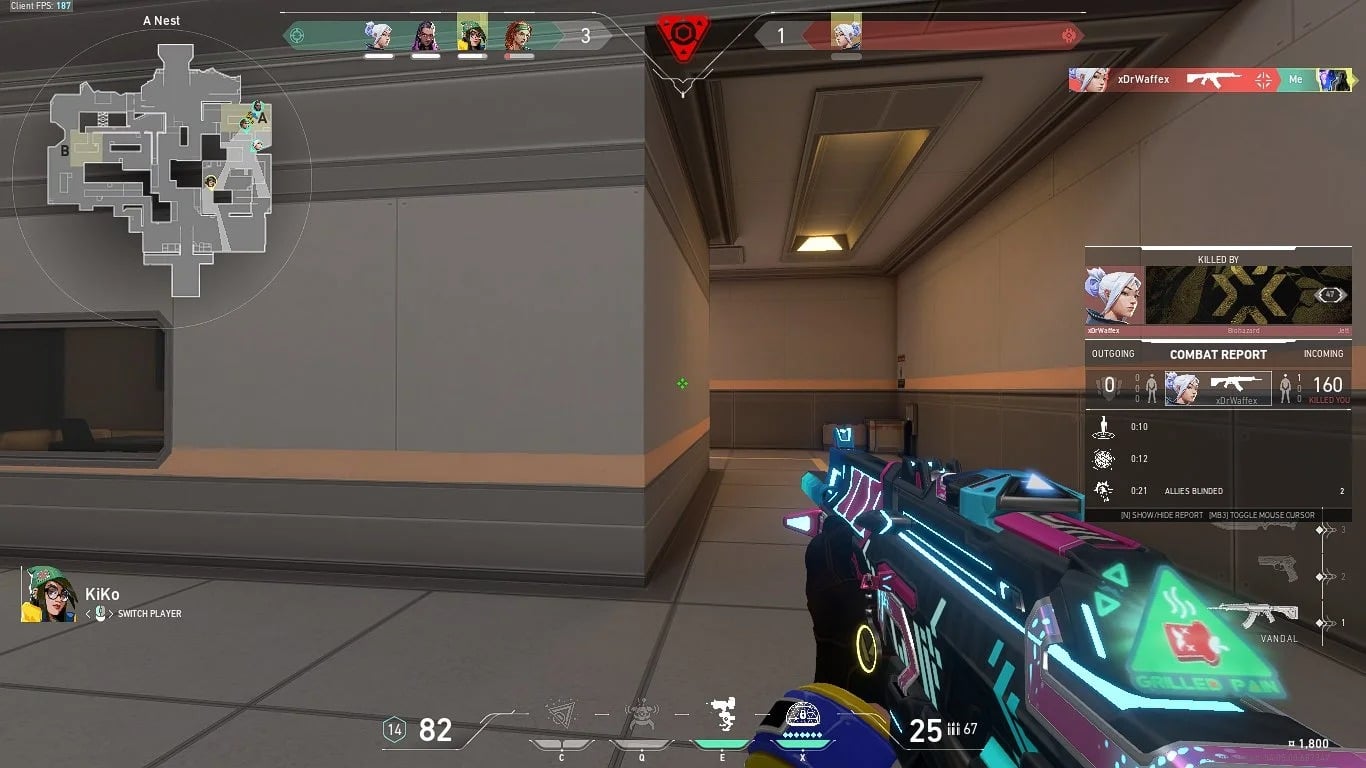
Valorant’s extensive crosshair customization capabilities can be intimidating to some users. In order to help you get the best crosshair at your fingertips, we have collated the crosshair codes that professionals like Leaf, Saadhak, and TenZ are presently employing.

In Valorant, picking the wrong crosshair can mean the difference between hitting and missing. You need to choose the ideal one for you because some obscure your target and some don’t accurately reflect the recoil of your weapon.

Getting the crosshair just right requires patience and experimentation. In a pinch, it’s fine to take someone else’s advice, especially if they’re an expert in the field. Learn how to unlock your inner esports hero with the optimal Valorant crosshair code and configurations right here.

In order to help you become a better shot, we have gathered a list of crosshair codes used by some of the finest professional players in Valorant.

Valorant Pro Players’ Crosshair Codes

Here are the crosshair codes of some renowned Valorant pros:

  • 100T Asuna 0;p;0;s;1;P;o;1;f;0;0t;1;0l;2;0v;20;0a;1;0f;0;1l;0;A;o;1;d;1;z;1;0l;0;0f;0;1l;0;S;c;0;s;0.75;o;1
  • 100T bang 0;P;h;0;0l;4;0o;0;0a;1;0f;0;1t;0;1l;0;1o;0;1a;0
  • 100T stellar 0;P;c;4;u;001331FF;h;0;0l;3;0v;3;0o;2;0a;1;0f;0;1b;0
  • 100T Will 0;s;1;P;h;0;f;0;0l;4;0o;0;0a;1;0f;0;1b;0;S;s;0.5;o;1
  • 100T Derrek 0;s;1;P;c;1;o;1;0t;1;0l;3;0a;1;0f;0;1b;0;S;s;0.652
  • DRX stax 0;P;c;4;h;0;f;0;s;0;0l;4;0o;2;0a;1;0f;0;1b;0
  • DRX Rb 0;s;1;P;c;5;h;0;f;0;0l;4;0o;2;0a;1;0f;0;1b;0;S;o;1
  • DRX Zest 0;s;1;P;c;1;o;1;f;0;0l;4;0a;1;0f;0;1b;0
  • DRX BuZz 0;P;c;5;o;1;f;0;0t;1;0l;2;0o;2;0a;1;0f;0;1b;0
  • DRX MaKo 0;s;1;P;c;1;o;1;f;0;0l;4;0a;1;0f;0;1b;0
  • Fnatic Boaster 0;s;1;P;c;1;o;1;d;1;0l;0;0o;2;0a;1;0f;0;1t;0;1l;0;1o;0;1a;0;S;c;1;o;1
  • Fnatic Mistic
  • 0;s;1;P;o;1;f;0;0t;1;0l;2;0o;2;0a;1;0f;0;1b;0
  • Fnatic Magnum 0;s;1;P;c;1;o;1;d;1;z;3;0t;0;0l;0;0o;0;0a;0;1t;0;1l;0;1a;0;S;c;1;s;0.762;o;1
  • Fnatic Derke 0;s;1;P;o;1;d;1;f;0;s;0;0t;0;0l;1;0o;0;0a;1;0f;0;1t;0;1l;1;1o;0;1a;1;1m;0;1f;0;S;o;1
  • yay 0;s;1;P;c;7;u;FF0000FF;h;0;0l;20;0o;0;0a;1;0f;0;1b;0
  • C9 leaf 0;P;c;8;u;FF99FFFF;h;0;b;1;0l;4;0o;1;0a;1;0f;0;1t;0;1l;0;1o;0;1a;0;1m;0;1f;0
  • C9 Xeppaa 0;p;0;s;1;P;c;5;u;420690FF;o;1;f;0;0t;1;0l;2;0v;3;0o;2;0a;1;0f;0;1b;0;A;o;1;d;1;0l;0;0o;2;0a;1;1b;0
  • C9 vanity 0;P;c;5;h;0;f;0;0t;1;0l;5;0o;1;0a;1;0f;0;1t;3;1l;3;1o;2;1a;0.3;1m;0;1f;0
  • C9 Zellsis 0;p;0;s;1;P;c;5;u;420690FF;o;1;f;0;0t;1;0l;2;0v;3;0o;2;0a;1;0f;0;1b;0;A;o;1;d;1;0l;0;0o;2;0a;1;1b;0
  • LOUD aspas 0;P;c;5;o;1;d;1;z;3;f;0;0b;0;1b;0
  • LOUD Saadhak 0;P;c;1;o;1;f;0;0l;4;0o;2;0a;1;0f;0;1b;0
  • LOUD Less 0;P;o;0;0t;1;0l;2;0o;0;0a;1;0f;0;1b;0
  • LOUD tuyz 0;s;1;P;u;000000FF;h;0;f;0;m;1;0l;3;0v;3;0o;2;0a;1;0f;0;1b;0
  • LOUD cauanzin 0;P;h;0;0l;3;0o;2;0a;1;0f;0;1b;0
  • KRÜ NagZ 0;s;1;P;c;1;o;1;d;1;0l;0;0o;2;0a;1;0f;0;1t;0;1l;0;1o;0;1a;0;S;c;1;o;1
  • KRÜ Klaus 0;P;c;1;o;1;0t;1;0l;3;0o;1;0a;1;0f;0;1t;0;1l;0;1a;0
  • KRÜ Mazino 0;P;c;1;h;0;0l;4;0o;2;0a;1;0f;0;1b;0
  • KRÜ delz1k 0;P;c;1;o;0;f;0;0l;3;0o;2;0a;1;0f;0;1b;0
  • KRÜ keznit 0;P;c;4;h;0;0b;0;1l;4;1o;2;1a;1;1m;0;1f;0
  • NiP bezn1 0;P;h;0;0b;0;1l;4;1o;2;1a;1;1m;0;1f;0
  • NiP Jonn 0;s;1;P;h;0;0t;1;0l;4;0o;1;0a;1;0f;0;1t;3;1o;2;1a;1;1m;0;1f;0
  • NiP xand 0;s;1;P;c;1;o;1;f;0;0t;1;0l;3;0o;1;0a;1;0f;0;1b;0;S;c;5;s;0.8;o;1
  • NiP cauanzin 0;P;h;0;0l;3;0a;1;0f;0;1b;0
  • NiP bnj 0;P;c;1;h;0;d;1;z;1;m;1;0t;1;0l;2;0o;2;0a;1;0e;0.316;1b;0
  • OpTic FNS 0;P;c;1;o;1;0l;3;0o;5;0a;1;0f;0;1b;0
  • OpTic Victor 0;P;h;0;f;0;0l;4;0a;1;0f;0;1b;0
  • OpTic crashies 0;s;1;P;c;1;h;0;f;0;0l;4;0o;2;0a;1;0f;0;1b;0
  • OpTic yay 0;P;h;0;f;0;0l;4;0o;0;0a;1;0f;0;1b;0
  • OpTic Marved 0;P;c;1;h;0;f;0;0l;3;0o;2;0a;1;0f;0;1b;0
  • Sentinels TenZ 0;s;1;P;c;5;h;0;m;1;0l;4;0o;2;0a;1;0f;0;1b;0;S;c;4;o;1
  • Sentinels Sick 0;P;c;1;o;1;f;0;0l;3;0o;5;0a;1;0f;0;1t;0;1a;0.379
  • Sentinels Dapr 0;P;c;1;o;1;f;0;0l;3;0o;5;0a;1;0f;0;1b;0

HOW TO USE VALORANT CROSSHAIR CODES?

To use these crosshair codes in your game, simply launch Valorant and head to the ‘Crosshair’ tab in Settings.

Once there, you can click the arrow next to the Crosshair Profile and paste the code for the crosshair you want in Valorant.

Once you have your desired crosshair code pasted, you can click on ‘Import’ and your crosshair will be changed to the one you want.

Thank you for taking the time to read our article. To stay up-to-date with the latest news and articles around Gaming and Esports, we kindly recommend following TalkEsport on Google News.

How to get Higher FPS in CSGO in June 2023?

0

FPS gamers love high frame rates. Higher FPS (frames per second) definitely gives you a competitive advantage. 

Therefore, if you have a high-end PC with a flagship processor and GPU, you are going to get a lot of FPS that will help you to peek corners faster with a super smooth experience. It will help you to react faster as well.

Adjusting the game’s settings to your liking is one approach to boost your frame rate in CSGO. The majority of CSGO’s graphical choices are, by default, set to the “high” quality setting, which can be taxing on a computer’s resources. 

It’s feasible that such a greater frame rate can be achieved by reducing these settings, which in turn would free up resources for usage in the game.

Update your Graphic Drivers 

If you want to play CSGO at the maximum frame rate, you should also update your graphics drivers. Maintaining up-to-date driver software is crucial to avoiding performance difficulties caused by outdated drivers. To install the most recent driver release for your installed card, visit the manufacturer’s website.

Next, check to see if your display has a fast refresh rate, and if not, think about upgrading. 60 hertz is the standard for most mainstream displays. Unfortunately, this limits the frame rate to an unsatisfactory 60 FPS.

Check out the refresh rate of your monitor

The performance of your system will be greatly improved by upgrading to a monitor with a refresh rate of 144 Hz or more. Forget about getting the most out of your high-powered equipment if you’re just using a 60 Hz monitor.

Lower the graphics quality settings

Reducing the visual quality settings is another foolproof method to increase the frame rate. It won’t cost you a thing, but the game’s visual quality will suffer, and performance will improve significantly.

Use the system’s Video settings page for this purpose. There you may adjust anything, from the material quality to the texture quality to the detail quality to the UI quality to the anisotropic filtering.

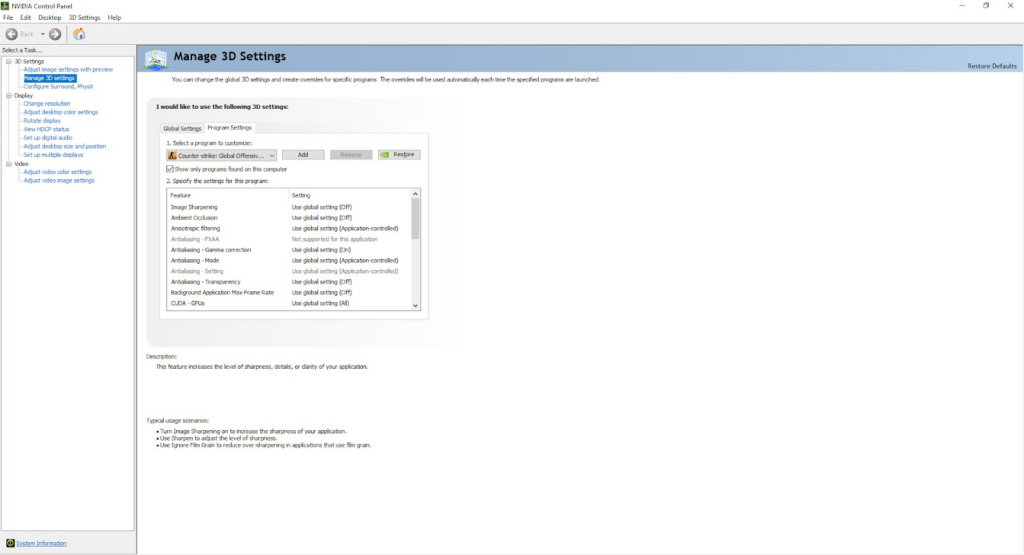
Tune your Nvidia Settings 

Here are some best Nvidia settings you might use to get the most out of your video settings : 

Head on to the Nvidia Control Panel and select Add. Once you have selected CSGO, you will be able to change the settings within the window for the same. 

  • Anisotropic Filtering: OffAntialiasing-Gamma Correction: Off
  • Maximum Pre-rendered Frames: 1
  • Power Management Mode: Prefer Maximum Performance
  • Preferred refresh rate: Highest Available
  • Texture Filtering – Anisotropic sample optimization: Off
  • Texture Filtering -negative LOD bias: Allow
  • Texture Filtering-Quality: High Performance
  • Texture Filtering-Trilinear Optimization: Off
  • Threaded Optimization: On
  • Triple Buffering: Off
  • Vertical Sync: Off

It’s possible you won’t need to completely downscale everything to have a playable frame rate, depending on your hardware. Some situations call for medium volume, while others necessitate low.

Lower the resolution

If you want a higher frame rate without sacrificing graphical quality, reduce the game’s resolution. Even if your computer is capable of handling a 4K display, the greater resolution is likely causing frame rate issues.

Therefore, dropping the resolution to 1440p will significantly improve performance. Equally, if you’re using a 1440p monitor and still experiencing the issue, switching to 1080p will do the trick.

Stay updated with the latest news in gaming and esports by signing up for early access to TalkEsport’s Mobile App. Follow us on Twitter and Google News to ensure you never miss the exciting updates.

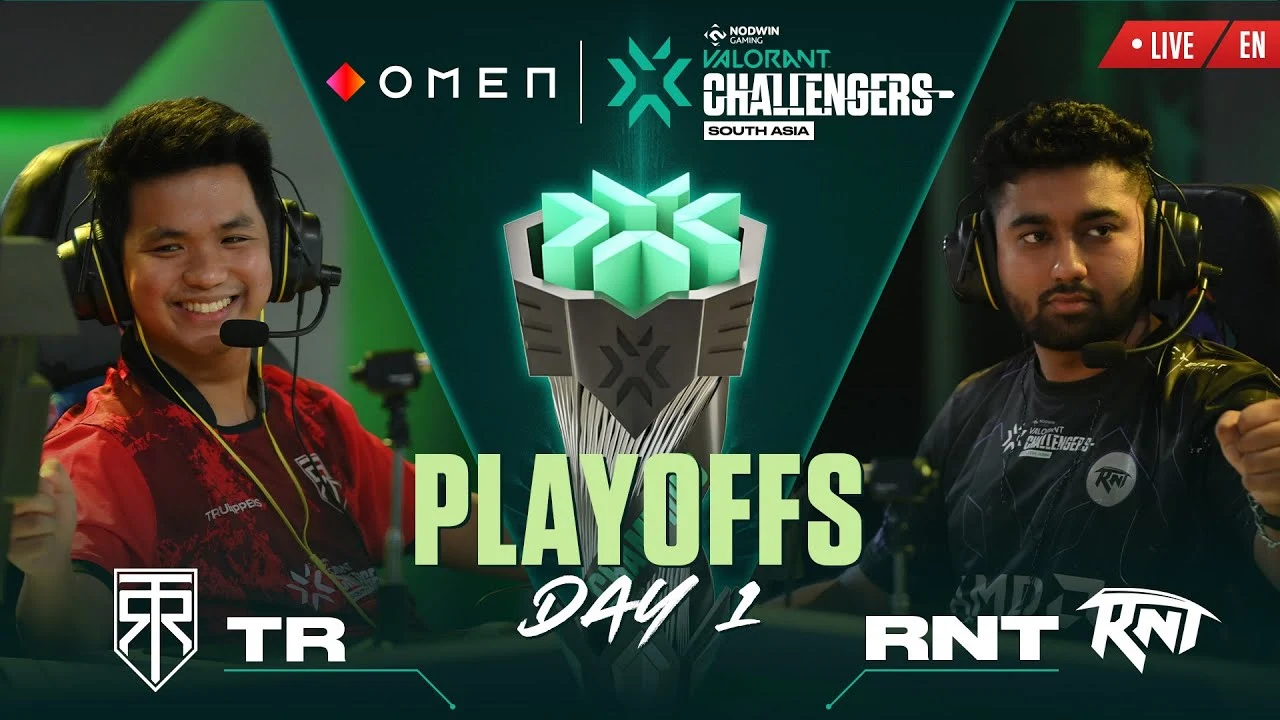
True Rippers reverse sweep Revenant Esports in VCL SA Split 2

After losing the first map 13-1, True Rippers did an insane comeback as they won the second map 13-8 and made an insane comeback from 9-3 down to win the third map at 13-11, snatching the series away from Revenant Esports.

Revenant Esports Roster and Lineup

The roster of Revenant Esports consisted of Tejas ‘rite2ace’ Sawant as the IGL, Joshua “JoshS” Miles Santos, Enrico “Ching” Perez, Kasif “Paradox” Sayyed, Shailesh “blackhawk” Dalvi and Sahil “1TaPGoD” Duble (Sub).

True Rippers Roster and Lineup

The roster of True Rippers consists of Saaransh “Whimp” Dang as the IGL, Shravana “Techno” Sahoo, Chogyal “Kaizen” Bhutia, Philip “Aryu” Vergara, Nereus “d1srupt” Lico and Aditya “Pixelzz” Gulhane(Sub).

Map Veto and Selection

Revenant Esports banned Pearl and True Rippers banned Fracture. Revenant Esports picked Bind and True Rippers picked Lotus. Revenant Esports banned Haven and True Rippers banned Ascent. Split remained as the decider map.

Match Recap

RNT started Bind with pure domination as JoshS got a quad kill in the pistol round. RNT continued to win 10 rounds in a row, not giving TR space to breath on their map pick. But in round 11, TR won their first round as D1srupt wins his last 1v1 against blackhawk. RNT closed the half at 11-1.

TR lost the second pistol as Paradox ninja-defused the spike in a 1v2 situation. RNT finished the map at 13-1, establishing their domination.

TR won the pistol on Lotus with Aryu getting a triple kill. Kaizen got a quad kill in the anti-eco round. They even won the bonus round as Techno got a triple kill. TR won 7 rounds in a row to create a foothold on the map. RNT won round 8 as they converted a thrifty win with Paradox’s 3k.

RNT won another thrifty round in round 10 as blackhawk got a triple kill. Round 11 saw an unbelievable almost clutch by Whimp as he killed four opponents who made the mistake to peek him, but unfortunately ran out of bullets for the last man standing. RNT closed the half at 4-8.

TR won the second pistol but lost a thrifty anti-eco by RNT as JoshS got 3k with his marshal. TR won round 16 to bring the score up to 10-6. TR closed the map at 13-8 as Whimp won the last 1v1 against JoshS, getting the round and map 2.

TR won the pistol round on Split and a very close anti-eco round. RNT won their full buy round as well as the next round to equalize the score at 2-2. RNT won a total of 8 rounds in a row to gain a massive advantage over TR. They finally broke RNT’s momentum in round 11 as Whimp clutched a smooth 1v2 situation in his Viper’s pit. RNT finished the half at 9-3.

TR won another pistol round and Kaizen got a 4k in the anti-eco round with his marshal. They even managed to win the bonus round with the help of Whimp’s cheeky angles and Kaizen’s Jett blades. After closing the score gap to as much as 9-10, TR gave away a round to Ching as he clutched a 1v2 in Round 20. Round 21 saw an almost clutch by Ching again as he killed 3 people, surviving on his last HP but dying to the last man standing.

Round 22 also saw an almost 1v4 pulled off by JoshS, but he died to the last man D1srupt, equalizing the score at 11-11. Whimp almost hit an Ace with his impactful kills in Round 23, killing 4 opponents in one go. TR managed to perform a great comeback, from being 9-3 down to winning the 3rd map at 13-11. They reverse-swept RNT after losing a highly disappointing first map at 13-1.

Whimp was the MVP of the series as he had a KDA of 48/39/12 on Viper and Killjoy in three maps and clutched multiple rounds for the team.

True Rippers will now meet Orangutan in the Upper Bracket Semi-Finals on 3rd June 2023, Saturday at 5 PM.

Stay updated with the latest news in gaming and esports by signing up for early access to TalkEsport’s Mobile App. Follow us on Twitter and Google News to ensure you never miss the exciting updates.

How to See Footsteps in Fortnite?

0

Fortnite, one of the most popular games worldwide, has continuously prioritized inclusivity and accessibility for all players. The game offers a range of settings to accommodate players with disabilities or neurodivergent traits, ensuring they can fully enjoy the gaming experience.

One such setting is the remarkable “Visualize Sound Effects” feature, designed to assist players in tracking movements and gaining a competitive edge by providing visual cues for in-game sounds. In this article, we will guide you through the process of enabling and utilizing this feature, allowing you to see footsteps in Fortnite and maximize your gaming performance.

How to Enable Visualize Sound Effects?

If you want to unleash the power of the “Visualize Sound Effects” feature and gain valuable insight into footsteps and other sound-related cues in Fortnite, follow these simple steps:

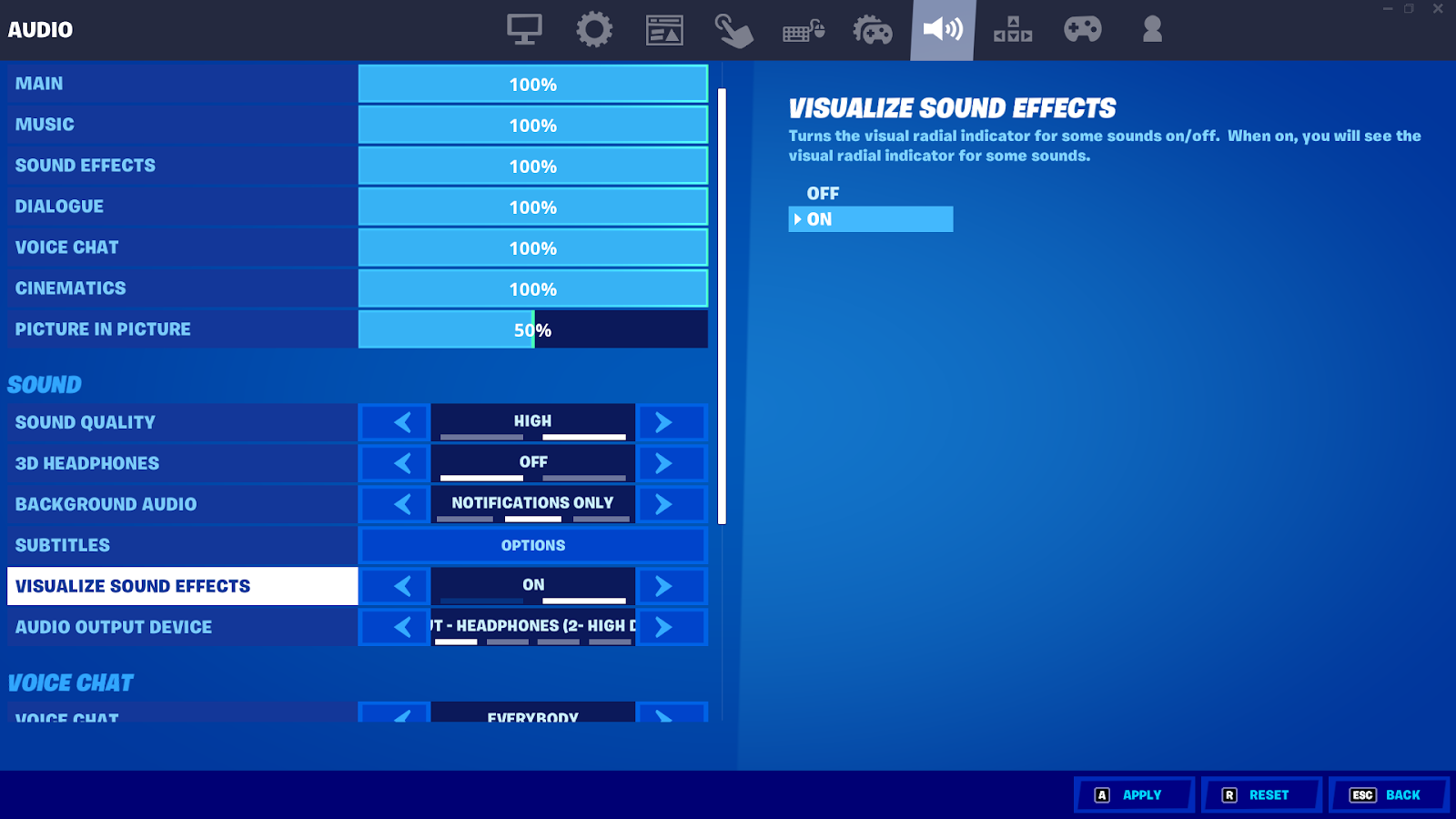
  • Open the Settings Menu: Begin by clicking on the three horizontal lines located at the top left corner of the home screen. This will open the settings menu, where you can access various game options.
  • Locate the Sound Icon: Within the settings menu, you’ll find the sound icon positioned as the seventh button in the top row. Click on this icon to enter the sound settings.
  • Enable “Visualize Sound Effects”: Scroll down to the “Sound” section and find the option labeled “Visualize Sound Effects.” Toggle this option to the “on” position, activating the feature.
  • Save and Apply Settings: Once you have enabled the “Visualize Sound Effects” option, save the changes and apply the settings. Now, you are ready to witness the magic of visualizing sound effects in Fortnite.

Enabling the “Visualize Sound Effects” feature goes beyond merely visualizing footsteps. This powerful feature generates colored rings originating from the source of various sounds, enabling you to discern different types of audio cues.

Let’s explore the different colored rings and their corresponding sounds:

  • White Rings: These rings signify footsteps, vehicle noises, and the sounds of animals present in the game.
  • Gold Rings: When you encounter sounds emanating from chests, such as the satisfying clinking of treasure, you will observe golden rings.
  • Orange/Red Rings: Explosions and gunshots produce distinct orange or red rings, helping you identify potential threats in your surroundings.

With the “Visualize Sound Effects” feature activated, you possess a valuable tool for swiftly and accurately locating enemy positions. However, it’s crucial to invest time in mastering the interpretation of visual cues. Familiarize yourself with the different colored rings and their meanings through practice and attentive gameplay. With this skill, you can optimize your overall performance and gain a competitive advantage within the Fortnite battlefield.

Stay updated with the latest news in gaming and esports by signing up for early access to TalkEsport’s Mobile App. Follow us on Twitter and Google News to ensure you never miss the exciting updates.

How to Complete Fortnite Chapter 4 Season 3 Week 12 Quests?

0

Fortnite Chapter 4 Season 3 is almost upon us, but before diving into the new adventures, let’s focus on completing the remaining quests in Week 12. These quests will involve interacting with NPCs, exploring excavation camps, engaging in geology, looting gold bars, and eliminating opponents. Let’s explore each quest in detail and learn how to complete them successfully.

Quest 1: Purchase a Weapon from a Vending Machine and a Character (25,000 XP)

To start, locate a vending machine and select a weapon that suits your playstyle. Additionally, interact with an NPC to progress further. This season, there are numerous characters scattered across the map. It’s wise to land in less crowded areas to complete this quest without interruptions.

Quest 2: Visit Excavation Camps (25,000 XP)

You will find out excavation camps situated near the center of the map, each equipped with construction materials. Look for one just north of “Anvil Square,” another northeast of the Shattered Slabs, and a third camp northeast of Mega City. Make sure to visit all three camps in separate matches to fulfill the quest requirements.

Quest 3: Place Seismographs on Fault Lines (25,000 XP)

For this quest, your task is to place three seismographs on fault lines. As you approach the fault line areas, you’ll hear rumbling sounds. The fault lines can be found in the following locations: Southeast of Slappy Shores, Southwest of Frenzy Fields, and Northeast of Shattered Slabs. Look for a white diamond-shaped exclamation HUD indicator to locate the seismograph and activate it.

Quest 4: Collect 100 Gold Bars from Cash Registers or Safes (25,000 XP)

Your objective is to collect 100 gold bars from cash registers or safes scattered across the island. Keep an eye out for areas with a higher concentration of registers and safes, particularly at various Points of Interest (POIs), as it will expedite your progress.

Quest 5: Talk to Characters to Receive Free Items (25,000 XP)

Similar to the first quest, you’ll need to find NPCs and engage in conversation to receive free items. Remember, each character can only provide one item per match. Hence, you may need to play multiple matches to complete this quest.

Quest 6: Eliminate Players (25,000 XP)

In this quest, you’ll need to eliminate 10 players throughout the week. Employ ambush tactics whenever possible, such as utilizing a sniper rifle to pick off unsuspecting opponents engaged in combat. Another strategy is to observe players’ landing spots during deployment and eliminate them upon landing. You can also set up camp near NPCs and take out players when they are distracted. Be creative, as there are no restrictions!

Quest 7: Upgrade Weapons at Upgrade Benches (25,000 XP)

Upgrade five weapons at the available upgrade benches spread across the island. Keep an eye out for these upgrade benches, as there are approximately a dozen of them. Remember, you’ll require Gold Bars to perform the upgrades, which ties in with the previous cash register quest.

Quest 8: Collect 150 Gold Bars in a Single Match (33,000 XP)

During a match, keep a lookout for cash registers and safes to collect a total of 150 gold bars. This quest can be progressed simultaneously while working on the cash register quest.

Completing these quests will reward you with XP and help you progress through the Season Three Battle Pass.

FAQ

Can I complete all the quests in a single match?

No, some quests require multiple matches to complete, such as talking to different characters or eliminating players throughout the week.

Where can I find vending machines?

Vending machines can be found in various locations across the map, so explore different areas to locate them.

Do I need to visit all three excavation camps in one match?

No, you can visit each camp in separate matches to complete the quest.

How can I identify fault lines for placing seismographs?

Listen for rumbling sounds in the specific areas mentioned in the quest and look for the white diamond-shaped exclamation HUD indicator.

Can I upgrade weapons without Gold Bars?

No, you’ll need Gold Bars to upgrade weapons at the available upgrade benches.

Stay updated with the latest news in gaming and esports by signing up for early access to TalkEsport’s Mobile App. Follow us on Twitter and Google News to ensure you never miss the exciting updates.

Russia removes Counter-Strike from All Russian esports tournament

Russian President Vladimir Putin has unveiled plans for an exciting all-Russian video game tournament featuring various esports titles. The tournament, organized by Lesta Games, will showcase games from domestic and friendly countries’ developers. While popular games like League of Legends and World of Tanks are expected to be included, Counter-Strike: Global Offensive (CS:GO) has been excluded due to its perceived political bias. Let’s delve into the details of this upcoming event and the reasoning behind CS:GO’s exclusion.

Lesta Games to Host the Tournament

Lesta Games, the company responsible for taking over the World of Tanks franchise, will oversee the all-Russian video game tournament. Following Wargaming.net’s exit from Russia and Belarus after Russia’s invasion of Ukraine, Lesta Games has successfully managed the World of Tanks series. The tournament will feature various games from Lesta’s catalog, such as World of Tanks, World of Ships, and Tanks Blitz, along with titles from domestic and friendly developers.

CS:GO’s Omission Sparks Debate

Although CS:GO boasts a substantial player base in Russia, Valve, the American developers behind the game, would seemingly disqualify it from contention. However, Gaukhar Aldiyarova, the head of Lesta’s Moscow division, revealed to Kommersant that CS:GO is not under consideration. The exclusion stems from the game’s alleged “one-sided coverage of political events within the game universe.”

Curiously, CS:GO lacks any significant narrative or direct portrayal of political events, making the rationale for its exclusion unclear. One possible explanation can be attributed to Finnish newspaper Helsingin Sanomat’s controversial creation of a war-torn eastern European city map within CS:GO. The map contained images and text that Russia deemed inappropriate, as it aimed to provide Russians with “uncensored access to the horrors of the war in Ukraine.”

Despite this map not being endorsed by the CS:GO developers, it contributed to the perception that the game includes content disapproved by the Russian government.

Broader Context: Gaming and Politics

This recent exclusion of CS:GO follows Russia’s ban of several games, including Apex Legends and Overwatch, due to newly implemented laws against LGBT propaganda. Even Chess.com faced a ban in Russia for publishing blog posts condemning Russia’s invasion of Ukraine. Interestingly, VALORANT, a game featuring multiple LGBT characters, was not among the banned titles. As VALORANT is also developed by Riot Games, owned by Tencent, there is a possibility of its inclusion in future all-Russian tournaments.

Expanding the Russian Video Game Market

The all-Russian esports tournament is part of a series of initiatives aimed at revitalizing the Russian video game market after the departure of major Western companies during the Ukrainian conflict. To stabilize the industry, the Russian government plans to invest over $20 billion in the development of a “national game engine” as an alternative to engines like Unity and Unreal Engine. Additionally, the establishment of a “Russian Electronic Arts” is in progress to create new games catering to the domestic market.

In another move to promote the Russian gaming sector, President Putin announced discussions about advancing Russian video games in BRICS countries (Brazil, Russia, India, China, and South Africa). Furthermore, efforts will be made to support domestic game manufacturers entering the Chinese market.

Upcoming Event: Games of the Future

Kazan, a Russian city, is set to host the Games of the Future esports event in the coming year. This exciting tournament will feature 16 hybrid disciplines and an impressive prize pool of $25 million. It aims to showcase the prowess of esports and further solidify Russia’s position in the global gaming landscape.

Conclusion

President Putin’s unveiling of an all-Russian video game tournament demonstrates Russia’s commitment to the gaming industry’s growth and development. While CS:GO’s exclusion due to perceived political bias has raised questions, the tournament promises to showcase a diverse range of games from both domestic and friendly countries’ developers. With ongoing efforts to revitalize the Russian gaming market and expand its influence, Russia is poised to make significant strides in the world of esports.


Trios Mode is Back in Fortnite

0

Fortnite players were left disheartened just two weeks ago when Epic Games unexpectedly removed the Trios mode from Battle Royale and Zero Build. However, the latest news will surely bring a smile to the faces of many fans. Trios mode has made a triumphant return to all non-competitive game modes, according to a recent announcement from the official Twitter account of Fortnite.

The sudden removal of Trios mode from Fortnite Battle Royale and Zero Build left players feeling disappointed and frustrated. Many fans who enjoyed teaming up in groups of three were left without their preferred mode to play. However, Epic Games has taken note of the outcry and has made the decision to bring back Trios mode, showcasing its commitment to listening to the community.

In a move that delighted players, Epic Games announced the return of Trios mode to all non-competitive game modes. This decision is a direct response to the overwhelming demand from players who enjoyed the unique gameplay experience of Trios mode. It serves as a testament to Epic Games’ dedication to providing an enjoyable and inclusive gaming environment.

The news of Trios mode’s return has sparked joy and excitement within the Fortnite community. Social media platforms, especially Twitter, have been flooded with positive reactions from players expressing their happiness and relief. Many players believe that Trios mode should have never been removed in the first place, and the reinstatement has been widely celebrated.

The removal of the Trios mode had led to various speculations among players. Some theories suggest that Epic Games temporarily removed the mode to avoid server overcrowding with the introduction of Ranked Play. While the exact reasons behind the removal remain unclear, the return of Trios mode has alleviated concerns and reassured loyal Fortnite players.

Before becoming a core offering in Chapter 2 Season 5, Trios mode was initially introduced as a limited-time feature. Its popularity soared as players embraced the opportunity to team up in groups of three instead of the traditional squads of four. The introduction of Trios mode brought a fresh and exhilarating dynamic to the gameplay, allowing players to strategize and cooperate more closely.

As the Fortnite community celebrates the return of Trios mode, players eagerly anticipate further updates from Epic Games. The question of whether the Trios mode will be available temporarily or permanently remains unanswered. Nonetheless, squads of three can now once again join forces, immersing themselves in the action-packed world of Fortnite Battle Royale.

FAQ

Will Trios mode be available permanently?

It is currently unclear whether the Trios mode will be available permanently or temporarily. Further updates from Epic Games are expected to clarify its availability.

Why was Trios mode removed in the first place?

The exact reasons for the removal of the Trios mode remain unknown. Speculations suggest it might have been to prevent server overcrowding with the introduction of Ranked Play.

Was Trios mode popular among Fortnite players?

Yes, the Trios mode gained significant popularity among players due to its unique team structure, allowing teams of three instead of the traditional squads of four.

Can players expect any changes or improvements in the reinstated Trios mode?

While no specific details have been provided, it’s possible that Epic Games may make adjustments or improvements based on player feedback to enhance the Trios mode experience.

Is Trios mode available in all game modes?

Trios mode has made a comeback in all non-competitive game modes, providing players with the opportunity to team up in groups of three once again.

Stay updated with the latest news in gaming and esports by signing up for early access to TalkEsport’s Mobile App. Follow us on Twitter and Google News to ensure you never miss the exciting updates.

Top 25 Highest-earning Players In CSGO History

Counter-Strike: Global Offensive (CS:GO) has cemented its status as an esports giant since its inception in 2013. With a massive following of fans, viewers, and active players worldwide, the game has become a force to be reckoned with.

In recent times, the commercial aspect of CS:GO and its economy has experienced exponential growth. This can be witnessed through the substantial increase in prize money awarded during tournaments. Today, we delve into the fascinating realm of the highest-earning professional CS:GO players throughout the years, providing you with an overview of the most successful individuals in the game’s history and shedding light on the staggering amount of prize money they have accumulated.

Top 25 Highest Earning CS:GO pros

#1 dupreeh$2,164,164.40
#2 Xyp9x$1,996,313.56
#3 dev1ce$1,948,631.54
#4 gla1ve$1,860,642.41
#5 Magisk$1,757,623.63
#6 s1mple$1,718,388.65
#7 karrigan$1,627,052.06
#8 electronic$1,572,125.33
#9 Twistzz$1,516,593.10
#10 rain$1,419,516.24
#11 NAF$1,216,282.06
#12 Stewie2k$1,186,573.20
#13 NiKo$1,183,369.23
#14 apEX$1,174,619.05
#15 Perfecto$1,170,037.44
#16 ELiGE$1,164,212.82
#17 ropz$1,156,827.41
#18 FalleN$1,156,186.54
#19 TACO$1,095,886.48
#20 Boombl4$1,083,899.87
#21 fer$1,077,986.54
#22 nitr0$1,057,468.13
#23 b1t$1,048,991.03
#24 coldzera$1,046,101.46
#25 KRIMZ$953,761.90

Stay updated with the latest news in gaming and esports by signing up for early access to TalkEsport’s Mobile App. Follow us on Twitter and Google News to ensure you never miss the exciting updates.

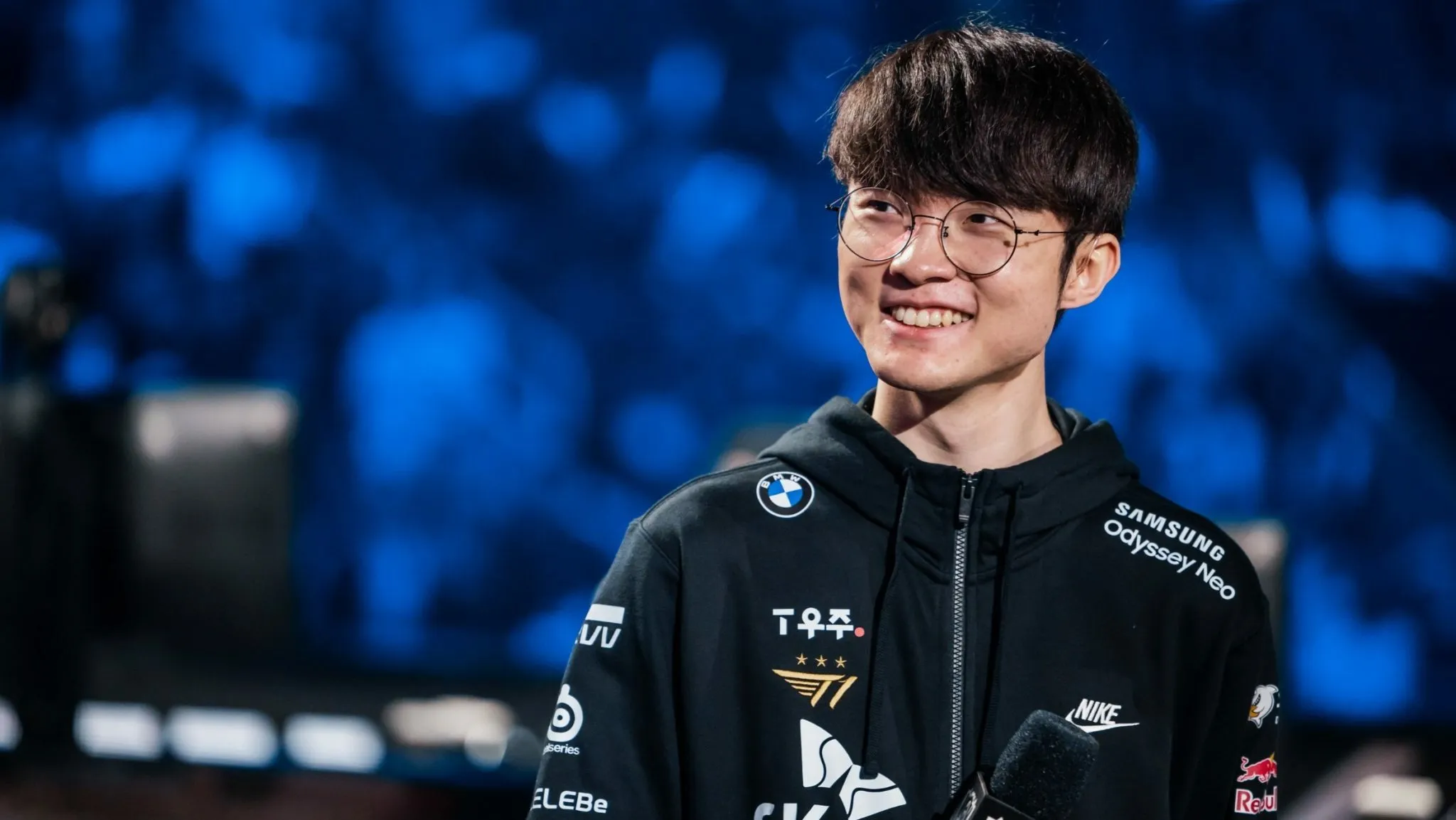
Faker Turns Down Multi-Million Dollar Offers from LCS Teams

Renowned as the greatest League of Legends player of all time, Lee ‘Faker’ Sang-hyeok, has remained loyal to his team T1 throughout his impressive career. Despite receiving enticing multi-million dollar offers from LCS teams, the South Korean mid laner turned them down, choosing to stay with T1. Let’s delve into the details of this remarkable decision and the potential opportunities that Faker rejected.

Faker’s Storied Legacy with T1

Since joining T1 in 2013, Faker has etched his name in the annals of League of Legends history. As T1’s longtime mid laner, he has accumulated an extraordinary list of achievements over the past decade. With three League of Legends World Championship trophies, two Mid-Season Invitational titles, and numerous victories in the League of Legends Champions Korea league, Faker’s impact on the game is unparalleled.

Multi-Million Dollar Offers on the Table

During the 2022-23 League of Legends offseason, Faker explored his options beyond T1 and received tempting offers from both Chinese and North American LCS teams. However, he made the surprising decision to reject them. According to a report by blix.gg, the offers from the LCS teams were valued in the range of $3,000,000 to $5,000,000 annually.

FlyQuest and Team Liquid in the Running

Two prominent LCS teams, FlyQuest and Team Liquid, emerged as potential destinations for Faker. FlyQuest presented him with an annual salary in the previously mentioned million-dollar range, while Team Liquid’s offer reportedly exceeded that figure. The allure of Team Liquid was particularly intriguing to Faker, given the organization’s efforts to build a Korean-speaking roster. Notably, their roster included three players from South Korea: Park ‘Summit’ Woo-tae, Jo ‘CoreJJ’ Yong-in, and the 2022 world champion Hong ‘Pyosik’ Chang-hyeon.

T1’s Response and Faker’s Loyalty

During the offseason, T1 contemplated the possibility of replacing Faker but ultimately chose to retain him. The report suggests that T1’s counteroffer to Faker came close to matching Team Liquid’s proposal, solidifying Faker’s position within the team. With this decision, Faker reaffirmed his unwavering loyalty to T1, the organization that nurtured and supported his illustrious career.

Despite receiving lucrative multi-million dollar offers from LCS teams, Faker remained resolute in his commitment to T1. The League of Legends legend turned down the allure of new opportunities, choosing to stay with the team that has been his home since the beginning. As the 2023 season unfolds, Faker continues to compete with T1, aiming to add more accolades to his already impressive resume.

Stay updated with the latest news in gaming and esports by signing up for early access to TalkEsport’s Mobile App. Follow us on Twitter and Google News to ensure you never miss the exciting updates.