Home Blog Page 700

Garena Free Fire MAX Redeem Codes for 29th May 2024

Free Fire is a very popular battle royale game with millions of active users per day. A large part of this fan base comes from India and despite the ban, players have shifted to its advanced version called Free Fire Max to enjoy the game.

The game has same core and hence, it has redeem codes as well. Here are some redeem codes that you can use to get free items in Free Fire Max.

Free Fire redeem codes are special codes that can be used to unlock several items for free in-game. They are not released on a regular basis hence coming across a working code is very hard. 

Garena Free Fire MAX Redeem Codes
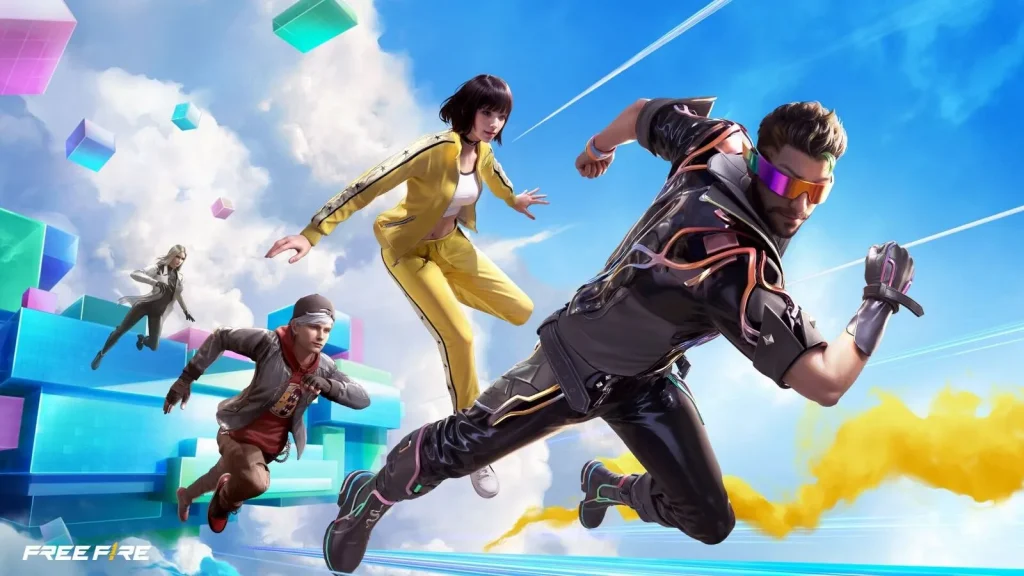
As Free Fire now banned in India, players have shifted to Free Fire Max and the entire account history is ported to its servers. This means that players can still use their old accounts and make use of features like redeem codes to get rewards in it as well.

Free Fire MAX Redeem codes for 29th May 2024:

  • Z9JXABY4K8UQ3NHD
  • G7W4S9RQD3BJ1N6Y
  • L5T9W7QK8E0P2HXJ
  • M6V3S7N2A1G9C4RQ
  • Y3E7C8V6T0B5W1QA
  • X2N5C3M1R6J8V7ZA
  • H4D2J5V6G9Q1FWLR
  • U8K9P4D3J6R7XVZQ
  • I0F3R1X5S7G4W6EU
  • B9Y5X3H2T7U1JQ4L
  • C6B8V1D2F9R3N7YK
  • Q5U3H2V1M9D7G4KP
  • P7Q5J9D1K6N3VRXF
  • R2A4T7H1B8K9C6YW
  • E9F3W6D8C2G4J1HZ
  • N6H9W4S7D2R3G1CK
  • D1U5V2H7K9C3B8JN
  • S4A2Z6Q9X1F7H5VJ
  • W6R8M3V5X2S1J7GB
  • F8L2R7N4Q6W1Z3TA

HOW TO REDEEM CODES IN FREE FIRE MAX

It is quite simple to redeem these codes in Free Fire. Players just need to visit the redemption center and enter the code given below. Use the method given below to get these items.

  • Visit the Reward Redemption center of Garena Free Fire. Click here to visit.
  • Log in with your Free Fire account. One must have either Facebook or Google ID signed in as a Guest account does not work.
  • Enter the code and get free rewards in your in-game item vault.

The redeem codes tend to expire very soon and hence, make sure to use them as soon as you can. Some of them can be region restricted and if you find one like that, simply move on to next one as region restricted codes cannot be used in other areas.

Stay updated with the latest news in gaming and esports by signing up for early access to TalkEsport’s Mobile App. Also, follow us on Twitter and Google News to ensure you never miss the exciting updates.

All New Free Fire Redeem Codes for 29th May 2024

Free Fire, the renowned battle royale game, continues to captivate gamers worldwide with its intense gameplay and vast array of in-game rewards. One of the most sought-after features in the game is the Free Fire redeem codes, which grant players access to exclusive items and goodies without spending any money.

Free Fire redeem codes are special combinations of characters that, when entered correctly, provide players with various rewards such as weapon skins, character outfits, and in-game currency. While these codes are not released frequently, stumbling upon a working code can significantly enhance the gaming experience.

Free Fire Redeem Codes for 29th May 2024

Here are some Free Fire redeem codes redeem codes you can use to get free items in the game on 29th May 2024:

  • Z9JXABY4K8UQ3NHD
  • G7W4S9RQD3BJ1N6Y
  • L5T9W7QK8E0P2HXJ
  • M6V3S7N2A1G9C4RQ
  • Y3E7C8V6T0B5W1QA
  • X2N5C3M1R6J8V7ZA
  • H4D2J5V6G9Q1FWLR
  • U8K9P4D3J6R7XVZQ
  • I0F3R1X5S7G4W6EU
  • B9Y5X3H2T7U1JQ4L
  • C6B8V1D2F9R3N7YK
  • Q5U3H2V1M9D7G4KP
  • P7Q5J9D1K6N3VRXF
  • R2A4T7H1B8K9C6YW
  • E9F3W6D8C2G4J1HZ
  • N6H9W4S7D2R3G1CK
  • D1U5V2H7K9C3B8JN
  • S4A2Z6Q9X1F7H5VJ
  • W6R8M3V5X2S1J7GB
  • F8L2R7N4Q6W1Z3TA

HOW TO REDEEM CODES IN FREE FIRE

Redeeming codes in Free Fire is a quick and straightforward process. Follow these steps to claim your rewards:

  1. Visit the Free Fire Redemption Center: Navigate to the official Free Fire redemption website. 
  2. Log in with Your Free Fire Account: Sign in using your Free Fire account credentials. Ensure that you have a valid account linked to either Facebook, Google, VK, or Huawei.
  3. Enter the Redeem Code: Input the redeem code into the provided field and click on the “Confirm” button.
  4. Collect Your Rewards: Once the code is successfully redeemed, the rewards will be sent directly to your in-game mailbox. Launch Free Fire and claim your items from the mailbox.

Tips for Using Free Fire Redeem Codes

  • Timely Redemption: Redeem codes have expiration dates, so it’s essential to use them promptly to avoid missing out on rewards.
  • Regional Restrictions: Some codes may be region-specific and may not work if you are in a different region. If a code doesn’t work, try using another one.
  • Single Use: Most codes can only be redeemed once per account, so ensure you enter the code correctly the first time.

Free Fire redeem codes tend to expire very soon and hence, make sure to use them as soon as you can. Some of them can be region restricted and if you find one like that, simply move on to next one as region restricted codes cannot be used in other areas.

Stay updated with the latest news in gaming and esports by signing up for early access to TalkEsport’s Mobile App. Also, follow us on Twitter and Google News to ensure you never miss the exciting updates.
How Can You Cancel Fortnite Crew Subscription?

0

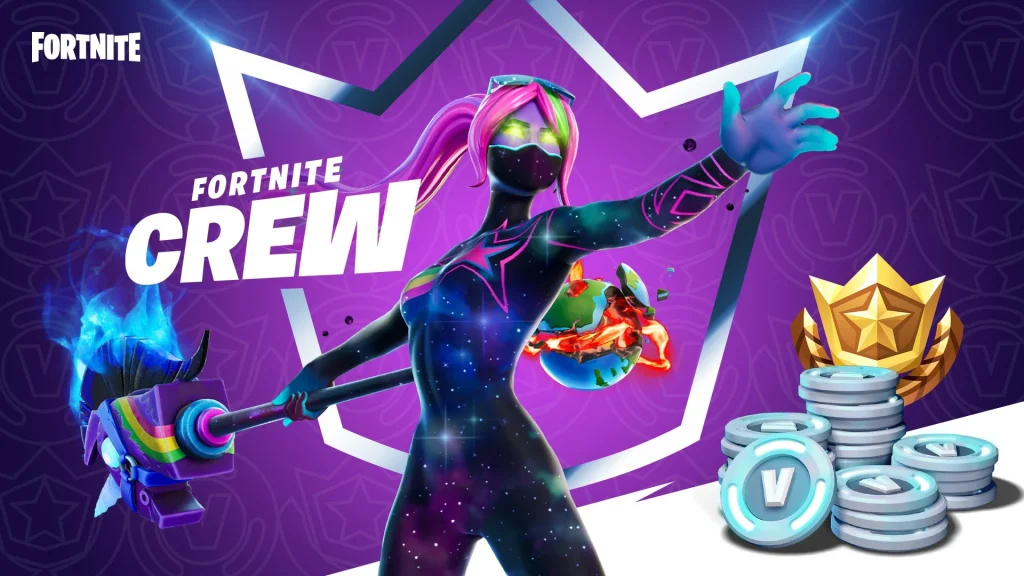
Fortnite has become a cultural phenomenon, offering players a vibrant and ever-evolving gaming experience. Part of this experience is the Fortnite Crew subscription, which provides players with exclusive skins, cosmetic items, and even battle passes every month.

However, there may come a time when you decide that you no longer need the subscription. Whether it’s budgeting concerns or simply a desire to opt out for a while, canceling your Fortnite Crew subscription is straightforward and can be done in just a few clicks.

Fortnite Crew Subscription Benefits

Before diving into the cancellation process, it’s important to understand what the Fortnite Crew subscription entails. As a subscriber, you receive exclusive items, 1,000 V-Bucks, and a monthly battle pass.

The rewards are tied to the calendar month rather than the date of your subscription, allowing you to enjoy the full benefits for the entire month regardless of when you signed up.

Fortnite Crew Subscription

How Can You Cancel Fortnite Crew Subscription?

Xbox Series X/S and Xbox One

Xbox players can manage their subscriptions directly from their console. To cancel your Fortnite Crew subscription, go to the Subscriptions section in your account settings and turn off auto-renewal.

PlayStation 5

PlayStation 5 users will find the cancellation option under the Payment and Subscriptions tab. Like Xbox users, you’ll need to disable the auto-renewal feature to cancel the subscription.

PlayStation 4

For those on PlayStation 4, the process is similar but located in a different menu. You’ll need to visit the Services List under Account Information and turn off auto-renewal for the Fortnite Crew subscription.

Nintendo Switch

Nintendo Switch users can cancel their subscriptions by accessing the Your Subscriptions tab under Account Information. Here, you’ll find the option to turn off automatic renewal, effectively canceling your subscription.

Epic Games doesn’t make it difficult to cancel the Fortnite Crew subscription. This flexibility allows you to dip in and out of the service, choosing which bonus skins and other rewards you want to receive each month.

You can rest assured that canceling your subscription is a hassle-free process, and you won’t lose any skins or V-Bucks you’ve already acquired.

What Are the Key Stats for Tracking CS2 Progress?

Without your efforts and time, you could not expect to become a pro at Counter Strike 2. While the game features a matchmaking system that matches you with players from your rank, progressing through the ranks necessitates a higher win probability. If you are looking to get better at Counter Strike 2, then look no further. Let’s take a look at some key stats for tracking CS2 progress.

It is needless to say you need a good understanding of how the aiming works in Counter-Strike 2. The main aspect of the game is to shoot your opponents without getting killed. So there are a few things you need to work on and here is a list of just that:

  • Crosshair Placement
  • Recoil/Spray Control
  • Aim Accuracy
  • Reaction Time

Let’s break down the 4 points mentioned above.

Crosshair Placement

It wouldn’t make any sense to place your crosshair high in the air or point towards the ground while walking around in Counter Strike. Instead, place your crosshair where you expect your opponent to come from. Keeping your crosshair at the head level is another key skill you need to learn. You want your enemy’s head to line up with the crosshair without you having to move your crosshair up or down. That’s how you score more headshots.

Recoil/Spray Control

Just like their real life counterparts, guns in Counter-Strike 2 experience recoil. Recoil is the backward force felt when shooting the gun. Since your wrist acts like a pivot point, the backward force gets converted into upward action. You can see recoil in action by shooting one of the guns in-game, try with a Deagle and shoot 1 bullet, you should see the barrel of the gun-jumping upwards. This is the same with assault rifles, the only catch here is that you need to control the recoil when you are spraying the enemy with bullets. How? Just pull the crosshair downward when spraying the enemy.

Aim Accuracy

This skill should improve as you work on Crosshair Placement. The only difference here is that you need to track your enemy’s movement accurately to increase any chance of hitting them. There is no widely accepted tip to increase your Aim Accuracy other than practicing.

Reaction Time

This skill is not something that can be improved overnight. Reaction time is solely based on how fast your brain can process the information you are seeing on the screen and then react accordingly. When it comes to Counter-Strike 2, you should be able to react and shoot an enemy in case they rush you from a corner. Once again there is no way to improve this skill other than practicing.

Other Aspects

With that being said, some other factors can change the outcome of the game. In Counter-Strike 2, along with the weapons you have a choice to purchase some utilities like smoke grenades, flashbangs, incendiary grenades, and HE grenades. While these utilities can prove useful, the knowledge of their usage is a must. These utilities affect the opponents as well as your team, so be mindful when using them.

Teamwork is another factor that can turn the match upside down. Being a lone wolf against 5 enemies is not really an ideal situation. What you need to do is communicate with your team and draw out strategies to tackle your opponents.

A great way to increase your skills is by tracking your stats from Counter-Strike 2. Unfortunately, the game does not have an inbuilt tracker for us. Here you can get help from 3rd party tracking sites like scope.gg. This site should be able to help you by giving insights into your performance. Your areas of improvement will be highlighted after you complete a match. So make sure you practice and work on your weak points. For more news from Counter Strike 2, click here.

How to Customize Counter Strike 2 Viewmodel Settings?

Counter-Strike 2 offers a plethora of options to customize your hud. If you feel like your weapon is taking a lot of space on your screen then you should take a look at Viewmodel settings. Keep reading to know how to customize Counter Strike 2 Viewmodel settings.

These settings dictate how your hands and weapons look on your screen. By adjusting the ViewModel settings, you can change the visual aesthetics of your game.

The best way you can customize your Viewmodel settings is via the console. You can access the console in Counter Strike 2 by pressing the “~” key located just below the ‘escape’ key. Here is a list of commands to customize Viewmodel in Counter-Strike 2:

  • viewmodel_offset_x
  • viewmodel_offset_y
  • viewmodel_offset_z
  • viewmodel_fov

Let’s see how each of these commands works:

  • viewmodel_offset_x (-2.5 to 2.5) – Controls the horizontal position of the weapon. Positive values mean your weapon will move to the right, on the other hand, negative values mean your weapon will move to the left.
  • viewmodel_offset_y (-2 to 2) – Controls the distance of your weapon from the camera. The lower the value, the closer the hands with the weapon are to the camera.
  • viewmodel_offset_z (-2 to 2) – Controls the vertical position of your weapon. The lower the value, the lower the weapon is.
  • viewmodel_fov (54 to 68) – A higher value will result in a higher portion of hands and weapons visible on the screen

With that being said, there is no widely accepted best setting for ViewModel. It just depends on your preference and how you would like your view to be visible. So the best way to approach Viewmodel settings is to experiment; like most experiments, some can fail.

If you mess up your Viewmodel settings and would like to go back to the default, you will have to take a trip to the console and enter the following command: viewmodel_presetpos 1. This should take you back to the default settings. Click here to read more exciting news from Counter-Strike 2.

Top Yellow Skins in Counter Strike 2

If you are a Counter-Strike 2 player and yellow is your favorite color, then you have come to the right place. In today’s article, we have listed some of the best yellow skins in Counter-Strike 2.

Hand Wraps Caution!

Screenshot from csgoskins.gg

These gloves feature a warning tape wrapped around your hand. These gloves should fit in perfectly with a weapon matching its aesthetics. Additionally, they can serve as a warning for your opponents, marking you as a force to be reckoned with. If you are looking for yellow gloves in Counter Strike 2, then these gloves are a must-have.

This skin was added to the game on December 3rd, 2020 when the game was in its Counter Strike Global Offensive phase and was later carried over to Counter Strike 2.

Negev Power Loader

Every machine gun fan in Counter Strike 2 knows that Negev is an absolute beast. Combined with Negev’s lethal firepower, this skin makes it stand out from others. This skin features a combination of bright yellow, with blue accents and black stripes.

This skin was added to the game on December 11th, 2015 when the game was in its Counter Strike Global Offensive phase and was later carried over to Counter Strike 2.

Talon Knife Tiger Tooth

Screenshot from csgoskins

Who doesn’t love a good-looking Talon Knife in Counter Strike 2? As the name suggests, the skin features a golden yellow color with dark yellow stripes resembling the patterns on a Tiger. The design’s exotic look is enough to instill fear in the minds of your opponents, making it a must-have for any player.

This skin was added to the game on March 5th, 2019 when the game was in its Counter Strike Global Offensive phase and was later carried over to Counter Strike 2.

M4A4 Buzz Kill

Screenshot from csgoskins

M4A4 is a go-to rifle for most CT players and is well known for its close-range capabilities. M4A4 Buzz Kill completely embodies the weapon’s lethal essence making it a must have for all players. The design features a combination of yellow and black with hints of army green color.

This skin was added to the game on November 28, 2016, as part of the ‘Brother in Arms’ update and was later carried over to Counter-Strike 2.

AK-47 Fuel Injector

Screenshot from csgoskins.gg

Considered to be the best rifle in terms of damage in Counter Strike 2, AK-47 has found its rightful place in our hearts. This lethal weapon has one of the best skins available in the game. Here is a Yellow one: an AK-47 Fuel Injector. This skin features a combination of yellow and shades of black with beautiful engraving on the magazine. The vibrant yellow color makes it stand out from the rest.

This skin was added to the game on February 17th, 2016 as a part of the ‘Operation Wildfire’ update and was later carried over to Counter-Strike 2.

There you have it, this list was not ranked in any way; just mentioned some of the best yellow themed skins you can have in the game. If you are looking for some purple themed skins in Counter-Strike 2, then click here.

New Valorant Map Pool: All Maps in the Active Rotation

0

With the upcoming Valorant 8.11 update being just around the corner, the active map pool of the competitive shooter is set to change. Fortunately, the developers behind the title have already shed light on the new map rotation in Valorant that the next update will bring to the game, so fans have enough time to prepare for the fresh set of competitive maps.

Ready to find out more about the new map pool of Valorant? We have you covered.

New Valorant Map Rotation: 8.11 Update Active Map Pool

Here’s a list of all the maps in the active map pool of Valorant following the 8.11 update:

  • Ascent
  • Bind
  • Haven
  • Icebox
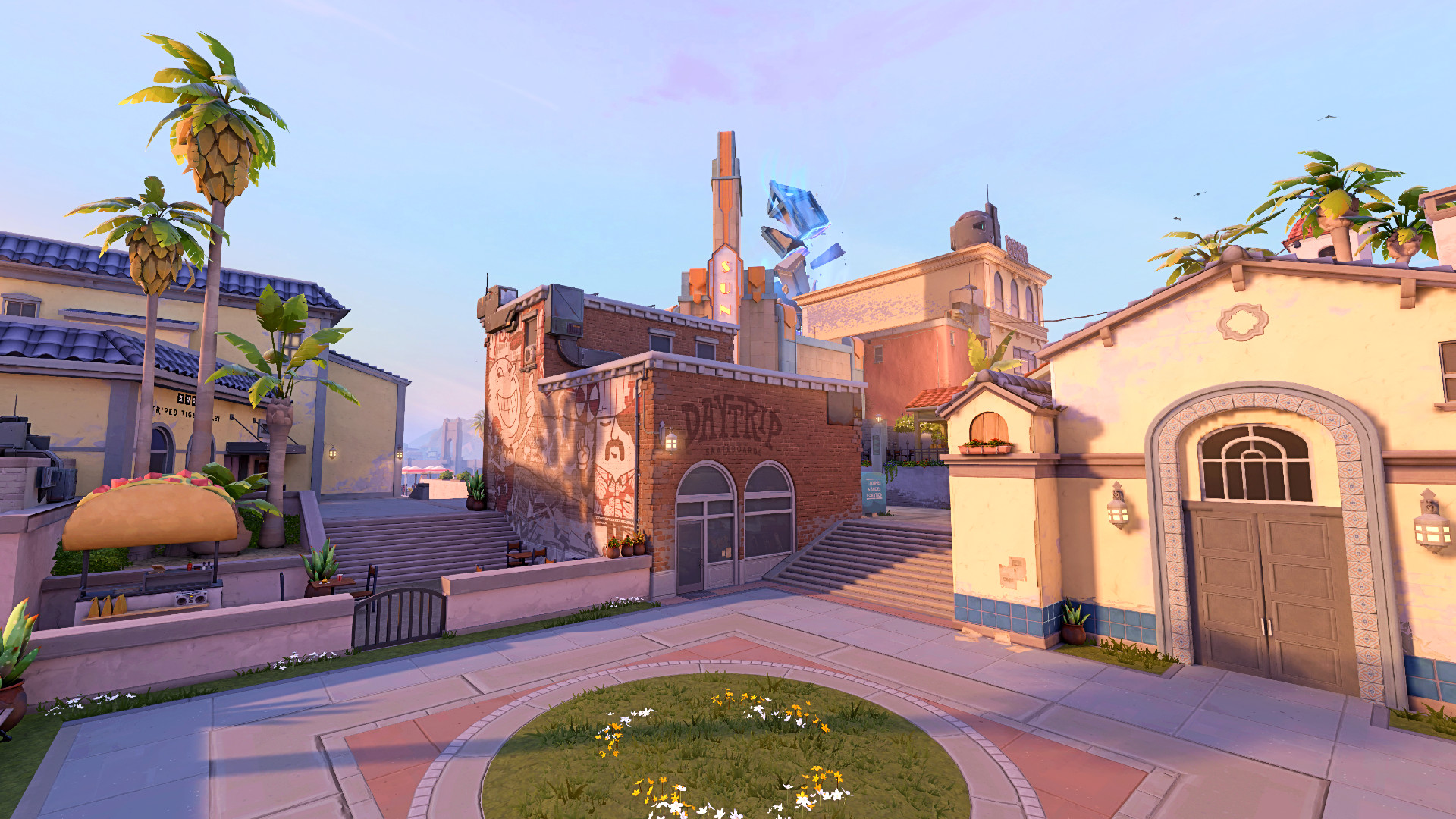
  • Sunset
  • Lotus
  • TBA

As usual, the new Valorant map pool after the 8.11 update will also include seven maps in the rotation. You may have already noticed that Breeze and Split are no longer a part of the active map pool, while Haven is making its return.

The last map in the pool is a new map that is yet to be disclosed by Riot, but fans can expect the devs to showcase the new map during the final day of VCT Masters Shanghai on June 9, 2024.

Top Counter Strike 2 Music Kits

The Counter Strike Global Offensive became the first game in the franchise to introduce music kits. Their latest iteration, Counter-Strike 2 is not any different. If you are searching for some of the best music kits available in the game, then you have come to the right place. Here is a list of some iconic music kits in Counter-Strike 2: (This list is not ranked in any way; it simply mentions some of the most iconic music kits)

Gunman Taco Truck | Dren

Screenshot from csgoskins

This music kit is very well known for its whimsical music style. Particularly the MVP anthem is considered to be very hilarious when you have dominated your opponents. When compared to other music kits, this one can be a pricy one.

u mad! | bbno$

Screenshot from csgoskins

This is a music kit from the Hip-Hop genre made by the bbno$. If you have ever listened to the song, you will know why this song fits in perfectly in Counter Strike 2. The MVP anthem teases your opponents by asking ‘why u mad’ after you have dominated the round.

Flashbang Dance | The Vekkars and n0thing

Screenshot from csgoskins

This one coming from the house of EDM, imprints its hook onto the memories of players. If you hear the MVP anthem, nothing will stop you from bumping your head to the beats this music kit offers.

Disgusting | Beartooth

Screenshot from csgoskins

If you are a fan of Rock Bands, then you have to go for this music kit by Beartooth. Be it in the Main Menu or Team Selection, this music is set to give you goosebumps with its strong beats.

EZ4ENCE | The Vekkars

Screenshot from csgoskins

This music kit is considered to be one of the best and most widely used music kits in Counter Strike’s history. This music kit was made as a tribute to the ENCE team and their journey towards a Major title in 2019. It featured a very catchy MVP anthem that quickly found its place in every listener’s mind.

There you have it, hurry up and get those music kits for yourself so you can lose yourself in the symphony of music while earning those MVPs.

How to Master Counter Strike 2 Movement?

Movement is an integral part of any first-person shooter game. This is also true with our beloved game – Counter Strike 2. Skillful movement can be the difference between winning and losing the match. So let’s look at the basics of movement in Counter Strike 2 and check out how the pros do it.

Basics of movement in Counter Strike 2

Valve has managed to keep the movement mechanics very simple and easy to understand. So none of that fancy stuff like gliders, grappling hooks,  etc are available in the game. All you have to keep in mind is the ways you can move: Running, Walking and Crouching.

Running is the fastest way to traverse across the map but isn’t very stealthy and makes your movement audible for your opponents. Your accuracy also takes a dip when running. While walking eliminates any movement sounds, it cuts your speed in half which means it takes you double the time to travel the same distance as compared to running. Crouch-walking is the slowest walk you can do in Counter-Strike as the speed is ⅓ of Running. The faster you are moving, the lower the accuracy of your weapon is.

Movement with weapons in Counter Strike 2

Now that you know the basics of movement, let’s take a deep dive into movement speeds.

Your speed of movement is not only dependent on how you move but also depends on what weapon you are carrying in your hand. For example, you can run/walk/crouch-walk the fastest with a knife in your hand (250 units per second while running). On the other hand, the movement speed is the slowest with Machine Guns.

Advanced movements in Counter-Strike 2

Let’s take a look at what strafing and counter-strafing is. To put it simply, strafing means moving sideways. Strafing helps you by enabling you to aim at your opponents while moving sideways or peeking out of a corner.

Counter-strafing is just stopping yourself from strafing in the direction you were already moving, by pressing the opposite direction button. For example, you are strafing left and suddenly you encounter an opponent, now you need to slow yourself down to accurately shoot your opponent. Let me explain to you why this is important. When you press any movement key(W/A/S/D) your character takes half a second to reach its full speed and once you leave the movement key it again takes time for you to come to a stop.

Half a second might not sound much but it can dictate who wins the match. As we already know your movement speed should be low to get higher accuracy out of your weapon, so you need to counter-strafe by pressing the opposite direction button.

Some other movement techniques

Crouch-Jump is a technique where you can jump further than a normal jump. You can compare this to an athlete performing a long jump. How to do it? Start by running(W), then jump(Space), and once at the peak of your jump press your crouch key (Ctrl).

Boosting is a way to enable your teammates to climb and get to a higher place or peak from the top of a tall obstacle. All you have to do is just crouch in front of the tall object your teammate is trying to climb. Then your teammate will have to jump on top of you and then jump onto the tall object.

With that being said, let’s take a look at the guns with the lowest movement speeds:

  • Negev – 150 Units per second/75 Units per second while firing
  • M249 – 195 Units per second
  • AWP – 200 Units per second/150 Units per second while Scoped in
  • G3SG1 – 210 Units per second/120 Units per second while Scoped in
  • SCAR-20 – 215 Units per second/120 Units per second while Scoped in

Here is the list of guns offering the fastest movement speeds:

  • Glock-18 – 240 Units per second
  • P2000 – 240 Units per second
  • USP-S – 240 Units per second
  • P250 – 240 Units per second
  • Tec-9 – 240 Units per second

Just knowing this won’t help you become a pro at Counter Strike 2. You will have to invest your time and practice on different maps in Counter-Strike 2. The faster you understand the movement mechanics on an advanced level, the better the performances will be in Counter Strike 2. If you are looking for more exciting news from the world of Counter Strike 2, click here.

Can You Play Valorant Without Secure Boot?

If you’re a Valorant enthusiast looking to dive into the game on a Windows system, you should be aware that Secure Boot is a prerequisite for gameplay, particularly following the introduction of Windows 11. Should you overlook this requirement, you’ll likely be greeted with an error message from Vanguard, Valorant’s anti-cheat system, and find yourself promptly removed from your gaming session.

Understanding Secure Boot in Windows

Secure Boot is a security mechanism designed by Microsoft to block the execution of unauthorized or malicious software during your computer’s startup process. It’s a critical feature that helps safeguard your system against unauthorized access and is strongly advised to be kept active at all times for optimal protection.

In the context of Valorant, Secure Boot is non-negotiable as it plays a pivotal role in Vanguard’s ability to verify that players are not exploiting third-party cheats to skew the game in their favor. Disabling Secure Boot could result in error messages, such as VAN 68, disrupting your gameplay.

Is Valorant Playable Without Secure Boot?

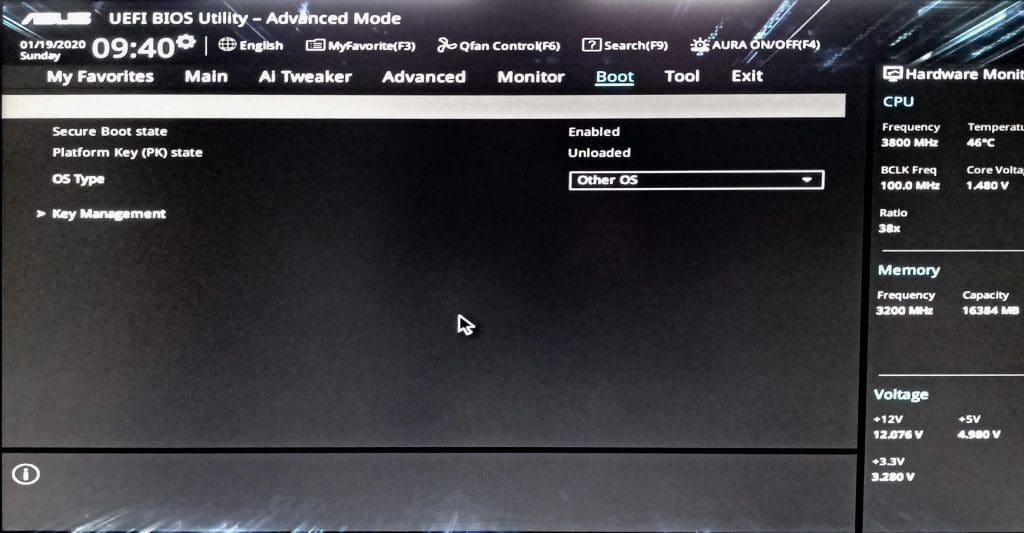
secure boot bios

The straightforward answer is no. Riot Games has made it clear that Secure Boot must be enabled for players to participate in Valorant. This stance is part of their commitment to maintaining a fair gaming environment by preventing cheating.

Steps to Enable Secure Boot:

  • Restart your computer and press the designated key repeatedly to access the UEFI/BIOS settings. This key is often F10 or Escape, but it can vary and will be indicated on the initial BIOS screen.
  • Once in the BIOS menu, navigate to the “Security” or “Boot” tab.
  • Locate and enable the “Secure Boot” option.
  • Press F10 to save the changes and confirm by clicking OK. Your system may take a few moments to restart due to these modifications.

Additionally, ensure that TPM 2.0 is activated, as it is another essential requirement for running Valorant.

While Secure Boot is an indispensable requirement for playing Valorant, it also serves as a vital security feature for your Windows system. Adhering to these guidelines not only allows you to enjoy your gaming experience without interruptions but also contributes to the overall security of your computer.