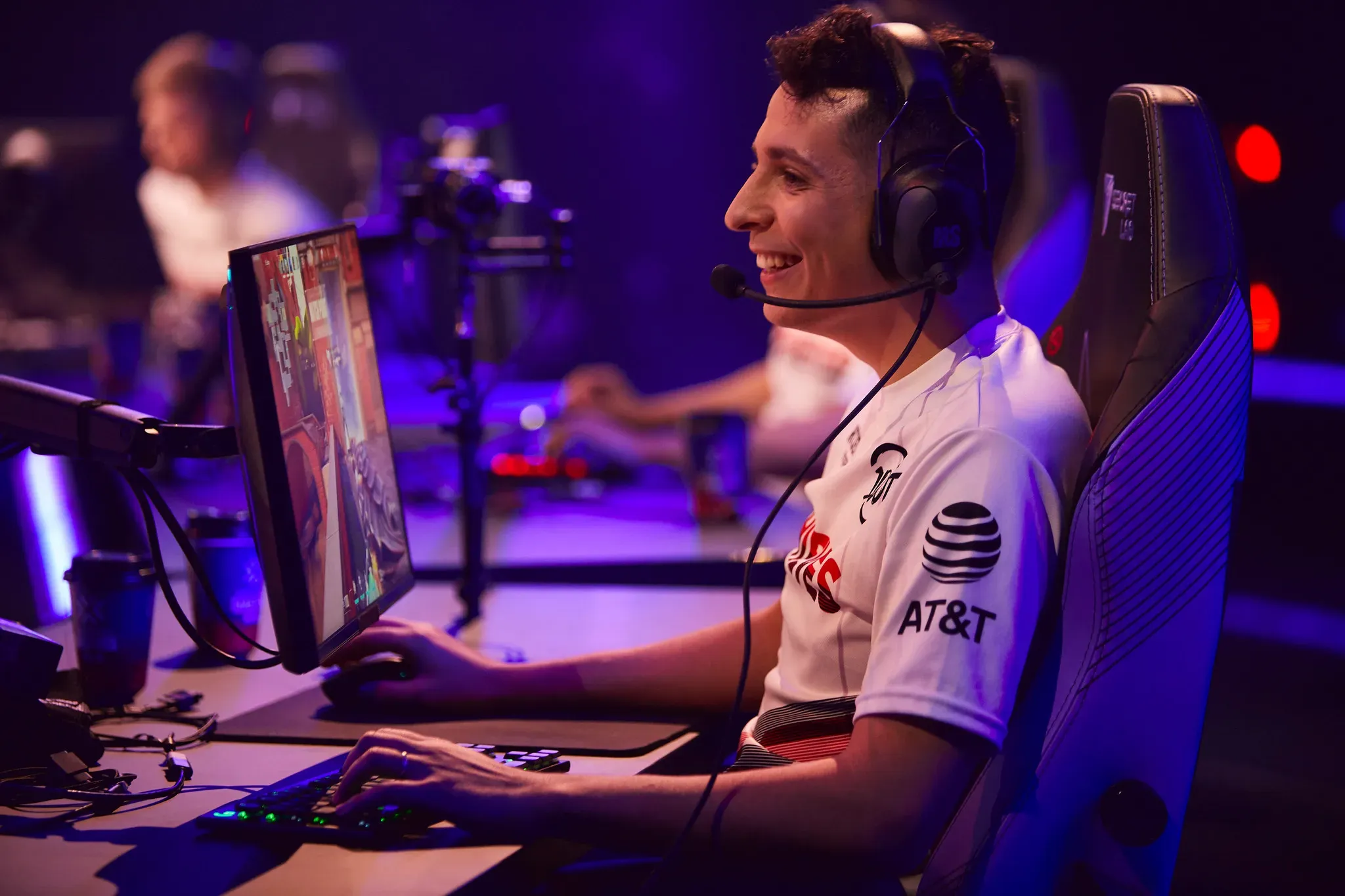
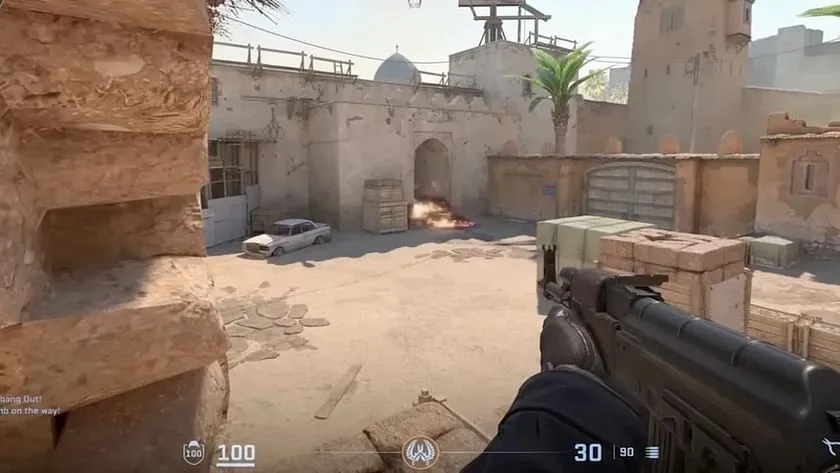
Joshua “steel” Nissan, a seasoned player in the Counter-Strike: Global Offensive (CS:GO) community, is on the verge of a significant comeback. His ban from Valve-sponsored events, a consequence of the infamous iBUYPOWER match-fixing scandal in 2015, is set to expire on January 26, 2025. This marks the end of a decade-long hiatus from the top-tier CS:GO competitions for steel.
Steel’s journey through the esports world has been nothing short of a roller coaster. After the ban, he transitioned to playing professional VALORANT for renowned teams such as 100 Thieves and T1. His return to CS:GO in July, however, has been a testament to his unwavering passion for the game. Steel has been actively competing with Bad News Bears in the ESL Challenger League North America, showcasing his skills and determination to reclaim his position in the competitive scene.
On the 10 year mark in January 2025, I will be allowed to participate at Valve partnered events.
Against all odds, I've never given up. I'm ready to be defined by something new and more positive.
The iBUYPOWER match-fixing scandal left an indelible mark on the CS:GO community, leading to indefinite bans for several players involved. Steel, along with his teammates, faced severe repercussions for their actions. However, his dedication to the game and efforts to rebuild his career have not gone unnoticed. With the ban’s expiration date in sight, there is a renewed sense of hope and anticipation for what the future holds for steel and the CS:GO community.
As we approach 2025, the competitive landscape of CS:GO has evolved significantly. With the introduction of Counter-Strike 2 and numerous changes in the esports ecosystem, players and fans alike are eager to see how veterans like steel will adapt and contribute to the game’s ongoing success. His ability to participate in Valve events and potentially take on coaching roles opens up new avenues for growth and development within the scene.
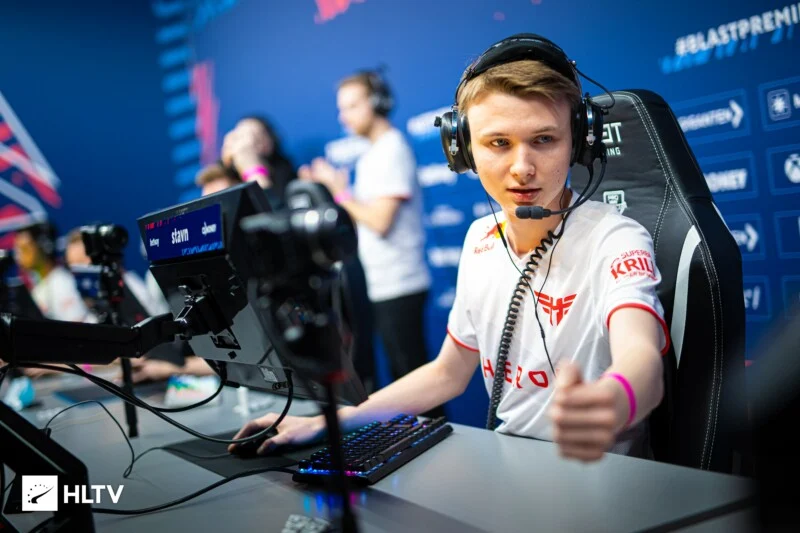
In a surprising turn of events, Heroic, a renowned Danish esports organization, has announced the temporary removal of their star players, Martin ‘stavn’ Lund and Jakob ‘jabbi’ Nygaard, from their Counter-Strike 2 roster. The organization cites complex contract issues, the exit of long-standing IGL Casper ‘cadiaN’ Møller, and interest from Astralis as the primary reasons behind this decision.
Heroic’s CS2 Roster Shake-Up
Contractual Complexities and Roster Reconfigurations
Heroic’s official statement sheds light on the intricate situation, explaining that stavn and jabbi played a pivotal role in pushing for cadiaN’s replacement. The organization anticipated the duo to commit to new contracts following these changes. However, stavn and jabbi disclosed that they were already in discussions with Astralis, leading to their current benching.
Heroic expresses its intention to reintegrate stavn and jabbi into the main lineup before their contracts conclude, emphasizing their ongoing commitment to the players.
Players Break Silence: Seeking the Full Story
In response to Heroic’s public statement, both stavn and jabbi have taken to social media, hinting that there might be more to the story than what has been disclosed. Stavn’s cryptic message, “Gotta love the world we live in. What is the saying? Truth always prevails,” accompanied by a repost from jabbi, raises questions about the veracity of the official narrative.
Gotta love the world we live in😂 What is the saying? Truth always prevails.
Amidst the unfolding drama, Heroic has welcomed Danish veteran Peter ‘dupreeh’ Rasmussen to fill the void left by cadiaN for the remainder of the 2023 season. Meanwhile, stavn and jabbi were notably absent from Heroic’s recent clash against Aurora in the Roobet Cup, with MOUZ NXT players Christoffer ‘chr1zn’ Storgaard and William ‘sirah’ Kjærsgaard stepping in as substitutes.
As the esports community eagerly awaits further clarification, the current situation leaves fans and followers with more questions than answers. What remains clear is that the resolution of this complex scenario will be crucial for the future of Heroic’s CS2 roster and the careers of the players involved.
If you’re a fan of Counter-Strike 2(CS2) and want to know how to watch matches, connect with the community, and even place bets on your favorite teams, this blog post is for you!
We’ll discuss the best CS2 Twitch channels, alternative platforms for live streams, tips to enhance your viewing experience, how to bet on matches responsibly, and staying informed about upcoming events. But before you find out where to watch CS2 matches, use a website like CS2 Scores to keep track of any upcoming or live games.
Discovering the Top CS2 Twitch Channels
Twitch has emerged as the preferred platform for esports enthusiasts to stream and watch their favorite CS2 tournaments. With its extensive coverage of matches, Twitch allows viewers to watch top-tier teams from around the world compete for both honor and lucrative prizes. Some notable Twitch channels that offer exceptional CS2 content include ESL, BLAST.tv, and Elisa Esports. These channels provide high-quality streaming experiences along with interactive features that keep fans engaged and entertained.
You can delve into the world of thrilling gameplay, learn from the experts, and interact with fellow enthusiasts through these channels, which are incorporated in numerous television networks. Showcasing events like ESL Pro League, DreamHack, and ELEAGUE at regular intervals throughout the year ensures nonstop excitement for viewers.
ESL
The Electronic Sports League (ESL) is a prominent organization in the esports world, and its Twitch channel is highly recommended for Counter-Strike 2(CS2) enthusiasts. ESL offers 24/7 replay of past tournaments and features professional casting talent, enabling viewers to catch up on missed matches and stay updated on the latest events.
The ESL CS2 Twitch channel fosters a vibrant and engaging community by encouraging viewer participation. Join the chat to connect with fellow fans, casters, and other viewers. Ask questions, share your thoughts, and immerse yourself in an exciting and interactive environment!
BLAST.tv
BLAST.tv has quickly become a fan favorite for its coverage of both top-tier and smaller CS2 tournaments. It offers high-quality production and even hosted a Major. The channel provides viewers with unique features, including customizable viewing options, access to non-live content, and an in-app TikTok experience for a fresh perspective on-site.
The dedicated and knowledgeable commentators on BLAST.tv delivers outstanding coverage of matches, keeping you fully engaged and informed. With a rapidly growing fanbase and an expanding lineup of events, BLAST.tv is becoming an essential platform within the CS2 community.
Elisa Esports
If you’re looking to follow Tier 2 CS2 competitions, Elisa Esports is the channel you should be tuning into. While these events may not have the same level of prestige as top-tier tournaments, they offer viewers a chance to enhance their gameplay skills by watching skilled players compete.
Elisa Esports organizes thrilling tournaments such as the Champions of Champions Tour (CCT) and the Challenger League Season, featuring talented and emerging teams in the CS2 professional scene. By tuning into these events, you have the opportunity to discover fresh strategies, tactics, and techniques that you can apply to enhance your own gameplay.
Alternative Platforms for Watching CS2 Live Streams
Although Twitch is a popular platform for streaming live CS2 content, there are other alternatives that provide unique experiences and content. Platforms like YouTube, Facebook, and MLG.tv offer exclusive CS2 live streams, highlights from matches, and special videos.
These platforms offer a wide range of perspectives and formats for CS2 content, giving you the opportunity to explore different aspects of the game and connect with the community in unique ways. From user-generated videos to original concepts, these platforms present a fresh approach to CS2 streaming.
YouTube
YouTube offers a wealth of Counter-Strike 2 (CS2) content, including footage from tournaments like ELEAGUE and exclusive videos from top esports teams such as FaZe Clan and Team Liquid. Some notable channels that provide exclusive CS2 content on YouTube include CS2 Channel and Snipe2DieTV.
If you’re searching for match highlights, player interviews, or exclusive behind-the-scenes footage, YouTube is the perfect platform. Subscribing to your favorite channels ensures that you stay up-to-date with the latest content and never miss out on any CS2 news, updates, or online-exclusive videos. You can also watch matches online right from YouTube.
Facebook
In the past, Facebook served as the primary broadcast partner for the ESL Pro League. Although other platforms have now taken over that role, Facebook has introduced some interesting concepts to enhance CS2 streaming. One notable innovation was the incorporation of virtual reality technology, which offered fans a more immersive and engaging viewing experience.
Apart from virtual reality, Facebook also provides a wealth of professional team replays and exclusive behind-the-scenes content. Ki While it may not be the top option for streaming CS2, it still offers valuable information and entertainment for fans.
MLG.tv
If you’re looking for alternatives to Twitch and YouTube for CS2 live streams, MLG.tv is worth considering. While its main focus is on Call of Duty, MLG.tv also offers free live streams of various CS2 tournaments, such as the ESL Pro League Season 7. It provides a different option for those interested in exploring alternative platforms for CS2 streaming.
Enhancing Your CS2 Viewing Experience
If you want to enhance your experience while watching CS2, you might want to try out some interactive features on Twitch or check out virtual reality or 360-degree videos on platforms like Facebook. These innovative technologies provide an immersive and enjoyable way to engage with the matches.
From participating in polls and chat games on Twitch to immersing yourself in the action through virtual reality, these innovative features offer a distinct and captivating way to enhance your CS2 streaming experience. Don’t pass up the chance to elevate your viewing enjoyment!
Interactive Features on Twitch
Twitch provides a range of interactive features that can enrich your experience while watching CS2. Through extensions, overlays, chat, and emotes, you can actively engage with other viewers and streamers in real-time during live broadcasts.
Engage with the CS2 community and enhance your streaming experience by participating in polls, chat games, and other interactive elements. Don’t just passively watch the matches – actively join in and share your opinions!
Virtual Reality and 360-degree Videos
Immersive experiences like virtual reality and 360-degree videos can enhance your engagement with CS2 matches. Platforms such as Facebook and Virtex Stadium provide unique perspectives and environments that make you feel deeply involved in the game.
By using these technologies, you can delve into the matches from various angles and perspectives, gaining a more comprehensive understanding of the gameplay and strategic elements involved. For those seeking a more immersive and interactive experience with CS2, trying out virtual reality and 360-degree videos could be worth considering!
Betting on CS2 Matches: Finding Reliable Esports Betting Sites
If betting on CS2 matches piques your interest, here are some tips for finding trustworthy esports betting sites:
Look for sites with competitive odds.
Check for appealing bonuses and promotions.
Ensure the site has secure betting practices.
Consider your needs and preferences when selecting a platform.
This part of the post highlights the aspects to consider when selecting a trustworthy esports betting site, such as:
Reputation
Licensing
Security
User experience
Choosing the right platform for betting on your favorite teams and matches can heighten the thrill and boost your confidence.
Competitive Odds and Bonuses
When choosing an esports betting site for CS2 matches, it’s important to consider the competitive odds and bonuses available. Competitive odds determine the payout you’ll receive if your bet wins, while bonuses like sign-up offers and free bets can provide additional value and incentives for new users.
Certain platforms go above and beyond by providing special promotions and rewards for devoted users, guaranteeing an exceptional betting experience when wagering on CS2 matches. It is essential to conduct thorough research, compare various platforms, and ultimately select the one that offers the most competitive odds and appealing bonuses.
Safe and Secure Betting
When choosing an esports betting site for CS2 matches, it is important to prioritize safety and security. Look for a reputable site that holds proper licensing and regulation to safeguard your personal information and funds.
When choosing a betting platform for CS2, it’s important to prioritize sites that have obtained proper licensing and also implemented robust cybersecurity measures. These measures can include encryption, secure servers, and firewalls. By selecting a safe and secure platform, you can confidently place your bets on your favorite CS2 teams and matches without any concerns about the safety of your personal information.
Staying Updated with Upcoming CS2 Matches and Tournaments
To stay updated on upcoming CS2 matches and tournaments, it’s a valuable strategy to follow diverse sources that offer the latest news, schedules, and updates. Some popular options include websites like CS2Scores.com and HLTV.org, as well as social media platforms such as X, Facebook, and Instagram.
To stay up-to-date with the latest news and updates in the world of Counter-Strike 2 (CS2), it’s recommended to follow official CS2 accounts, esports organizations, and tournament organizers on social media. By doing this, you’ll receive real-time updates and announcements straight from reliable sources. Additionally, joining CS2 communities and groups on these platforms will help you stay connected with fellow fans and receive updates from them as well.
CS2Scores.com
If you’re a Counter-Strike 2 enthusiast, CS2Scores.com is an invaluable resource that provides live statistics, match updates, and scores for CS2 matches. This platform offers a wealth of information including player stats, team performance, and game results to keep you informed and up-to-date with the latest events in the world of Counter-Strike.
In addition to live scores and updates, CS2Scores.com also features:
A CS2 ranking system that shows the performance of teams in terms of matches and events won
Valuable insights into the competitive CS2 landscape
Information about upcoming matches and tournaments
Stay updated and gain valuable insights into the competitive world of Counter-Strike 2, also known as CS2, by following this site.
HLTV.org
HLTV.org is a thorough resource for CS2 enthusiasts, offering:
CS2 news
Scores and match schedules
In-depth coverage of CS2 tournaments and events
Player profiles
Photo Galleries
Statistics
HLTV.org is a comprehensive source for all your CS2 needs. Whether you’re interested in the latest match updates, detailed stats, or an extensive demo library, this website has it covered. You can rely on HLTV.org to keep you informed about the latest happenings in the CS2 scene and ensure that you never miss out on any important events or matches.
Social Media
Stay up-to-date with the latest news and events in the CS2 community by following esports teams and tournament organizers on social media platforms like X (ex Twitter) and Facebook. These platforms provide real-time updates and announcements, allowing you to stay informed about recent happenings. Additionally, you can engage with fellow fans by joining community groups. It’s a priceless tool for staying connected to the CS2 community.
Aside from keeping you updated on matches and tournaments, social media platforms also create a space where fans can freely express their thoughts, opinions, and predictions about the game. By actively engaging with the community, you can gain fresh insights and perspectives on CS2 matches, allowing yourself to stay well-informed and connected within the world of esports.
Official Team Websites
If you’re interested in the CS2 gaming community, official team websites are a fantastic resource. They offers exclusive content, behind-the-scenes footage, and updates on upcoming tournaments and events. These sites provide information that can’t be found anywhere else, including team rosters, player profiles, and detailed statistics.
Official team websites often offer exclusive interviews, articles, and videos that provide a unique glimpse into the world of CS2 tournaments. By following these websites, you can stay up to date with the latest happenings in the CS2 scene and deepen your understanding of the game.
Summary
In conclusion, there are numerous ways to watch and engage with CS2 matches, from top Twitch channels like ESL and BLAST.tv to alternative platforms such as YouTube and Facebook. By exploring interactive features, virtual reality, and 360-degree videos, you can enhance your viewing experience and immerse yourself in the world of CS2.
Betting on matches can add an extra layer of excitement, and staying updated with upcoming events is crucial for any dedicated fan. With so many resources available, there’s never been a better time to join the CS2 community and enjoy the thrilling world of esports!
From the inception of two-player games, there was a tilt towards what we now recognize as Esports. As early as 1958, Tennis for Two showcased players engaging in a rudimentary exchange of a pixelated ball, hinting at the competitive nature of gaming to come.
By 2023, the rise of Esports has been meteoric. As BetB2B points out, “Esports has burgeoned into one of the most lucrative industries, drawing investors globally to its multi-billion-dollar potential.” The global Esports audience now boasts over 474 million enthusiasts, with projections estimating this number to soar past 577 million by 2024.
BetB2B: Esport’s journey from humble beginnings to a Billion-dollar industry
1972 marked a watershed moment in the Esports narrative when Stanford University became the venue for the pioneering Esports tournament. Termed the “Intergalactic Olympiad”, it featured 24 contestants from various educational hubs vying for supremacy in the game, Spacewar. Players piloted spaceships, battling to outdo their rivals. The victor’s spoils? An annual subscription to Rolling Stone magazine. This competition symbolized the apex of tireless endeavors by 1960s and 70s engineers and tech mavens. Their relentless quest for technological excellence paved the way for these young enthusiasts to bring video game competitions into reality.
Fast forward to 1980, and the Esports realm witnessed a seismic event: the inaugural large-scale video game competition featuring Space Invaders on the Atari platform. This groundbreaking tournament profoundly shaped Esports’ trajectory. A decade later, in 1990, another significant milestone was etched into Esport’s history – the Nintendo World Gaming Championship with prizes: a hefty $10,000, a car, a grand 40-inch television, and a gold trophy.
Throughout the 1990s, Nintendo stood as a stalwart champion for Esports, orchestrating a series of international tournaments that significantly propelled the industry forward. The 1990 Nintendo World Championships was a notable beginning, uniting players across North America, Europe, and Australia. Spanning 29 cities in the U.S., the event categorized participants based on age. The high-stakes finale unfolded at Universal Studios Hollywood in California, challenging contenders to accumulate maximum points across three iconic games: Super Mario Bros., Rad Racer, and Tetris.
Carrying forth the legacy, 1991 witnessed the unveiling of the Nintendo Campus Challenge. This grand event culminated in a spectacular showdown at Disneyland. Then, in 1994, the world bore witness to the Nintendo PowerFest, cementing Nintendo’s reputation as a pivotal force in the burgeoning Esports arena.
The dawn of Esport leagues and the nod from the international Olympic Committee – BetB2B Overview
By the twilight of the 1990s, Esports had begun to solidify its presence with the inception of dedicated leagues. The Cyberathlete Professional League, emerging as one of the most renowned, was established in 1997 in the US. A mere year post its formation, this league hosted a tournament flaunting a $15,000 prize pool. Over its decade-long run, it distributed a staggering sum surpassing three million dollars in rewards.
Esports fever is now sweeping across the globe, captivating millions. Live match broadcasts are readily accessible on platforms like Twitch and YouTube, and even mainstream television. Fans are not merely engrossed in gameplay; they’re also treated to expert analyses, and a peek into the lives of players beyond the battleground.
Undoubtedly, one of the most monumental moments in Esports’ timeline was its acknowledgment by the Olympic Games’ governing body. In 2017, the International Olympic Committee officially recognized Esports as a sport, laying the foundation for its potential inclusion in future Olympic agendas.
With the escalating allure of computer games, the horizon seems promising for Esports. The surge in its popularity doesn’t only resonate with the younger generation but also acts as an investment magnet. Titans of the gaming industry are fervently supporting Esports, orchestrating grand tournaments and granting licenses for their blockbuster games to be showcased in professional championships.
Interactive games like PUBG, Apex Legends, and Call of Duty Mobile are currently making waves, drawing in millions of players and spectators. Emergen Research analysts predict that the Esports sector’s revenue will touch the $5.1 billion mark by 2028. Remarkably, during the pandemic, there was a surge of 170% in the industry’s growth, largely attributed to the postponement or cancellation of numerous major traditional sports events. This trend saw a surge in bookmakers pivoting to Esports betting. BetB2b platform’s portfolio consists of bets on minigames within popular videogames like Dota2, CS:GO, Warcraft III, Call of Duty, FIFA, Mortal Kombat, Esports Football, Esports Table Tennis and Esports Billiards, among others. In the BetB2b platform’s sportsbook, there are over 600 esports events and more than 350 live esports broadcasts every week.
According to insights from BetB2B, the Esports betting arena is on the brink of substantial growth. The market’s revenue is forecasted to hit US$2.34 billion by 2023. The sector is also predicted to grow at an 8.05% compound annual growth rate (CAGR) from 2023 to 2027, leading to an estimated market worth of US$3.19 billion by 2027. These figures highlight the vast potential and lucrative prospects present in the Esports betting domain.
BetB2B: The expanding demographics of Esport and betting engagement
Once viewed as a youthful pastime, Esports has transcended that niche and now captivates a more diverse crowd. Notably, women, who account for 4% of active Esport participants, constitute 30% of its viewership. In an arena largely dominated by men, these figures showcasing female engagement are noteworthy.
BetB2B analysts provide insights suggesting a potential upward trend in women’s engagement in Esport betting: “Our research forecasts the percentage of women placing bets on Esports could approach 15% in the near future. The majority of individuals involved in Esport betting fall within the 23-25 age bracket, but there’s a growing interest evident across various age segments. It’s worth highlighting that a substantial segment of this audience is based in the Asia-Pacific region.”
Top-Tier Esport games that dominating today’s:
Action Games: This genre boasts iconic titles like Mortal Kombat, Super Smash Bros, Street Fighter V, and Brawlhalla.
Multiplayer Online Battle Arenas (MOBAs): Dominated by heavy-hitters like League of Legends and Dota 2.
First Person Shooters (FPS): Leading this segment are titles such as CS:GO, Call of Duty, and Apex Legends.
Sports-Themed Games: Mainstream games include FIFA, Rocket League, and Madden.
Diverse Genres: This category spans a range of other game types, encompassing card games to real-time strategy games.
Among the most popular games are Dota 2, League of Legends, and CS:GOl. BetB2B’s data indicates a remarkable surge in active League of Legends bettors in the recent year. Additionally, the renewed interest for Age of Empires is palpable, likely driven by its latest successful release.
Esports events for 2023 and early 2024
While a significant portion of 2023’s Esports events has concluded, the horizon still holds intriguing tournaments set to captivate both cybersports enthusiasts and the Esport betting community.
The International 12 is the largest Dota 2 tournament of the year. Dates: October 12-29, 2023. 20 teams will take part in the tournament.
World Championship 2023 is the thirteenth in a series of final League of Legends tournaments of the year. Tournament start date: October 19, Suel, Korea
The PUBG Global Championship, the grand finale of 2023 PUBG Esports, will be heading for Thailand. The tournament starts on November 1, 2023. Prize fund – $2 million
Hearthstone tournament World Championship 2023. Prize pool $350,000. Starts on December 15, 2023.
DreamHack Valencia 2023 – December edition
Dreamhack Winter 2023
The APAC Predator League 2024. Featuring the popular games VALORANT and Dota 2. Prize fund is US$400,000. The LAN Finals will take place at the Mall of Asia Arena in Manila, Philippines, on January 13-14, 2024.
VALORANT Champions 2024
These events underscore the rapid evolution of the Esports domain and its promising outlook. For operators aiming to augment their Sportsbook, venturing into Esports betting could be a strategic move. BetB2B steps up to the plate, extending access to 250+ betting avenues, spanning over 60 Esports titles, matches, and a whopping 9,500 pre-match and live events.
Esports caters to a spectrum of player aspirations. With the burgeoning enthusiasm of the youth towards Esport, combined with their inclination to bet, this segment is swiftly cementing its position as an indispensable feature of contemporary web platforms and mobile apps. Its reach is expanding exponentially, powered primarily by the global fervor surrounding premier tournaments, marking it as one of the most profitable arenas worldwide.
BetB2B brings to the table a holistic suite: from a comprehensive sportsbook, multifaceted support, to intricate market analyses. BetB2B Esport game roster for betting boasts famed names such as Angry Birds, Call of Duty, CS:GO, and an assortment of card games – featuring Pokemon and Hearthstone, to name a few.Engaging with BetB2B ensures collaboration with a cadre of industry mavens, equipped to offer deep-seated insights, tailor-made solutions, and expert guidance – propelling you ahead in the competitive landscape.
The infamous ‘failed to find dedicated server’ error in CS2 is a common error that players have been constantly encountering since the last update of the title. While this error can seem extremely annoying at first, it can often be fixed pretty easily in just a few steps.
For the uninitiated, the ‘failed to find dedicated server’ error prevents players from playing CS2 completely, and is generally associated with workshop maps in the game. Fortunately, there are a number of solutions that you can try in hopes of fixing this problem, and it will only take a few minutes before you are able to enjoy your favorite competitive shooter once again.
Without further ado, let’s check out how to fix the ‘failed to find dedicated server’ error in Counter Strike 2.
CS2: ‘Failed To Find Dedicated Server’ Error – How To Fix?
Here are the steps that you need to follow to fix the ‘failed to find dedicated server’ error in CS2:
Restart Steam: In many cases, a simple restart is all it takes to fix this problem. To do this, exit CS2, restart Steam, and log back in once again. You can then relaunch CS2 and see if it fixes the problem.
Remove launch options: Certain launch options might actually be causing issues with your game, resulting in this problem. You can try removing your launch options entirely and see if it helps. To do this, head over to your Steam library and right-click Counter-Strike 2. From there, click on Properties and remove all launch options. Now, you can launch the game to check if the problem has been fixed.
Verify Integrity of Game Files: If your game files are corrupted, you can try verifying integrity of the game to fix the ‘failed to find dedicated server’ error in CS2. To do so, right-click on CS2 from your Steam library once again and head over to Properties > Installed Files. Once there, hit ‘Verify Integrity of Game Files’ and wait for the process to finish. After the verification process is complete, you can launch CS2 and play the game smoothly without encountering any issues.
Delete the Workshop Folder: This is a last resort if all other methods fail, and doing this method will wipe out all your saved Workshop maps completely from your PC. If you decide to go through with this method, head over to the folder where you installed CS2 and go to csgo > maps. From there, delete the entire workshop folder and restart Steam.
Reinstall CS2: If everything else fails, your best bet is to uninstall Counter-Strike 2 and reinstall it from scratch to fix the problem. To do this, simply right-click CS2 from your Steam library and hit ‘Uninstall’. Once done, install it once again on your PC. Once the installation process is complete, you should be able to run the game without further hassle.
That’s everything you need to know about fixing the ‘failed to find dedicated server’ error in CS2.
Valve has recently rolled out a substantial update for Counter-Strike 2, targeting a myriad of bugs present across all maps, alongside several pivotal adjustments to the game’s systems. This update is pivotal for players seeking a seamless and enhanced gaming experience.
Map-Specific Tweaks and Adjustments
Inferno and Anubis: Significant Overhauls
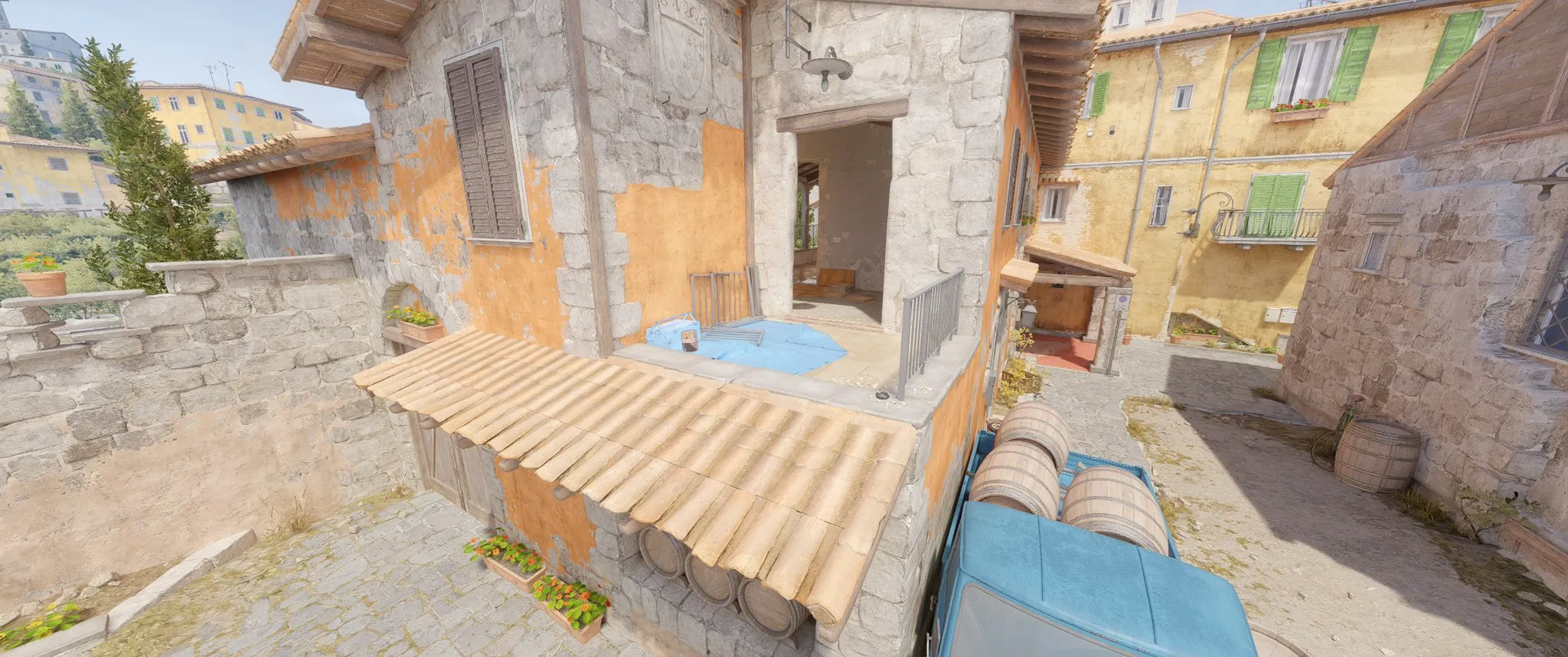
Inferno has undergone notable changes, including the removal of a balcony railing and adjustments to the garage door at bombsite A, enhancing visibility and resolving clipping issues. Additionally, bomb visibility improvements have been made at the fountain plant site, and various grenade bounce behaviors have been refined.
Anubis, on the other hand, has seen a series of geometry tweaks and surface alignments aimed at eliminating clipping issues and erratic grenade bounces. Changes have also been made to the mid-area visuals, CT team intro position, and certain player boosts have been removed.
Nuke and Ancient: Targeted Improvements
Nuke’s update includes several map-specific tweaks, with a major change involving the removal of dynamic lighting at the squeaky area to prevent shadows from revealing player positions—a crucial fix for competitive play.
Ancient has received adjustments to fog distribution in specific areas, visibility improvements in the donut section, and fixes for bullet penetration issues.
Addressing General Gameplay and System Bugs
Enhancements Across the Board
The update extends beyond map-specific issues, introducing fixes for weapons falling through the map, enhancements to skins and stickers, and a resolution to the Molotov self-damage bug, which previously resulted in unwarranted team damage penalties.
This comprehensive patch from Valve signifies their commitment to refining and improving the Counter-Strike 2 experience, addressing long-standing issues, and enhancing gameplay across all maps. Players can now dive back into the action, enjoying a more polished and bug-free gaming environment.
The hype and excitement is all time high as we step in the highly-awaited Battlegrounds Mobile India (BGMI) India-Korea Invitational. The venue for this clash is Pragati Maidan – Bharat Mandapam, a venue with a capacity to host 7000 attendees. The tournament will take place across three days, from 26th to 28th October, featuring a massive prize pool of INR 10,000,000. For all the fans who want to keep up with the action in real-time, we bring you the live tracker for BGMI India-Korea Invitational.
BGMI India-Korea Invitational Overall Leaderboard
The BGMI India-Korea Invitational promises a breathtaking showdown as the top 8 Korean teams prepare to face off against their Indian counterparts. This clash will witness gaming powerhouses from both nations to vie for the ultimate title and the lion’s share in the massive prize pool. As South Korea, renowned for its rich esports legacy, confronts India, a rising force in the gaming world, the stakes have never been higher.
Following is the BGMI India-Korea Invitational Live Tracker:
Rank
Team
Matches
Finish Pts.
Pos. Pts.
Total Pts.
1
Dplus KIA
10
55
71
126
2
Gods Reign
10
43
70
113
3
EmTek StormX
10
47
51
98
4
TWM Gaming
10
40
42
82
5
Eagle Owls
10
37
40
77
6
Revenant Esports
10
39
38
77
7
Blind Esports
10
39
37
76
8
Big Brother Esports
10
25
50
75
9
ROX Esports
10
45
30
75
10
ZZ Esports
10
29
41
70
11
NS RedForce
10
30
37
67
12
DUKSAN Esports
10
29
35
64
13
Medal Esports
10
29
27
56
14
Gladiators Esports
10
36
18
54
15
Maru Gaming
10
14
20
34
16
Team X Spark
10
16
13
29
The live tracker will be continuously updated as the matches progress, ensuring you have the latest information at your fingertips.
The BGMI India-Korea Invitational is a huge event for the Indian BGMI community. Interestingly, Indian teams have not played any global or international tournament over the last year due to the game’s suspension.
Counter-Strike 2 (CS2) players occasionally face the frustrating “Failed to Find Dedicated Server” error, especially when attempting to host a server with a community workshop map. This article provides a detailed guide on how to resolve this issue, ensuring a smoother gaming experience.
Restarting CS2 and Steam: A Simple Fix
Quick Steps to Refresh Your Game
At times, the simplest solution is to restart your CS2 client. You can do this through the “quit” console command or manually. If the issue persists, proceed to restart your Steam client. Here’s a quick guide:
Click on the Steam button in the top left corner of your Steam client.
Select Exit.
Relaunch Steam and start CS2 to check if the issue is resolved.
Corrupted or missing game files can lead to server issues. To fix this, verify the integrity of your CS2 game files:
Go to your Steam Library and right-click on CS2.
Select Properties and navigate to the Installed Files section.
Click on “Verify integrity of game files.”
Wait for the process to complete, which could take a few minutes, and then relaunch CS2 to see if the error is fixed.
Managing Community Workshop Maps
Unsubscribing and Deleting Problematic Maps
Since the error often relates to Community Workshop Maps, unsubscribing from and deleting these maps can resolve the issue. This is a two-step process:
Unsubscribing from Workshop Maps:
Open Steam and go to the Community tab.
Select Workshop and search for the Counter-Strike: Global Offensive Workshop.
Go to Browse > Subscribed Items.
Click “Unsubscribe From All.”
Deleting Maps from the Workshop Folder:
In Steam, right-click on CS2 and select Installed Files.
Click Browse to open File Explorer.
Navigate to csgo > maps > workshop.
Delete the workshop folder.
After completing these steps, reinstall the maps you wish to use and try launching the game again.
By following these steps, you should be able to resolve the “Failed to Find Dedicated Server” error in CS2, leading to uninterrupted gameplay. Remember, maintaining the integrity of your game files and managing your workshop maps are key to a seamless gaming experience. Happy gaming!
Counter-Strike 2 (CS2) stands out as a highly competitive first-person shooter game, demanding players to constantly hone their skills and strategies. Whether you are a seasoned player or just starting, mastering the game requires dedication and effective practice. In this guide, we delve into the essential CS2 practice commands and configurations that will transform your gameplay.
How to Use Practice Commands in CS2?
Initiating your practice session in CS2 is straightforward. Begin by selecting “Practice With Bots” from the game’s menu, choose your preferred game mode and map, and you’re ready to go. To access the console for command input, press the tilde key (~). If it’s not active, enable it through the “Game Settings” under “Developer Console.”
Once the console is accessible, input sv_cheats 1 to activate cheat commands, allowing you to implement various practice commands. To deactivate, simply input the same command with a “0” instead of “1”.
Bot commands in CS2 offer a way to customize your practice sessions, focusing on specific areas that need improvement. Commands like bot_kick remove all bots, while bot_add_t and bot_add_ct add bots to the Terrorist and Counter-Terrorist sides, respectively. Control bot movements with bot_stop 1 and mimic player actions with bot_mimic 1. For knife-only practice, use bot_knives_only 1.
Round Time and Freeze Command In CsS2
Adjusting round timers and gameplay settings ensures uninterrupted practice. Set infinite map time with mp_timelimit 0, and extend round times for different game modes using commands like mp_roundtime, mp_roundtime_defuse, and mp_roundtime_hostage. Speed up game starts with mp_freezetime 0 and end warmups instantly with mp_warmup_end.
Balancing Teams and Managing Money Command CS2
For uneven team practices, use mp_limitteams 0 and disable auto-balancing with mp_autoteambalance 0. Adjust in-game economy settings to suit your practice needs with commands like mp_maxmoney, mp_startmoney, and mp_buytime.
Perfecting Grenade Throws and Spray Patterns
Master grenade trajectories with sv_grenade_trajectory 1 and control visibility duration with sv_grenade_trajectory_time. Manage your ammo with ammo_grenade_limit_total, and perfect weapon sprays with sv_showimpacts 1 and sv_showimpacts_time.
How to create Practise Config In CS2
For efficient practice sessions, create a config file with your preferred commands and save it in the CS2 cfg folder. Execute it in-game through the console to apply all settings at once.
Create a text document and save it with a .cfg extension, such as “warmup.cfg”;
Input your desired commands into the document;
Save the changes to the file;
Move the file to the cfg directory, typically found at \Steam\steamapps\common\Counter-Strike Global Offensive\csgo\cfg;
Open the game console and input “exec warmup.cfg” to execute the file, applying all the commands and settings you’ve specified.
You have the option to make various files with distinct names and commands as needed.
CS2 demands precision, strategy, and skill. By utilizing these practice commands and configurations, you can create focused and effective practice sessions, propelling your gameplay to new heights. Remember, consistent practice and goal-setting are key to mastering CS2.
Esports betting is rapidly gaining popularity, drawing fans from across the globe. This article serves as a concise and enlightening guide for those eager to explore the exhilarating realm of esports betting, ensuring a clear and comprehensive understanding of the subject.
Esports betting is the practice of placing wagers on the outcomes of competitive video gaming events, blending the excitement of gaming with the strategic element of betting to offer a distinctive experience for participants. For a more extensive exploration of esports betting, consider visiting TPP – Esports, a comprehensive resource for beginners.
The first step is to choose a reputable betting platform. Opt for a licensed platform with positive feedback and a diverse range of games to ensure a secure and pleasurable betting experience and to avoid potential scams.
Before placing bets, acquire knowledge about the various esports games available, such as Dota 2, CS:GO, and League of Legends. A deeper understanding of each game’s rules and strategies will enable you to make informed and successful wagers.
Investigate the participating teams and players. Familiarity with their strengths, weaknesses, and recent performances will assist in making precise predictions. Leverage player statistics, previous match outcomes, and expert opinions to gain insights into the competitors’ form and capabilities.
Set the limits
Effective bankroll management is crucial. Establish a budget and adhere to it, resisting the urge to recover losses. This strategy reduces the risk of substantial financial losses and encourages responsible gambling.
Esports betting provides a variety of wagering options. Understanding the diverse types of bets available allows for a more flexible and strategic betting approach. Experiment with different betting options to discover what aligns with your preferences and increases your winning prospects.
Stay informed about the latest developments in the esports industry by regularly visiting reputable esports news sites and following the social media accounts of teams, players, and esports organizations.
Starting your esports betting journey involves knowledge, strategy, and responsible gambling. By selecting a reliable platform, expanding your knowledge, evaluating teams and players, managing your bankroll, exploring various betting options, and staying informed, you can experience the thrill of esports betting responsibly.
Remember to gamble responsibly, set limits, conduct thorough research, and make informed bets to fully enjoy the dynamic world of esports betting.Stay updated with the latest news in gaming and esports by signing up for early access to TalkEsport’s Mobile App. Follow us on Twitter and Google News to ensure you never miss the exciting updates