Friday, May 15, 2026
Home Blog Page 634

What Is Genshindle? Genshin Impact

0

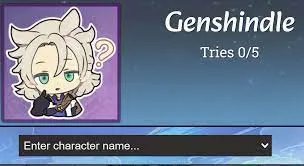
Genshin Impact, the ever-popular action role-playing game, has reached new heights with its Version 4.2 release. Amidst the usual engaging gameplay, fans have discovered a novel way to enhance their experience: Genshindle. This unique platform, resembling the popular game Wordle, diverges by focusing on characters from Genshin Impact rather than words, offering a fresh twist for enthusiasts​​.

Genshindle presents a captivating challenge: players must deduce the identity of a Genshin Impact character based on limited clues. With only five attempts at their disposal, players receive hints about various aspects of their guesses, such as Weekly Bosses, Ascension Materials, Region, Vision, Weapons, and Release Version. For instance, if the hidden character is Fischl and the player’s guess is Collei, Genshindle will reveal that both characters wield a Bow, aiding in further deductions. This task, seemingly straightforward for seasoned players, can become quite tricky with less common characters, especially those from the Inazuma region​​.

Even for long-time Genshin Impact players, Genshindle can pose a delightful challenge. Though it might appear simple to identify characters, thanks to their unique Vision and Weapon combinations, the game still demands strategic thinking. Genshindle serves as an enjoyable interlude, either kicking off a gaming session or wrapping it up, providing a balanced break from the more intensive aspects of Genshin Impact. It’s a clever way to engage with the game world, test one’s knowledge, and enjoy a bit of light-hearted fun​​.

Why Is Counter Strike So Popular?

0

Counter-Strike, especially its latest iteration, Counter-Strike: Global Offensive (CS:GO), remains a titan in the esports arena. As it approaches its 10th anniversary, its popularity not only endures but continues to surge. But what underpins this undiminished appeal in an industry characterized by constant change and new titles vying for attention?

The Legacy of Counter-Strike

Counter-Strike’s journey began over two decades ago, and its legacy has played a pivotal role in its popularity. Originally a mod for Half-Life, it quickly evolved into a standalone game. Over the years, it has not only survived but thrived, even in the face of newer, more graphically advanced shooters. This longevity is a testament to its deeply rooted place in the esports world, a story further explored in “Facts About Esports“.

A Consistently Strong Player Base

Remarkably, CS:GO recently shattered its own player count records, reaching over 1.3 million concurrent players without significant updates or events​​. This impressive player base is a clear indicator of the game’s ongoing relevance and appeal. The reasons for this sustained interest are manifold, ranging from the game’s competitive nature to its regular updates and community-driven content.

Steam: The Launchpad for Success

Steam, one of the most popular gaming platforms, is the exclusive distributor of Counter-Strike. Since its launch in 2003, Steam’s growing popularity has significantly contributed to Counter-Strike’s success. The platform offers easy access, community features, and continuous updates, making it an ideal home for the game​​.

Time-Tested Gameplay

Counter-Strike’s game design, dating back to the original mod released in 2000, has stood the test of time. Its straightforward yet challenging gameplay, focused on team strategy and individual skill, has kept players engaged for years. This enduring design is one of the key reasons why it remains more popular today than ever before​​.

A Robust Community

Counter-Strike boasts a large, dedicated community. This community is not just large in numbers but also actively involved in the game’s ecosystem, contributing to its longevity and relevance. From creating custom content to participating in large-scale tournaments, the community’s engagement is unparalleled.

Counter-Strike’s enduring popularity is a multifaceted phenomenon. Its rich legacy, robust player base, strategic partnerships, timeless game design, and vibrant community all contribute to its status as a cornerstone of the esports world.

Massive Security Exploit Detected Inside CS2

A massive security exploit has been revealed by a credible CS2 content creator who claims that it has the potential to give access to your Steam account remotely, leak the IP Addresses of everyone on the server, and change visual elements in the game.

According to popular CS2 creator Ozzny, the security exploit that many believed to be a hoax is real and he has warned everyone against playing the game until it’s fixed. Perpetrators can alter visual elements inside the game during a live match as well as use an IP logger to get hold of the IP addresses of the players.

He further added that there are speculations that let hackers run code that will eventually lead them to your Steam account and further into your computer leaving you with a lot of exposure.

“Apparently, there is a security exploit with Steam names inside CS2, which allows for people to change visual stuff inside the game with a simple HTML code linking an image. But this is not it, apparently you can also get the IP’s of EVERYONE in the server using this method with the assist of an IP Logger. (Not going to show much or explain how for obvious reasons, but it is very easy)” he said.

“It’s also speculated people could potentially do things like run code on your computer or get access to your Steam account this way. I DID NOT see anyone do this, it’s speculation from people who know much more than me. This should be fixed very fast but what a huge oversight from Valve, maybe it’s better to just not open CS2 while this is not fixed.” he added.

While these were written off as rumors earlier this week, now with someone as credible as Ozzny coming out to warn players about this goes to show that it might be real. Exploiting this security issue will take skill and expertise that not many possess but it might be in your best interest to stay clear of the game for a few days.

Stay updated with the latest news in gaming and esports by signing up for early access to TalkEsport’s Mobile App. Follow us on Twitter and Google News to ensure you never miss the exciting updates.

How to Play With Kukri Knife in CS2?

0

Since its launch, Valve has been pushing updates almost every single day to fix all the bugs and make CS2 more stable. Moreover, all the CS2 esports teams around the world are also preparing for the first major which is set to take place in Copenhagen in March 2024. Apart from that, new skins and cases are expected to be released soon.

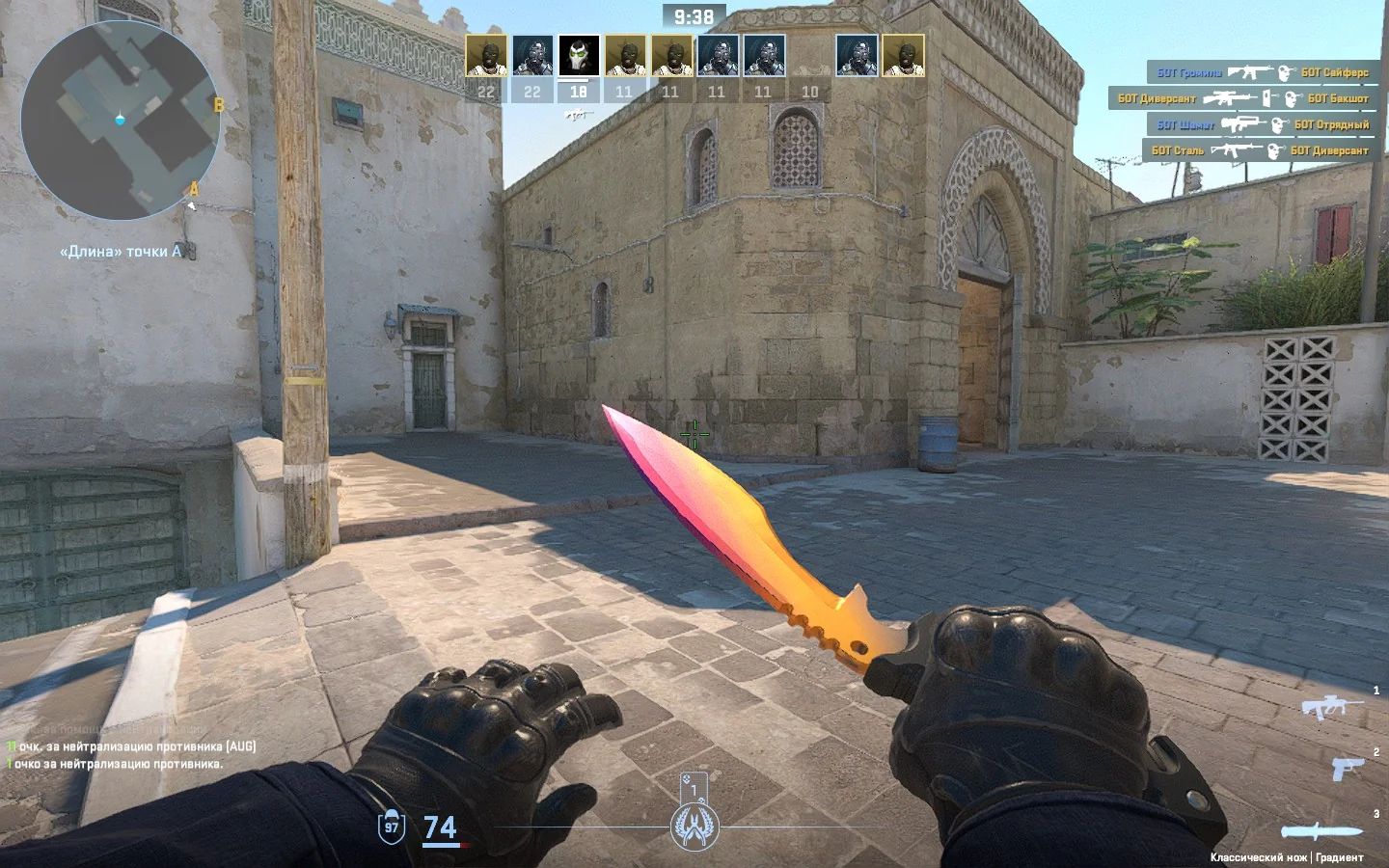
Two new knives have been discovered within the CS2 game files – the Kukri and the Twinblade. The latest update, almost nine months after these initial leaks, introduced new skins for the potential Kukri knife, sparking interest among the community​​.

How to try out the new Kukri Knife in CS2?

Curiosity about how to try out the new Kukri knife is natural among gaming enthusiasts. To experience it firsthand, players can start by loading any practice map and selecting the “Infinite Warmup” option.

Once on the map, a sequence of commands needs to be entered: sv_cheats 1, followed by mp_drop_knife_enable true, and finally, subclass_create 526. This sequence allows players to swap their current knife with the Kukri knife for a test run​​.

Kukri Knife Skins

To fully explore the Kukri knife, it’s essential to remember to drop the original knife before entering the final command. The method mentioned will only permit play with the Vanilla version of the Kukri knife. For those eager to try out every knife finish, connecting to a community inspect server is the next step.

This involves a simple process: visit the meckedev skin site, select the Kukri knife and your preferred skin, and then use the generated !gen code in one of the following community servers​​​​:

  • connect 149.202.64.190:27017
  • connect 149.202.64.64:27017
  • connect 149.202.64.12:27017
  • connect 164.132.200.10:27017

Also Read | How to Fast Forward CS2 Replay?

How to Get Blast Cores in LEGO Fortnite?

0

LEGO Fortnite has revolutionized the gaming landscape, offering a thrilling experience that diverges from the traditional Battle Royale mode. In this unique world, players are empowered to create their realms, engaging in solo or group play as they build, craft, and strive for survival.

This innovative collaboration between LEGO and Fortnite has attracted a massive player base, setting new records in peak player counts​​.

Keep reading this article till the end to find out how you can get Blast Cores in LEGO Fortnite.

How to Get Blast Cores in Lego Fortnite?

Within this creative and dynamic environment, players often find themselves on a quest for specific items, one of which is the elusive Blast Core. Essential for crafting a Metal Smelter, the Blast Core poses a challenge for many adventurers in LEGO Fortnite​​.

Locating Blast Core

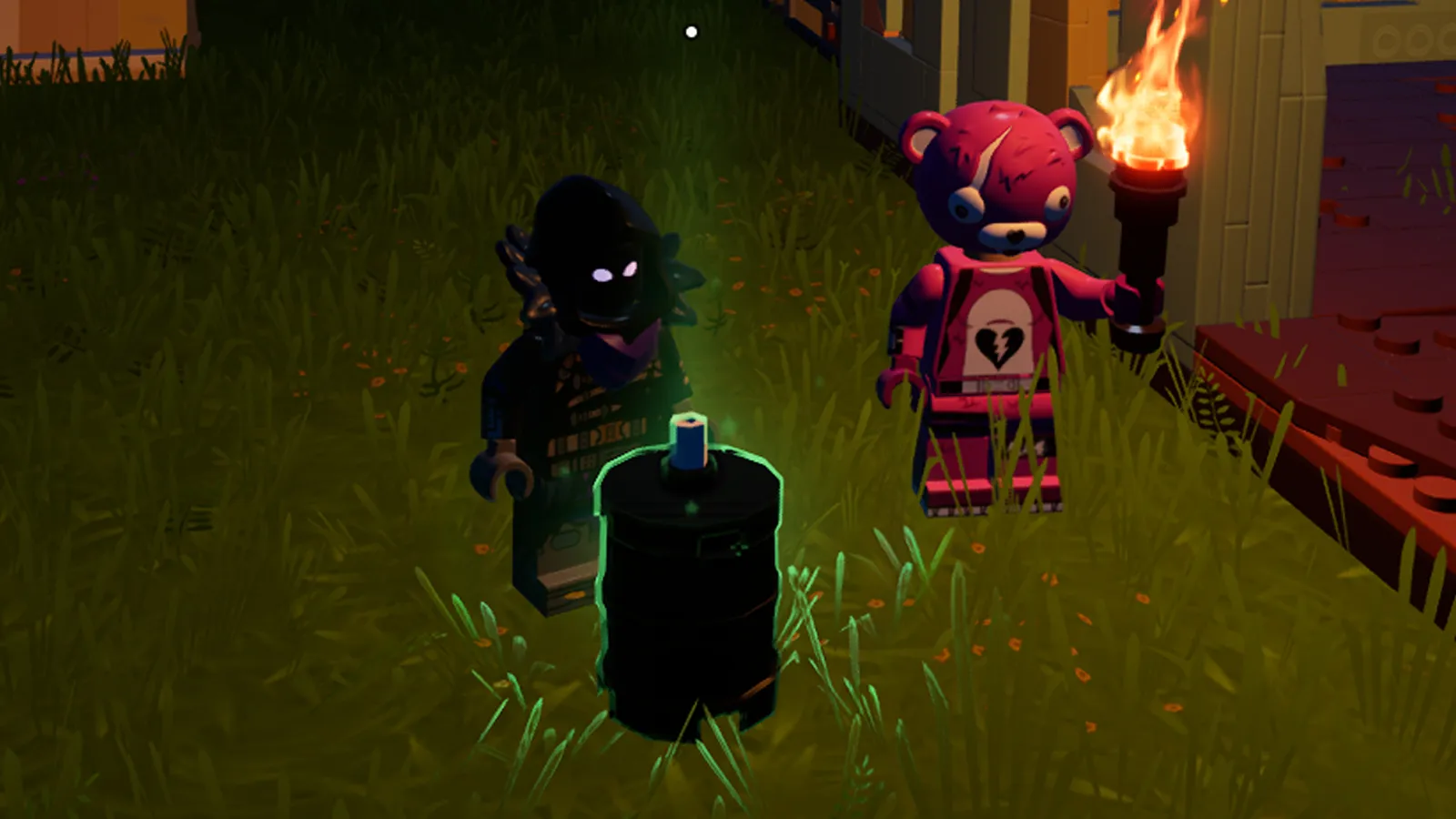
To embark on this quest, one must venture into a Lava Cave. These caves, hidden under heaps of rocks in desert biomes, are the key to finding the Blast Core. The core itself is dropped by a Blaster mob, which you need to defeat inside these caves​​.

Overcoming Challenges

Beware, as the journey is not without its challenges. Blaster mobs are known for their potential to explode if not defeated swiftly. It is crucial to eliminate them promptly to avoid damage and successfully obtain the Blast Core​​.

Tactical Approaches

A strategic approach is necessary for this mission. Utilizing ranged weapons or quickly dispatching each mob with close combat weaponry, while deftly avoiding any damage, is the key to success. Timing and agility are your allies in these encounters​​.

Identifying Blaster Mobs

Spotting a Blaster mob might be tricky as they blend with their surroundings, resembling dark stones. To confirm their identity, strike them with your weapon. If they move, you’ve found your target​​.

Before delving into the Lava Caves, preparation is paramount. Ensure you have the right charms and food items to avoid the risk of burning during your quest for the Blast Core​​.

Also Read | Fortnite Festival XP Glitch

How to Turn On Auto Fire in Fortnite Mobile?

0

Fortnite Mobile offers a unique gaming experience with its diverse fire modes. This guide delves into the different fire modes available in Fortnite Mobile, providing step-by-step instructions on how to change them according to your playstyle and skill level.

How to Turn On Auto Fire in Fortnite Mobile?

Fortnite Mobile presents three primary fire modes: Auto Fire, Tap Anywhere, and Dedicated Button. Each mode caters to different skill levels and preferences:

  • Auto Fire: Ideal for newcomers, this mode allows players to shoot automatically when aiming at an opponent. It’s a great way to get accustomed to the game’s mechanics without worrying about manual shooting.
  • Tap Anywhere: This mode offers more control, letting players aim and shoot by tapping anywhere on the screen. It’s perfect for those who have a bit more experience and prefer a balance between automation and manual control.
  • Dedicated Button: Designed for advanced players, this mode enables aiming with one thumb while using a dedicated button to fire. It provides complete control over shooting.

How to Change Fire Mode?

Changing the fire mode in Fortnite Mobile is a straightforward process. Here’s how you can do it:

  • Open the Game: Start Fortnite Mobile and tap the menu icon.
  • Access Settings: Navigate to ‘Settings’ and then select ‘Touch and Motion’.
  • Choose Fire Mode: Find the ‘Fire Mode’ option and select your preferred mode.
  • Confirm Changes: After making your selection, confirm the changes and exit the menu.

This simple process allows players to switch between modes effortlessly, tailoring the game to their comfort level.

How to Select the Right Fire Mode for You?

The choice of fire mode in Fortnite Mobile should align with your gameplay style and skill level. Beginners may find Auto Fire more accommodating as it eases them into the game’s shooting mechanics.

Intermediate players might prefer Tap Anywhere for a more engaging experience, while advanced players typically gravitate towards the Dedicated Button for maximum control.

It’s important to note that Auto Fire does not work with certain weapons like melee weapons, sniper rifles, and launchers. This limitation encourages players to experiment with different modes as they progress in the game.

Which fire mode do you use in Fortnite Mobile? Let us know in the comment section below.

Fortnite Festival XP Glitch: All You Need to Know

0

December in Fortnite is brimming with excitement, thanks to three major additions – the LEGO Fortnite survival game, the adrenaline-pumping Rocket Racing mode, and the much-talked-about Fortnite Festival. However, with new content often come unexpected glitches, and this time, it’s the Fortnite Festival XP glitch that’s stealing the spotlight.

In this article, we will find out how to do the Fortnite Festival XP Glitch. Keep reading till the end.

Fortnite Festival XP Glitch: Level Up Rapidly

This glitch is a game-changer, offering players the chance to skyrocket through hundreds of levels in mere minutes. The process involves exploiting a daily quest with a friend’s assistance.

But be cautious: exploiting glitches can attract attention from Epic Games, possibly leading to account actions, including level reversion.

How to do the Fortnite Festival XP Glitch?

  • Initial Requirement: Possess the ‘Play on the Jam Stage for 20 minutes’ Daily Quest.
  • Joining In: Link up with a friend already at the Jam Festival Stage.
  • The AFK Strategy: Engage in the Jam Stage, then remain AFK (Away From Keyboard) for 20-30 minutes.
  • Exiting the Game: Leave the game using the ‘Return to Lobby’ option.
  • Reaping the Rewards: You gain a complete level every time you re-enter the game.
  • Repeat to Your Heart’s Content: Continue this process as desired, or until the glitch is fixed.
  • Enjoy Your Rapid Ascension: Relish in the speedy rise through levels!

While this method offers an exhilarating way to advance in the game, it’s essential to remember that such glitches can be risky. Epic Games is known for taking action against accounts exploiting glitches, so proceed with this method at your own risk.

Disclaimer: Use the Fortnite Festival XP Glitch at your own risk. TalkEsport is not responsible for any consequences or actions taken by Epic Games.

BMPS 2023 Cheating Crisis: Player from Growing Strong Faces Ban; Defends With Proof

0

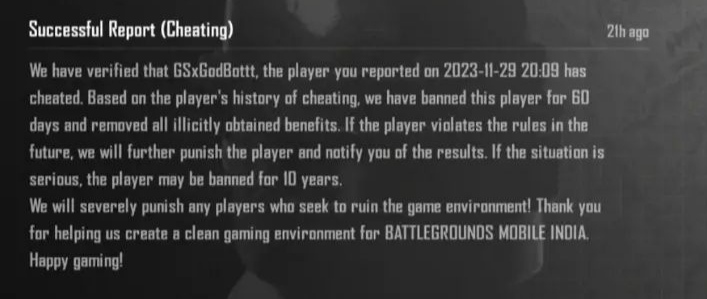
The highly anticipated grand finals of Battlegrounds Mobile India Pro Series (BMPS) 2023 took an unexpected twist. One player from the Grand Finalist team Growing Strong, GSxGodBottt, found himself banned from the game for 60 days due to alleged cheating. The revelation came after a successful report, shared by an Instagram user, skyline_cs_, who revealed the report feedback indicating conclusive evidence of cheating.

Growing Strong’s GSxGodBottt Receives a 60 Day Ban Ahead Of BMPS 2023 Grand Final

The feedback report stated, “We have verified that GSxGodBottt has cheated. Based on the player’s history of cheating, we have banned this player for 60 days and removed all illicitly obtained benefits.” The report further warned of stricter actions, including a potential 10-year ban, for any future violations, emphasizing the commitment to maintaining a clean gaming environment in Battlegrounds Mobile India (BGMI).

GSxGodBottt and Growing Strong’s Response

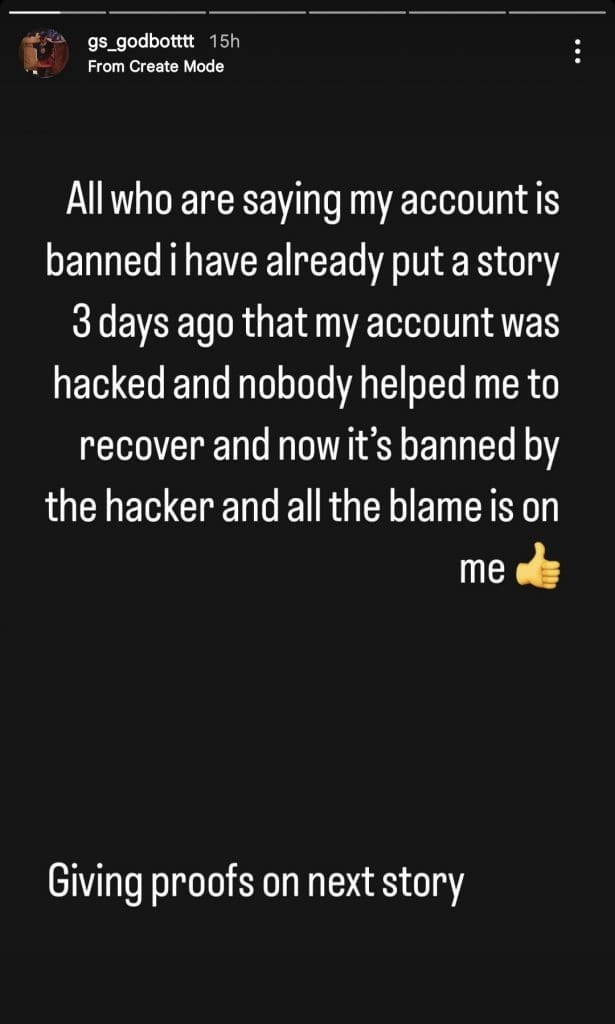
Following this, GSxGodBottt took to his Instagram story to defend himself. He pointed to a previous story posted three days prior, stating that someone hacked his account and complained about the lack of assistance in recovering it. GSxGodBottt put the blame on the hacker for the ban, clarifying his side of the story. 

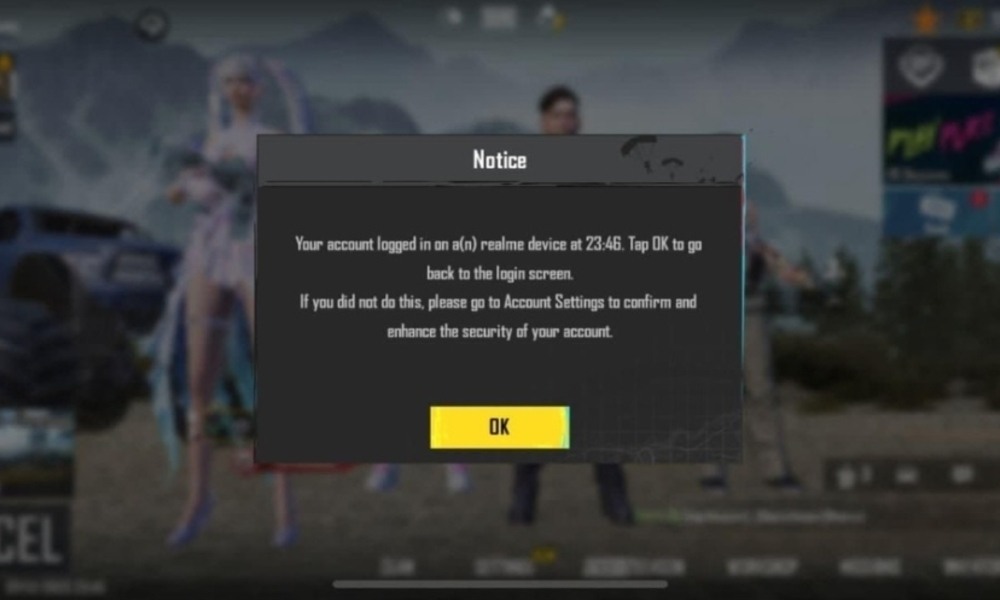
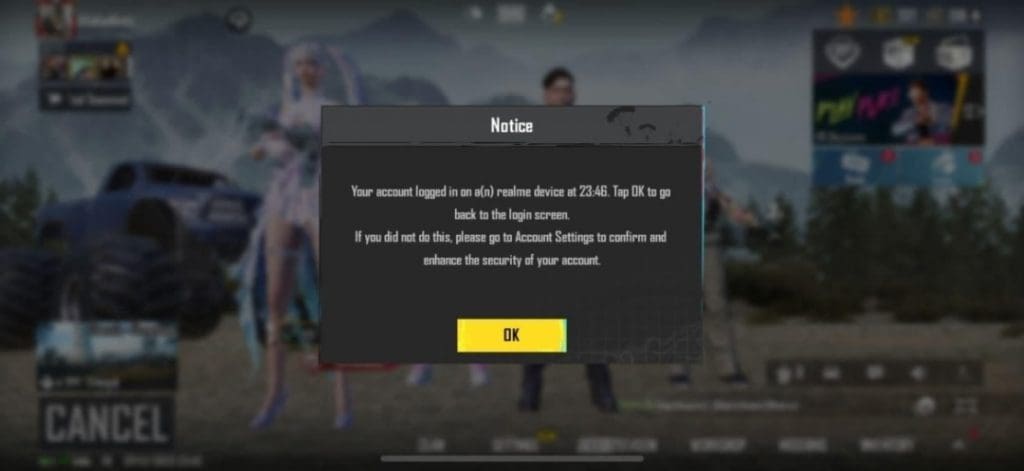
Additionally, GSxGodBottt shared an in-game notification screenshot that seemed to support his claim, indicating a login on “a realme device at 23:46.”

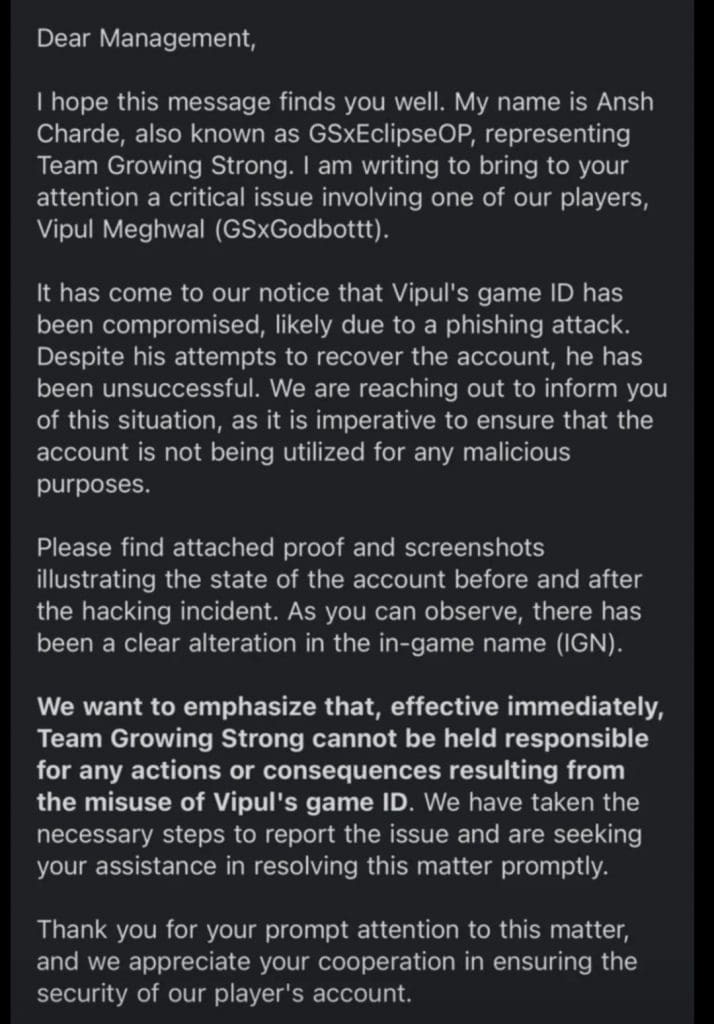
Amidst the controversy, Growing Strong’s official statement, penned by Ansh Charde (GSxEclipseOP), shed light on a potential phishing attack leading to the compromise of Vipul Meghwal’s (GSxGodBottt) game ID. Additionally, the team shared evidence showcasing the altered in-game name (IGN) and pleaded with the management to recognize the situation. The statement emphasized that Growing Strong could not be held responsible for any consequences resulting from the misuse of Vipul’s account, urging for an urgent resolution of the matter.

As the BMPS 2023 grand finals loom, the ban on GSxGodBottt adds a layer of uncertainty to Growing Strong’s participation. Krafton India Esports has not made any official statement regarding Growing Strong’s participation in the Grand Finals of BMPS 2023. However, it will be interesting to see how Krafton India Esports reacts as the game’s anti-cheat system itself has detected the cheat.

Stay updated with the latest news in gaming and esports by signing up for early access to TalkEsport’s Mobile App. Follow us on Twitter and Google News to ensure you never miss the exciting updates.

BMPS 2023: All 16 Qualified Teams

0

After 18 days of intense competition in the league stage of Battlegrounds Mobile India Pro Series (BMPS) 2023, the dust has settled, and the top 16 teams have emerged. These top 16 teams have earned a coveted spot for themselves in the Grand Finals of this prestigious tournament. The journey for these teams has been a test of skill, strategy, and resilience, with each match contributing to the selection of the best teams. Let’s have a look at all the qualified teams.

All 16 Qualified Teams For BMPS 2023

Following are all the qualified teams for BMPS 2023:

  • Team iNSANE
  • Blind Esports
  • Team SouL
  • Hydra Esports
  • Growing Strong
  • GenxFM
  • Team Psyche
  • Glitchx Reborn
  • TeamXSpark
  • Team Together Esports
  • Revenant Esports
  • 8bitxCS
  • Gladiator Esports
  • Entity
  • Numen Gaming
  • Autobotz Esports

These teams have navigated the intense competition of the league stage, which lasted for 18 days. As the countdown to the Grand Finals begins, the stage is all set for a battle among these top teams.

The Grand Finals, scheduled to take place after the online league stage, will bring together these 16 teams in a LAN setting. The undisclosed location, with speculations pointing toward Ahmedabad, Gujarat, India, will witness these teams fighting tooth and nail for the ultimate title and a lion’s share of the staggering INR 1 Crore prize pool.

Reflecting on the legacy of BMPS Season 1 and the triumph of Team SouL, the expectations are sky-high for this edition. Fans eagerly anticipate witnessing whether a new champion will emerge or if Team SouL will once again assert their dominance.

As Krafton continues to uphold its commitment to fostering the Indian gaming industry, BMPS 2023 stands as a testament to the growing influence and excitement surrounding esports in the country. Stay tuned for further updates as we inch closer to the Grand Finals, where these 16 qualified teams will vie for glory and etch their names in the annals of BGMI history.

Stay updated with the latest news in gaming and esports by signing up for early access to TalkEsport’s Mobile App. Follow us on Twitter and Google News to ensure you never miss the exciting updates.

How to Fix the Media Streaming Error in Fortnite?

0

Fortnite constantly evolves with new updates and features, keeping the gameplay fresh and exciting. However, with these updates sometimes come unexpected issues, like the recent “Media Streaming Error” encountered by players during the Fortnite Festival event.

If the Fortnite festival is also not working for you, don’t worry. We’ve got your back. This article will guide you through understanding and resolving the Media Streaming error.

What is the Media Streaming Error in Fortnite?

Firstly, it’s essential to grasp this error and why it occurs. The Media Streaming Error typically appears when players try to access certain content within the Fortnite Festival event. This error can be frustrating as it prevents players from fully engaging with the event’s features.

Several factors can trigger this error, including:

  • Server Overload: High player traffic during popular events can overload Fortnite’s servers, leading to various errors, including the Media Streaming Error.
  • Outdated Game Version: Not running the latest version of Fortnite can cause compatibility issues with new events and features.
  • Internet Connectivity: Poor or unstable internet connections might lead to errors in streaming media content within the game.

How to Fix the Media Streaming Error in Fortnite?

To resolve the Media Streaming Error and get back to enjoying the Fortnite Festival, follow these practical steps:

Check Server Status

Before attempting any fixes, ensure the problem isn’t on Fortnite’s end. Check Fortnite’s official social media channels or server status webpage for any announcements regarding server issues.

Update Fortnite

Running an outdated version of the game can lead to several problems. Ensure your Fortnite is updated to the latest version. Game updates not only fix bugs but also introduce new content.

Improve Internet Connection

A stable internet connection is crucial for online gaming, especially for events like the Fortnite Festival. Consider these tips:

  • Use a wired connection instead of Wi-Fi for a more stable internet.
  • Restart your router to refresh your internet connection.
  • Close any bandwidth-heavy applications running in the background.

Clear Game Cache

Corrupted or overloaded game cache can cause errors. Clearing Fortnite’s cache can resolve these issues. The process varies depending on your device (PC, console, mobile), so refer to specific instructions for your platform.

Reinstall Fortnite

If all else fails, a fresh install of Fortnite can sometimes be the ultimate solution. Uninstall the game and reinstall it from the official source.

While annoying, the Fortnite Festival Media Streaming Error is typically a temporary setback that can be resolved with the above-mentioned troubleshooting steps. If you are still facing issues, let us know in the comment section below.