Thursday, May 14, 2026
Home Blog Page 615

Best CS2 Launch Options For High FPS

0

Counter Strike 2 (CS2) isn’t just about strategy and skill; it’s also about how smoothly your game runs. Every player craves that seamless, lag-free experience, especially when it comes down to those split-second reactions that can turn the tide of a match. Optimizing your game’s settings for better FPS (Frames Per Second) can give you that critical edge.

For many gamers, tweaking game settings is a daunting task, filled with technical jargon and endless options. But fear not! This article is your comprehensive guide to understanding and applying the best CS2 launch options for FPS.

In this article, you will learn:

  • The key CS2 launch options that are crucial for boosting your FPS.
  • How to tailor these options to fit your specific system needs.
  • Additional tips to fine-tune your gaming setup for an optimal playing experience.

Let’s dive into the world of CS2 optimization and ensure your game runs as smoothly as possible.

Understanding CS2 Launch Options

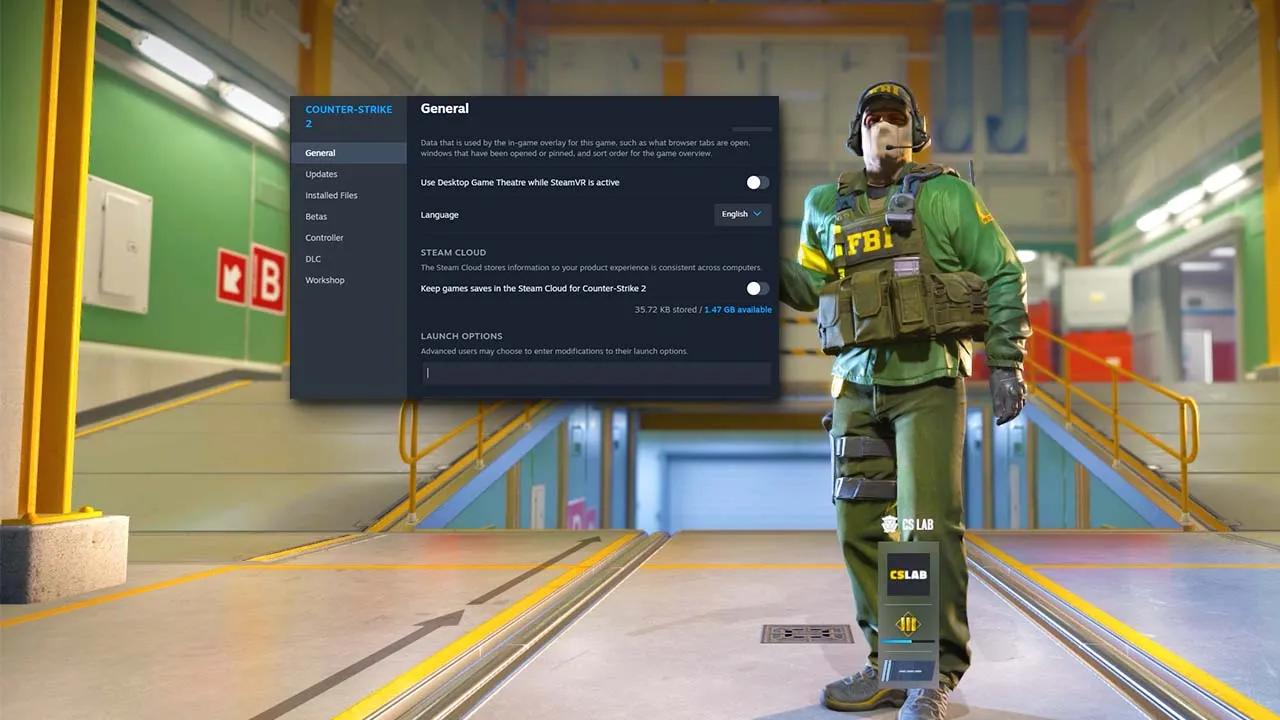
Before diving into the specifics, it’s crucial to understand what launch options are and their impact on your CS2 gameplay. Launch options are a set of predefined commands that are executed upon the start of the game. These commands allow players to customize their gaming experience at a more technical level, often leading to significant improvements in game performance and FPS.

Unlike in-game settings, which mostly focus on visual aspects and controls, launch options address the core way the game operates on your system. They can change how the game utilizes your PC’s resources, such as CPU and memory. This customization is particularly important for CS2, a game where every millisecond counts, and optimal performance can be the difference between winning and losing a crucial round.

While powerful, these commands can be double-edged swords. Incorrect usage or over-tweaking can lead to instability or unexpected game behavior. That’s why it’s essential to understand what each launch option does and how it applies to your specific gaming setup.

In the following sections, we’ll explore the most effective launch options for boosting FPS, tailor them to your system, and discuss other adjustments you can make to maximize your gaming experience.

Best Launch Options for FPS in CS2

Achieving the highest possible FPS in CS2 is a priority for many players, and certain launch options can help you do just that. Here are some of the most effective commands:

  • -novid: This command skips the intro video when you launch CS2, allowing the game to start more quickly.
  • -high: This sets the game’s priority to high in your CPU settings, potentially improving performance.
  • -threads [number]: Replace [number] with the number of CPU cores your system has. This command directs the game to use multiple cores, enhancing performance on multi-core systems.
  • +fps_max [number]: Set a cap for your FPS. While unlimited FPS might seem ideal, setting a limit slightly above your monitor’s refresh rate can stabilize performance.
  • -nojoy: This removes joystick support, which can slightly increase startup speed and free up resources.
  • -tickrate 128: For players who practice on offline servers, this command increases the tickrate, making it consistent with many competitive servers.

It’s important to note that the effectiveness of these options can vary based on your PC’s specifications. Some players might see significant improvements, while others may notice minimal changes. Additionally, always back up your current settings before making any adjustments, so you can revert if needed.

Customizing Options for Your System

Personalizing CS2 launch options is key to achieving the best performance for your specific setup. Here’s how to approach this customization:

  • Assess Your Hardware: Start by understanding your PC’s specifications, especially your CPU and GPU. The effectiveness of certain launch options, like -threads, is highly dependent on your hardware.
  • Monitor Performance: Use tools like the in-game FPS counter (cl_showfps 1 in the console) to monitor how changes affect your performance. Look for improvements or any potential issues that arise.
  • Start with Baseline Settings: Implement one launch option at a time. This way, you can gauge its impact and avoid overwhelming your system.
  • Balance Performance and Quality: While maximizing FPS is important, consider the visual quality and overall smoothness of gameplay. For instance, an FPS cap just above your monitor’s refresh rate can offer a more stable experience.
  • Test and Tweak: Experiment with different combinations of settings. What works for one system may not work for another. Be patient and methodical in your approach.
  • Seek Community Advice: The CS2 community is a wealth of knowledge. Forums and discussion boards can be invaluable resources for getting advice tailored to your hardware configuration.

Remember, the goal is to enhance your gaming experience without compromising stability. It’s about finding that sweet spot where the game runs smoothly and looks good on your machine.

Additional Tips Beyond Launch Options

Optimizing your CS2 experience isn’t limited to just tweaking launch options. There are several other aspects you can consider for an even better gaming experience:

  • In-Game Settings: Adjusting settings like graphics quality, shadow detail, and texture filtering can significantly impact performance. Lower settings can boost FPS, but find a balance that doesn’t overly degrade visual quality.
  • Hardware Upgrades: If you’re consistently struggling with low FPS, it might be time to consider hardware upgrades. Investing in a better graphics card or more RAM can have a substantial impact.
  • Software Optimizations: Make sure your graphics drivers are up to date. Background applications can also hinder performance, so close unnecessary programs while playing.
  • Network Optimization: A stable internet connection is crucial for online gaming. Use a wired connection if possible, and consider quality of service (QoS) settings on your router to prioritize gaming traffic.
  • Heat Management: Excessive heat can throttle your PC’s performance. Ensure good ventilation, clean dust from your PC regularly, and consider additional cooling solutions if needed.
  • Professional Help: If you’re unsure about making hardware upgrades or optimizing settings, consulting with a professional can be a wise decision.

By combining these tips with the right launch options, you can significantly enhance your CS2 gaming experience, leading to smoother gameplay and potentially giving you that competitive edge.

In this article, we’ve explored the various ways to boost your FPS in CS2 through strategic launch options and additional tweaks. By understanding the best launch options, customizing them to your system, and implementing other performance-enhancing tips, you can significantly improve your gaming experience.

To recap, the key takeaways include:

  • Utilizing specific launch options like -novid, -high, and -threads can greatly enhance FPS.
  • Tailoring these settings to your specific system specifications is crucial for optimal performance.
  • Beyond launch options, consider in-game settings, hardware upgrades, and software optimizations to further improve gameplay.

CS2 is a game where every frame can make a difference in your performance. By applying these insights, you’re well on your way to a smoother and more responsive gaming experience. As a natural next step, you might be interested in exploring a guide on advanced in-game settings for CS2 or learning about the latest hardware recommendations for gaming PCs to further enhance your setup.

Fan creates a SpongeBob Fortnite concept skin and everyone loves it

0

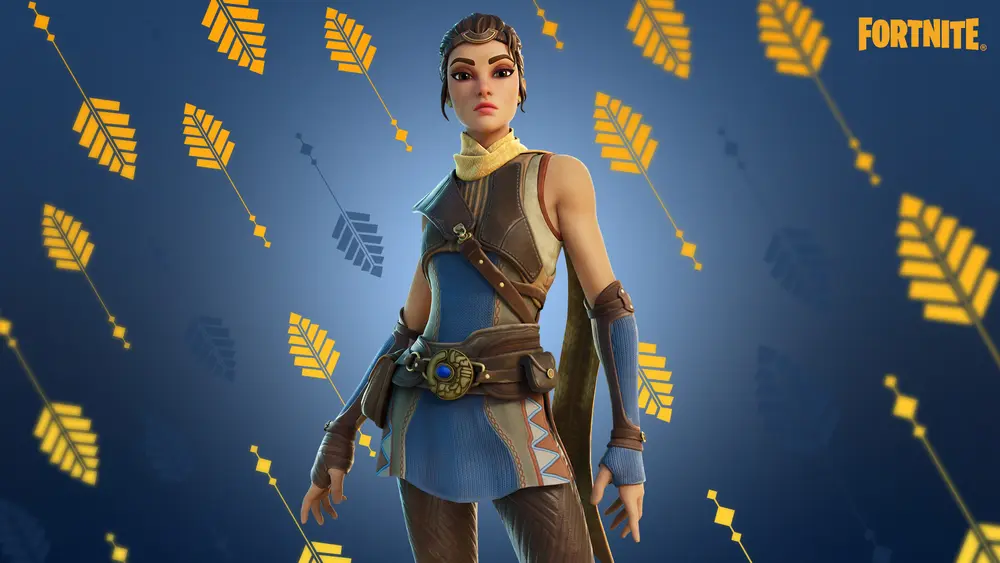
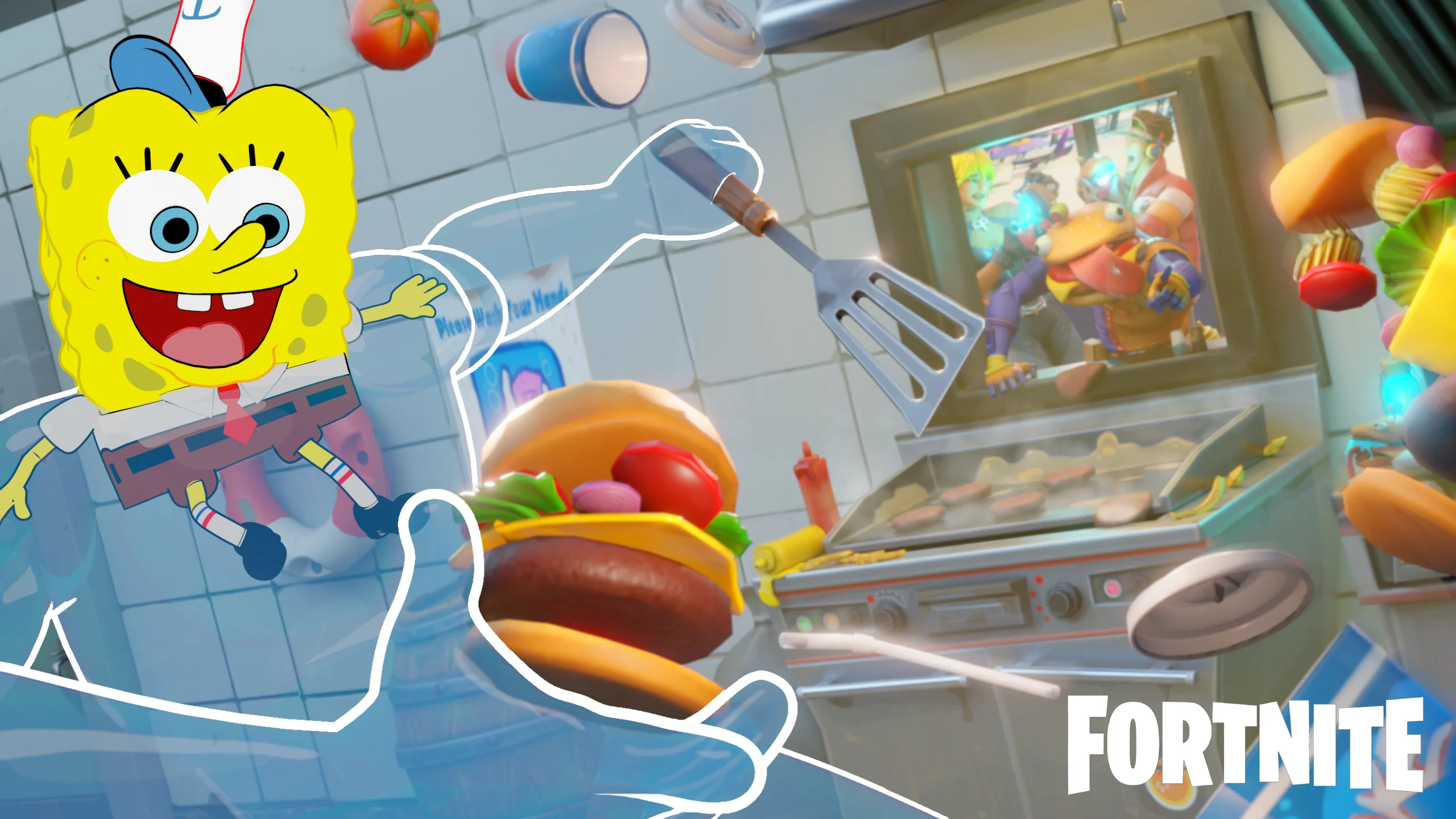
Fortnite has always been accommodating of playful skins and one fan has taken it to the next level by designing a SpongeBob concept skin that looks right in place to the point that fans have started demanding Epic Games to bring it to Fortnite.

SpongeBob has been one of the most iconic characters of our generation whose unique approach to humor has garnered fans from all over the world which makes him a perfect fit to be the next big Fortnite skin.

The Nicklodean show has several items that will fit right in as pickaxes and unique movements will work as emotes. There are other notable characters like Squidward who can join the pack as a skin and the whole theme would make up for a fantastic new Fortnite event.

AustinTheBear, the creator of the concept has built a whole suite of skins and other cosmetic items around SpongeBob. DoodleBob variation of the skin, Gary the pet snail as a back bling, a jellyfish net pickaxe, and a loading screen, all of it come as a part of the package.

The Reddit thread has been upvoted enough times to catch the attention of the developers and it might be too far-fetched to assume this point but we might see Spongebob Squarepants in the game in the coming days.

Skyesports League 2024 to Take Place in Mumbai This March

0

Skyesports has set the stage for the upcoming Skyesports League 2024, featuring the highly popular battle royale title, Battlegrounds Mobile India (BGMI). This highly anticipated event is all set to unfold in Mumbai. Scheduled for March 2024, the tournament promises to be a tournament like no other, featuring franchised teams based on various Indian cities.

Mumbai Secures Spotlight for Skyesports League 2024

Building on the success of the previous edition, Skyesports League 2024 brings on BGMI. The tournament adopts a franchise-based model, with teams proudly representing different Indian cities. This franchise format not only elevates the competition but also creates a sense of regional pride among the players and fans.

The choice of Mumbai as the tournament venue adds an interesting backdrop to the tournament. Known for its bustling energy and diverse culture, the city will provide the perfect setting for this tournament. Since the Battlegrounds Mobile India Series (BGIS) 2023, which took place in October 2023, Skyesports League 2024 will be the first major BGMI tournament to take place in Mumbai.

BGIS 2023, the previous major BGMI tournament to take place in Mumbai, witnessed an impressive response from the crowd. The venue, NSCI Dome, was packed and a large crowd waited outside to get in to catch the action live.

Skyesports, a renowned tournament organiser in South Asia, is no stranger to hosting successful gaming events. Skyesports League 2024 promises to surpass all previous benchmarks, and the competition expects to draw a massive audience.

In Skyesports League 2023, featuring Pokemon Unite, Hyderabad Nawabs emerged as the winners, taking home INR 4,00,000 cash prize. 

With the stage set in Mumbai, the BGMI community eagerly anticipates the Skyesports League 2024. Skyesports has not yet officially revealed the exact venue of the event.

Stay updated with the latest news in gaming and esports by signing up for early access to TalkEsport’s Mobile App. Also, follow us on Twitter and Google News to ensure you never miss the exciting updates.

Is Brazilian Striker Endrick in EA FC 24?

0

Endrick Felipe, the Brazilian wonderkid, has been the talk of the football world lately. This young star has shown exceptional talent, scoring an impressive 165 goals in 169 matches for the Palmeiras youth teams. His skill was further highlighted by his performance in the Copa Sao Paulo do Futebol Junior, where he scored seven goals in seven games.

Now, at just 17 years old, Endrick has already made 64 appearances for Palmeiras’ first team, scoring 14 goals and providing two assists. In the 2023 Brazilian Serie A season, he scored four goals in 13 matches, despite starting only three of them.

Endrick’s left-footed brilliance and versatility on the field, capable of playing centrally or on either wing, have not gone unnoticed. His potential caught the attention of many, and he’s now set for a transfer to Madrid in January 2024. This transfer marks a significant milestone in Endrick’s career, solidifying his status as one of the most promising young talents in the world.

Is Brazilian Striker Endrick in EA FC 24?

The arrival of Endrick in EA Sports FC 24 is eagerly anticipated by fans of the franchise. Following the pattern of previous stars like Vinicius Junior and Rodrygo, who joined FIFA after their official transfers, Endrick is expected to make his debut in EA Sports FC 24 as a Real Madrid player. His inclusion in the game’s Career Mode is forecasted to be as a 75-rated striker with a potential of 92, a testament to his perceived future impact in the world of football.

Endrick’s presence in the game is more than just a new player addition; it’s a nod to his growing influence in the football world. Gamers and football enthusiasts alike are keen to see how his virtual abilities will translate in EA Sports FC 24’s Career Mode, where they can manage his development and potentially lead him to become one of the brightest stars in the game.

Endrick Felipe’s rise to fame is not just about his transfer to Real Madrid or his inclusion in a popular football video game. It’s about the representation of young, talented athletes who are making a name for themselves on the global stage. Endrick, being the youngest player to be called up to the Brazilian national team since Ronaldo Nazario, carries the hopes and dreams of many young footballers. His story is one of determination, skill, and the promise of a bright future in the sport.

In EA Sports FC 24, Endrick’s character will not just be a player with high stats but a symbol of youthful talent breaking through the ranks. His journey from the youth teams of Palmeiras to the national team and now to one of the world’s most prestigious clubs, Real Madrid, embodies the dreams of many aspiring footballers.

Fans are excited to see how Endrick’s skills will be represented in EA Sports FC 24. From his speed and agility to his striking ability, every aspect of his playstyle is awaited with anticipation. The virtual world of football gaming offers a unique platform for fans to experience the thrill of managing and playing as such emerging talents.

How to Do Siu Celebration in EA FC 24?

0

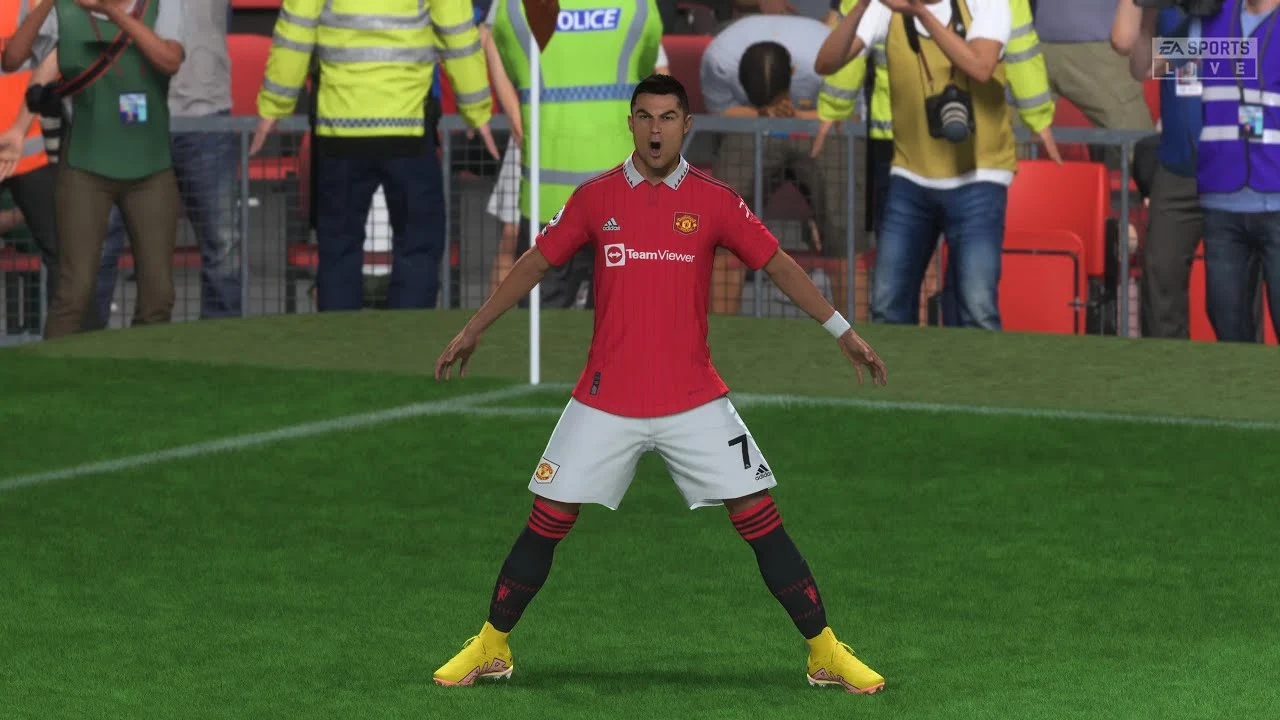
Embrace the excitement of scoring in EA Sports FC 24 by mastering the legendary “Siu” celebration, a signature move of the renowned football icon Cristiano Ronaldo. This article is your ultimate guide to performing this electrifying celebration in the game.

The “Siu” celebration, which has become synonymous with Cristiano Ronaldo, originated during his tenure with Real Madrid in 2013. It features Ronaldo sprinting toward the corner flag, then executing a 180-degree spin mid-jump, arms extended, and exclaiming “Siu” upon landing. This distinct celebration combines the Spanish “Si” (meaning ‘yes’) and the expressive sound “ooh!”.

How to Perform the “Siu” in EA Sports FC 24?

Whether you’re playing as Ronaldo or any other player, you can celebrate your goals with the “Siu” in EA Sports FC 24. Here’s how to trigger this celebration on various gaming platforms:

  • Xbox: Hold RB and press B
  • PlayStation: Hold R1 and press Circle
  • PC: Hold Z and press D (note: this may vary based on your controller setup)
  • Switch: Hold R and press A

Besides the “Siu”, Ronaldo fans can enjoy another iconic celebration: “The Nap”. This involves Ronaldo pretending to sleep with his hands as a pillow. To attempt “The Nap”, score with Ronaldo and press X (PlayStation) or A (Xbox) before the cutscene. It’s a random chance between the “Siu” and “The Nap”.

Fortnite Shop Predictions for January

0

Following the introduction of Lego Fortnite, we have narrowed down the Fortnite Shop items prediction down to a few items, and lot of which are in demand. The Fortnite shop items get refreshed after a certain period and players who are looking to get any one of the items listed.

Predicted Outfits

Jawbreaker
Tactics Officer
Special Forces
Windwalker Echo
Sanctum
Burnout
Flapjackie
Growler
Infinity
Lucien West
Darkheart
Waypoint
Splatterella
Scimitar
Sandstorm
Castor
Elmira
Siren
Hedron

Predicted Emotes

Controller Crew
T-Pose
Windmill Floss
The Macarena
Savage
Feelin’s Jaunty
Boneless
Dab
Llamacadabra
Electro Swing
Billy Bounce
Dance Therapy

Predicted Pickaxes

Iron Beak
Fixation
Fresh Cut
Staff of Control
Jackspammer
Starstruck Axe
Pick Axis
Spellslinger
Forebearer

Make sure you have enough V bucks at hand to buy the items you are looking for on the day they arrive as a slight delay could cause you to lose the chance to get the item for a long time. Lego Fortnite would have us assume that most of the items will be focused on the same, so if you are looking to get those Outfits, Emotes, and Pickaxes, make sure to keep an eye out.

IEM China 2024 To Take Place in Chengdu

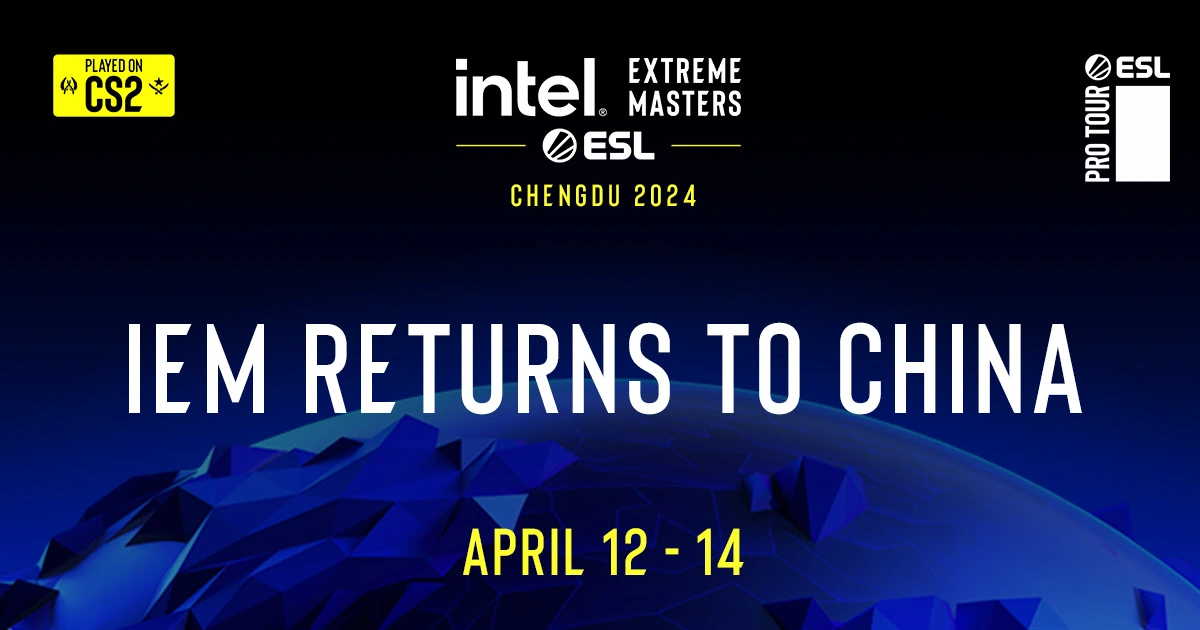
A recent announcement by ESL has confirmed that the highly anticipated IEM China 2024 will take place in Chengdu, the capital city of the Sichuan province.

“Four years have passed since our last visit to China,” ESL said in the announcement video. “Counter-Strike has changed a lot since then. It’s time to write new history.”

IEM Chengdu 2024 is set to feature sixteen of the best Counter-Strike 2 teams from throughout the globe, who will battle it out in front of a live audience for a shot at the gigantic prize pool of $250,000 and a spot in the IEM Cologne 2024 group stage.

The event is set to kick off on April 8, 2024, and will feature seven days of intense CS action before concluding on April 12th. The final three days of the tournament will unfold at the Wuliangye Chengdu Performing Arts Centre.

ESL has yet to confirm the exact ticket sale dates for the event, but fans can expect further information to be disclosed within the next few weeks.
Fans will be able to catch the event live on the official Twitch and YouTube handles of ESL.

Genshin Impact Quicken Reaction: Explained

0

If you’re looking to enhance your combat proficiency and optimize your damage output in Genshin Impact, prioritizing the understanding of elemental reactions should be your top priority. These reactions can serve as a swift means of inflicting substantial amounts of damage to your opponents and are crucial to execute properly to take down stronger enemies.

There are several interesting reactions in Genshin Impact, but almost none of them are considered as complex as the Quicken reaction in the game. In case you’re unaware of what a reaction is, Genshin Impact features seven distinctive elements: Anemo, Geo, Electro, Dendro, Hydro, Pyro, and Cryo. Combining these elements creates synergies that yield new effects, allowing players to deal a hefty amount of damage to their opponents. This process is commonly referred to as reactions.

Genshin Impact Quicken Reaction Guide

So what’s the Quicken reaction in Genshin Impact?

The Quicken reaction is a relatively recent addition to the open-world RPG, introduced in August 2022. Usually, Genshin Impact reactions are quite easy to execute, even the strong ones. However, the Quicken reaction is a complex reaction that beginners might find themselves struggling to perform.

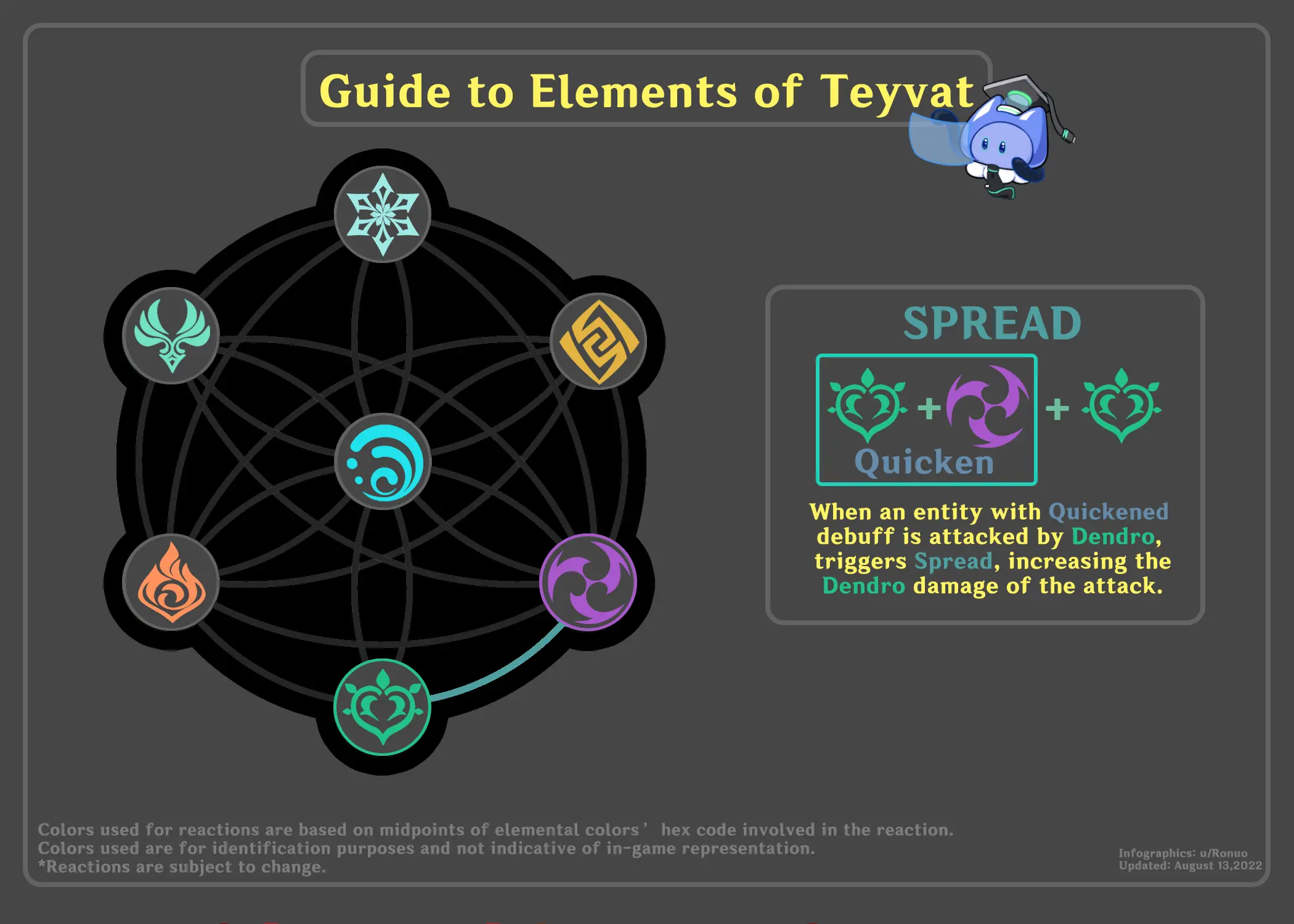
Quicken stands out as a particularly unique buff, residing within the broader elemental reaction category known as Catalyze. Within this framework, Quicken is accompanied by two smaller elemental reactions—Spread and Aggravate.

How To Trigger Quicken Reaction in Genshin Impact

Quicken can be activated either by applying Dendro to a target already affected by Electro or by inflicting Electro on a target already under the influence of Dendro.

While Quicken itself doesn’t deal any damage, it applies the Quicken Aura to the affected target. This Quicken aura gradually decays over time, and players can take advantage of its active state to initiate the secondary Catalyze elemental reactions.

After activating the Quicken aura, players have the option to either apply additional Dendro to initiate Spread or inflict Electro to trigger Aggravate.

These reactions won’t consume the Quicken aura, but it will gradually decay over time. However, if a Hydro or Pyro attack is inflicted on the target, the Quicken aura is consumed and Bloom or Burning is triggered.

That’s everything you need to know about the Quicken Aura in Genshin Impact.

How To Get Ranked in CS2: Counter-Strike 2 Ranking System Explained

0

It has been a while since Counter-Strike 2 was first released to a global audience in September 2023, and a few months have passed since then. However, lots of players still seem to be unaware of the game’s ranking system and are constantly looking for ways how to get ranked in CS2.

Whether you’re a new CS2 player seeking information on how to get ranked in Counter-Strike 2 or a veteran interested in the finer details of the shooter’s rating system, we’ve got you covered. In this article, we take a look at everything you need to know about the CS2 ranking system and explain to you all the current ranked divisions in the game.

CS2 Ranking System Explained

In the previous iteration of CS2, which was known as CS:GO, the ranking system featured several ‘Rank Groups’ from Silver to Global Elite. However, with the release of Counter-Strike 2, a new form of ranking was introduced to the game ‘CS Rating’ game. The CS Rating of any individual player is represented with a number greater than 1,000 and can only be impacted by playing matches on the ‘Premier’ game mode.

The ‘Competitive’ game mode in CS2 still uses the ranking system from CS:GO, but the skill groups are now calculated per-map. For instance, a player can be a Global Elite on Mirage and a Gold Nova on Dust 2 at the same time.

The usual CS Rating of a player in CS2 ranges anywhere between 1,000 and 30,000+. Players can improve their CS Rating by participating in Premier matches. Winning Premier games will gain you additional ratings and help you climb up the leaderboards, while losing games will decrease your rating.

How To Get Ranked in CS2

Getting ranked in CS2 is extremely easy and players only have to play a few Premier games to see their initial CS Rating.

Note that Prime status needs to be purchased from the Steam Store first to be eligible to play the Premier or Competitive modes in CS2.

Once you have the Prime status in CS2, win 10 games of Premier to get your CS Rating. If you’re looking to get a skill group in a specific map, select that map from the ‘Competitive’ tab and get 10 wins to get your first rank.

CS Rating and Their CS:GO Rank Equivalent

Typically, new players are placed anywhere between 1,000 and 10,000 CS Rating when they finish their placement games. In case you’re curious to find out how you compare to the ranking system of CS:GO, look no further.

Below, we have included a table listing the different CS Rating brackets in CS2 and their CS:GO rank equivalents.

RATINGCOLORCSGO RANK EQUIVALENT
1,000-4,999GreySilver
5,000-9,999Light BlueGold Nova
10,000-14,999BlueMG – MGE
15,000-19,999PurpleLE – LEM
20,000-24,999PinkSupreme – Global Elit
25,000-29,999RedGlobal Elite
30,000+RedGlobal Elite

Genshin Impact Leaks Reveal New Playable Character Columbina

It has only been a few days since Genshin Impact has received its newest character, Chevreuse, and leaks have already started surfacing within the community that hint towards the next playable character in the open-world action RPG.

According to recent leaks by prominent dataminers, the upcoming playable Genshin Impact character is named Columbina, and will be available to obtain in the game starting from the version 5.0 update. Codenamed “Damselette”, the next Genshin Impact character is a Cryo Archon elite soldier and a member of the Snezhnayab society. She is also a part of the eleven Fatui Harbingers in the game’s lore.

The aforementioned leaks come from Genshin Impact leaker ‘Black Rose’, who is a prominent dataminer within the game’s community. In their Tweet, Black Rose revealed that Columbina will be introduced as a playable character in Genshin Impact alongside the release of Natlan region or at a later date.

Genshin Impact Columbina Release Date Leaks

At the time of writing, the official release date of Columbina hasn’t been revealed by the developers. However, based on the leaks we’ve seen above, fans of the title can expect the new Genshin Impact character to arrive in Summer 2024.

Columbina’s detailed kit also remains to be seen. However, it’s safe to assume that she will be a 5-star character like her fellow Harbinger, Tartaglia.