Tuesday, May 12, 2026
Home Blog Page 569

How to Get Shrieking Star Quest Pack in Fortnite?

0

While the Fortnite x Avatar crossover became very popular among the fans, Epic didn’t stop there. They have released Shrieking Star Quest Pack with the new Fortnite Season 2. While the outfit looks unique, the quest pack will provide 1,000 V-Bucks if you complete all the daily quests.

Therefore, if you spend a lot of money in the game for V-Bucks, this is the time to get some back for free. This article will help you with the Shrieking Star Quest Pack in Fortnite. Keep reading till the end.

How to Get Shrieking Star Quest Pack in Fortnite?
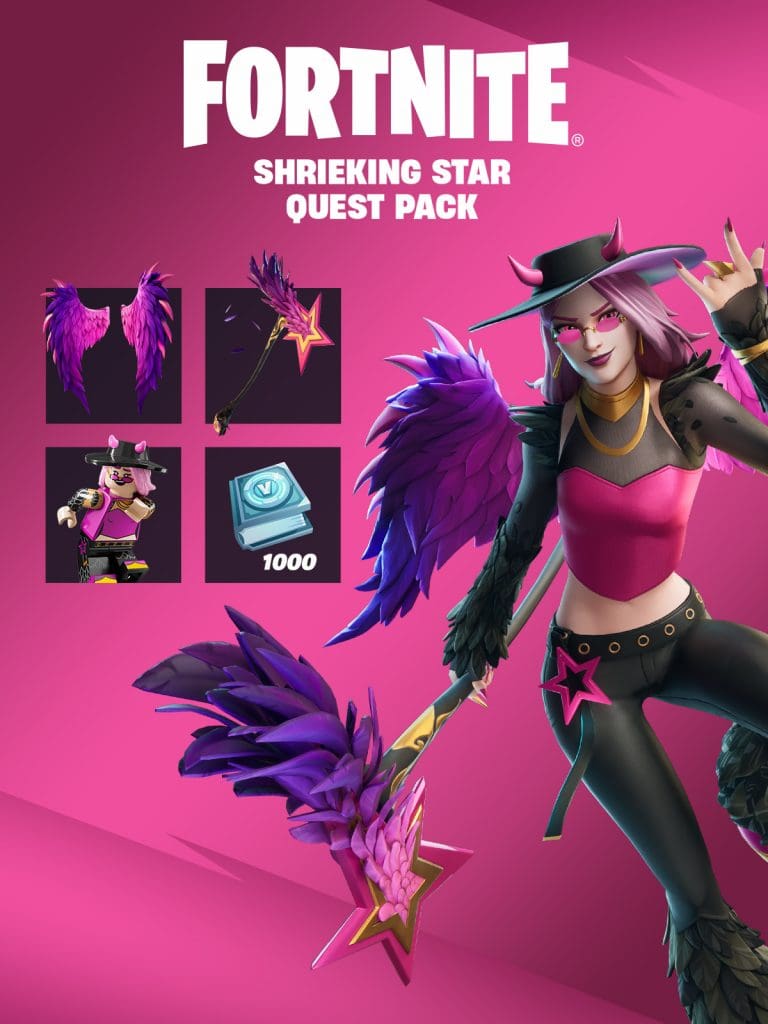
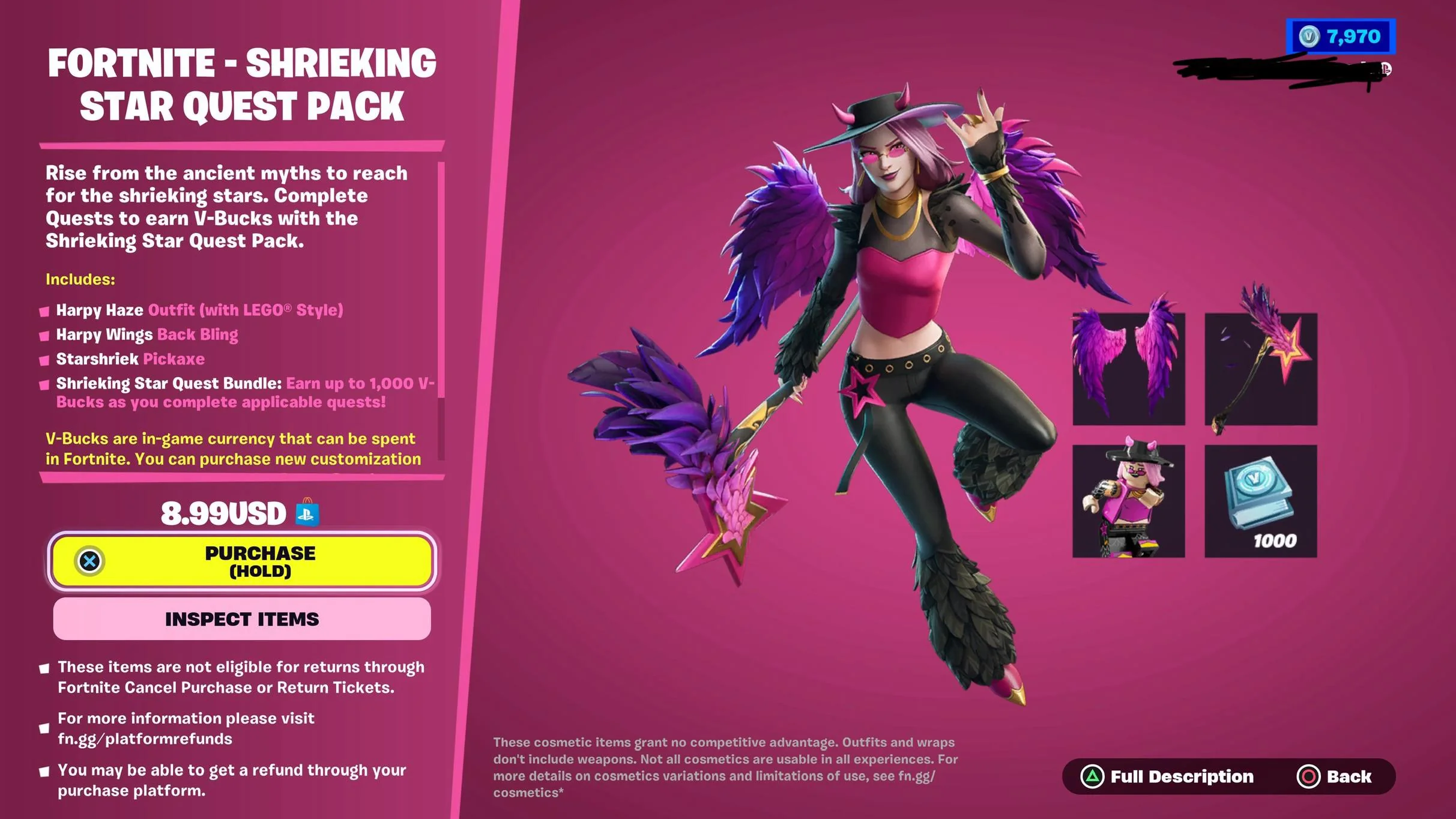
Getting the Shrieking Star Quest Pack is very simple as it can be purchased directly from the Item Shop. The cost of the pack is 8.99 USD or 1,000 V-Bucks.

Once you purchase the bundle you will receive the following items in the game:

  • Harpy Haze Lego Style Outfit
  • Harpy Haze Fortnite Style Outfit
  • Starshriek Pickaxe
  • Harpy Haze Quest Pack
  • Harpy Wings Back Bling

The quest pack will provide four quests which will give you a total of 1,000 V-Bucks as a reward. Let’s take a look at the quests:

    • Complete 3 Match Quest Bonus Goals: 100 V-Bucks
    • Complete 5 Match Quest Bonus Goals: 200 V-Bucks
    • Complete 7 Match Quest Bonus Goals: 300 V-Bucks
    • Complete 10 Match Quest Bonus Goals: 400 V-Bucks

    Don’t worry, these quests are not that hard to complete. Just grind the game a bit and you can complete all four quests without any hassle.

    Note: The Shrieking Star Quest Pack is expected to be available in the item shop till 14th May at 5 PM PT.
    How to Get Patch up Service in Fortnite?

    0

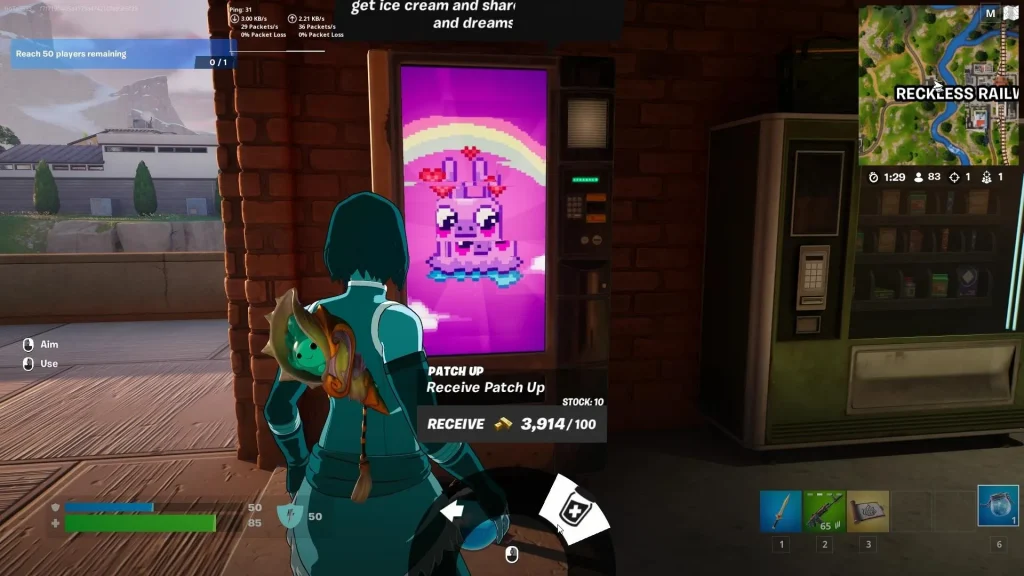
    Epic Games is well known for releasing new skins and quests regularly. Recently, the developers introduced the Avatar crossover and now they have released a new quest named “Purchase the Patch Up service from Characters or Mending Machines”. You should complete this quest if you want to upgrade your battle pass and get some in-game rewards.

    If you are wondering how to get Patch Up service from the NPCs or vending machines in Fortnite, this article will help you out. Keep reading till the end.

    How to Get Patch up Service in Fortnite?

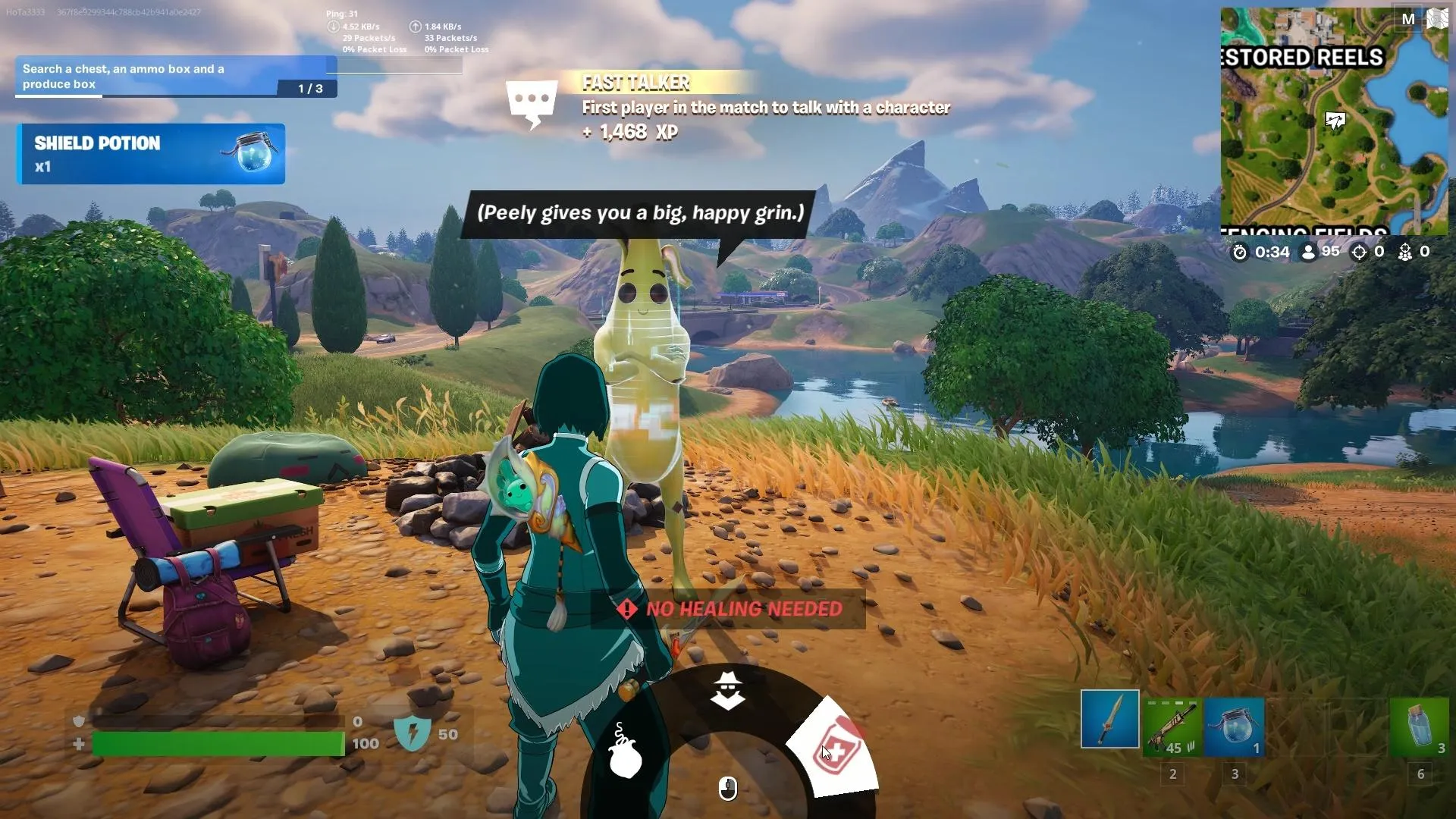
    First, you need to know what exactly the Patch Up service in Fortnite is. Patch Up service lets players purchase 50 HP for 100 gold bars. These purchases can be made on a Vending Machine in the game or from some NPCs. This quick health boost is very crucial for healing yourself while in a rough fight with your opponents.

    Getting the Patch Up service is quite straightforward. You just need to speak to Peely or Korra NPCs, or just purchase directly from a vending machine. The NPCs are located near Restored and Elemental Shrine respectively. Once you find them out just ask for the Patch Up service.

    Apart from that, you can always purchase Patch Up service from the vending machines which are located all around the map.

    Have you already completed this quest? Let us know in the comment section below.

    Free Fire OB44 Update APK Download Link Available Now

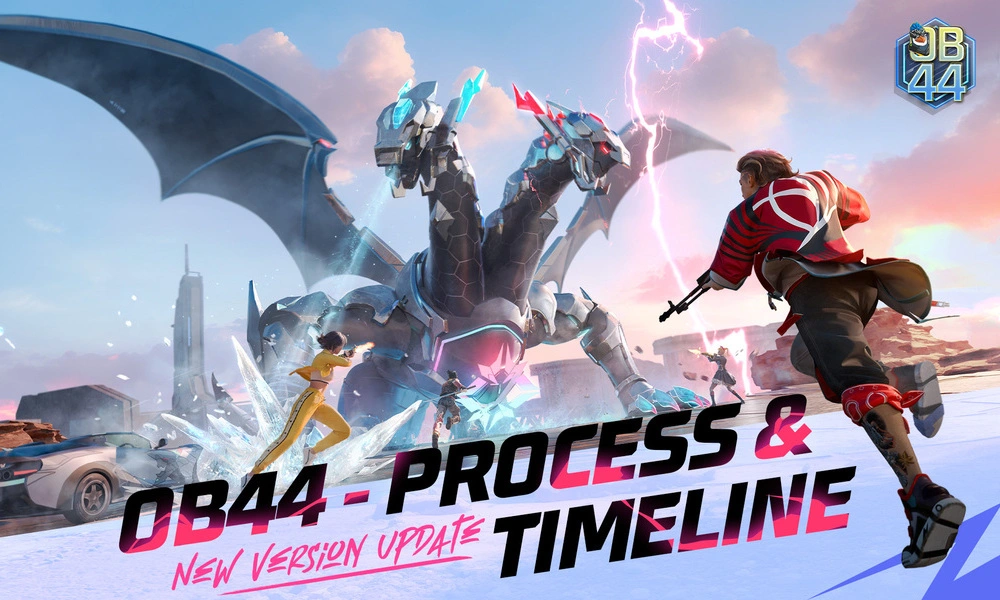
    Free Fire, a leading battle royale game, boasts immense popularity across the globe. Regular updates keep the experience fresh, introducing new items and features. The latest installment, Free Fire OB44 Update, builds upon its success with exciting additions. From the introduction of the new character Kairos to the exciting Zombie Hunt mode and Mechadrake Trial challenges, OB44 promises to elevate the gaming experience to new heights for fans worldwide.

    Download Link for Free Fire OB44 Update

    The Free Fire OB44 update is now accessible on the Play Store, packed with enhancements and additions for an even more intense gaming experience.

    Installing Free Fire OB44 Update

    Follow these steps to install the Free Fire OB44 update on your Android device:

    1. Begin the Download: Visit the Google Play Store page through the provided link or directly via the app by searching “Free Fire OB44 update,” or download the APK from Garena’s official website.
    2. Download/Update the Game: Tap ‘Download’ if you don’t have the game or ‘Update’ to get the latest version.
    3. Launch and Play: Once the update is installed or the game is downloaded, launch it to explore the new features.

    Notable Features of Free Fire OB44 Update:

    The OB44 update introduces several exciting features:

    • New Character – Kairos: Join the action with Kairos, a fresh addition to the character lineup.
    • Zombie Hunt Game Mode: Survive waves of zombies in the thrilling Zombie Hunt mode.
    • Mechadrake Trial: Take on unique challenges with the Mechadrake Trial.
    • Character and Weapon Adjustments: Significant tweaks to characters like Ryden and Santino, and updates to weapons such as Vector and MP5.

    Stay updated with the latest news in gaming and esports by signing up for early access to TalkEsport’s Mobile App. Also, follow us on Twitter and Google News to ensure you never miss the exciting updates.

    Fortnite Item Shop to Get New Billboard Feature: Leaks

    0

    While the Fortnite x Avatar with several new skins and quests going on, news is coming from sources that Epic is working on a new Billboard feature that will be displayed inside the Fortnite Item Shop soon. Also, there will be a countdown timer that will show how much time is left for you to purchase the skin.

    In this article, we will discuss everything we know about the new Billboard feature which is expected to be released soon in Fortnite.

    Fortnite Billboard Feature Expected Release Date

    Even though the date is not confirmed yet, according to a popular leaker HYPEX, the Billboard feature is all set to be released on 3rd May along with the Star Wars collab. While the leaker seems pretty confident about it, the support for this feature might get released with the upcoming Fortnite update.

    HYPEX also mentioned that the Star Wars Billboard will display “REBEL LEIA ORGANA – FORTNITE STYLE” with a “VIEW OFFER” button around it.

    The update is expected to add some more features apart from the Billboard. While nothing is confirmed officially by the developers, it is time to wait and watch what Epic is going to bring in with the update.

    How to Complete Earth Chakra Quests in Fortnite?

    0

    The new Fortnite x Avatar collaboration has brought in a bunch of new cosmetic items and quests. Apart from that, it added Elements Mini-Pass which introduces one free and one paid (1,000 V-Bucks) reward unlocking systems. The paid or the premium rewards section contains several quests based on Chakra.

    This article will guide you how to complete the Earth Chakra quests in Fortnite. Keep reading till the end.

    How to Complete Earth Chakra Quests in Fortnite?

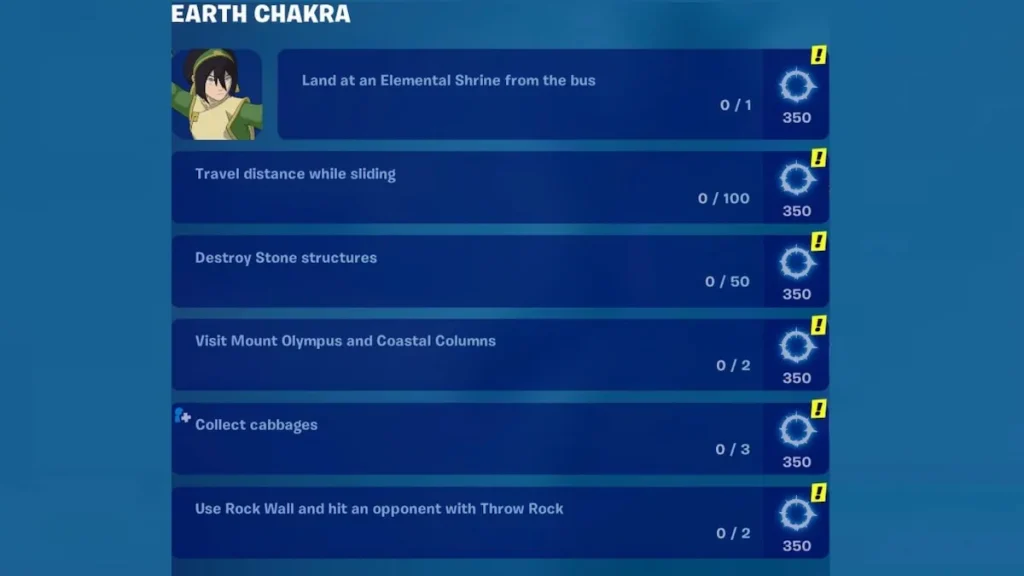
    We will explain how to complete the Earth Chakra quests one by one. The first one is very easy. You just have to jump out of the battle bus and glide to Elemental Shrine. You can land on any of the 8 shrines in the map to complete the quest and get 350 Chi.

    In the second quest, you have to move while sliding. It is also easy as you just have to press the crouch button while running. Once you complete the quest, you will receive 350 Chi.

    The third quest needs you to visit Mount Olympus and Coastal Columns. Yes you heard it right. Just visiting those places will get you 350 Chi.

    Then you have to destroy 50 stone structures to complete the fourth quest. Shoot any stone structure you see on your way and get 350 Chi after completing the quest.

    To complete the fifth quest, you need to collect total three cabbages that will reward you 350 Chi.

    The last quest is a bit tricky if you compare it with the previous ones. Here you have to build a rock wall and hit two opponents by throwing rocks. Even though it seems a bit tough, you can complete it by playing smartly.

    These were all the Earth Chakra quests. Which one do you think is the easiest one? Let us know in the comment section below.

    Free Fire OB44 Update: How to Download and Install

    Free Fire, the immensely popular battle royale game, continues to captivate players worldwide with its exciting gameplay and regular updates. With each new version, Garena brings exciting enhancements and features to keep the experience fresh and engaging. The latest installment, Free Fire OB44, builds upon the game’s success and introduces new elements to elevate the gaming experience to new heights.

    Free Fire OB44 Update Download Link

    The Free Fire OB44 update is now directly available on the Play Store. Featuring a host of enhancements, additions, and tweaks, this update promises to deliver even more intense action to fans of the game.

    • Free Fire OB44 Update Play Store Link: Click Here
    • You can also click here to download the APK file from the official Garena Website.

    Free Fire OB44 Update: How to Install 

    To install the Free Fire OB44 update on Android devices, follow these detailed steps:

    1. Initiate the Download: Start by navigating to the Google Play Store page using the provided link or directly through the Google Play Store app by searching for “Free Fire OB44 update” or simply download the APK from the official Garena website.
    2. Download/Update the Game: Tap on the ‘Download’ button if you don’t have the game already downloaded on your device or click on ‘Update’ button to update to the latest version of the game. 
    3. Launch and Play: Once the update is installed or the game is downloaded, open it to explore all new features and enhancements added in this version.

    Notable Features of Free Fire OB44 Update:

    The OB44 update introduces several notable features, which include:

    • New Character – Kairos: Dive into the gameplay with Kairos, a brand-new addition to the character roster.
    • Zombie Hunt Game Mode: The thrilling Zombie Hunt mode makes a return, challenging players to survive against waves of zombies.
    • Mechadrake Trial: Experience the Mechadrake Trial, adding unique challenges and dynamics to the game.
    • Character and Weapon Adjustments: Significant tweaks have been made to characters such as Ryden, Santino, and others, along with updates to weapons like Vector, MP5, and more.

    Stay updated with the latest news in gaming and esports by signing up for early access to TalkEsport’s Mobile App. Also, follow us on Twitter and Google News to ensure you never miss the exciting updates.

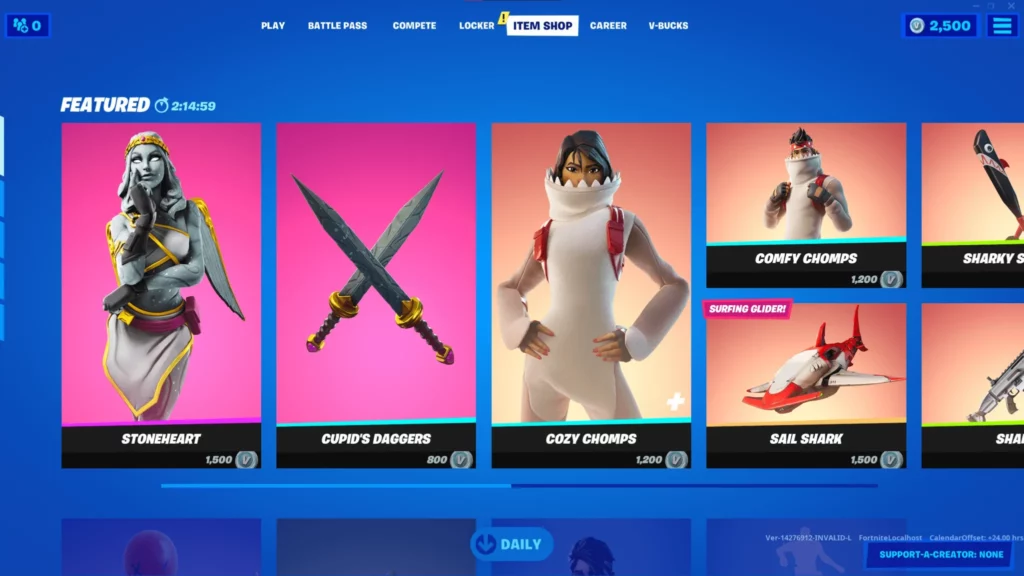
    Fortnite Item Shop (15 Apr 2024): Skins, Emotes, Gliders, Wraps, Melee, More

    0

    Fortnite has been one of the most popular Battle Royale games of the decade and apart from being all action, the game has built its reputation around introducing new cosmetics like skins, gliders, melee, and more now and then.

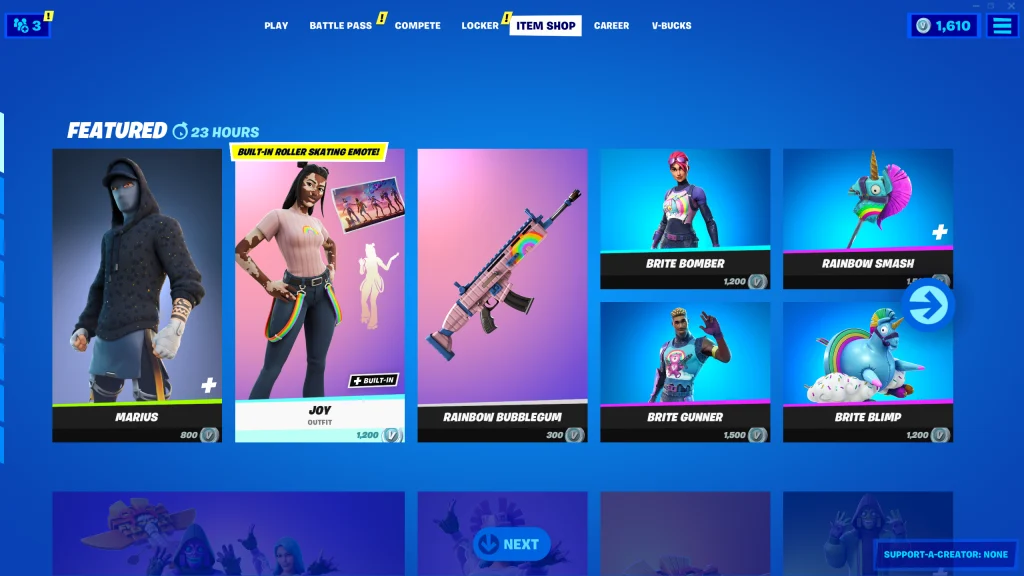
    To address this need of its user base, EPIC has introduced the Fortnite Item Shop where players can buy their desired items with a catch. The Item Stop offers a handful of items every day but refreshes every 24 hours which gives players a chance to get their desired items now and then.

    Fortnite Shop Items April 15th, 2024

    Fortnite Flow:

    1. Bust A Move – 500
    2. ⁠Get Griddy – 500
    3. ⁠Jiggle Jiggle – 500
    4. ⁠Ma Ya Hi – 400
    5. ⁠Start It Up – 500

    Original Spotlight

    1. ARK – 2000
    2. ⁠Eternal Struggle Bundle – 2000
    3. ⁠Dark Bomber – 1200
    4. ⁠Dark Gylph – 500
    5. ⁠Thunder Crash – 1200
    6. ⁠Jubi Slide – 500
    7. ⁠Side Shuffle – 500
    8. ⁠Apollo – 1800
    9. ⁠Bunny Wolf – 1500
    10. ⁠Flow – 1500
    11. ⁠Gleam Team Bundle – 2500
    12. ⁠Glow Wings – 1200
    13. ⁠Light Knives – 1200
    14. ⁠NightLife – 1500
    15. ⁠Nitebeam – 1500
    16. ⁠Odyssey – 1500
    17. ⁠Party Diva – 1500
    18. ⁠Party MVP – 1500
    19. ⁠Party Star – 1500
    20. ⁠Power Punch – 1200
    21. ⁠Pulse – 1500
    22. ⁠Snowstrike – 1500
    23. ⁠Athleisure Assassin – 1200
    24. ⁠Blade of Ages – 800
    25. ⁠Business Hips – 500
    26. ⁠Designer Tsuki – 1200
    27. ⁠Envision – 1200
    28. ⁠Eternal Rays – 500
    29. ⁠Flapper – 500
    30. ⁠Flutter – 1200
    31. ⁠Glow Stick – 800
    32. ⁠Pillar – 1200
    33. ⁠Razor Rae – 1200
    34. ⁠Shard Sickle – 800
    35. ⁠Snowblades – 800
    36. ⁠Sonic Glow – 500
    37. ⁠Vibe Axe – 800
    38. ⁠Amazing Cube – 200
    39. ⁠Cabbie – 800
    40. ⁠Drop Dee – 800
    41. ⁠Flycatcher – 500
    42. ⁠Glow Rider – 500
    43. ⁠LittleShow – 800
    44. ⁠Nitelite – 800
    45. ⁠Racer Royal Bundle – 1600
    46. ⁠Scoop Slicers – 500
    47. ⁠Slingshot – 800
    48. ⁠Take 14 – 200
    49. ⁠Victory Lap – 500
    50. ⁠Whiplash – 800

    Coachella

    1. Cosma – 1500
    2. ⁠Horizon – 1500
    3. ⁠Rebellious – 500
    4. ⁠Sonic Surf – 500
    5. Coachella Pulse – 800
    6. Interstellar Butterfly – 400
    7. Soft Synth – 500
    Jujutsu Kaisen
    1. Megumi Fushiguro – 1500
    2. Nobara Kugisaki – 1500
    3. Satoru Gojo – 1500
    4. Kugisaki’ Hammer – 800
    5. Megumi’s Sword – 800
    6. Sadow Play – 200

    Gear For Festival

    1. Spacefleet Kontrol – 1000
    2. High Society Clash – 500
    3. I Can’t Hear You – 200
    4. Techna-Classic – 500

    Chloe Kim

    1. Chloe Kim – 1500
    2. Frozen Flourish – 800
    3. Nunbola – 800

    Lady Gaga

    1. Chromatica Armour Gaga – 1500
    2. Chromatica Bass – 800
    3. Chromatica Mic – 800
    4. Rain Check – 500

    Avatar

    1. Katara – 2000
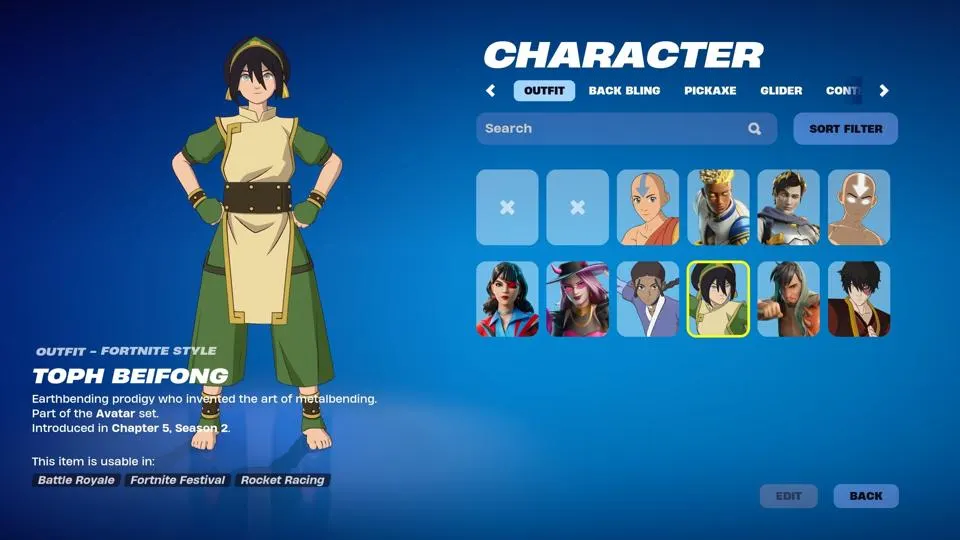
    2. Toph Beifong – 2000
    3. Zuko – 2000
    4. Air Flurry – 500

    Jager 619

    Jager 619 Bundle – 1500

    Durrr Burger

    1. Beef Boss – 1500
    2. Stacked Bundle – 2200

    Jam Track

    Bad Romance – 500

    Stay updated with the latest news in gaming and esports by signing up for early access to TalkEsport’s Mobile App. Follow us on Twitter and Google News to ensure you never miss the exciting updates.

    Fortnite x Avatar: The Last Airbender – How to Destroy the Cabbage Carts

    0

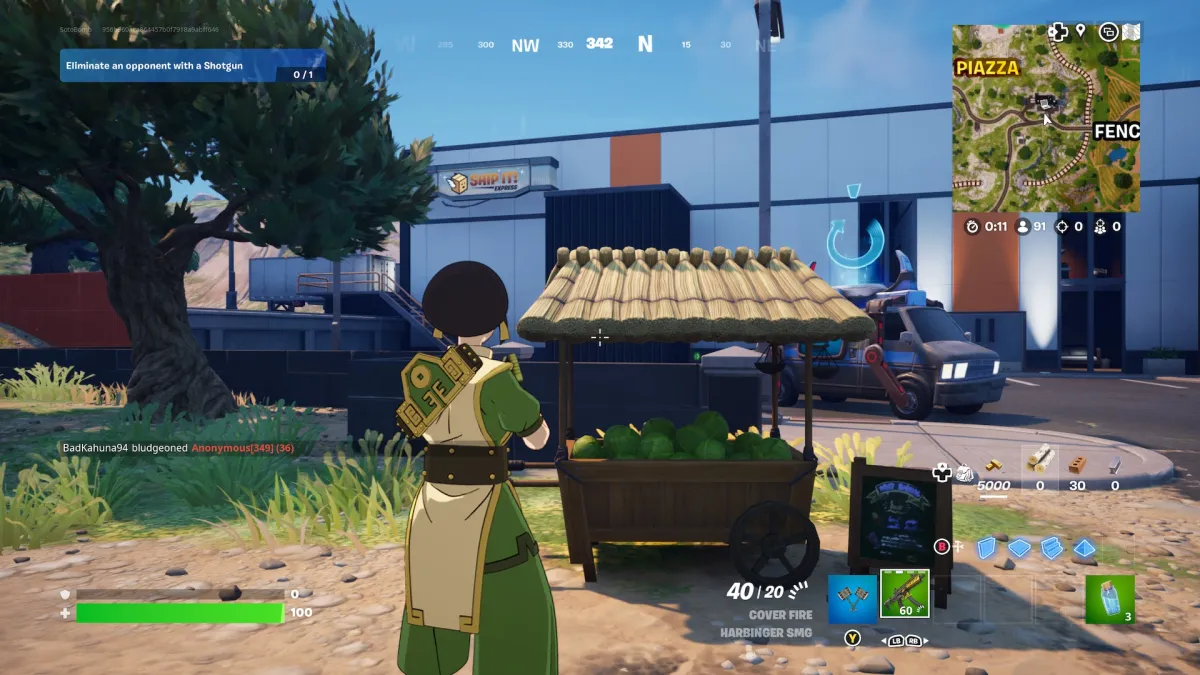
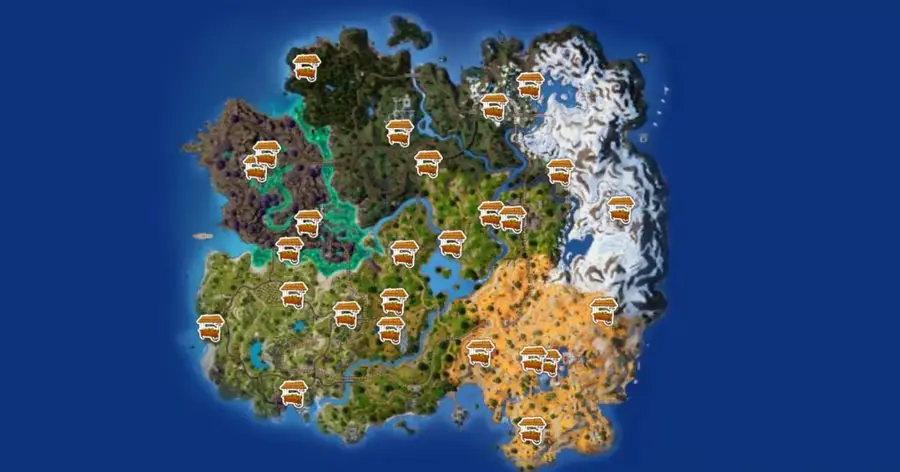
    Fortnite x Avatar: The Last Airbender has been one of the most exciting collaborations of recent memory and like any new Fortnite collab, this one brings a plethora of new challenges one of which is to find and destroy the cabbage carts. While it may be tiring to look for them on your own, we have narrowed down the locations for you to find them easily.

    The cabbage carts are spread across the map which makes getting to them quite an effortless task. The 26 carts are evenly spread out and near the common locations which can make them quite challenging to get to given all the players will be fighting to get to them.

    How Can You Find Cabbage Carts in Fortnite?

    Note down the location from the map and make sure to proceed towards them with extreme precaution, given you might get targeted easily. Once you get to them, make sure you are in the clear upon which a few strikes from your pickaxe or a few bullets from a gun would suffice when it comes to breaking them.

    The carts will then drop cabbages, which you can also use to heal yourself. The quest will require you to destroy one cart but in case you are looking to get some HP revived, this might be one way to do it.

    Stay updated with the latest news in gaming and esports by signing up for early access to TalkEsport’s Mobile App. Follow us on Twitter and Google News to ensure you never miss the exciting updates.

    Nexa Counter-Strike 2 Settings, Crosshair, Viewmodel, Config, More

    0

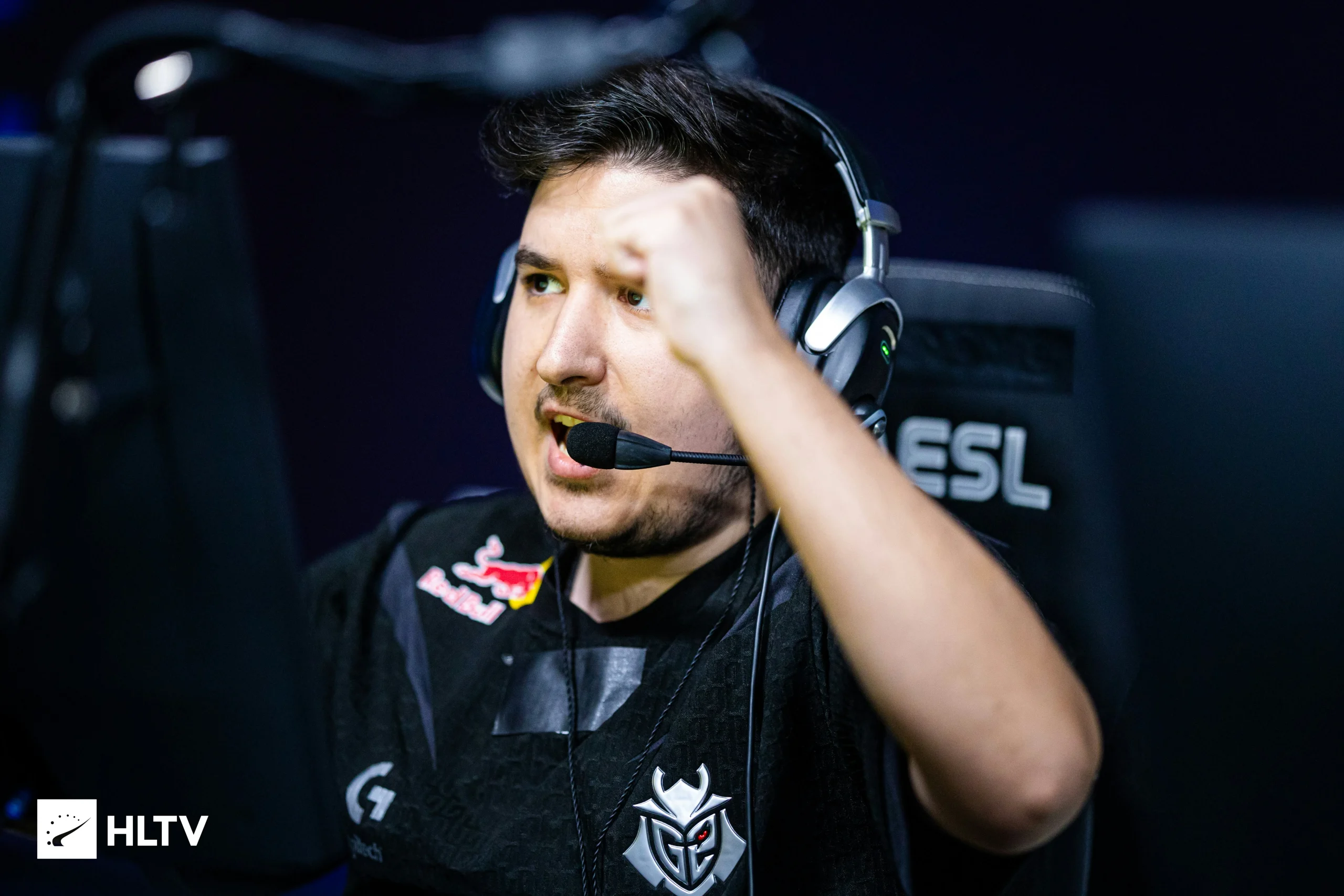
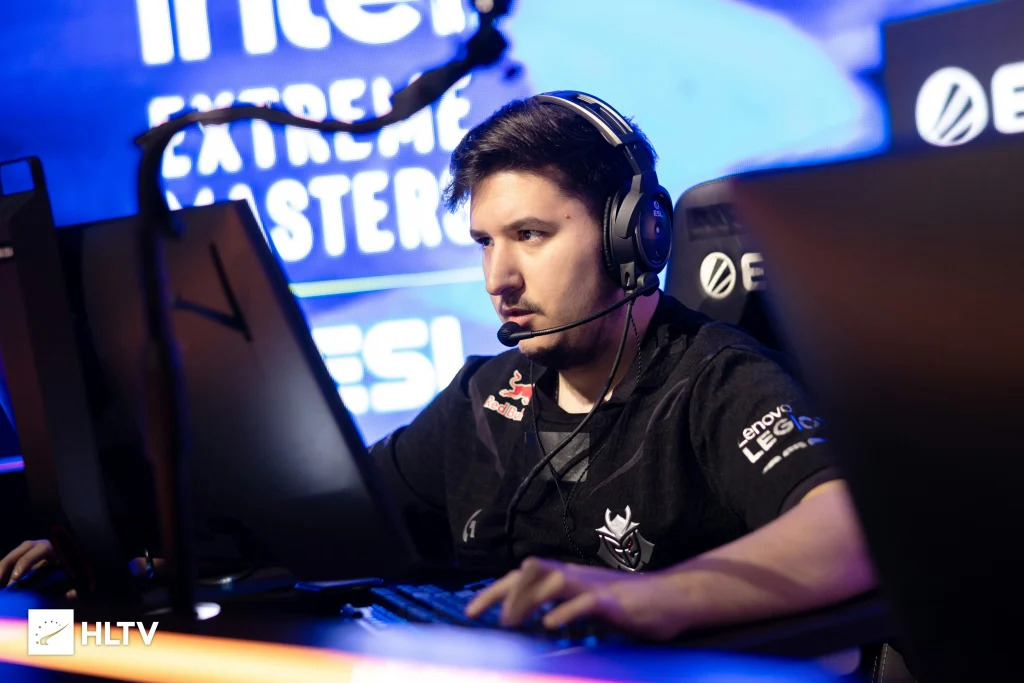
     Nemanja Isaković aka nexa has been one of the sharpest aimers in CSGO, while he is not as highly rated as the likes of NiKo or ropz, his overall consistency during his tenure in CSGO is something to admire. Fast forward to CS2, nexa has replaced jks on G2, after representing them as their IGL during the CSGO era.

    As Hooxi remains the IGL for G2, nexa has made a comeback and has replaced jks in the anchor role, while being a support player. This has given him the room to showcase his ability without the burden of calling shots on his shoulder. nexa may not have posted any stand-out performance yet but we cannot simply ignore his mechanical prowess.

    Photo via HLTV.

    Monitor Settings

    • DyAc: Premium
    • Black eQualizer: 12
    • Color Vibrance: 10
    • Low Blue Light: 0
    • Picture Mode: FPS 1
    • Brightness: 64
    • Contrast: 50
    • Sharpness: 7
    • Gamma: 2
    • Color Temperature: Bluish
    • AMA: Premium

    Mouse Settings

    • DPI: 800
    • Sensitivity: 1.05
    • eDPI: 840
    • Raw Input: Unknown
    • Zoom Sensitivity: 1.00
    • Polling Rate: 4000 Hz
    • Windows Sensitivity: 6

    Video Settings

    • Main Menu Background Sceneray: N/A
    • Color Mode: Computer Monitor
    • Brightness: 130%
    • Aspect Ratio: 4:3
    • Resolution: 1024×768
    • Display Mode: Fullscreen
    • Refresh Rate: 240 Hz
    • Scaling Mode: Stretched
    • Laptop Power Savings: Disabled

    Advanced Video Settings

    • Boost Player Contrast: Enabled
    • Wait for Vertical Sync: Disabled
    • Multisampling Anti-Aliasing Mode: None
    • Global Shadow Quality: Low
    • Model / Texture Detail: Low
    • Texture Filtering Mode: Bilinear
    • Shader Detail: Low
    • Particle Detail: Low
    • Ambient Occlusion: Unknown
    • High Dynamic Range: Quality
    • FidelityFX Super Resolution: Disabled
    • NVIDIA Reflex Low Latency: Unknown

    Crosshair Settings

    • Outline: No
    • Alpha: Yes
    • Color: Green
    • Blue: 255
    • Green: 255
    • Red: 255
    • Dot: No
    • Gap: -3
    • Style: Classic Static
    • Thickness: 1
    • Sniper Width: 0
    • Deployed Weapon Gap: No
    • T Style: No
    • Follow Recoil: No
    • Length: 2.5

    Crosshair Console Command

    • cl_crosshairalpha 200; cl_crosshaircolor 1; cl_crosshairdot 1; cl_crosshairgap -1; cl_crosshairsize 1; cl_crosshairstyle 5; cl_crosshairusealpha 1; cl_crosshairthickness 0; cl_crosshair_sniper_width 1; cl_crosshair_outlinethickness 0; cl_crosshair_drawoutline 1;

    Crosshair Code

    • cl_crosshairalpha 250; cl_crosshaircolor 4; cl_crosshairdot 0; cl_crosshairgap -3; cl_crosshairsize 2.5; cl_crosshairstyle 4; cl_crosshairusealpha 1; cl_crosshairthickness 1; cl_crosshair_drawoutline 0;

    Viewmodel

    • FOV: 68
    • Offset X: 2.5
    • Offset Y: 0
    • Offset Z: -1.5
    • Preset Position: 3
    • BOB: False

    FOV

    viewmodel_fov 68; viewmodel_offset_x 2.5; viewmodel_offset_y 0; viewmodel_offset_z -1.5; viewmodel_presetpos 3; cl_viewmodel_shift_left_amt 1.5; cl_viewmodel_shift_right_amt 0.75; viewmodel_recoil 0; cl_righthand 1; cl_bob_lower_amt 5; cl_bobamt_lat 0.33; cl_bobamt_vert 0.14; cl_bobcycle 0.98;

    Stay updated with the latest news in gaming and esports by signing up for early access to TalkEsport’s Mobile App. Follow us on Twitter and Google News to ensure you never miss the exciting updates.

    Genshin Impact: Who are Sethos Voice Actors?

    0

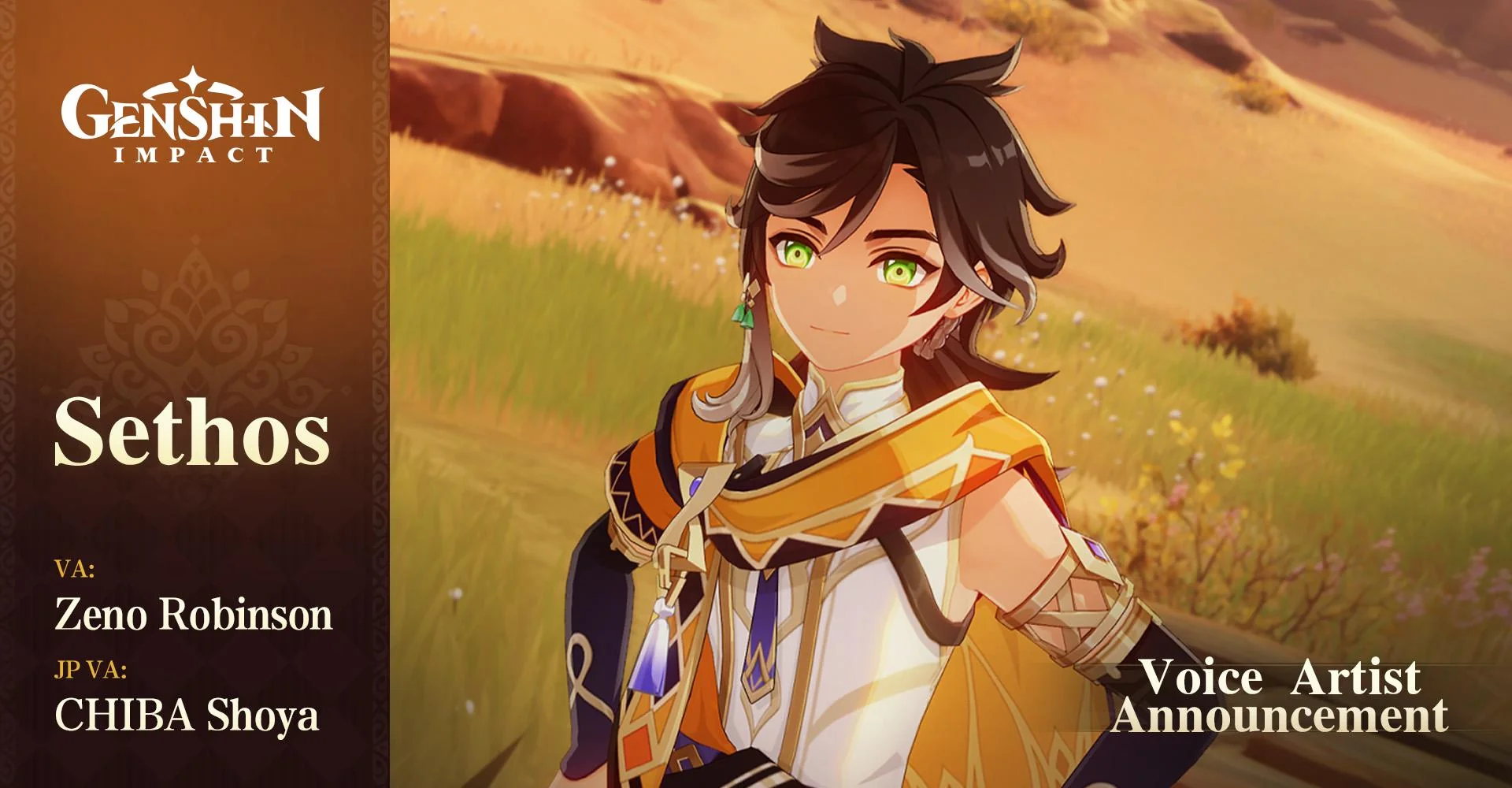
    The new character Sethos in Genshin Impact has been the topic of conversation between players ever since he was unveiled in the version 4.6 Special Program livestream. In this article, we discuss the voice actors behind the Genshin Impact’s latest character.

    While we don’t have a word at the moment, when will Sethos be playable an educated guess would have us point at the second half of the Genshin Impact version 4.7 update. Sethos will likely come with a four-star status and Electro Vision like Cyno, Raiden Shogun, and Yae Miko but we will have to wait until he officially makes his first appearance in the game.

    Japanese Voice Actor – Chiba Shoya

    For the Japanese audience, Sethos will be voiced by Chiba Shoya, a highly respected figure among the anime community who has lent his voice to many notable anime characters like Kazuma Bobata in “Haikyu!!,”. His presence alone would make the character a highly captivating one to play with while maintaining the essence of the game.

    Photo via Reddit.

    English Voice Actor – Zeno Robinson

    Zeno Robinson, a talented voice actor, will be voicing Sethos in the English version of Genshin Impact. His phenomenal CV includes Superalloy Blackluster in “One-Punch Man,” Genya Shinazugawa in “Demon Slayer: Kimetsu no Yaiba,” and Hawks in “My Hero Academia.”. Having worked with top anime houses, Robinson will bring Sethos to life and with this track record, its only obvious that he will do a great job.

    Stay updated with the latest news in gaming and esports by signing up for early access to TalkEsport’s Mobile App. Follow us on Twitter and Google News to ensure you never miss the exciting updates.