Monday, May 11, 2026
Home Blog Page 551

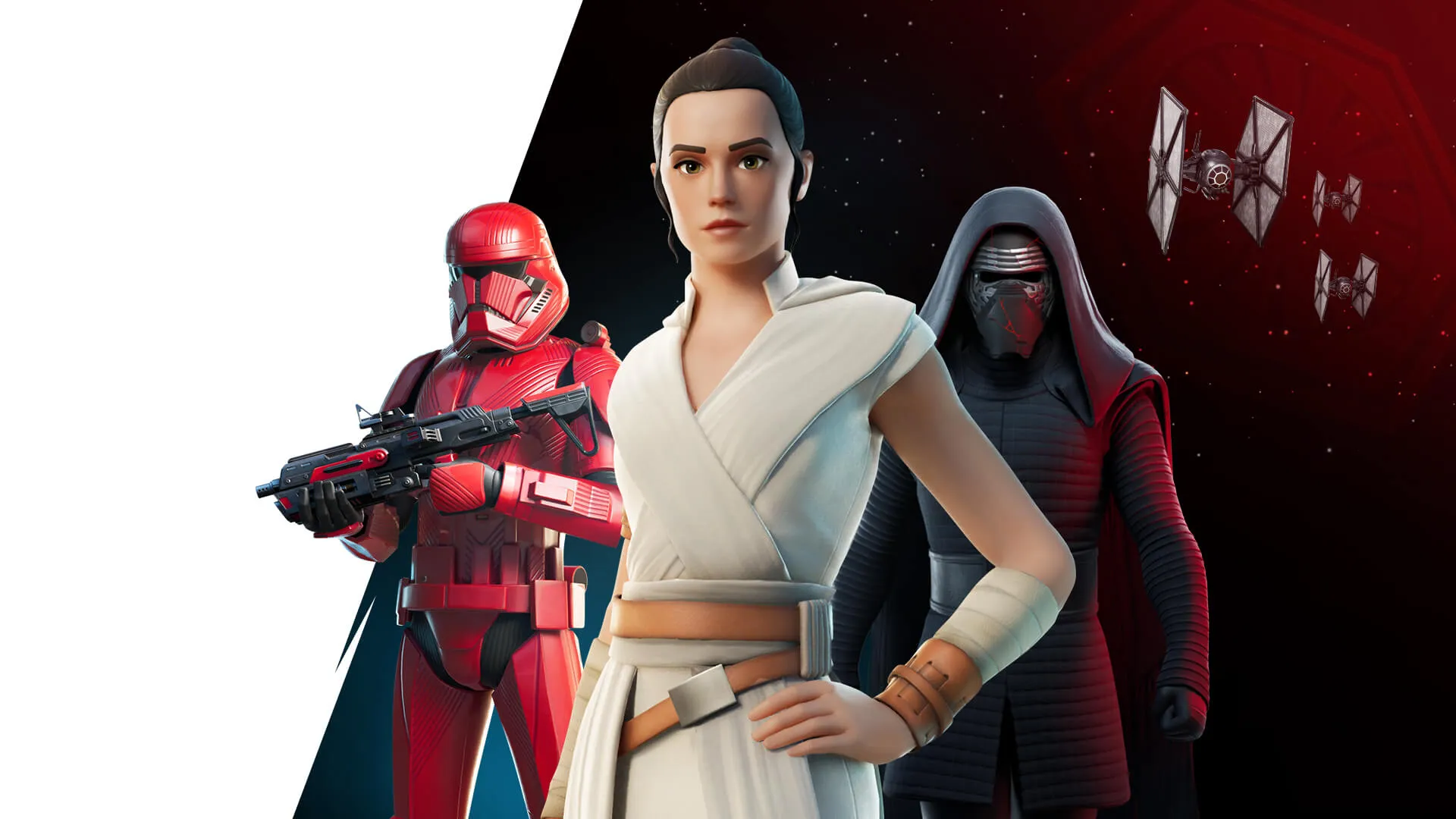
Fortnite May the Fourth Event: Defeat Darth Vader

Fortnite enthusiasts are gearing up for an epic showdown as the popular game collaborates once again with Star Wars for its annual May the Fourth event. This time, players have the thrilling opportunity to confront the formidable Darth Vader on the Battle Royale island. Armed with his menacing force abilities, Darth Vader poses a significant challenge to gamers seeking victory.

Locating Darth Vader on the Island

Amid the event’s excitement, players are eager to know where they can encounter Darth Vader. Unlike previous iterations where his arrival was signaled by a loud ship, this time, locating the Sith lord requires strategic navigation. Head to Piney Lane, situated on the small island north of Lavish Lair, to confront Darth Vader and his loyal Stormtroopers.

Strategies for Defeating Darth Vader

Defeating Darth Vader in Fortnite demands skillful tactics and a keen understanding of his combat style. Accompanied by vigilant Stormtroopers, players must be prepared for a relentless assault. Utilize the environment to your advantage and wait for opportune moments to strike when Darth Vader is vulnerable, such as after he throws his lightsaber.

Landing Near the Imperial Landmark

For players aiming to engage Darth Vader early in the match, a strategic landing on the beach north of Piney Lane offers valuable resources and shields. This tactical approach allows players to gather essentials before initiating the battle against the Sith lord and his cohorts.

The May Fourth event in Fortnite not only celebrates the iconic Star Wars franchise but also challenges players to showcase their prowess in overcoming formidable adversaries like Darth Vader. With strategic planning and precise execution, victory against this dark force awaits daring Fortnite enthusiasts.
How to Get Fortnite’s Han Solo and Leia Organa Skins

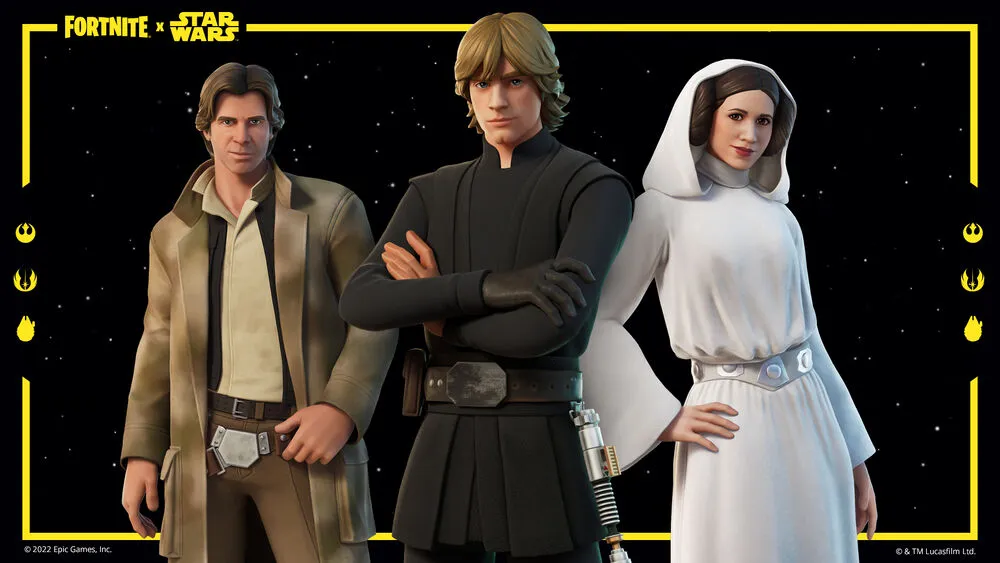
In a galaxy not so far away, Fortnite players are buzzing with excitement over the latest addition to the game’s cosmetics lineup: the iconic Han Solo and Leia Organa skins. Introduced during Chapter 3 Season 4’s update v22.30 on November 1, 2022, these beloved characters from the Star Wars universe have become instant favorites among fans of all ages.

The Galactic Legacy Continues

Han Solo and Princess Leia Organa hold a special place in the hearts of Star Wars enthusiasts. Their timeless saga of love, rebellion, and adventure has captivated audiences for generations. Epic Games’ decision to include them in Fortnite’s ever-expanding universe is a nod to their enduring legacy.

A Tribute to Lore

The accompanying cosmetics pay homage to the rich lore of Star Wars. The Millennium Falcon, synonymous with Han Solo’s adventures, takes center stage as part of this bundle. From outfits to back blings and pickaxes, every detail is meticulously crafted to immerse players in the Star Wars experience.

How to Acquire These Legendary Skins

For those eager to add Han Solo and Leia Organa to their collection, the Fortnite Item Shop is the place to be. As of today, May 4, 2024, the skins are prominently featured alongside other Star Wars-themed cosmetics in the Original Trilogy Set.

Bundled Offerings

The Han Solo & Leia Organa Fortnite Bundle offers a discounted price of 2,500 V-Bucks for all six items, originally priced at 4,000 V-Bucks. Players can also opt to purchase individual items separately, with prices ranging from 500 to 1,500 V-Bucks.

Enduring Popularity

Despite their initial release during Chapter 3 Season 4, Han Solo and Leia Organa remain fan favorites. Their continued presence in the Item Shop is a testament to their enduring popularity. Players can expect to see them available until the conclusion of Fortnite Chapter 5 Season 2.

The Future of Star Wars Collabs

As non-exclusive items, Han Solo and Leia Organa will make periodic returns to the Item Shop, ensuring that fans can always revisit these legendary characters. Star Wars Day celebrations and future collaborations will undoubtedly keep these skins in rotation for years to come.

May the Fourth Be With You

On this special Star Wars Day, Fortnite players have the perfect opportunity to embrace the galactic spirit with Han Solo and Leia Organa by their side. Whether battling it out on the island or embarking on epic quests, these iconic skins add a touch of intergalactic adventure to every gameplay session.

With Fortnite’s commitment to immersive crossovers and player experiences, the journey alongside Han Solo and Leia Organa is just beginning. Strap in, grab your blasters, and may the Fourth be with you in this epic gaming adventure!

How to Unlock Lando Calrissian Skin in Fortnite v29.40

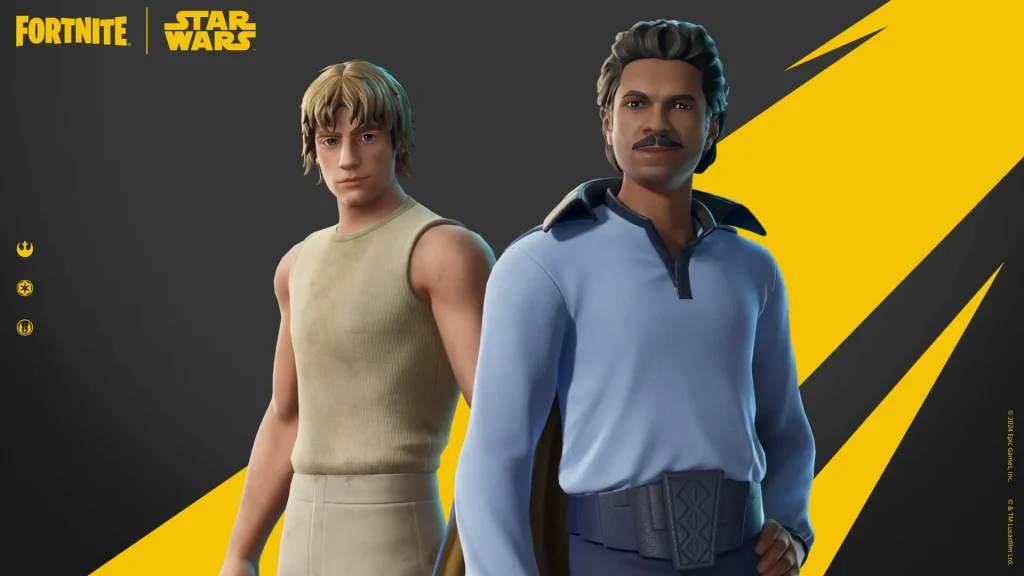
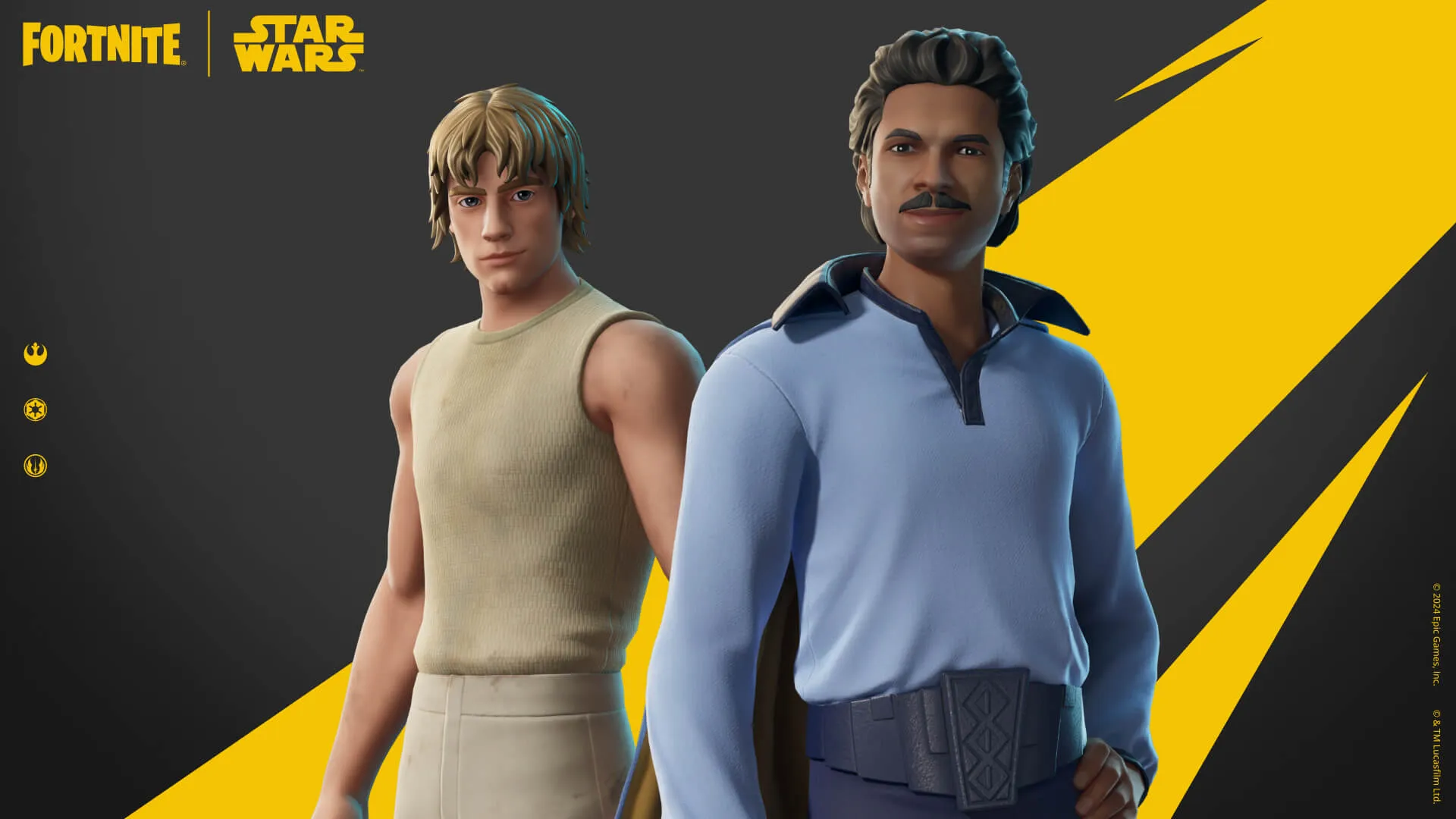
Fortnite’s latest update, v29.40, brought a galaxy far, far away closer to home with the introduction of the Lando Calrissian skin. This iconic character from the Star Wars universe is making waves in Chapter 5 Season 2, and players are eager to dive into the action.

Unlocking Lando Calrissian

To acquire the Lando Calrissian skin, players can head to the Fortnite Item Shop. Here, they’ll find not just the outfit but also exclusive additions like the Cloud City Model Back Bling and the Vibro-Ax Pickaxe. These items are part of the Original Trilogy Set, available at a discounted price of 1,800 V-Bucks for the bundle or individually for 1,500 V-Bucks for the outfit and 800 V-Bucks for the pickaxe.

Immersive Experience

Epic Games has gone above and beyond to create an immersive experience for fans of Lando Calrissian. With a miniature version of Cloud City added to the game, players can explore the iconic location where Lando once reigned as Baron Administrator. This attention to detail adds depth to the Fortnite x Star Wars collaboration, delighting both Fortnite enthusiasts and Star Wars aficionados.

Limited-Time Availability

While the Lando Calrissian skin is currently available in the Item Shop, its stay may not be indefinite. As part of a collaboration event, these cosmetics are expected to be on offer until the end of Chapter 5 Season 2. However, given their popularity, Epic Games may reintroduce them in the future, ensuring that fans have ample opportunities to add these items to their collections.

Community Excitement

The introduction of Lando Calrissian has sparked excitement within the Fortnite community. Players are not only eager to acquire the skin but also to immerse themselves in the Star Wars universe within the game. This crossover event continues to captivate audiences, showcasing the power of collaborations between beloved franchises.

What’s Next?

As players don their Lando Calrissian skins and venture into Fortnite’s dynamic landscape, the collaboration between Epic Games and Star Wars sets a precedent for future content. With each update, Fortnite continues to surprise and delight its player base, ensuring that the galaxy of gaming remains vibrant and engaging for all.

Stay tuned for more updates and surprises as Fortnite Chapter 5 Season 2 unfolds with the Lando Calrissian skin taking center stage in this thrilling adventure.

How to Unlock Dagobah Luke Skin & Yoda: Fortnite Chapter 5 Season 2

Fortnite players are buzzing with excitement as the Dagobah Luke skin and Yoda make their debut in Chapter 5 Season 2, adding a fresh twist to the iconic Star Wars collaboration. These new cosmetics pay homage to Luke Skywalker’s adventures on the remote planet of Dagobah and the beloved Jedi Master Yoda. Here’s everything you need to know to acquire these coveted items.

Dagobah Luke and Yoda: A Tribute to Star Wars Legacy

The Dagobah Luke skin offers players a snapshot of Luke Skywalker during his time on Dagobah, capturing the essence of his training under Yoda’s guidance. This skin, complete with selectable styles and a LEGO variant, immerses players in the Star Wars universe like never before.

Yoda, featured as a Back Bling, allows players to carry the wise Jedi Master into battle, reminiscent of Luke’s own journey with Yoda on his back in the Star Wars saga. These additions not only enhance gameplay but also celebrate the rich lore of Star Wars.

Unlocking the Cosmetics: Item Shop Details and Pricing

In the Fortnite Item Shop, players can find the Dagobah Luke skin and Yoda bundled with Yoda’s Cane pickaxe. The complete set is available at a discounted price of 1,800 V-Bucks, providing excellent value for fans looking to acquire all related cosmetics.

For players interested in individual purchases, the Dagobah Luke skin with its various styles is priced at 1,200 V-Bucks. Yoda, along with his reactive Back Bling and Yoda’s Cane, can be obtained for 1,000 V-Bucks through the Yoda Gear Pack.

Additionally, the Original Trilogy Set introduces other Star Wars-themed cosmetics, including Disassembled C-3PO and Lil’ At-At emote, each priced at 500 V-Bucks. These additions offer players a diverse range of options to customize their Fortnite experience.

Duration in the Item Shop: Opportunities for Future Purchase

As Star Wars Day festivities continue and the Fortnite x Star Wars collaboration thrives, the Dagobah Luke skin and Yoda are expected to remain in the Item Shop throughout Chapter 5 Season 2. Speculations suggest they will be available until the conclusion of the LEGO Fortnite collaboration with Star Wars, ensuring ample opportunities for players to acquire these sought-after items.

If you miss out during this period, fret not! The non-exclusive nature of these cosmetics ensures they will reappear in future rotations, allowing players multiple chances to add them to their collections.

In Conclusion

The addition of the Dagobah Luke skin and Yoda in Fortnite Chapter 5 Season 2 brings a new level of excitement to players and Star Wars enthusiasts alike. With accessible pricing options and extended availability, fans can immerse themselves in the Star Wars universe within the Fortnite realm, making every battle a memorable adventure.

This article was generated using AI to provide valuable insights into acquiring the Dagobah Luke skin and Yoda in Fortnite, tailored for players seeking a seamless gaming experience intertwined with beloved Star Wars nostalgia.

How to Get Legendary Eggs in Brawl Stars?

0

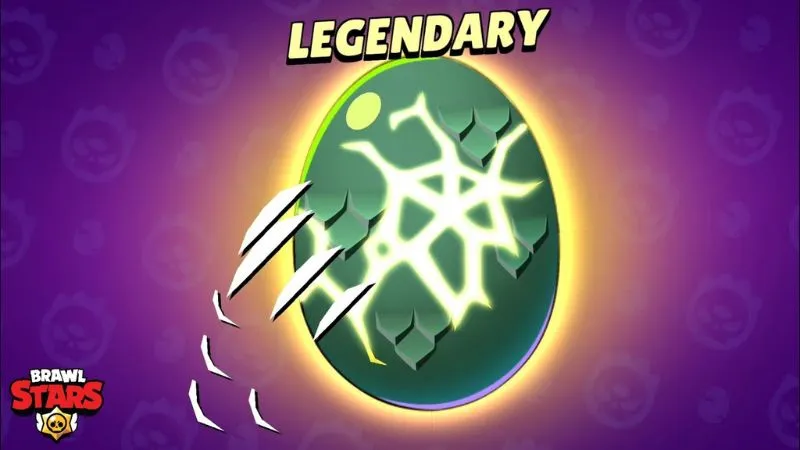
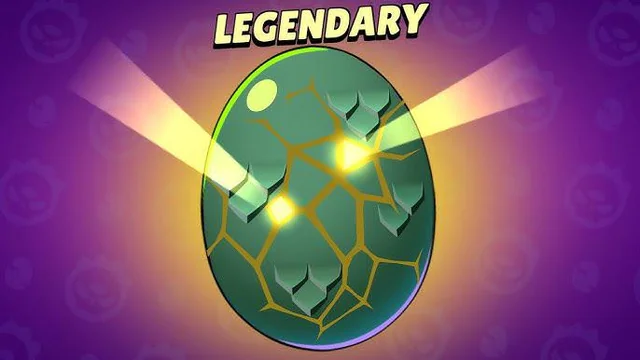
The recent Godzilla Release of Brawl Stars by Supercell brings with it several new features. The most notable among them is the Eggs system where you receive rare skins through them. This article will explain how to get Legendary Eggs in Brawl Stars. Keep reading till the end to find out.

In Brawl Stars, eggs are prized items that grant unique rewards when they are opened. If you are lucky enough, you will get them easily, however, if you are not, here are a few ways that you can follow to earn them.

How to Get Legendary Eggs in Brawl Stars?

Players would need to get to a club in the game to begin collecting Legendary Eggs. You need at least 400 trophies to join a club. After that the club is expected to fill the “Mega Egg” bar, only stopping after acquiring 1250 eggs maximum.

Follow the steps mentioned below to fill up the egg meter faster:

  • Regularly try to win in matches.
  • Play the new City Smash game mode.
  • Eggs can also be acquired from the in-game Shop.

Filling the Egg meter depends on the club’s cooperation. Eggs must be gathered promptly during the Godzilla event that ends on May 20, 2024.

Type Soul Codes Guide(May 2024)

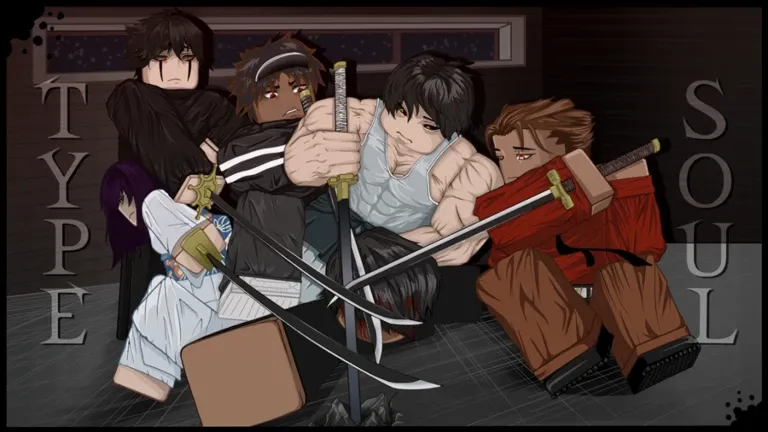
Are you ready to transcend into the realms of Soul Reapers, agents of chaos, or even the enigmatic Quincies? The journey awaits with Type Soul Codes, your gateway to a myriad of powers and rewards in the ethereal universe of Type://Soul. Dive deep into this guide to unveil the secrets and possibilities that these codes hold for you this May.

Unleashing the Codes: What You Need to Know

Type Soul Codes are not just random combinations; they are the keys to unlocking new realms of power and potential within Type://Soul. Whether you seek rewards, rerolls, or exclusive abilities, these codes are your ticket to greatness.

The All-New Type Soul Codes List

Active Codes (May 2024)

  • somethingrandom: Unlock for Exciting Rewards (New)
  • canyouwrap: Redeem for Special Rewards (New)
  • mobileflashpd: Exchange for Exclusive Rewards (New)
  • johnboomingg: Access New Rewards and Surprises (New)
  • icanimaginesomeonesayingimnexttoatree: Unlock Locked Shikai/Res/Volt Reroll and Clan Reroll
  • phase1: Reveal Hidden Powers with Rerolls and Clan Enhancements
  • canyourecmeintodemonhunter: Transform with 100 Rerolls
  • myhopewillneverdie: Dare for Locked Shikai/Res/Volt Reroll and Clan Power-Ups
  • gulliblelol: Gain 100 Rerolls and Surprises
  • threatneutralized: Exclusive Rewards (For New Servers Only)
  • robloxban: Grab 10 Rerolls for Your Journey
  • lightsegunda: Unlock Hidden Abilities with Shikai/Res/Volt Reroll and Clan Enhancements
  • 100mlikes: Embrace New Powers with Rerolls and Clan Upgrades
  • afkworld: Explore New Realms with Rerolls and Clan Enhancements
  • robotcowoe: Discover Secret Powers with Rerolls and Clan Boosts
  • soulianstreak: Unleash Locked Shikai/Res/Volt Reroll and Clan Potential
  • pleasegivemererollscodesimliterallystarvingoverhereimstuckwithacid: Enter the Realm of Locked Shikai/Res/Volt Reroll and Clan Mastery
  • kamehamehax3: Elevate Your Game with Locked Shikai/Res/Volt Reroll and Clan Enhancements
  • ididntgetopenedupiliterallyjustgottiredofblocking: Access Hidden Powers with Locked Shikai/Res/Volt Reroll and Clan Advancements
  • khaoticyachty: Dive into the Abyss of Locked Shikai/Res/Volt Reroll and Clan Potency
  • luisvonmarco: Unleash the power of a Locked Shikai/Res/Volt Reroll and a Locked Clan Reroll.
  • balancedbalance: Harness the might of a Locked Shikai/Res/Volt Reroll and a Locked Clan Reroll.
  • supasta: Access the potential of a Locked Shikai/Res/Volt Reroll and a Locked Clan Reroll.
  • nuovaprimadon: Command the abilities of a Locked Shikai/Res/Volt Reroll and a Locked Clan Reroll.
  • johnbooming: Empower yourself with a Locked Shikai/Res/Volt Reroll and a Locked Clan Reroll.
  • cowoe10k: Equip yourself with a Locked Shikai/Res/Volt Reroll and a Locked Clan Reroll.
  • sorryfortheinconvenienceee: Attain the prowess of a Locked Shikai/Res/Volt Reroll and a Locked Clan Reroll.
  • eduardobrg10k: Master the art of a Locked Shikai/Res/Volt Reroll and a Locked Clan Reroll.
  • khaotic10k: Channel the energy of a Locked Shikai/Res/Volt Reroll and a Locked Clan Reroll.
  • nuova10k: Embrace the capabilities of a Locked Shikai/Res/Volt Reroll and a Locked Clan Reroll.
  • spiritgun: Unlock this code for a chance at a Locked Shikai/Res/Volt Reroll and a Locked Clan Reroll.
  • happyeaster: Celebrate with this code for a Locked Shikai/Res/Volt Reroll and a Locked Clan Reroll.
  • doomatearoom: Dive deep into the afterlife with 5 Locked Element Rerolls, 5 Locked Clan Rerolls, and 5 Locked Weapon Rerolls.
  • mainmenufixes: Access this code for a Locked Shikai/Res/Volt Reroll and a Locked Clan Reroll.
  • tradehub: Trade wisely with this code for a Locked Element Reroll and a Locked Weapon Reroll.
  • happyhalloween: Embrace the spooky season with a Shikai/Res/Volt Reroll.
  • newclanwargame: Prepare for battle with an Element Reroll.

Expired Codes (Expired in May 2024)

  • championshipandmasteryboxes
  • rankedmidseason
  • tamaiscool
  • newcodeoldbugged
  • watermelon
  • sorryforthat
  • midtermsover
  • contentcoming
  • haveagoodday
  • slowpace
  • thehonoredone
  • triplethreat
  • apologyforlate
  • middayfixes
  • 100kfavourites
  • segundanextupdate
  • fixedoldcode
  • eumorningupdate
  • latenightupdate
  • updatecomingsoon
  • 3shikaireroll
  • 80klikes
  • newgame
  • shutdownsrry
  • 55klikes
  • tyforfollows
  • 35klikes
  • 20klikes
  • 10klikes
  • sorryforshutdown

Unfortunately, these codes have transcended into the past, but fear not, for new adventures await with the active codes listed above!

Unlock Your Potential Today

Don’t let these codes slip away into the abyss. Dive into Type://Soul’s universe today and unlock your true potential with the power of Type Soul Codes. Embrace the journey, seize the rewards, and become the legend you were destined to be!

How to unlock Chewbacca Skin in Fortnite?

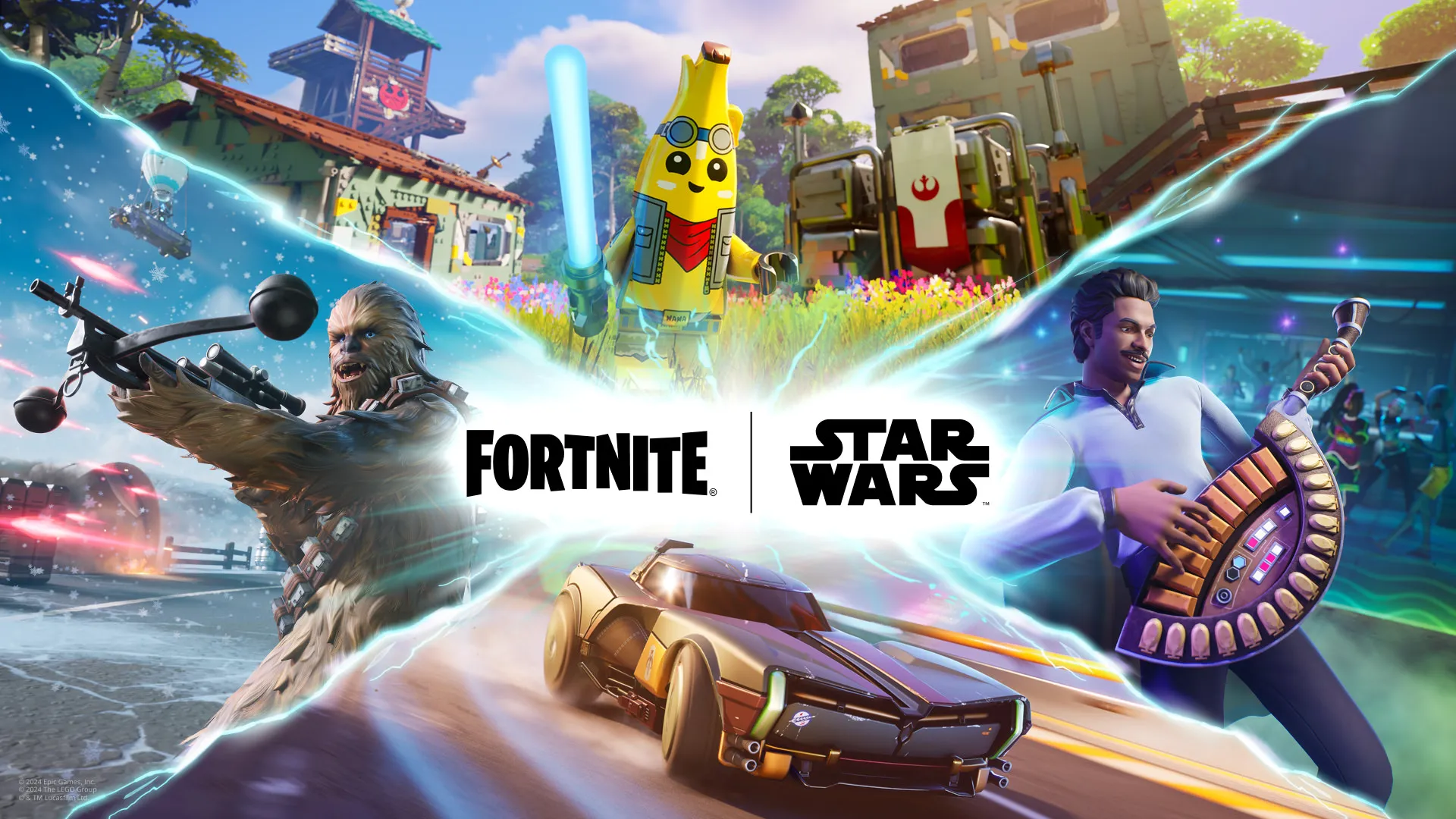
Fortnite enthusiasts are buzzing with excitement as the game unveils its latest collaboration for Star Wars Day 2024. The highlight of this event? The exclusive Chewbacca skin draws players into a galaxy far, far away.

The new Star Wars event, part of the Fortnite 29.40 update, promises a galactic adventure. Players can unlock a range of rewards across various game modes, including Battle Royale (BR), LEGO, and Festival.

Premium Access to Wookiee Glory

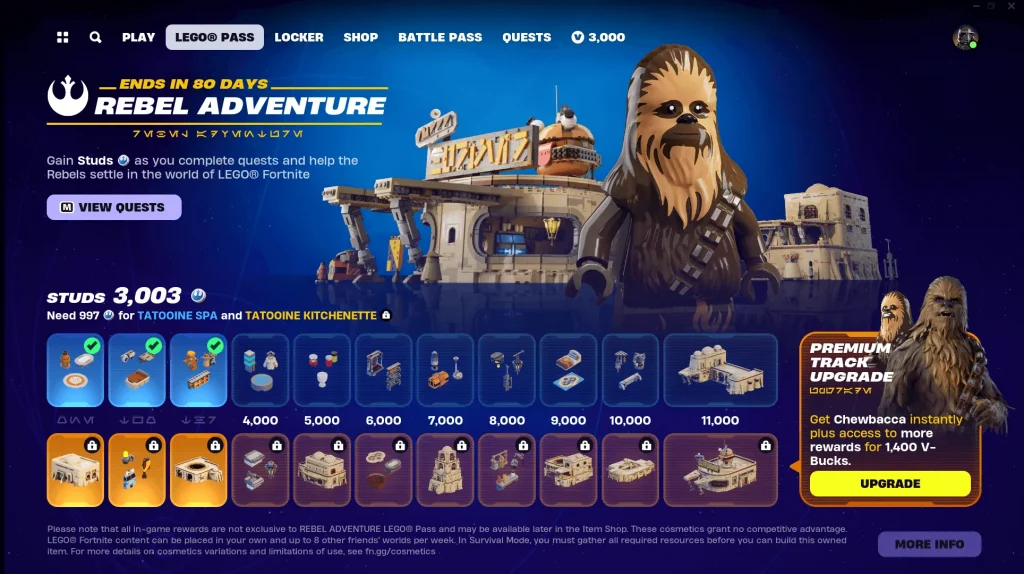
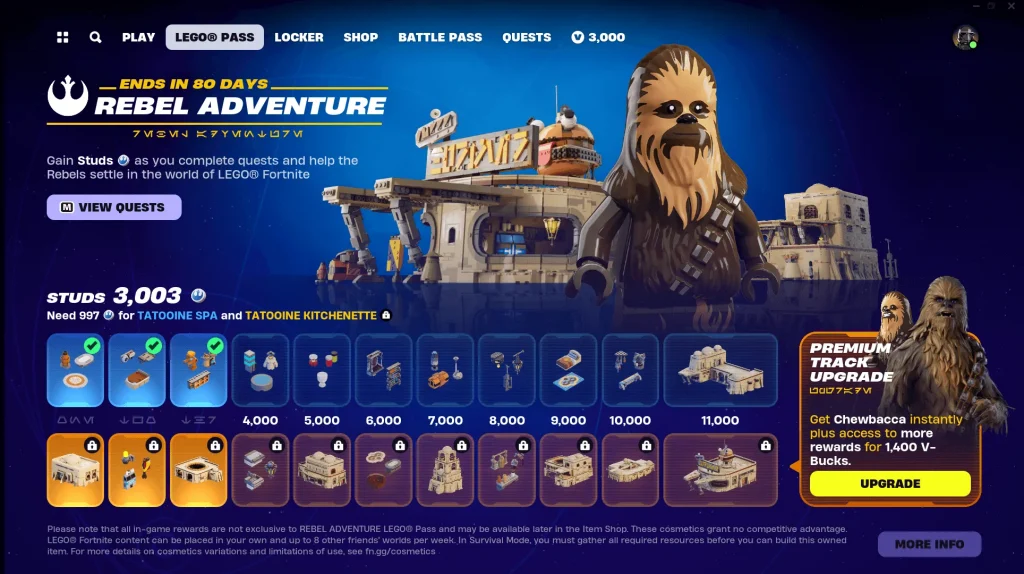
To attain the coveted Chewbacca skin, players must acquire the LEGO Pass: Rebel Adventure’s premium track. This entails a purchase of 1,400 V-Bucks, ensuring instant access to the Millennium Falcon’s loyal co-pilot.

No Quests, Just Wookiee Wonders

Unlike previous events requiring quests or challenges, obtaining the Chewbacca skin is a straightforward process with the Rebel Adventure Pass. No hurdles, just a seamless journey to embodying this iconic Star Wars character.

Chewbacca’s Arsenal

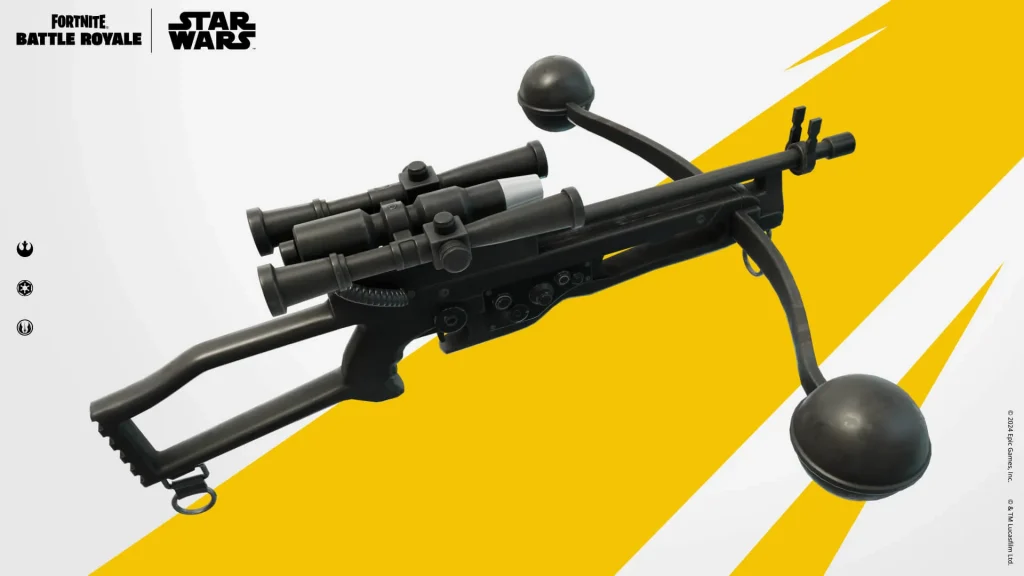
Accompanying the skin is Chewbacca’s trusty Bowcaster weapon, available in both Battle Royale and LEGO Fortnite modes. This addition enhances gameplay, immersing players deeper into the Star Wars universe.

Limited-Time Galactic Expedition

Fortnite enthusiasts have until July 23, 2024, to claim rewards from the Rebel Adventure pass. With nearly 12 weeks to spare, players can savor their Chewbacca experience before this cosmic journey concludes.

Fortnite’s Chewbacca skin collaboration ignites passion among fans, blending gaming excitement with Star Wars nostalgia in a limited-time galactic spectacle.

LEGO Fortnite v29.40 Update: Star Wars Collab, Chewbacca, Darth Vader & More!

Epic Games has unveiled the highly anticipated LEGO Fortnite v29.40 update, marking the fourth major release of Chapter 5 Season 2. With the Star Wars Day celebrations approaching, this update merges the beloved Star Wars universe with the immersive world of Fortnite, offering players an array of exciting new content and experiences.

Star Wars enthusiasts are in for a treat with the LEGO Fortnite v29.40 update, featuring a host of captivating features to explore. From Star Wars-themed builds and decorations to iconic weapons like the Wookiee Bowcaster, there’s something to engage every player’s imagination.

Rebel Adventure in LEGO Fortnite

Players can align with the Rebellion in the LEGO Pass: Rebel Adventure, unlocking a range of rewards including Star Wars builds, decor items, and the coveted Chewbacca Outfit. By progressing through the pass, players can access a variety of rewards that enhance their gaming experience.

Chewbacca Joins the Battle Royale

The update introduces Chewbacca as a playable character, adding depth to the Battle Royale mode. Players can rescue Chewbacca from Imperial Roadblocks, enlisting his help in battles and receiving rewards such as the powerful Wookiee Bowcaster.

Epic Showdowns with Darth Vader and Stormtroopers

In addition to Chewbacca, iconic characters like Darth Vader and Stormtroopers make a dramatic return to Battle Royale. Players can engage in thrilling encounters, defeat these formidable foes, and claim exclusive rewards such as Darth Vader’s Lightsaber and the E-11 Blasters.

Embark on Star Wars Quests

Armed with new weapons and allies, players can embark on Star Wars-themed quests to earn Battle Pass levels and exclusive rewards like the AWR Pack Back Bling. These quests, available in two phases, add depth and excitement to the gameplay experience.

Fortnite Festival Extravaganza

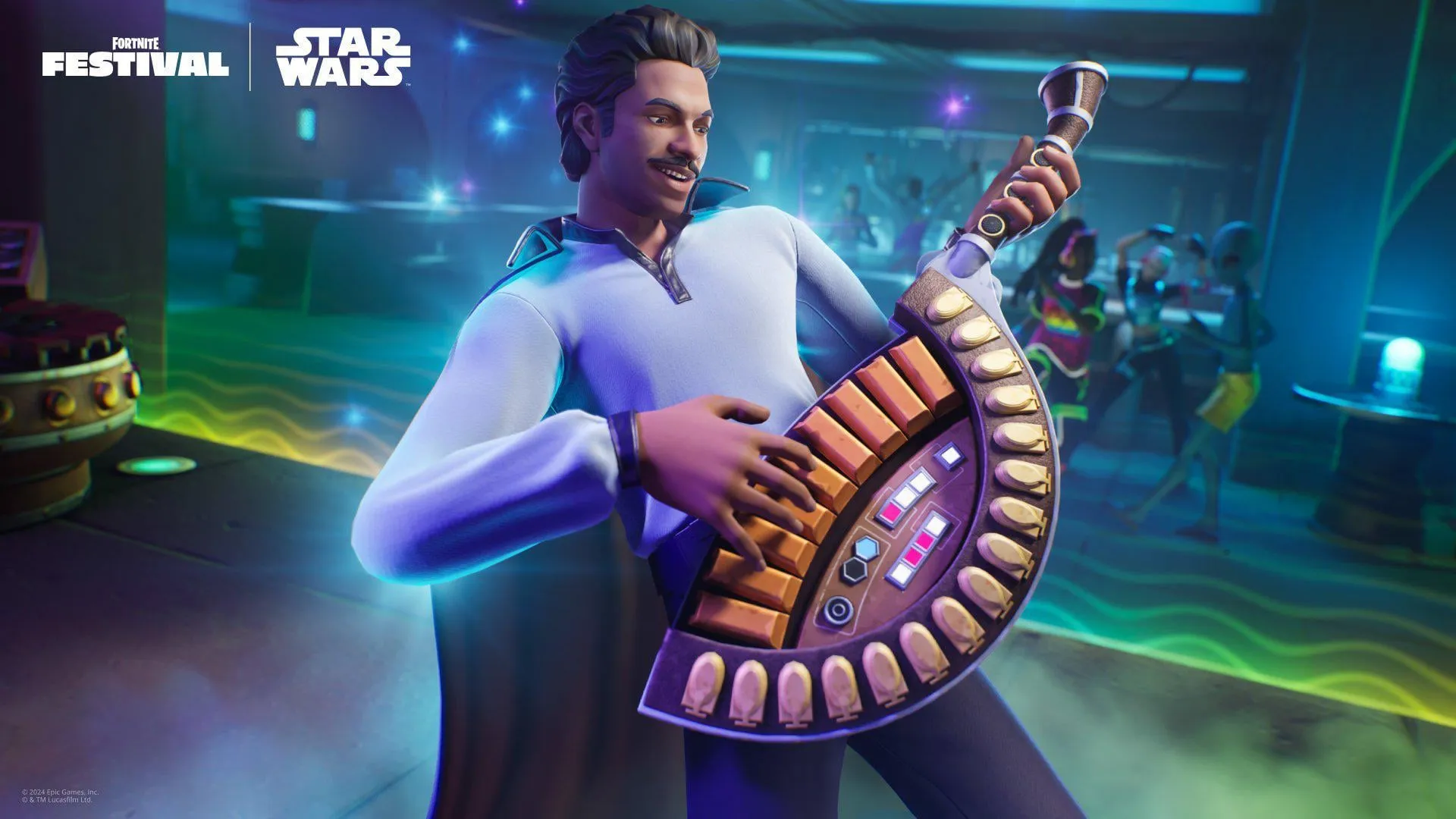
The update also introduces the Fortnite Festival, featuring a Mos Eisley Cantina-inspired setting where players can enjoy music and create personalized performances with friends. Unlock the Seven-String Hallikset Guitar by completing Star Wars quests during this event.

Star Wars Styles in the Shop

Players can enhance their in-game style with LEGO-themed Star Wars outfits, including Dagobah Luke, Lando Calrissian, and AWR Trooper styles available in the Shop. Additionally, classic Star Wars characters like Boba Fett, Han Solo, Kylo Ren, and more make a return with exclusive outfits across different eras.

The LEGO Fortnite v29.40 update brings a galaxy of excitement to players, merging the beloved Star Wars universe with the dynamic world of Fortnite. With new characters, weapons, quests, and customization options, players can embark on epic adventures and experience the thrill of the Star Wars saga within Fortnite’s immersive landscape.

Alfajer Valorant Settings 2023: Crosshair, Keybinds, and Peripherals

The Valorant Champions Tour 2023 kicked off with the electrifying LOCK//IN event in Sao Paulo, Brazil. This high-stakes tournament featured 32 elite teams, including Fnatic, a powerhouse in the Valorant scene. As the competition unfolded in a single-elimination format, anticipation soared for thrilling showdowns and standout performances from top-tier players.

Meet Alfajer: A Turkish Prodigy

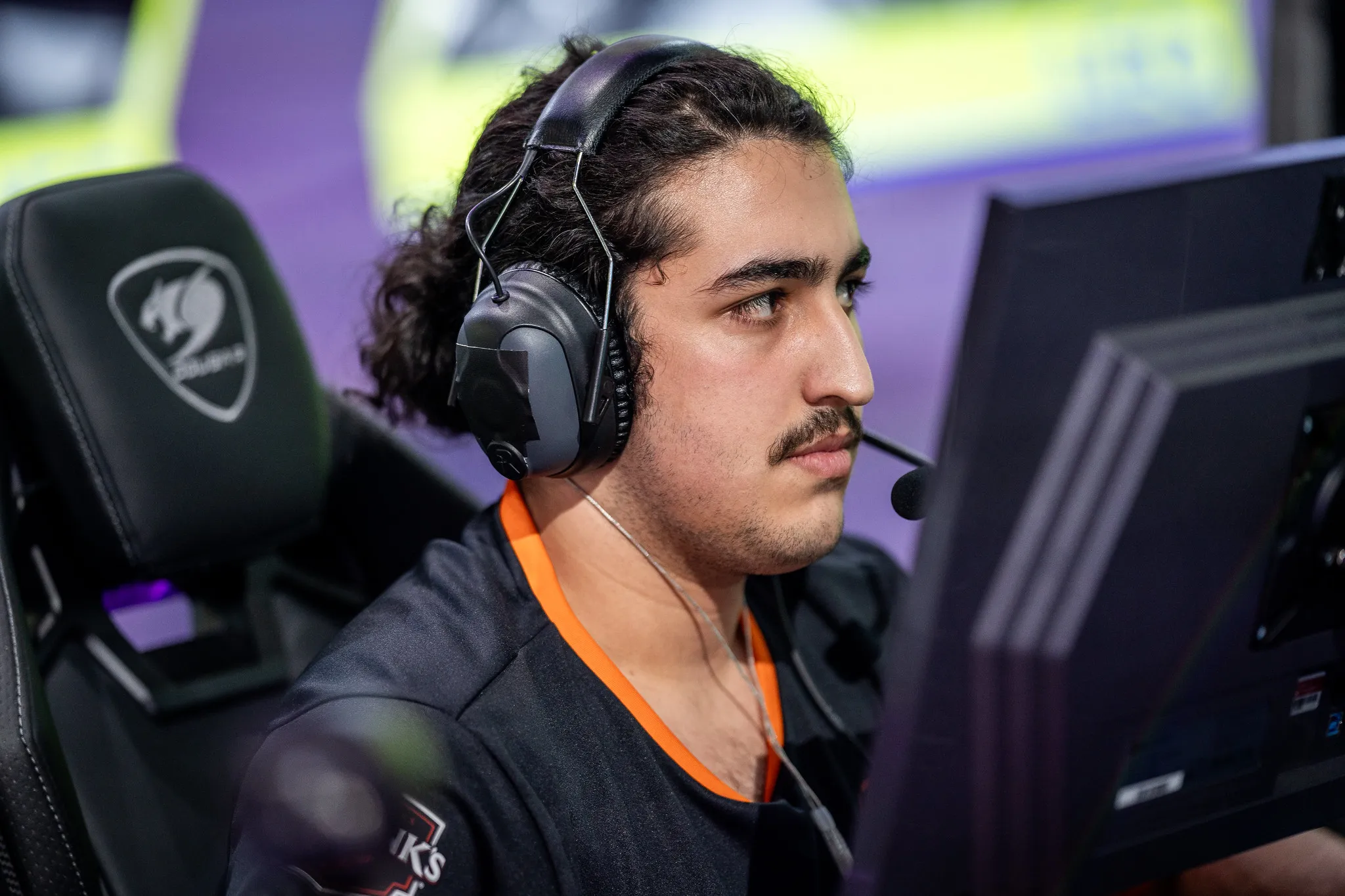
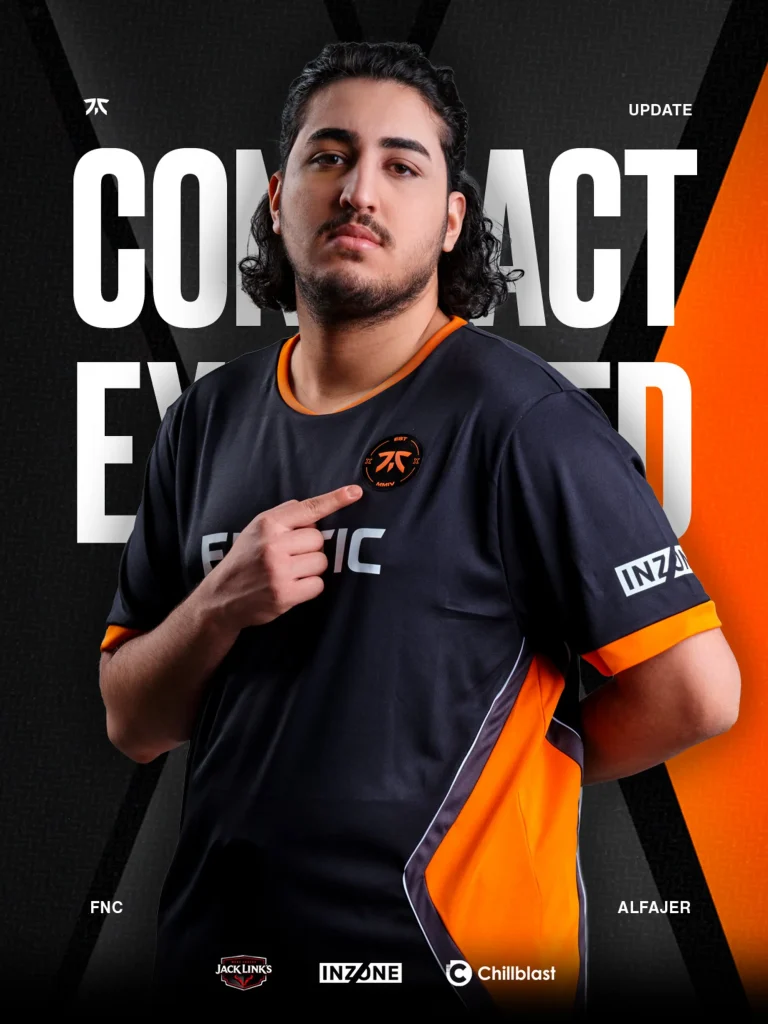
Emir “Alfajer” Ali Beder, hailing from Turkey, had emerged as a standout talent in the Valorant esports realm. Currently representing Fnatic in the EMEA region, Alfajer’s versatility spans across multiple roles, showcasing his prowess as a Duelist, Sentinel, and Controller.

Fnatic’s Ascendancy in VCT

Alfajer’s journey with Fnatic marked a turning point, amplifying his impact on the competitive stage. Fnatic’s stellar performance in VCT 2022, clinching the top spot in Champions Tour EMEA Stage 2, underscored their dominance. Qualifying for international events like Masters in Copenhagen and Valorant Champions 2022 Istanbul solidified Fnatic’s status as a force to be reckoned with.

Alfajer’s Gameplay Insights

Delving into Alfajer’s gameplay settings unveils a meticulous approach to performance optimization:

Mouse Settings: Alfajer opts for a DPI of 400 and a sensitivity of 0.45, ensuring precise control in high-stakes encounters.

Mouse settings

  • DPI: 400
  • Sensitivity: 0.45
  • eDPI: 180
  • Zoom Sensitivity: 1
  • Hz: 1000
  • Windows Sensitivity: 6
  • Raw Input Buffer: Off

Crosshair Configuration: His cyan-colored crosshair with optimized outlines and settings reflects a strategic advantage in aim accuracy.

Crosshair settings

Primary

  • Color: Cyan
  • Outlines: On
  • Outline Opacity: 1
  • Outline Thickness: 1
  • Center Dot: Off
  • Center Dot Opacity: 1
  • Center Dot Thickness: 3

Inner Lines

  • Show Inner Lines: Off
  • Movement Error: Off
  • Firing Error: Off

Outer Lines

  • Show Outer Lines: Off
  • Movement Error: Off
  • Firing Error: Off

Keybind Mastery: Strategic keybinds for movement, abilities, and weapon management showcase Alfajer’s tactical finesse in gameplay execution.

Keybinds

  • Walk: L-Shift
  • Crouch: L-Ctrl
  • Jump: Spacebar
  • Use Object: F
  • Equip Primary Weapon: 1
  • Equip Secondary Weapon: 2
  • Equip Melee Weapon: 3
  • Equip Spike: 4
  • Use/Equip Ability 1: E
  • Use/Equip Ability 2: Q
  • Use/Equip Ability 3: C
  • Use/Equip Ability (Ultimate): X

Technical Setup: Leveraging top-tier peripherals like the Razer DeathAdder V3 Pro mouse and HyperX Alloy Origins Core keyboard complements his skillset.

Peripherals

  • Monitor: ZOWIE XL2566K
  • Mouse: Razer DeathAdder V3 Pro
  • Mousepad: ZOWIE G-SR-SE Rogue
  • Keyboard: HyperX Alloy Origins Core

In conclusion, Alfajer’s journey epitomizes Valorant’s ascent in the esports realm, blending skill, strategy, and unwavering determination on the path to glory.

How to Uninstall Valorant on Windows 11 | Riot Vanguard Removal

Valorant, the sensational free-to-play first-person shooter (FPS) from Riot Games, has captivated gamers worldwide. However, navigating issues like error code VAN 135, Valorant Vanguard anti-cheat errors, and VAL 43 can be daunting. Many players find themselves asking, “How do I uninstall Valorant on Windows 11/10?” Today, we delve into this topic to provide a comprehensive guide for a hassle-free uninstallation process.

The Need to Uninstall Valorant

While Valorant’s popularity is undeniable, it’s not for everyone. Some players encounter technical issues or simply decide the game isn’t their cup of tea. Moreover, Valorant’s installation can consume substantial disk space, prompting users to seek ways to free up storage. Understanding when and how to uninstall Valorant is crucial for a seamless gaming experience.

Uninstalling Valorant: A Step-by-Step Guide

Uninstalling Valorant involves more than a simple removal process due to Riot Vanguard, Valorant’s anti-cheat software. Here’s a step-by-step guide to ensure a complete uninstallation:

  • Close Riot Vanguard and Valorant: Begin by exiting both programs. Right-click on the Riot Vanguard icon in the system tray and choose “Exit Vanguard” to ensure a clean uninstallation.
  • Uninstall via Control Panel: Navigate to Control Panel > Programs > Uninstall a program. Locate Riot Vanguard and Valorant, then uninstall them sequentially. Restart your PC to complete the process.
  • Uninstall via CMD: For advanced users, Command Prompt offers an alternative method. Run CMD as an administrator and enter the commands “sc delete vgc” and “sc delete vgk” to remove Riot Vanguard. Delete the Riot Vanguard folder in C:\Program Files to finalize the uninstallation.
  • Use Professional Uninstaller Tools: Consider utilizing third-party uninstaller tools like IObit Uninstaller or Revo Uninstaller for a thorough and efficient uninstallation process.

Reinstalling Valorant

Should you decide to reinstall Valorant in the future, visit the official website to download the latest version and follow the installation instructions provided.

In conclusion, uninstalling Valorant on Windows 11/10 is a straightforward process when following these steps. Whether troubleshooting technical issues or freeing up disk space, users can now navigate the uninstallation process with ease, ensuring a seamless gaming experience.