Sunday, May 10, 2026
Home Blog Page 529

How to Unlock The Sims 4 Debug Items?

0

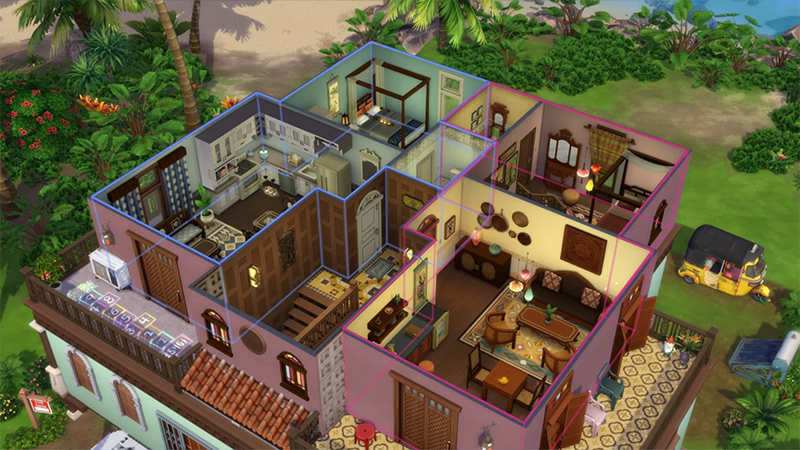
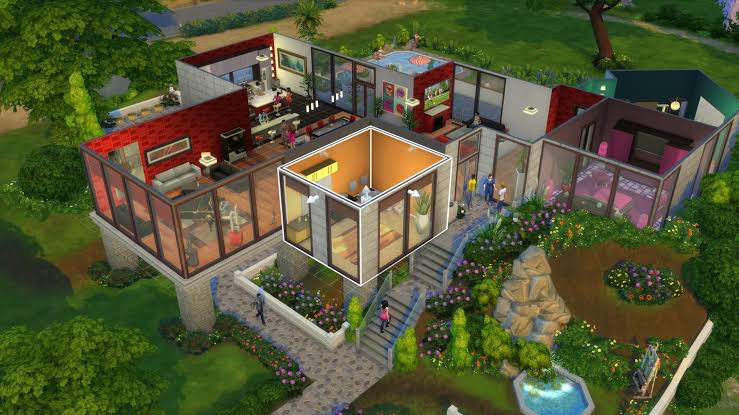
If you feel like your lot in ‘The Sims 4’ looks very bland, we have just the thing for you. By default, the items already accessible in the game give you a decent amount of options to choose from while building and decorating your lot. But sometimes you can still feel the need for something that can give you a magical touch. ‘Debug Items’ is the answer you are looking for.

What are debug Items in The Sims 4?

Sims 4

Debug items are thousands of objects used throughout the world to decorate. These items can be placed anywhere on your lot even inside your house. These items include trees, rocks, lamp posts, street signs, and much more. One important thing to note about these items is that your Sims cannot interact with them in any way or form, so choose wisely when decorating.

How to enable debug items in The Sims 4?

Sims 4

To enable debug items, you first need to enable cheats in-game, and here is how you can enable cheats in The Sims 4:

  • Press Ctrl+Shift+C (PC) or Command+Shift+C (Mac)
  • A text box should show up in the top-left corner
  • Type in ‘testingcheats true’
  • Hit Enter (You should see the ‘Cheats are enabled’ prompt below the text box)

Voilà! The cheats are now enabled. Now you need to enter some more commands in the text box, just how you enabled cheats.

  • Open the text box just like earlier
  • Now type in ‘bb.showhiddenobjects’
  • Hit Enter
  • Type in ‘bb.showliveeditobjects’
  • Hit Enter

There you go, the debug items should now be enabled and Ready to use.

How to find and use the debug items?

Sims 4

Till now you have just enabled the debug items. To find and use the debug items you simply have to follow the steps below:

  • Enter ‘Build mode’
  • The items catalog should show up at the bottom
  • Type in debug into the search bar
  • All debug items should be now listed

Please note, there are thousands of debug items available and they aren’t categorized in any way. This means you will have to scroll through them to find the item you are looking for.

Now you are all set to build the most beautiful lot in The Sims 4.

One Fruit Codes for May 2024

0

One Fruit is a Roblox experience based on the popular anime series- One Piece. Just like most other Roblox experiences, creators of One Fruit also giveaway secret One Fruit codes that can help you in your quest to find all the Devil Fruits. So we have discovered all active codes. Keep reading to find out.

How can these codes help you?

One Fruit Codes

Every Roblox player knows how important and rewarding these codes can be. Once redeemed, these codes can reward you with a stats boost, experience boost, mastery boost, and coin boost.

All One Fruit codes

  • Active codes
    • AUTORAIDLEAKLMAO – 240 Minutes of Stats, EXP, Mastery and Coins boosts
    • WHOLECAKESOON – 120 Minutes of Stats, EXP, Mastery, and Coins boosts
    • SHINYDIAMOND – 120 Minutes of Stats, EXP, Mastery, and Coins boosts
    • Pedroca – 25 Minutes of Coins Boost, 25 Minutes of Mastery Boost, 25 Minutes of Stats Boost and 25 Minutes of Exp Boost
    • submedtw – 25 Minutes of Coins Boost, 25 Minutes of Mastery Boost, 25 Minutes of Stats Boost and 25 Minutes of Exp Boost
    • SUBXOU – 25 Minutes of Coins Boost, 25 Minutes of Mastery Boost, 25 Minutes of Stats Boost and 25 Minutes of Exp Boost
  • Expired codes
    • SNOWAWKENING
    • WINTERSTORM
    • GOODBYEEASTER
    • VENOMMONSTER
    • SOMANYEGGS
    • FROZENTRIDENT
    • CHUNGUSHAMMER
    • LoyalsCodeAgain!
    • AZUREAWAKENING
    • DARCOTHEPHOENIX
    • BOSSSTUDIOSEASTER
    • EGGHUNTERS
    • ELECTRICRABBIT
    • ENLIGHTENMENT
    • TREMORV2
    • CAPTAINGOODBEARD
    • JoinLoyals!
    • LoyalsCode!
    • BEARTYRANT
    • RACEV2SOON
    • SPRINGFRUIT
    • DARKAWAKENING
    • CYBORGUPD
    • MAGNETFRUIT
    • BossStudioLoyals
    • OFSimulator!
    • Gear4!
    • 170KLIKES
    • 100MILVISITS
    • GASFRUIT
    • DRESSROSASOON
    • SORRYFORRAIDS
    • CODEFIX!
    • 80MVISITS
    • SUBMEDTW
    • SUBXOU
    • FINALLYCODEFIXED
    • FROSTFLAMES
    • MERRYXMAS
    • NEWYEARS
    • JACKFROST
    • GEAR3!
    • NEWMANAGEMENT!
    • SORRYFORDELAY
    • 160KLIKES
    • THEDUMLEGEND
    • 150KLIKES
    • Pedroca
    • JeffBlox
    • Ine
    • submedtwf
    • Skeleton
    • Revive
    • GUITAR
    • Halloween
    • Leopard
    • 80KMEMBERS
    • 65MVISITS
    • 140KLIKES
    • 130KLIKES
    • UpdateVenom
    • UpdatePhoenix
    • FIXTELEPORT
    • UpdateVenomDelay
    • FlameAwaken
    • 110KLIKES
    • BUBBLEISLAND
    • OPERATIONFIX
    • OPERATION
    • SOUND
    • 50MVISITS
    • 120KLIKES
    • DAILYQUEST
    • RAIDS
    • LIGHTAWAKEN
    • 100KLIKES
    • 95KLIKES
    • FIXSHUTDOWN2
    • 90KLIKES
    • 15KACTIVE
    • 100KFAVS
    • 85KLIKES
    • FIXSHUTDOWN
    • 10KACTIVE
    • 80KLIKES
    • 8KACTIVE
    • 30MAND300K
    • SUMMER
    • 75KLIKES
    • 70KLIKES
    • 65KLIKES
    • 60KLIKES
    • 20MVISITS
    • 4KPLAYERS
    • KOKUTOV2
    • 55KLIKES
    • PERFORMANCEBOOST
    • DRAGON2
    • DRAGON
    • 50KLIKES
    • FIXSEA2
    • TREMOR
    • SEA2
    • 45KLIKES
    • GURA
    • ONEFRUIT
    • FIXCONSOLE
    • BUGFIXCON
    • Rubber
    • Conqueror
    • SorryForDelay
    • NewUpdate
    • SmokeFruit
    • RaceSpinsNEWCODE
    • NEWRACECODE
    • 40KLIKES
    • SKYFIX
    • SKYISLAND
    • UPDATEBOOST
    • FIXRACE
    • FIXBOOST
    • FISHMANSTYLE
    • PAWRELEASE
    • RELEASE
    • SHUTDOWNRELEASE
    • 35KLIKES
    • RELEASERACE
    • RELEASERACE2
    • RELEASERACE3
    • RELEASE
    • 20MIL!!!
    • VALENTINE<3
    • SECRETFRUITS
    • XMASRACE
    • XMASBOOST
    • MerryChristmas
    • MerryRaces
    • THX25KLIKES
    • UPDATE2
    • RandomRace1
    • RandomRace2
    • RandomRace3
    • UPDATE
    • THX20KMEMBERS
    • SubAlonezinho
    • Thx5kLikes
    • THXROBLOX
    • JeffBlox
    • OPENBETA
    • BETA
    • 500LIKES
    • SubCLstudio
    • SubCLstudio2

How to redeem the codes?

Now that you know which codes are active and can be redeemed in-game. Let’s get to know how to redeem the codes in One Fruit.

  1. Start the One Fruit from Roblox
  2. Go to the ‘Menu’
  3. Click on the ‘Thumbs Up’ icon
  4. Enter the code your heart desires
  5. Hit Redeem

There you go now you are all set to conquer and explore the world of One Fruit.

Best MP9 Skins in CS2

0

Proven effective in real-life scenarios, submachine guns are also cherished by CS2 players within the virtual battlefield. However, mastering CS2 requires more than just prowess in combat; it necessitates the cultivation of a formidable weapon inventory. For every CS2 player, possessing an impressive arsenal has become essential, and one of the most popular methods of enhancing your weapons is through customization with skins. In this article, we’ll delve into the world of MP9 skins, exploring how to obtain them and highlighting some of the best options available in CS2. Are you ready? Let’s jump right in!

What is the MP9 and How is it Used in CS2

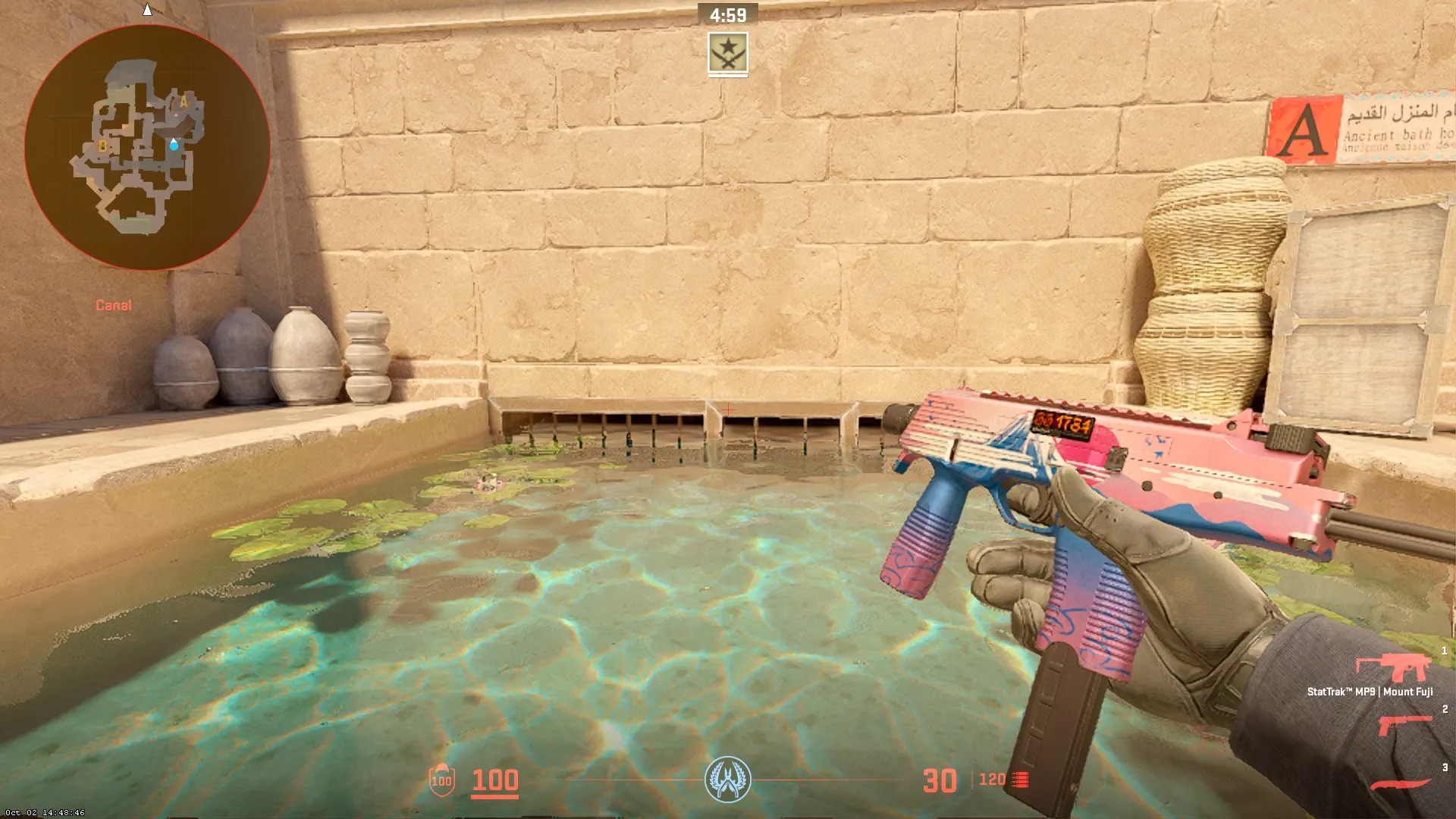
In the heart of every CS2 player’s arsenal lies the MP9, a compact yet powerful submachine gun that packs quite a punch. But what truly sets the MP9 apart is its reliability. With minimal recoil and precise accuracy, you can trust this submachine gun to deliver consistent performance in the heat of battle. It’s like having a loyal companion by your side, always ready to lend a helping hand when the going gets tough.

When and How Should It Be Used?

The MP9 finds its niche in close-quarters combat, where its rapid rate of fire and maneuverability offer players a significant advantage. Its lightweight design allows for swift movement, making it an ideal choice for those who prefer a mobile playstyle. Moreover, the MP9 serves as a cost-effective option during rounds with limited funds, thanks to its low purchase price and high kill reward.

However, players should be mindful of its limitations. The MP9’s effectiveness diminishes at longer ranges due to damage drop-off and increased recoil, so it’s essential to focus on close-range engagements. Utilizing burst-fire tactics or aiming for headshots can maximize its lethality.

Best Methods for Obtaining MP9 Skins

Obtaining skins has several methods, but the process itself is not overly complex in any of them. However, when searching for the best way to obtain M9 skins, it would be beneficial to consider the cost of acquisition and whether there are any safety risks involved.

Purchasing from Third-Party Platforms

Purchasing M9 skins from third-party platforms typically involves browsing through various listings on third-party websites, selecting the desired M9 skin, and completing the transaction through the platform’s payment system.

The advantage of purchasing M9 skins from third-party platforms is the potential for a wider selection of skins at varying price points. These platforms often offer a diverse range of M9 skins, including rare and valuable designs that may not be readily available on the official CS2 marketplace. Additionally, third-party platforms may provide competitive pricing and special offers, allowing players to acquire M9 skins at lower prices or with additional perks. However, there are notable disadvantages to purchasing M9 skins from third-party platforms. One major concern is the risk of encountering fraudulent sellers or scam websites. Players must exercise caution and conduct thorough research to ensure the legitimacy and reputation of the platform before making a purchase.

Trading with Other Players

Trading with other players involves exchanging M9 skins directly with fellow CS2 gamers. A player usually initiates a trade request with another player who possesses the desired M9 skin. Once both parties agree on the terms of the trade, including which skins will be exchanged, they can proceed to complete the transaction through the in-game trading system.

Through this method, players have the potential to acquire free CS2 skins. Meaning you can acquire the M9 skin you want without spending real money. They can negotiate trades based on the value and rarity of their respective skins, facilitating fair exchanges that benefit both parties. It’s important to note that players can only trade M9 skins that they currently possess in their inventory. This limitation restricts the options available compared to purchasing from third-party platforms.

Opening Cases

Opening cases can be another favorable method to acquire M9 skins. Players can acquire cases through various means, such as drops during gameplay, purchasing them from the in-game store, or trading with other players. Once in possession of a case, players can use a corresponding key to unlock it, revealing the contents inside, which may include M9 skins among other items.

When opening cases, players have the opportunity to obtain rare and desirable M9 skins directly from cases, potentially at a fraction of their market value, but the process is inherently random, meaning there is no guarantee of receiving the desired skin, and players may need to open multiple cases before obtaining the desired outcome. Additionally, the cost of purchasing cases and keys can accumulate quickly, especially for players seeking specific M9 skins or aiming to collect a complete set.

Top MP9 Skins

Here are the M9 skins that you may want to customize your M9 with:

MP9 | Goo

The body of the SMG is painted in a gray-blue color and embellished with an image that simulates the texture of a tar-like substance. The MP9 | Goo skin is classified as Restricted in rarity, with a drop rate of approximately 15%. Priced between $0.29 and $2.86, the MP9 | Goo is considered a very affordable skin. This skin can be acquired from the Spectrum 2 Case, using a Spectrum 2 Case key.

MP9 | Deadly Poison

MP9 | Deadly Poison is another highly popular MP9 skin. Classified as Mil-Spec Grade, it’s quite common, with a drop rate of over 50%. Additionally, it’s quite affordable, with prices starting from $0.12. This affordability likely contributes to its popularity, making it a common sight in regular matches.

MP9 | Dart

Here is another well-designed MP9 skin to add to your inventory. The receiver of the weapon in this skin features a pattern resembling shoulder boards, painted in black and gray colors. Despite being quite affordable, with prices starting at $0.29, it is widely favored by professional players such as Rubino, Tarik, and Neo.

Yes, we’ve reached the end of the article. Throughout, we’ve explored what the MP9 is and how it’s used in CS2. We’ve discovered that purchasing from third-party platforms, trading with other players, and opening cases are all viable methods for acquiring MP9 skins. Finally, we’ve highlighted some of the best MP9 skins to add to your inventory, including MP9 | Goo, MP9 | Deadly Poison, and MP9 | Dart.


Valorant Night Market Returns Tomorrow: All Eligible Skins You Can Get

0

Only a day remains before the highly anticipated Night Market returns to Valorant, and fans of the shooter are excited to see the discounts that await them once it arrives.

As usual, the May 2024 Valorant Night Market will offer players hefty discounts on six random weapon skins ranging from 10%-49%. So, if you’re a Valorant player looking to add some skins to your collection, now’s the ideal time to do so.

However, it’s important to note that not all skin collections are eligible to appear in your Valorant Night Market. Only skins from specific tiers are available for Night Market discounts.

In this article, we’ll take a look at which skins you can get in your May 2024 Valorant Night Market.

Valorant May 2024 Night Market Dates

Riot Games has already revealed that the Valorant Night Market will return to Valorant on May 22, 2024. It will be accessible to all Valorant players for three weeks, before concluding on June 12, 2024.

Valorant Night Market: All Eligible Skins

Only skin collections classified as Select, Deluxe, or Premium editions are eligible to appear in your Valorant Night Market. Additionally, these eligible skins must have been released in the Valorant Store at least two acts before the opening of the Night Market.

Without further ado, let’s check out a list of all eligible skin collections for the May 2024 Valorant Night Market:

Select Edition

  • Convex
  • Daydreams
  • Endeavour
  • Galleria
  • Infantry
  • Intergrade
  • Luxe
  • Prism II
  • Reverie
  • Rush
  • Sensation
  • Smite

Deluxe Edition

  • Abyssal
  • Altitude
  • Aristocrat
  • Avalanche
  • Chromedek
  • Emberclad
  • Horizon
  • Kohaku & Matsuba
  • Luna
  • Minima
  • MK.VII Liberty
  • NO LIMITS
  • Nunca Olvidados
  • Orion
  • Prism
  • Sakura
  • Sarmad
  • Silvanus
  • Snowfall
  • Team Ace
  • Tigris
  • Titanmail
  • Wasteland
  • Winterwunderland

Premium Edition

  • Black.Market
  • Celestial
  • Crimsonbeast
  • Cryostasis
  • Doodle Buds
  • Ego
  • Forsaken
  • Gaia’s Vengeance
  • Gravitational Uranium Neuroblaster
  • Ion
  • Magepunk
  • Nebula
  • Neptune
  • Oni
  • Origin
  • Prime
  • Prime//2.0
  • Radiant Crisis 001
  • Reaver
  • Recon
  • Soulstrife
  • Sovereign (EP 1)
  • Spline
  • Tethered Realms
  • Undercity
  • Valiant Hero
  • VALORANT Go! Vol. 1
  • VALORANT Go! Vol. 2
  • Xenohunter
  • XERØFANG

Do note that the melee skins that cost 4,350 VP or above are not included in the Night Market.

Angry Birds Tweet Controversy Explained

0

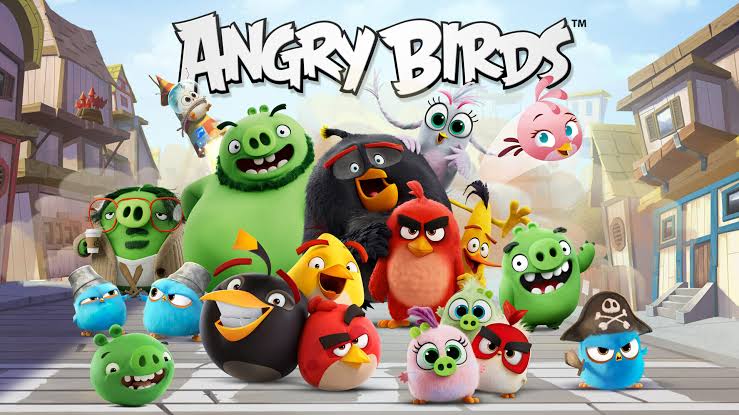
Angry Birds, a ‘bird flinging’ game made by Rovio Entertainment is one the most played mobile games of all time. The game that became an instant hit after release has recently found itself amidst a controversy. Everyone was surprised when the Angry Birds’ official X handle reposted an explicit tweet.

The repost was quickly deleted but not quickly enough. Some X users had enough time to take screenshots of the repost, which were quickly shared around social media. As the screenshots shared on X depict, the repost from Angry Birds was about a person being overly affectionate with ‘Big Red’- a bird character from the game. The repost read ‘I used to j**k off to angry birds’ which enraged some parents and provided many an opportunity to take a dig at Angry Birds.

Angry Birds was quick to release an apology on their X handle, which received mixed reactions from the community. The apology read “We sincerely apologize for an unfortunate incident that occurred on our account. Recently, an inappropriate post was accidentally reposted from the account. This was a genuine mistake, and we deeply regret any harm it may have caused.”

Even after the apology, Angry Birds still had to face some criticism from the X users. A reply from the user @thefoster55555 read “I would like to know how that happened though. It’s not like with likes(button) where it’s only one tap. You have to press the RT (repost) button and then confirm it. How could it be an accident?”

This was a huge blunder by the admins of Angry Birds’ X handle. Although they have released the apology already, the damage has already been done. Wonder how Sega would react to this as they are the ones who have owned Rovio Entertainment since August 2023.

Troubleshooting VAN 9005 Error Code in League of Legends

VAN 9005 is an error code that has haunted a lot of ‘League of Legends’ players. This error code is specifically thrown by Vanguard, Riot Games’ anti-cheats software that is installed automatically when you install ‘League of Legends.’

What does the VAN 9005 error code mean

League of Legends

Vanguard will give you the VAN 9005 error code when the boot mode and TPM 2.0 settings match its requirements. Vanguard requires you to set your boot mode to UEFI and TPM 2.0 to be enabled.

How does this error code affect you?

League of Legends

VAN 9005 is an error code that will completely block you from accessing your game. Now that sounds really frustrating when you trying to get on League of Legends after a long stressful day at work. Don’t worry, we have just the solution for you.

How to fix VAN 9005 error code?

We already know that the boot mode needs to be on UEFI and TPM 2.0 needs to be enabled. Let’s get to know how to change these settings in BIOS.

  • Restart your computer
  • As your PC is restarting, keep tapping the ‘DEL’ key to enter BIOS(this key could differ, you just need to keep an eye out when the PC is restarting. It usually shows you the button you need to press for BIOS)
  • Once in BIOS, Find the ‘BOOT MODE’ option(the location of this setting could differ depending on the manufacturer of your PC)
  • Select UEFI
  • Now you need to find TPM 2.0, which is usually located in the ‘Security’ tab. (Once again, the location of this setting could differ, depending on the manufacturer of your PC)
  • Once you find TPM 2.0, ensure it is enabled.
  • That’s it, now all you have to do is save the settings and restart your PC.

Now you know why you were getting bothered by the pesky VAN 9005 error code. Hurry up and go fix the error so you can destroy the opposing team’s base in ‘League of Legends.’

Take-Two CEO Addresses Pricing Concerns for GTA 6

0

Strauss Zelnick the CEO of Take-Two answered questions regarding GTA 6 and the studio’s complete portfolio during Take-Two’s most recent earnings call where he addressed potential prices for the company’s upcoming games.

GTA 6 has been one of the most anticipated games of all time and given that a decade has passed since its previous installment, a staggering price increase was something that was speculated among the fans eagerly waiting for the game.

We have seen video game prices go up in recent times and we have no one but inflation to blame for it. Pricing of a video game depends on a plethora of factors and given that GTA 6 will be a AAA title, it is bound to be on the more expensive end.

According to a report by GameSpot, Zelnick said, “Look, there’s more content constantly being made available, and we aim to deliver great value at any given time.

“We’re so focused on delivering more value than what we charge. And that’s the sort of rubric. And any time we establish a price, we want to make sure that it’s good news for the consumer; that the experience vastly over-delivers in the context of the cost. That’s the goal.” 

Rumors speculated the price to be around the region of $150 but the CEO of Zelnick promised that they are focused on overdelivering in context to what they decide to charge. Most modern AAA titles go around the mark of $70 but given the time and effort that went into the development, it is hard to imagine the developers sticking to market standards.

Stay updated with the latest news in gaming and esports by signing up for early access to TalkEsport’s Mobile App. Follow us on Twitter and Google News to ensure you never miss the exciting updates.

Streamers troll Elon Musk for asking creators to stream on X

Since acquiring Twitter, Elon Musk has been making changes to grow the platform into more than something it was intended to be. Many changes were not appreciated by the community but suffice it to say that Elon is keeping his promise to promote freedom of speech in the platform.

Musk attacked Twitch on May 20 in an attempt to draw more producers to the network by highlighting its live-streaming features, but he was swiftly met with backlash. X wasn’t designed to stream video games in the first place and the majority of the userbase on said platform is far from that of Twitch or YouTube.

Elon took a dig at Twitch in his recent post, where he mocks the Amazon-owned streaming platform for being filled with suggestive content instead of video games

“The idea you should stream on Twitter, there’s less sexual content is insane,” said Ludwig.

“Allow us to monetize the streams, remove bots, and create good discoverability,” said AmericanDad.

“Elon is posting about a bunch of sexual content on a platform that he doesn’t think should be there. The real joke here is he isn’t talking about Twitter,” said Coh Carnage.

A significant number of streamers have spoken up against the idea of streaming on X given the platform doesn’t provide anything extra for streamers at the moment that makes the move worth their while.

Stay updated with the latest news in gaming and esports by signing up for early access to TalkEsport’s Mobile App. Follow us on Twitter and Google News to ensure you never miss the exciting updates.

All New Free Fire Redeem Codes for 21st May 2024

Free Fire, the renowned battle royale game, continues to captivate gamers worldwide with its intense gameplay and vast array of in-game rewards. One of the most sought-after features in the game is the Free Fire redeem codes, which grant players access to exclusive items and goodies without spending any money.

Free Fire redeem codes are special combinations of characters that, when entered correctly, provide players with various rewards such as weapon skins, character outfits, and in-game currency. While these codes are not released frequently, stumbling upon a working code can significantly enhance the gaming experience.

Free Fire Redeem Codes for 21st May 2024

Here are some Free Fire redeem codes redeem codes you can use to get free items in the game on 21st May 2024:

  • T8Y3K1B6R4V9Z7M
  • D4N8C7S2W6Q9X1H
  • R2M6A8U3E7O4V5P
  • G9T1Q4Z8B2K7J6F
  • V5H3X7Y1L9I2W6R
  • C2Q7J5M9L4N8K3P
  • E8Z1W7R4S6J3X9U
  • O6F2V8P5G9D1I7N
  • B3K7A6W8H5T9M4Y
  • F2Y9E7X4R1Q6L8N
  • I5D8O3N6G2C7S4V
  • H1J6M4U7L3Z8T9B
  • X3Q9C7G5S2P8R6W
  • W8O2T1E4V5N6Y3F
  • A4R7B9Z1M5D2K8H
  • S6V5X2L8P9I4J3C
  • Y9N2H6F1W4U8G7E

HOW TO REDEEM CODES IN FREE FIRE

Redeeming codes in Free Fire is a quick and straightforward process. Follow these steps to claim your rewards:

  1. Visit the Free Fire Redemption Center: Navigate to the official Free Fire redemption website
  2. Log in with Your Free Fire Account: Sign in using your Free Fire account credentials. Ensure that you have a valid account linked to either Facebook, Google, VK, or Huawei.
  3. Enter the Redeem Code: Input the redeem code into the provided field and click on the “Confirm” button.
  4. Collect Your Rewards: Once the code is successfully redeemed, the rewards will be sent directly to your in-game mailbox. Launch Free Fire and claim your items from the mailbox.

Tips for Using Free Fire Redeem Codes

  • Timely Redemption: Redeem codes have expiration dates, so it’s essential to use them promptly to avoid missing out on rewards.
  • Regional Restrictions: Some codes may be region-specific and may not work if you are in a different region. If a code doesn’t work, try using another one.
  • Single Use: Most codes can only be redeemed once per account, so ensure you enter the code correctly the first time.

Free Fire redeem codes tend to expire very soon and hence, make sure to use them as soon as you can. Some of them can be region restricted and if you find one like that, simply move on to next one as region restricted codes cannot be used in other areas.

Stay updated with the latest news in gaming and esports by signing up for early access to TalkEsport’s Mobile App. Also, follow us on Twitter and Google News to ensure you never miss the exciting updates.

All New CODM Redeem Codes for 21st May 2024

Call of Duty: Mobile (CODM) is a highly popular mobile game with millions of active players worldwide. The game offers a thrilling first-person shooter experience, and part of its appeal lies in the exclusive items and rewards that players can unlock using redeem codes.

Redeem codes in CODM are special codes that provide players with free in-game items such as weapon skins, characters, and other valuable rewards. These codes are not released frequently, so finding a working code is often a delightful surprise for the gaming community.

CODM Redeem Codes for 21st May 2024

Here are some redeem codes you can use to get free items in CODM on 21st May 2024:

  • YU3I5O7P9L1K2J4H
  • MN0B2V3C4X5Z6Q8W
  • AS9D8F7G6H5J4K3L
  • PO2I3U4Y5T6R7E8W
  • NB6VC9X3Z1ML0K2J
  • LK8J7H6G5F4D3S2A
  • QW1E2R3T4Y5U6I7O
  • ZX5C6V7B8N9M0L1K
  • YU2I3O4P5L6K7J8H

HOW TO REDEEM CODES IN CODM

Redeeming codes in CODM is a simple process. Follow these steps to unlock your free rewards:

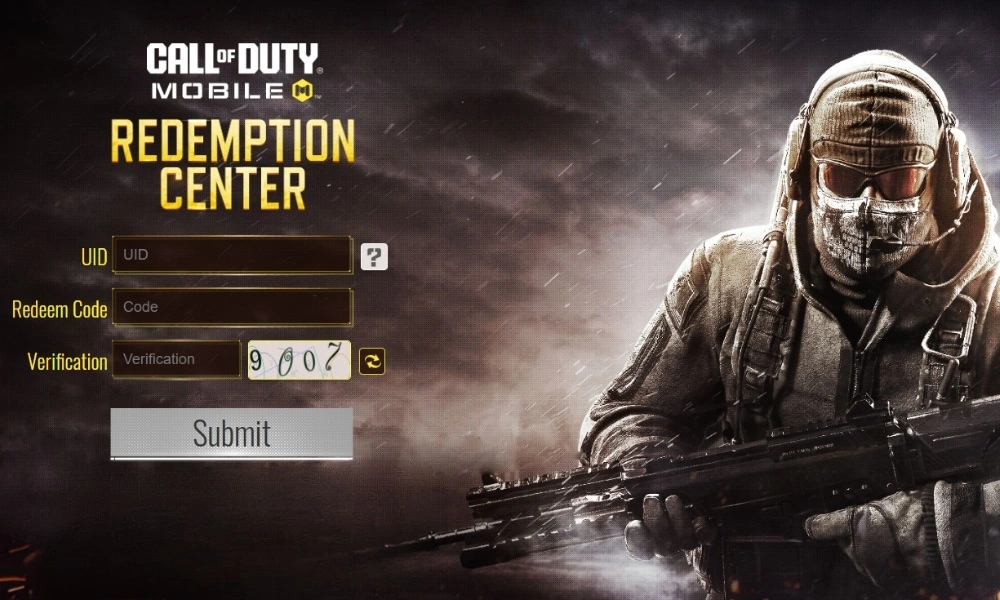
  1. Visit the CODM Redemption Center: Go to the official CODM redemption website
  2. Log in with your CODM account: Ensure you are logged in with the account you use to play the game. Use Facebook, Twitter, or your CODM User ID to log in.
  3. Enter the Code: Type or paste the redeem code into the provided field and click “Submit.”
  4. Check Your In-Game Mail: Once the code is successfully redeemed, the rewards will be sent to your in-game mailbox. Open CODM and collect your items.

Tips for Using CODM Redeem Codes

  • Act Quickly: Redeem codes have a limited lifespan and can expire quickly. Ensure you use them as soon as possible to avoid missing out on rewards.
  • Region Restrictions: Some codes might be restricted to certain regions. If a code doesn’t work, it could be due to regional limitations. Try another code if this happens.
  • One-Time Use: Most codes can only be used once per account. Double-check before entering a code to ensure it hasn’t been used previously.

Redeem codes are a great way to enhance your CODM experience without spending real money. Make sure to keep an eye out for new codes released by the developers and grab them while they are available.

Stay updated with the latest news in gaming and esports by signing up for early access to TalkEsport’s Mobile App. Also, follow us on Twitter and Google News to ensure you never miss the exciting updates.