Sunday, May 10, 2026
Home Blog Page 524

xQc vs. Adept Drama Explained: Lawsuits & Leaked Audio Rock Twitch

0

Popular Twitch streamer Félix ‘xQc’ Lengyel has taken legal action against his ex-partner, known as Adept, by serving her with three lawsuits. This move comes after Adept broadcasted a private phone call between them on her live stream.

The leaked call, which was recorded five months prior to its release, has added fuel to a legal fire that had been burning for over a year. The intricacies of consent laws come into play here, as California requires two-party consent for legal recordings, while Texas, where the recording presumably took place, only requires one-party consent.

The Heart of the Dispute

The core of the dispute seems to stem from xQc’s interactions with another streamer, Aikobliss, particularly during their roleplay sessions in the game Grand Theft Auto on the NoPixel server. Adept’s emotional response to these interactions was made public when she leaked an audio recording of a conversation with xQc, where she can be heard in tears. Despite the breakup that occurred in September 2022, the drama continues to unfold, with Adept’s legal team previously demanding millions of dollars in compensation.

Clarifications and Accusations

In the midst of the controversy, xQc has addressed the situation by clarifying his relationship with Aikobliss, asserting that she is merely a fellow roleplayer and that they have not been on a date. Adept accused xQc of showing favoritism towards Aiko by donating ‘hundred subs’ to her channel, an action that has been scrutinized by the community. Aiko herself has spoken about her relationship with xQc, describing it as a friendship.

The Fallout and Public Opinion

The leaked call has reignited discussions about xQc’s personal life, including his alleged involvement with AikoBliss, despite the fact that he and Adept had already separated. xQc has also taken the opportunity to address his critics, particularly those who have condemned his gambling streams on Twitch, labeling them as ‘losers’.

The ongoing drama between xQc and Adept highlights the complexities of personal relationships in the public eye, especially when legal matters intersect with the world of online streaming. As the situation continues to develop, the gaming community remains captivated by the unfolding events and the legal precedents they may set for content creators and their interactions on and off the stream.
How to convert your Valorant sensitivity to XDefiant

For avid FPS gamers, maintaining consistent aiming speed and accuracy is crucial when transitioning between games. If you’re moving from VALORANT to XDefiant, you’ll want to convert your sensitivity settings to maintain your competitive edge. Here’s a step-by-step guide to help you make the switch smoothly.

Understanding Sensitivity Settings in FPS Games

When you switch from one first-person shooter (FPS) game to another, like from VALORANT to XDefiant, it’s important to adjust your sensitivity settings. This ensures that your muscle memory and aiming skills remain as consistent as possible across different gaming experiences.

How to Seamlessly Transition Your VALORANT Sensitivity Settings to XDefiant

Step 1: Note Your VALORANT Sensitivity

Begin by opening your VALORANT settings and jotting down your current mouse sensitivity number. This figure is the foundation for converting your settings to XDefiant.

Step 2: The Conversion Process

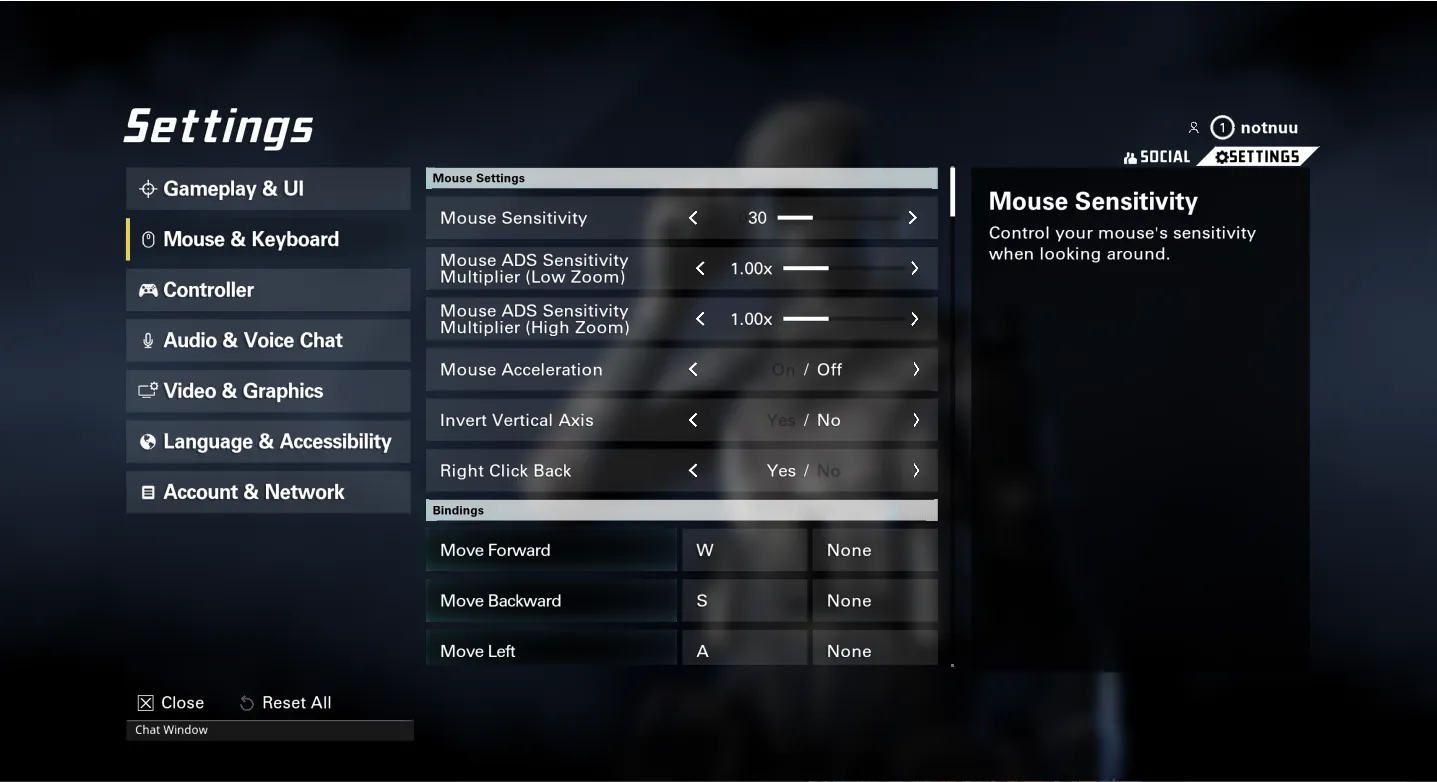
XDefiant offers a sensitivity range from one to 100, which gives you a broad spectrum to find your perfect setting. To convert your VALORANT sensitivity to XDefiant, you can use a simple mathematical formula: for every 0.1 increase in your VALORANT sensitivity, add approximately 9.5 to your XDefiant sensitivity. This calculation can be done manually, or you can use online converters for a quicker process.

Step 3: Adjusting XDefiant Settings

Once you have your converted sensitivity number, head over to XDefiant’s settings menu. Here, you can adjust your mouse sensitivity and other options by moving the sliders to match your calculated sensitivity. Don’t forget to set up your Mouse ADS Sensitivity Multiplier for both Low Zoom and High Zoom, as well as checking the Mouse Acceleration and Lock Mouse to Game Window settings.

Pro Tip: Try Shroud’s Settings

If you’re unsure about your calculations or just want to try something new, consider using the settings of professional gamers like Shroud. His XDefiant settings are a popular choice and might work well for you too.

Converting your sensitivity settings from VALORANT to XDefiant doesn’t have to be a daunting task. By following these simple steps, you can ensure that your transition between games is as seamless as possible, allowing you to maintain your aiming precision and enjoy your gaming experience to the fullest. Whether you choose to do the math yourself or use online tools, the key is to find the sensitivity that feels right for you. Happy gaming!

Wuthering Waves Lamp Lumen Myriad Location

Wuthering Waves is a game filled with challenging missions and the promise of rich rewards for those who can navigate its complex landscape. Among the various quests, finding and defeating the formidable Lampylumen Myriad boss is a task that requires both strategy and skill. This guide will provide you with the necessary steps to locate and prepare for the battle against this elusive adversary.

Where to find Lampylumen Myriad boss in Wuthering Waves

The journey to the Lampylumen Myriad is not straightforward, as the boss resides in a mountainous area that can be tricky to access. To begin your quest, you must first identify the boss’s location on your map, which is situated southeast of Tiger’s Maw Mine.

Step-by-Step Directions to the Boss

  1. Starting Point: Teleport to the Huanglong Tiger’s Maw Resonance Nexus at the Tiger’s Maw Mine.
  2. The Descent: Look for a large circular hole in the center of the area and make your way down into it.
  3. Navigating the Terrain: After the massive drop, you will find yourself in a rocky location rich with Lampylumen Ore.
  4. Finding the Cave: Search for an opening that leads to a nearby cave.
  5. Final Approach: Inside the cave, locate the Resonance Beacon, which is positioned near the boss fight arena.

Once you have followed these steps, you should be able to see the Lampylumen Myriad in its ‘boss room’. This is where you will engage in the battle.

Preparing for the Battle

The Lampylumen Myriad is a challenging opponent with various mechanics that players must learn to overcome. To ensure you are ready for the confrontation, it is essential to prepare adequately.

Battle Preparation Tips

  • Resource Management: Gather resources and tools that will aid you in the fight. Make sure you have enough healing items and buffs to sustain you through the battle.
  • Character Selection: Choose your best characters to form a team capable of taking down this powerful beast. The right combination of characters can make a significant difference in the outcome of the fight.
  • Equipment Check: Equip your characters with strong Echoes and weaponry to maximize your damage output and survivability.
  • Level Up: Ensure that your characters are at an appropriate level to face the boss. Being under-leveled can lead to a quick defeat.

Defeating the Lampylumen Myriad in Wuthering Waves is a testament to a player’s dedication and mastery of the game. By following this guide, you will be able to locate the boss and prepare for the battle effectively. Remember to bring your A-game and make use of the strategies outlined above to emerge victorious. For additional assistance, seek out other guides that can provide further insights into the game’s mechanics and challenges. Good luck on your quest to conquer the Lampylumen Myriad!

Latest CS2 Update Ruins Doppler, Gamma Doppler, and Marble Fade Knives

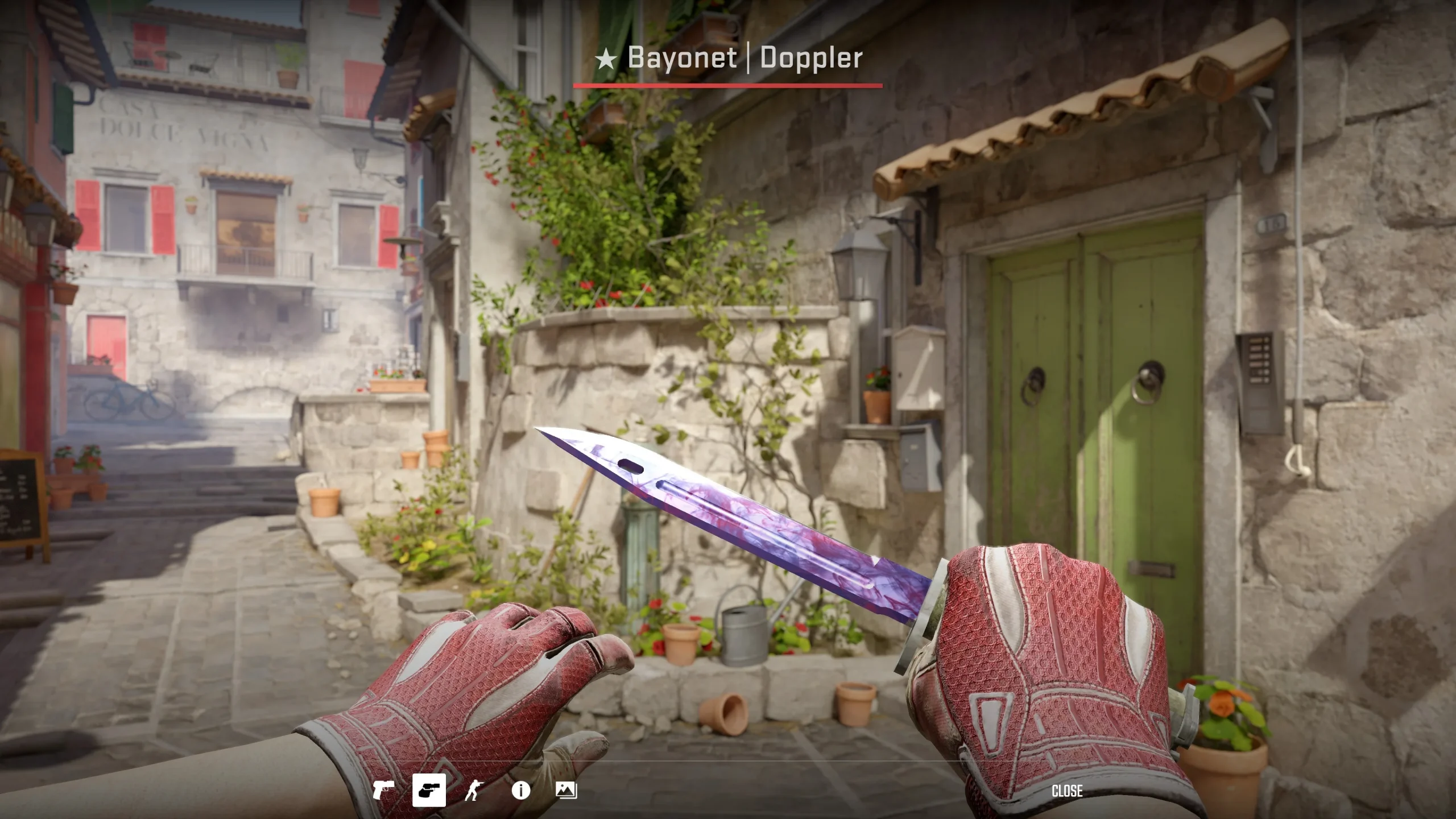
The latest Counter-Strike 2 update has sparked a controversy among community members after it has caused popular knife skins like Doppler, Gamma Doppler, and Marble Fade to change colors causing it to significantly downgrade in terms of aesthetics.

The aforementioned skins are known for their unique colorway which plays a big part in setting their price. Following the latest update, the colors have been downgraded to the point, that said skins are beyond unrecognizable. The significant change in their colors has caused the players to claim that the knives look like “sh*t”.

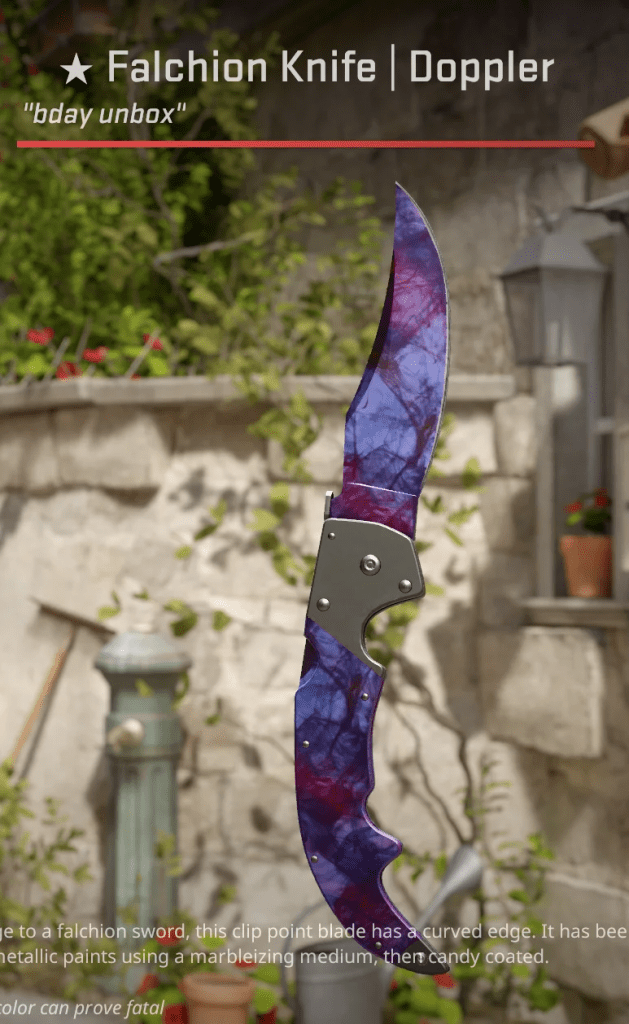
Before Update.
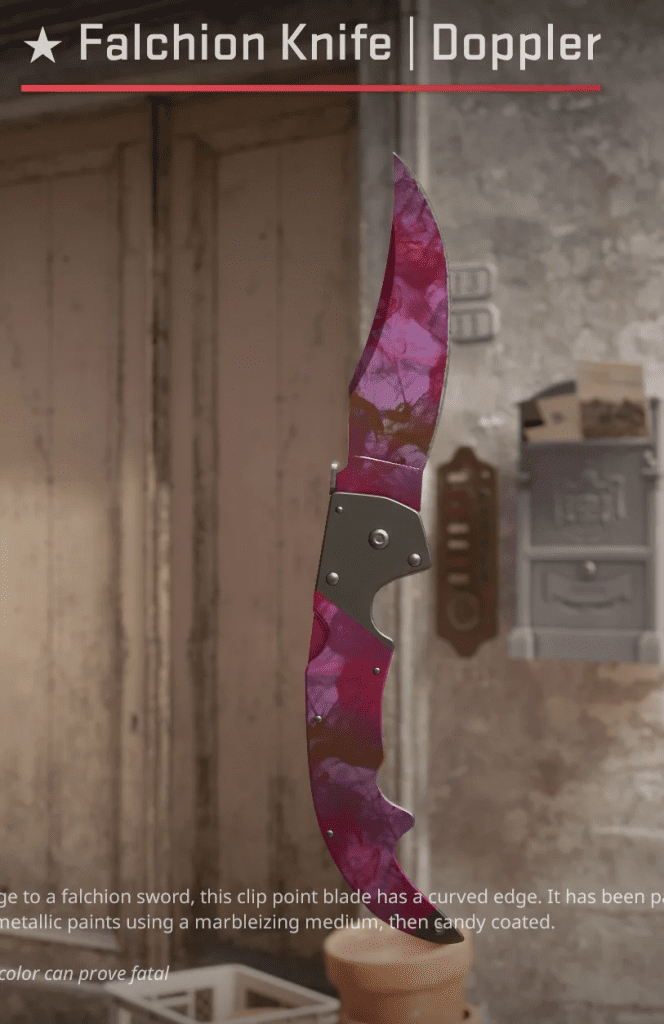
After Update.

In the Falchion Knife Doppler, we can see how the colors have undergone a significant shift from hints of blue to a less appealing purple which is subjective but the community in general doesn’t find it aesthetically pleasing.

This issue has been caused following the latest update which would have us believe that another update would be enough to fix it but until then no solution has surfaced at the time of writing.

All New Free Fire Redeem Codes for 24th May 2024

0

Free Fire, the renowned battle royale game, continues to captivate gamers worldwide with its intense gameplay and vast array of in-game rewards. One of the most sought-after features in the game is the Free Fire redeem codes, which grant players access to exclusive items and goodies without spending any money.

Free Fire redeem codes are special combinations of characters that, when entered correctly, provide players with various rewards such as weapon skins, character outfits, and in-game currency. While these codes are not released frequently, stumbling upon a working code can significantly enhance the gaming experience.

Free Fire Redeem Codes for 24th May 2024

Here are some Free Fire redeem codes redeem codes you can use to get free items in the game on 24th May 2024:

  • FFU3V9W5X1Y6Z2A7
  • G4F6D86S0A2Q4W6E
  • N8B0V2C4X6Z8M61Q
  • J3K5LI7M9N1B3V5C
  • P7IO9I1U3Y5T7R9E
  • W2E4R6T8Y0U2II4O
  • Z6X8C0IV2B4N6M8L
  • Y3L9K7W2X4R6T8ZI
  • D2E4F6G8H0J14K3A
  • FFD8E2F7G3H9J4K1
  • F1G3H5J7K9L1MI3N
  • S5A7Q9WI1E3R5T7Y
  • FIKJHR65HYR56G53
  • V7B9N1M34C5X7Z9Q
  • I5O74P9L1K3J5H7G
  • R9T1Y3U5I7O9P42S
  • A3S5D74F9G1H3J5K
  • M7N9B1V3C5X7ZZ9L
  • Q1W3E5RH7T9Y2U4I
  • O6P8HL0K2J4H6G8F
  • X2Z4C6V8B0N1MH3Q
  • H5J7K9L16M3N5B7V
  • T9Y1U3I5O7P96L2K
  • F6HYGR67HY6RYHQ9

HOW TO REDEEM CODES IN FREE FIRE

Redeeming codes in Free Fire is a quick and straightforward process. Follow these steps to claim your rewards:

  1. Visit the Free Fire Redemption Center: Navigate to the official Free Fire redemption website
  2. Log in with Your Free Fire Account: Sign in using your Free Fire account credentials. Ensure that you have a valid account linked to either Facebook, Google, VK, or Huawei.
  3. Enter the Redeem Code: Input the redeem code into the provided field and click on the “Confirm” button.
  4. Collect Your Rewards: Once the code is successfully redeemed, the rewards will be sent directly to your in-game mailbox. Launch Free Fire and claim your items from the mailbox.

Tips for Using Free Fire Redeem Codes

  • Timely Redemption: Redeem codes have expiration dates, so it’s essential to use them promptly to avoid missing out on rewards.
  • Regional Restrictions: Some codes may be region-specific and may not work if you are in a different region. If a code doesn’t work, try using another one.
  • Single Use: Most codes can only be redeemed once per account, so ensure you enter the code correctly the first time.

Free Fire redeem codes tend to expire very soon and hence, make sure to use them as soon as you can. Some of them can be region restricted and if you find one like that, simply move on to next one as region restricted codes cannot be used in other areas.

Stay updated with the latest news in gaming and esports by signing up for early access to TalkEsport’s Mobile App. Also, follow us on Twitter and Google News to ensure you never miss the exciting updates.

Garena Free Fire MAX Redeem Codes for 24th May 2024

Free Fire is a very popular battle royale game with millions of active users per day. A large part of this fan base comes from India and despite the ban, players have shifted to its advanced version called Free Fire Max to enjoy the game.

The game has same core and hence, it has redeem codes as well. Here are some redeem codes that you can use to get free items in Free Fire Max.

Free Fire redeem codes are special codes that can be used to unlock several items for free in-game. They are not released on a regular basis hence coming across a working code is very hard. 

Garena Free Fire MAX Redeem Codes

As Free Fire now banned in India, players have shifted to Free Fire Max and the entire account history is ported to its servers. This means that players can still use their old accounts and make use of features like redeem codes to get rewards in it as well.

Free Fire MAX Redeem codes for 24th May 2024:

  • FFU3V9W5X1Y6Z2A7
  • G4F6D86S0A2Q4W6E
  • N8B0V2C4X6Z8M61Q
  • J3K5LI7M9N1B3V5C
  • P7IO9I1U3Y5T7R9E
  • W2E4R6T8Y0U2II4O
  • Z6X8C0IV2B4N6M8L
  • Y3L9K7W2X4R6T8ZI
  • D2E4F6G8H0J14K3A
  • FFD8E2F7G3H9J4K1
  • F1G3H5J7K9L1MI3N
  • S5A7Q9WI1E3R5T7Y
  • FIKJHR65HYR56G53
  • V7B9N1M34C5X7Z9Q
  • I5O74P9L1K3J5H7G
  • R9T1Y3U5I7O9P42S
  • A3S5D74F9G1H3J5K
  • M7N9B1V3C5X7ZZ9L
  • Q1W3E5RH7T9Y2U4I
  • O6P8HL0K2J4H6G8F
  • X2Z4C6V8B0N1MH3Q
  • H5J7K9L16M3N5B7V
  • T9Y1U3I5O7P96L2K
  • F6HYGR67HY6RYHQ9

HOW TO REDEEM CODES IN FREE FIRE MAX

It is quite simple to redeem these codes in Free Fire. Players just need to visit the redemption center and enter the code given below. Use the method given below to get these items.

  • Visit the Reward Redemption center of Garena Free Fire. Click here to visit.
  • Log in with your Free Fire account. One must have either Facebook or Google ID signed in as a Guest account does not work.
  • Enter the code and get free rewards in your in-game item vault.

The redeem codes tend to expire very soon and hence, make sure to use them as soon as you can. Some of them can be region restricted and if you find one like that, simply move on to next one as region restricted codes cannot be used in other areas.

Stay updated with the latest news in gaming and esports by signing up for early access to TalkEsport’s Mobile App. Also, follow us on Twitter and Google News to ensure you never miss the exciting updates.

XDefiant Breaks Ubisoft Records with INSANE Launch Numbers!

0

In the competitive landscape of online shooters, Ubisoft’s latest free-to-play title, xDefiant, has made a groundbreaking entrance, securing a staggering 1 million players within just 2.5 hours of its launch. This remarkable achievement not only sets a new precedent for Ubisoft but also highlights the game’s potential in the current market.

A Record-Breaking Debut

Ubisoft’s xDefiant has taken the gaming world by storm, becoming the fastest game launch in the company’s history to hit the 1 million player mark. The game’s launch on May 21 was met with an overwhelming response, as it saw 1 million unique players in a mere 2.5 hours. This surge in player count continued to grow, reaching 3 million players across PC, Xbox Series X|S, and PlayStation 5, with concurrent players peaking at 300,000.

The Free-to-Play Advantage

The free-to-play model of xDefiant has undoubtedly contributed to its initial success. By removing the entry barrier of a purchase price, the game has attracted a vast audience eager to dive into the action. Ubisoft has been clear that while microtransactions are present, they are committed to ensuring that there are no pay-to-win elements, maintaining a level playing field for all players.

Timing is Everything

xDefiant’s launch could not have been more opportune. With a noticeable gap in the competitive FPS market, the game has filled a void left by other titles. As Black Ops 6 is still on the horizon, Modern Warfare 3 is past its prime, and The Finals not living up to expectations, xDefiant has seized the moment to captivate players looking for a fresh experience.

Overcoming Development Challenges

Despite its successful launch, xDefiant’s journey has not been without its hurdles. The game experienced a rough start on launch day, with players facing issues such as being unable to find matches or leave the main menu. Moreover, the game’s development cycle was marred by reports of toxic behavior from executives and directors, which allegedly impacted the development process.

Meeting Milestones

Despite the challenges, xDefiant is hitting the milestones set by Ubisoft, indicating that the game is performing according to the company’s expectations. The player count is a testament to the game’s appeal and the strategic timing of its release.

xDefiant’s explosive launch is a testament to the game’s appeal and Ubisoft’s strategic planning. The free-to-play shooter has not only shattered records but also demonstrated resilience in the face of development challenges. As the game continues to grow, it will be interesting to see how it evolves and maintains its place in the competitive FPS arena.

For players and fans alike, xDefiant offers an exciting new world to explore, and its initial success is a promising sign for the future of online gaming.

CS2 Vertigo Update: Massive A-Site Changes Shake Up Meta

The latest CS2 update has rolled out significant changes to the Vertigo map and made adjustments to the Counter-Terrorist (CT) economy, addressing longstanding community feedback. This article delves into the update’s details and its implications for players.

Vertigo Map Overhaul

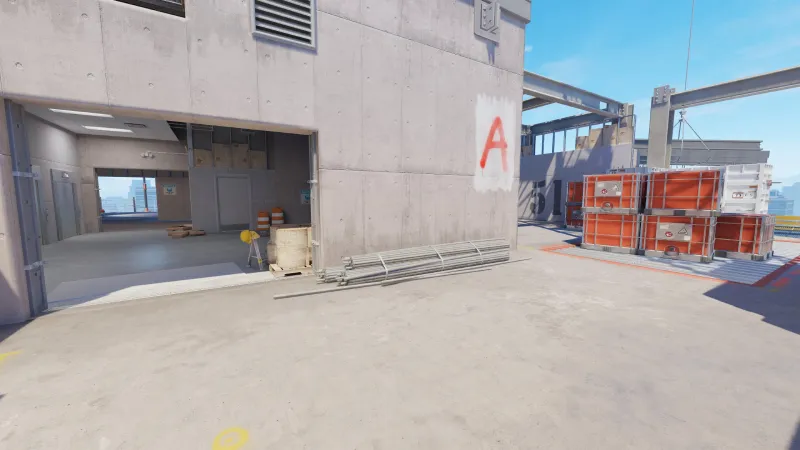
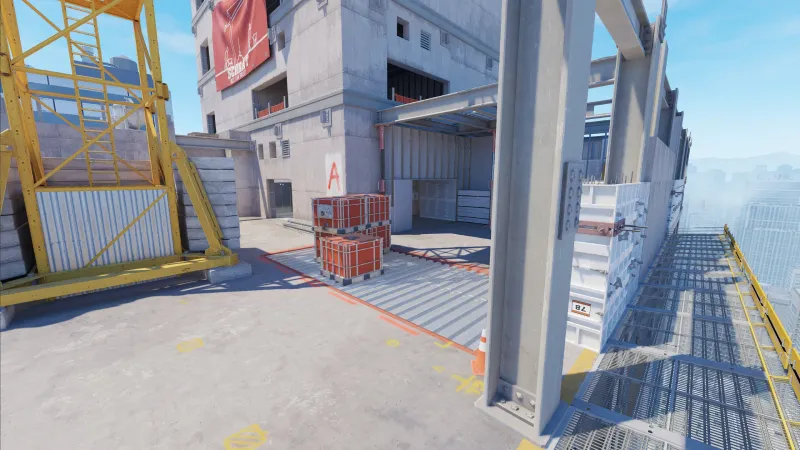
Valve’s recent update has introduced a substantial transformation to the Vertigo map, a staple in the CS2 arena. A new catwalk now extends along the side of the bomb site, providing an additional area for Terrorists (Ts) to secure as they advance onto A-site. This change is expected to alter the dynamics of engagements, offering fresh strategies and sightlines.

Moreover, a massive door has been unveiled in Elevator, leading onto Short on A-site. This architectural development opens up new pathways and tactical possibilities, potentially shifting the balance of power between the attacking and defending teams.

CT Economy Adjustments

One of the most critical aspects of this update is the recalibration of the CT economy. The M4A4, a primary weapon for CTs, has seen a price reduction to $3000, down from $3100. This adjustment aims to alleviate the financial strain on CTs, allowing for more flexibility in weapon purchases.

Additionally, the cost of the Incendiary Grenade has been lowered to $500, a $100 decrease from its previous price. However, the grenade’s effectiveness has been moderated, with a significant reduction in the radius of fire spread. The height of the flame from both Molotov and Incendiary grenades will now diminish over time, adding a new layer of tactical consideration for their use.

Economic Impact on Gameplay

The update also addresses the economic advantage previously held by Ts when the bomb was planted but defused. The team award for such scenarios has been reduced from $800 to $600. This change is designed to lessen the impact of the first-round outcome on subsequent rounds, promoting a more balanced and competitive match progression.

Additional Features and Improvements

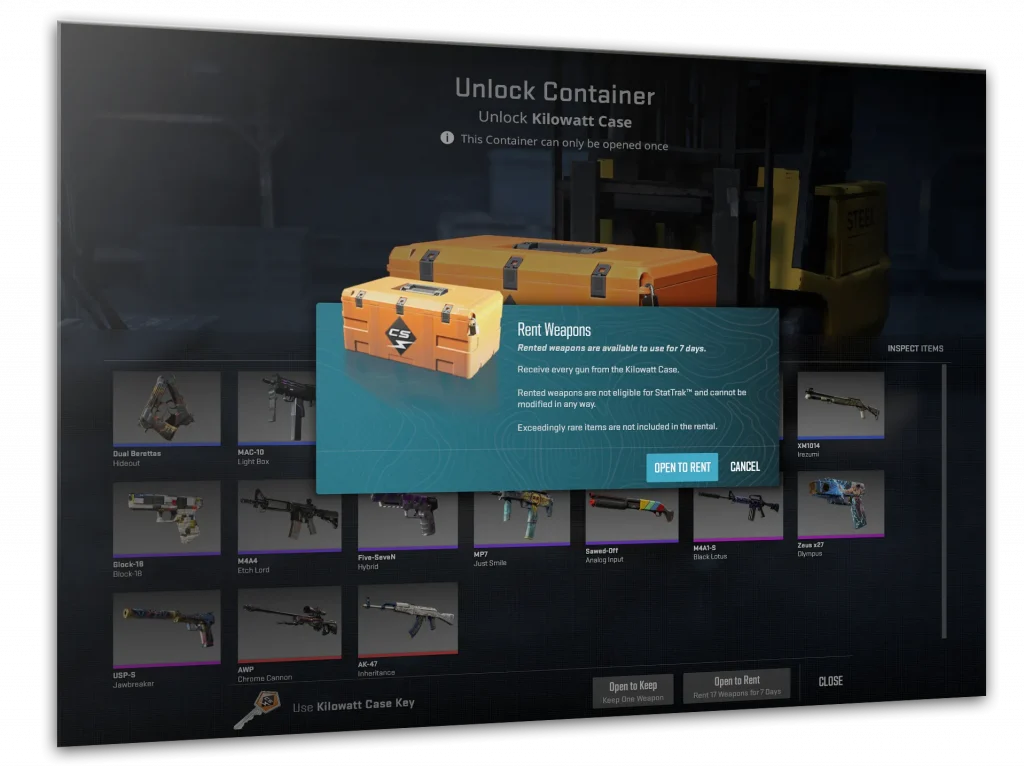
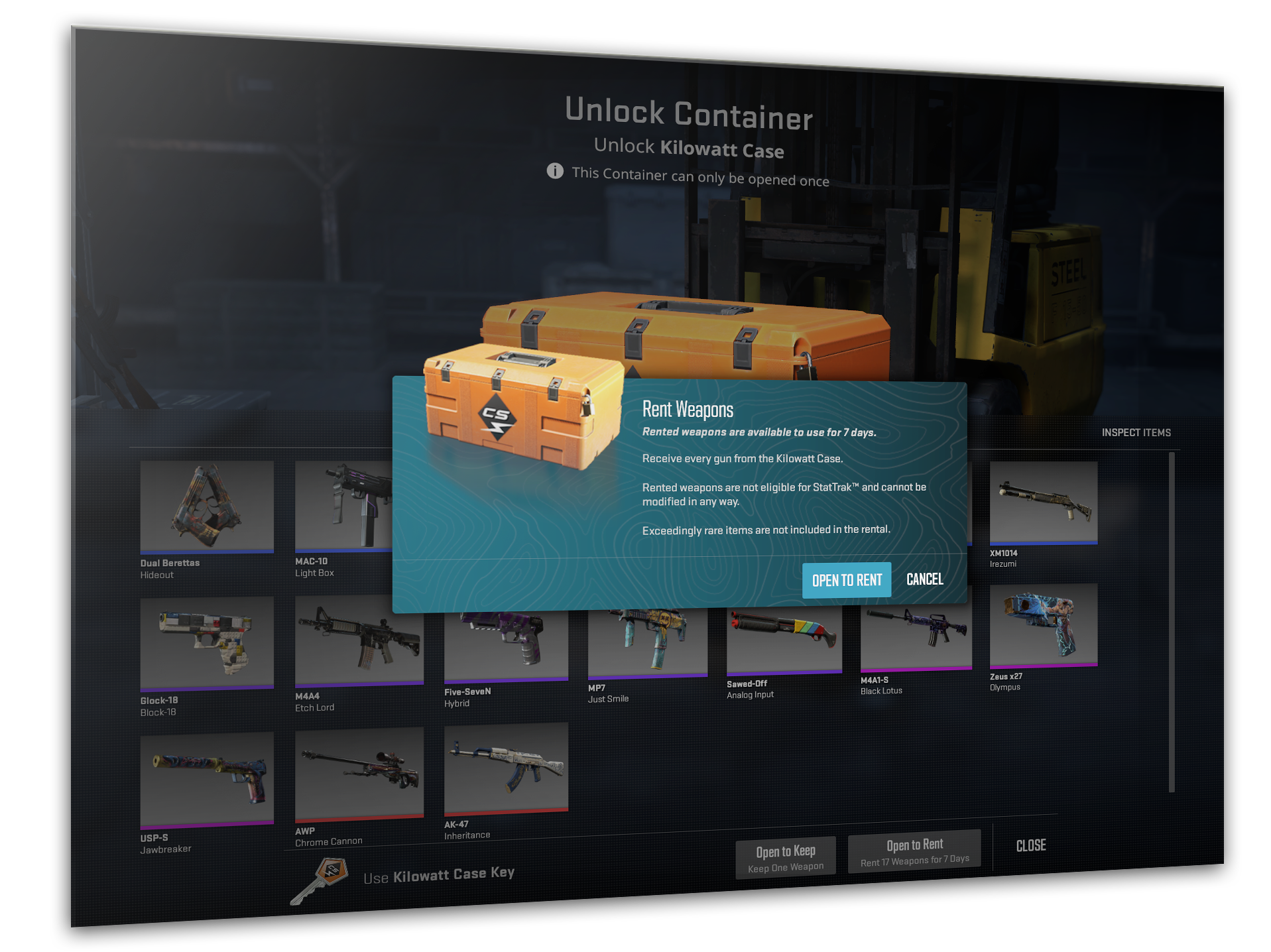
Players will now experience a novel approach to in-game rewards. Upon opening a Kilowatt Case, the option to rent every skin in the case for one week is now available, as opposed to receiving a single permanent skin. This feature provides players with the opportunity to experiment with various skins before committing to one.

The update also includes various performance enhancements to the Warehouse main menu and item inspect background scenery, ensuring a smoother and more visually appealing experience for players.

The latest CS2 update is a testament to Valve’s commitment to refining the gameplay experience and responding to community feedback. The Vertigo changes and CT economy adjustments are poised to introduce new tactical layers and a more equitable economic system. As players adapt to these updates, the competitive landscape of CS2 is sure to evolve, promising exciting times ahead for veterans and newcomers alike.

Stay tuned for more updates and guides as the CS2 community continues to explore the full extent of these changes.

Counter Strike 2 (CS2) Now Lets You RENT Skins

Counter-Strike fans have something new to look forward to with the latest update to Counter-Strike 2 (CS2). The game has introduced a novel feature that allows players to rent skins, adding a fresh dynamic to the customization of in-game weapons.

Renting Skins in CS2

The most recent update to CS2 has brought about the introduction of skin rentals. This means that players now have the option to temporarily acquire skins for their weapons, providing a new way to experience different aesthetics without committing to a permanent purchase.

How Skin Rentals Work In Counter Strike 2 (CS2)?

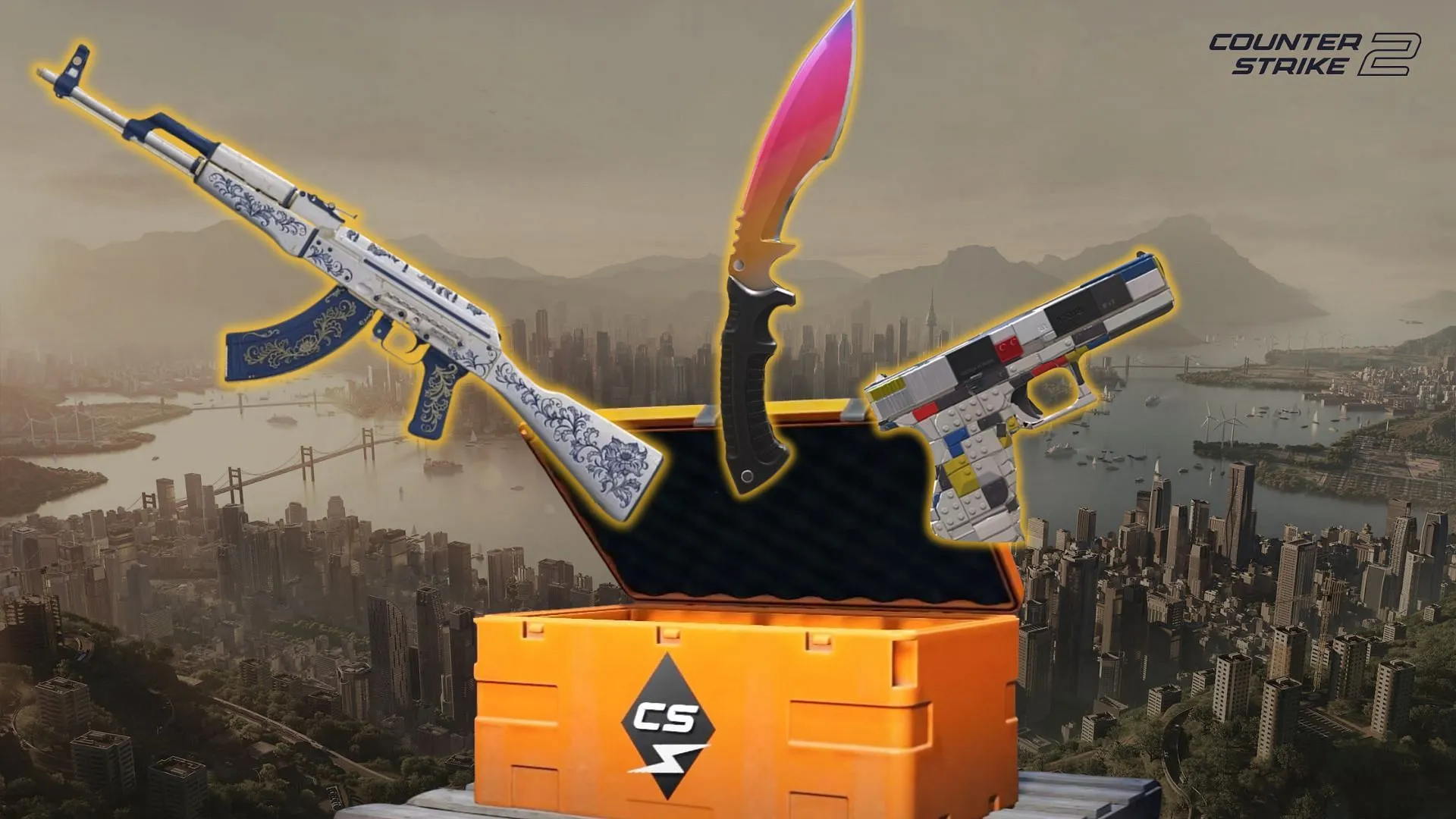
Players interested in renting skins can do so through the Kilowatt case system. When a player opens a Kilowatt case with a key, they are presented with the opportunity to rent the entire collection of skins contained within for a period of one week. This system allows players to experiment with various skins and enjoy the visual variety that they offer.

Conditions of Skin Rentals

While renting skins, players have the freedom to use the weapon skins in-game for the duration of the rental period. However, it’s important to note that these rented skins cannot be personalized with stickers or nametags during the rental period. This limitation ensures that the skins remain in their original state for future renters.

The introduction of skin rentals in CS2 is a significant update that provides players with more flexibility in how they customize their gaming experience. By allowing players to rent an entire collection of skins for a short period, CS2 is catering to those who wish to explore different weapon appearances without the need for a long-term investment. However, the inability to modify rented skins with stickers or nametags ensures that the integrity of the skins is maintained for all users. This update is sure to add an exciting new layer to the game’s strategy and personal expression.

New CS2 Update Introduces Skin Rentals, Reduces M4A4 & Incendiary Price

Valve has just shipped a major update to Counter-Strike 2, and it introduces several interesting changes to the competitive shooter.

Firstly, the new CS2 update aims to improve the CT-side economy by reducing the prices of the M4A4 and the Incendiary Grenade. The price of the M4A4 has been adjusted from $3100 to $3000, while the Incendiary Grenade has also seen a price reduction of $100, bringing it down from $600 to $500.

In addition to the price reduction, the Incendiary Grenade has been given a visual makeover by Valve, and it features new effects for its explosion and flames. Additionally, its spread and duration have been reduced, which makes it significantly weaker than its T-side alternative, the Molotov, which is available for just $400.

CS2 Players Can Now Rent Kilowatt Case Skins

Alongside the gameplay changes, the May 23rd CS2 update enables players to rent out all the skins from the Kilowatt Case, which is the latest case to be introduced to the game.

As per the official statement from Valve, “When you open a Kilowatt case with a key, you’ll be given the option to rent the whole collection for a week.” 

This implies that players will have the option to spend a case and a key to receive all the contents of the case for a week. However, players won’t be given the knives featured in the Kilowatt case if they choose to rent it.

Skin rentals will allow players to use the weapon skins freely for a week, but they cannot be modified with stickers or nametags.