Sunday, May 10, 2026
Home Blog Page 523

Grand Kaizen Codes for May 2024

0

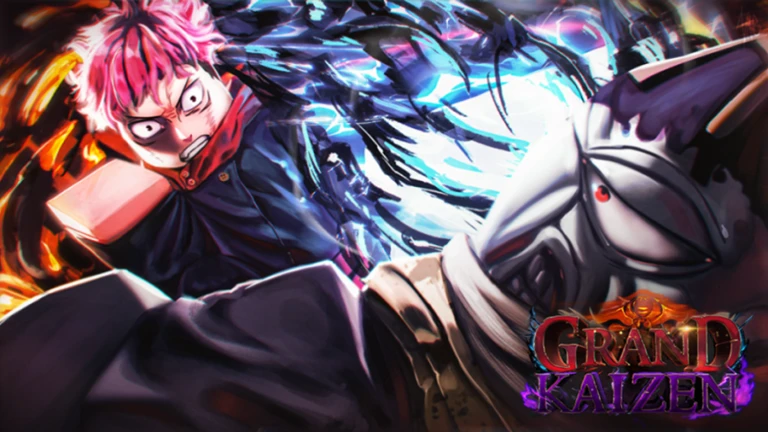
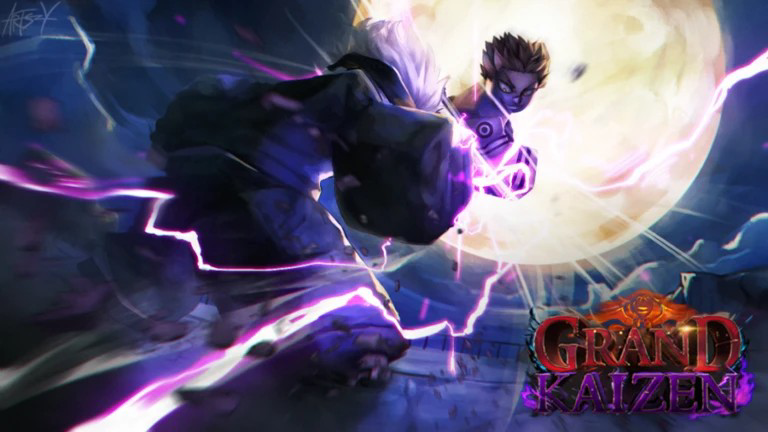
Grand Kaizen is a Roblox experience based on the popular anime series, Jujutsu Kaisen. Just like most Roblox experiences, makers of Grand Kaizen also give out free rewards and boosts to keep the player base engaging. If you are on the hunt to get yourself some Grand Kaizen codes then you have found the right place. Here is the list of all Grand Kaizen codes:

All codes in Grand Kaizen
  • Active Codes
    • 30k Likes!: 15 spins (only PC)
    • MobileFixes: 5 Spins
    • 20kLikes!: 15 Spins
  • Expired Codes
    • HappyNewYear
    • 15kLikes!
    • BugFixes2
    • ReRelease
    • BugFixes

How to redeem the codes in Grand Kaizen

  • Start Roblox player.
  • Launch Grand Kaizen.
  • Press M on your Keyboard.
  • Hit the Gear icon.
  • Type a working code
  • Click on Redeem

It is important to copy the codes as they are mentioned here as the codes are case sensitive. There is also a possibility that the game will not accept the code you enter even when it is active. In that case, just restart the game and the code should work for you.

Now you are all set to explore and conquer the action-packed anime world of Grand Kaizen. So what are you waiting for, hurry up and go redeem the codes before they expire.


Genshin Impact 4.7 Banners: New Characters, Weapons, and Release Dates

Hoyoverse recently released Genshin Impact 4.7 banners in a livestream. Following their earlier trends, Genshin Impact banners will be released in 2 phases. This version brings 2 new 5-star characters and 1 new 4-star character. If you would like to know the exact details of this update then keep reading to find out.

Phase 1

Genshin Impact 4.7 banner phase 1 begins on June 5 and ends on June 25. This phase will bring a new 5-star electro character Clorinde, new 4 star electro character Sethos. A returning character will also be featured in this phase, 5 star Dendro character Alhaitham.

Weapons coming in this phase are 5-star sword Absolution and 5-star Sword Light of Foliar Incision.

Phase 2

Genshin Impact 4.7 banner phase 2 begins on June 25 and ends on July 16. This phase will bring a new 5-star hydro character Sigewinne and a returning 5 star hydro character Furina.

Weapons coming in this phase are the 5-star bow Pouring Heartstring and the 5-star sword Splendor of Tranquil Waters.

Genshin Impact 4.7 banners have pleased the gaming community as this update is considered to be one of the best in recent times. Hoyoverse has covered all the bases when introducing characters in this update. From heavy damage dealers to team healers, this update seems to be very well designed.

Discover Fortnite Chapter 5 Season 3 Medallions

0

With every new update, Fortnite introduces new items to the game. Fortnite is sticking to its trend with the Chapter 5 Season 3 update and has introduced Medallions to the game. There are 3 Medallions you can collect in the game. Each Medallion provides you with unique boosts. The only catch is that you must defeat the bosses defending these Medallions. If you want to know the location of these Medallions, then we got you covered.

All Medallions Location

Ringmaster Scarr

This is a new boss introduced with the Chapter 5 Season 3 update and will be located near the new location ‘Nitrodome.’ Once you defeat this boss, you will receive his Boom Bolt Mythic and a Medallion. This Medallion offers infinite ammo and a small damage buff.

The Machinist

This is another new boss introduced with the Chapter 5 Season 3 update and will be located near ‘Redline Rig.’ Once defeated this boss provides The Machinist’s Combat Assault Rifle and a Medallion that regenerates your shield over time..

Megalo Don

This boss is considered to be one of the most difficult bosses in Fortnite Chapter 5 Season 3. You should be able to locate this boss near ‘Brutal Beachhead.’ Once defeated, this boss should provide you with his Nitro Fists. The Medallion you receive here is considered to be the strongest. It gives the player and their vehicles infinite nitro.

Please note that the bosses in this Season will only be in the locations mentioned above for the first few minutes of the game. They will then rally out in their cars. Once that happens, you will have to listen to the sounds of the boss rally and chase them to defeat them. So what are you waiting for, go collect the Medallions and dominate the Battle Royale Arena.

How to Master Intro and Outro Skills in Wuthering Waves?

0

Intro and outro skills in Wuthering Waves have left many players perplexed about what these skills do or when one should be using these skills. To perceive the usage and the way these skills work, you need to understand the concept of switching between Resonators and Concerto Energy in Wuthering Waves.

What is Concerto Energy?

In Wuthering Waves, every Resonator will gain this energy while in combat. You can see the Concerto Energy filling up to the left side of the Health bar while dealing damage to your enemies and executing dodges.

How does the Intro and Outro skills work

There is no separate button to perform these skills. These skills are performed automatically when you switch to a different Resonator after filling up your Concerto Energy. The exiting Resonator will perform the outro skills while the incoming Resonator will perform the intro skill.

I hope you now understand what intro and outro skills are. It is important to note that each Resonator will have unique Intro and Outro skills, some can buff your Resonators while others can deal massive damage. It is very crucial to understand and master the abilities your Resonators have. Timing the abilities perfectly can be the deciding factor in your combat. Check your Resonators intro and outro skills in the Forte tab and level up these abilities regularly to be competitive in the game.

How to Fix XDefiant Controller Detection Issue?

0

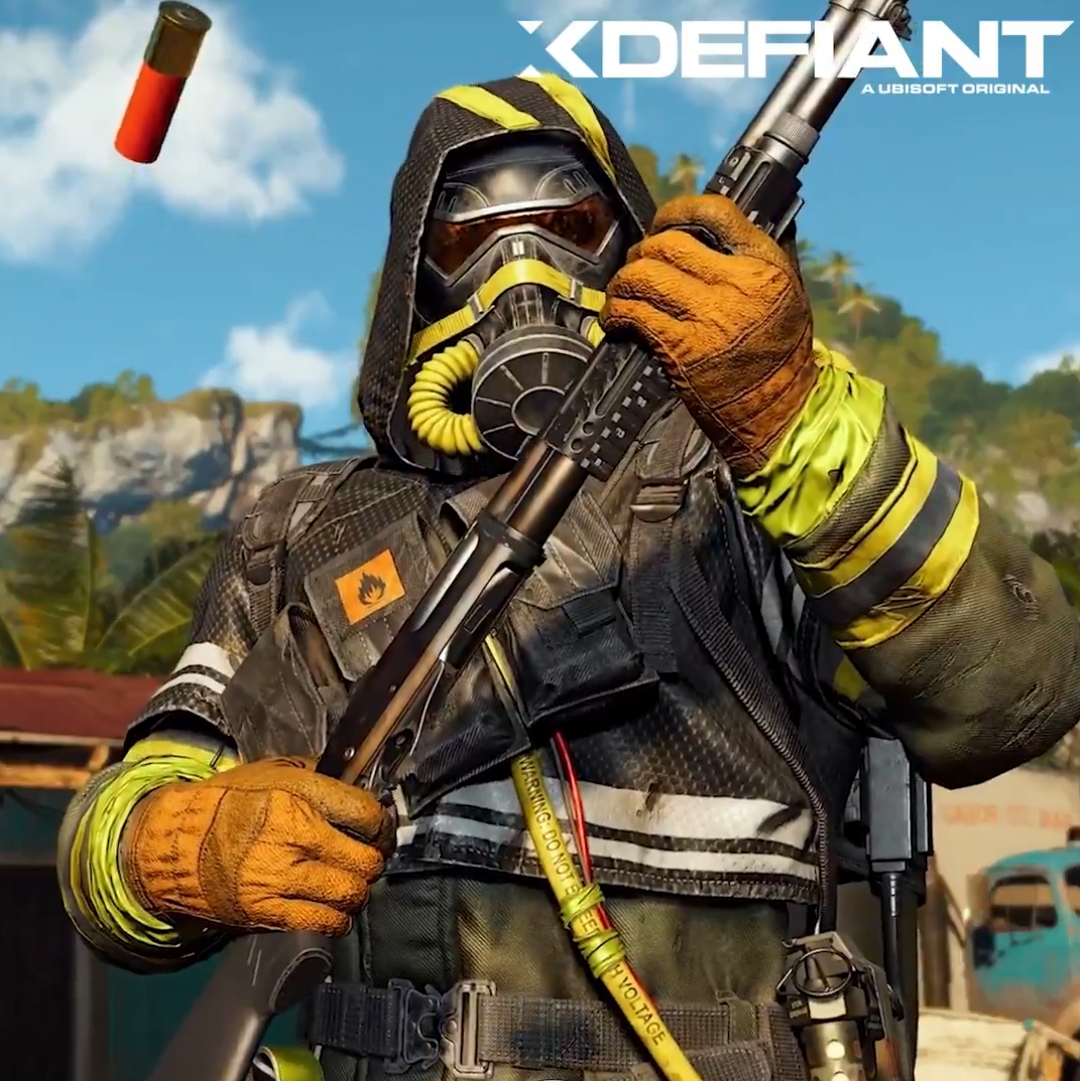
Ubisoft’s Xdefiant has taken the gaming community by storm. Their concept of bringing characters from previous titles into Xdefiant’s tactical shooter setting is the reason many players are attracted to the game. Ever since its release the game has built up a sizable player base.

With that being said, Xdefiant seems to have hit a technical snag specifically with players using controllers on PC. It seems like there is a problem with the controller detection on Windows causing controllers to disconnect in the middle of the game or not getting detected in the first place. Fortunately, we have found a few fixes that may be able to help curb the issue.

Fixes for the controller detection issue

  1. Conflict with other launchers
    • Since the issue is with controller detection, other launchers like Steam, GOG, Epic Games, etc. may be causing the issue. Start with quitting every launcher running on your PC including Ubisoft Connect. Now restart Ubisoft Connect and launch Xdefiant.
  2. Game files
    • Editing the game files may be able to help you resolve the issue. Follow the simple steps below:
    • Go to the following folder: Documents/My Games/XDefiant
    • Find ‘bc_general_settings_[long unique string of letters and numbers].cfg’
    • Right-click on the file and select Open with Notepad
    • Search for the line ‘GameplayInput_v0’ by pressing Ctrl+F
    • Now change the value to 1
    • Hit Ctrl+S
    • Now close the file and Launch Xdefiant
  3. Use different software for DualSeense Controller
    • Everyone who uses PlayStation’s DualSense controller on PC knows how challenging it is to use the controller without any issue. If you are also using a DualSense controller then you can try installing the DS4Windows app on your PC. This should help you with the controller detection issue.
  4. Check your settings
    • Lastly, it could be as simple as not having the right settings in the game. To check this go to the Gameplay and UI tab and verify if the Gameplay input is set to controller.

There is a possibility of these fixes not working for you, in that case, the recommended action is to contact Ubisoft support for further help.

How to Disable Crossplay in XDefiant on PC, PlayStation 5, and Xbox Series X

0

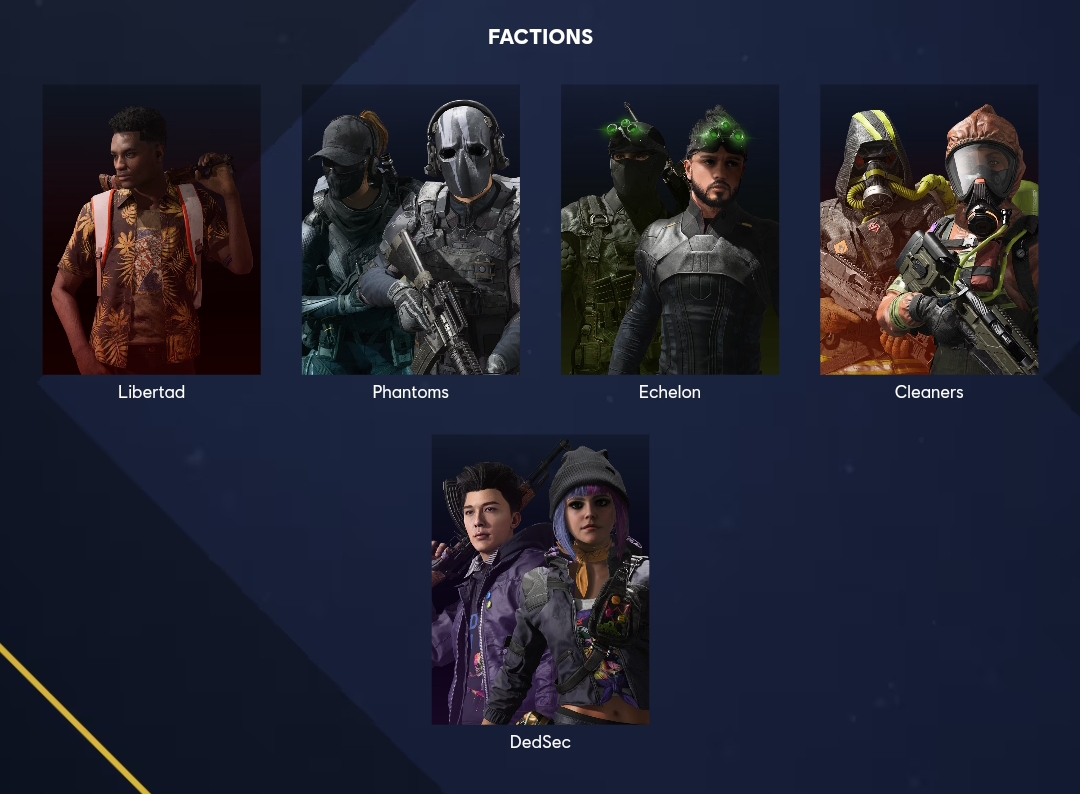
Ubisoft’s Xdefiant has taken the gaming community by storm as Ubisoft has brought multiple characters from their past games. Xdefiant features 5 factions based on 5 different games with 3 characters in each faction. Surprisingly, the game was launched for PC, PlayStation 5, and Xbox Series X at the same time and supports Crossplay.

If you don’t know, Crossplay allows players from different platforms to play with each other. While this feature gained popularity recently, some still do not prefer this feature to be enabled in the game. If you are one of those who do not like it, then here is how you can disable Crossplay in XDefiant.

Disable Crossplay on PC and PlayStation 5

  • Go to Settings.
  • Find and enter ‘Matchmaking and Account’
  • You can toggle Crossplay on/off here

Disable Crossplay on Xbox Series X

Players on Xbox Series X do not have a way to change the Crossplay settings in Xdefiant itself. Players on Xbox will have to change this Crossplay setting via the console’s settings. Here is how you can do it:

  • Press the Xbox button on your controller.
  • Go to Profile and System
  • Go to Settings
  • Go to Account
  • Select Privacy
  • Select Xbox Privacy
  • Click on View Details and Customize
  • Select Communication and Multiplayer
  • Search for ‘you can join cross-network play’ option
  • Select ‘Block’

There you go, now you can toggle Crossplay for Xdefiant whenever your heart feels like it. Having said this, disabling Crossplay can decrease the matchmaking times depending on the platform you are using.

How to Unlock Dedsec Faction in XDefiant?

0

If the spectacle of being able to play with 5 different factions with 3 characters each in XDefiant coming from 5 different games is what attracted you to the game, then you must be disappointed to know that the DedSec faction based on Watch Dogs 2 is not unlocked by default at the start of the game.

Unlike other factions which offer 1 character unlocked by default, the DedSec faction does not have any characters unlocked at the start of the game. While the other factions are impressive enough, who would not want to play as the legendary hackers coming from Watch Dogs 2? If you find yourself in the same situation then worry not, there are a few ways you can unlock the DedSec faction in XDefiant.

Founder’s Pack

The DedSec faction can be bought as part of the Founder’s Pack bundle. This bundle has 3 tiers you can choose from- Base (€19.99), Elite (€39.99) and Ultimate (€69.99). DedSec Faction is included with all tiers of the Founder’s Pack.

Unlock DedSec for Free

If you are not looking to spend your hard-earned money here, then you can grind your way to the DedSec faction. To unlock the DedSec faction, the game requires you to rack up 700,000 XP points. Yes, that is a lot and will require hours of playtime. From what we have experienced, you can achieve 5000-10000 XP points each game depending on your skills.

As mentioned earlier, other factions only start you out with 1 character each. Want to know how to unlock the remaining characters then click here.

How Unlock All XDefiant Characters?

0

Ubisoft’s recent release, Xdefiant brings multiple characters from Ubisoft’s previous games. In its current form, the game offers five factions with 3 characters each. This has been the biggest reason for the hype Xdefiant garnered in its early days. Each faction brings characters from specific Ubisoft games in the past.

As mentioned earlier, there are 5 factions in the game. Cleaners from ‘The Division’’ Libertad from ‘Far Cry 6,’ Echelon from ‘Splinter Cell,’ Phantoms from ‘Ghost Recon Phantoms’ and DedSec from ‘Watch Dogs.’ Each faction except DedSec will have 1 character unlocked by default. You will have to unlock other characters by completing certain tasks in-game. Here is a list of all characters and the tasks that need to be completed to unlock the remaining characters.

  • Cleaners (The Division)
    • De Rosa – Already unlocked
    • Kersey – Get 50 Kills with Firebomb
    • Green – Get 50 Kills with Incinerator Drone
  • Libertad (Far Cry 6)
    • Iselda – Already unlocked
    • Beto – Heal 5,000 to Allies with BioVida Boost
    • Selete – Heal 5,000 to Allies with El Remedio
  • Echelon (Splinter Cell)
    • Malee – Already unlocked
    • Samir – Get 100 Kills While Using Digital Ghillie Suit
    • Rafa – Get 50 Intel Suit Spot Assists
  • Phantoms (Ghost Recon Phantoms)
    • Singa – Already unlocked
    • Rhino – Get 25 Kills with Blitz Shield
    • Gorgon – Block 10,000 Damage with Mag

You must be wondering why I haven’t mentioned DedSec in the list above. This is because, unlike other factions, DedSec does not have a character unlocked at the start of the game.

How to Obtain Free 4-Star Weapon in Wuthering Waves?

0

Wuthering Waves is an open-world RPG game featuring a plethora of options when it comes to weapon choices. Currently, the game contains weapons like broadblades, swords, pistols, gauntlets, and rectifiers. These weapons have ratings in the form of stars- 1 star rating being the lowest and 5 stars being the highest.

Obtaining some of these weapons can be difficult. Any weapon you can obtain for free should be considered a God-given gift. Fortunately, we recently found a weapon that you can obtain for free. Did I forget to mention that this weapon is 4-star rated? Keep reading to know more.

This finding comes after a post from the X user @Narushio who shared a video showing the exact location of the weapon. The weapon in question is a 4-star rated Dauntless Evernight Broadblades. The weapon can be obtained for free and can be located in Guixu City above a broken skyscraper near the Sea of Flames.

Reaching the exact location of the game can be tricky and requires a specific technique. It is highly recommended to watch how Narushio was able to reach it. His technique involves gliding over propulsion flux and wall running on the side of the skyscraper.

Now you might be asking why to put yourself in such a hassle for a weapon. Being a 4-star broadblade it is much easier to obtain this weapon than to upgrade your other weapons to a 4-star rating. Keep in mind, higher higher-rated weapons will offer much better stats and will eventually show their usefulness in combat. The game is new and ever-expanding leaving fans excited for the foreseeable future.

How to download and install Xdefiant on PC, PS5 and Xbox Series X

0

Ubisoft recently released a “first-person arena shooter” called Xdefiant. The game in its current form features fast-paced action, crossplay, 5 game modes, 14 maps and 5 different factions to choose from. Did I forget to mention that the game is free-to-play. If all this has piqued your interest and you are eager to install Xdefiant on your PC, PS5 or Xbox Series X, then you have come to the right place. Keep reading to know more.

Downloading and Installing Xdefiant

Xdefiant can be played on PC, PlayStation 5 and Xbox Series X. To get Xdefiant on your desired platform simply follow the steps below:

  • Visit Ubisoft’s official website for Xdefiant. This step is the same for all platforms.
  • Click on “PLAY FREE NOW”
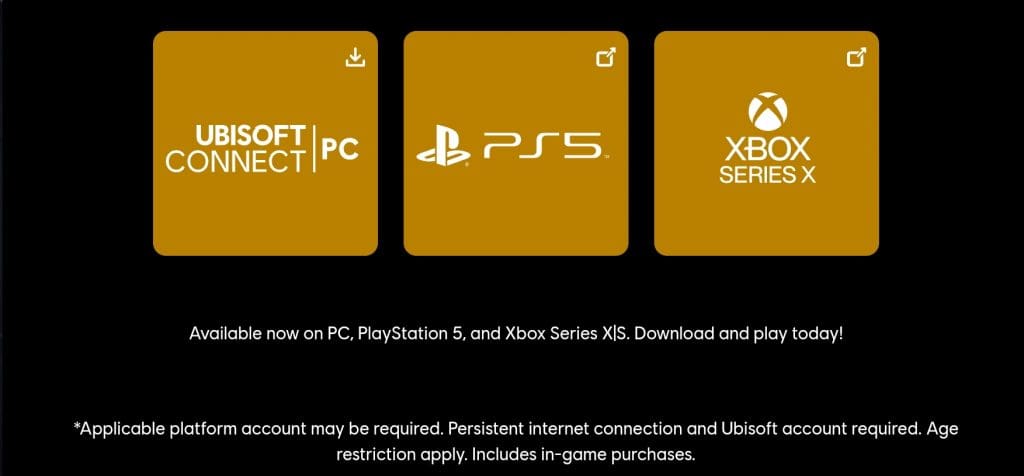
  • You should now be on Xdefiant’s Download page where you will see 3 buttons (1 button for each platform)

From here the steps are different for PC, PlayStation 5 and Xbox Series X.

Xdefiant on PC

  • Click on the “Ubisoft Connect | PC” which will start the download for UbisoftConnectInstaller.exe
  • Once the installer is downloaded. Launch the installer to install Ubisoft Connect on your PC
  • Ubisoft Connect should start automatically after the installation is completed. If it doesn’t start automatically, please open Ubisoft Connect manually.
  • Now sign up for a new Ubisoft Connect account or log in to your account if you already have one.
  • Search for Xdefiant via the search bar in Ubisoft Connect.
  • Click Play Now, Xdefiant will now start installing on your PC.
  • Once installed, you play the game from Ubisoft Connect’s Library.

Xdefiant on PlayStation 5

  • Click on the “PS5” button which will take you to PlayStation store’s Xdefiant page
  • Now click on “Add to Library”
  • You should now be prompted to Sign in to your PlayStation account. If you don’t have an account already, then you can create a new one.
  • Once signed in, the game should start installing on your PlayStation 5.
  • Once the installation is complete, you can launch the game from your Library.

Xdefiant on Xbox Series X

  • Click on the “Xbox Series X” button which should take you to Xbox Games Store.
  • Click on the “GET” button.
  • You will now be asked to sign in to your Xbox account. Create a new one if you don’t already have one.
  • The game should now be installed on your Xbox Series X
  • You can launch the game from your Library.

There you go, you are now all set to enjoy the fast-paced action that Xdefiant offers and dominate the matches on PC, PlayStation 5 and Xbox Series X.