Sunday, May 3, 2026
Home Blog Page 360

How To Play VALORANT on Mac: A Step-by-Step Guide

If you’ve heard about the buzz surrounding Valorant and the community’s interest in running it on various platforms, you might be wondering if it’s available for your Mac. Since its release in 2020, Valorant has gained immense popularity, largely due to its free-to-play model, which has sparked the interest of many Mac users eager to join in on the fun.

In this guide, we’ll walk you through everything you need to know, including how to install Valorant on your Mac.  

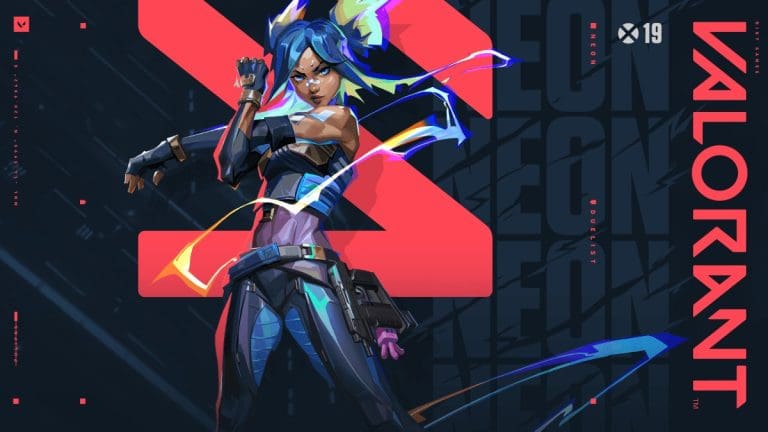
Valorant is a team-based first-person shooter that features five-on-five gameplay and was launched in 2020, taking cues from the highly acclaimed PC game Counter-Strike. Players take on the role of agents in teams of five, with each agent representing different cultures from around the world and bringing their unique abilities and backgrounds to the game. There are several game modes to choose from, such as Unrated, Spike Rush, Swiftplay, and Competitive. In the main game mode, one team plays as an attacker while the other defends. Matches are structured in a best-of-25 rounds format, where a team must secure three wins to claim victory. Other modes may have varying player counts and round setups.

Valorant is only available on Windows and cannot be played on any cloud gaming platform. This means you can’t install or play it directly on a Mac.

But, how to install Valorant on Mac?

If you have an Intel-based Mac, you can create a Boot Camp partition, install Windows, and then set up Valorant there. However, unlike some other games, Valorant doesn’t work with virtualization software like Parallels Desktop or compatibility layers such as CrossOver. Its anti-cheat system prevents it from running on these virtualization tools, which also means you can’t install Valorant on Macs with Apple silicon, as Boot Camp isn’t supported on those devices.  

For Intel-based Macs, setting up a Boot Camp partition to install Valorant is a viable option. Here’s how to do it. 

First, make sure your Mac’s Secure Boot setting is set to the default: Full Security. If you haven’t changed this setting, you can move forward without any adjustments. If it has been altered, you’ll need to reset it to the default for Boot Camp installation. 

To do this, enter recovery mode by holding Command-R during startup, select Startup Security from the Utilities menu, choose Full Security, and then reboot your Mac normally.

If your Mac is running a version of macOS older than El Capitan, you’ll need a USB drive with at least 16GB of space to install Windows. However, if your Mac is on El Capitan or a newer version, a USB drive isn’t necessary.

Regardless of the macOS version, all Macs should have a minimum of 64GB of free space available, with 128GB being the ideal amount for a smooth installation.  

  • Navigate to Applications > Utilities and launch Boot Camp Assistant.
  • Adhere to the instructions displayed on the screen and insert a USB flash drive if prompted.
  • When Boot Camp requests that you determine the dimensions of the Windows partition, select a capacity of 64GB or more.
  • After Boot Camp Assistant has completed the partition creation, your Mac will reboot, and you’ll encounter the Windows installer. If it inquires where to install Windows, opt for the Boot Camp partition and hit Install.
  • Disconnect any external storage or other peripherals not needed for the installation, click Next, and proceed with the on-screen guidelines.
  • After the Windows installation concludes, your Mac will restart into Windows, and you’ll see a ‘Welcome to Boot Camp’ notification on the display. Follow the on-screen prompts to install Boot Camp and Windows drivers, then restart when prompted.

Once you have Windows running in Boot Camp, you can easily switch back to Windows at any time by holding down the Option key during startup and selecting Boot Camp.  To install Valorant, start by booting your Mac into the Boot Camp partition and then follow the steps outlined below. After you’ve downloaded and installed Valorant on Windows within the Boot Camp partition, you’re all set to play valorant on your mac!

For similar hyper-useful guides and tips for Valorant, stay tuned to Talkesport!
VALORANT Radiant Asia Invitational: Everything You Need to Know

0

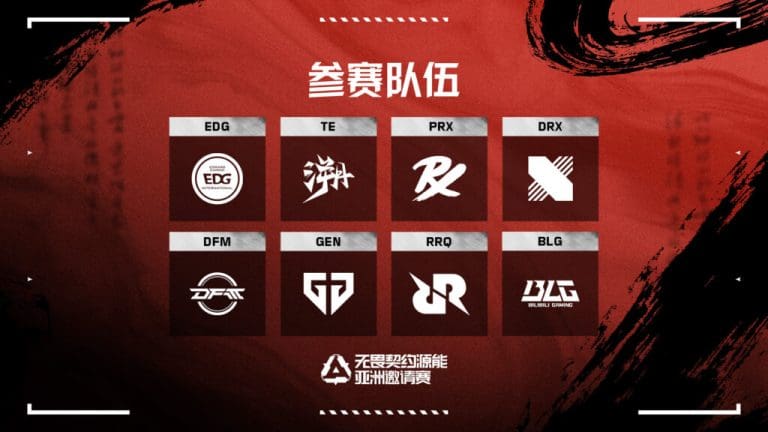
The VALORANT Radiant Asia Invitational will start the competition in Asia from November 21 to December 1, 2024. The event takes place at the Quantum Media VSPO E-sports Center in Chengdu. It is the first OFF//SEASON event ever hosted in China. Elite teams from the VCT Pacific and VCT CN circuits will compete. This VALORANT event in Chengdu highlights Asia’s growing role in global esports.

Star Teams and Anticipated Matchups

The event will showcase eight powerhouse teams, split between two leagues. Representing VCT CN, EDward Gaming, fresh from their historic win at the VALORANT Champions Seoul, leads the charge alongside Trace Esports and Bilibili Gaming, who earned their berth with a win at the 2024 FGC VALORANT Invitational.

On the VCT Pacific side, renowned names like Paper Rex, DRX, Gen.G, DetonatioN FocusMe, and Rex Regum Qeon promise fierce competition. Paper Rex, making their return after an extended break, and DRX, now bolstered by academy star Na “Athan” Ha-jun, are among the teams to watch closely.

Tournament Format and Key Dates

The VALORANT tournament schedule begins with a Swiss stage from November 21-25. Teams must secure two victories to advance, with two losses resulting in elimination. After a brief intermission, the playoffs kick off on November 28, featuring a best-of-three series, culminating in the best-of-five grand final.

Day one highlights include Trace Esports versus Rex Regum Qeon and a thrilling clash between Paper Rex and Gen.G. Day two continues with Bilibili Gaming taking on DRX, while EDward Gaming faces DetonatioN FocusMe.

Chengdu, known for its rich cultural heritage and modern innovation, provides an ideal backdrop for this VALORANT Radiant Asia Invitational. Beyond the gameplay, the tournament aims to promote international esports collaboration and cultural exchange. As Asia continues to dominate the FPS esports scene—evidenced by its groundbreaking 2024 VALORANT Masters victory—the Chengdu event is set to underscore the region’s rising influence.

The VALORANT Radiant Asia Invitational is not just a precursor to the 2025 VCT season but a pivotal moment for players to refine strategies and solidify rosters. Fans and participants alike are eager to witness the unfolding action as Asia’s top teams compete for supremacy. With its unique blend of high-stakes competition and cultural richness, this tournament promises to be a fitting conclusion to a stellar year for VALORANT in Asia.

Flying RNG Codes for November 2024

0

Flying RNG is one of those perfect Roblox games if you like the good old classic Flappy Bird but a little bit luckier and has loads of upgrades. This really addictive game requires you to keep your winged avatar flying through the sky while constantly updating your capabilities to fly higher than ever before. The system of gacha adds to the sense of chance excitement, thus collecting unique wings has become the new thrill hunt.

Unlock new heights to soar in the skies with these latest Flying RNG codes. Redeem these codes for dice, potions, and other upgrades to give you a significant advantage in the game.

Flying RNG Codes for November 2024

  • FOLLOW! – 3 Cheat Dice
  • TWEET – 1 Neon Dice
  • DIZZY – 1 Cheat Cash Potion
  • DISCO – 1 Cheat Luck Potion
  • 1000LIKES – 10 Cheat Dice

How to Redeem Flying RNG Codes?

Redeeming your Flying RNG codes is easy. Just follow these steps:

  • Start the Flying RNG experience on Roblox.
  • Move over to your left side and open up the Shop.
  • Select the tab marked with “Codes”, and apply the available one there.
  • Just hit Redeem to obtain it!

How Long Does It Take To Complete Dota 2 Crownfall Event 2024?

With the final act of the Dota 2 Crownfall event being released a few weeks ago, fans of the MOBA from throughout the globe have tuned into the title to check out the conclusion of Shen and Skywrath’s saga.

Valve has confirmed that the Crownfall event, which kicked off in April 2024, will come to an end in January 2024, giving players ample opportunity to grind out all their favorite rewards from the event. 

However, what if you missed out on the Crownfall event? Do you still have enough time to complete all of the Crownfall Act before the event is taken off the game? Let’s find out. 

Can You Still Complete All Acts in Crownfall Dota 2 Event?

Candle Token Dota 2 Crownfall Event

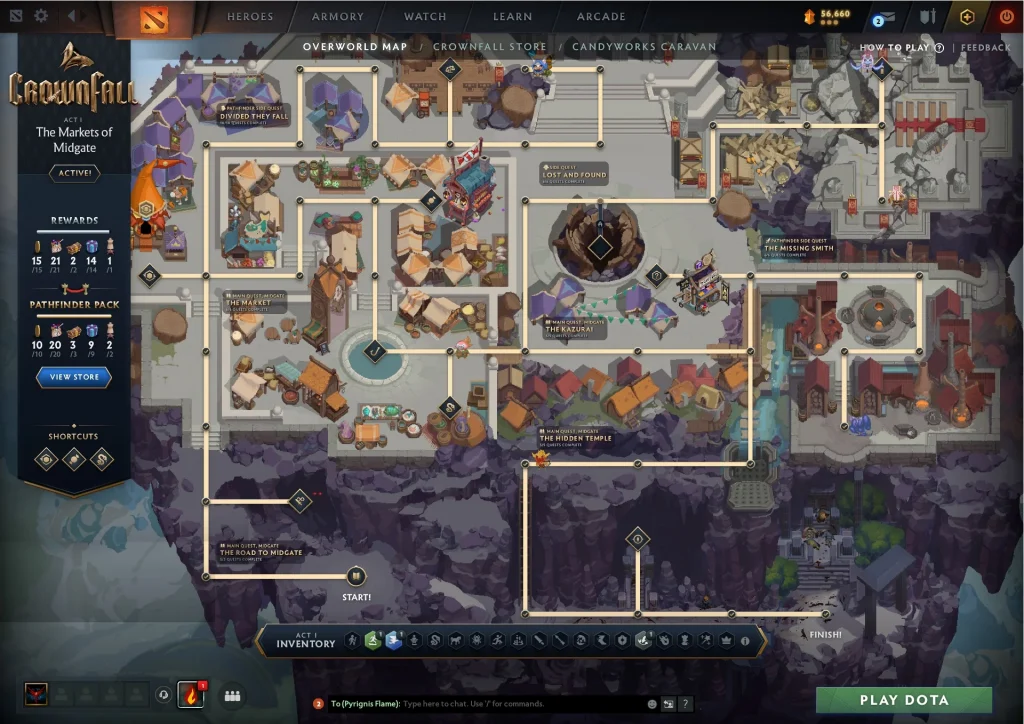
If you started the Crownfall event when it came out in April 2024, you’d have nearly ten months to complete the entirety of the event. With less than two months remaining before the conclusion of Crownfall, is it still possible to finish it for a casual player? 

Luckily, for most players, the answer is yes. You can finish all Acts of Crownfall before the Dota 2 event comes to an end in January 2024.

It’s not gonna be easy, though. You’ll require plenty of grinding to finish the event in this short span of time.

The Crownfall event follows a similar structure to the Cavern Crawl minigames from previous  Battle Passes. Players have to win with various Dota 2 heroes to earn tokens that enable them to clear out the chambers in the Crownfall map.

If you can consistently grind out Turbo or All Pick games over the next few weeks, you should be able to earn enough tokens to complete all the Acts of Crownfall. 

Xbox Is Shutting Down the Avatar Editor App

0

Avatars have always been an important part of the Xbox gaming experience and the Avatar Editor App lets players customize their personal avatars to their liking unfortunately the developers are taking it down permanently.

Over the weekend, Xbox subtly announced that the app would be discontinued on January 9, 2025. Users will no longer be able to access Xbox Avatars or any of the avatar products they have purchased due to the termination of support for Xbox Avatar Editor.

The simpler Xbox Original Avatars will still function in compatible Xbox 360 games and remain available through the Xbox Original Avatars app, according to the developers. Poor user engagement has been cited as the driving factor behind this move and it is only fair for the developers to take it down.

Do not worry as the recent purchases will all be refunded as confirmed in their statement. While it may not have been a smashing success like it was expected, Xbox players sure had their fun with it.

What Is New in FACEIT 2.0?

Faceit is the biggest independent CS2 platform for matchmaking out there and while experienced players turn to it for its advanced set of features, certain problems with the platform cannot go unnoticed.

The community often pointed out the obvious problems with Faceit and the developers have more often than not attended to said issues, however, several steps that were taken in the interest of players were being abused which is why a revamp of several features in wrapped in the FACEIT 2.0 update.

FACEIT 2.0
Via FACEIT

A revamped FPL is focused on polishing the young talent by letting them participate at higher levels thanks to the new qualifying system. A reward fund for the current season gives top performers even more incentive. In addition to the current weekly awards of $147,000, the champion and the top 10 players at the end of the season get $50,000.

A strong anti-cheat system has been introduced that targets the use of multiple accounts as part of the upgrade. The new method has implemented a verification procedure for accounts to identify and control smurfing, with possible penalties for persistent infractions. In addition to receiving alerts, players who have numerous accounts may now be subject to temporary or permanent limitations.

Putting aside all this, the UI will get a significant revamp aimed at improving navigation and performance. This leads to players having a better experience when browsing through the platform.

Black Ops 6 Breaks Player Count Records in First Month

0

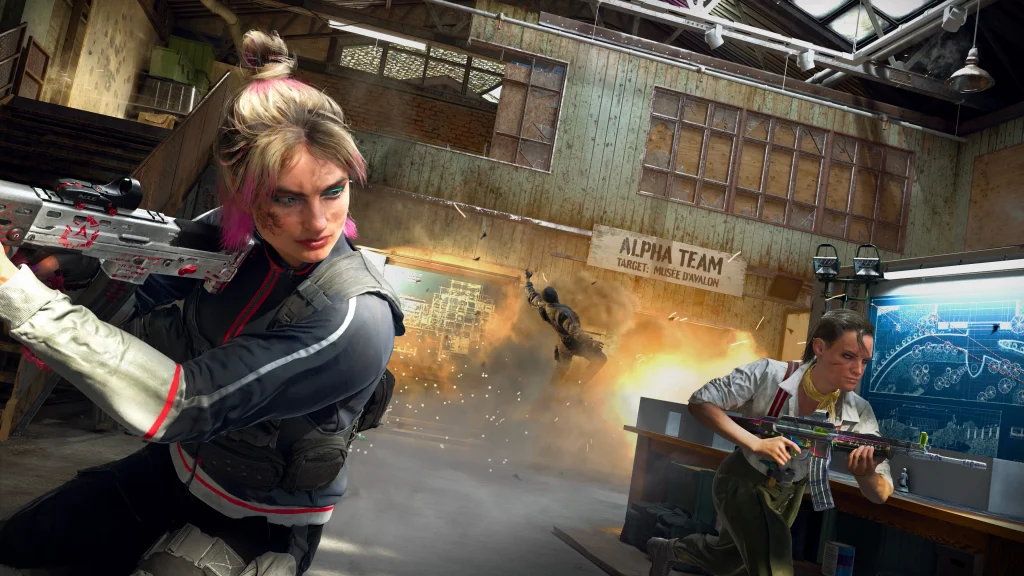
In a groundbreaking achievement, Call of Duty: Black Ops 6 has redefined expectations within the franchise by recording the most successful launch month in its history. Released on October 25, 2024, this latest installment from Treyarch and Raven Software shattered previous player engagement and activity records. Within its first 30 days, Black Ops 6 attracted the largest player count, logged the most hours played, and recorded the highest total matches ever seen for a Call of Duty title during the same timeframe.

The numbers reflect the monumental scale of Black Ops 6’s success. Microsoft CEO Satya Nadella celebrated the game as “the biggest Call of Duty release in history,” emphasizing its popularity not only as a standalone game but also as a driving force behind Xbox Game Pass subscriptions. This success stems from its engaging narrative set in the early 1990s, its innovative multiplayer maps, and the fan-favorite Zombies mode, which has made a triumphant return.

Treyarch marked this achievement by introducing special in-game rewards, including new modes like Prop Hunt and Stakeout 24/7, as well as an extended Double XP event. These updates aim to maintain the game’s momentum and reward its growing player base.

Players have praised Black Ops 6 as the “best Call of Duty game in years,” highlighting the improved gameplay mechanics and immersive features. However, the game’s post-launch journey is not without challenges. The issue of cheating, a persistent concern in online gaming, has surfaced once again.

Black Ops 6

Activision’s AI-powered Ricochet anti-cheat system is being deployed to combat these problems, with hopes that it will provide a more secure and fair gaming environment. Time will tell whether these measures are sufficient to address such widespread concerns.

With a comprehensive multiplayer experience that includes 16 new maps and dynamic, cinematic campaign missions, Black Ops 6 continues the franchise’s legacy of innovation. Its inclusion in Xbox Game Pass and cross-platform availability on PlayStation, Xbox, and PC ensures accessibility for a broad audience. This strategic positioning has helped establish its dominant standing in the gaming community.

GTA 6 Trailer 2: Expected Release Date and PlayStation Event Insights

0

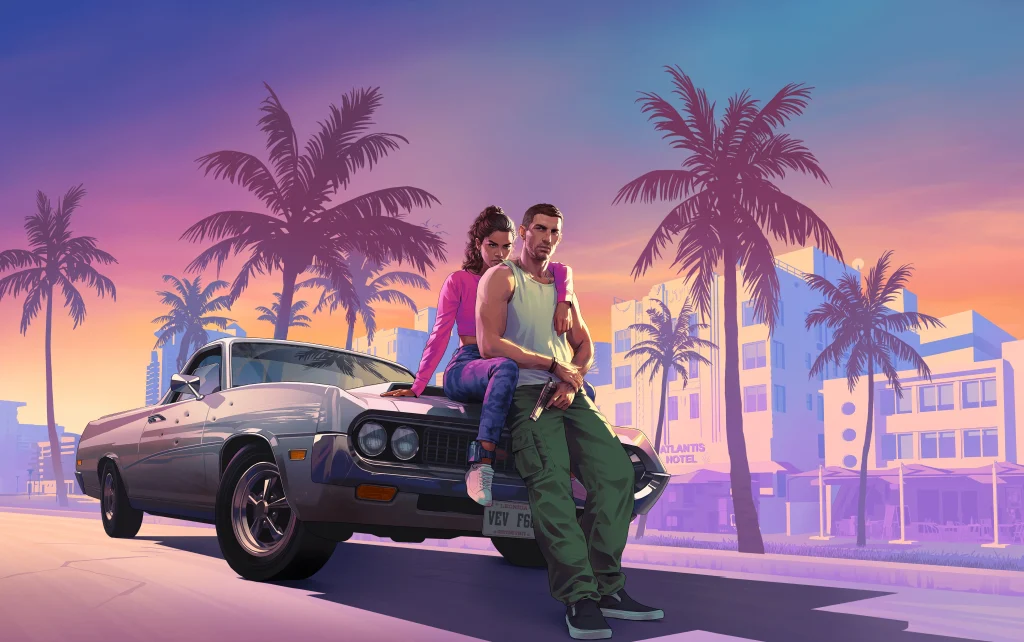
The gaming community is buzzing with guesses about when the GTA 6 Trailer 2 will come out. Many think a PlayStation Event on December 3, 2024, might reveal it. This day matches the 30th anniversary of the PlayStation brand. Fans are really excited about possible news.

The first GTA 6 trailer came out in December 2023. It left fans wanting more about Rockstar’s exciting game. Since then, Rockstar Games has been silent. This quietness led to many theories and guesses on gaming forums and social media.

Sony Marketing Collaboration Strengthens Theories

GTA 6 Trailer 2

A recent PlayStation ad with the numbers “03 12” and “20꞉24” sparked more speculation. Sony reportedly got marketing rights for GTA 6. So, the PlayStation Event could show the next trailer. This kind of collaboration has happened before. Rockstar has used Sony events, like the PS5 launch, for big updates.

Fans note the alignment with the PlayStation Pro launch. This adds belief to these rumors. The timing is very close to the first trailer’s anniversary.

A Long-Awaited Moment for Fans

Anticipation for GTA 6 Trailer 2 shows the game’s huge popularity. Its cultural impact is strong. Rockstar’s planned and sometimes surprising marketing methods add to the excitement. Possible Sony involvement makes it bigger.

Past rumors sometimes turned out false. But, this theory seems more believable. It lines up with Sony’s big moments. Fans wait for official word from Rockstar Games. The studio often likes surprise announcements.

GTA 6 Trailer 2 might come out on December 3, 2024, during a PlayStation Event. Rockstar’s puzzling marketing and Sony’s strong partnership reflect this. Whether true or not, the excitement around this day is clear. This shows ongoing interest in the next Grand Theft Auto chapter. The gaming world watches keenly for news.

Fortnite x Avatar Collaboration: Upcoming Release Details

0

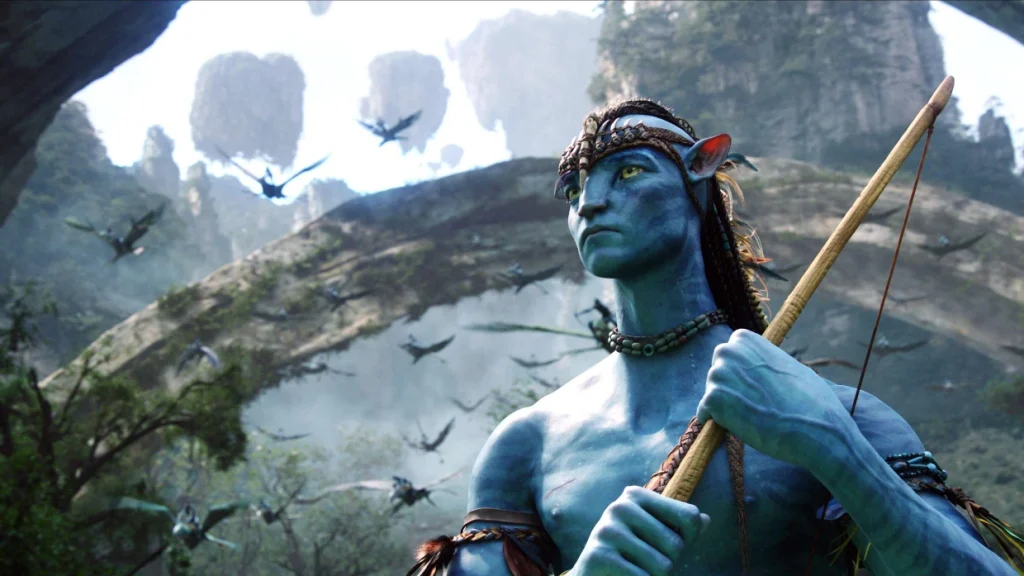
The long-rumored Fortnite and Avatar crossover may finally be on the horizon. Fans of the massively popular battle royale and James Cameron’s cinematic masterpiece have been eagerly awaiting a collaboration that could bring Pandora’s magic to the Fortnite universe. Fresh leaks indicate that this long-anticipated partnership is closer than ever.

Leaks Confirm Collaboration Potential

Recent data mining by credible leaker ShiinaBR has reignited excitement. Game files reportedly reference Avatar, suggesting that Epic Games is preparing to introduce new content tied to the blockbuster franchise. While no official release date has been disclosed, the timing hints at a possible integration in Chapter 6, aligning with Epic Games’ trend of launching high-profile collaborations during pivotal updates.

Anticipated Features and Skins

Fortnite x Avatar

Speculation suggests the crossover will include iconic skins based on Avatar’s tall, humanoid Na’vi characters, possibly utilizing the same model framework as the Xenomorph from a previous collaboration. Additional in-game features could include a Pandora-themed point of interest (POI) or new non-playable characters (NPCs) drawn from the Avatar universe. These elements promise to immerse players in a unique fusion of the two worlds.

Despite the Avatar sequel’s release in 2022, no official collaboration materialized at the time, leaving fans uncertain about its future. The recent resurgence of leaks has renewed hopes, though it is worth noting that not all leaks result in finalized content. Previous rumored collaborations, such as with Five Nights at Freddy’s, have failed to materialize.

Bringing Avatar to Fortnite underscores Epic Games’ commitment to diversifying its offerings with culturally iconic franchises. The inclusion of skins, thematic in-game features, and potential lore-based content could attract both Fortnite veterans and newcomers from the Avatar fanbase.

While unconfirmed, the prospect of a Fortnite Avatar collaboration highlights Epic Games’ ambition to remain at the forefront of gaming and entertainment crossovers. If the leaks are accurate, players may soon explore a virtual Pandora, donning Avatar-inspired skins and discovering innovative in-game features. Until an official announcement is made, fans will eagerly await further updates.

How to Update Fortnite on PC, PlayStation, Xbox, Nintendo Switch, and Mobile?

0

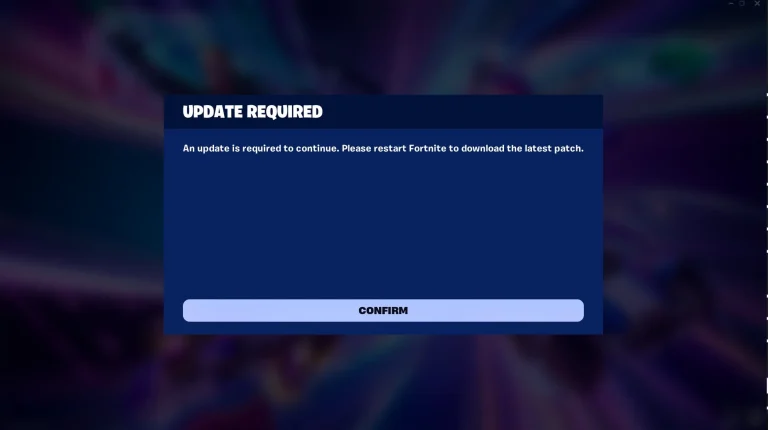
Keeping your game up to date is essential for enjoying the latest features, fixes, and content in Fortnite. This guide breaks down the process of how to update Fortnite on all major platforms, including PC, PlayStation, Xbox, Nintendo Switch, and mobile devices.

In this article, we will find out how to update Fortnite on different platforms like PC, PlayStation, Xbox, Nintendo Switch, and Mobile.

How to Update Fortnite on PC?

To ensure you’re running the latest version of Fortnite, follow these steps:

  • Open the Epic Games Launcher.
  • Launch Fortnite.
  • If an update is available, it will start downloading automatically.

How to Update Fortnite on PlayStation?

For PlayStation users, updating the game is straightforward:

  • Go to your Library.
  • Select Fortnite.
  • Press the Options button on your controller to open a side menu.
  • Choose “Check for Update
  • If an update is available, your PlayStation will download it automatically.

How to Update Fortnite on Xbox?

Xbox players can follow these steps:

  • Press the Xbox button to open the guide.
  • Navigate to “My Games & Apps
  • Select “See All” and then choose “Games
  • Select Fortnite.
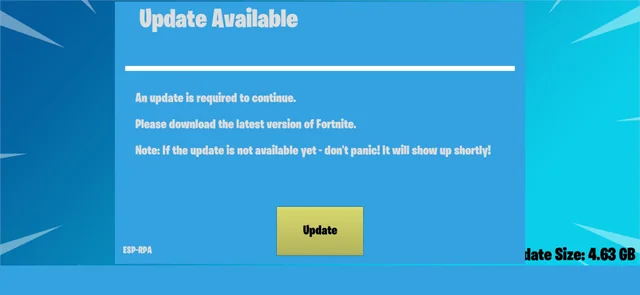
  • If an update is available, select the “Update” option to start the download.
How to Update Fortnite

How to Update Fortnite on Nintendo Switch?

On the Nintendo Switch, keeping Fortnite updated involves the following steps:

  • Connect your console to the internet.
  • From the Home menu, select Fortnite.
  • Press the “+” or “” button on your controller.
  • Choose “Software Update” and then select “Via the Internet
  • The update will begin downloading automatically.

How to Update Fortnite on Mobile?

For mobile users:

  • Connect your device to the internet.
  • Open the Epic Games Launcher app.
  • Tap on Fortnite.
  • Select “Update” to start the process.

Why Should You Update Fortnite?

Regular updates not only introduce exciting new content but also improve game stability, security, and performance. Whether you’re a casual player or an aspiring esports professional, staying current ensures you’re getting the best possible gaming experience.
Updating Fortnite is quick and simple across all platforms.

Whether you’re playing on PC, PlayStation, Xbox, Nintendo Switch, or mobile, this Fortnite update guide ensures you’ll never miss an important patch or feature. Follow these steps to stay ahead of the game and enjoy all that Fortnite has to offer.