Saturday, May 2, 2026
Home Blog Page 347

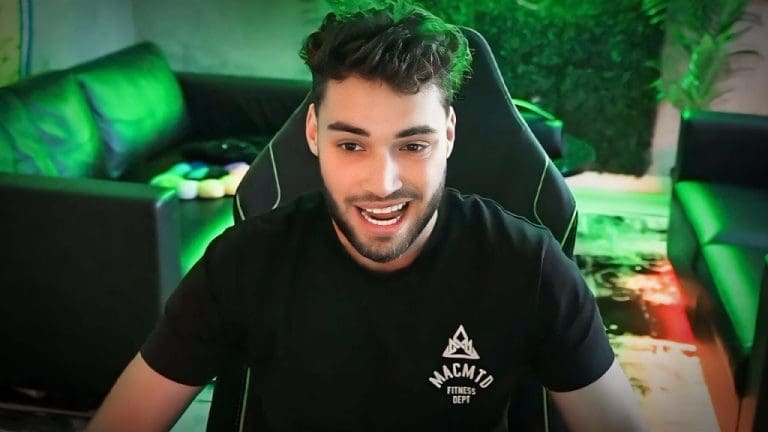
Adin Ross Departs Kick Indefinitely to Seek Twitch Reinstatement

0

Adin Ross, a controversial and highly influential figure in the world of streaming platforms, has officially announced his indefinite departure from Kick streaming. This move marks a significant shift for Ross, who has been a vocal advocate and co-owner of the Kick platform. His decision to leave Kick aligns with his efforts to regain his position on Twitch, despite facing a permanent ban from the platform.

Ross first transitioned to Kick in 2023 following multiple Twitch bans, ultimately solidifying his presence as a leading voice for the newer platform. However, his sudden inactivity on Kick in late 2024 sparked rumors about his future, fueled further by cryptic social media posts hinting at an uncertain streaming trajectory.

On December 7, Ross confirmed these speculations via Twitter, revealing his decision to step down from leadership roles within Kick and focus on lobbying for his Twitch ban to be lifted. “I will be making a full video on why I am leaving Kick indefinitely,” Ross stated. “I am stepping down officially and I will be going into detail about this, this week. I will tell you all everything. With that being said, I am going to fully focus on being reinstated on Twitch. Thank you.”

The possibility of Ross returning to Twitch is not entirely out of reach. Dan Clancy, Twitch’s CEO, has previously indicated that reinstatement is possible under certain conditions, emphasizing the need for compliance with the platform’s guidelines. However, Ross’s public disputes with Kick’s leadership, including alleged threats to expose the company’s CEO, have kept him in the spotlight and added layers of complexity to his professional narrative.

This announcement comes amid other controversies involving Ross. For instance, he was recently at the center of a hacking incident involving another streamer’s broadcast. Read more about this here: Adin Ross Targeted by Hackers After Destiny’s Kick Stream Was Hijacked.

While Ross’s next steps remain uncertain, his departure from Kick underscores the fluidity and volatility of careers in the digital streaming industry. Whether Twitch will grant him a reprieve or if he will pivot to a new platform entirely remains to be seen.

In the meantime, fans and industry observers alike are awaiting Ross’s promised video explanation, which could shed light on his motivations and future plans. This development highlights the ever-evolving dynamics between streaming platforms and their creators, and it positions Ross as a case study in navigating controversies in the digital age.

Best Agents to Counter Jett in Valorant

0

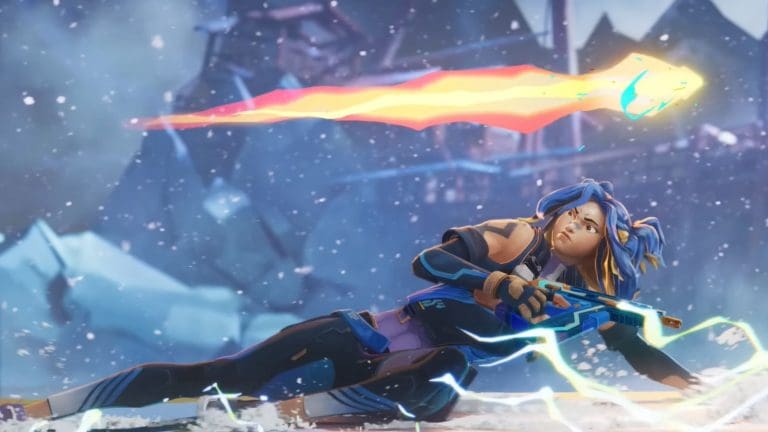
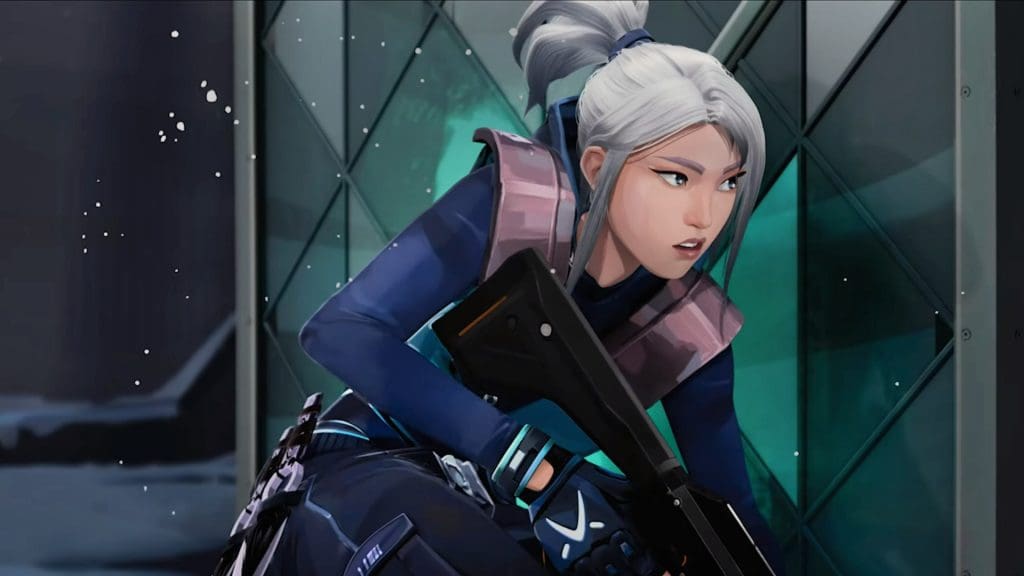
Jett, the South Korean duelist, is among the most agile and versatile Valorant agents. Her ability to take risks with tools like Tailwind and Cloudburst makes her a formidable opponent. However, mastering effective Jett counter strategies can turn the tide in your matches. Here, we explore the best agents to neutralize Jett’s threat and secure a strategic advantage in Valorant gameplay tips.

Understanding Jett’s Playstyle

Jett’s toolkit is designed for aggression and mobility. Tailwind lets her dash out of dangerous situations, while Cloudburst provides temporary cover. These abilities, combined with her Updraft for gaining vantage points, make her an ideal choice for entry fragging and playing aggressively with an Operator. Anticipating her plays is key to countering her effectively.

When attacking, Jett players often employ a combination of Cloudburst and Tailwind to break through defenses, leaving teams scrambling to cover multiple angles. On defense, her swift movements and aggressive peeks with weapons like the Operator are challenging to counter.

To mitigate her impact, using abilities like recon tools, flashes, or area denial utilities can hinder her momentum and force her into less favorable positions.

The Best Agents to Counter Jett

1. KAY/O: Disabling Jett’s Escape

KAY/O is one of the most reliable counters to Jett. His ZERO/POINT suppression blade can prevent her from using Tailwind or Cloudburst, forcing her into a passive playstyle.

When Jett is attacking, suppressing her before an entry can stall her push and give defenders an advantage. KAY/O’s NULL/CMD ultimate also disables Jett’s Blade Storm, making her far less effective during eco rounds.

2. Cypher: Information is Power

Cypher excels at shutting down aggressive plays with his Trapwire and Spycam. Placing Trapwires at common entry points can halt Jett mid-dash, leaving her exposed and vulnerable.

A well-placed Spycam provides vision and marks her movements, while Cyber Cage can be used to block her path or create a safe space for defenders. Cypher’s ability to gather intel and slow down aggressive pushes makes him an ideal pick against Jett.

3. Breach: Crowd Control Mastery

Breach’s abilities are perfect for disrupting Jett’s momentum. His Fault Line stun is especially useful against Operators, preventing Jett from taking shots. Aftershock can flush her out of hiding spots, while Flashpoint blinds are difficult for Jett to avoid, forcing her to retreat or reposition.

By leveraging Breach’s utilities, teams can neutralize Jett’s offensive plays and gain critical map control.

Pro Tip: Exploit Her Vulnerabilities

To counter Jett effectively, timing and prediction are crucial. Use abilities like molotovs or area denial tools to disrupt her Cloudburst dashes. Team coordination is also essential; recon and flashes should precede any pushes into contested zones.

For example, incorporating insights like those in the Top 5 Operator Skins in Valorant can enhance your understanding of optimal Operator plays and strategies.

Countering Jett requires a mix of preparation, patience, and teamwork. Agents like KAY/O, Cypher, and Breach provide tools to limit her mobility and aggression, turning her strengths into weaknesses. By understanding her playstyle and exploiting her vulnerabilities, teams can neutralize her threat and climb the ranks in Valorant.

Mastering these Jett counter strategies ensures you stay ahead in competitive play. Remember, even the most skilled Jett players can be outsmarted with the right strategy and coordination.

Valorant Patch 9.11: Major Changes, Neon Nerfs, and Ping

0

Riot Games is set to overhaul Valorant Patch 9.11, introducing significant gameplay adjustments that are poised to reshape the competitive landscape. Among the headline changes are Neon nerfs, enhancements to the pinging system updates, and quality-of-life updates for Vyse. These modifications aim to balance gameplay dynamics and refine player experience.

Neon Nerfs in Valorant Patch 9.11

Neon, a favorite among aggressive players, is receiving critical nerfs. Her signature Slide ability will see its usage reduced from two to one, limiting her mobility in engagements. Additionally, the weapon accuracy during her Slide is being recalibrated, making it akin to crouched movement, diminishing its exploitative edge.

Further, Neon’s Ultimate is undergoing changes to encourage more strategic use. Its activation cost is increasing to 8 points, and its timing will now demand better planning. These nerfs address concerns that Neon’s toolkit was overly dominant, providing opponents with fairer counterplay opportunities.

Vyse Updates Enhance Playability

Vyse is also benefiting from quality-of-life improvements in Patch 9.11. Developers are refining his Razorvine ability, ensuring it aligns with gameplay expectations. These updates signify Riot’s commitment to elevating underperforming agents while maintaining balance across the roster.

Pinging System Updates Revolutionize Communication

The revamped pinging system updates bring substantial changes to tactical gameplay. Map pings will no longer appear in the in-game world, adding complexity to team communication. Furthermore, smokes will now block pings similarly to walls, promoting thoughtful utility placement. Differentiated ping sounds between map-based and in-world pings further enrich the tactical depth of matches.

Notably, players seeking to experiment can still access the legacy ping system in Custom Games via an in-game cheat setting.

Broader Implications for Valorant Gameplay

These changes underscore Riot’s ongoing efforts to balance Valorant gameplay changes and maintain its competitive integrity. With Neon’s nerfs likely to alter her pick rate, and the pinging overhaul impacting team dynamics, a shakeup in the agent meta is anticipated. These updates will also ripple through the broader community, influencing strategy and agent selection.

For those interested in personalizing their arsenal, check out our guide to the Top 5 Operator Skins in Valorant, showcasing must-have customizations.

The Valorant Patch 9.11 changes bring a mix of balance adjustments and gameplay refinements, catering to both casual players and competitive enthusiasts. By addressing key areas like Neon’s overpowered abilities and enhancing team communication through the ping system, Riot continues to evolve the game in meaningful ways. As players adapt, the meta will inevitably shift, promising fresh strategies and a dynamic competitive environment.

Counter-Strike 2 Returns to 2025 Esports World Cup: Details Revealed

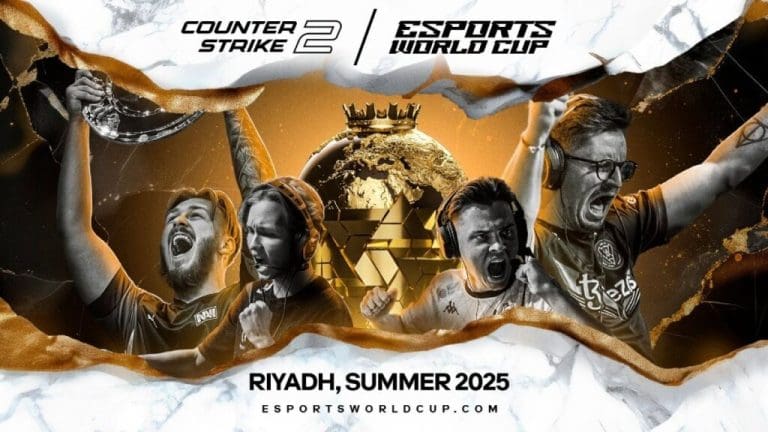
Counter-Strike 2 (CS2) is officially confirmed for the CS2 Esports World Cup 2025, solidifying its position as one of the premier competitive titles in the esports scene. Following its triumphant debut earlier this year, where NAVI emerged victorious, the tournament promises even greater excitement for fans and participants alike.

CS2 Returns to the Esports World Cup 2025

Event Details and Schedule

The CS2 tournament will take place from August 20 to 24, 2025, in Riyadh, Saudi Arabia. Organizers have strategically placed the event within a packed Esports events 2025 calendar to avoid conflicts with other major tournaments. Notably, it concludes just before BLAST Open London 2025 begins.

The competition will feature 16 elite teams, each directly invited based on Valve’s Regional Standings. This format ensures the highest level of gameplay and representation from across the global esports community.

Boosted Prize Pool and Team Participation

Raising the stakes, the tournament will offer a prize pool of $1.25 million, a significant increase from the previous year’s $1 million. Here’s how the prize money will be distributed:

  • 1st Place: $500,000
  • 2nd Place: $230,000
  • 3rd-4th Place: $100,000 each
  • 5th-8th Place: $40,000 each
  • 9th-16th Place: $20,000 each

This increase underscores the growing importance of CS2 in the global esports landscape and its appeal to both sponsors and players.

With major tournaments like DreamHack and IEM Dallas also slated for 2025, the competitive CS2 scene is bustling. All you need to know about DreamHack Dallas and IEM Dallas 2025 highlights the ongoing evolution of Counter-Strike 2 as a central figure in esports.

The inclusion of Counter-Strike 2 in the Esports World Cup reflects its thriving community and continued relevance. The event also builds on the success of the broader esports ecosystem, with over $60 million in prize money distributed across various games in the previous edition. This growth trajectory is expected to continue, drawing larger audiences and greater investment.

Best Marvel Rivals PC Settings for Higher FPS

Achieving smooth gameplay in Marvel Rivals requires optimizing your PC settings for the best balance between performance and visuals. Whether you’re aiming to hit consistent high FPS or just want to optimize performance, these tips will ensure you enjoy seamless gameplay in this third-person arena shooter.

Best Graphics Settings for High FPS

Marvel Rivals, featuring over 30 iconic Marvel characters, is a visually stunning game. However, its optimization at launch has left many players tweaking their configurations for better results. Below are the recommended graphics settings to maximize FPS without significantly impacting the visual quality:

  • Graphics Quality: Custom
  • Global Illumination: SSGI – Low Quality
  • Reflection Quality: Screen Space Reflections
  • Model Detail: Medium
  • Post-Processing: Low
  • Shadow Detail: Medium
  • Texture Detail: High
  • Effects Detail: Low
  • Foliage Quality: Medium

These settings prioritize fluid gameplay while retaining essential visual clarity for in-game decision-making.

Display Settings to Optimize Performance

Proper display configurations can significantly impact your gameplay smoothness. Adjust the following settings to ensure optimal results:

  • Target Display: Primary Monitor
  • Display Mode: Fullscreen
  • Aspect Ratio: 16:9
  • Resolution: 1920×1080
  • Anti-Aliasing: NVIDIA DLSS (set to Quality)
  • Super Resolution Sharpening: 80
  • Frame Generation Mode: Off
  • Low Latency Mode: NVIDIA Reflex Low Latency
  • V-Sync: Off

Disabling V-Sync is crucial for uncapping FPS, while using DLSS helps maintain high frame rates. If you need an additional performance boost, switch DLSS to Balanced or Performance modes, though this may slightly reduce image sharpness.

Advanced Tweaks for Maximum FPS

If you’re struggling to hit above 120 FPS, try lowering Model Detail and Effects Detail further. However, keep Shadows and Foliage at medium for gameplay clarity. Experiment with DLSS settings, as higher performance modes can improve frame rates but may cause a softer image.

For AMD users, consider testing Frame Generation via FSR 3. While it can boost FPS, this feature may introduce latency or frame inaccuracies, which could affect competitive gameplay. Evaluate its trade-offs to find the right balance for your setup.

If you’re experiencing stability issues, check out this guide to Fix Marvel Rivals Crashing on PC for effective troubleshooting tips.

Optimizing Marvel Rivals for high FPS is about finding the perfect balance between performance and visuals. With the settings above, you can enjoy a smoother, more competitive gaming experience. For players with high-end rigs, these configurations ensure you don’t have to compromise visual fidelity for speed. Start tweaking today and unleash the full potential of Marvel gaming on your PC.

Fortnite Winterfest 2024: Start Date, and What To Expect

0

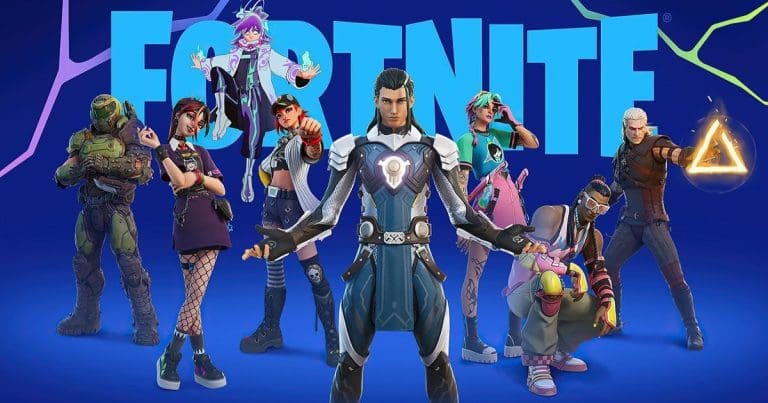
As the holiday season approaches, Fortnite Winterfest 2024 is gearing up to bring festive joy to players worldwide. Dubbed “Wintervestigation,” this year’s event promises to blend new features with fan-favorite traditions. Here’s everything we know so far, based on leaks and reports from reliable sources in the Fortnite community.

When Does Fortnite Winterfest 2024 Begin?

According to prominent Fortnite leakers, the highly anticipated Winterfest event is expected to coincide with the Dec. 10 update of Chapter 6 Season 1. This aligns with past trends, where previous Winterfests launched during the first or second week of December. If this timeline holds true, fans can anticipate the event beginning shortly after the update’s release. Notably, some speculation suggests the official festivities may kick off with the v33.11 patch on Dec. 17. Epic Games has yet to confirm these details, leaving room for surprises.

What is ‘Wintervestigation’ and What Can Players Expect?

This year’s Winterfest, branded as Wintervestigation, is shaping up to deliver exciting new features. Leaks suggest the introduction of ice skates, marking the first time this mobility option will appear in Fortnite. This unique addition could provide players with innovative gameplay opportunities, especially within the winter-themed map areas.

The iconic Winterfest cabin and presents, which debuted in 2022, remain uncertain for 2024. In 2023, the festive gifts transitioned to the Quests tab, and leaks indicate the cabin may not make a return this year. However, Epic Games may still unveil nostalgic or fresh surprises as part of the event.

Chapter 6 Enhancements

In addition to Winterfest, Chapter 6 of Fortnite continues to captivate players with its revamped map, updated weaponry, and dynamic gameplay mechanics. For those eager to relive their Fortnite journey this year, here’s how you can check your Fortnite Wrapped 2024.

While the official details remain under wraps, the leaks surrounding Fortnite Winterfest 2024 indicate an event that blends innovation with festive cheer. From the potential introduction of ice skates to speculation about the beloved Winterfest cabin, this year’s celebration promises to keep players engaged throughout the holiday season. Stay tuned for updates as Epic Games unveils more about Wintervestigation and other Fortnite holiday updates.

Fortnite Wrapped 2024: How to Access Your Yearly Recap

0

As Fortnite’s Chapter 6 kicks into full gear, Fortnite Wrapped 2024 offers a comprehensive summary of your gaming achievements over the past year.

What is Fortnite Wrapped 2024?

Inspired by platforms like Spotify Wrapped, this annual tradition allows players to relive their favorite moments and discover detailed statistics about their performance in Epic Games’ popular battle royale. Here’s everything you need to know to access your Fortnite stats and relive your highlights.

How to Access Your Fortnite Wrapped 2024 Recap

To generate your Fortnite recap, head over to the Fortnite.GG website, the hub for this year’s Wrapped experience. Follow these simple steps:

  1. Visit the dedicated Wrapped section on Fortnite.GG.
  2. Input your Epic Games username, Xbox Gamertag, or PSN Online ID.
  3. View your personalized stats, including total hours played, wins, eliminations, and more.

An example of Fortnite Wrapped showcases renowned content creator SypherPK’s 2024 stats. He accumulated 448 hours of gameplay, secured 783 wins, and achieved a remarkable 13,229 eliminations. Whether you’re a casual player or a competitive enthusiast, Fortnite Wrapped provides a fun way to see how you stack up against other players.

Top Players and Their Fortnite 2024 Achievements

The feature also includes leaderboards for key metrics like total wins, eliminations, and time spent playing. In 2024, notable highlights included:

  • Most Wins: LM ABOOD dominated with 23,258 victories.
  • Most Kills: Castella led with an astonishing 305,909 eliminations.
  • Longest Playtime: LRK clocked over 3,000 hours in Fortnite.

These stats offer a glimpse into the dedication and competitive spirit of Fortnite’s vast player base. It’s not just about the numbers; it’s about celebrating the community’s passion and achievements.

What’s Next for Fortnite in 2025?

As we move into 2025, Fortnite continues to innovate. With new updates, including a 5v5 FPS mode reminiscent of Counter-Strike, the game remains a dynamic force in the gaming world. If you’re intrigued by this new gameplay direction, check out our coverage of Fortnite Introduces FPS Mode Inspired by Counter-Strike.

Fortnite Wrapped 2024 underscores the game’s ability to foster community engagement and personal reflection, ensuring players remain invested year after year.

Epic Games’ commitment to delivering engaging features like Fortnite Wrapped keeps the game vibrant and exciting. Whether you’re a seasoned player or new to the battle royale, exploring your 2024 Fortnite leaderboard stats and year in review is a thrilling way to cap off the year. Dive into your Fortnite Wrapped today and celebrate your journey!

Fortnite Introduces FPS Mode Inspired by Counter-Strike – Ballistic

Epic Games has just confirmed a new first-person shooter mode for their popular Battle Royale Fortnite, and it appears to draw inspiration from Counter-Strike.

Fortnite’s First Tactical FPS Mode: Ballistic Overview

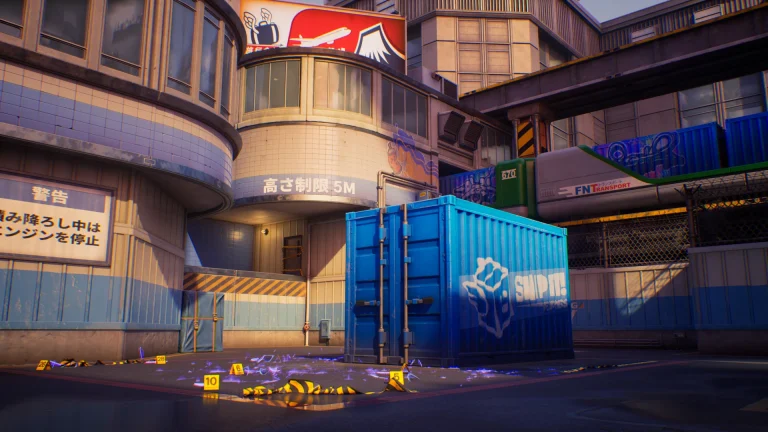
Similar to the Valve title, the new ‘Ballistic’ mode in Fortnite will pit two teams of five players against each other. The attackers will have to work together to plant a “reality-tearing Rift Point Device” at one of two bomb sites, while the defenders try to stop them.

Each player starts with 800 Credits and a Pistol. Players can earn additional Credits by winning rounds, taking down enemies, or planting the bomb. These Credits can be used at the start of rounds to get better weapons and equipment.

Launch Details and Future Updates

The new mode, which is scheduled for an early access launch on December 11th, will help Fortnite stand out from other battle royales by adding a fresh new layer of gameplay mechanics. It will also enable the title to garner the attention of FPS fans from throughout the globe, reinvigorating interest in a genre that has seen relatively little innovation in recent years.

Fortnite Announces New FPS Mode Similar To Counter-Strike

The Ballistic mode marks the first time Fortnite has officially introduced an FPS mode to the game. Previously, we’ve only seen the first-person mode being used in Creative maps and some events.

The Fortnite Ballistic mode will feature both Ranked and Unranked modes at the time of its early access launch. The first team to take seven rounds is crowned as the winner.

PUBG Mobile Esports 2025 Season Roadmap: PMGC, PMWC, PMGO & PMSL Details

0

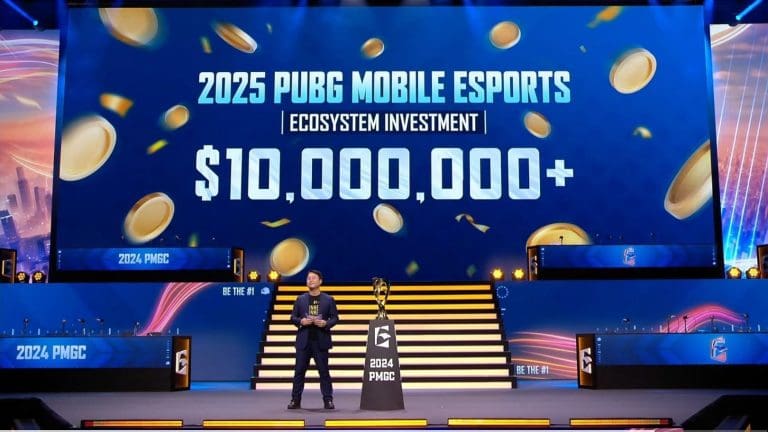
PUBG Mobile 2025 Roadmap: The PUBG Mobile Esports 2025 season brings a thrilling journey with a $10 million investment in global esports. This new season, after the success of 2024, includes many international tournaments like PMGO 2025, PMWC 2025 and PMGC 2025, plus regional events in the PMSL regions 2025.

PMSL Regions Expanded and Two Editions

The PUBG Mobile Super League (PMSL) now includes five different regions꞉ Southeast Asia, Europe, Middle East and North Africa (MENA), Central and South Asia (CSA) and the Americas. This expansion follows 2024’s idea, which combined Europe and MENA. Every region hosts two PMSL editions – Spring and Fall – as paths to global tournaments.

Started in 2023 for Southeast Asia and grown in 2024, PMSL’s regional focus shows the game’s rising accessibility. Teams fight for top spots in these leagues to earn places at big championships. It’s really important. Teams compete hard.

PMGO 2025꞉ Heading to Uzbekistan

The PUBG Mobile Global Open (PMGO) 2025 takes place in March and April in Uzbekistan after its start in Brazil. This big event features teams chosen through PMGO qualifiers, highlighting the game’s effort to bring new talent from around the world.

PMWC 2025 Back in Riyadh

The PUBG Mobile World Championship (PMWC) 2025 will happen in Riyadh during the Esports World Cup. Teams doing well in PMSL Spring qualify for this important event, which remains central to PUBG Mobile’s esports goals.

PMGC 2025꞉ Top Event in Thailand

The PUBG Mobile Global Championship (PMGC) 2025, the big highlight of the esports year, will occur in Thailand. This sixth edition focuses on the best teams from PMSL regions. The prize pool is not yet announced, but its role in esports is very clear. Really clear.

Besides these big events, the publisher aims to hold many local tournaments to grow talent and strengthen PUBG Mobile’s esports base. A debate, “Are PUBG Mobile and BGMI the same?” shows the game’s broad popularity.

The 2025 plan shows PUBG Mobile’s strong focus on improving its competitive scene and connecting with its global fans. With wider regional leagues, major global tournaments and more local activities, PUBG Esports 2025 is set to change the competitive world.

How To Convert Valorant Sensitivity To Marvel Rivals?

0

Unless you’ve been living under a rock for the past few months, chances are you’ve already heard of Marvel Rivals. The third-person hero shooter by NetEase has become the newest talk of the town with its official release on December 5th, following an extended closed beta period.

Hitting over 400,000 concurrent players on Steam shortly after its release, it’s safe to say that Marvel Rivals has managed to garner the attention of gamers from throughout the world. A lot of Valorant players are also tuning into Marvel Rivals due to its fast-paced combat and fun gameplay mechanics.

If you’re a Valorant player looking to dip your toes into Marvel Rivals, the first thing you should do is convert your Valorant sensitivity to Marvel Rivals to help yourself better adjust to the new game. Not only will you have a much easier time aiming at your opponents, but your muscle memory will also thank you for not having to learn everything from scratch.

How To Convert Valorant Sensitivity To Marvel Rivals

Valorant Sensitivity To Marvel Rivals

While there are a number of methods to convert your Valorant sensitivity to Marvel Rivals, the easiest way to do so is via third-party websites.

First, head over to a sensitivity converter website like Gaming Smart and select the game you want to convert your sensitivity from—in this case, Valorant. Now, select Marvel Rivals from the ‘Convert To’ section.

Lastly, make sure that your DPI is set correctly, and enter your Valorant sensitivity in the ‘Game Sensitivity’ section.

And that’s it! You should now be able to see your converted Marvel Rivals sensitivity in the bottom window.

Note that Marvel Rivals and Valorant have different FOVs (Field of Views), which is why using this new sensitivity will not instantly make you a god at the game. Your muscle memory will still need some time to adjust to the new FOV. However, using your converted Valorant sensitivity will certainly make the transition much smoother.