Wednesday, April 29, 2026
Home Blog Page 319

Minecraft’s Inventory UI Update: What to Expect in the Upcoming Changes

0

Minecraft, one of the most beloved sandbox games worldwide, could be gearing up for a significant visual upgrade to its inventory interface. Recent leaks from reliable sources have stirred excitement among fans, hinting at a much-anticipated improvement that could redefine the game’s user experience.

What’s the Buzz About the Inventory UI Update?

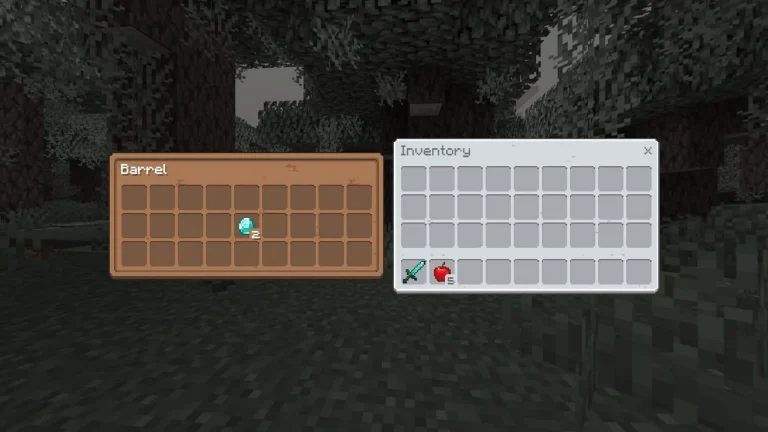
Speculations about Minecraft’s UI overhaul began when early-access developers and add-on creators shared snapshots of the proposed changes. The leaked images showcased sharper visuals, high-resolution block icons, and revamped container boxes designed to streamline inventory management.

This update is expected to focus primarily on enhancing usability and aesthetic appeal, addressing a long-standing demand from players for a more intuitive interface.

While these visuals sparked interest, they are still under development and may undergo additional tweaks before the final release.

Why Is This Update Important?

Inventory management is a fundamental part of Minecraft gameplay, impacting crafting, exploration, and survival. An outdated UI can lead to inefficiencies, especially for newer players navigating complex systems.

With modernized graphics and improved layouts, the proposed inventory UI aims to make item handling more efficient and visually appealing.

Additionally, developers hinted that the UI upgrade might integrate features like:

  • Status effect markers – Allowing players to track buffs or debuffs.
  • Tooltips – Providing quick item descriptions and usage tips.
  • Hotbar refinements – Making frequently used tools and items more accessible.

When Can Players Expect This Update?

Despite the excitement, Mojang—the developer behind Minecraft—hasn’t officially confirmed the release date for this update. However, it is speculated that the feature might first roll out in beta previews, giving players a chance to test and provide feedback.

Since early-access versions are already in the hands of developers, the update could be part of upcoming snapshots or Marketplace trials in 2025.

What Does This Mean for Minecraft Fans?

For players, this update could mark a significant quality-of-life improvement. Whether you’re an experienced builder managing complex inventories or a new player exploring the basics, a revamped interface can make gameplay smoother and more enjoyable.

Moreover, Mojang’s continued focus on improving accessibility and visuals ensures Minecraft remains fresh and relevant, even years after its release.

Minecraft’s rumored inventory UI update highlights the developers’ commitment to evolving the game while preserving its core charm. Though these changes remain speculative for now, players can look forward to potential enhancements that streamline inventory management and improve visual clarity.

Stay tuned for official announcements, and keep an eye out for beta previews to test these exciting features firsthand!

How to Fix Low FPS Issues in Marvel Rivals – Boost Performance Instantly!

0

Marvel Rivals is an action-packed hero shooter that demands smooth performance for competitive play. However, many players face low FPS (Frames Per Second) issues, leading to laggy visuals and compromised gameplay. If you’re struggling with this, don’t worry! This guide covers effective fixes to boost FPS and improve performance.

What Causes Low FPS in Marvel Rivals?

FPS refers to the number of frames displayed per second during gameplay. Higher FPS ensures smoother visuals, but low FPS can make the game choppy and difficult to play.

Common causes of low FPS include:

  • Outdated drivers for your GPU.
  • Background processes consuming system resources.
  • Incorrect graphics settings or low hardware capabilities.
  • Network-related issues impacting performance.

Quick Fixes for Low FPS Issues in Marvel Rivals

1. Update Your Graphics Drivers

Always keep your GPU drivers updated to the latest version. Visit the NVIDIA or AMD official website and download the most recent drivers for your graphics card.

2. Enable GPU Acceleration

Sometimes, Marvel Rivals may fail to utilize the GPU properly, resulting in FPS drops. Here’s how to fix this:

  1. Go to Windows Settings.
  2. Select Display Settings.
  3. Click on Graphics Settings.
  4. Enable Hardware-accelerated GPU scheduling.

This forces the game to use the GPU efficiently, often resolving FPS issues instantly.

3. Optimize Graphics Settings in Marvel Rivals

If enabling GPU acceleration doesn’t help, tweak the graphics settings for better performance:

Recommended Settings:

  • Graphics Quality: High
  • Reflection Quality: Screen Space Reflections
  • Model Detail: Ultra
  • Shadow Detail: High
  • Texture Detail: High
  • VSync: On
  • Nvidia Reflex: Enabled
  • Anti-Aliasing: Nvidia DLSS

Pro Tip: Lower texture, shadow, and reflection quality if performance remains poor.

4. Prioritize Marvel Rivals in Task Manager

Boost performance by making the game a priority for your CPU and GPU:

  1. Open Task Manager (Ctrl + Shift + Esc).
  2. Go to the Processes tab.
  3. Right-click on Marvel Rivals and select Set Priority > High.

5. Exclude Marvel Rivals in Firewall/Antivirus Settings

Overprotective firewalls can throttle performance. Whitelist Marvel Rivals in both Windows Firewall and your antivirus software to prevent interference.

What’s the Ideal FPS for Marvel Rivals?

For a competitive shooter, aim for a minimum of 60 FPS for smooth gameplay. However, 120 FPS or higher is recommended if your hardware supports it.

Key Tweaks to Boost FPS Further:

  • Disable unnecessary background apps.
  • Enable Game Mode in Windows.
  • Ensure cooling systems prevent overheating.
  • Upgrade to SSD storage for faster data access.

Low FPS can ruin your Marvel Rivals experience, but these fixes should help optimize performance significantly. From enabling GPU acceleration to tweaking graphics settings, these tips are designed to give you an edge in competitive matches.

If you’re still facing issues, consider lowering graphics settings further or upgrading your hardware. Don’t let lag hold you back—apply these solutions today and jump back into action!

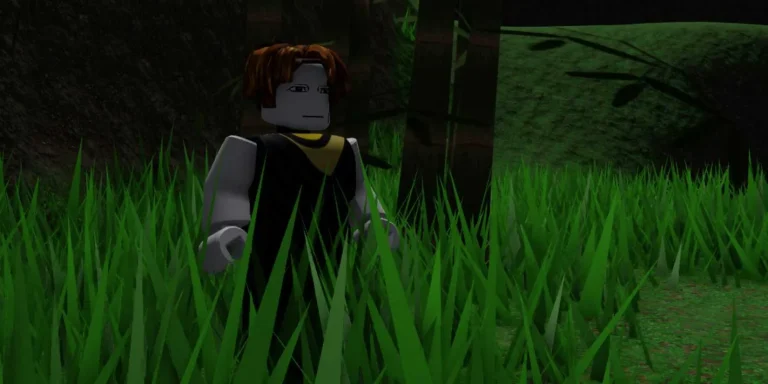
How to Appear Offline in Roblox (2025) – Stay Invisible While Playing

0

Roblox is one of the most popular gaming platforms out there, packed with millions of games and endless ways to connect with friends. But let’s be honest—sometimes you just want to play without being interrupted.

Maybe you’re in the mood for some solo gaming, or you just need a break from messages and invites. Whatever the reason, you’re probably wondering: Can I appear offline in Roblox?

Good news—while there isn’t a direct “Appear Offline” button, there are a few ways to hide your activity. Let’s walk through how you can do it on different devices.

How to Appear Offline on Xbox

If you’re playing Roblox on an Xbox, you’re in luck. Xbox makes it super easy to hide your online status. Here’s what to do:

  1. Press the Xbox Button – Grab your controller and hit the Home button.
  2. Go to Profile & System – Use the triggers to open the Profile & System tab.
  3. Select Your Profile – Click on your profile icon.
  4. Change Status to Offline – Find the Appear Online option and switch it to Appear Offline.

That’s it! Now you can jump into your favorite games without worrying about anyone checking in on you.

How to Appear Offline on PC, Mobile, and PlayStation

For PC, mobile, and PlayStation users, it’s a bit more hands-on, but still totally doable. Instead of a quick toggle, you’ll need to adjust your privacy settings to block others from seeing your activity.

Step-by-Step Instructions:

  1. Open Roblox – Launch the app or website.
  2. Go to Settings
    • On mobile, tap the More button and scroll down to Settings.
    • On PC, click the gear icon in the top-right corner.
    • On PlayStation, head to the More tab and pick Settings.
  3. Click on Privacy – Find the Privacy Settings section.
  4. Adjust Privacy Settings – Change each setting, like Who can message me? and Who can join me?, to No One.

Pro Tip: You don’t have to change the Communication Settings unless you want to block chat completely.

What Happens When You Update Privacy Settings?

Once you tweak these settings:

  • No One Sees You Online – Friends won’t know when you’re logged in.
  • No Messages or Invites – You’ll avoid spam invites and DMs.
  • Peaceful Gaming – Enjoy your Roblox sessions without interruptions.

It’s not quite the same as an “offline mode,” but it gets the job done!

Why Go Offline on Roblox?

Let’s face it—not every gaming session has to be social. Here are a few reasons why you might want to appear offline:

  • Focus on Gameplay – Some games are just better when played alone.
  • Avoid Constant Notifications – Too many invites can get annoying fast.
  • Privacy – Maybe you just want a little space without anyone knowing what you’re up to.

Whatever your reason, hiding your activity gives you full control over your experience.

Final Thoughts

While Roblox doesn’t have a one-click “offline mode,” these tips make it easy to stay under the radar. Xbox users can switch statuses quickly, and everyone else can use privacy settings to block unwanted attention.

So the next time you need some quiet gaming time, follow this guide and play your way—no interruptions, no distractions.

Enjoy your solo adventures, and don’t forget to share these tips with your fellow Roblox fans!

LockOver Codes (January 2025): Unlock Free Rewards in Roblox

0

Are you looking for the latest LockOver codes to level up your gameplay and unlock exciting rewards? You’re in the right place! Whether you’re a new player or a seasoned pro, redeeming codes can give you the boost you need to dominate the field.

In this guide, we’ll share all working LockOver codes, explain how to redeem them, and provide tips on staying updated with new releases.

What is LockOver in Roblox?

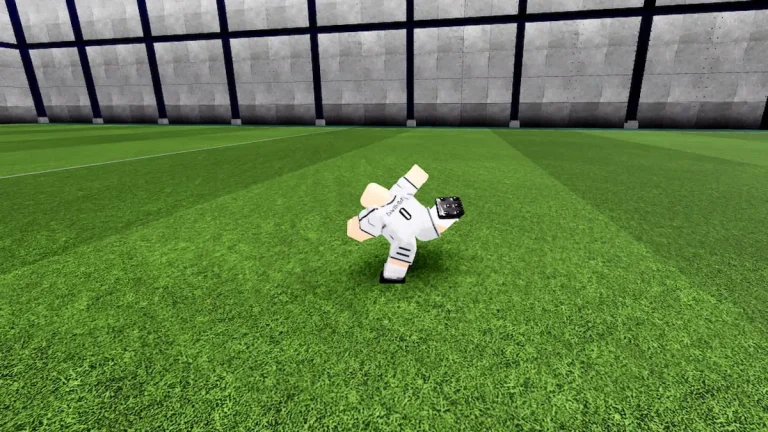
LockOver is a thrilling anime-inspired soccer game available on Roblox. Drawing inspiration from hit shows like Blue Lock, this game combines soccer skills with powerful abilities, making it an action-packed experience for sports and anime lovers alike.

To enhance your gameplay, you can redeem codes that grant free spins, rewards, and exclusive abilities.

Active LockOver Codes (January 2025)

Here is the list of the latest working LockOver codes you can use right now:

CodeRewardStatus
RELEASEFree spins and rewardsActive

Note: New codes may be added frequently, so bookmark this page to stay updated!

How to Redeem LockOver Codes?

Follow these simple steps to claim your rewards:

  1. Launch LockOver on Roblox.
  2. Score 10 goals to unlock the code redemption system.
  3. Open the Store menu.
  4. Locate the code input box on the left-hand side.
  5. Enter a valid code and click Redeem.

Enjoy your free spins and rewards instantly!

Expired Codes

Currently, there are no expired codes. Keep an eye out, as codes may expire quickly.

How to Get More LockOver Codes?

Stay ahead of the competition by following these tips to find new codes:

  1. Follow Developers on Social Media – Keep track of announcements on platforms like Twitter and Discord.
  2. Join Roblox Groups – Many groups share exclusive codes for members.
  3. Bookmark This Page – We update this article regularly with the latest codes.

Why Use LockOver Codes?

Using these codes can give you an edge by unlocking special powers, faster progression, and new skills. Whether you’re battling friends or climbing the leaderboards, these freebies can help you achieve your goals.

LockOver is one of Roblox’s most exciting sports games, blending anime action with competitive soccer. Make sure to redeem the latest codes and boost your performance on the field.

Stay tuned as we update this guide with new codes and tips to enhance your gameplay experience.

If you found this guide helpful, share it with your fellow players and let’s dominate the LockOver arena together!

How to Defeat Shogun’s Arena Boss in Fortnite Chapter 6 – Tips & Strategies

0

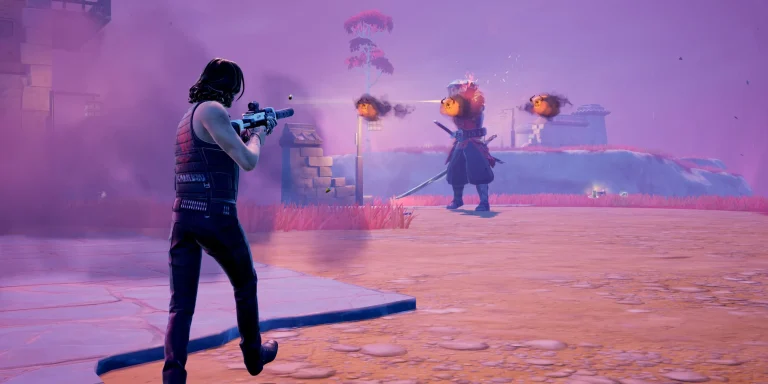
Fortnite never fails to keep things exciting, and Chapter 6 proves that once again with the introduction of Shogun’s Arena—a floating battlefield that’s as thrilling as it is dangerous. If you’re looking to dominate this new feature and claim some serious loot, this guide has everything you need to know.

What is Shogun’s Arena?

Picture this—you’re halfway through a match, and suddenly, a floating arena appears high above the island. That’s Shogun’s Arena, and it’s one of the most exciting mid-game challenges Fortnite has dropped in recent updates.

The arena doesn’t spawn right away. Instead, you’ll see a map marker pop up, giving players a heads-up before it arrives. Once it’s there, you’ll need to use wind sprites to launch yourself up to the floating platform. Don’t worry—you can jump off anytime and glide back down if things get too intense.

Meet Shogun X – The Boss That Doesn’t Hold Back

Now, let’s talk about the real star of the show—Shogun X. He’s not just another boss; he’s one of the toughest Fortnite has ever introduced.

Abilities That Pack a Punch

Shogun isn’t playing around. He comes equipped with moves that can take out unprepared players in seconds:

  • Crimson Void Warp – Teleports away to dodge attacks.
  • Explosive Screaming Masks – Sets traps that explode.
  • Molten Eruptions – Breaks the ground and deals massive damage.
  • Demonrush – Charges forward, knocking enemies back.

What Do You Get for Beating Him?

Take him down, and you’ll score enhanced weapons like:

  • Fury Assault Rifle
  • Sentinel Pump Shotgun
  • Twinfire Auto Shotgun
  • Oni Shotgun
  • Surgefire SMG

But here’s the catch—Shogun’s iconic Typhoon Blade isn’t part of the loot pool, so don’t expect to walk away with it.

Pro Tips to Survive and Win the Arena

  1. Gear Up First – Don’t even think about heading to the arena without shields, medkits, and good weapons.
  2. Stay on the Move – Shogun’s attacks hit hard, so use the arena’s wind sprites to dodge or reposition.
  3. Team Up – Taking on Shogun solo is risky, but bringing a squad can make things a lot easier.
  4. Watch for Third Parties – Other players might wait for you to weaken Shogun, then swoop in to steal the loot. Stay alert.
  5. Learn His Patterns – Shogun’s abilities are strong but predictable. Take some time to figure out his rhythm before going all in.

Also read: Fortnite Leaks Reveal New Year 2025 Mini-Event

Is It Worth the Risk?

Absolutely. Aside from the bragging rights that come with beating one of Fortnite’s hardest bosses, you’ll walk away with weapons that can completely change the course of the match. Plus, there’s no better feeling than dropping into the late game stacked with gear while everyone else scrambles for scraps.

Shogun’s Arena isn’t just another side feature—it’s a high-stakes battleground that’s perfect for players who love a challenge. Whether you’re in it for the loot or just to prove you’re the best, this floating arena delivers the kind of adrenaline rush Fortnite fans crave.

So gear up, keep your eyes on the skies, and get ready to take down Shogun X—if you’ve got what it takes.

Stay ahead in the world of esports with the TalkEsport app! Download now to get instant access to the latest news, live points tables, comprehensive esports calendars, and live streams of your favorite tournaments. Don’t miss out—get the app today

PUBG Esports 2025 Roadmap: What’s New in Tournaments, TPP Matches, and Global Championships

The PUBG Esports 2025 roadmap has been officially revealed by Krafton, setting the stage for a thrilling year of competitive gaming. From regional tournaments to global showdowns, the roadmap introduces fresh formats and a dedicated TPP (Third-Person Perspective) tournament series, ensuring excitement for both players and fans.

Key Highlights of the 2025 PUBG Esports Roadmap

1. Road to PUBG Global Championship (PGC) Continues

  • The 2025 tournament calendar kicks off in March with regional qualifiers.
  • Four PUBG Global Series (PGS) events will take place throughout the year, offering teams multiple opportunities to secure a spot in the grand finale.
  • Major multi-region events include:
    • PUBG Nations Cup (PNC) 2025
    • Esports World Cup (EWC)
    • Year-End PUBG Global Championship (PGC)

2. Esports World Cup: Expanding the Competitive Horizon

  • PUBG has secured a slot in the Esports World Cup 2025, joining top titles like Rainbow Six Siege and MLBB.
  • The event is scheduled for Riyadh during the summer, promising global exposure and competitive gameplay.

3. The Rise of TPP Tournaments – PUBG Players Tour

For players who favor third-person perspective (TPP) gameplay, the 2025 roadmap introduces the PUBG Players Tour. This addition aims to cater to a broader audience through a three-tier format:

  1. PUBG Players Scrim: Entry-level competitions across four regions:
    • Americas
    • Asia-Pacific
    • Asia
    • Europe, Middle East & Africa
  2. PUBG Players Cup: Weekly finals featuring top teams from scrims. Plans include live streaming and prize pools to elevate the stakes.
  3. PUBG Players Masters: The final stage where elite teams battle for supremacy. More details are expected to follow as the year progresses.

4. Notable Achievements in PGC 2024

In 2024, Vietnam’s The Expendables claimed the PGC championship, showcasing resilience despite early struggles in the season. Their remarkable comeback earned them $500,000 out of a $1.5 million prize pool, raising the bar for 2025’s competitors.

What Makes 2025 Special?

The roadmap reflects Krafton’s commitment to fostering diverse gameplay experiences and expanding PUBG’s esports ecosystem:

  • Regional diversity: Inclusion of multiple regions offers a global reach.
  • New tournament formats: Introducing TPP competitions caters to an untapped audience.
  • Larger prize pools and streaming support: Enhances competitiveness and fan engagement.

With expanded formats, regional competitions, and new perspectives like TPP tournaments, the PUBG Esports 2025 roadmap promises an action-packed year. Whether you’re a die-hard first-person player or a TPP enthusiast, there’s something for everyone. Stay tuned as more details unfold, and gear up for an unforgettable esports season!


Stay ahead in the world of esports with the TalkEsport app! Download now to get instant access to the latest news, live points tables, comprehensive esports calendars, and live streams of your favorite tournaments. Don’t miss out—get the app today

Is Free Fire Pay to Win? Breaking Down Features, Skins, and Gameplay Balance

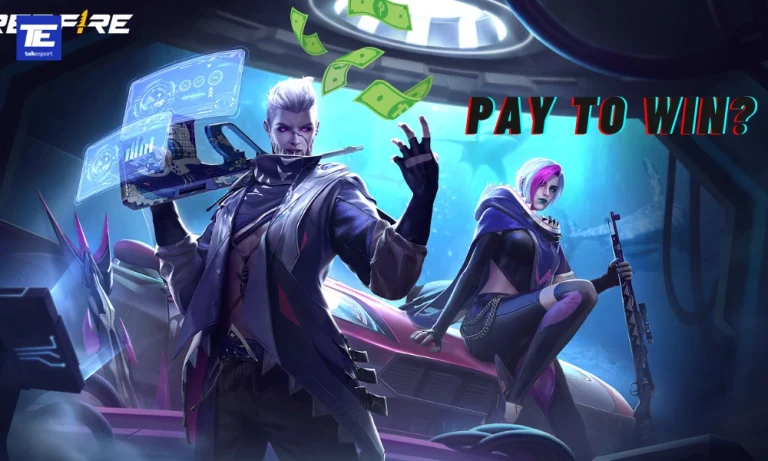
Free Fire, released in 2017, is one of the most popular battle royale (BR) games worldwide. With its low system requirements, it caters to mobile gamers across all spectrums. However, its monetization strategy involving microtransactions has raised questions about whether the game is pay-to-win.

Understanding Free Fire’s Free-to-Play Model

Free Fire is free-to-play, allowing players to download and access all basic gameplay features without spending money. Weapons, vehicles, and items in battle royale matches are primarily acquired through looting, making it balanced at first glance.

Characters and Abilities: A Pay-to-Win Concern?

One major concern lies in character abilities. Free Fire offers a variety of characters, many inspired by celebrities like Cristiano Ronaldo and DJ Alok. Each character comes with unique abilities, such as Chrono’s Time Turner, which creates a damage-blocking shield.

Initially, unlocking these characters required Diamonds, a premium currency purchased with real money. However, Garena introduced the Link System in 2022, enabling players to unlock characters for free—albeit with significant time investment.

Weapon Skins and Competitive Advantage

Weapon skins in Free Fire, particularly Evo Weapon Skins, pose another potential pay-to-win element. Unlike purely cosmetic skins, these can offer slight stat boosts such as increased damage, accuracy, or reload speed.

While these enhancements are minor, they can provide advantages during combat, especially for players who purchase them early. This creates an imbalance, though not to a level where free-to-play players cannot compete effectively.

Final Verdict: Is Free Fire Truly Pay-to-Win?

Free Fire leans towards a freemium model. While it is possible to unlock characters and progress without spending money, premium purchases significantly reduce grind time and provide slight competitive advantages through weapon skins.

For casual players, Free Fire remains accessible without spending real money. However, competitive players may feel pressured to invest in microtransactions to stay ahead.


Stay ahead in the world of esports with the TalkEsport app! Download now to get instant access to the latest news, live points tables, comprehensive esports calendars, and live streams of your favorite tournaments. Don’t miss out—get the app today

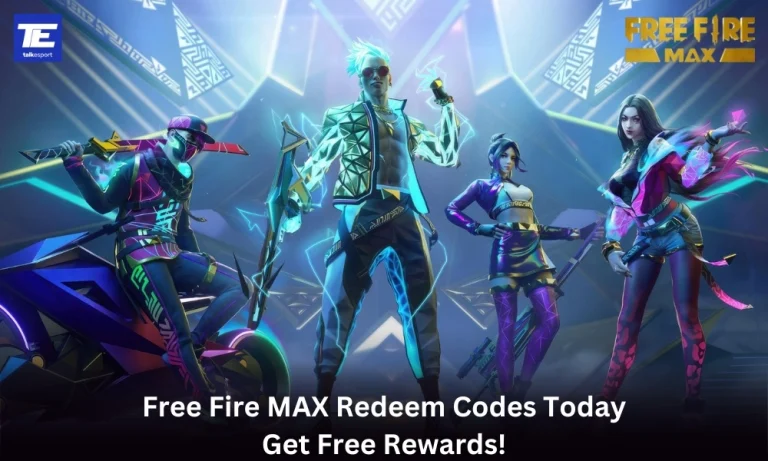
Free Fire MAX Redeem Codes Today (1st January, 2025): Get Free Rewards!

Free Fire MAX, the renowned battle royale game, continues to captivate gamers worldwide with its intense gameplay and vast array of in-game rewards. One of the most sought-after features in the game are the Free Fire MAX redeem codes, which grant players access to exclusive items and goodies without spending any money.

Free Fire MAX redeem codes are special combinations of characters that, when entered correctly, provide players with various rewards such as weapon skins, character outfits, and in-game currency. While these codes are not released frequently, stumbling upon a working code can significantly enhance the gaming experience.

All New Free Fire MAX Redeem Codes for Today 1st January 2025

Here are some redeem codes redeem codes you can use to get free items in the game today 1st January 2025:

  • FFPSTXV5FRDM
  • FFW4FST9FQY2
  • FTY7FGN4XKHC
  • VY2KFXT9FQNC
  • XF4SWKCH6KY4
  • YFW2Y7NQFV9S
  • FXK2NDY5QSMX
  • FFPSYKMXTP2H
  • FY9MFW7KFSNN
  • FW2KQX9MFFPS

HOW TO Free Fire MAX REDEEM CODES TODAY

Redeeming codes in FF MAX is a quick and straightforward process. Follow these steps to claim your rewards:

  1. Navigate to the official Free Fire MAX redemption website
  2. Sign in using your account credentials. Ensure that you have a valid account linked to either Facebook, Google, VK, or Huawei.
  3. Enter the Redeem Code: Input the redeem code into the provided field and click on the “Confirm” button.
  4. Collect Your Rewards: Once the code is successfully redeemed, the rewards will be sent directly to your in-game mailbox. Launch Free Fire MAX and claim your items from the mailbox.

Tips for Using Redeem Codes in Free Fire MAX

  • Timely Redemption: Redeem codes have expiration dates, so it’s essential to use them promptly to avoid missing out on rewards.
  • Regional Restrictions: Some codes may be region-specific and may not work if you are in a different region. If a code doesn’t work, try using another one.
  • Single Use: Most codes can only be redeemed once per account, so ensure you enter the code correctly the first time.

Free Fire MAX redeem codes tend to expire very soon and hence, make sure to use them as soon as you can. Some of them can be region restricted and if you find one like that, simply move on to the next one as region restricted codes cannot be used in other areas.

Stay ahead in the world of esports with the TalkEsport app! Download now to get instant access to the latest news, live points tables, comprehensive esports calendars, and live streams of your favorite tournaments. Don’t miss out—get the app today

GTA 6 Expected to Generate $3.2 Billion in Sales

0

Rockstar Games’ highly anticipated Grand Theft Auto 6 (GTA 6) is already setting the stage to become one of the most profitable entertainment releases in history. With its first trailer amassing over 230 million views on YouTube, the excitement surrounding the game is undeniable. Financial analysts have projected a staggering $3.2 billion in revenue within its first year, making it a potential record-breaking release.

Unprecedented Revenue Projections for GTA 6

According to a Financial Times report, experts at DFC Intelligence forecast GTA 6 to earn $1 billion in pre-orders alone before its official launch. Such early figures suggest it could surpass previous records held by its predecessor, GTA 5, which earned $1 billion in just three days after release.

With development costs rumored between $1 billion and $2 billion, the game is also set to become one of the most expensive gaming projects ever. However, the projected earnings indicate that it could recover those costs and achieve profitability almost instantly.

Breaking Records Before Release

The buzz surrounding GTA 6 extends beyond revenue projections. Its first trailer broke several Guinness World Records, and analysts believe the game will continue to set new benchmarks post-launch.

Most of the projected sales are expected from PlayStation 5, which currently holds 68% of the market share for gaming consoles. This dominance positions the PS5 as a key driver of GTA 6’s financial success.

Expected Release Date for GTA 6

Rockstar Games has confirmed that GTA 6 is slated for a fall 2025 release. Despite growing concerns about possible delays, the company has not officially announced any postponements.

Fans are eagerly awaiting Trailer 2, which may confirm a more specific launch date, potentially in Q4 2025. Developers are expected to share more updates in early 2025, keeping players on edge as the countdown continues.

What Sets GTA 6 Apart?

The sheer scale of GTA 6’s projected earnings highlights the evolution of the gaming industry. With massive development budgets, cinematic trailers, and global fan anticipation, it’s clear that video games are no longer just entertainment—they’re blockbuster events rivaling Hollywood productions.

The launch of GTA 6 could redefine industry standards, proving that gaming franchises are among the most lucrative assets in modern entertainment.

GTA 6 is more than just another video game; it’s a cultural phenomenon in the making. With record-breaking views, multi-billion dollar revenue forecasts, and cutting-edge gameplay expectations, the title is poised to dominate headlines and sales charts well into 2026.

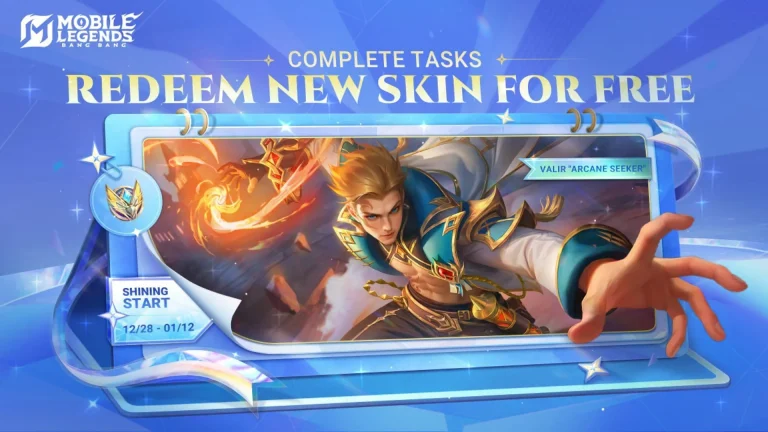
How to Get Valir Arcane Seeker Skin for Free in Mobile Legends: Bang Bang

Mobile Legends: Bang Bang players now have a golden opportunity to unlock the exclusive Valir Arcane Seeker Skin for free through the Shining Start Event. Running from December 28, 2024, to January 13, 2025, this event allows players to earn Revelation Badges by completing tasks and trading them for valuable rewards.

What is the Shining Start Event?

The Shining Start Event celebrates the new year with exciting challenges and lucrative rewards. The star attraction is the Valir Arcane Seeker Skin, which can be claimed by collecting 180 Revelation Badges. Players can also trade these badges for items like Hero Fragments and XP Cards.

How to Collect Revelation Badges

Participants need to complete Daily Challenges and Bonus Milestones to accumulate Revelation Badges. Here’s how you can earn them:

Daily Challenges:

  • Log in to the game: 3 Badges
  • Complete 1 Ranked Match: 3 Badges
  • Complete 3 Matches: 3 Badges
  • Complete 5 Matches: 3 Badges

Note: These tasks reset daily, so be sure to complete them every day for maximum badges.

Bonus Milestones:

  • Play 10 Ranked Matches: 20 Badges
  • Log in for 4 Days: 10 Badges
  • Log in for 6 Days: 10 Badges
  • Log in for 8 Days: 10 Badges
  • Log in for 10 Days: 10 Badges
  • Log in for 12 Days: 10 Badges
  • Log in for 14 Days: 50 Badges

Shining Start Event Rewards

Aside from the coveted Valir Arcane Seeker Skin, players can redeem Revelation Badges for additional in-game items:

Reward List:

  • Valir Arcane Seeker Skin: 180 Badges
  • Double EXP Card (3 Days): 10 Badges
  • Double BP Card (1 Day): 10 Badges
  • Epic Skin Trial Pack (1 Day): 10 Badges
  • Empire Chevalier Medal: 5 Badges
  • Hero Fragment: 2 Badges
  • Small Emblem Pack: 1 Badge

Tips to Maximize Badge Collection

To ensure you collect enough Revelation Badges before the event ends, follow these tips:

  1. Log in daily: Even if you can’t play matches, logging in earns easy badges.
  2. Prioritize Ranked Matches: Combine ranked matches with daily tasks to save time.
  3. Track Your Progress: Monitor tasks to stay on schedule for the 180-badge goal.

Final Thoughts

The Shining Start Event in Mobile Legends: Bang Bang provides an excellent opportunity to unlock the stunning Valir Arcane Seeker Skin and earn other exciting rewards. By consistently completing tasks and challenges, you can collect enough badges before the event ends on January 13, 2025.

Don’t miss out—log in daily and start collecting those Revelation Badges today!