Wednesday, December 31, 2025
Home Blog Page 213

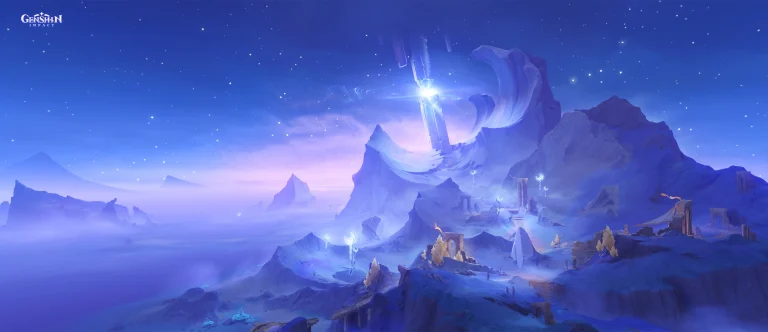
Genshin Impact Codes for January 2025 – Active and Working Codes with Redemption Guide

0

Genshin Impact, one of the most popular RPGs, regularly offers free codes to help players earn Primogems, Mora, Hero’s Wit, and other in-game rewards. As of January 2025, several active codes are available for redemption. This article provides the latest codes, details on their rewards, and a simple step-by-step guide to redeem them.

Active Genshin Impact Codes for January 2025

Current Codes:

  • MAVUIKAWISHES – 30 Primogems and 1 Hymn of Gathered Flame
  • WAM5UWWU28NV – 60 Primogems and 5 Adventurer’s Experience
  • WEAV365PI953 – 10,000 Mora, 3 Quenepa Berries, 10 Adventurer’s Experience, and 5 Fine Enhancement Ores
  • GENSHINGIFT – 50 Primogems and 3 Hero’s Wit

Note: If ‘GENSHINGIFT’ doesn’t work, it might have been redeemed already. Try again during the next update, or contact Genshin Impact support for help.

Limited-Time Codes from 5.3 Livestream (Expired):

Though these codes have expired, here’s a list for reference:

  • UAMPGJASECZH – 100 Primogems and 10 Mystic Enhancement Ores
  • LT5NH2TTXUHM – 100 Primogems and 5 Hero’s Wit
  • 4SLPH3BSFVH9 – 100 Primogems and 50,000 Mora

New livestream codes typically last only 48 hours, so be sure to claim them quickly whenever they are announced.

How to Redeem Codes in Genshin Impact

Redeeming codes in Genshin Impact is straightforward, but you need to reach Adventure Rank 10 first. Follow these steps:

  1. Log in to Genshin Impact’s Official Website – Go to the Redemption Page and sign in using your account credentials.
  2. Choose Server and Character Name – Select your server region and enter your in-game character name.
  3. Enter the Code – Type or paste the code into the redemption box and click ‘Redeem.’

Tip: If you can’t remember the email linked to your account, go to Settings > Account > User Centre in the game to find it.

  1. Claim Rewards – Rewards will appear in your in-game mailbox. Open the menu, click on the letter icon, and select ‘Claim’ or ‘Claim All.’

Important: Each code can only be redeemed once per character. If you start a new playthrough, you may reuse the codes.

Why Use Genshin Impact Codes?

Free codes provide essential resources like Primogems, Mora, and enhancement materials, which help players:

  • Summon new characters through banners.
  • Upgrade weapons and artifacts.
  • Level up faster with Hero’s Wit and Adventurer’s Experience.

Staying updated with the latest Genshin Impact codes can significantly enhance your gameplay experience by providing free resources. Always redeem codes as soon as they’re available to avoid missing out, especially limited-time livestream codes. Bookmark this guide for updates, and keep an eye on future livestream events for even more rewards!

jottAAA joins Eternal Fire

Samet “⁠jottAAA⁠” Köklü has joined Eternal Fire replacing their long-serving member in Buğra “⁠Calyx⁠” Arkın who was a part of the core since the days of Space Soldiers.

Eternal Fire managed to turn a few heads mid-session with a stellar run in a few tournaments leading up to the CS2 Major. However, a disappointing result at the big event forced them to make a few changes, and longstanding member Calyx was the one to part ways.

“Calyx holds a special place in all our hearts,” read EF’s post on X. “Together with him, we achieved great victories on the global stage and created unforgettable moments.”

Eternal Fire has the following team:

  • Engin “⁠MAJ3R⁠” Küpeli
  • Ismailcan “⁠XANTARES⁠” Dörtkardeş
  • Özgür “⁠woxic⁠” Eker
  • Ali “⁠Wicadia⁠” Haydar Yalçın
  • Samet “⁠jottAAA⁠” Köklü
  • Sezgin “⁠Fabre⁠” Kalaycı (coach)

JottAAA hailed from Eternal Fire’s academy roster and was eventually loaned out to Sangal, where he flourished in his role, finally seeing him get his much-deserved spot in Eternal Fire. While his role is not exactly a like-for-like replacement for the outgoing Calyx, being a versatile young player, he can be molded to fit the team’s needs.

Blast Bounty being the upcoming event, we might see the new roster in action right in as soon as 12 days.

Honkai Star Rail Herta Release Date, Banner Details, and Characters Revealed

The Honkai Star Rail Herta release date has been highly anticipated by fans as she makes her debut in version 3.0 of the game. Known as a powerful 4-star unit, Herta follows the Erudition Path and wields Ice elemental powers, making her an exceptional character for AoE (Area of Effect) attacks. This article provides all the key details, including her release date, banner characters, and Light Cones.

Honkai Star Rail Herta Release Date and Countdown

The Herta is set to launch in the first phase of Honkai Star Rail patch 3.0, starting on January 15, 2025, at 11 AM (UTC+8). Fans worldwide can prepare for her banner based on the following time zones:

Release Time Across Regions

  • America
    • PST: January 14, 2025, at 7 PM
    • MST: January 14, 2025, at 8 PM
    • CST: January 14, 2025, at 9 PM
    • EST: January 14, 2025, at 10 PM
  • Europe
    • WET: January 15, 2025, at 3 AM
    • CET: January 15, 2025, at 4 AM
    • EET: January 15, 2025, at 5 AM
  • Asia
    • IST (India): January 15, 2025, at 8:30 AM
    • CST (China): January 15, 2025, at 11 AM
    • JST (Japan): January 15, 2025, at 12 PM
    • KST (Korea): January 15, 2025, at 12 PM

Herta’s Combat Abilities

Herta’s Erudition Path and Ice element give her outstanding AoE damage capabilities, making her a versatile choice for clearing waves of enemies. Players looking for a strategic and damage-heavy character should consider pulling her banner.

Honkai Star Rail Herta Banner Characters and Light Cones

The first phase of version 3.0 in Honkai Star Rail introduces rerun banners along with Herta’s debut.

  • Natasha – Physical, Abundance Path
  • Moze – Lightning, The Hunt Path
  • Asta – Fire, Harmony Path

Light Cones in Herta’s Banner

Several powerful Light Cones will also be available in the first phase:

  • Into the Unreachable Veil (5-star, Erudition)
  • Scent Alone Stays True (5-star, Abundance)
  • I Venture Alone to Hunt (5-star, The Hunt)
  • Yet Hope is Priceless (5-star, Erudition)
  • Landau’s Choice (4-star, Preservation)
  • Geniuses’ Repose (4-star, Erudition)
  • Only Silence Remains (4-star, The Hunt)

The Honkai Star Rail Herta release date marks an exciting phase in the game’s progression, offering players the chance to obtain both new and rerun characters alongside powerful Light Cones. With her Ice-based AoE attacks, Herta is expected to become a fan-favorite for clearing battles effectively.

Make sure to plan your pulls and track the countdown for the Herta banner release to maximize your team’s potential in Honkai Star Rail 3.0.

Garena Free Fire MAX Redeem Codes for January 2, 2025 – Unlock Red Bunny Bundle, MP40 Skins, and More

Garena Free Fire MAX continues to captivate gaming enthusiasts with its enhanced graphics, immersive gameplay, and exciting rewards. As of January 2, 2025, new redeem codes have been released, allowing players to claim exclusive in-game items such as the Red Bunny Bundle, Chromasonic MP40 EVO Gun, and 2170 Tokens.

What Is Garena Free Fire MAX?

Garena Free Fire MAX is the advanced version of the popular Garena Free Fire battle royale game. Launched in 2021, it offers improved visuals, smoother gameplay, and additional features to enhance the gaming experience. Compatible with both Android and iOS devices, it supports multiple languages, making it accessible to players worldwide.

This enhanced version includes larger maps, customizable weapons, and game modes such as Battle Royale, Clash Squad, and Lone Wolf, catering to various player preferences.

Today’s Redeem Codes – January 2, 2025

Players can use the following redeem codes to unlock exclusive rewards:

  • HQK6FX2YT9GG – Chromasonic MP40 EVO Gun + 2170 Tokens
  • YF6WN9QSFTHX – Frostfire Bunny Bundle (Red Bunny Bundle)
  • FF4MTXQPFDZ9 – Poker MP40 Ring – Flashing Spade
  • NPST7FKPCXNQ – One Punch Man M1887 Skin
  • FV4SF2CQFY9M – January Special Booyah Pass Premium Plus
  • RDNAFV2KX2CQ – Emote Party
  • FFWST4NYM6XB – Booyah Flameborn Bundle
  • PFS5Y7NQFV9S – Cobra MP40 Skin + 1450 Tokens
  • FFXT7SW9KG2M – 1875 Diamonds
  • FGWCX9TSY2QK – Legendary Aurora Shade Bundle (Exclusive Code)

Steps to Redeem Codes

Follow these steps to redeem your codes:

  1. Visit the official Garena Free Fire MAX redemption site at reward.ff.garena.com.
  2. Log in using your Facebook, Google, Twitter, or VK account.
  3. Copy and paste the code into the text box provided.
  4. Click on the Confirm button and verify the pop-up confirmation.
  5. After successful redemption, rewards can be collected from the in-game mail section.

Note: Guest accounts are not eligible for redeeming codes. Ensure your account is linked to one of the accepted platforms.

Important Details About Redeem Codes

  1. Limited Availability: Redeem codes are valid for 24 hours only and expire after this period. Players should claim rewards quickly to avoid missing out.
  2. Single Use Only: Each code can be redeemed just once per account.
  3. Exclusive Rewards: These codes provide access to rare and premium items, enhancing gameplay and character customization.
  • Battle Royale Mode: Features 52 players dropped on an island to compete for survival. It supports solo, duo, and squad options.
  • Clash Squad Mode: A 4v4 mode where teams fight in multiple rounds to claim victory.
  • Lone Wolf Mode: Designed for 1v1 or 2v2 battles with custom weapon setups for short, intense matches.
  • Craftland Mode: Allows players to create custom maps and game experiences for more creativity.

Why Choose Garena Free Fire MAX?

  • Enhanced Graphics: High-resolution visuals and improved sound effects make gameplay more realistic.
  • Diverse Weapons and Skins: Players can unlock weapons like MP40 and M1887 skins for a competitive edge.
  • Regular Updates: The game frequently introduces new features, modes, and redeem codes to keep the experience fresh.
  • Massive Popularity: With millions of downloads, it remains one of the top-grossing games globally.

Garena Free Fire MAX provides an exciting and action-packed gaming experience with its advanced features and exclusive rewards. Don’t miss out on today’s redeem codes to unlock special bundles, skins, and tokens. Head to the official website and claim your rewards before they expire!

Free Fire Booyah Pass January 2025 (Season 25): Rewards, Price, and Features

Garena’s Free Fire has kicked off the new year with an exciting Booyah Pass Season 25, offering players exclusive rewards, new cosmetic bundles, and premium perks. Whether you’re a veteran player or just diving into the Free Fire universe, the January 2025 Booyah Pass delivers thrilling incentives to level up your gameplay.

Free Fire Booyah Pass January 2025 Release Date and Theme

The Booyah Pass Season 25 went live on January 1, 2025, and will remain active until January 31, 2025. This month’s pass features the “Mad Stitcher” theme, blending quirky designs and stitched aesthetics into outfits, skins, and gear.

Pricing Details

Players can choose between two paid versions of the Booyah Pass:

  • Premium Pass – Available for 399 diamonds, this version offers access to standard premium rewards.
  • Premium Plus Pass – Priced at 899 diamonds, this upgrade includes 50 BP levels unlocked instantly, making it ideal for players who prefer faster progression.

For budget-conscious players, the Premium Pass provides a cost-effective option, while the Premium Plus Pass ensures faster access to top-tier content.

Also Read: Is Free Fire Pay to Win? Breaking Down Features, Skins, and Gameplay Balance

Main Rewards in Booyah Pass January 2025

Free Rewards:

Players can unlock several items by simply leveling up without spending diamonds. Key highlights include:

  • Level 10: Skyboard – Stitched Tailor
  • Level 20: Mad Stitcher Banner
  • Level 50: Mad Stitcher Avatar
  • Level 70: Stitched Hoodie
  • Level 80: Skyboard – Sharp Stitches
  • Level 100: 5x Gold Royale Vouchers

Premium Rewards:

For those who upgrade, the Premium Pass unlocks a treasure trove of exclusive rewards:

  • Level 1: Stitched Tailoress Bundle + SCAR Skin (30 Days) + Bonus Emote Slots
  • Level 10: Pet Crate + Magic Cube Fragment
  • Level 20: Jeep Skin – Stitched Wheels + EXP Boost (7 Days)
  • Level 40: Loot Box – Sharp Stitches + Double Gold Boost
  • Level 50: SCAR – Stitched Tailor Skin
  • Level 70: Backpack – Stitch Kit + Cube Fragment
  • Level 90: Scissor Savvy Emote + Gold Rewards
  • Level 100: Stitched Tailor Bundle + 20% Discount for the Next Booyah Pass

How to Get the Booyah Pass at a Discount

Garena has introduced a Booyah Pass Ring, offering players a chance to win the pass at a reduced price. This feature allows luckier players to enjoy premium benefits without spending extra diamonds.

Why Upgrade Your Booyah Pass?

The Booyah Pass isn’t just about cosmetics—it also enhances gameplay through experience boosts, bonus emotes, and faster progression rewards. If you’re aiming to stand out with unique outfits and skins while climbing the ranks, this pass is worth the upgrade.

The January 2025 Booyah Pass in Free Fire delivers an exciting lineup of themed rewards and customization options to enrich the gameplay experience. With both free and premium rewards, it caters to every type of player, ensuring value for money and endless fun.

Valve Lifts CS2 Ban on Steel After a Decade

After more than a decade of anticipation, Valve has finally lifted the Counter-Strike 2 (CS2) ban on Josh “steel” Nissan. This marks a pivotal moment in esports history, offering the former iBUYPOWER player a shot at redemption. Fans are eager to see whether steel will make a triumphant return to the competitive Counter-Strike scene or pursue other opportunities in the gaming world.

A Look Back: Why Was Steel Banned?

The story dates back to 2014, during Season 5 of the CEVO Professional League. Steel, along with his teammates from iBUYPOWER, was embroiled in a match-fixing scandal that rocked the esports community.

Despite being strong favorites to win, iBUYPOWER intentionally lost to Netcodeguides.com. Investigations revealed that players had placed bets against themselves, profiting significantly from the fixed outcome.

Key Players Involved:

  • Josh “steel” Nissan
  • Braxton “swag” Pierce
  • Keven “AZK” Larivière
  • Sam “DaZeD” Marine

The aftermath resulted in lifetime bans for those involved, except for Tyler “Skadoodle” Latham, who was found uninvolved.

From Permanent Ban to Redemption

Initially, the bans were viewed as permanent. However, growing debates about fairness led to adjustments in the rules. By 2017, major tournament organizers like ESL and DreamHack eased restrictions, enabling banned players to participate in non-Valve-sponsored events.

Despite the changes, steel and others were still excluded from major Valve tournaments—the pinnacle of Counter-Strike competition. This limitation pushed steel to explore new horizons, including a transition to Valorant in 2020, where he enjoyed consistent success.

The Comeback: Valve Lifts the Ban

As of January 29, 2025, Valve has officially lifted steel’s ban, granting him eligibility to compete in CS2 tournaments. This decision paves the way for steel—and potentially other banned players—to reclaim their spots in the Counter-Strike scene.

What’s Next for Steel?

Steel has expressed enthusiasm about returning to Counter-Strike if the right opportunity arises. In a recent interview, he hinted at his willingness to join competitive CS2, provided he finds the right team and platform to showcase his skills.

Given his success in Valorant, however, fans are curious whether steel will split his focus between both games or commit entirely to one. Either way, 2025 is shaping up to be an exciting year for his career.

Steel’s return highlights the evolving landscape of esports and Valve’s willingness to revisit past decisions. His story serves as a reminder of redemption and second chances, not just for him but for others impacted by similar controversies.

With the ban officially lifted, the spotlight is back on steel. Fans eagerly await announcements about his next move—whether it’s dominating CS2 tournaments, continuing his Valorant journey, or possibly balancing both.

Kai Cenat Addresses Drug Smuggling Allegations in Atlanta – Truth Behind AMP’s Police Encounter

0

Renowned Twitch streamer Kai Cenat recently opened up about a shocking incident involving his neighbors in Atlanta. During a guest appearance on the Club Shay Shay Podcast, hosted by Shannon Sharpe, Cenat revealed that members of his content-creation group, AMP (Any Means Possible), faced unfounded suspicions of drug smuggling.

Suspicion Arises Over Luxurious Lifestyle

Cenat shared that AMP, a collective of six creators living in an upscale mansion, drew unwanted attention due to their lavish lifestyle. The group frequently drove high-end vehicles and recorded energetic videos, which, according to Cenat, made some neighbors uncomfortable.

He recounted receiving a troubling note from neighbors accusing the group of illegal activities:

“We were in a white neighborhood, six Black kids, in this big house, with fancy cars and loud filming sessions. We found a note saying, ‘We know drugs and cocaine are coming inside here.’”

The accusations escalated to the point where the police were called to investigate the claims. Officers later visited their residence and shared the note they had received.

Addressing Racial Bias and Misconceptions

Cenat’s story highlights the challenges faced by successful Black creators moving into predominantly white communities. Many online users expressed outrage over the situation, citing racial profiling and bias as contributing factors.

One user on social media remarked:

“This shows the other side of success as a Black person. People make assumptions and judgments without evidence.”

Others sympathized with AMP, emphasizing how wealth and visibility often attract unfair scrutiny.

Who is AMP?

AMP is a viral group of popular internet personalities, including:

  • Kai Cenat – Award-winning Twitch streamer
  • Duke Dennis – Gaming and lifestyle content creator
  • Agent 00 – NBA and gaming-focused YouTuber
  • Fanum – Food and culture vlogger
  • Chrisnxtdoor – Entertainer and comedian
  • ImDavisss – Sports and gaming enthusiast

Together, the group has cultivated a massive following, pushing boundaries in content creation and lifestyle entertainment.

Kai Cenat’s experience sheds light on the struggles influencers face behind the glitz and glamour. While AMP continues to dominate the streaming world, this incident underscores the importance of addressing social biases and promoting understanding in diverse communities.

Minecraft’s Inventory UI Update: What to Expect in the Upcoming Changes

0

Minecraft, one of the most beloved sandbox games worldwide, could be gearing up for a significant visual upgrade to its inventory interface. Recent leaks from reliable sources have stirred excitement among fans, hinting at a much-anticipated improvement that could redefine the game’s user experience.

What’s the Buzz About the Inventory UI Update?

Speculations about Minecraft’s UI overhaul began when early-access developers and add-on creators shared snapshots of the proposed changes. The leaked images showcased sharper visuals, high-resolution block icons, and revamped container boxes designed to streamline inventory management.

This update is expected to focus primarily on enhancing usability and aesthetic appeal, addressing a long-standing demand from players for a more intuitive interface.

While these visuals sparked interest, they are still under development and may undergo additional tweaks before the final release.

Why Is This Update Important?

Inventory management is a fundamental part of Minecraft gameplay, impacting crafting, exploration, and survival. An outdated UI can lead to inefficiencies, especially for newer players navigating complex systems.

With modernized graphics and improved layouts, the proposed inventory UI aims to make item handling more efficient and visually appealing.

Additionally, developers hinted that the UI upgrade might integrate features like:

  • Status effect markers – Allowing players to track buffs or debuffs.
  • Tooltips – Providing quick item descriptions and usage tips.
  • Hotbar refinements – Making frequently used tools and items more accessible.

When Can Players Expect This Update?

Despite the excitement, Mojang—the developer behind Minecraft—hasn’t officially confirmed the release date for this update. However, it is speculated that the feature might first roll out in beta previews, giving players a chance to test and provide feedback.

Since early-access versions are already in the hands of developers, the update could be part of upcoming snapshots or Marketplace trials in 2025.

What Does This Mean for Minecraft Fans?

For players, this update could mark a significant quality-of-life improvement. Whether you’re an experienced builder managing complex inventories or a new player exploring the basics, a revamped interface can make gameplay smoother and more enjoyable.

Moreover, Mojang’s continued focus on improving accessibility and visuals ensures Minecraft remains fresh and relevant, even years after its release.

Minecraft’s rumored inventory UI update highlights the developers’ commitment to evolving the game while preserving its core charm. Though these changes remain speculative for now, players can look forward to potential enhancements that streamline inventory management and improve visual clarity.

Stay tuned for official announcements, and keep an eye out for beta previews to test these exciting features firsthand!

How to Fix Low FPS Issues in Marvel Rivals – Boost Performance Instantly!

0

Marvel Rivals is an action-packed hero shooter that demands smooth performance for competitive play. However, many players face low FPS (Frames Per Second) issues, leading to laggy visuals and compromised gameplay. If you’re struggling with this, don’t worry! This guide covers effective fixes to boost FPS and improve performance.

What Causes Low FPS in Marvel Rivals?

FPS refers to the number of frames displayed per second during gameplay. Higher FPS ensures smoother visuals, but low FPS can make the game choppy and difficult to play.

Common causes of low FPS include:

  • Outdated drivers for your GPU.
  • Background processes consuming system resources.
  • Incorrect graphics settings or low hardware capabilities.
  • Network-related issues impacting performance.

Quick Fixes for Low FPS Issues in Marvel Rivals

1. Update Your Graphics Drivers

Always keep your GPU drivers updated to the latest version. Visit the NVIDIA or AMD official website and download the most recent drivers for your graphics card.

2. Enable GPU Acceleration

Sometimes, Marvel Rivals may fail to utilize the GPU properly, resulting in FPS drops. Here’s how to fix this:

  1. Go to Windows Settings.
  2. Select Display Settings.
  3. Click on Graphics Settings.
  4. Enable Hardware-accelerated GPU scheduling.

This forces the game to use the GPU efficiently, often resolving FPS issues instantly.

3. Optimize Graphics Settings in Marvel Rivals

If enabling GPU acceleration doesn’t help, tweak the graphics settings for better performance:

Recommended Settings:

  • Graphics Quality: High
  • Reflection Quality: Screen Space Reflections
  • Model Detail: Ultra
  • Shadow Detail: High
  • Texture Detail: High
  • VSync: On
  • Nvidia Reflex: Enabled
  • Anti-Aliasing: Nvidia DLSS

Pro Tip: Lower texture, shadow, and reflection quality if performance remains poor.

4. Prioritize Marvel Rivals in Task Manager

Boost performance by making the game a priority for your CPU and GPU:

  1. Open Task Manager (Ctrl + Shift + Esc).
  2. Go to the Processes tab.
  3. Right-click on Marvel Rivals and select Set Priority > High.

5. Exclude Marvel Rivals in Firewall/Antivirus Settings

Overprotective firewalls can throttle performance. Whitelist Marvel Rivals in both Windows Firewall and your antivirus software to prevent interference.

What’s the Ideal FPS for Marvel Rivals?

For a competitive shooter, aim for a minimum of 60 FPS for smooth gameplay. However, 120 FPS or higher is recommended if your hardware supports it.

Key Tweaks to Boost FPS Further:

  • Disable unnecessary background apps.
  • Enable Game Mode in Windows.
  • Ensure cooling systems prevent overheating.
  • Upgrade to SSD storage for faster data access.

Low FPS can ruin your Marvel Rivals experience, but these fixes should help optimize performance significantly. From enabling GPU acceleration to tweaking graphics settings, these tips are designed to give you an edge in competitive matches.

If you’re still facing issues, consider lowering graphics settings further or upgrading your hardware. Don’t let lag hold you back—apply these solutions today and jump back into action!

How to Appear Offline in Roblox (2025) – Stay Invisible While Playing

0

Roblox is one of the most popular gaming platforms out there, packed with millions of games and endless ways to connect with friends. But let’s be honest—sometimes you just want to play without being interrupted.

Maybe you’re in the mood for some solo gaming, or you just need a break from messages and invites. Whatever the reason, you’re probably wondering: Can I appear offline in Roblox?

Good news—while there isn’t a direct “Appear Offline” button, there are a few ways to hide your activity. Let’s walk through how you can do it on different devices.

How to Appear Offline on Xbox

If you’re playing Roblox on an Xbox, you’re in luck. Xbox makes it super easy to hide your online status. Here’s what to do:

  1. Press the Xbox Button – Grab your controller and hit the Home button.
  2. Go to Profile & System – Use the triggers to open the Profile & System tab.
  3. Select Your Profile – Click on your profile icon.
  4. Change Status to Offline – Find the Appear Online option and switch it to Appear Offline.

That’s it! Now you can jump into your favorite games without worrying about anyone checking in on you.

How to Appear Offline on PC, Mobile, and PlayStation

For PC, mobile, and PlayStation users, it’s a bit more hands-on, but still totally doable. Instead of a quick toggle, you’ll need to adjust your privacy settings to block others from seeing your activity.

Step-by-Step Instructions:

  1. Open Roblox – Launch the app or website.
  2. Go to Settings
    • On mobile, tap the More button and scroll down to Settings.
    • On PC, click the gear icon in the top-right corner.
    • On PlayStation, head to the More tab and pick Settings.
  3. Click on Privacy – Find the Privacy Settings section.
  4. Adjust Privacy Settings – Change each setting, like Who can message me? and Who can join me?, to No One.

Pro Tip: You don’t have to change the Communication Settings unless you want to block chat completely.

What Happens When You Update Privacy Settings?

Once you tweak these settings:

  • No One Sees You Online – Friends won’t know when you’re logged in.
  • No Messages or Invites – You’ll avoid spam invites and DMs.
  • Peaceful Gaming – Enjoy your Roblox sessions without interruptions.

It’s not quite the same as an “offline mode,” but it gets the job done!

Why Go Offline on Roblox?

Let’s face it—not every gaming session has to be social. Here are a few reasons why you might want to appear offline:

  • Focus on Gameplay – Some games are just better when played alone.
  • Avoid Constant Notifications – Too many invites can get annoying fast.
  • Privacy – Maybe you just want a little space without anyone knowing what you’re up to.

Whatever your reason, hiding your activity gives you full control over your experience.

Final Thoughts

While Roblox doesn’t have a one-click “offline mode,” these tips make it easy to stay under the radar. Xbox users can switch statuses quickly, and everyone else can use privacy settings to block unwanted attention.

So the next time you need some quiet gaming time, follow this guide and play your way—no interruptions, no distractions.

Enjoy your solo adventures, and don’t forget to share these tips with your fellow Roblox fans!