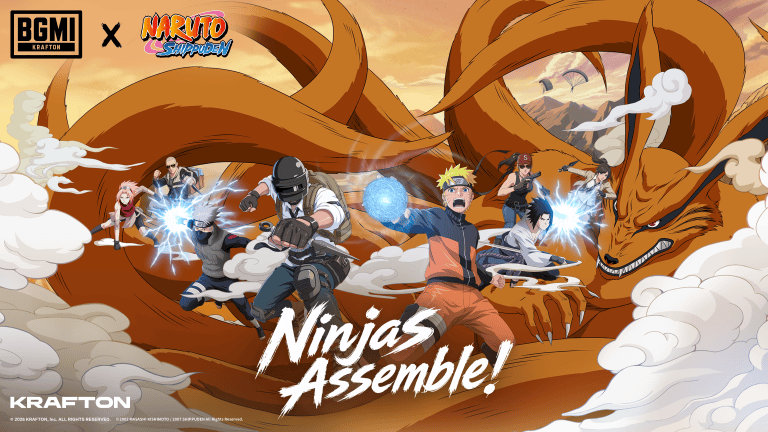
BGMI 4.5 update download is set to go live on 16 July 2026 on the Google Play Store, App Store, and official website of Battlegrounds Mobile India. KRAFTON India has officially rolled out the update with a special Naruto collaboration, new gameplay modes, ninja abilities, themed locations, and exclusive rewards. Players can now download the latest version on Android and iOS devices and experience all the new content.
BGMI 4.5 Update Download Date
The BGMI 4.5 update download date is 16 July 2026. The update is available through the Google Play Store for Android users and the Apple App Store for iPhone and iPad users. As with previous major updates, the rollout may happen in phases, so some players could receive it a little earlier than others.
BGMI 4.5 Update Download Time
KRAFTON has started rolling out the update on 16 July, and it is becoming available gradually across supported devices. If the update is not visible on your device immediately, you can wait for a few hours and check the Play Store or App Store again. A stable internet connection and enough free storage are recommended before downloading the update.
The biggest highlight of the BGMI new update is the Naruto Theme Mode. Players can explore several famous locations from the anime, including:
Hidden Leaf Village
Hokage Rock
Naruto’s Apartment
Ichiraku Ramen Shop
Valley of the End
Chunin Exam Arena
Ninja Academy
The update also introduces powerful ninja abilities such as Rasengan, Chidori, Flying Raijin Jutsu, Shadow Clone Jutsu, Great Fireball Jutsu, and Earth Style Mud Wall. Players can even use Voice-Activated Ninjutsu to activate certain abilities using their microphone.
Another major addition is the Kurama Boss Battle, where players fight the legendary Nine-Tailed Fox in a multi-stage battle. New modes like Defend Konoha and Valley of the End Solo Duel have also been added. Players can also unlock Naruto-themed outfits, weapon skins, collectible cards, and exclusive Royale Pass rewards during the collaboration event.
The BGMI 4.5 Update is one of the most content-packed updates released by KRAFTON India. From the Naruto-themed world and powerful jutsu to the Kurama boss fight and exclusive rewards, the update offers plenty of new content for both casual and competitive players. If you haven’t updated your game yet, you can download the latest version now and start exploring the new Naruto-themed battleground.
A recent wave of new Genshin Impact leaks has revealed the next set of new characters coming to the open-world RPG, and it seems that fans have plenty to look forward to following the Snezhnaya launch.
According to prominent Genshin Impact leakers and dataminers, the game will see several new playable characters being added to its roster over the next few updates.
In this article, we’ll go through the leaked character roadmap for Genshin Impact 7.1–7.3.
✨ [ Questionável ] Informações sobre BANNERS & PERSONAGENS de Snezhnaya em Genshin Impact;
• Kinich NÃO terá rerun na Versão 7.0 • A versão 7.1 terá buffs de Cristalização Lunar, o que indica rerun da Zibai. • Mitya é um personagem 5 estrelas. • Tsaritsa faz parte da equipe… pic.twitter.com/NBM8Scbczt
Genshin Impact 7.1–7.3 Character Roadmap: All New Characters
The new leaks break down the character additions by the upcoming versions. In Genshin Impact 7.1, Vesna and Vodyanitsa are reportedly set to debut, with the latter rumored as a 5-star Anemo DPS character. Vodyanitsa, on the other hand, is likely to be a 5-star Hydro support.
Version 7.2 will reportedly bring in Mitya and Valeriy as the two new characters. Mitya is expected to be a 5-star Electro off-field sub-DPS, while Valeriy might be a supporting 4-star Electro character.
The latest wave of leaks further claims that Genshin Impact 7.3 will bring in Tsaritsa, the Cryo Archon and ruler of Snezhnaya, alongside Danica. Danica is rumored to be a 5-star Electro character.
Below, we have listed the full leaked character roadmap for Genshin Impact 7.1–7.3:
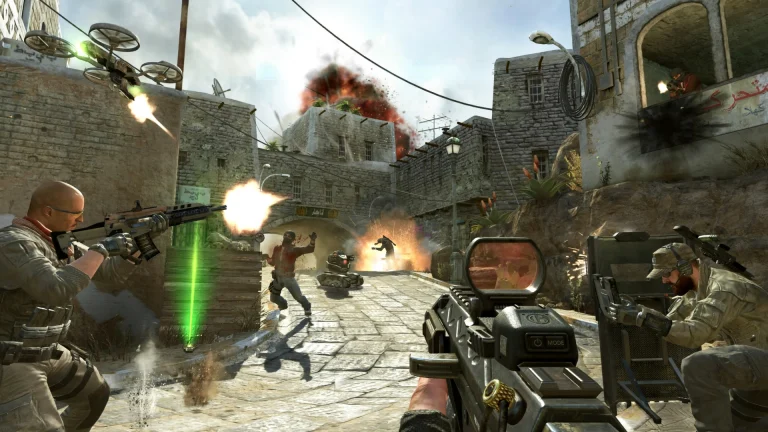
Call of Duty developer at Activision has confirmed that popular titles from the franchise, namely Call of Duty: Black Ops and Call of Duty: Black Ops 2, will now support multiplayer cross-play between PlayStation 4 and PlayStation 5.
This cross-play feature has only been extended within the PlayStation family. Therefore, other platforms like Xbox and PC are not covered. Players on PS4 and PS5 can join multiplayer matches with each other regardless of the version of the game, allowing owners of the old-gen console to play alongside new-gen console owners.
This confusion arose after the games were released for the new-gen consoles, and while there are many that would like to enjoy older games, the ability to enjoy multiplayer with friends without having console generation limitations is a massive win for the gaming community.
As the old generation of Black Ops games got rereleased for PS5, many saw it as a cash-grab attempt. However, the reaction of the community came out to be largely positive, and with cross-generation multiplayer now getting officially confirmed, this is a great time to be a Call of Duty enjoyer.
CS2 console commands give players quick control over Counter-Strike 2 settings, practice servers, FPS monitoring, crosshair customization, binds, bots, grenades, and private-server settings. The developer console can be enabled from Settings > Game > Enable Developer Console (~) > Yes, after which players can open it with the ~ key on supported keyboard layouts.
This guide covers the most useful CS2 console commands for practice, FPS, crosshair, binds, and servers. It also explains which commands require sv_cheats 1, how to create a practice setup, and how to discover commands available in your current CS2 build.
CS2 Console Commands: How to Enable and Use Them
To enable the CS2 developer console, open the game and go to Settings > Game. Find Enable Developer Console (~) and set it to Yes. Valve’s current Steam Support instructions confirm this exact process for Counter-Strike 2.
Once enabled, press ~ to open the console. Type a command and press Enter. You can also use find to search for commands related to a specific feature and help to get information about a command.
For example:
find crosshair
help cl_crosshairsize
CS2 has thousands of console variables and commands, and the available list can change with updates. Therefore, this guide focuses on the commands players are most likely to use rather than pretending that every internal command is useful. You can use cvarlist inside CS2 to inspect the commands available in your current build.
Best CS2 Console Commands for Practice
Practice commands are useful for grenade lineups, aim training, movement practice, bot setups, and testing weapons. Most server-side practice commands should be used in a private or offline environment.
For grenade practice, CS2 also includes commands such as sv_grenade_trajectory_prac_pipreview 1, which enables a picture-in-picture grenade trajectory preview. sv_grenade_trajectory_prac_trailtime can be used to control how long grenade trajectories remain visible.
These commands are especially useful when learning smoke, flash, molotov, and HE grenade lineups.
CS2 Console Commands for FPS
Players can use CS2 console commands to monitor and cap FPS, although the game also has a built-in Telemetry HUD that can display FPS and network information. Valve recommends the Telemetry HUD under Settings > Game > Telemetry for monitoring frame rate and network conditions.
Command
Function
cl_showfps 1
Shows the current FPS
cl_showfps 2
Shows additional FPS information
fps_max 0
Removes the in-game FPS cap
fps_max 400
Caps FPS at 400
For a simple FPS counter, use:
cl_showfps 1
To set an FPS limit:
fps_max 400
There is no universal FPS value that is best for every PC. Players should choose a cap that their hardware can maintain consistently rather than chasing an unnecessarily high number.
CS2 Crosshair Commands
Crosshair commands remain some of the most useful CS2 console commands because they let players fine-tune the size, gap, thickness, color, and style of their crosshair.
CS2 also supports custom RGB values through cl_crosshaircolor_r, cl_crosshaircolor_g, and cl_crosshaircolor_b. This gives players more control over their crosshair color than the standard presets.
CS2 Console Commands for Binds
The bind command assigns a console command to a keyboard or mouse button. Players can use binds for movement, weapon actions, utility, hand switching, and other frequently used functions.
Command
Function
bind "KEY" "COMMAND"
Assigns a command to a key
unbind "KEY"
Removes a key bind
key_listboundkeys
Lists current key binds
unbindall
Removes all binds
For example:
bind "F4" "noclip"
This makes F4 activate noclip on a server where cheats are enabled.
Players can also bind multiple commands:
bind "F5" "buy ak47; buy vesthelm; buy flashbang"
For switching the weapon between the left and right side of the screen, the current command is:
bind "L" "switchhands"
The switchhands command is supported in current CS2 builds, making it a useful alternative to relying on older CS:GO-era hand-switch commands.
CS2 Console Commands for Servers
Server commands are mainly useful for private matches, local practice, or server administration. Some commands can also be used to connect to or manage a server.
Command
Function
connect IP:PORT
Connects to a server
disconnect
Disconnects from the current server
retry
Attempts to reconnect
status
Displays server and player information
changelevel MAP
Changes the current map
map MAP
Loads a map
sv_cheats 1
Enables cheat-protected commands where permitted
sv_lan 1
Configures the server for LAN use
For example:
connect 127.0.0.1:27015
The exact commands available to you can vary depending on whether you are playing an official match, local game, community server, or a server where you have administrative access.
CS2 Console Commands You Should Not Confuse With CS:GO Commands
Older CS:GO command lists can be misleading because Counter-Strike 2 uses the Source 2 engine and Valve has changed or removed several commands over time.
For example, older guides frequently recommend commands such as net_graph or older hand-switch configurations without explaining their current CS2 status. Players should verify commands against the current CS2 build rather than blindly copying old CS:GO lists.
This is also why cvarlist, find, and help are useful. They let you check what your own game currently supports.
Valve continues to update CS2, including changes to commands and scripting functionality, so command behavior can change with major updates.
How to Find Any CS2 Console Command
If you are looking for a command that is not included above, open the console and use:
This is the most reliable way to check commands in your installed version of CS2 because large third-party command databases can contain commands from older versions or other Source-engine games.
Final Words
CS2 console commands are useful for much more than enabling cheats. Players can use them to build practice servers, test grenade lineups, monitor FPS, customize crosshairs, create binds, manage bots, and connect to private servers.
For everyday use, commands such as cl_showfps, fps_max, cl_crosshairstyle, cl_crosshairsize, bind, and switchhands are among the most practical. For training, commands such as sv_cheats 1, bot_kick, mp_roundtime, mp_buy_anywhere, and grenade trajectory commands can save a lot of time.
Because CS2 continues to receive updates, use cvarlist, find, and help whenever you are unsure whether an older command still works.
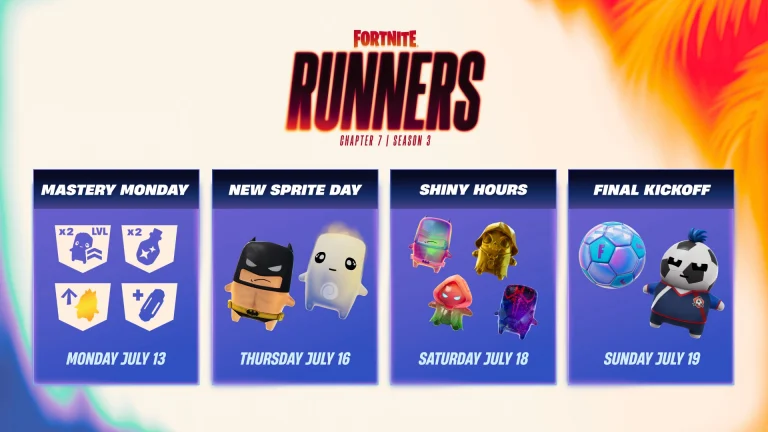
Fortnite players may get a free Football Toy during the game’s upcoming “Final Kickoff” event. The timing lines up with the FIFA World Cup Final, which kicks off on July 19, 2026. But there’s a decent chance the item turns out to be something else entirely.
What Sparked the Rumor
Epic Games shared a preview of new Fortnite content for the week, and players noticed a small football sitting next to the Striker Sprite in the creative assets. That detail got fans talking.
The football in question appears to be a Creative Football Toy called Soccer Ball. This item has existed since Fortnite Chapter 2 Season 7 but has never been released to players. Its sudden reappearance is what’s fueling speculation that Epic plans to hand it out for free.
This particular type of cosmetic isn’t new to Fortnite. Toys of this kind have been part of the game since Chapter 1 Season 5, though they rarely get much attention.
Why It Might Be a Back Bling Instead
Not everyone thinks the free Football Toy is coming. Some players believe the item will turn out to be a Back Bling instead, similar to how Epic previously gave out the Mobile Series Back Bling as a freebie.
Epic Games has a pattern of handing out cosmetics like this during major events, so a Back Bling wouldn’t be out of place. Given that history, the odds may lean toward a Back Bling rather than an actual free Football Toy.
Nothing has been confirmed either way. Epic Games is expected to release more details about the Final Kickoff event later this week, closer to July 19, 2026, when the FIFA World Cup Final takes place.
The next season of Fortnite is still a little ways down the road, but dataminers have already managed to dig up rumors that suggest a massive “Gaming Legends” crossover event coming to the battle royale in the near future.
According to prominent Fortnite leakers SpushFNBR and Wensoing, Fortnite Chapter 7 Season 4 could entirely be themed around iconic video game characters, potentially bringing together some of the biggest names in gaming history under one Battle Pass.
One of the biggest highlights of Season 4 is perhaps Sonic the Hedgehog, who multiple leakers claim is likely to come alongside the next Battle Pass.
The skin has been described as a LEGO figure with a customizable minifigure-style head, eyes, and mouth paired with a guitar accessory.
Sonic will most likely be in the S4 battlepass!🍨
Epic is working on a LEGO figure with a Battlepass codename that has an unique head, eyes and mouth. The skin is also set to have a guitar. With this amount of effort, it makes sense that it can be for Sonic.
Alongside Sonic, the leaks also suggest Mega Man, Crash Bandicoot, and Sora from Kingdom Hearts coming to Fortnite with the Chapter 7 Season 4 Battle Pass. The Kingdom Hearts collaboration had also been rumored earlier this year, so its inclusion in the upcoming season would be in accordance with the prior leaks.
A Persona collaboration, likely tied to Persona 5, has also reportedly been confirmed by multiple trusted sources.
STRONG RUMOR: CHAPTER 7 SEASON 4 WILL BE GAMING LEGENDS THEMED! 🤯🔥
This season should include many of the gaming collaborations that have leaked throughout this year, including Sonic, Megaman, Crash Bandicoot, Kingdom Hearts, and many more!#Fortnite | via: me & @Wensoing 🍨 pic.twitter.com/hwsyTxNexm
As always, Epic Games has remained pretty tight-lipped about the next Fortnite Season, and none of this is officially confirmed. Be sure to take these leaks with a grain of salt.
The devs are expected to shed further light on the new season as we approach closer to the end date of Chapter 7 Season 3.
Should these leaks turn out to be true, Fortnite Chapter 7 Season 4 could easily be one of the biggest crossovers in gaming history.
EA has replaced the Festival of Football (FoF) Token system in FC 26 with a new FUTTIES Token Store. The change arrived with the FUTTIES campaign in Ultimate Team, and it brings updated ways to earn Tokens, a new weekly refresh schedule, and a fresh set of rewards.
Here is a complete breakdown of how the FUTTIES Token system works, how to earn Tokens, and which rewards are worth prioritizing.
How to Earn FUTTIES Tokens in FC 26
You earn FUTTIES Tokens simply by playing FC 26 Ultimate Team. EA has increased the Token payout across every tier in Rivals and Squad Battles compared to the previous season.
You can earn Tokens through the following modes:
Division Rivals
Squad Battles
Rush
Live Events
SBCs
Select Objectives
Division Rivals also offers additional non-Token rewards at higher divisions. There are currently no Token Swap SBCs available to trade fodder for Tokens, though this route was available last season and could return later in the campaign.
Weekly Token Limits and Store Refresh
Tokens are capped so players cannot unlock everything at once. The current weekly limit is 1,000 Tokens, with a season-long cap of 5,000 Tokens.
The FUTTIES Token Store now refreshes on Fridays instead of Thursdays. This gives players an extra day to spend Tokens earned that week before new offers appear.
Most Packs, Evolution Consumables, and Player Items in the weekly rotation now cost less than the 1,000 Token weekly limit. This makes it easier to unlock items without saving Tokens across multiple weeks.
The EWC 2026 Dota 2 tournament has reached a crucial stage in Paris, with the group phase now complete and the battle for the remaining playoff spots set to begin. The tournament features 24 teams competing for a $2 million prize pool. After five days of group-stage action, only 16 teams remain in contention for the championship.
Four Teams Secure Direct Playoff Spots
Team Falcons, Nigma Galaxy, PARIVISION and Team Yandex finished at the top of their respective groups. As group winners, all four teams have secured direct places in the playoffs.
PARIVISION and Team Yandex confirmed their spots on the final day of the group stage. PARIVISION finished Group C with a 4-0-1 record after drawing 1-1 with Team Spirit. Team Yandex also ended with a 4-0-1 record after defeating 1win in Group D.
The results put four of the tournament’s strongest performers in a favourable position. They will now have time to prepare for the next stage while their opponents fight through the Survival Stage.
12 Teams Face a Must-Win Battle
The remaining 12 teams are not out of the EWC 2026 Dota 2 tournament yet. Team Spirit, Vici Gaming, MOUZ, 1win, LGD Gaming and Virtus.pro will join BetBoom Team, Rune Eaters Esports, Xtreme Gaming, Aurora Gaming, Team Liquid and PlayTime in the Survival Stage.
However, the margin for error is now extremely small. The Survival Stage begins on July 14, with teams competing in a single-elimination format for the four remaining playoff places. The stage is scheduled to run for two days before the final eight-team playoff bracket is decided.
What Happens Next at EWC 2026?
There will be a short break on July 13 before the Survival Stage gets underway on July 14. The actual Dota 2 playoffs are scheduled to begin on July 16, with the grand final set for July 19.
With four teams already through and 12 fighting for the remaining spots, the next two days could completely reshape the EWC 2026 Dota 2 title race.
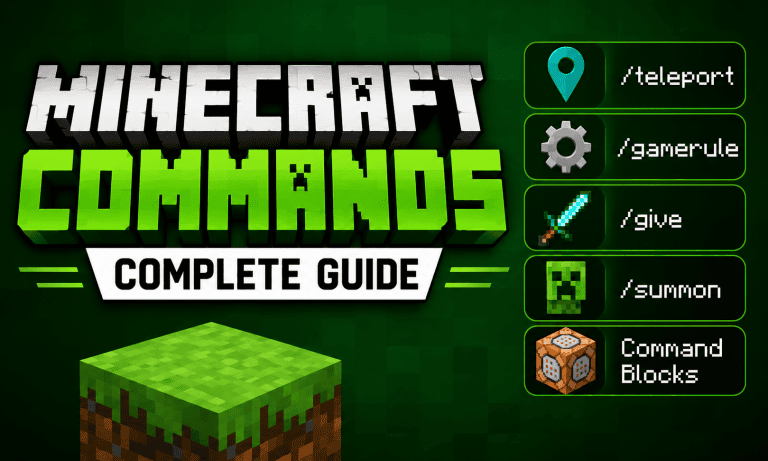
Minecraft Commands let players change the way they play by teleporting to locations, giving items, changing gameplay rules, summoning mobs, and creating automated systems. Commands can be useful in Survival worlds with cheats enabled, Creative builds, multiplayer servers, adventure maps, and custom game modes. In this guide, we will explain the most useful Minecraft Commands, including /teleport, /gamerule, /give, /summon, and command blocks. You will also learn how target selectors, coordinates, and command syntax work so you can start using commands without memorizing complicated code.
Minecraft Commands: How to Use Them
Minecraft Commands are instructions that the game executes when you enter them in chat or use them through a command block. Depending on the command, you can modify the world, control players and mobs, change gameplay rules, or create automated systems. Minecraft’s official command documentation includes commands for teleportation, items, entities, game rules, effects, blocks, time, weather, and more.
To use commands, type / in the chat box followed by the command. Minecraft provides autocomplete suggestions while you type, which makes it easier to find commands and their available arguments. You can also use /help to view available commands or /help <command> to see information about a specific command.
Some commands require cheats or the appropriate permissions. On multiplayer servers, your permissions can determine which commands you can use. In Bedrock Edition, commands such as /teleport, /give, /gamerule, and /summon require the relevant game permissions and cheats where specified by the command.
Minecraft Commands for Teleporting
The /teleport command, also available as /tp, lets you move yourself or other entities to a specific location. You can teleport to coordinates or, in supported situations, to another entity.
Here are some useful examples:
/teleport @s 100 64 100
This teleports yourself to the coordinates 100, 64, 100.
/tp @p 200 70 -50
This teleports the nearest player to the specified coordinates.
/tp Steve Alex
This can teleport Steve to Alex when the destination resolves to a single entity.
Minecraft uses X, Y, and Z coordinates to identify positions. X controls east-west movement, Y controls height, and Z controls north-south movement. You can also use ~ for relative coordinates. For example, ~ ~5 ~ means 5 blocks above your current position.
Minecraft Gamerules Explained
The /gamerule command changes specific gameplay settings. It is especially useful when you want to customize how a world behaves without changing the entire game mode. Minecraft Bedrock includes both Boolean gamerules, which use true or false, and integer-based gamerules.
Some useful examples include:
/gamerule keepinventory true
Keeps players’ inventory after they die, where supported by the edition and current game rules.
/gamerule dodaylightcycle false
Stops the normal day-night cycle.
/gamerule doweathercycle false
Stops the weather from changing naturally.
/gamerule commandblockoutput false
Prevents command block output from filling the chat in Bedrock Edition.
Available gamerules can vary between Minecraft Java Edition and Bedrock Edition, so check the autocomplete suggestions in your version before using a specific rule.
Minecraft Give Command
The /give command lets you add items directly to a player’s inventory. It is one of the easiest Minecraft Commands to learn and is useful for testing builds, Creative projects, maps, and custom gameplay.
The basic format is:
/give <player> <item> <amount>
For example:
/give @s diamond 64
This gives yourself 64 diamonds.
You can also give items to every player:
/give @a iron_sword
Or give yourself a specific amount of another item:
/give @s golden_apple 16
In Bedrock Edition, the official syntax supports a target, item name, optional amount, and additional arguments such as data and components.
Minecraft Summon Command
The /summon command creates an entity at your location or at specified coordinates. You can use it to spawn mobs for testing, build custom maps, create arenas, or set up command-based events.
The basic command is:
/summon minecraft:zombie
This summons a zombie near your current location.
You can also specify coordinates:
/summon minecraft:creeper 100 64 100
This attempts to summon a creeper at the specified position.
In Bedrock Edition, /summon supports additional options, including spawn positions, rotation, events, and name tags.
Because entity IDs and advanced summon syntax can differ between Java and Bedrock, use the game’s autocomplete feature when creating more complicated commands.
Minecraft Command Blocks Explained
Command blocks allow you to run commands without typing them into chat every time. They are particularly useful for adventure maps, minigames, teleport systems, automated events, and custom mechanics.
Minecraft’s official help documentation identifies 3 main command block types:
Impulse: Runs its command when activated.
Repeat: Repeatedly runs its command while powered.
Chain: Runs after another command block in the sequence executes.
You can obtain a command block with:
/give @s command_block
After placing it, enter a command into its interface and activate it using redstone or the appropriate command block settings.
For example, you could place this command inside a command block:
/tp @p 100 64 100
When activated, it teleports the nearest player to those coordinates.
Command blocks become much more powerful when you connect multiple blocks together. A chain can execute several commands in sequence, allowing you to create systems that would be difficult to perform manually.
Minecraft Target Selectors You Should Know
Target selectors make commands more flexible because they let you choose players or entities without typing their names.
Selector
What it does
@s
Selects the command executor
@p
Selects the nearest player
@a
Selects all players
@e
Selects all entities
@r
Selects a random player
For example:
/give @a diamond 1
gives every player a diamond.
You can also combine selectors with conditions. For example:
/tp @a 100 64 100
teleports all players to the same location.
Target selectors are especially useful in command blocks because they allow the same command to work for different players without manually entering usernames. Minecraft’s command documentation describes targets as player names or target selectors and supports selector parameters for more advanced control.
Useful Minecraft Commands for Beginners
Once you understand the main commands, these are some other commands worth learning:
/gamemode creative
Changes the player’s game mode.
/time set day
Changes the time to day.
/weather clear
Changes the weather to clear.
/locate structure minecraft:stronghold
Finds the nearest stronghold in versions that support this syntax.
/setworldspawn
Sets the world spawn at your current location.
/kill @e[type=minecraft:zombie]
Targets zombie entities for removal, where the syntax is supported by the edition/version.
Minecraft’s official command guide lists teleportation, item distribution, weather, time, summoning, world spawn, locating structures, and several other commands among the most useful commands for players.
Minecraft Commands: Java vs Bedrock
The biggest thing beginners should remember is that Minecraft Java Edition and Bedrock Edition do not always use identical command syntax. The command names may be the same while arguments, entity IDs, item IDs, selector syntax, or advanced features differ.
For this reason, do not assume that a command found for Java Edition will work exactly the same way in Bedrock Edition.
The safest approach is to type the command in-game and use Minecraft’s autocomplete suggestions. You can also use /help followed by a command to check its available syntax in Bedrock Edition.
Minecraft Commands Tips for Beginners
If you are new to commands, start with simple commands such as /time, /weather, /give, and /teleport. Once you understand coordinates and target selectors, move on to /execute, /summon, /fill, and command blocks.
Keep these tips in mind:
Use autocomplete instead of memorizing every argument.
Test complicated commands in a backup world.
Check whether cheats and permissions are enabled.
Remember that Java and Bedrock syntax can differ.
Use ~ coordinates when you want positions relative to the command’s execution point.
Use target selectors when you want commands to work for multiple players or entities.
With these basics, Minecraft Commands become much easier to understand. Whether you want to teleport across the map, change gamerules, give yourself items, summon mobs, or build a complete command-block system, learning a few core commands is enough to get started.
100 Thieves have won the VALORANT tournament at the Esports World Cup 2026 after defeating NRG 3-1 in the Grand Final on July 12. The victory gives 100 Thieves their first major international VALORANT title and a $600,000 prize.
The Grand Final in Paris featured an all-American matchup between two of the strongest teams in the tournament. NRG entered the series looking to add another international trophy, while 100 Thieves were aiming to complete an unbeaten run through the competition.
100 Thieves Take Early Control
The series began on Breeze, NRG’s map pick. However, 100 Thieves quickly established control and finished the map with a 13-7 victory.
100 Thieves continued their momentum on Sunset. After building an advantage early in the map, they closed it out 13-6 to move one map away from the championship. Cryocells was particularly effective on the second map, producing a strong individual performance as 100 Thieves took a 2-0 lead.
NRG refused to go quietly. On Haven, the team responded emphatically, winning 13-2 and forcing the Grand Final onto a fourth map.
100 Thieves Close Out the Final
Ascent became the decisive battleground. NRG started strongly and held a 9-3 lead at halftime, putting 100 Thieves under significant pressure.
The series then turned around. 100 Thieves fought back round by round, eventually leveling the score and forcing overtime. They completed the comeback by winning Ascent 14-12, securing the series 3-1 and the EWC VALORANT championship.
The victory earned 100 Thieves $600,000 in prize money and 1,000 Esports World Cup Club Championship points. Peter “Asuna” Mazuryk also secured his first major international VALORANT trophy after spending more than five years with the organization.
A Major Moment for 100 Thieves
The EWC title represents a significant achievement for 100 Thieves’ VALORANT division. The team entered the tournament as one of the invited international contenders and ultimately finished the event at the top of a 16-team field.
For NRG, the 3-1 defeat ends their EWC campaign as runners-up. For 100 Thieves, however, July 12 will be remembered as the day they finally lifted a major international VALORANT trophy.
100 Thieves are the VALORANT champions of the Esports World Cup 2026.