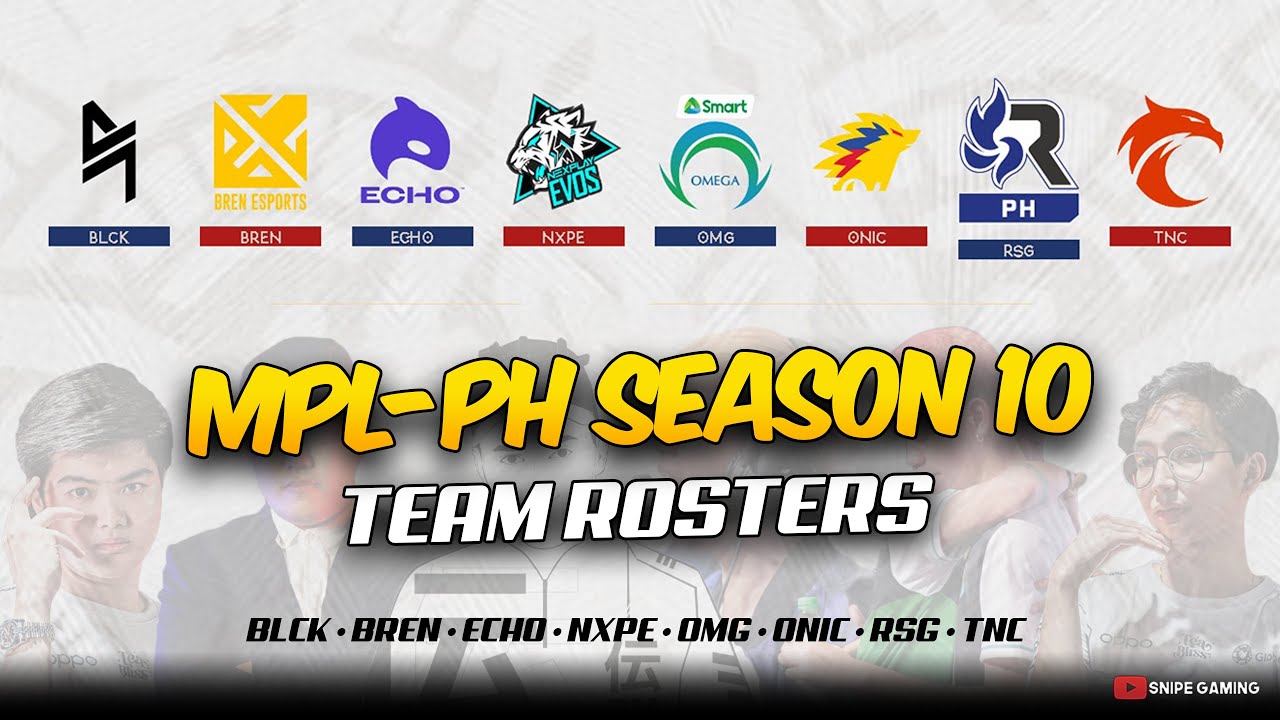
The Mobile Legends: Bang Bang Professional League Philippines Season 10 (MPL PH Season 10) is scheduled to start soon. MPL PH is a professional league held in the Philippines featuring the best teams from the region. The league adopts a franchise system.
The prize pool for season 10 has not been announced by the organizer. Although, it is expected to feature $150,000 USD same as the last season. The MPL PH Season 9 was won by RSG Philippines which qualfied for the MLBB Southeast Asia Cup 2022 along with Omega Esports which finished at the second spot.
The MSC is an MLBB regional championship for the Southeast Asia region. The championship features the best teams from countries across Southeast Asia. The event was also won by RSG Philippines.
With the new season coming now, there have been many roster changes within the teams. Here is the full list of rosters of all eight teams competing at MPL PH Season 10.
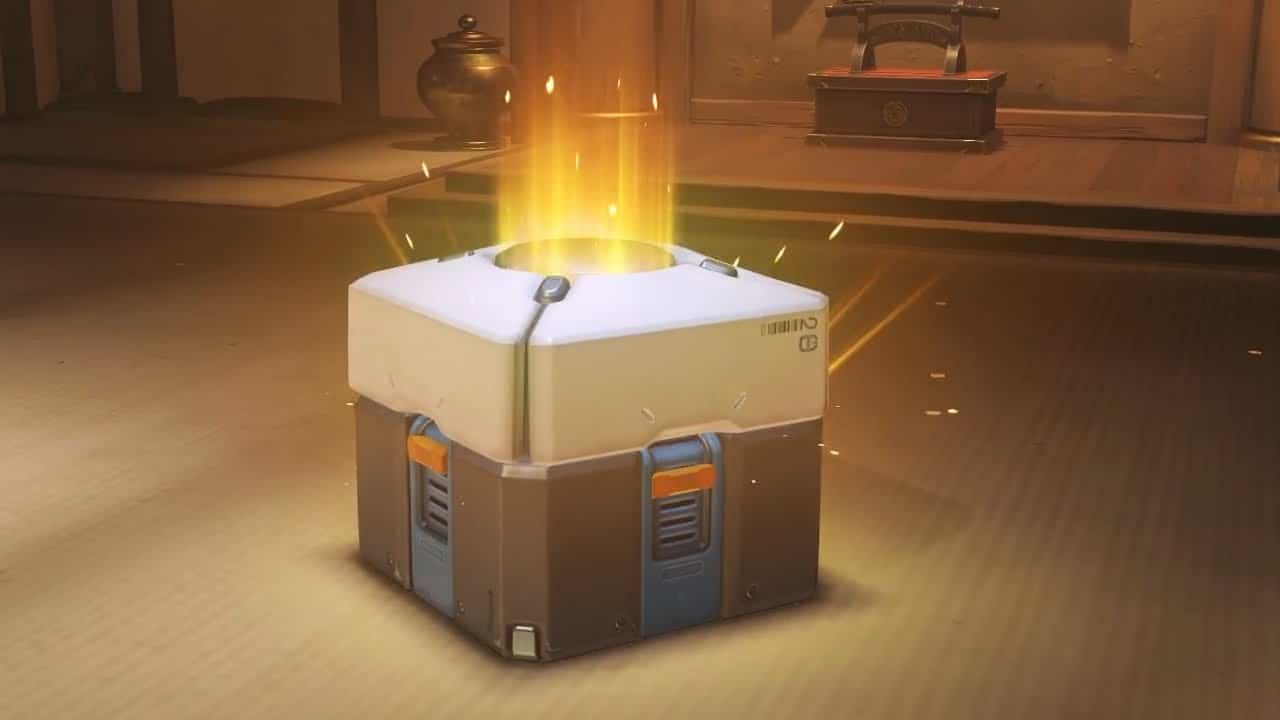
Fans of Overwatch patiently waiting for the release of the sequel of the game can in the meantime claim 3 free lootboxes for their favorite title. As part of Amazon’s Prime Day celebration, Overwatch 1 players can claim 3 standard lootboxes for free from the Prime Gaming giveaway.
Overwatch Prime Gaming Loot
Prime Gaming subscribers can unlock three free standard loot boxes via the Prime Gaming Loot section and open them for free in-game. To claim these 3 loot boxes you just need a valid Prime Gaming Subscription.
Subscribing to Prime Gaming costs $15 a month after a 30-day free trial and will unlock tons of free games plus in-game content for titles like VALORANT, League, Wild Rift, FIFA, and several others. Prime Gaming users also get a free Twitch subscription they can use once a month on any creator, plus unlimited access to Prime Video’s streaming catalog.
A-Mei-zing! ✨
Unlock 3 Free Standard loot Boxes for a limited time with @PrimeGaming!
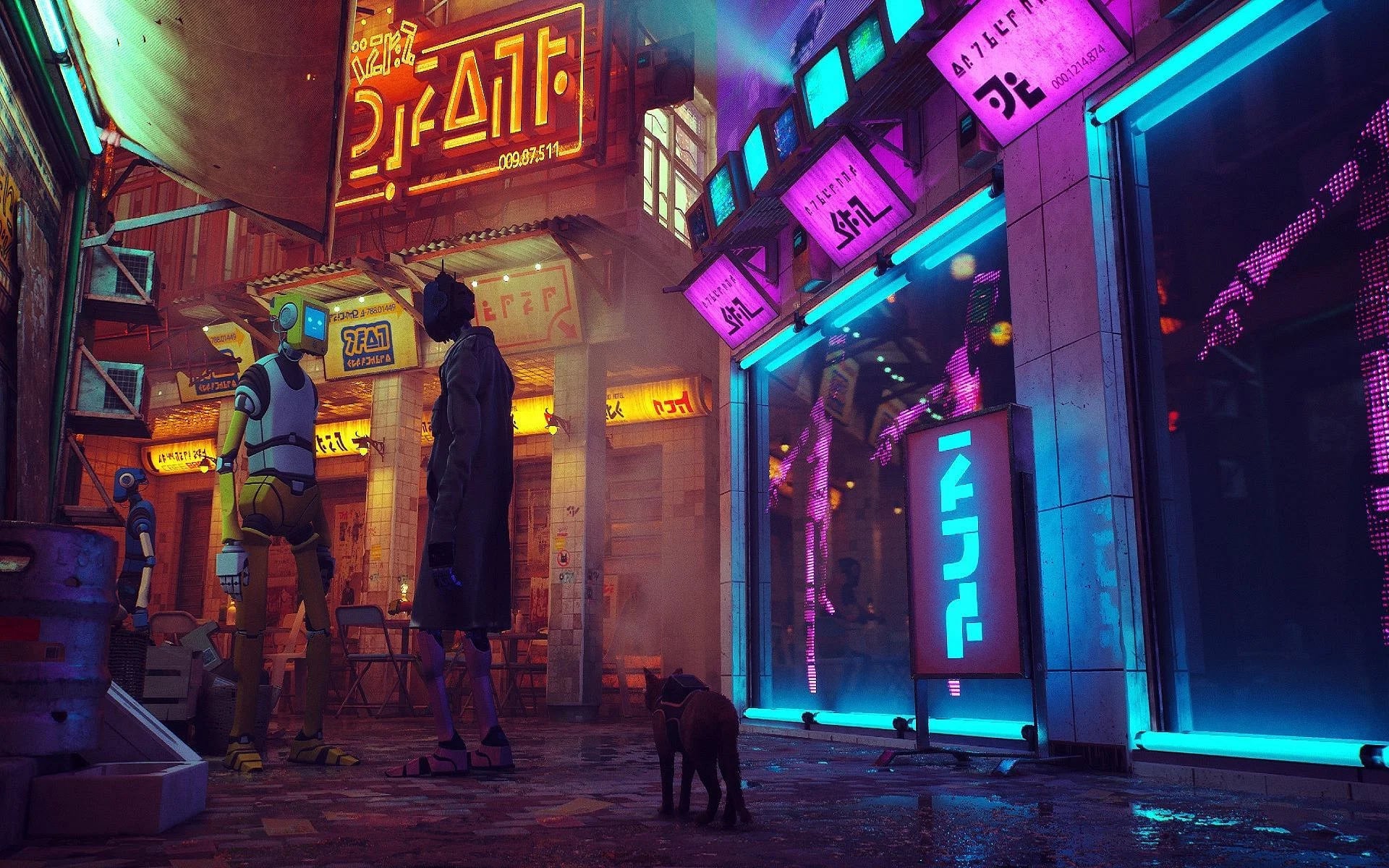
Released this week, Stray has quickly taken over the internet by storm. With players loving the cat roleplay and traversing through levels designed especially for natural cat movement. The game is full of mechanics and puzzles that will keep the playerbase engaged for hours.
The gameplay mechanics are just designed for completing levels or solving puzzles, players can find walls, couches, and curtains to scratch and other random stuff to do, which a real-world cat would do. They might also discover several activities to perform such as dunking a basketball or chucking flowerpots from ledges over robots. Stray is filled with many mini-activities and fun mechanics are players are still discovering.
One such mechanic that was recently uncovered was the Paper Bag hat. In Stary, players can complete an achievement “Curiosity Killed The Cat”, where you just need to find and put a paper bag over your orange feline protagonist.
Completing the achievement is also as simple as it sounds. You will find several paper bags spread across the different levels of the game or on the ground while exploring the post-apocalyptic city. While you can also find paper bags in some key locations like Momo’s Apartment, etc.
How To Put Paper Bag On Cat’s Head In Stray
Once you find the paper bag, simply walk up to the paper bag and the game will prompt an interact button. Press the button and our orange protagonist will put on the paper bag over its head. You will get the achievement as soon as the animation is over Additionally while our protagonist is wearing the paper bag, the controls will be inverted for a few seconds before our cat recovers.
Valorant error codes are perhaps one of the most annoying things that a player can face while playing or attempting to play the competitive shooter by Riot Games. Not only do they kick you out from any games you’re in, but they also prevent you from launching the game itself, which means that you’ll be unable to queue for a game till you find a fix to the error code you’re facing.
The Valorant ‘VAL 19’ error code is one of the most common error codes that players have been reporting to have faced over the past few days. It’s an extremely annoying problem for Valorant players to face and is often accompanied by the message: “There was an error connecting to the platform. Please restart your game client.”
If you’ve been getting this error code, then that means your client is having difficulties while trying to connect with the live servers of Riot Games.
However, you can try some things to be able to fix this problem.
How to fix Valorant Error Code ‘Val 19’?
Here are some steps you can try to fix the ‘Val 19’ error code in Valorant:
Restart Riot Client: You’ll be surprised to find out how often can a simple restart fix the Val 19 error code in Valorant. Restarting the Riot Client can also potentially trigger any pending updates that you haven’t installed yet.
Install All Updates: You’ll need to be updated to the latest version of Valorant if you want to play the game. Being a live-service title, not being updated to the live version will trigger the VAL 19 error code.
Restart Your PC and Router: Restarting your PC might also fix this error code in Valorant. Also, restart your router and ensure that you have a stable internet connection.
These are all the things you can do to fix the Val 19 error code in Valorant. If the problem persists, then it’s almost certain that the problem is on the server side. Now all you can do is wait for the Riot devs to fix this problem. Generally, Riot Games is pretty swift to patch issues like these out, and it’s likely that you’ll be able to play the game in only a few minutes.
BGMI Showdown 2022 is scheduled to start on the 21st July. This event is the first official esports event that will be played in a LAN format.
A total of 24 teams are invited through the BGMI Pro series 2022 and BGIS 2022. BGMI Showdown 2022 is a four-day long event where the 24 invited teams will compete with each other in a round-robin format for 3 days. The top 16 teams finishing at the top of the overall leaderboard will compete in a one-day final.
GROUPS
Group A
7SEA Esports
Global Esports
Team GodLike
Orangutan
R Esports
Team INS
Team Kinetic
Udog India
Group B
Autobotz Esports
FS Esports
Hyderabad Hydras
OR Esports
Reckoning Esports
Esports Wala
Team Soul
TSM
Group C
Big Brother Esports
Enigma Gaming
Hydra Esports
Nigma Galaxy
Revenant Esports
Skylightz Gaming
Team Xspark
Team XO
The event will have a prize pool of ₹15,00,000 INR. Besides this, it is speculated that the winning team will get a direct invite to the upcoming PMWI 2022 After Party Showdown. A total of 12 teams will be competing in the event where the top 5 teams from the PMWI 2022 main event along with 7 invited teams will compete for $1M USD. The event is scheduled to take place on 18th-20th August 2022.
FORMAT
A total of 18 matches will be played in 3 days where each group will compete in a round-robin format. Each team will play 12 matches in three days which will determine the overall standings. The top 16 teams finishing in the overall standings will compete in the grand finals. A total of 6 matches will be played in the finals.
Summertime Odyssey can be tiring given its prolonged nature but pragmatically going about it can save both time and efforts. . There is one Echoing Conch and 15chests in there for a limited time to grabbing it quicky is a must.
This guide will explain how to solve the astral puzzles, seize destiny, and complete “The Ancient Azure Stars” domain.
THE ANCIENT AZURE STARS STORY DOMAIN WALKTHROUGH
Once you bounce into the pool, you’ll wind up in the focal office of Mona’s domain. Get the two checked Asterism Shards on the ground and spot them in the left component so they match the image on the door.
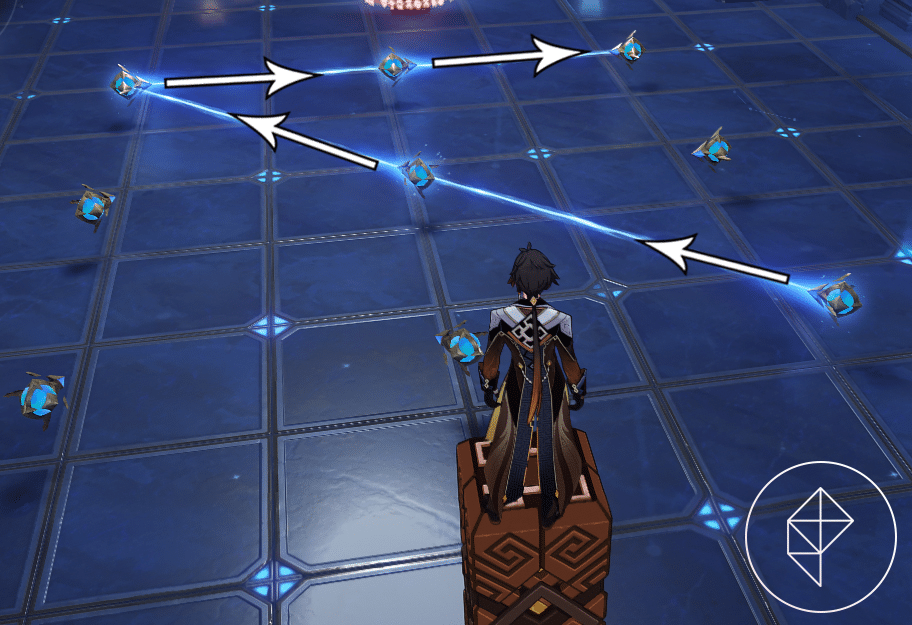
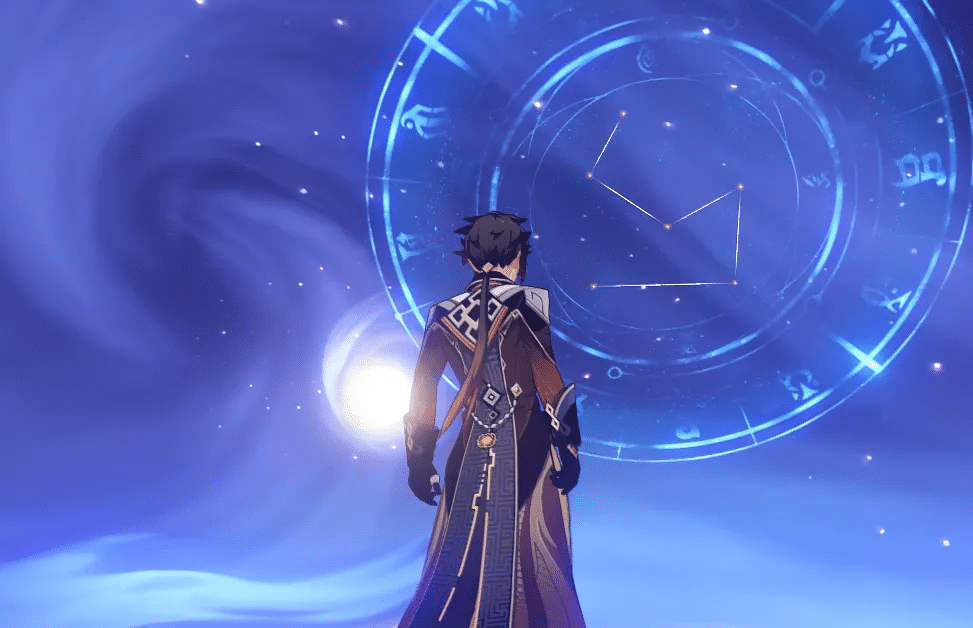
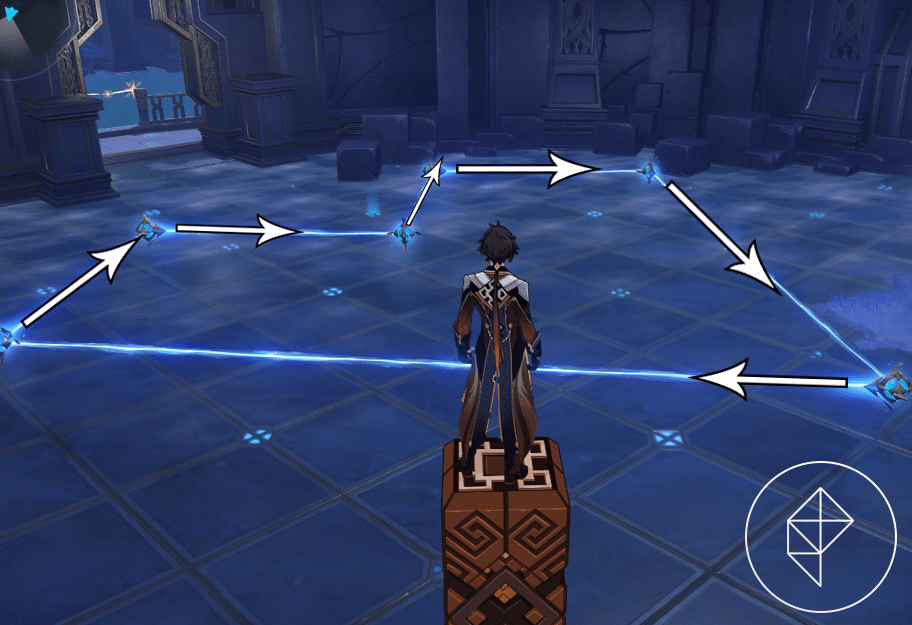
Next, you’ll need to “solve the astral puzzle,” however hitting and holding back nothing on the floor to match the example on the roof. You can tackle the riddle by setting up the Star Guides like this:
Collect the Asterism Shard from the chest and follow the star-formed Seelie out of the room and into the pool. Follow the star through the labyrinth as Mona and complete the projectile damnation star-evading fragment for a cutscene to play.
Back in the Golden Apple Archipelago, go to the obvious area, rout the Hilichurl, and cooperate with the spot it was digging to get another Asterism Shard. Place your two new shards into the instrument on the option to open the door.
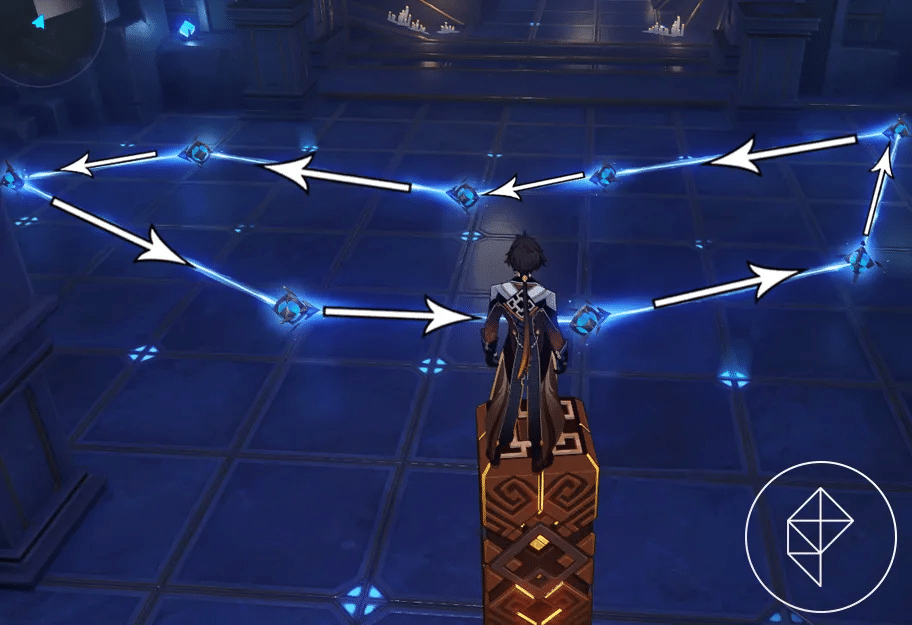
In the following room with Star Guides, collaborate with the star on the support point towards the left to raise one more star Seelie to show you where the solution to the riddle is. On the off chance that you’re struggling with seeing it, simply organize the Star Guides like this to “solve the astral riddle” again:
Pick up the fifth Asterism Shard and make a beeline for the focal chamber and hop in the pool.
Head through the “mirror maze” by involving the stars above as an aide. Simply continue to run Mona in straight bearings until she reaches a stopping point until you travel north to rejoin with the star Seelie again.
Back in the Golden Apple Archipelago, again follow the journey route, rout the Hilichurl and look at the spot it was diving in for another Asterism Shard. Return into Mona’s space and explore one more Asterism Shard by the left system. (You will require this later for investigation!) Place the two comparing shards into the north system and head through the entryway for another Star Guide puzzle.
The answer for the riddle is through an entryway on the right, yet to take some real time to consider it, just set up the Star Guides like this:
Again, snatch the Asterism Shard from the chest and make a beeline for the focal chamber. As opposed to hopping in the pool, eliminate the base shard from the component that focuses upper east and utilize that as the top part for the fourth chamber.
Head in and enact the component in the center to show a pineapple-like shape. Make the shape with the Star Guides like how we did below:
Open the chest, get the Asterism Shard, and follow the star Seelie. In the wake of following the way, a cutscene will play, and in the end you’ll play as Mona again.
To “follow the star to the objective” simply continue to run down the lobbies. Comparatively to when Mona really had a star to continue in the start of the space, the walls will continue all alone to uncover a way as you approach them. In the end, you’ll circle around and track down a star. Follow it to get to the last part of the domain.
To “follow the star to the destination ” as Mona, you’ll have to get the moving star that is drifting around the others. When you do, a delineated cutscene will play and the story piece of the area will end.
After getting done, you can connect with the stage to head once again into Mona’s area, where more rooms will open, permitting you to get more money boxes and an Echoing Conch.
THE ANCIENT AZURE STARS DOMAIN CHESTS AND CONCH LOCATIONS
There’s a lot in here, so we’ll break it up by which gate you have to enter.
NORTH TEMPLE ENTRANCE
The entryway that had the heavenly body drifting in the water is currently open, so head through there.
Following the way, there’s one more Star Guide puzzle. Hit this stone in the back to uncover the full heavenly body on the wall.
Star Guides:
Grab the chest and head straight towards the back wall, which will uncover a covered up passage.
The room with the Exquisite Chest has one more downpour rock in it (like the one you hit in the past space to uncover the full heavenly body). Break it to show the genuine area of the Exquisite Chest in the center.
Head up the steps towards the back to uncover one more covered up passage.
In here, there’s a basic support point puzzle. While they all seem to be Hydro points of support, checking the reflections on the ground will uncover that three of them are really Anemo and Pyro points of support. Utilize the Door of Resurrection to trade out your party individuals assuming you really want to, hit the support points with their comparing components, and snatch the chest.
There’s one more secret entryway toward the rear of this room, so head through it. Break the stone on the passed on side and light these lights to get a Common Chest.
If the lights on the right side are lit, utilize a Hydro character to put them out. Run back to the primary room with the pool of water, and you’ll see the water is depleted. Snatch the Common Chest at the bottom.
SOUTH TEMPLE ENTRANCE
Head through the entry to the area and go up the steps on the sides and into the now-open entryway toward the back. Continue to follow the way until you get to a Star Guide puzzle, which will change as you settle it.
Set the Star Guides like so:
An bolt will currently show up, yet it’s not for the Star Guides. All things considered, that bolt is prompting a mysterious entryway concealed at the wall it’s pointing towards. Head up the way and you’ll see the last Echoing Conch in the room on the left.
The puzzle in this room requires you to shift the stars around so the constellation in the sky matches the one on the floor. To do this hit the right button twice, the up button three times, the down button once, and the left button twice.
Once you do this, snatch the opened chest and follow the star Seelie that shows up from the heavenly body overhead. Follow it down the gap and complete the “Challenge of the Starry Sky.” Head through the entryway once you complete it and get the recently brought forth Luxurious Chest from the focal chamber.
SOUTHWEST TEMPLE ENTRANCE
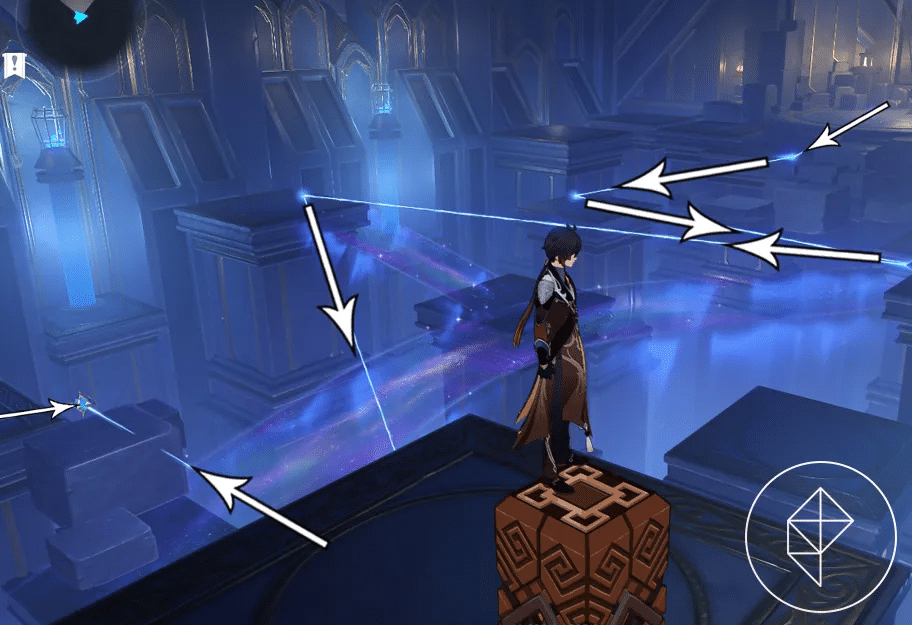
After going into the fundamental room here, head up the tremendous winding flight of stairs to enter a recently opened region. A star Seelie will lead you up, figured you can’t follow it. You should make a way for yourself utilizing the Star Guides. Set them like so:
Head up the brilliant way you made, contact the star, and open the chest. Take the recently made lift up and get the Common Chest sitting on the edge. Swim back to the lift and take it up again to snatch another Common Chest. Take the lift back as far as possible down.
Head back to the room with the twisting flight of stairs and utilize the component at the base to make another lift show up. Take it up to get a third Common Chest.
NORTHEAST TEMPLE ENTRANCE
Head through this entry and proceed to the rear of the room, where there’s another way to take. This will place you in a room with more Star Guides, as well as solid shape components. Initiating the systems will make the Star Guide heavenly body show up on a wall, however to manage all that, just set up the aides like this:
Grab the chest and move ahead. At the following room, which has a brilliant scaffold, go left of the underlying stage and connect with the star on the ledge.
Walk across the brilliant way and hop down on the edge to gather another star.
After snatching it, simply stroll across the apparently nothingness to return to the beginning. Just sit back and relax; you can’t fall. Make a beeline for the rear of the space to contact the last star, close to the Asterism Shard component. Put the additional Asterism Shard you found while doing Mona’s story area into the system. Organize the Star Guides like this:
CENTRAL TEMPLE ENTRANCE
Head down the means into the fanciful Mondstadt and contact the globe. There’s one more riddle with the four buttons, so hit the buttons in a specific order: down, right, up, left. An entryway will show up after effectively making the stars seem to be this:
Enter the door and you’ll be back in the central room with another Luxurious Chest.
That’s it for Mona’s domain. You can interact with her event portal to make sure you’re not missing any chests.
Krafton, the developer of the famous battle royale game Battlegrounds Mobile India has announced BGMI Showdown 2022. The event is scheduled to start on the 21st July. BGMI Showdown 2022 is the first official esports event that will be played in a LAN format.
A total of 24 teams are invited through the BGMI Pro series 2022 and BGIS 2022. BGMI Showdown 2022 is a four-day long event where the 24 invited teams will compete with each other in a round-robin format for 3 days. The top 16 teams finishing at the top of the overall leaderboard will compete in a one-day final.
GROUPS
Group A
7SEA Esports
Global Esports
Team GodLike
Orangutan
R Esports
Team INS
Team Kinetic
Udog India
Group B
Autobotz Esports
FS Esports
Hyderabad Hydras
OR Esports
Reckoning Esports
Esports Wala
Team Soul
TSM
Group C
Big Brother Esports
Enigma Gaming
Hydra Esports
Nigma Galaxy
Revenant Esports
Skylightz Gaming
Team Xspark
Team XO
The event will have a prize pool of ₹15,00,000 INR. Besides this, it is speculated that the winning team will get a direct invite to the upcoming PMWI 2022 After Party Showdown. A total of 12 teams will be competing in the event where the top 5 teams from the PMWI 2022 main event along with 7 invited teams will compete for $1M USD. The event is scheduled to take place on 18th-20th August 2022.
FORMAT
A total of 18 matches will be played in 3 days where each group will compete in a round-robin format. Each team will play 12 matches in three days which will determine the overall standings. The top 16 teams finishing in the overall standings will compete in the grand finals. A total of 6 matches will be played in the finals.
The Skyesports League is returning in 2022 with its biggest edition yet. This year, a new game has been added to the prestigious city-based league as 16 teams will go head-to-head in the battle royale title, Battlegrounds Mobile India (BGMI).
The Skyesports League 2022 will feature a humongous prize pool of eight figures (Indian rupees) and will be a LAN event in Delhi.
The city-based Skyesports League will be a one-of-a-kind experience for fans as for the first time in the history of BGMI esports, fans will get a chance to cheer for their home city.
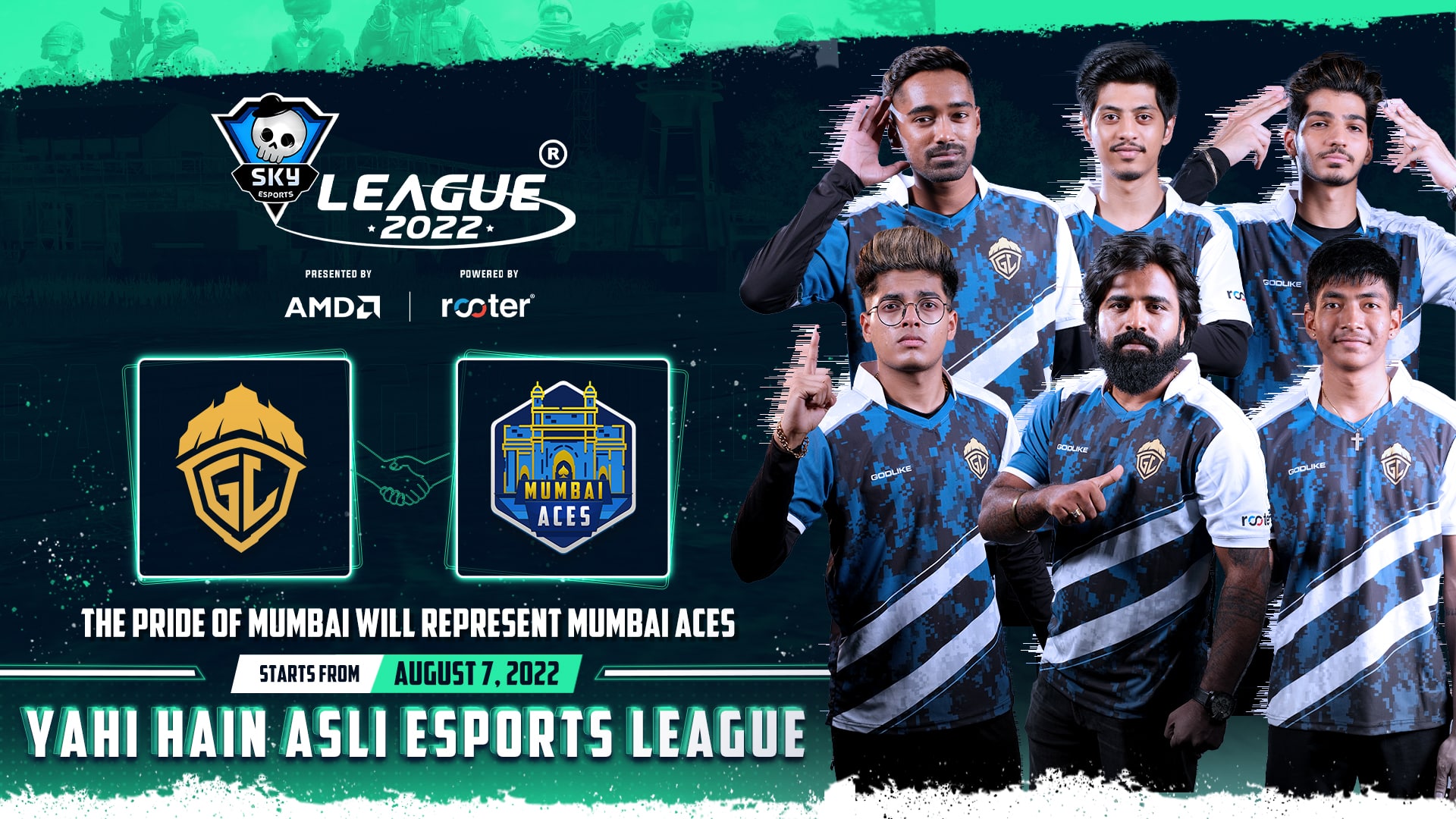
Sixteen of India’s top BGMI teams will represent 16 different cities in the Skyesports League 2022, one of which is the Mumbai Aces. The players of GodLike Esports will hone the Mumbai Aces colors at the Skyesports League 2022.
Chetan “Kronten” Chandgude, Founder and Owner, GodLike Esports said “We just set up India’s biggest bootcamp in Mumbai and we are more than excited to represent the city as Mumbai Aces in the Skyesports League 2022. I am thrilled that Skyesports is bringing the city-based format to BGMI for the first time and the boys are all hyped up to fight for the trophy in Delhi.”
Commenting on the exciting tournament, Shiva Nandy, the CEO and Founder, Skyesports said, “The Skyesports League is one of the most premium IPs in our calendar. With the inclusion of BGMI, expansion to 16 cities, a LAN event, and the 8-figure prize pool, we are going to be taking it to a whole different level this year. The Skyesports League’s city-based concept makes esports more exciting and accessible to fans from different cities as they cheer for their region. It also allows the teams to build a larger local base.”
The Skyesports League 2022 is presented by AMD and powered by Rooter. The remaining 15 teams, prize pool, and format for the event will be announced very soon. Stay tuned to Skyesports’ Instagram, Twitter, and Facebook handles for more information.
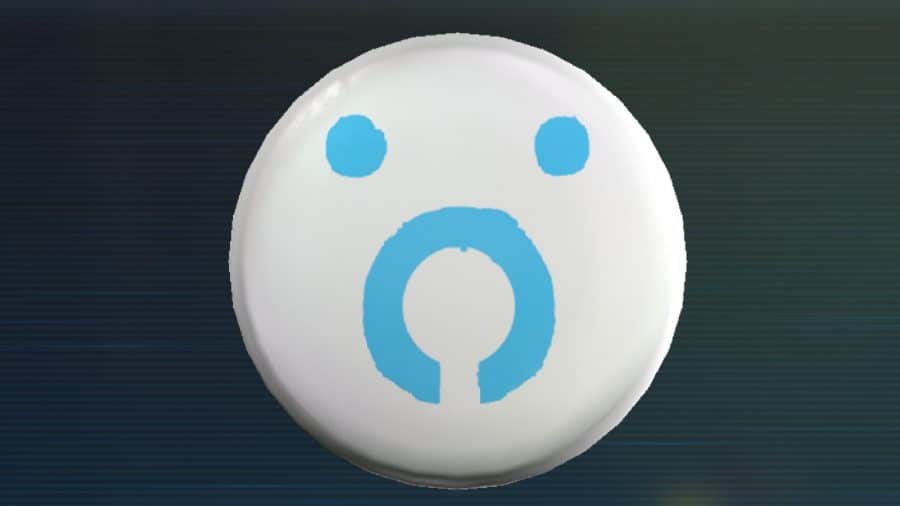
The world of Stray might be fascinating to explore but what makes an open world game more interesting is the hidden items spread across the map. The six badges hidden across is may not be useful but it induces a sense of completion that the player may get satisfied with.
All Badge Locations And How To Get Them In Stray
The location of the six badges are listed below. Follow this guide to quickly get to them.
Music Badge
The Music Badge can be obtained in exchange of all eight music sheets and return them to the street musician, Moresque.
Outsider Badge
The Outsider Badge is part of the main storyline to no going out of your way to get it but, incase you were wondering, you can pick it from Seamus to let the Doc know he sent you after you get the broken tracker fixed.
Plant Badge
This badge is obtained in Antvillage from Malo after collecting three plant colors, red, yellow and purple. Once you have all three, you can return them to Malo, who will then gift you the Plant Badge.
Cat Badge
Cat Badge can be found in Midtown inside the merchant’s safe. You will need to use the code “2551” to open it, and inside, will be the Cat Badge.
Police Badge
The Police Badge can be found in the top floor of the Police Station. Once there, head to the alley on the left side of the building and climb up once again until you see an open window. Once you climb through this window, you can find the Police Badge on the body of a Companion inside.
Neco Badge
Inside the Neco Factory, and you will find the dropped their keys. With the same keys head into the the room with moving containers inside that block the sentinel’s vision then you will spot a barrel floating in the water.
In the first barrel and the large group of barrels and trash just next to you. Amongst the trash, you will find the Companion’s lost keys and upon returning them, the Companion will reward you with the Neco Badge.



:no_upscale()/cdn.vox-cdn.com/uploads/chorus_asset/file/23887188/jlee_220619_1001_mona_2_2.jpg)
:no_upscale()/cdn.vox-cdn.com/uploads/chorus_asset/file/23887189/jlee_220619_1001_mona_2_3.jpg)
:no_upscale()/cdn.vox-cdn.com/uploads/chorus_asset/file/23887191/jlee_220619_1001_mona_2_4.jpg)