Home Blog Page 1097

Where does Santa spawn in Fortnite Chapter 4 Season 1?

0

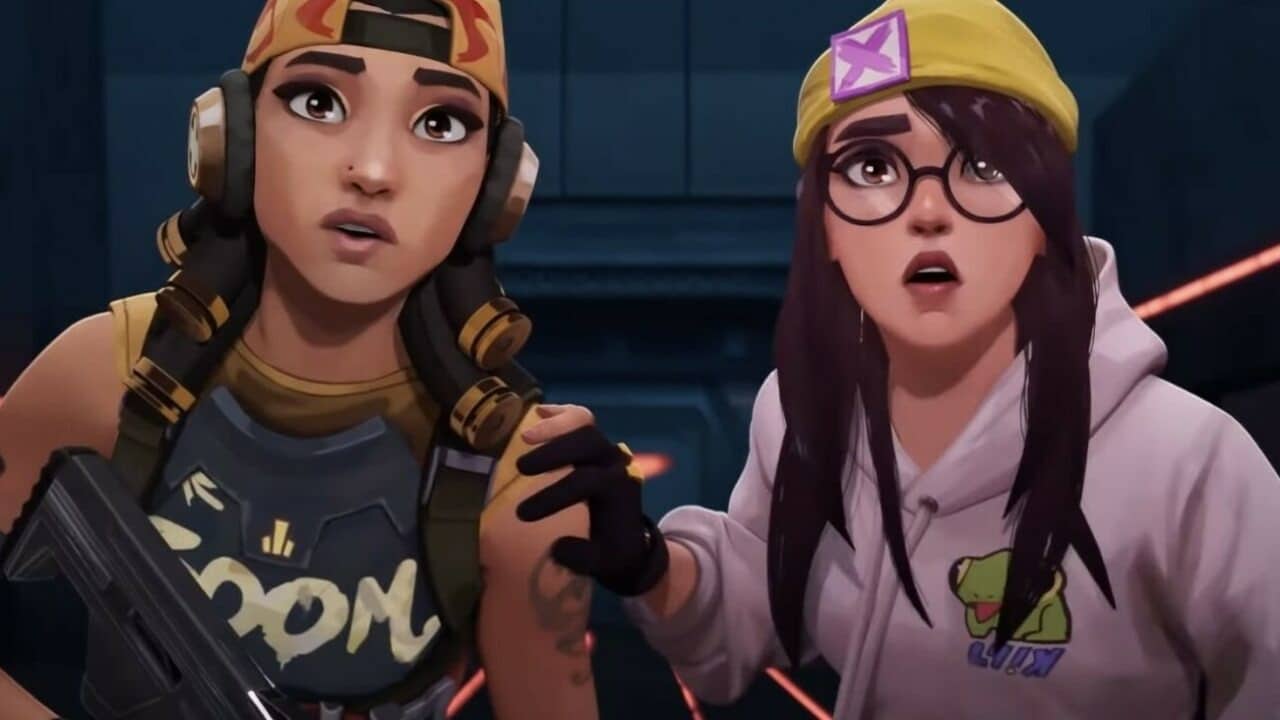
Sgt. Winters otherwise known as Santa in Fortnite is an NPC who shows up in the game during the winter season when Christmas events are ongoing. Players have reported not coming across Winters as often as they did in the previous iteration of the winter events.

The reason why he gets referred to as Santa is that he gives the players gifts and items during the Winter event. He brings the essence of the holiday season to the game and despite being someone with a strict personality, the players simply enjoy his presence in the game.

The reason why players might have failed to find him is that they have been looking at the wrong places. The way you find him is if you camp by the major roads in the game. Look for proper roads where Sgt Winters can slide through and you will find him in no time.

He spawns at a random location every game which makes it extremely difficult to pinpoint where he would choose to go through. Post yourself near the major roads in areas where he is known to pass through and that will reduce the odds of meeting him. Make sure to be nice to him and you will have your rewards.

Thank you for reading, For more exclusive esports and gaming content, please follow us on Google News.

Elon Musk to step down as Twitter head?

0

A movie can be made out of the Elon Musk Twitter drama. After aggressively pursuing Twitter to buy it and then backing off from the decision only to find him in a legal drama that holds him accountable for not buying it.

The “Chief Twit” faced a lot of criticism when taking over Twitter as his views and plans were perceived as dangerous by the masses. There are plenty of those who are dead against having Musk run Twitter as the platform holds extreme importance in terms of spreading opinions, news and stories.

Having established a few controversial policies and decisions, Musk found himself on the receiving end of criticism as they were perceived to be radical and dictatorial as no one was able to question them.

Musk soon announced in light of criticism that he started a pool where he would step down as the head of Twitter if fans vote to do so. He started the poll by stating “Should I step down as head of Twitter?” then added that “I will abide by the results of this poll” at the end.

With a few hours to go, the poll so far has attracted a whopping 15.5 million votes (57.3% voting “Yes,” and 42.7% voting “No”). Based on these results, Twitter users who participated in the pool want the “Chief Twit” to step down however only time will tell he if actually does so.

Thank you for reading, For more exclusive esports and gaming content, please follow us on Google News.

Prime Gaming For Valorant in India: Free games and in-game content

0

While a few weeks ago, Amazon was working on the back end to launch Prime Gaming in India, and it is finally live now. However, Amazon hasn’t tweeted something or released anything officially regarding the launch of Prime Gaming in India.

Prime Gaming is basically a subscription service that comes under the Amazon Prime subscription. It provides several games for free along with numerous in-game content for different games.

All you need to know about Prime Gaming in India

Prime Gaming has brought numerous in-game content for some popular games. Apart from that, there are free games that you can keep forever if you are a Prime member.

Indian users won’t have to pay any extra buck to get Prime Gaming and it comes under the regular INR 1499 per year Prime subscription in India.

For now, Prime Gaming is offering in-game content for the following games:

  • League of Legends
  • DeathLoop
  • COD Modern Warfare 2
  • COD Warzone 2.0
  • COD Mobile
  • EA Madden 23
  • FIFA 23
  • Apex Legends
  • Destiny 2
  • Fall Guys
  • PUBG PC
  • Warframe
  • Guid Wars 2
  • Marvel’s Avengers
  • Valorant

Apart from that, there are 8 games that you can keep for free forever:

  • Quake
  • Spinch
  • Desert Child
  • Brothers: A Tale of Two Sons
  • Banners of Ruin
  • Rose Riddle 2: Werewolf Shadow
  • The Amazin American Circus
  • Doors: Paradox

To get the in-game content, you have to connect the respective game’s account with your Amazon account. Keep following TalkEsport as we will keep updating the games of Amazon Prime Gaming in India.

Access Prime Gaming from here.

For more exclusive esports and gaming content, please follow TalkEsport on Google News.

Is Valorant available on NVIDIA GeForce NOW?

0

Currently, Riot’s competitive hero-based first-person shooter may be optimized in a number of different ways while using Nvidia Geforce GPUs. 

Key corporations are also capitalizing on the surge in demand for video games by releasing cloud gaming services to meet consumers’ need for a low-cost option and to further develop the gaming industry.

This is where the demand for Cloud Gaming has significantly risen.

Nvidia Geforce NOW is a widely used cloud gaming service due to its wide availability, low monthly subscription prices, and extensive library of titles. Though many games may be played on Geforce NOW, not every title does.

In light of this, it’s possible that Xbox Cloud Gaming will host the tactical shooter before Nvidia Geforce NOW.

So far, Valorant stands unsupported by Nvidia Geforce NOW. The release of the game on any other cloud gaming service has not yet been announced including GameAway and Jio Cloud. 

In addition to only being compatible with Windows PCs, the game requires a series of installation steps before it can be played.

The use of Riot Client and Riot Vanguard is necessary for the operation of Valorant on a computer. The anti-cheat system developed by Riot, known as Vanguard, does not support virtual machines. 

Vanguard being the in-house Anticheat of Riot and solely Valorant is Kernel-based and requires monitoring files right from the boot sequence. 

Technically speaking, users of Nvidia Geforce NOW rent a virtual machine for them to play games on. Therefore, the game cannot be made accessible via the platform unless Riot Vanguard provides a greater degree of adaptability.

The current partnership between Riot Games and Xbox Game Pass from Microsoft hints at even more potential. Earlier this year, Riot Games’ Valorant, League of Legends, Legends of Runterra, and a few others made their way into Xbox Game Pass. 

In light of this, it’s possible that Xbox Cloud Gaming will host the tactical shooter before Nvidia Geforce NOW.


Since it is a first-person shooter meant for Esports, Valorant won’t work well on the cloud. Using a cloud service to play a competitive game is a bad idea because you can’t rely on consistent frame rates and round latency aspects.

To eliminate hiccups in gameplay, try activating these features in-game and adjusting your settings in the Geforce Experience program. The game also requires the most recent versions of Windows 10 and 11 in order to be installed and played which will serve as a headache if accessed on the Cloud.

For more coverage on Cloud-based gaming services, make sure to follow TalkEsport on Google News. 

How to get free Rocker Stud Bundle in Free Fire MAX

Free Fire MAX is a popular battle royale game developed by Garena that is available on both Android and iOS devices. One of the many in-game items that players can acquire is the Rocker Stud Bundle, which includes a variety of cosmetic items such as a backpack, headphones, and a t-shirt.

A player needs to earn certain tokens to ultimately unlock the item. Players need to earn tokens to get event items. After getting all the items, one can use them to unlock the permanent sets.

The in-game events can be used to gain tokens and it has simple missions. One has go earn close to 70 tokens to get the reward. The rewards are as follows:

Tier 1

  • Balloons – 10 Icy Breadman
  • LED Strip – 20 Icy Breadman
  • Spotlight – 20 Icy Breadman

Tier 2

  • Bass – 20 Icy Breadman
  • DJ Turntable – 30 Icy Breadman

Tier 3

  • Drum Set – 30 Icy Breadman
  • Synthesizer – 30 Icy Breadman
  • Guitar – 30 Icy Breadman

Tier 4

  • Floor Lights – 60 Icy Breadman

Tier 5

  • Snowflake Light – 80 Icy Breadman

After completing this, players can earn following rewards:

  • Rocker Skull Banner
  • Subzero theme song
  • Rocker Skull Avatar
  • Rock N Roll Motorbike
  • Rocker Stud Bundle.

By participating in events, completing missions, redeeming codes, or purchasing the bundle, players can add the Rocker Stud Bundle to their collection in Free Fire MAX. Keep an eye out for opportunities to earn the bundle for free and make sure to take advantage of them when they arise.

Also Read | Logan Paul facing backlash for attacking best friend’s religion on Impaulsive

BGMI goes on a maintenance break again

0

Battlegrounds Mobile India has been making waves in the mobile gaming world since its release in June 2021. Developed by Krafton, Inc., the battle royale game has garnered a large player base in India and has become a popular choice for mobile gamers. However, with any online game, maintenance is an important part of keeping the game running smoothly and addressing any issues that may arise.

Battlegrounds Mobile India has regular maintenance periods to fix bugs and improve the game’s performance. These maintenance periods may vary in duration and can cause server downtime for players. It is important for players to stay updated on the maintenance schedule to avoid any inconvenience during their gameplay.

The maintenance breaks have been paused since the past six months as BGMI was banned in the country, which ultimately cuts off developers’ access to launch new content on official application stores.

BGMI has been running on the same version for the past few months and did not receive any updates for a long time but Krafton seems to be having other plans. The game recently received some new in-game events and also went into maintenance break earlier today.

This has been second maintenance break for BGMI servers within a span of one month. It does not signify any major thing but players can get optimistic as the new content train has not stopped this month.

Overall, maintenance is an essential part of keeping Battlegrounds Mobile India running smoothly and providing the best possible gaming experience for its players. By staying updated on maintenance schedules and patch notes, players can continue to enjoy the game without any disruptions.

Also Read | How to Split Items in Minecraft PE?

Valorant Ascension League: Release Date, teams, and more

0

With the release of the VCT structure and the Ascension League, Riot Games radically altered the Valorant competitive scene.

However, the company’s new franchise system has altered which clubs are eligible to compete in the tournament beginning in 2023, despite the event’s otherwise familiar format.

With regard to the VCT, the championship will feature 30 teams representing three different zones. Others from these areas will participate in regional tournaments to earn a berth in the Valorant Ascension League.

The inaugural league for these teams will be the Challengers league, which will be divided in half. Each of the 21 Challengers leagues will have two splits consisting of multiple weeks of regular season play. Only the best Challengers teams will advance to the next round, Ascension.

There will be three different regions in Challengers Ascension: the Americas, Europe, and the Pacific. One team from each of those areas will advance to play in the international league for their country when the Challengers Ascension competition concludes.

The worldwide league is expected to gradually add teams beginning in 2024. There will be a total of 42 teams in the international league by the year 2027. As of the year 2026, we’ll be promoting two clubs annually instead of one to the top international leagues.

That means that until the year 2026, one domestic team will be promoted to the top level of competition abroad every year. Starting in 2027, the league will add two teams every year until it reaches its maximum of 14 teams. 

Riot’s in-game tournament feature, open qualification Challengers events, Challengers Ascension, and the worldwide league will make competitive VALORANT esports exciting.

The door is still wide open for any VALORANT player who has sights set on the very highest levels of VCT competition. Riot is implementing a new type of in-game event that goes beyond ranked play; this tournament will have a direct connection to VCT and will likely serve as a direct qualifier for the Champions tournament.

For those who don’t make it through in-game competition, there will always be open qualifications for Challengers tournaments. Participation in a particular Challengers event is determined by a player’s region, one of 21 subregions within three bigger regions. Challengers’ top teams advance to their region’s Ascension competition.

Valorant To Introduce Improved Smurf Detection System in 2023

0

2022 has been a terrific year for Valorant fans, with Riot Games’ flagship FPS title receiving constant updates throughout the year. One of the highlights of the past year has been the advancement of the smurf detection system of the title. Heading into 2023, Valorant is set to have an even better smurf detection system, as confirmed by the developers themselves.

In their latest dev diary, Riot developers have shared their progress over the past year, while also giving players a hint of what’s to come in the upcoming year.

When talking about the smurf detection system, the devs stated that the smurf detection system, which is now live across all regions, has resulted in a “substantial decrease in the number of unfair matches that happen because of Smurfs.”

They further claimed that they’d be releasing a newer version of the smurf detection system that’ll be an improvement over the current version.

“Next year, we will be releasing our 2nd version of Smurf Detection that will make our automated detection faster and more accurate (no Smurfs slipping through the cracks),” the blog post reads.

On top of that, the devs will also work on improving the ‘Data Warehouse’ that the game’s development teams use to review game performance, balance, competitive integrity, and more.

Valorant players will be eagerly looking forward to seeing what Riot Games has in store for them heading into the next VCT season.

How to Split Items in Minecraft PE?

0

Despite having simple gameplay and being a sandbox game, many users have trouble using some aspects of Minecraft on smartphones. Additionally, separating objects on mobile devices is one of the most difficult tasks. We’ll talk about how to split objects in this post when playing mobile versions of Minecraft.

In the game, 64 identical blocks may be collected in total. However, there are certain game-related circumstances in which you do not have to exhaust the full stack. For instance, splitting stuff is your sole choice when you wish to craft items or drop a tiny portion of your resources to a colleague. It allows you to quickly obtain the necessary quantity of a given resource.

How to Split Items in Minecraft PE?

Open the inventory first, and then put the resource you wish to split here. Once the distinctive green bar shows on the screen, push and hold this item down. The amount of resources you want to split is shown by this bar. You will receive half of the resource after dividing it once it has reached the halfway point.

After releasing the hold tap on an empty spot in your inventory when the green ball is complete. Additionally, take in mind that while splitting the resource, it may be difficult to get the appropriate quantity. As a result, successfully splitting things in Minecraft PE may take many tries. Only keep your finger on the necessary item, then let go when the green bar is fully filled.

For more exclusive esports and gaming content, please follow TalkEsport on Google News.
How to Upload Skins to Minecraft PE?

0

Minecraft concentrates on personalization and setting oneself out from other players. You may do this by building enormous houses, stables for horses, cool-looking walkways, and more! By giving your characters skins, you may further personalize your game and set yourself out from the competition.

It’s not easy to add skins to your Minecraft PE game, therefore some gamers might require assistance. The great news is that you can effectively add a lot of skins to your game in a timely manner. We will go through how to add skins to Minecraft PE in this tutorial.

How to Upload Skins to Minecraft PE?

This article will mostly focus on customising your primary character’s skins rather than other in-game character models. You must look for texture packs designed to achieve that goal if you want other models, such as the minions, to seem differently than they often do. Let’s look at how to upload skins for your protagonist in your game.

To see any skin in your game, go to the Minecraft Skindex site and click on it. After choosing a skin, click the download icon on the right side. The PNG file will be downloaded to your device. You may now find this skin in your downloads folder.

Open Minecraft and choose the profile icon on the right side of the screen. You must click “edit character” on the character selection screen that appears after doing this. You should click on the tab in the top left corner. Click import under the “owned” column. To select a new skin, click. The window will change. Pick the PNG skin file you downloaded by going to your downloads folder. Then click on Open.

For more exclusive esports and gaming content, please follow TalkEsport on Google News.