The popular Roblox RPG anime game Aincrad Adventure is inspired by Reki Kawahara’s Sword Art Online, a light novel published in Japan. The game’s highest level cap is 100, and every time you beat an enemy, a variety of unusual drops are offered. The list of active Roblox Aincrad Adventures codes can use to get new Weapons, Coins, and other bonuses.
As soon as you can, redeem these because you don’t know when they might expire. To discover all the Aincrad Adventure codes, keep reading this article.
Roblox Aincrad Adventure Codes for January 2023
!3K
!FREERESET
!AINCRAD
How to redeem Aincrad Adventure codes?
Launch the game and open up the chatbox from the top left.
Players may completely change how their characters look and act in Roblox Demon Slayer RPG 2. To purchase cosmetics for yourself, you would typically need to use the website’s currency, Robux, but you may also do it for free. For a complete list of active Roblox Demon Slayer RPG 2 discount codes that are now valid through January 2023, keep reading this post.
You can get skins for free via promo codes, but finding them might be quite challenging. You’ve come to the correct site if you’re seeking for Roblox Demon Slayer RPG 2 discount codes to get some lovely skins.
If you’re a fan of League of Legends, you know how frustrating it can be when you’re unable to log in due to the “Too Many Login Attempts” error. This error message can occur for a variety of reasons, but fortunately, there are steps you can take to fix it. In this guide, we’ll walk you through the process of troubleshooting the “Too Many Login Attempts” error and getting back in the game.
Whether you’re encountering this issue for the first time or you’re a seasoned player who’s seen it all, this guide has something for you. So if you’re ready to get back to playing League of Legends, read on and we’ll help you fix the “Too Many Login Attempts” error.
How to Fix ‘Too Many Login Attempts’ in League of Legends
Check your login credentials
The first thing you should do is make sure you’re entering the correct login information. This might seem obvious, but it’s easy to mistype your email address or password, especially if you have a lot of different accounts. Double-check your login credentials and make sure they’re correct.
Make sure you’re not entering your login information too quickly
Sometimes, the “Too many login attempts” error can occur if you’re entering your login information too quickly. This can be caused by an automated script or a bot, and it can trigger security measures that prevent you from logging in. To fix this issue, try slowing down your login process and making sure you’re not entering your information too quickly.
Check for any maintenance or downtime
Before you start troubleshooting, it’s a good idea to check if there is any maintenance or downtime that could be causing the issue. You can check the official League of Legends website or social media channels to see if there are any announcements about maintenance or downtime. If there is, you’ll just have to wait until the issue is resolved before you can log in.
Clear your cache and cookies
If you’ve tried the above steps and you’re still having trouble logging in, you might need to clear your cache and cookies. These are small files that are stored on your computer, and they can sometimes cause problems with your web browser. To clear your cache and cookies, follow these steps:
In your web browser, go to the “Settings” or “Preferences” menu.
Look for the “Privacy” or “Security” section.
Click on the “Clear browsing data” or “Clear cache and cookies” button.
Follow the prompts to clear your cache and cookies.
Use a different web browser
If you’re still having trouble logging in, you might want to try using a different web browser. Sometimes, certain web browsers can have compatibility issues with certain websites. If you’re using a browser like Internet Explorer or Safari, you might have better luck logging in with a different browser like Chrome or Firefox.
Contact customer support
If you’ve tried all of the above steps and you’re still having trouble logging in, your best bet is to contact customer support. You can do this through the official League of Legends website or by reaching out to the customer support team on social media. Make sure to provide as much information as possible about the issue you’re experiencing, including any error messages you’ve received.
In conclusion, if you see the “Too many login attempts” error when trying to log in to League of Legends, there are a few steps you can take to fix it. Make sure you’re entering the correct login information, check for any maintenance or downtime, clear your cache and cookies, try using a different web browser, and contact customer support if all else fails.
It’s no secret that Pokimane is one of the biggest names in the gaming industry, with a massive following on both YouTube and Twitch. As a content creator, she has played a variety of games over the years, including Fortnite, Apex Legends, and now Valorant. But what rank is Pokimane in Valorant?
Valorant is a first-person shooter game developed by Riot Games, and it has quickly gained a huge player base since its release in 2020. The game features a ranking system that allows players to progress through different tiers and divisions, starting at Iron and working their way up to the highest rank of Immortal.
Pokimane is known for her skill in various games, and it’s likely that she has climbed the ranks in Valorant as well. However, it’s important to note that Pokimane has not publicly disclosed her rank in the game. As a content creator, she may choose to keep this information private in order to avoid any potential backlash or negative attention.
That being said, it’s not uncommon for content creators and streamers to face criticism or harassment for their rank or skill level in games. This is especially true for women in the gaming industry, who may face additional challenges and discrimination.
Despite the lack of information about Pokimane’s rank in Valorant, it’s clear that she is a talented and skilled gamer. She has consistently performed well in various games and has a dedicated following of fans who enjoy watching her streams and content.
In conclusion, it’s not known what rank Pokimane is in Valorant. While she may have climbed the ranks and achieved a high level of skill in the game, it’s understandable that she may choose to keep this information private in order to avoid any potential negative attention. Regardless of her rank, Pokimane is a talented gamer and content creator who has made a name for herself in the industry.
Counter-Strike: Global Offensive (CS:GO) is a popular first-person shooter video game developed by Valve Corporation. It is the fourth game in the Counter-Strike series, and was released in 2012. In the years since its release, it has become one of the most popular competitive games in the world, with millions of active players and a thriving professional scene.
One question that has been on the minds of many CS:GO fans is whether the game will be getting a Source 2 update. Source 2 is the latest version of Valve’s game engine, which was first announced in 2015. It has since been used in a number of Valve’s games, including Dota 2 and Half-Life: Alyx.
There has been much speculation about whether Source 2 will be coming to CS:GO, with some players hoping for a major update to the game that would bring improved graphics, performance, and new features. However, despite the rumors and speculation, Valve has not officially announced any plans to bring Source 2 to CS:GO.
There are a few reasons why it is unlikely that Source 2 will be coming to CS:GO in the near future. One of the main reasons is that CS:GO is still a very popular and successful game, and there may not be a need to update the game engine.
CSGO has a large and active player base, and it has a strong competitive scene with a number of major tournaments and leagues. Updating the game engine could potentially disrupt the competitive balance of the game, and could alienate some of the game’s most dedicated players.
Another reason why it is unlikely that Source 2 will be coming to CS:GO is that it would require a significant amount of development resources and time. Updating a game engine is a complex and time-consuming process, and it is not something that can be done quickly or easily. It would likely require a team of developers working on the project full-time, and it could potentially take years to complete.
In addition to the development resources and time that would be required to update the game engine, there is also the question of cost. Updating a game engine is not a cheap undertaking, and it is possible that Valve may not see it as a worthwhile investment given the success of the current version of the game.
Despite the speculation and rumors, it is currently unclear whether Source 2 will be coming to CS:GO. While some players may hope for an update to the game engine, it is important to remember that Valve has not officially announced any plans to bring Source 2 to the game. Until an official announcement is made, it is best to take any rumors or speculation about a Source 2 update with a grain of salt.
In conclusion, while it is possible that Source 2 could come to CS:GO at some point in the future, it is currently unclear whether this will happen. The game is still very popular and successful, and updating the game engine could potentially disrupt the competitive balance and require a significant amount of development resources and time.
Until an official announcement is made by Valve, it is best to take any rumors or speculation about a Source 2 update with a grain of salt.
Are you looking to get the most out of your CSGO gameplay in 2023? Optimizing your settings is a great place to start. In this article, we’ll provide you with the best CSGO settings for maximizing your FPS and improving your gameplay in the new year.
First, let’s discuss why these settings are so important. CSGO is a fast-paced, competitive shooter, and even small increases in your frame rate can make a big difference in your performance. Higher FPS means smoother gameplay, faster reaction times, and a greater ability to track and hit moving targets.
Why Settings Matter in CSGO
Your in-game settings can have a big impact on your performance in CSGO. The right settings can help you get the most out of your hardware and improve your gameplay. On the other hand, using the wrong settings can lead to reduced FPS and a less enjoyable experience.
For example, if you have a high refresh rate monitor, you’ll want to make sure your game is running at a high enough FPS to take advantage of it. Similarly, if you have a lower-end PC, you may need to lower your graphics settings to maintain a stable FPS.
Finding the Right Settings for Your Hardware
The first step in finding the best CSGO settings for you is to determine your hardware setup. This includes your processor, graphics card, and RAM, as well as your monitor and its refresh rate.
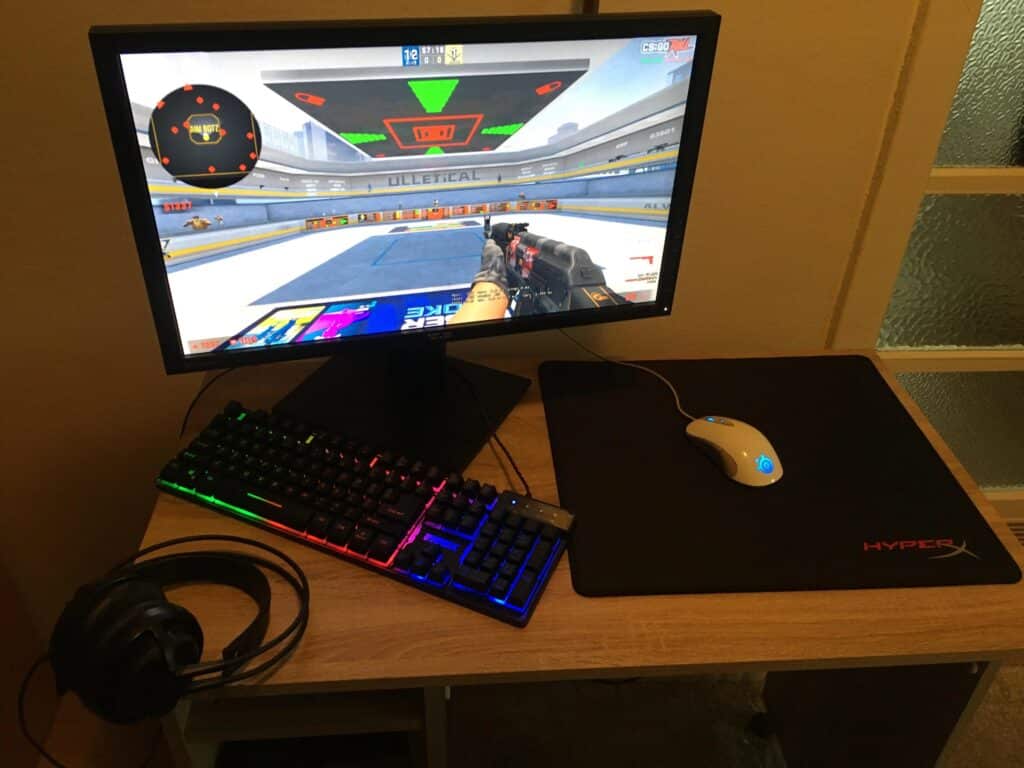
Photo via u/vinko46 On Reddit
Once you know your hardware, you can start adjusting your in-game settings to find the right balance between performance and visuals. Here are some general guidelines to follow:
If you have a high-end PC, you can afford to increase your graphics settings for better visuals. Just be sure to keep an eye on your FPS to ensure it stays stable.
If you have a lower-end PC, you’ll want to prioritize maintaining a stable FPS over better visuals. This may mean lowering your graphics settings or turning off certain features like shadows and reflections.
If you have a high refresh rate monitor, make sure your FPS is high enough to take advantage of it. A refresh rate of 144Hz or higher requires a stable FPS of at least 144.
Best CSGO Settings for 2023
Now that you know the importance of finding the right settings for your hardware, let’s go over some of the best CSGO settings for 2023. These settings will help you get the most out of your hardware and improve your gameplay.
Best Graphics Settings For CSGO
Resolution: Set this to your native monitor resolution for the best visuals. If you’re having trouble maintaining a stable FPS, try lowering the resolution.
Aspect Ratio: Set this to your monitor’s aspect ratio.
Refresh Rate: Set this to your monitor’s refresh rate.
Global Shadow Quality: Set this to Low or Medium. High shadow quality can have a big impact on your FPS.
Model/Texture Detail: Set these to Low or Medium. Higher detail levels can have a significant impact on your FPS.
Effect Detail: Set this to Low. This setting controls the quality of in-game effects like explosions and smoke, which can have a big impact on your FPS.
Shader Detail: Set this to Low. This setting controls the quality of in-game lighting and shadows, which can also have a big impact on your FPS.
Multicore Rendering: Enable this if you have a multicore processor. It can improve your FPS by offloading some of the rendering work to additional cores.
Multisampling Anti-Aliasing Mode (MSAA): Set this to 2x or 4x.
FXAA Anti-Aliasing: Enable this to smooth out jagged edges in the game. It can have a minor impact on your FPS.
Texture Filtering Mode: Set this to Bilinear or Trilinear. Anisotropic Filtering (AF) can improve the quality of textured surfaces, but it can also have a big impact on your FPS.
Wait for Vertical Sync (VSync): Disable this to reduce input lag, but be aware that it can cause screen tearing if your FPS is not in sync with your refresh rate.
Motion Blur: Disable this if you want a more responsive experience. It can have a minor impact on your FPS.
Best Audio Settings For CSGO
Sound Quality: Set this to High. Higher sound quality can give you a competitive advantage by allowing you to hear enemies more clearly.
Music Volume: Set this to your preference.
Voice Volume: Set this to your preference.
Crosshair Settings For CSGO
Your crosshair is an important aspect of your gameplay, as it helps you aim at enemies. Here are some tips for finding the right crosshair settings:
Crosshair Style: Choose a style that you feel comfortable with and that works well with your monitor’s resolution.
Crosshair Size: Adjust this to your preference. A larger crosshair may be easier to see, but it can also obstruct your view of the game.
Crosshair Color: Choose a color that stands out against the game’s environments and enemy models.
Crosshair Opacity: Adjust this to your preference. A more transparent crosshair may be easier to see, but it can also obstruct your view of the game.
Crosshair Dot: Enable this if you want a central dot in your crosshair. It can help with aiming at long distances.
Other Settings For CSGO
Radar Scale: Adjust this to your preference. A larger radar may be easier to read, but it can also obstruct your view of the game.
Sensitivity: Adjust this to your preference and playstyle. A higher sensitivity can make it easier to turn and aim, but it can also make it harder to aim accurately.
Zoom Sensitivity: Adjust this to your preference. A higher zoom sensitivity can make it easier to aim while scoped, but it can also make it harder to aim accurately.
Viewmodel Field of View (FOV): Adjust this to your preference. A higher FOV can give you a wider view of the game, but it can also distort your perspective.
Mouse Acceleration: Disable this for a more consistent aiming experience.
In this article, we’ve gone over the best CSGO settings for 2023 to help you maximize your FPS and gameplay. By finding the right settings for your hardware and playstyle, you can improve your performance and have a more enjoyable experience in the game.
Remember to keep an eye on your FPS and make adjustments as needed to find the perfect balance between performance and visuals.
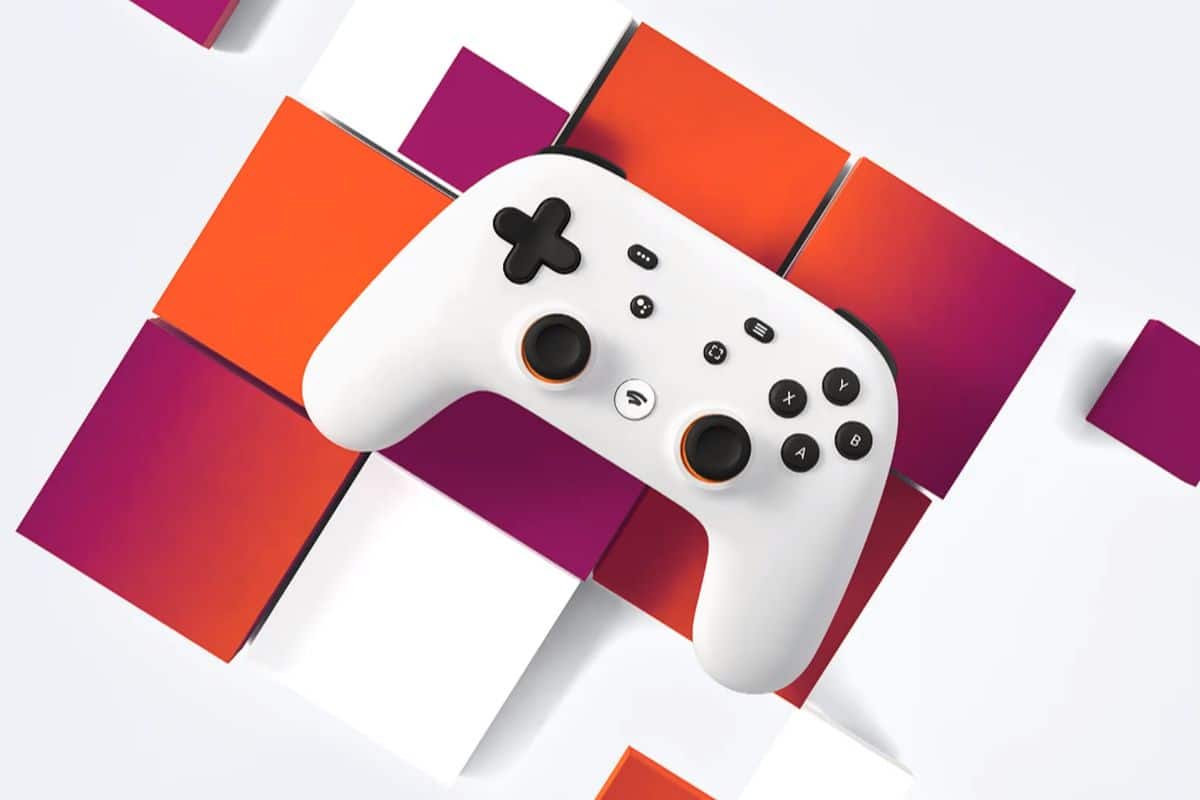
On January 18, 2023, Google will no longer offer its Google Stadia cloud gaming service. This is because the tech giant’s services did not get the popularity it had hoped for.
For the uninitiated, Google Stadia began its rollout in October 2018 with a closed beta and was available to everyone in November 2019. Since consumers are soon to lose access to their titles and games saved on Stadia, some publishers have reportedly shared strategies to keep them on other platforms.
Those who bought Stadia gear through the Google Shop will reportedly get their money back, as will those who bought games or DLC from the Stadia store.
It was also suggested in the report that reimbursements have been started and that the majority of them will be processed by the corporation by January 18 of 2023.
Gmail on the web browser, meanwhile, will soon support end-to-end encryption, as promised by Google. Beta users will soon have the option to send and receive encrypted emails both within and outside of your domain.
Google claims that inbound and outbound email will be fully encrypted, including all attachments and inline graphics.
All data stored in and transmitted through Google Workspace uses industry-leading encryption technologies. In a corporate blog post, they explain how client-side encryption can help with data confidentiality, data sovereignty, and compliance.
Client-side encryption has been available for some time on Google Drive, Docs, Sheets, Slides, Google Meet, and Google Calendar (beta), in case you were unaware.
Beginning with a private test in October 2018, the cloud gaming service became live for the general public in November of the following year.
When it first launched in November 2019, Stadia was marketed as a “Netflix for games,” enabling users to stream video games over the internet without buying a gaming device.
However, the service will be discontinued on January 18th, 2023 because it has failed to gain “traction” among gamers.
Players who have already purchased Google’s Stadia controller, in addition to any games or add-on content, are eligible to receive a refund from the company. It stated that it anticipates all of those refunds would be processed by the middle of January.
The Verge writes that although Stadia customers are going to lose access to all of their titles and saves, many publishers are sharing solutions to continue playing their games on other platforms.
Any Stadia hardware purchased from the Google Shop will be refunded, as will all games and downloadable material bought from the Stadia store.
Processing of reimbursements began in November, and the majority are expected to be completed by January 18, according to the newspaper.
It has been said that Google is working on improved playback choices for devices that are compatible with Spotify Connect as well as cross-device notifications that will allow users to resume media listening while on the go.
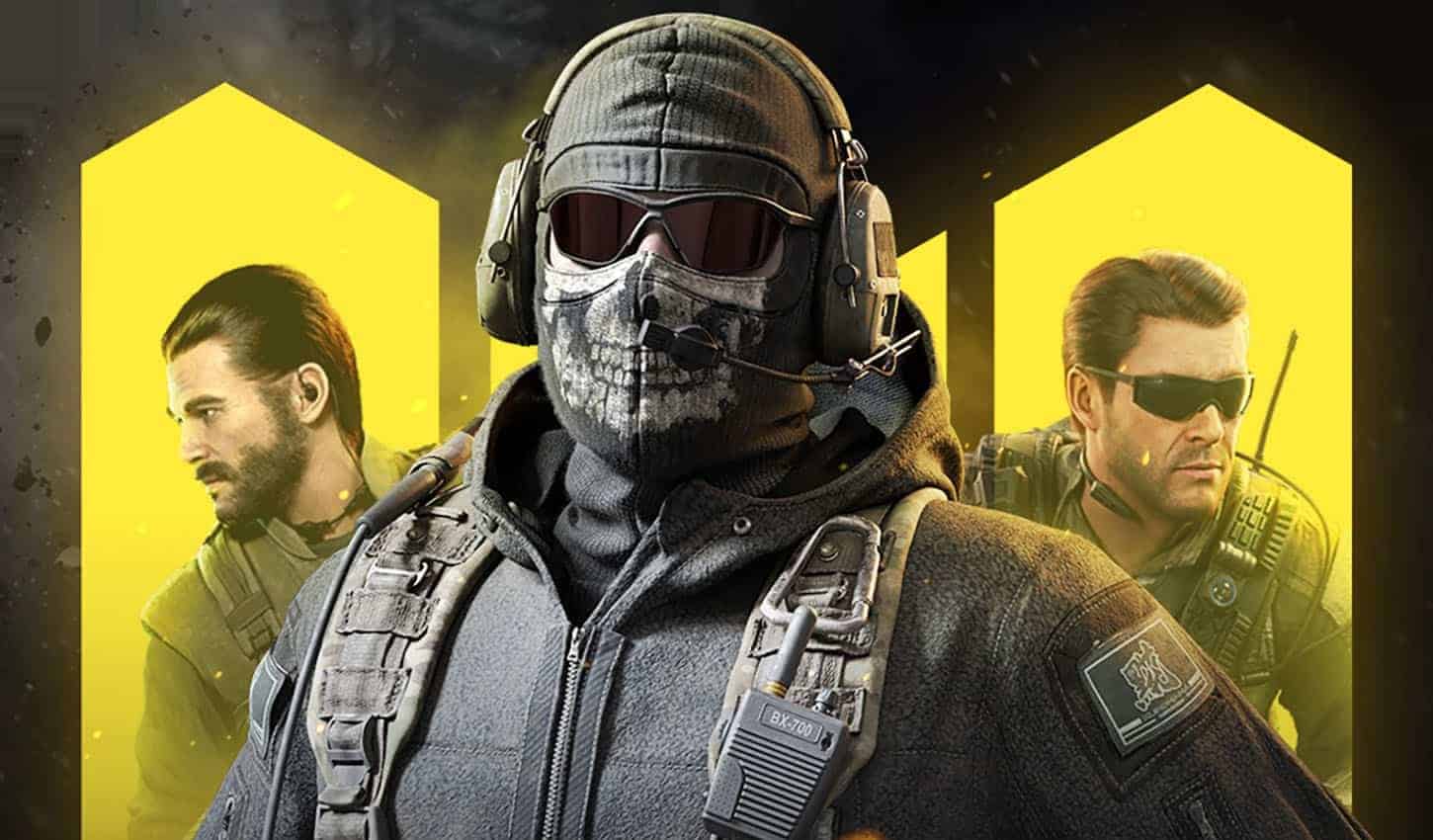
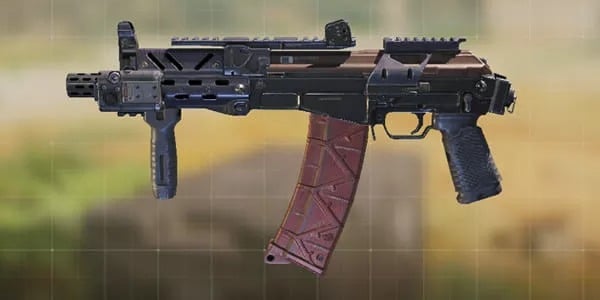
Call of Duty Mobile is a popular first-person shooter game that has gained a massive player base since its release. The game offers a variety of weapons to choose from, including SMGs (Submachine Guns).
SMGs are light, compact, and highly mobile weapons that are best suited for close-range combat. They offer high fire rates, fast reload times, and excellent mobility, making them a popular choice among players. In this article, we will review the best SMGs in Call of Duty Mobile and analyze their strengths and weaknesses.
Factors to Consider When Choosing an SMG In COD Mobile:
When choosing an SMG in Call of Duty Mobile, there are several factors that you should consider. These include:
Damage Output: The damage output of an SMG is an essential factor to consider. A weapon with high damage output will be able to take down enemies quickly, whereas a weapon with low damage output will require more shots to eliminate an enemy.
Range: The range of an SMG is also an essential factor to consider. SMGs are primarily designed for close-range combat, but some weapons have a longer range than others. A weapon with a longer range will be more versatile and can be used effectively in different situations.
Accuracy: The accuracy of an SMG is another crucial factor to consider. A weapon with high accuracy will be easier to control and will allow you to hit your shots consistently, even when moving or aiming at a distance.
Fire Rate: The fire rate of an SMG is a significant factor to consider. A weapon with a high fire rate will be able to put out more bullets in a short period, increasing your chances of hitting your shots.
Mobility: The mobility of an SMG is also an essential factor to consider. A weapon with high mobility will allow you to move around the map quickly and efficiently, making it easier for you to engage in close-range combat.
Top 5 SMGs in Call of Duty Mobile:
HBRa3:
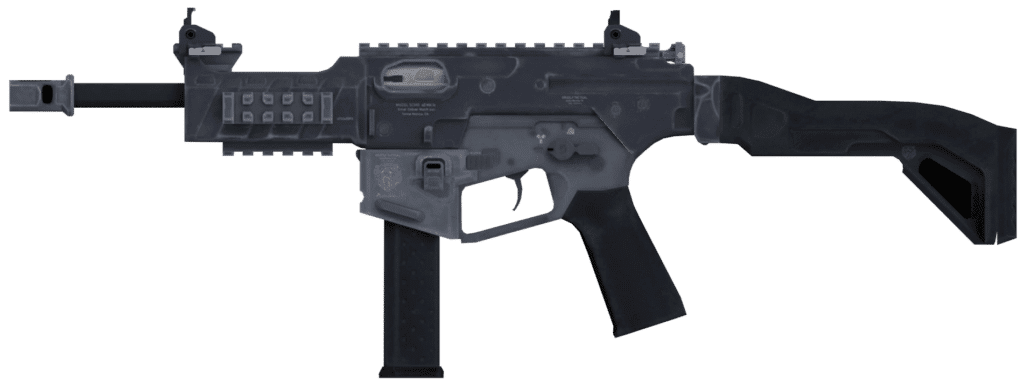
The HBRa3 is a fully automatic SMG that boasts a high fire rate and excellent accuracy. It has a moderate damage output and a decent range, making it a versatile weapon that can be used effectively in different situations. The HBRa3 also has a fast reload time, which allows you to get back into the action quickly.
PDW-57:
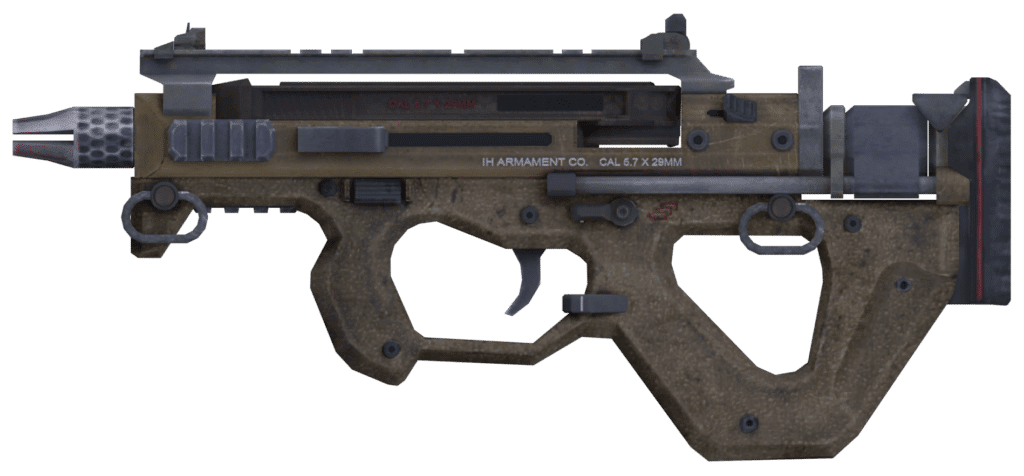
The PDW-57 is a fully automatic SMG that is known for its high damage output and excellent accuracy. It has a moderate fire rate and a decent range, making it a powerful weapon that can take down enemies quickly. The PDW-57 also has a fast reload time, which makes it a great weapon for close-range combat.
GKS:
The GKS is a fully automatic SMG that boasts a high fire rate and excellent accuracy. It has a moderate damage output and a decent range, making it a versatile weapon that can be used effectively in different situations. The GKS also has a fast reload time, which allows you to get back into the action quickly.
RUS-79U:
The RUS-79U is a fully automatic SMG that is known for its high damage output and excellent accuracy. It has a moderate fire rate and a decent range, making it a powerful weapon that can take down enemies quickly. The RUS-79U also has a fast reload time, which makes it a great weapon for close-range combat.
MSMC:
The MSMC is a fully automatic SMG that boasts a high fire rate and excellent accuracy. It has a moderate damage output and a decent range, making it a versatile weapon that can be used effectively in different situations. The MSMC also has a fast reload time, which allows you to get back into action quickly.
SMGs are excellent weapons to use in Call of Duty Mobile, thanks to their high mobility and fast fire rates. The HBRa3, PDW-57, GKS, RUS-79U, and MSMC are some of the best SMGs in the game, each with its unique strengths and weaknesses. When choosing an SMG, it’s essential to consider factors such as damage output, range, accuracy, fire rate, and mobility to find the weapon that best fits your playstyle.
Imane Anys, better known by her online alias Pokimane, is a Moroccan-Canadian streamer, YouTuber, and internet personality who has become one of the most popular and influential figures in the online gaming and entertainment world. In this article, we’ll take a closer look at Pokimane’s rise to fame, and how she has managed to build a successful and multifaceted career as a content creator.
Pokimane began her career as a streamer on Twitch in 2013, at a time when the platform was still relatively small and unknown. She initially focused on streaming a variety of games, including League of Legends, Fortnite, and Overwatch, but it was her personality and charm that really set her apart from the rest. Pokimane quickly gained a loyal and engaged following, thanks to her positive attitude, sense of humor, and willingness to interact with her viewers.
In addition to streaming, Pokimane also began creating content for YouTube, where she shared vlogs, challenges, and other types of videos. She quickly gained a large and dedicated following on the platform as well, and today has over 8 million subscribers on YouTube.
Over time, Pokimane’s popularity continued to grow, and she became one of the most well-known and influential figures in the online gaming and entertainment world. She has been featured in numerous publications, including Forbes and The New York Times, and has won numerous awards and accolades for her work.
But Pokimane’s success hasn’t just been limited to the world of gaming and entertainment. She has also used her platform to raise awareness about important social and cultural issues, and has become an advocate for mental health and self-care.
In addition to her online work, Pokimane has also made numerous appearances on television and in other media. She has been featured on numerous talk shows and news programs, and has even hosted her own events and tournaments.
Pokimane’s rise to fame has been truly impressive, and she has managed to build a successful and multifaceted career as a content creator. She has proven that with hard work, dedication, and a positive attitude, it is possible to achieve great things in the online world.
But Pokimane’s success is not just a result of her talent and hard work. It is also a testament to the power of the internet and social media, and the incredible opportunities that they provide for anyone with a passion and a dream.
Today, Pokimane remains one of the most popular and influential figures in the online gaming and entertainment world, and she shows no signs of slowing down. She continues to stream, create content, and engage with her millions of fans, and has proven that with hard work, dedication, and a positive attitude, anything is possible.
So, Pokimane’s rise to fame is truly inspiring, and she is a role model for anyone looking to build a successful career as a content creator.
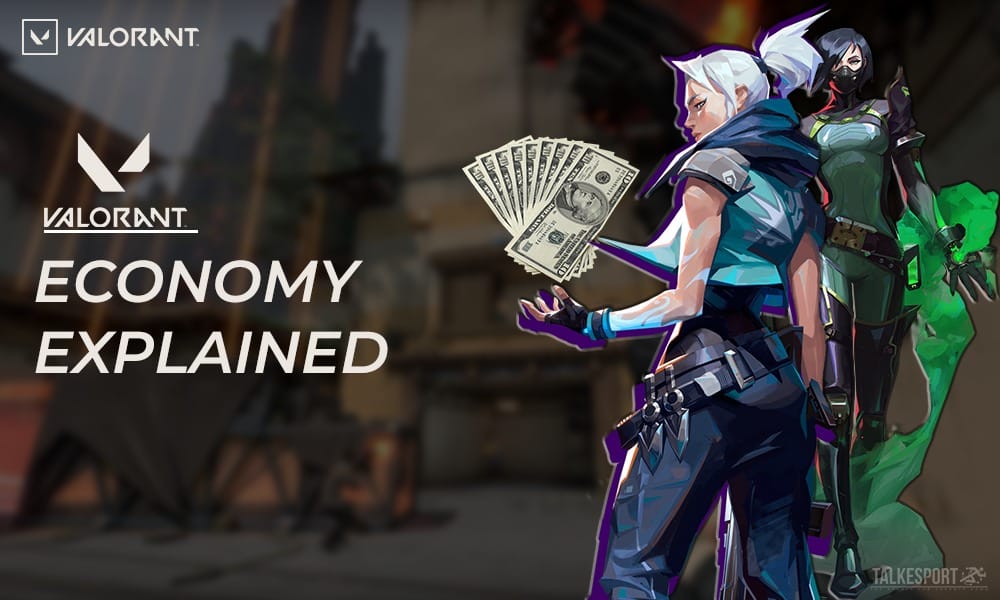
In Valorant, managing your money effectively is key to success on the battlefield. Your team’s economy plays a crucial role in determining your ability to buy weapons and equipment, as well as your ability to contest objectives and outmaneuver your opponents. In this guide, we’ll provide some tips and strategies for managing your money in Valorant.
First and foremost, it’s important to understand how Valorant’s economy works. Each round, every player on your team receives a certain amount of money based on their performance. Factors that can affect your income include kills, assists, objectives secured, and surviving the round. Additionally, if your team wins the round, you’ll receive a bonus based on your performance.
One of the most important things you can do to manage your money is to save whenever possible. This means not buying unnecessary weapons or equipment, and being strategic about what you do buy. For example, if you’re playing a character who doesn’t require a lot of utility (like Cypher or Sage), you may want to consider saving your money rather than buying smoke grenades or healing orbs.
Another key aspect of managing your money is knowing when to buy and when to save. If your team has a strong economy and you have a lot of money saved up, it may be a good time to buy weapons or equipment that you’ll need later in the game. On the other hand, if your team has a weaker economy, it may be better to save your money and wait for a better opportunity to spend it.
It’s also important to consider your role on the team and how it affects your spending. If you’re the primary entry fragger, for example, you’ll want to make sure you have the best weapons and equipment for the job. This might mean spending more money on weapons and armor, or saving for a specific weapon or ability later in the game.
In addition to individual spending, it’s important to think about the team’s overall economy. If your team has a strong economy, it may be worth it to spend more money on weapons and equipment that will give you an advantage in future rounds. However, if your team has a weaker economy, it may be better to save your money and wait for a better opportunity to spend it.
One final tip for managing your money in Valorant is to pay attention to the round timer. If the round timer is running low and your team is in a position to win, it may be worth it to spend some money to secure the victory. However, if the round timer is running low and your team is losing, it may be better to save your money and wait for the next round.
In summary, managing your money in Valorant requires a combination of strategic spending, careful saving, and consideration of your team’s overall economy. By following these tips and staying mindful of your team’s financial situation, you’ll be well on your way to mastering the economy and achieving victory on the battlefield.