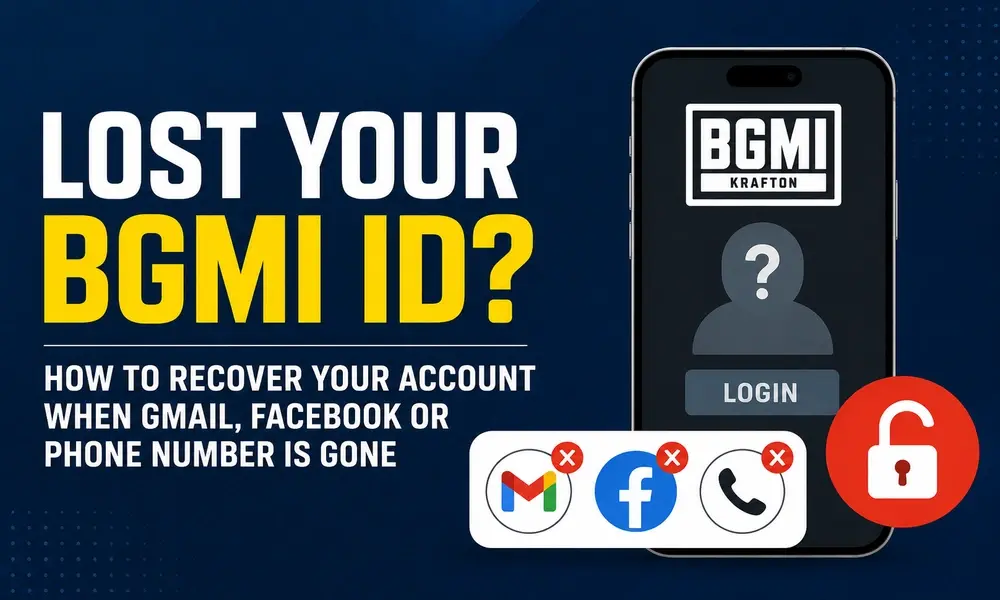
Losing access to your BGMI account can be stressful, especially if you have spent years building your inventory, rank and achievements. BGMI account recovery depends mainly on how your account was linked and whether you still have access to at least one login method. If your Gmail, Facebook account or registered phone number is gone, there are still a few steps you can try before giving up on your account. In this guide, we explain how to recover a lost BGMI ID, what to do if your linked account is unavailable, and how to contact official BGMI support when normal login methods no longer work.
BGMI Account Recovery: What to Do First
The first thing to check is whether your BGMI account was linked to more than one supported login method.
BGMI’s Help Center confirms that players can link their game account to 2 social network accounts and provides an option to unlink one of them under Lobby → Settings → Account & Safety → Unlinking Accounts.
This means you may still be able to access your old account if one linked login method is available.
For example, if you lost access to Facebook but your other linked account is still working, try logging in through that account first. Do not create a new BGMI account immediately, as you should first check every login method you previously used.
If none of your linked accounts work, the next step is to contact BGMI Customer Service through the official support channels. BGMI’s official Help Center provides a Contact Us option and lists login-related issues among the problems handled by support.
Lost Your Gmail Account Linked to BGMI
If your BGMI account was connected to a Google/Gmail account that you can no longer access, first try recovering the Google account itself.
This is important because BGMI uses the linked login method to authenticate your account. Recovering your Gmail access may therefore restore your ability to sign in normally.
Before contacting BGMI, check whether:
- You remember the Gmail address used for BGMI.
- You can recover the Google account through Google’s account recovery process.
- You still have the phone, recovery email or another trusted method connected to the Google account.
- You have access to another login method previously linked to your BGMI account.
If Google account recovery fails and you have no other linked BGMI login, contact BGMI support and explain that the Google account connected to your game account is no longer accessible.
Do not share your Gmail password, OTP or Google verification code with anyone claiming to be a BGMI recovery agent.
Lost Your Facebook Account Linked to BGMI
If Facebook was your only accessible BGMI login and you have lost the Facebook account, first try to recover the Facebook account through Meta.
If you successfully regain access to Facebook, log into BGMI using the same Facebook account that was originally linked to your game profile.
And if Facebook cannot be recovered, contact BGMI Customer Service and explain the situation. Include as much information about the original game account as you can.
The official BGMI Help Center confirms that linked social accounts are part of the game’s account system, while support is available for account-related and login issues.
Importantly, do not pay anyone who claims they can recover your BGMI ID through a secret method. Use only official BGMI support channels.
Lost Your Phone Number or SIM Card
Losing the phone number associated with your BGMI account does not necessarily mean that your game account has been deleted.
If the number is still registered to you, contact your mobile operator and ask whether the SIM can be replaced or the number restored. Once you regain access to the number, you may be able to complete the required verification process.
BGMI’s Help Center also documents OTP authentication rules. It states that a verification code can be entered up to 3 times, while making 10 or more verification-code requests can result in a 24-hour restriction.
So, avoid repeatedly requesting OTPs if messages are not arriving.
If you permanently lost the number and cannot restore it, check whether another login method is connected to your BGMI account. If not, contact BGMI support with your account information.
What Information Should You Give BGMI Support?
When submitting a BGMI account recovery request, provide accurate information that can help support identify your account.
Useful details can include:
- Your BGMI nickname
- Your Character ID/Player ID, if available
- The login method originally connected to the account
- Your previous device model
- Approximate date when you created or started using the account
- Approximate date when you last accessed it
- Details about purchases, if applicable
- Screenshots or other information that can help establish ownership
Do not send your password or OTP.
If you still have access to the game on an old device, open your profile and note down your account information before changing anything. Having your account identifier can make your support request easier to investigate.
KRAFTON also explains that a User ID can be useful when its support team investigates an account-related inquiry.
How to Contact Official BGMI Customer Support
The safest way to request help is through the official BGMI Help Center.
BGMI’s official support portal includes options for login problems and other account issues.
If you can still open BGMI, you can also use the game’s Customer Service option. The official Help Center says players can access Customer Service from the game’s settings for support-related issues.
When submitting your request, clearly explain that you are the original owner and have lost access to the login method connected to your BGMI account.
Can You Recover a BGMI Account Without Gmail or Facebook?
Yes, BGMI account recovery may still be possible, but there is no guaranteed method that lets you bypass the original login system.
If another login method is already linked to your account, use that method first.
If all linked login methods are unavailable, your best option is official BGMI Customer Service. Support can review the information you provide and determine what assistance is available.
Do not trust websites, social media accounts or individuals promising instant BGMI ID recovery in exchange for money. Never give them your password, OTP, recovery codes or remote access to your phone.
What If You Were Playing on a Guest Account?
Guest accounts are much harder to recover.
BGMI’s official guidance warns that players using guest accounts can lose character progress when they log out, and the game recommends linking the account to a supported social account to protect game data.
If you played only as a guest and no account was linked, there may be no normal login method available to restore the old progress.
This is why linking your BGMI account is important before switching phones, reinstalling the game or resetting your device.
How to Protect Your BGMI Account After Recovery
Once you recover your lost BGMI account, take a few steps to reduce the chance of losing it again.
Link your account with the supported login options available to you and keep your linked email and social accounts secure.
You should also:
- Use strong and unique passwords.
- Enable 2-factor authentication on your email and social accounts where available.
- Keep your recovery phone number updated.
- Never share OTPs or login codes.
- Avoid unofficial UC sellers and suspicious websites.
- Do not install modified or unofficial BGMI clients.
- Avoid sharing your BGMI account with other players.
BGMI warns that unauthorized third-party programs and unofficial game clients can result in account penalties or bans.
BGMI account recovery becomes difficult when you lose access to Gmail, Facebook and your registered phone number at the same time, but you should check every possible linked login before assuming the account is gone. If another linked account still works, use it to sign in. If all login methods have been lost, contact official BGMI Customer Service and provide accurate account information to help them investigate the case.
Most importantly, avoid third-party recovery services and never share your password or OTP. The official BGMI Help Center should be your first stop for account and login problems.
FAQs
Can I recover my BGMI account if I lost my Gmail?
You should first try to recover the Google account. If that is not possible, check whether another login method is linked to BGMI. If no working login remains, contact official BGMI Customer Service.
Can I recover my BGMI ID without Facebook?
If your account has another linked login method, you can use that method. If Facebook was the only available login, contact BGMI support after attempting to recover the Facebook account.
Can I recover BGMI with my Character ID?
Your Character ID can help identify your account when contacting support, but having the ID alone does not automatically restore access.
What if I lost my BGMI phone number?
Try recovering or replacing the SIM if the number is still yours. Otherwise, check for another linked login method and contact BGMI support if you cannot access any linked account.
Is there a BGMI account recovery app?
No third-party recovery app should be trusted with your BGMI credentials. Use the official BGMI Help Center and in-game Customer Service instead.