Sunday, July 5, 2026
Home Blog Page 943

Pokemon GO January 2023 Spotlight Hour Dates and Times

0

A 2016 smartphone augmented reality game, Pokemon Go is a component of the Pokémon series and was created and released by Niantic in association with Nintendo and The Pokémon Company. Over the next weeks, there will be a number of activities, but one of the regular ones will be the weekly Spotlight Hour events.

Tuesdays from 6 to 7 p.m. local time are Spotlight Hours in Pokémon Go. Every week a different Pokémon will be highlighted, and everybody who participates will get new benefits. Alolan Sandshrew, Swirlix, Seedot, Tynamo, and Blitzle are the highlighted pocket monsters for the January 2023 Spotlight Hours in Pokémon GO.

Pokemon GO January 2023 Spotlight Hour Dates and Times

Spotlight Hours are a wonderful method to add to your fight squad for raids and Go Battle League or to capture and evolve a certain Pokémon to complete your Pokédex. Due to their different perks, they are also an excellent way to get rid of an excess of monsters from an event or enjoy stored gains from Field Research assignments.

The Spotlight Hour for January 2023 Tynamo is the only Pokémon that cannot be found in a shiny form in Pokémon, however, it does have a huge mix of other Pokémon. Alolan Sandshrew and Swirlix are two excellent Pokémon to add to your roster that has shiny versions in Pokémon Go, along with all the others.

Featured PokémonSpotlight Hour DateEvent Bonus (6 pm – 7 pm)
Alolan Sandshrew in Pokémon GOJanuary 3Evolution XP ×2
SwirlixJanuary 10Catch Stardust ×2
SeedotJanuary 17Catch XP ×2
TynamoJanuary 24Catch Candy ×2
BlitzleJanuary 31Transfer Candy ×2

For more exclusive esports and gaming content, please follow TalkEsport on Google News.

Man Arrested for Chasing Twitch Streamer JustKeth

0

JustKeth Twitch: A man was jailed in Thailand after he allegedly stalked the Twitch streamer Justketh. For the uninitiated, in-real-life streaming are live broadcasts of people’s daily activities, typically shared on social media sites like Twitch and YouTube. 

Nonetheless, not everyone is interested in IRL streaming; prominent Twitch streamer Emiru recently stated that she had no desire to do so.

Because of the unpredictability of IRL broadcasting, it may be humorous, entertaining, and occasionally unsettling. 

When streamers do something completely out of character, it can make for a priceless bit of comedy. Sometimes, things go wrong during an in-person stream, such as when Twitch streamer Skill Specs was riding his bike and shattered his collarbone.

A fresh incident involving this kind of behavior occurred when a man chased a female Thai Twitch broadcaster named Justketh as she was broadcasting from a resort.

Several videos documenting the incident have gone popular online, but the one in which the man pursues Justketh forcefully has drawn the most interest. 

Justketh claimed that the man in the video had invited her to sit with him and then gotten angry when she declined.

He became aggressive, followed her, and ultimately dumped her belongings in the hotel swimming pool. She eventually told police about what had happened, and the suspect was taken into custody.

This is the most recent occurrence in which a real-life streamer was harassed or physically attacked while livestreaming. 

All forms of harassment are totally unacceptable, thus it’s important to always take precautions to avoid them. It was reported in October 2022 that Nintendo Japan had decided to stop providing repairs to consumers who threatened or harassed employees. 

In response to rising accusations of harassment and abuse against Nintendo employees, this decision was made. As an example of how companies might directly combat harassment, Nintendo’s stance against it is instructive.

For more updates, make sure to follow TalkEsport on Google News

Roblox Zombie Tag Codes for January 2023

0

The Gang Stockholm created the Roblox game Zombie Tag. It’s a hybrid of the Piggyback and Murder Mystery games, as well as a traditional tag on the playground. Everyone starts off as humans, but one of you will transform into a zombie at random. When you are a person you would look for components to aid in the opening of your escape path. But if you’re a zombie, you would like to capture the humans and prevent them from fleeing.

This guide has all of the working Roblox Zombie Tag codes that will get you a tonne of free brains and cash. These coins allow you to buy new zombies or human skins.

Roblox Zombie Tag Codes for January 2023

  • chapter2
  • birdcoins
  • birdbrains
  • oofbama

How to redeem Roblox Zombie Tag codes?

  • Launch the game and find out the Codes button.
  • Insert a code inside the redemption box and press Enter.
  • Enjoy your rewards.

For more exclusive esports and gaming content, please follow TalkEsport on Google News.
Destiny 2: How to Complete the Dividing the Ladder Quest

0

Dividing the Ladder Quest Destiny 2: In this Article, you’ll find detailed instructions on how to finish the Dividing the Ladder quest in Destiny 2. To help familiarize players with the updated Competitive Crucible playlist, this quest was added during the Season of the Seraph.

Bungie’s Destiny 2 is a highly regarded looter-shooter video game that the developer created. 

As you progress through the game’s various quests, raids, and other activities, you’ll gain access to new abilities and items. 

Run dungeons, complete quests, buy exotics from Xur, and farm materials in Patrols, Public Events, and Crucible matches to get exotic gear and high-power armor in Destiny 2.

You must complete the Dividing the Ladder Quest before you can compete in the new Crucible matches. 

To aid you in your advancement through the ranks of the Competitive Crucible, we have crafted this quest. Read this guide to learn all there is to know about the quest and how to finish it.

How to Complete the Dividing the Ladder Quest In Destiny 2

Detailed instructions on how to finish the Dividing the Ladder quest in Destiny 2 can be found below.

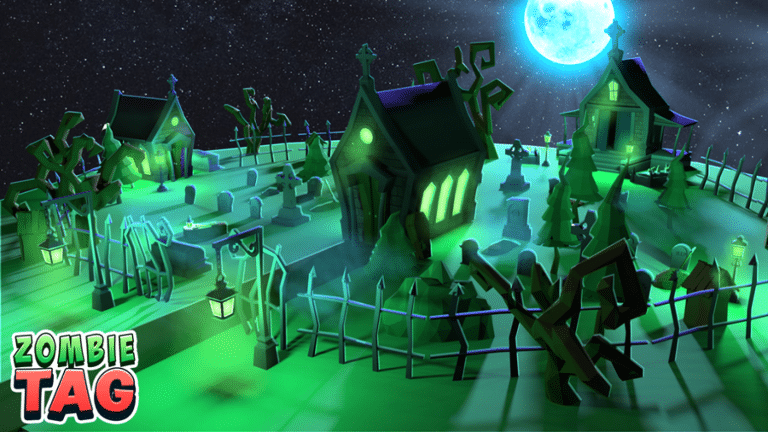
1. Get the conversation started by visiting Lord Shaxx in the Tower.   You can get the Dividing the Ladder quest from him, and he’ll walk you through it. 

2. The objective of the quest is to familiarize you with the Season of the Seraph’s revamped Competitive Crucible playlist.

3. Accepting the quest will send you straight into a match in the Competitive playlist, where you’ll need to prove your mettle. 

4. Choose the Crucible option from the main menu, and then click the Competitive tab to access this playlist.

5. Following the conclusion of the first confrontation, the next phase of the quest will become available to you. 

6. In order to proceed, you must win seven consecutive matches from the Competitive playlist. Keep in mind that you only need to finish the matches, not necessarily win them.

7. By playing matches in the Competitive playlist, you can earn points and rise through the ranks of the Competitive Crucible. 

8. There are five tiers within each rank, and the higher your point total, the higher your place within the rank, all the way up to the Legend tier.

9. In order to finish the Dividing the Ladder quest, you must play seven matches from the Competitive playlist. 

10. Go to the Quests section of the main menu and select the When you have finished the quest and accomplished all of the goals, you will receive a confirmation message.

11. Upon reaching 100% completion, the quest’s notification will appear.

12. Return to Lord Shaxx in the Tower and speak with him to conclude the quest and receive your reward. A second competitive quest, Ascending the Divisions, will be granted to you as a token of his appreciation for your efforts. 

13. To aid you in your advancement through the ranks of the Competitive Crucible, we have crafted this quest.

14. There are three playable classes, and as you level up, you’ll unlock new weapons to use. Pursue powerful exotics by engaging in dungeons and raids.

Make sure to follow TalkEsport on Google News

Valorant Episode 6 Act 1 Release Date

0

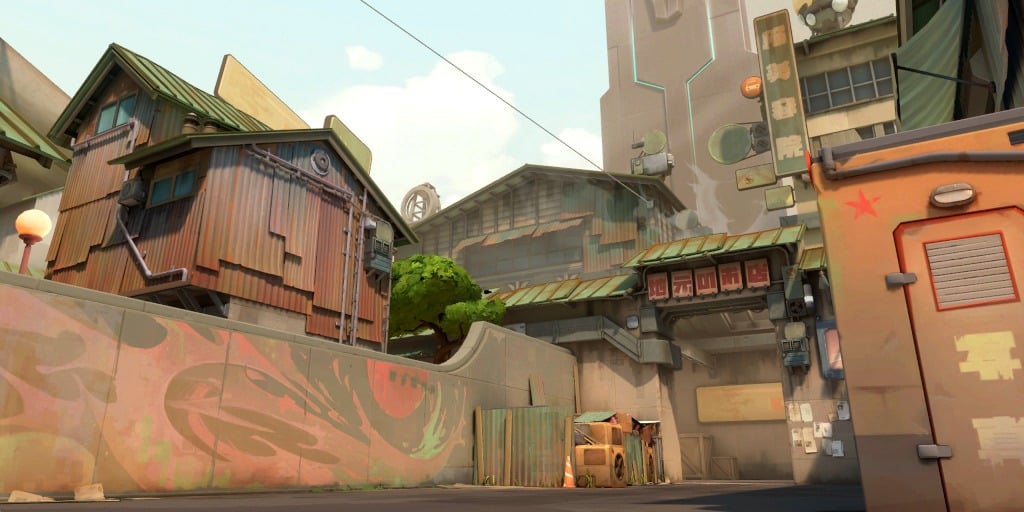
As we near the conclusion of Valorant’s fifth episode, fans of the competitive shooter are getting ready to welcome Split back into the map pool rotation alongside an entirely new map that’s set to arrive with Valorant Episode 6.

The heavily anticipated Valorant Episode 6 Act 1 update will bring with it a plethora of new and exciting content to the Riot Games title. Let’s take a look at what the developers have in store for the players with the release of Valorant Episode 6, its release date, and more. 

Valorant Episode 6 Act 1 Release Date

The Valorant Episode 6 Act 1 update will hit the live servers around January 10, 2023. Split is set to make its return to the map pool on the same date, while Bind and Breeze depart from the map rotation. 

Valorant 6.0: Split Returns, New Map, Bind and Breeze Removed

As confirmed by the Riot developers in a blog post, Split will be returning to the Valorant map rotation with the upcoming patch 6.0. 

Alongside Split, the update is also expected to introduce a new map to Valorant in order to maintain the 7-map pool rotation of the title.

However, Split’s return comes at the price of two fan-favorite maps being removed from the competitive pool. With patch 6.0, fans will have to bid farewell to Breeze and Bind, but they won’t be gone for long. It has been confirmed that the maps will be returning to the title at some point in the future. The exact date of their return hasn’t been announced by the developers yet, but it will likely take around six months or more for the official map pool to change again.

Fortnite Shutting Down in 2023? Explained

0

Fortnite is undoubtedly one of the most popular battle royale games on the internet right now, with millions of players tuning into the title each day to enjoy one of the many game modes available to play in the Epic Games title.

Recently, Fortnite fans throughout the globe were taken aback when a series of rumors started surfacing on social media platforms claiming that the battle royale would be shut down in 2023. This has led many Fortnite fans to wonder whether those rumors have any truth to them.

Let’s take a moment to check whether the rumors of Fortnite shutting down in 2023 are true or just an elaborate hoax that has taken over social media platforms over the past few weeks.

Fortnite Shutting Down in 2023: Rumors

It should come as no surprise that Fortnite is perhaps the most popular title on the Epic Games platform, which is why it’s obvious that these claims of Fortnite shutting down in 2023 are nothing more than hoaxes.

If you’re a Fortnite player, you have no reason to worry. Rest assured, Fortnite isn’t coming to an end anytime in the near future.

Readers are advised to follow the official Fortnite Twitter handle for news and updates regarding the game and its server status. News and pictures from other sources or users might be easily photoshopped or edited to spread false rumors on the internet.

That’s everything you need to know about the rumors involving Fortnite shutting down in 2023.

Roblox Military Tycoon Codes for January 2023

0

In the military-themed shooting game Roblox Military Tycoon, you play as a nation with the aim of conquering the entire planet. You may accomplish this by utilizing military-grade weapons, helicopters, tanks, and watercraft. However, obtaining all of this is a difficult undertaking, and credits are required. You may use the Military Tycoon codes given below to gain a tonne of free in-game cash if you can feel their paucity.

Make sure to use your Roblox Military Tycoon codes as soon as you can because they are often made available through social media networks. Let’s look at the Military Tycoon codes that are active in January 2023.

Roblox Military Tycoon Codes for January 2023

  • 10k – Redeem for 150k Cash 
  • terbyte – Redeem for 200k Cash 
  • 1day – Redeem for 150k Cash
  • 2days – Redeem for 150k Cash
  • 3days – Redeem for 150k Cash
  • 4days – Redeem for 150k Cash
  • LT01 – Redeem for 250k Cash
  • PL01 – Redeem for Cash
  • patch22 – Redeem for 150k Cash
  • freecash – Redeem for 250k Cash
  • skins – Redeem for 500k Cash
  • weekday – Redeem for 500k Cash
  • goldcar – Redeem for 500k Cash
  • 780k – Redeem for 500k Cash
  • happysaturday – Redeem for 35 Gems
  • Hooray50k – Redeem for 300k Cash
  • ghostship – Redeem for 25 Diamonds
  • bugs – Redeem for 500k Credits

How to redeem Military Tycoon codes?

  • Launch the game and click on the Thumbs Up button on the left side.
  • Insert a code inside the Enter Code section.
  • Then click on the Redeem button and enjoy your rewards.

For more exclusive esports and gaming content, please follow TalkEsport on Google News.
How To Fix Dev Error 6146 in COD Modern Warfare 2

0

Over the course of the past year, several big first-person shooter games have surfaced on the internet, but none of them have managed to come close in popularity to Call of Duty Modern Warfare 2. Released in October 2022, the Activision title is the sequel to the 2019 reboot, and the nineteenth installment in the Call of Duty series.

If you’ve been playing Call of Duty Modern Warfare 2 recently, then you may have encountered the infamous issue of ‘Dev Error 6146’ while trying to log into the game. If you’ve been experiencing this problem and unable to play Modern Warfare 2 as a result, you’re not alone. Since the release of the Season 1 reloaded update, a lot of players have been reporting the same problem.

Luckily, you’ve come to the right place if you’re looking to solve the Dev Error 6146 issue in Call of Duty Modern Warfare 2. Let’s take a look at some of the methods you can try to fix this problem in the game.

How To Fix Dev Error 6146 in CoD Modern Warfare 2

If you’re encountering the Dev Error 6146 in Modern Warfare 2, the first thing you should try is check if the official servers are down.

This error is primarily caused by the servers being under maintenance, and there’s a good chance that the Dev Error 6146 may have nothing to do on your end.

You can visit third-party websites like Down Detector to check if other players are encountering the same problem while trying to play CoD MW2.

In case the servers are up and running, you should try a few steps to fix the Dev Error 6146 in Modern Warfare 2:

  • Verify game files.
  • Run Modern Warfare 2 as an administrator.
  • Restart your router.
  • Restart your pc.

If everything else fails, your best bet is to uninstall the game entirely and reinstall a fresh copy of the game from scratch.

That’s everything you need to know about how to fix Dev Error 6146 in Modern Warfare 2.

Roblox Tangled Web Codes for January 2023

0

You can live out your Spider-Man fantasies with Roblox Tangled Web. As you make your way to thwart crime, swing around the city utilizing your spiderwebs as wings.

The most recent working codes for Roblox Tangled Web are provided here. These may be exchanged for money that can be used to buy trails and suits.

Roblox Tangled Web Codes for January 2023

  • ALPHASOON – Redeem code for Cash
  • NEWCODES – Redeem code for Cash
  • LIMITEDTIME! – Redeem code for 50,000 Cash
  • 9000Likes – Redeem code for Cash
  • 3MVISITS – Redeem code for Cash
  • Race – Redeem code for Cash
  • 8000Likes – Redeem code for Cash
  • 2MVISITS – Redeem code for Cash
  • DEMO – Redeem code for Cash
  • Swingin – Redeem code for 300 Cash
  • PizzaTime – Redeem code for 200 Cash
  • TangledWeb – Redeem code for 300 Cash
  • 6500Likes – Redeem code for 650 Cash
  • 1MVISITS – Redeem code for 1,000 Cash

How to redeem Tangled Web codes?

  • Launch the game and click on the Settings button.
  • Insert a code inside the Enter Code Here box.
  • Click the Redeem button to enjoy your rewards.

For more exclusive esports and gaming content, please follow TalkEsport on Google News.
When Will Valorant Episode 5 Act 3 End?

0

Act 3 of Season 5 began in the middle of October and will conclude in the beginning of January 2023. The new act is expected to hit on January 9. 

Valorant’s thrilling season-based timeline consists of episodes and acts. These denote the periodic appearance of new material included to maintain interest.

If everything goes according to the official announcement, here is a list of Episode 5 Act 3’s ending times in different regions:

DateTimeTime Zone
January 105:00 A.M.GMT+8
January 92:00 P.M.PDT
January 99:00 P.M.GMT
January 99:00 P.M.UTC
January 95:00 P.M.EST

However, the game will be down while Riot Games performs server maintenance and prepares the game for patch deployment.

Valorant Act 3 of Episode 5 End Date:

As Act 3 of Episode 5 concludes, all players’ ranks will be reset and they will begin Episode 5 from the beginning. In most cases, the competitive queue is cleared out before the actual Act begins. Now is the time to put in the time and effort required to advance in rank.

You will, however, be able to continue playing other game modes, including Custom Games, Unrated, Spike Rush, and others, until the conclusion of Episode 5 Act 3 in its entirety. The duration of this Act will come to an end simultaneously across the country. 

The official Riot Games Twitter account has announced that Episode 5 Act 3 will conclude on January 9, 2023.

Lots of changes and additions to the game are planned for the first act of Episode 6. Riot Games will need to perform a longer maintenance to accommodate the size of the upcoming patch.

Episode 5 of Valorant has been in the game for about six months, and it is almost time for it to end. It added a new map, modes, Agent, three battlepasses with cosmetics, multiple skin collections, major updates to popular Agent and map meta, and more.

An all-new map with a yet-to-be-announced name will join Valorant’s map pool in the upcoming Episode, and the fan-favorite Split will make a return. Players’ ranks will be reset at the start of the competitive queue for Episode 6, which also comes with a new battlepass and weapon collection.

In order for the game’s rank-rating system to calculate a player’s match-making rating, they’ll need to play through five matches.
For more updates on Episode 5 Act 3, make sure to follow TalkEsport on Google News