Home Blog Page 932

Wild Rift Patch 4.3: Exciting Updates and New Features

0

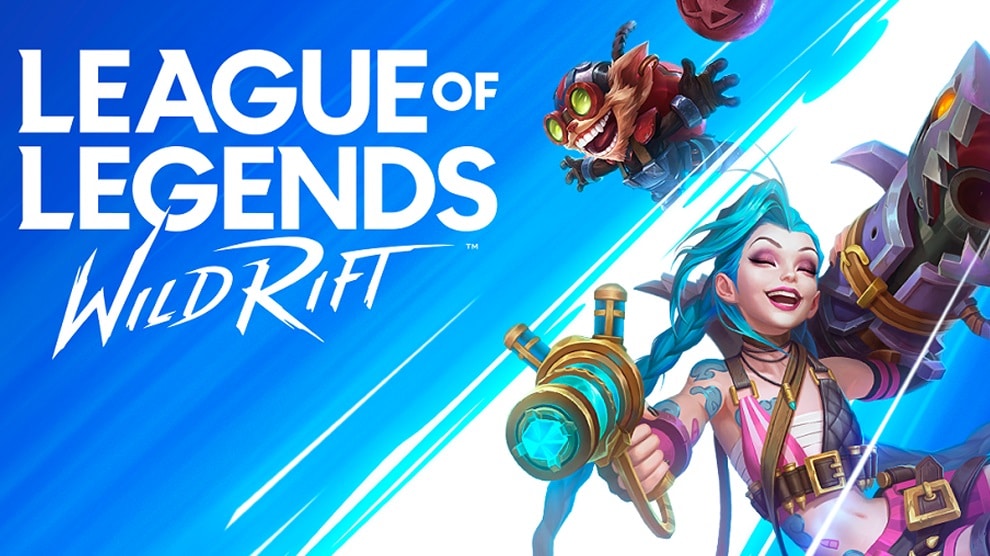
Prepare for an exhilarating journey into the world of Wild Rift as we delve into the much-anticipated Patch 4.3. This update is brimming with thrilling enhancements and innovative features that promise to redefine your gaming experience. From the introduction of formidable champions to the unveiling of captivating game modes, Patch 4.3 is set to take the gaming world by storm.

The Wild Rift universe expands with the arrival of Nilah, a powerful champion destined to dominate the Dragon Lane. Alongside Nilah, Hecarim and Vladimir join the ranks, each bringing unique abilities to the battlefield. But the excitement doesn’t stop there. Keep your eyes peeled for an even more formidable champion set to emerge later this year.

In a tribute to Soul Fighter, the developers have introduced Duel Tag, an exhilarating twist on the classic 1v1 mode. This mode allows you to select three champions to pit against your opponent. It’s the perfect opportunity to experiment with new builds or showcase your skills with the latest champions. Save your secret weapon for the final round and immerse yourself in the thrill of Duel Tag.

Patch 4.3 brings a host of exciting changes, including reworks for Annie and Janna. However, these reworks will not be available immediately upon the patch’s release. They will be introduced individually in future balance patches. Stay tuned for more information on their release dates.

Patch 4.3 brings exhilarating news for Wild Pass fans. The developers are releasing a second Wild Pass with this patch, meaning twice as many skins and items to enjoy. Look forward to Dream Raider Thresh in the first Wild Pass, followed by Food Spirits Yuumi.

Patch 4.3 introduces a plethora of new skins, including the eagerly awaited Star Guardian lineup. Additionally, look forward to the Mecha and Stargazer series, as well as the Pulsefire skins for Caitlyn and Fiora.

One of the significant gameplay changes in Patch 4.3 is the reworking of the rune system. The goal is to provide players with more options for customizing their load-outs per game. The revamped rune system offers more adaptability to various situations and champion playstyles.

In addition to the Soul Fighter-exclusive game mode, Patch 4.3 brings an intriguing selection of Soul Fighter-themed skins. Also, look forward to a Soul Fighter event with an event pass, in-client narrative experience, and the Soul Fighter Bounty promotion.

Stay updated with the latest news in gaming and esports by signing up for early access to TalkEsport’s Mobile App. Follow us on Twitter and Google News to ensure you never miss the exciting updates.

How To Use Launchpad At Sunswoon Lagoon in Fortnite?

0

In the ever-evolving world of Fortnite, the introduction of new quests and locations keeps the game fresh and exciting. One such recent addition is the Sunswoon Lagoon, a part of the Summer Escape event in Season 3 Chapter 4. Among the challenges presented here, players are tasked with finding and using a well-concealed Launchpad. This article guides you through the process, ensuring you can complete this quest swiftly and efficiently.

As the summer sun blazes, Fortnite welcomes a new location to its map – Sunswoon Lagoon. This tropical paradise is more than just a picturesque landscape; it’s the setting for a series of thrilling quests. One such mission that has caught the attention of players worldwide involves a hidden Launchpad.

How To Use Launchpad At Sunswoon Lagoon in Fortnite?

Locating a Launchpad in Fortnite can be a daunting task, especially when it’s cleverly hidden. However, the quest becomes considerably easier with a bit of guidance. The sought-after Launchpad is nestled to the northwest of Sunswoon Lagoon. Contrary to what one might expect, it’s not tucked away in the dense jungle or beside a meandering creek, but rather on dry land.

With the exact location of the Launchpad revealed, players can now embark on their journey with confidence. Upon landing from the bus, head straight to the marked spot to secure the challenge. Successfully using the Launchpad not only completes the quest but also rewards you with a hefty 30k XP, propelling you further in your Fortnite adventure.

The Summer Escape event continues to unfold, promising more challenges and opportunities to unlock free cosmetic items. Stay tuned for more guides to help you navigate through these quests and make the most of your Fortnite experience.

Stay updated with the latest news in gaming and esports by signing up for early access to TalkEsport’s Mobile App. Follow us on Twitter and Google News to ensure you never miss the exciting updates.

DSG Gears Up for VALORANT Game Changers NA Series 2 with New Roster

0

In the ever-evolving world of esports, Disguised Toast, a renowned name in the Valorant community, is once again making waves. The popular streamer and content creator is set to launch a new iteration of the DSG Game Changers team, ready to compete in the NA Series 2.

Jeremy “Disguised Toast” Wang, known for his significant contributions to the Valorant scene, has previously signed an NA Challengers roster and had a brief stint with the original DSG Game Changers. Despite the dissolution of these teams, Disguised Toast is not backing down. He is once again stepping up to the plate, ready to host a new Game Changers roster.

The announcement of the new squad was made on the team’s official Twitter account. The team is already set to see their first action in the NA Team Deathmatch Showcase, indicating an exciting journey ahead.

The new DSG Game Changers Valorant team is headlined by “katarina” and Hannah “hannah” Reyes, both of whom bring a wealth of experience to the table. The team also includes Nathan “nathn” Hoang, “misu”, and “unstable”, all of whom have had significant playing time in various GC tournaments. The team will be coached by Chris “chrisyong” Yong, whose previous coaching experience includes stints with Misfits Black and OREsports in NA Challengers.

Disguised Toast’s commitment to maintaining a Valorant roster has been unwavering, despite the challenges. His efforts have undeniably brought more attention to the FPS genre, with his signed teams and watch parties during their matches.

With this new lineup, the DSG Game Changers are poised to make a significant impact in the NA Series 2. The team’s diverse experience and proven track record in the Game Changers tournaments make them a force to be reckoned with.

Stay updated with the latest news in gaming and esports by signing up for early access to TalkEsport’s Mobile App. Follow us on Twitter and Google News to ensure you never miss the exciting updates.

How to Get Triple Threat Animation Fortnite?

0

Fortnite, the globally renowned online game, is a treasure trove of unique items known as “skins” that players can acquire to customize their characters. These skins range from simple to elaborate, transforming your character into superheroes, famous figures, animals, and more. One such unique skin that has caught the attention of players worldwide is the Triple Threat Skin. This article will dig into the details of this rare skin, its unique features, how to acquire it, and its cost.

The Triple Threat Skin is a distinctive Fortnite costume that adds a sporty flair to your character. Released on June 1st, 2018, this skin is part of the Half Court set and is quite rare, making it a coveted item among players. The skin, with its basketball theme, transforms your character into a basketball player complete with a backward cap, a unique hairdo, and a basketball jersey paired with shorts and sneakers. If you’re a fan of basketball or simply love the sporty vibe, this skin is a must-have.

How to Get Triple Threat Animation Fortnite?

The Triple Threat Skin can be purchased using V-Bucks, Fortnite’s in-game currency. However, it’s important to note that the skin isn’t always available in the Item Shop, where players can buy various cosmetic items. The availability of the Triple Threat Skin is cyclical, returning to the Item Shop every 76 days on average. This means players need to keep an eye on the shop’s daily updates to check if the skin is currently available.

When the Triple Threat Skin is available in the Item Shop, players can purchase it using V-Bucks, which can be acquired in several ways. Players can buy V-Bucks with real-world money or earn them through the game’s Battle Pass, Save the World mode, or by participating in special events and challenges. Once you have enough V-Bucks, you can purchase the Triple Threat Skin when it becomes available, and it will be added to your account for use in-game.

The Triple Threat Animation is a cosmetic item in Fortnite that players can use to further customize their characters. This rare outfit, which debuted on June 1st, 2018, is not easy to come by in the game. To acquire this cosmetic, players must spend 1,200 V-Bucks. The Triple Threat Animation is available in the Item Shop, where players can browse and buy various items.

Stay updated with the latest news in gaming and esports by signing up for early access to TalkEsport’s Mobile App. Follow us on Twitter and Google News to ensure you never miss the exciting updates.
Global Esports’ WRONSKI Retires from Competitive Scene

0

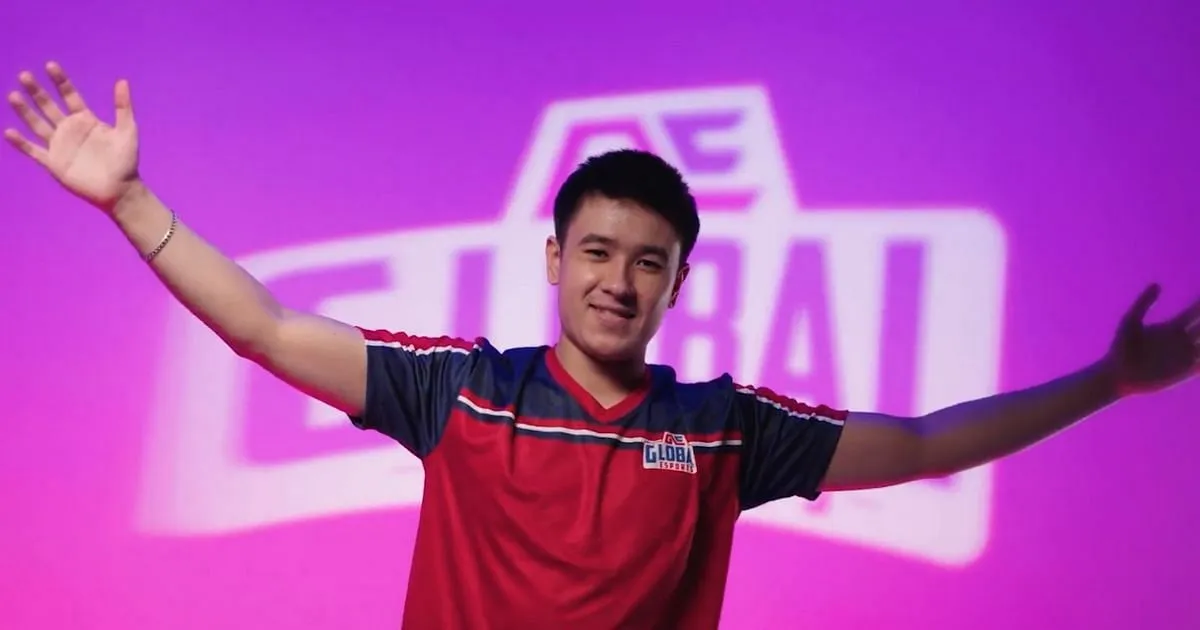
In a surprising turn of events, Michael “WRONSKI” Wronski, a prominent figure in the Valorant esports scene, has announced his retirement from competitive gaming. This news comes shortly after his departure from the renowned Global Esports organization, leaving fans and fellow gamers in a state of shock and curiosity about the future of the team and the player himself.

Global Esports, a key player in the Valorant esports landscape, is gearing up for the VCT 2023: Pacific Last Change Qualifier, scheduled to kick off on July 19th. However, the team’s preparation has been marked by a significant change in its roster. Michael “WRONSKI” Wronski, an Australian-Laotian player, has been released from the team’s extended Valorant roster, a decision announced by the organization on July 14th.

WRONSKI, who has previously played for top regional organizations such as Chiefs Esports Club, Mindfreak, and ORDER, had a relatively short stint with Global Esports, lasting almost nine months. Despite the brevity of his tenure, he had the opportunity to represent the organization in four official matches, all of which took place during the regular season of the VCT 2023 Pacific League.

His performance against formidable opponents like T1, DRX, ZETA DIVISION, and Paper Rex was commendable, with his skills as KAY/O, Sage, and Jett being particularly noteworthy. However, his departure from Global Esports isn’t just a team change; WRONSKI has decided to step back from competitive Valorant altogether.

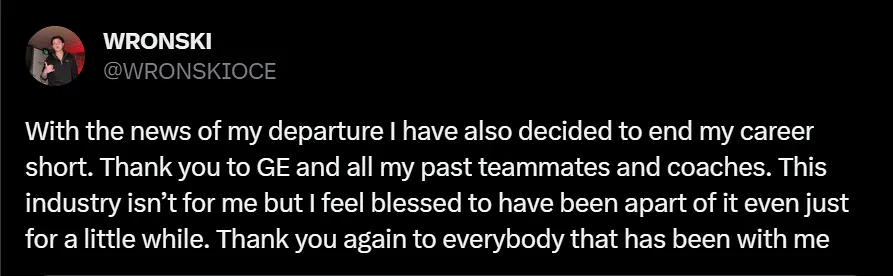
In a heartfelt public statement, WRONSKI expressed his gratitude towards Global Esports, his former teammates, and coaches, while also revealing that the esports industry was not the right fit for him. He said, “This industry isn’t for me but I feel blessed to have been a part of it even just for a little while. Thank you again to everybody that has been with me.”

The current active lineup for Global Esports includes Ganesh “SkRossi” Gangadhar, Jayanth “skillZ” Ramesh, Abhirup “Lightningfast” Choudhury, Jordan “AYRIN” He – IGL, Park “Bazzi” Jun-ki, Kim “t3xture” Na-ra, and Cahya “Monyet” Nugraha. However, the organization may be considering further roster changes in the near future.

As we bid farewell to WRONSKI, we can’t help but wonder about the future of Valorant esports and the impact of his departure on Global Esports. Will the team be able to maintain its momentum in the upcoming VCT 2023: Pacific Last Change Qualifier? Only time will tell. For now, we wish WRONSKI the best in his future endeavors and thank him for his contributions to the esports industry.

Stay updated with the latest news in gaming and esports by signing up for early access to TalkEsport’s Mobile App. Follow us on Twitter and Google News to ensure you never miss the exciting updates.
How To Fix VAN 9005 Error Code Valorant

0

Valorant, the popular first-person shooter game developed by Riot Games, is known for its immersive gameplay and competitive scene. However, like any other game, it’s not immune to technical issues. One such issue that has been causing headaches for Windows 10 users is the VAN 9005 error code. This article provides a detailed guide on how to resolve this error, ensuring a smooth and uninterrupted gaming experience.

VAN 9005 Error Code Explained

The VAN 9005 error code in Valorant is primarily triggered by the Virtualization-based Security (VBS) setting in Windows 10. This issue started surfacing from July 10th, 2023, when Valorant implemented certain solutions that required specific settings to run on Windows 10. If you’ve encountered this error, don’t worry. There are several steps you can take to rectify it.

Steps to Fix the VAN 9005 Error Code:

  1. Enable TPM 2.0 in UEFI through BIOS Settings: The first step to resolving the VAN 9005 error code is to access your BIOS settings and enable TPM 2.0 in the UEFI. If this option isn’t available, you may need to follow additional steps.
  2. Verify UEFI Mode and TPM 2.0 Support: To check if your system supports UEFI mode and TPM 2.0, you can follow a series of steps involving the System Information window and the TPM management console on your Windows 10 system.
  3. Enable UEFI Mode and TPM 2.0: If your system supports both UEFI mode and TPM 2.0, you should enable them, as Valorant requires these settings. The process to enable these settings can vary across different PC versions.
  4. Disable Virtualization-Based Security (VBS): If none of the previous solutions work for you, you can try disabling VBS. This involves checking if VBS is enabled and then using the Command Prompt to disable it.

While these steps should help most users resolve the VAN 9005 error code in Valorant, it’s important to remember that sometimes, adjusting your settings might not be enough. In such cases, reaching out to Riot Support can be a viable option. Remember, a smooth gaming experience is just a few steps away!

Stay updated with the latest news in gaming and esports by signing up for early access to TalkEsport’s Mobile App. Follow us on Twitter and Google News to ensure you never miss the exciting updates.
How to fix “This build of Vanguard is out of compliance” error?

Valorant, the popular first-person shooter game developed by Riot Games, has captivated the hearts of many gamers worldwide. However, like any other game, it’s not immune to technical glitches. One such issue that has been causing frustration among players is the “This build of Vanguard is out of compliance” error. This error message indicates that the version of Vanguard, Riot Games’ anti-cheat software, is not up-to-date or compatible with the current version of Valorant. This article will guide you through the steps to resolve this issue, ensuring you can get back to enjoying your game as quickly as possible.

This Build Of Vanguard Is Out Of Compliance Error Valorant

Vanguard is an essential component of Valorant. It’s an anti-cheat software designed to detect and prevent cheating by monitoring the player’s system and ensuring no third-party software or hacks are being used during gameplay. When the “This build of Vanguard is out of compliance” error pops up, it prevents players from launching the game, leading to understandable frustration.

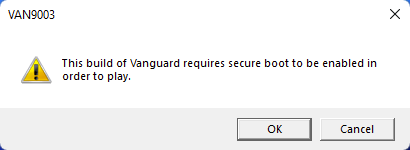
Fix Valorant This Build of Vanguard is Out of Compliance Error – Van9003 TPM Version 2.0 Solved

There are several potential solutions to this issue, and we’ll walk you through each one. Remember, these steps are designed to be followed in order, so if one doesn’t work, simply move on to the next.

Solution 1: Update Windows

Keeping your operating system up-to-date is crucial for the smooth running of any software, including Valorant. To check for updates:

  1. Click Start and select Settings.
  2. Go to the Windows Update section.
  3. Click Check for updates and wait.
  4. Go to the Advanced options and install optional updates.
  5. Reboot your system.

Solution 2: Enable Secure Boot

Secure Boot is a security standard developed by members of the PC industry to help make sure that your PC boots using only software that is trusted by the PC manufacturer. Sometimes, due to a BIOS glitch, Secure Boot may be enabled on your system but is not functioning properly. To resolve this issue, you can try a workaround by accessing the BIOS settings on your system.

Solution 3: Reinstall Vanguard

If the above solutions don’t work, you might need to reinstall Vanguard. Here’s how:

  1. Click on the Search menu.
  2. Type appwiz.cpl and press Enter.
  3. In the Program and Features window, locate Riot Vanguard and select it.
  4. Click on Uninstall and follow the on-screen instructions.
  5. Reboot the system.
  6. Go to the game’s official website and download the latest version of the game.

The “This build of Vanguard is out of compliance” error can be a significant hindrance for Valorant players, but with these troubleshooting steps, you should be able to resolve the issue and get back to your game. Always remember to keep your system and game software up-to-date to prevent such issues from arising. Happy gaming!

Stay updated with the latest news in gaming and esports by signing up for early access to TalkEsport’s Mobile App. Follow us on Twitter and Google News to ensure you never miss the exciting updates.
How to Travel Northeast in Fortnite?

0

In the thrilling world of Fortnite, mobility is a key factor that can make or break your survival chances. The ability to navigate the diverse landscapes of the game not only increases your chances of survival but also enhances your odds of securing a victory. The terrain in Fortnite can be challenging, with uneven surfaces and obstacles that require strategic movement. The “Travel Northeast” challenge is an excellent opportunity for players to hone their rotational skills and understand the nuances of long-form rotations.

The Rewarding Challenge of Traveling Northeast

The “Travel Northeast” challenge, part of the Week 6 tasks in Fortnite Chapter 4 Season 3, is a test of endurance and strategic planning. Despite its straightforward nature, the challenge can be time-consuming due to the considerable distance that needs to be covered. However, the effort is well rewarded with a whopping 40,000 experience points upon completion, making it a worthwhile endeavor for every Fortnite enthusiast.

How to Travel Northeast in Fortnite?

Choosing Your Landing Spot: Steamy Springs or Lotus Lookout

The first step in this challenge is to land at the northernmost part of the island, either at the Point of Interest (POI) known as Steamy Springs or the Landmark known as Lotus Lookout. Both locations are in close proximity, making them easy to locate. Marking your chosen location on the minimap before the match begins can help you spot it easily after jumping off the Battle Bus.

Steamy Springs is a great choice for players who are confident in their combat skills and are ready to engage in early-game fights. With plenty of loot available, securing high-quality gear won’t take long. For those who prefer a quieter start, Lotus Lookout, located just south of Steamy Springs, is an excellent alternative.

Securing Your Ride: Find a Vehicle and Fuel

After landing, your next task is to find a vehicle. Given the long distance to be covered, a car is preferable over a bike, as it offers better protection. If possible, also secure a Gas Can to ensure you have enough fuel for your journey.

Navigating the Terrain: Use the Compass to Travel Northeast

Once you’ve secured your vehicle, use the in-game compass at the top of the screen to find the Northeast direction, marked as “NE”. Drive in this direction to start progressing in the challenge. Remember, there’s no rush to complete this task in a single match. Take your time and progress at your own pace.

By following these steps, you’ll not only complete the “Travel Northeast” challenge but also improve your overall Fortnite gameplay.

Stay updated with the latest news in gaming and esports by signing up for early access to TalkEsport’s Mobile App. Follow us on Twitter and Google News to ensure you never miss the exciting updates.
Honkai Star Rail: A Definitive Guide to Character Ages

0

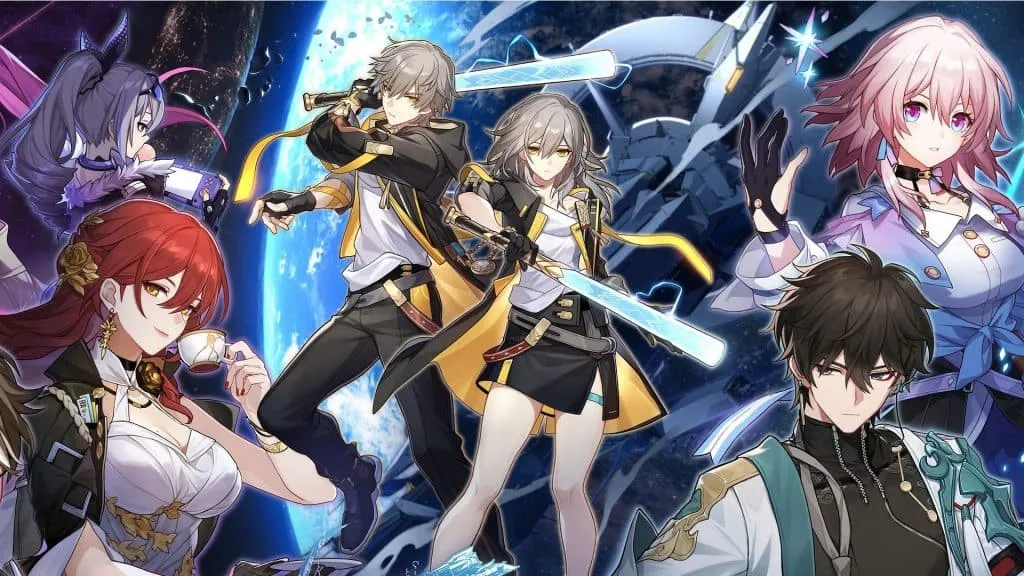
Honkai Star Rail, a game that has captivated millions with its intriguing characters and immersive storylines, remains a mystery in many ways. One such enigma is the age of its characters. While the game does not officially disclose this information, the dedicated player community has pieced together clues from character appearances, professions, and in-game narratives to estimate their ages. This article aims to shed light on these estimates, providing a comprehensive guide to the ages of Honkai Star Rail characters.

The Youngest and the Oldest: In the vast universe of Honkai Star Rail, the youngest character is surprisingly the protagonist, Trailblazer, who is less than a year old. This character was created by Kafka, positioning her as a mother figure for Stelle/Caelus. The Stellaron’s power was instrumental in forming the protagonist as a fully grown human, leaving us to ponder the existence of a past.

On the other end of the spectrum, the oldest character is not who most players would expect. While many might guess that Welt, the recurring character from Honkai Impact 3rd, holds this title, it is actually Jing Yuan who is the oldest. Jing Yuan, an immortal character, has been around for over 700 years, a fact that was revealed not in the game, but in an official cinematic by Hoyoverse.

The Ageless Enigma: Among the characters, Herta stands out as an ageless enigma. Her age remains undetermined, adding to the intrigue and mystery that surrounds the characters of Honkai Star Rail.

Honkai Star Rail Character Ages

NameAgeHeight
Arlan19-215’3″
Asta20-235’5″
Bailu18-214’6″
Blade39-416’2″
Bronya19-215’6″
Clara10-125’1″
Cocolia42-455’7″
Dan Heng23-256’1″
Fu Xuan19-225’3″
Gepard33-366’3″
HertaN/A5’2″
Himeko32-355’6″
Hook10-124’4″
Jing Yuan700+6’1″
Kafka27-305’6″
Luocha25-276’1″
March 7th20-225’3″
Natasha36-395’5″
Pela21-235’3″
Qingque21-235’1″
Sampo25-276’2″
Seele19-215’4″
Serval41-435’6″
Silver Wolf17-195’3″
Sushang15-185’3″
Tingyun24-265’4″
Trailblazer22-255’9″
Welt80+6’3″
Yanqing8-145’4″

Stay updated with the latest news in gaming and esports by signing up for early access to TalkEsport’s Mobile App. Follow us on Twitter and Google News to ensure you never miss the exciting updates.
FaZe Rain Calls on Streaming Platform Kick to Acquire FaZe Clan

FaZe Rain has hinted that the organization that he built alongside his partners for a decade which has become one of the most well-recognized brands in esports, is in the market and Kick would be an ideal suitor to acquire them.

Rain previously exposed the company’s financials in a viral video, claiming that the organization is incurring significant losses. From being one of the most popular gaming personalities on YouTube to moving away from it due to substance abuse, Rain’s career has been sidetracked for quite some time.

In the latest episode of the Raw Talk podcast, Rain opened up about his journey out of FaZe Clan and what implications it had on his career while hinting at what the famed organization has in store for themselves in the future.

“Everyone should be working together,”. “It’s not a clear side from like a third party investor, like all these other dudes that I’ve talked to, or even people like — the goal has been Kick.” he said. Hinting that Kick, who are still in a nascent stage can find themselves in a prime position to acquire FaZe Clan.

“I would love it if Kick just bought FaZe, because we kind of stand for the same thing, against big corporations, yadda yadda yadda. …I’ve been trying to talk to Kick for so long.”

Kick has emerged to be the biggest competitor Twitch has seen in recent times and if they acquire a decade-old organization like FaZe Clan, they will have bought a gateway to enter the world of esports given FaZe is housing some of the top teams in different esports. Only time can tell if Kick acquires FaZe and it certainly won’t be cheap.

Stay updated with the latest news in gaming and esports by signing up for early access to TalkEsport’s Mobile App. Follow us on Twitter and Google News to ensure you never miss the exciting updates.