Home Blog Page 883

What Happened to Earth in Starfield?

0

One of the most burning questions that Starfield fans and players alike have been pondering is: What exactly happened to Earth in Starfield? Let’s delve deep into the game’s lore and uncover the mysteries surrounding our home planet.

Starfield, at its core, is a game that pushes the boundaries of exploration and discovery. However, amidst the vastness of space and the allure of unknown planets, the conspicuous absence of Earth is palpable. The game doesn’t handhold players with a clear narrative about Earth’s fate, leaving many to speculate and piece together the puzzle.

What Happened to Earth in Starfield?

  • A Cataclysmic Event: Some believe that a catastrophic event, possibly a natural disaster or a man-made calamity, rendered Earth uninhabitable. This theory suggests that humanity had to venture out into space in search of a new home.
  • Alien Invasion: Another popular theory is that Earth faced an invasion from extraterrestrial beings. The aftermath of such an invasion could have forced humans to flee and establish colonies elsewhere.
  • Self-Inflicted Wounds: Given the game’s futuristic setting, it’s plausible that advancements in technology and unchecked human ambitions led to Earth’s downfall. Whether it was nuclear warfare, unchecked AI, or environmental degradation, humanity might have been its own worst enemy.

Starfield, while not overtly revealing, does offer subtle hints and easter eggs for the keen-eyed player. Scraps of information, overheard conversations, and hidden lore within the game can provide clues to the discerning gamer.

Stay updated with the latest news in gaming and esports by signing up for early access to TalkEsport’s Mobile App. Follow us on Twitter and Google News to ensure you never miss the exciting updates.
How to Fix Nebula Data Error in Payday 3?

0

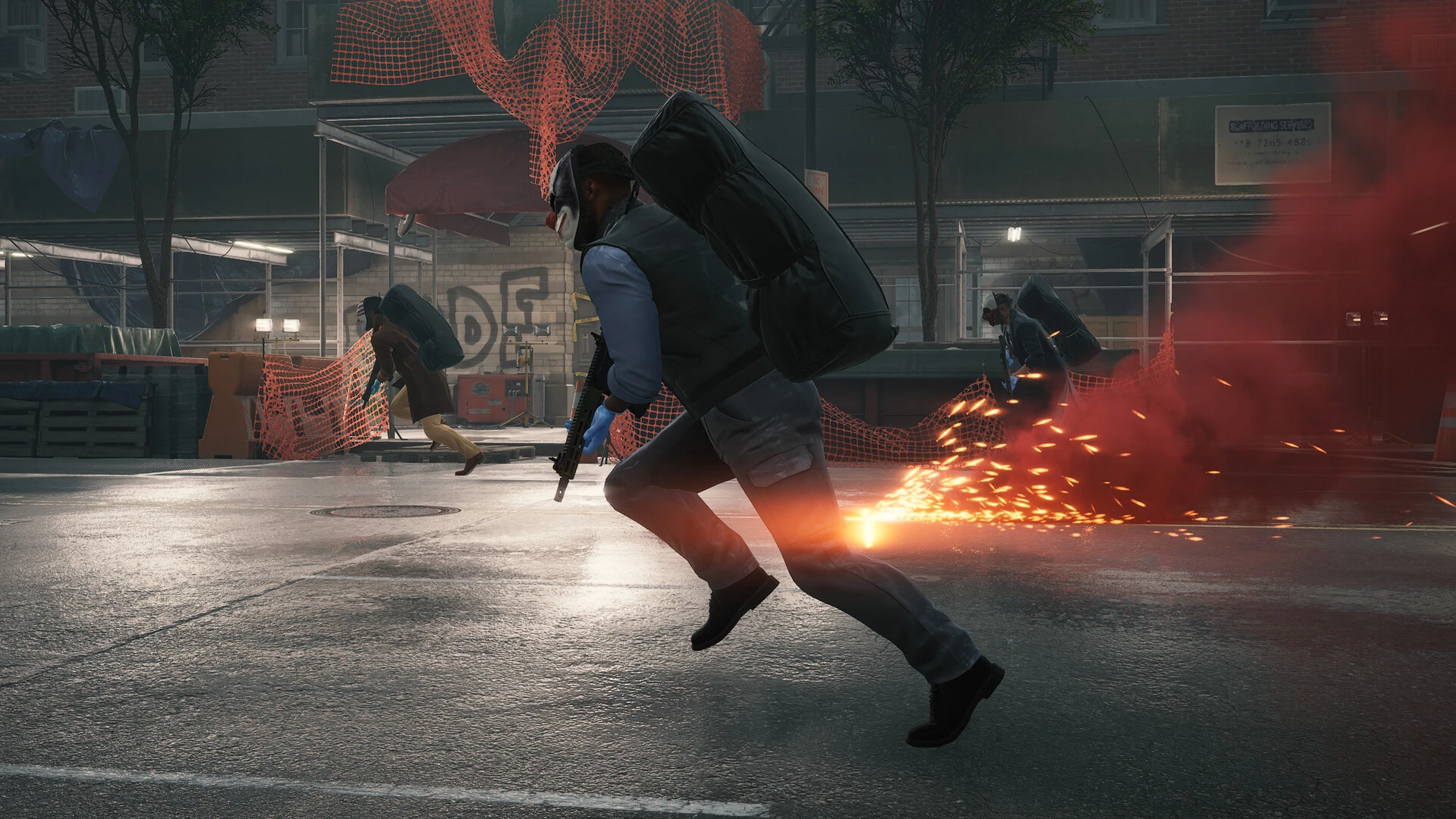
The gaming community is buzzing with discussions about the much-anticipated Payday 3. However, as with any major game release, players have encountered a few hitches. One such issue that has been a thorn in the side of many is the ‘Nebula Data Error: Failed to Fetch Game Config Data’. If you’re one of the many players grappling with this error, fret not. We’ve got a step-by-step guide to help you navigate and resolve this issue.

Before diving into the solution, it’s essential to understand the root of the problem. The Nebula Data Error typically arises when the game struggles to retrieve configuration data, which is crucial for the game’s optimal performance.

How to Fix Nebula Data Error in Payday 3?

  • Ensure Stable Internet Connection: Before delving into more complex solutions, ensure you have a stable internet connection. A weak or fluctuating connection can often be the culprit behind data retrieval issues.
  • Update the Game: Developers are constantly working on patches to address bugs and errors. Ensure your game is updated to the latest version, as this might contain the necessary fix.
  • Reinstall the Game: If the above solutions don’t work, consider reinstalling Payday 3. While it might seem drastic, reinstalling ensures you have a fresh, error-free copy of the game.

If you’ve tried the above solutions and are still facing the Nebula Data Error, it might be time to reach out to the game’s support team. They can provide specialized solutions tailored to your specific issue.

Stay updated with the latest news in gaming and esports by signing up for early access to TalkEsport’s Mobile App. Follow us on Twitter and Google News to ensure you never miss the exciting updates.

BGMI Gun Attachment Guide: Find the Best Attachments for Your Weapons

0

Battlegrounds Mobile India (BGMI) is a fairly complex game, and numerous factors come into play when it comes to a fight. One such crucial aspect is the gun attachments used on the weapon. Selecting the right attachment is as important as selecting the right weapon, because it can be the difference between victory and defeat. Understanding the various attachment slots and knowing which attachments to equip can significantly improve your gameplay. In this guide, we will delve into each attachment and how it affects your weapon.

Muzzle Attachments in BGMI

Compensator:

  • Description: Reduces horizontal and vertical recoil.
  • Best Used with: Assault Rifles (AR) and Designated Marksman Rifles (DMR) to better control recoil.

Suppressor:

  • Description: Reduces gunshot sound and eliminates muzzle flash.
  • Best Used with: Sniper Rifles (SR) and Designated Marksman Rifles (DMR) for stealthy long-range engagements.

Flash Hider:

  • Description: Eliminates muzzle flash and slightly reduces horizontal/vertical recoil.
  • Best Used with: Assault Rifles (AR) and Sub-Machine Guns (SMG) for better visibility during close to mid-range combat.

Sight Attachments in BGMI

Red Dot Sight:

  • Description: The red dot sight offers a clear and unobstructed view of your target, enhancing your accuracy during close to mid-range combat.
  • Best Used with: ARs and SMGs for fast-paced encounters.

Holographic Sight:

  • Description: The holographic sight provides a holographic reticle for improved target acquisition and better visibility in various lighting conditions.
  • Best Used with: ARs and SMGs for fast-paced encounters.

2x Scope:

  • Description: The 2x scope is ideal for mid-range engagements, offering a magnified view without sacrificing too much peripheral vision.
  • Best Used with: ARs and SMGs for precise shots at mid-range.

3x Scope: 

  • Description: The 3x scope strikes a balance between mid-range and long-range combat, offering moderate magnification without sacrificing too much peripheral vision.
  • Best Used with: ARs for precise sprays at medium to long distances.

4x Scope:

  • Description: The 4x scope is ideal for mid to long-range combat, allowing you to take precise shots at distant targets.
  • Best Used with: ARs, DMRs, and SRs for high accuracy.

6x Scope:

  • Description: The 6x scope is designed for mid to long-range engagements, providing a significant magnification boost for accurate shots on distant targets. Additionally, it also allows players to zoom in and out between 3x and 6x.
  • Best Used with: SMRs and DMRs for precision shooting during extended-range battles, and ARs at 3x for precise sprays at medium to long distances.

8x Scope:

  • Description: The 8x scope is the go-to choice for long-range combat, providing substantial magnification for precise shots at great distances. Additionally, it also allows players to zoom in and out between 4x and 8x.
  • Best Used with: SRs and DMRs for maximum accuracy during long-distance engagements.

Grip Attachments in BGMI

Vertical Foregrip:

  • Description: The vertical foregrip reduces vertical recoil.
  • Best Used with: ARs for improved spray control and DMRs to reduce vertical jump after each shot.

Angled Foregrip:

  • Description: Reduces vertical recoil and makes it faster to aim down sight (ADS).
  • Best Used with: ARs and SMGs for quickness and accuracy in close-range fights.

Thumb Grip:

  • Description: Reduces scope opening time, slightly reduces vertical recoil, slightly increases stability.
  • Best Used with: ARs and SMGs for faster ADS and better stability in close-range fights.

Laser Sight:

  • Description: Reduces hip-fire spread.
  • Best Used with: SMGs, ARs, Pistols, and Shotguns for high hip-fire accuracy during close-range battles.

Light Grip:

  • Description: Significantly increases the speed and stability of aiming after running.
  • Best Used with: SMGs and ARs for better control during mid-range combat.

Half Grip:

  • Description: Reduces recoil and increases recoil recovery, reduces stability when firing.
  • Best Used with: ARs for a balanced reduction in both vertical and horizontal recoil during automatic fire.

Magazine Attachments in BGMI

Extended Mag:

  • Description: The extended mag increases the weapon’s ammo capacity.
  • Best Used with: All guns.

Quickdraw Mag:

  • Description: The quickdraw mag reduces reload time for weapons.
  • Best Used with: Weapons with higher reload times.

Extended Quickdraw Mag:

  • Description: The Extended Quickdraw Mag offers best of both worlds – increases mag capacity and reduces reload time for weapons.
  • Best Used with: All guns.

Stock Attachments in BGMI

Tactical Stock:

  • Description: Reduces recoil and weapon shake.
  • Best Used with: ARs and LMGs to maintain accuracy during automatic firing.

Bullet Loop:

  • Description: The bullet loop attachment increases the reload speed of weapons with a tube magazine, such as a few shotguns and SRs.
  • Best Used with: Shotguns and SRs for quicker reloads.

By selecting the right attachments for your weapons, you can gain a significant advantage over your opponents in BGMI. Experiment with different combinations, consider your playstyle, and fine-tune your loadout to find out the best attachments as per your gameplay. Whether you prefer stealthy sniping or aggressive close-quarters combat, the right attachments can make all the difference in your quest for victory.


Stay updated with the latest news in gaming and esports by signing up for early access to TalkEsport’s Mobile App. Follow us on Twitter and Google News to ensure you never miss the exciting updates.

Roblox Comes to PlayStation this October

0

The gaming universe is abuzz with excitement as Roblox, the globally renowned online platform, is set to make its debut on PlayStation consoles in the upcoming month of October. This move signifies a monumental expansion for Roblox, opening doors to a vast new audience.

For years, Roblox has been a dominant force in the online gaming community, offering a unique blend of game creation and gameplay. Its impending launch on PlayStation is a testament to its ever-growing popularity and the demand from console gamers to be part of the Roblox universe.

Come October, PlayStation enthusiasts can dive into the immersive world of Roblox, exploring countless user-generated worlds or even crafting their own virtual realms. The platform’s versatility ensures that gamers, whether they’re builders or players, will have a plethora of experiences to choose from.

By venturing into the PlayStation ecosystem, Roblox is not just expanding its user base but also solidifying its position as a leading gaming platform. This move could potentially lead to collaborations with other major titles exclusive to PlayStation, further enhancing the Roblox experience.

As the gaming community eagerly awaits October, discussions and speculations are rife. How will Roblox integrate with PlayStation’s existing features? Will there be exclusive content for PlayStation users? While these questions remain, one thing is certain: October is set to be a landmark month for both Roblox and PlayStation fans.

Stay updated with the latest news in gaming and esports by signing up for early access to TalkEsport’s Mobile App. Follow us on Twitter and Google News to ensure you never miss the exciting updates.

NVIDIA and Tata Group Partner to Bring Advanced AI Technology to India

0

In a strategic move that’s set to reshape the technology sector, Tata Group is reportedly on the verge of announcing a significant partnership with NVIDIA, a global powerhouse in artificial intelligence (AI). This alliance is expected to bring a new wave of AI-driven solutions to India, impacting various industries.

The Tata Group, an Indian multinational conglomerate with a diverse range of businesses, is making headlines with its forthcoming collaboration with NVIDIA. This move is a clear indicator of Tata’s ambition to be at the forefront of technological innovation, particularly in the AI space.

For NVIDIA, this partnership is not merely an expansion but a calculated entry into one of the world’s most dynamic tech markets. The collaboration with Tata Group provides NVIDIA with an opportunity to tap into India’s rapidly evolving technological landscape, leveraging Tata’s extensive reach and resources.

Also Read: Reliance and NVIDIA Team Up to Make India an AI Superpower

India has been a hotbed for technological advancements, especially in the field of AI. The Tata-NVIDIA partnership is expected to fuel this growth, offering AI solutions that could revolutionize sectors ranging from healthcare and education to manufacturing and logistics.

While the exact details of the partnership are yet to be officially announced, the tech community is abuzz with speculation. Experts predict that this alliance could lead to the creation of tailor-made AI solutions for the Indian market, setting new benchmarks for technological excellence.

The impending partnership between Tata Group and NVIDIA is more than just a business deal; it’s a visionary collaboration that could redefine India’s tech landscape. As both companies gear up to make their partnership official, the global tech community is keenly watching, anticipating the transformative impact this alliance could have on AI innovation in India.

Best VPN for BGMI: Play BGMI From Anywhere Around the World

0

Battlegrounds Mobile India (BGMI) has risen to become one of India’s most popular battle royale games. As its name suggests, the game is primarily intended for Indian audiences. Interestingly, after its launch in India, all user data from PUBG Mobile, BGMI’s predecessor, was transferred to BGMI. Unlike its predecessor, BGMI does not support international matchmaking.

The challenge arises when you leave India and attempt to access your BGMI account from abroad. You’ll find that you cannot install or open BGMI from outside India. Conversely, if you try to open PUBG Mobile, you’ll start with a fresh account and won’t be able to play with anyone residing in India.

This is where a reliable Virtual Private Network (VPM) comes into play. In this article, we’ll explore the best VPNs for BGMI that will allow you to play the game from anywhere around the world with minimal latency. 

Top Three Best VPN for BGMI

VPNs conceal users’ actual IP addresses by rerouting their internet traffic through servers located in different regions or countries. This functionality enables VPNs to access geo-restricted apps like BGMI. Following are the top three best VPN for BGMI to play the game from outside India:

  1. TurboVPN: TurboVPN is arguably the best VPN for BGMI as it comes with lowest latency, better known as ping among BGMI gamers. It offers faster connection speeds and a user-friendly interface.
  2. Psiphon: Psiphon is another fantastic option for gamers looking to play BGMI from anywhere in the world. This VPN is known for its reliable performance and ease of use. 
  3. Galaxy VPN: Galaxy VPN is another option for players looking for a VPN. However, it offers a little higher latency than the former options. 

While VPNs allow BGMI players to access the game from across the globe, it is important to be aware of potential risks and exercise caution white using them. VPN usage can sometimes violate the terms of service of gaming platforms. Additionally, not all VPN services prioritize user privacy, and some may collect your data or compromise your security. To mitigate these risks, ensure you choose a reputable VPN service with a strong privacy policy and avoid using it for any illegal activities.

DISCLAIMER: We do not endorse or promote the use of VPNs for activities that violate the terms of service of gaming platforms or engage in any illegal activities. The VPN recommendations in this article are based on personal tests and evaluations. We have not received sponsorship or endorsements from any VPN companies. Users are urged to use VPNs responsibly and in accordance with applicable laws and regulations.


Stay updated with the latest news in gaming and esports by signing up for early access to TalkEsport’s Mobile App. Follow us on Twitter and Google News to ensure you never miss the exciting updates.

ENCE Enters Women’s Counter-Strike Esports Scene with Signing of New Team

0

In the ever-evolving world of esports, organizations are continually seeking avenues to expand and diversify. ENCE, a name synonymous with top-tier competitive gaming, has made a groundbreaking move by signing a women’s team, marking a significant step in promoting inclusivity in the esports arena.

ENCE’s decision to onboard a women’s team is not just a strategic move but also a testament to their commitment to fostering talent regardless of gender. This initiative underscores the organization’s belief in providing equal opportunities and platforms for all players to shine.

The esports industry, traditionally dominated by male players, is witnessing a paradigm shift. More women are entering the competitive scene, showcasing their skills and challenging the status quo. ENCE’s latest move is a nod to this trend, emphasizing that talent knows no gender.

ENCE’s decision is bound to have ripple effects throughout the esports community. By giving a platform to a women’s team, they are setting a precedent for other organizations to follow. This could lead to a more inclusive esports environment where talent is the only criteria, and gender-based barriers are a thing of the past.

As ENCE embarks on this new journey, fans and enthusiasts alike will be keenly watching the performance of their women’s team. Success on the competitive front can further cement the idea that esports is a field where everyone, irrespective of gender, has an equal shot at glory.

The Ence Athena team now looks like:

  • Lotta “⁠Waldee⁠” Liesmala
  • Milona “⁠miLo⁠” Tiainen
  • Halat “⁠Missy⁠” Naby
  • Tude “⁠oxycet⁠” Gürsoy
  • Oleksandra “⁠manka⁠” Kruspe
  • Sead “⁠Djury⁠” Jahovic (Coach)

Stay updated with the latest news in gaming and esports by signing up for early access to TalkEsport’s Mobile App. Follow us on Twitter and Google News to ensure you never miss the exciting updates.

How to Fix NBA 2K24 4b538e50 Error Code?

0

The NBA 2K series has always been at the forefront of basketball simulation games, offering players an immersive experience both on and off the court. However, like any other game, it’s not without its technical hiccups. One such hiccup that has been troubling players of NBA 2K24 is the notorious Error Code 4b538e50. This article aims to shed light on this error, its potential causes, and what players can do to resolve it.

Before diving into the solutions, it’s essential to understand what this error signifies. Error Code 4b538e50 typically appears when there’s a discrepancy between the player’s game data and the latest available update. This can hinder players from accessing certain online features of the game.

How to Fix NBA 2K24 4b538e50 Error Code?

Several factors can lead to the emergence of this error:

  • Incomplete Updates: If the game hasn’t been updated to its latest version, this error can pop up. NBA 2K24 frequently releases patches to enhance gameplay, fix bugs, and introduce new features.
  • Server Issues: Sometimes, the problem isn’t on the player’s end. NBA 2K24 servers might be down for maintenance or facing technical issues, preventing players from connecting.
  • Account Restrictions: If a player’s account has been flagged or banned due to violations of the game’s terms of service, this error might appear.

Fortunately, there are several steps players can take to potentially resolve this issue:

  • Check for Updates: Ensure that NBA 2K24 is updated to the latest version. If an update is available, download and install it.
  • Server Status: Before panicking, players should check the official NBA 2K24 website or related forums to see if there are any server outages or maintenance updates.
  • Reboot and Reconnect: Sometimes, the simplest solution is to restart the game or even the gaming console. This can refresh the connection and potentially fix the error.
  • Contact Support: If all else fails, reaching out to NBA 2K24’s customer support can provide personalized assistance.

Stay updated with the latest news in gaming and esports by signing up for early access to TalkEsport’s Mobile App. Follow us on Twitter and Google News to ensure you never miss the exciting updates.
How to Holster Your Weapon in Starfield?

0

In the vast universe of Starfield, understanding the game’s mechanics is essential for survival and success. One such crucial mechanic is the art of holstering weapons. This guide delves deep into the nuances of this feature, ensuring players can navigate the game with ease and strategy.

In Starfield, the environment is as unpredictable as it is expansive. There are moments of intense combat, but there are also times when diplomacy and stealth take precedence. Knowing when to holster your weapon can make the difference between a peaceful resolution and an unwanted skirmish.

Holstering weapons in Starfield isn’t just about aesthetics or role-playing; it has tangible gameplay implications. When your weapon is sheathed, NPCs (Non-Player Characters) react differently, often more amicably. This can open up dialogue options, trade opportunities, or even avoid potential threats.

How to Holster Your Weapon in Starfield?

The process is intuitive. Players can easily holster their weapons with a simple button press or key command. This action ensures that the weapon is safely tucked away, allowing for unobstructed interaction with the game’s environment and its inhabitants.

Beyond the immediate NPC reactions, holstering weapons offers strategic advantages. Moving with a holstered weapon often allows for faster sprinting and quieter movement, essential for stealth missions. Moreover, in populated areas, walking around with a drawn weapon can attract unwanted attention from local law enforcement or security, leading to unnecessary confrontations.

Stay updated with the latest news in gaming and esports by signing up for early access to TalkEsport’s Mobile App. Follow us on Twitter and Google News to ensure you never miss the exciting updates.

Only Up Dev Removes Game From Steam Due to Stress

0

The gaming community was taken by surprise when the creator of “Only Up” announced the game’s imminent removal from the popular platform, Steam. This unexpected decision stems from the overwhelming stress faced by the developer.

“Only Up” quickly gained traction among gamers for its unique gameplay mechanics and captivating storyline. Its presence on Steam, a leading digital distribution platform, further amplified its reach, making it a favorite among many.

While success often brings joy, it can also come with its set of challenges. The game’s creator revealed that the mounting pressure and the immense expectations from the gaming community became a significant source of stress. Balancing the demands of updates, bug fixes, and addressing player feedback, all while trying to maintain personal well-being, proved to be a daunting task.

In a candid revelation, the developer shared their decision to remove “Only Up” from Steam. This move, they believe, will allow them to take a step back, focus on their mental health, and reassess their priorities. While the decision was difficult, the well-being of the creator is paramount.

The news was met with a mix of disappointment and understanding from the gaming community. Many expressed their sadness over not being able to access the game on Steam but also showed empathy towards the developer’s situation. Mental health awareness has become a significant topic in recent years, and many gamers recognize the importance of prioritizing it.

Stay updated with the latest news in gaming and esports by signing up for early access to TalkEsport’s Mobile App. Follow us on Twitter and Google News to ensure you never miss the exciting updates.