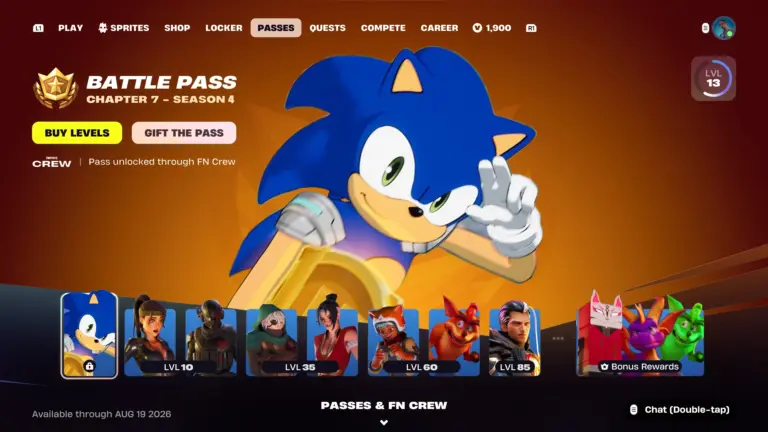
Fortnite Chapter 7 Season 4 codes have started appearing ahead of the new season, and players are racing to track down every one before Epic Games activates them. The season, titled Override, launches on August 20, 2026, and it brings a wave of gaming-themed collabs to the island. These codes, known as Lobby Hacks, tie directly into that theme.
Here is every Fortnite Chapter 7 Season 4 code found so far, plus what we know about how to use them.
Fortnite Chapter 7 Season 4 Codes: Full List So Far
Fortnite Chapter 7 Season 4 is themed around gaming, following on from Geno’s hacking storyline in the current season. That theme carries into a new code system called Lobby Hacks, and several phrases have already surfaced through Fortnite’s official channels and social media.
Here are all the known codes so far:
Fortnite Chapter 7 Season 4 Code
WannaFlyHigh
TakeYourHeart
GottaGoFast
SurviveTheNight
LetsBlockAndRoll
DontBlockMe
PerfectOrder
O2OVERRIDE
fishstick1
Several of these codes appear to reference the collabs coming with Override. TakeYourHeart is tied to the Phantom Thieves’ calling card from Persona 5, while PerfectOrder lines up with a Tetris collaboration. The O2OVERRIDE code comes from a partnership between mobile network O2 and Fortnite, and it is the first Lobby Hack confirmed to unlock a reward once redeemed.
Epic Games has not confirmed rewards for the remaining codes yet. More codes could be added as the season approaches, so it is worth checking back for updates.
How To Use Fortnite Chapter 7 Season 4 Codes
Fortnite Chapter 7 Season 4 codes are used through a system Epic Games calls Lobby Hacks. Ahead of the season, several codes were surfaced through the official Fortnite Discord, where a bot command let players verify phrases tied to the Override reveal. Epic later disabled that command after the community found all the codes it had planned to release.
For in-game use, Insider Gaming reports that codes will be entered through a window in the pre-game lobby once Season 4 goes live, distributing a one-time reward per code. Epic has not detailed the exact redemption steps yet, so the full process remains unconfirmed. The O2OVERRIDE code is set to activate on August 20, alongside the season’s launch.
When Do Fortnite Chapter 7 Season 4 Codes Go Live?
Fortnite Chapter 7 Season 4 begins on Thursday, August 20, 2026, following the end of Season 3. Epic Games has confirmed the season’s name, Override, along with a Gaming Legends theme built around collaborations with franchises including Sonic the Hedgehog, Persona 5, and Tetris.
More codes and rewards are expected to roll out as the season progresses, so players who want every reward should keep track of new Lobby Hacks as they appear. This article will be updated once Epic confirms the full redemption process and any additional codes.
With just a few hours remaining till Valorant Season 2026 Act 5 goes live, the Battle Pass for the upcoming patch may have already leaked on the internet.
For the uninitiated, the Valorant S26A5 update is expected to hit the servers on August 18, 2026, and while there’s no new Agents or maps coming with the new Act, it will introduce a brand-new Battle Pass to the game alongside a series of new cosmetics and a change to the active map pool.
While Riot Games has yet to officially reveal the new Valorant Act, players have had the chance to take a glimpse at the upcoming Battle Pass after a number of leaks surfaced on social media showcasing its content.
Without further ado, let’s check out everything we know so far about the Valorant S26A5 Battle Pass.
Valorant Season 2026 Act 5 Battle Pass Release Date
As mentioned earlier, the Valorant Season 2026 Act 5 Battle Pass will be available in-game once the patch goes live on August 18th.
Note that the date could vary based on your game’s region.
Valorant Season 2026 Act 5 Battle Pass Contents
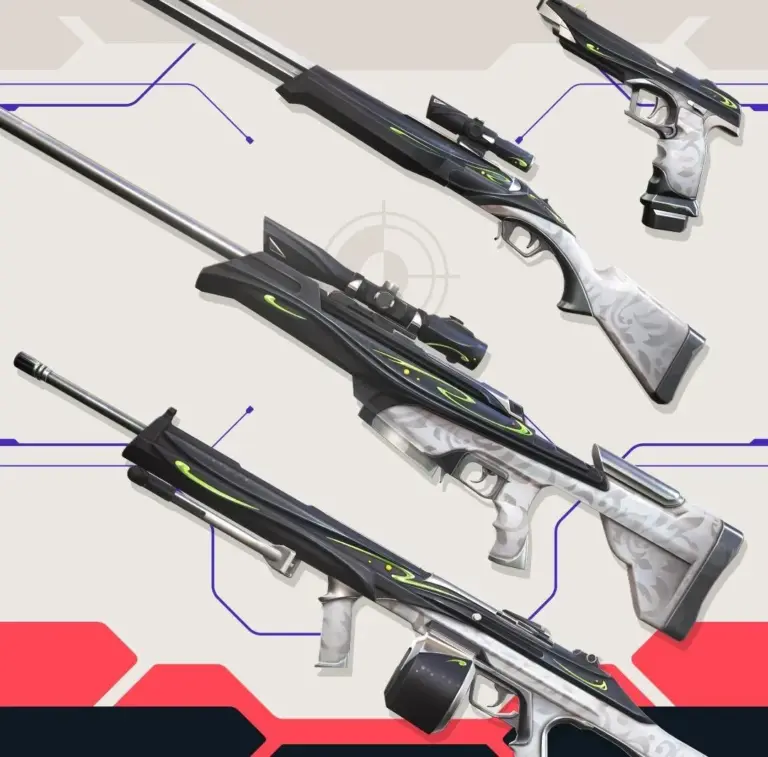
Similar to other Valorant Battle Passes, the Season 2026 Act 5 BP will include three skin lines alongside other cosmetics like Player Cards, Gun Buddies, Sprays, and a Flex.
As usual there will be a free and a paid route, with the latter having a price tag of 1,000 VP.
Below, we have included all the leaked skins, Player Cards, and Sprays from the Valorant Season 2026 Act 5 Battle Pass.
As per earlier leaks, the skins from the Valorant Season 2026 Act 5 may not have any additional variants.
Note that any of the aforementioned leaks have not been confirmed by Riot Games at the time of writing, so take this with a grain of salt.
The devs are likely to release the patch notes for the Valorant Season 2026 Act 5 update alongside additional information on the upcoming cosmetics within the next few hours. Be sure to keep following TalkEsport for regular updates on the topic.
BGMI overheating can quickly turn a smooth gaming session into a cycle of frame drops, throttling and battery drain, especially on budget and mid-range phones. Lowering graphics, reducing brightness, removing the phone case and avoiding charging while playing can all help, but not every tip makes the same difference. In this guide, we break down which changes actually reduce heat, why BGMI makes phones warm, and which popular fixes are mostly myths. We also explain how to test your own phone safely and find the settings that give you the best balance between temperature and performance.
BGMI Overheating: What Actually Lowers Phone Temperature?
The biggest factors behind BGMI overheating are GPU/CPU workload, display brightness, charging, network activity and ambient temperature. Simply closing every background app or turning on a battery-saving mode may not produce the biggest temperature reduction during gameplay.
Gaming is naturally a high-load activity. Google notes that playing games can make phones warmer than normal, while devices may reduce CPU performance, charging speed or other functions when temperatures become too high.
For BGMI players, the most effective approach is therefore to reduce unnecessary workload while keeping the phone properly ventilated.
What Lowers BGMI Temperature the Most?
Here is the practical ranking:
Change
Expected impact on heat
Recommended
Lower FPS
High
Yes
Reduce graphics quality
High
Yes
Stop playing while charging
High
Yes
Reduce screen brightness
Medium
Yes
Remove thick phone case
Medium
Yes
Use Wi-Fi instead of mobile data
Low-Medium
Yes
Close unnecessary background apps
Low-Medium
Yes
Turn on Battery Saver
Variable
Not ideal for competitive BGMI
Force-close every app repeatedly
Low
Usually unnecessary
Use ice/cold objects directly on phone
Not recommended
No
The exact temperature reduction will vary significantly between phones, room temperatures and BGMI settings. A change that produces a large improvement on one Snapdragon-powered phone may have a smaller effect on another device.
Lower BGMI FPS to Reduce Heat
FPS is one of the first settings to change if overheating is your priority.
Higher frame rates require the phone to render more frames every second. That increases GPU activity and can also increase overall power consumption.
For example, if your phone becomes very hot while running BGMI at its highest available frame rate, dropping to a lower stable FPS option can reduce the workload.
The important word is stable.
A consistent 60 FPS with manageable temperatures is generally more useful than a high FPS setting that causes the phone to heat up and throttle later in the match.
Reduce BGMI Graphics Quality
Graphics quality is another major factor.
Settings that increase rendering complexity can push the GPU harder. If your phone heats up quickly, try lowering the graphics preset before changing other settings.
A sensible starting point is:
Graphics: Smooth or the lowest suitable option
Frame Rate: Use a stable option rather than the maximum available
Anti-aliasing: Disable if available
Shadows: Lower or disable if available
Auto-adjust graphics: Use cautiously if you notice sudden visual changes
The best combination depends on your phone. Competitive players may prefer higher FPS, while players struggling with overheating should prioritize sustained performance.
Playing While Charging Is a Major Heat Problem
This is one of the easiest changes to make.
Your phone already generates heat while running BGMI. Charging adds another source of heat, particularly with fast charging.
Google specifically recommends keeping devices cool and notes that phones can become warmer when demanding activities are performed while charging.
If your phone becomes extremely hot during BGMI, unplug the charger before continuing to play.
If you need to play for a long session, charging the phone before the match is usually a better approach than keeping it connected throughout the game.
Lower Screen Brightness
The display is another source of power consumption.
Running the screen at maximum brightness for long BGMI sessions can add unnecessary heat and battery drain. Google also recommends reducing display brightness as one way to reduce power usage and heat.
You do not need to make the screen extremely dark.
Instead, find the lowest brightness that still lets you comfortably see enemies, terrain and the minimap.
This is particularly useful when playing indoors.
Remove a Thick Phone Case
A phone case does not directly create heat, but a thick case can make it harder for heat to escape from the device.
If your phone becomes noticeably hotter during BGMI, try one session without the case and compare the result.
This is especially useful with:
Thick silicone cases
Rugged cases
Multi-layer protective cases
Cases that cover large portions of the phone’s rear surface
Google recommends avoiding enclosed or poorly ventilated environments when trying to prevent excessive phone temperatures.
Wi-Fi vs Mobile Data for BGMI
Your network connection can also affect phone temperature, although it is usually not the first setting you should change.
Using mobile data, particularly in areas with weak signal, can increase the phone’s communication workload. If reliable Wi-Fi is available, it can be worth using it for long BGMI sessions.
However, switching from mobile data to Wi-Fi should not be treated as a magic overheating fix.
If your phone is already running a demanding graphics and FPS configuration, reducing the gaming workload will generally be more important.
Close Unnecessary Background Apps
Background apps can consume CPU resources, memory and network activity.
Before launching BGMI, close applications that you do not need, particularly:
Video streaming apps
Screen recording apps
Large downloads
Camera apps
Navigation apps
Social media apps performing uploads
Hotspot or tethering
However, you do not need to repeatedly clear every app from recent apps during gameplay.
The goal is to remove unnecessary workloads, not constantly force the operating system to reload applications.
Does Battery Saver Actually Cool BGMI?
Battery Saver can reduce power consumption, but it is not automatically the best solution for gaming.
Power-saving modes can restrict background activity and other functions, and their exact behaviour varies by phone.
Some devices may also reduce performance when a battery-saving mode is active.
If overheating is severe, testing Battery Saver may be useful. But for competitive gameplay, a properly tuned BGMI graphics and FPS configuration is usually a better starting point.
Room Temperature Matters More Than You Think
A phone cannot dissipate heat efficiently when the surrounding environment is already hot.
Playing BGMI in a cool room can therefore make a noticeable difference compared with playing outdoors, inside a hot vehicle or under direct sunlight.
Google says Pixel devices are designed to work best within an ambient temperature range of 0°C to 35°C and recommends keeping phones away from excessive heat and direct sunlight.
This is particularly important during summer gaming sessions.
Do not leave your phone on a dashboard, near a heat source or in direct sunlight while playing.
Don’t Put Your Phone on Ice
A common internet suggestion is to place a hot phone against ice or another extremely cold object.
Do not do this.
Rapid temperature changes can create condensation and introduce another risk to the device.
Instead, stop the demanding activity, disconnect the charger if connected and move the phone to a cooler, dry location. Google recommends allowing an overheated device to cool before using it again.
A normal fan blowing room-temperature air around the phone is a much safer approach.
How to Test BGMI Overheating on Your Phone
If you want to find out what actually works on your device, run a simple controlled test.
Use the same BGMI map, graphics settings, match duration and room conditions for every test.
Test 1: Your Normal Settings
Play for around 20-30 minutes using your usual BGMI settings.
Record:
Starting temperature
Temperature after 10 minutes
Temperature after 20 minutes
FPS stability
Battery percentage
Room temperature
Test 2: Lower Graphics and FPS
Repeat the same test after lowering graphics and FPS.
Compare the temperature and frame stability rather than looking only at the peak temperature.
Test 3: Stop Charging
Repeat the test without charging the phone.
This helps isolate the additional heat produced when gaming and charging happen simultaneously.
Test 4: Remove the Case
Finally, repeat the test without the phone case.
This gives you a clearer picture of whether the case is restricting heat dissipation.
The key is to change one major variable at a time. Otherwise, you will not know which setting actually helped.
Best BGMI Settings for Cooler Gaming
If your priority is reducing BGMI overheating, start with this setup:
Graphics: Smooth
FPS: Stable rather than maximum
Brightness: Around 50-70% indoors
Charging: Avoid while playing
Case: Remove thick cases during long sessions
Network: Prefer stable Wi-Fi where possible
Background apps: Close unnecessary heavy apps
Room: Keep the phone away from direct sunlight
Breaks: Let the phone cool between long sessions
You can then increase FPS or graphics one setting at a time until you find the highest level your phone can sustain without excessive heat.
Why BGMI Starts Lagging When the Phone Gets Hot
Overheating is not just a comfort issue.
When a phone gets too hot, its thermal management system can reduce performance to protect the hardware. Google explains that a hot Pixel phone can reduce CPU performance, reduce charging speed and enter a lower-power state.
That means your BGMI experience can follow this pattern:
High graphics/FPS → more workload → rising temperature → thermal throttling → lower performance → FPS drops.
This is why simply chasing the highest possible FPS setting is not always the best strategy.
These changes address the major sources of heat without relying on risky cooling tricks.
Most importantly, remember that there is no universal temperature reduction that applies to every phone. The chipset, battery condition, display, room temperature, network signal and BGMI settings all affect the result.
FAQs
Does BGMI make phones overheat? Yes. Gaming places a high workload on the CPU and GPU, while the display and network connection also consume power. Phones can become warmer during gaming and may reduce performance if temperatures become too high.
Does lowering FPS reduce BGMI overheating? It can. A lower frame-rate target generally reduces the rendering workload, which can help lower power consumption and heat. The exact improvement depends on the phone and game settings.
Should I play BGMI while charging? It is better to avoid it when the phone is already getting hot. Charging adds another source of heat, and Google recommends keeping devices cool and avoiding demanding activities while charging when overheating is an issue.
Does removing the phone case reduce temperature? It can, particularly if the case is thick and restricts heat dissipation. However, the improvement varies between devices and cases.
Is it safe to put an overheated phone in the refrigerator? No. Do not use extreme cooling methods such as a refrigerator or ice. Disconnect the charger, stop using the phone and allow it to cool naturally in a cooler environment.
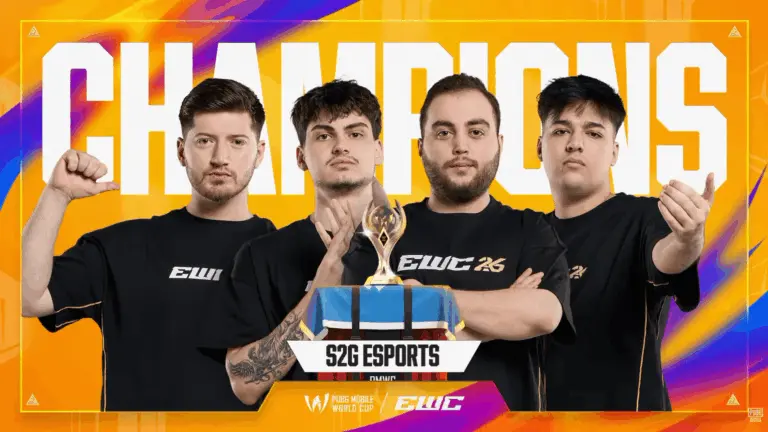
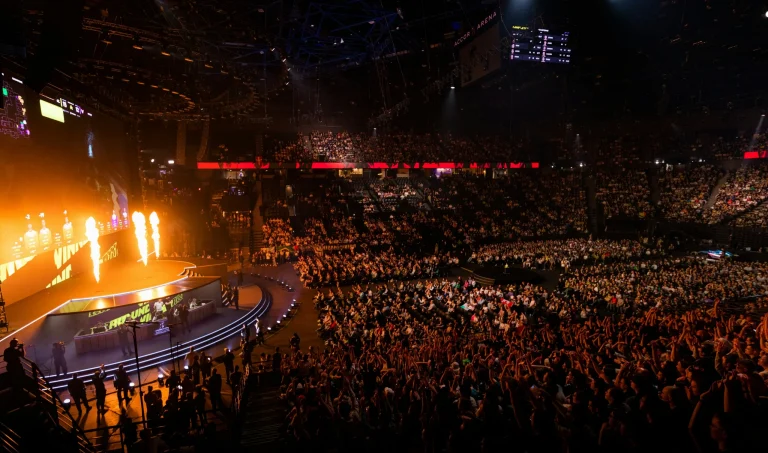
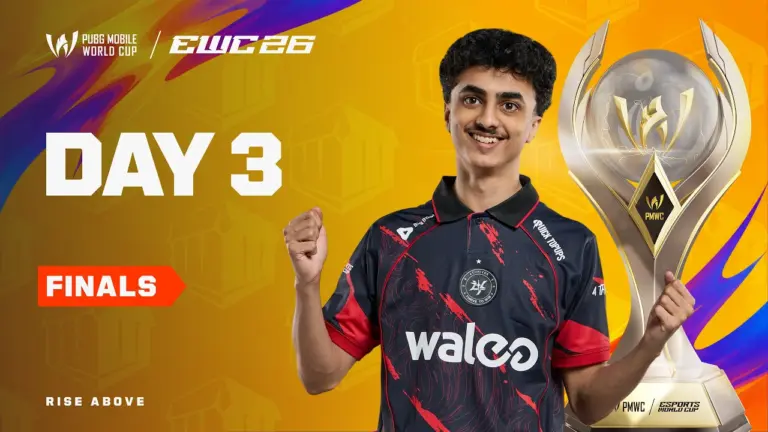
The PUBG Mobile World Cup 2026 has officially come to an end, with S2G Esports crowned the PMWC 2026 champions after one of the closest finishes of the tournament. S2G finished the Grand Finals with 154 points, only five points ahead of NS RedForce, while Aurora Gaming finished third with 146 points.
S2G Esports win PUBG Mobile World Cup 2026
The final day was full of drama as S2G, NS RedForce, Aurora Gaming and eArena remained in the championship race. S2G had multiple opportunities to finish the tournament through the Smash Rule but could not secure the required WWCD. In the final match, GodLike Esports defeated S2G in a crucial fight, leaving the Turkish side eliminated on 154 points. Their title hopes then depended on the remaining championship contenders getting eliminated.
Eventually, NS RedForce, Aurora Gaming and eArena were all eliminated before they could overtake S2G or close the championship through the Smash Rule. This confirmed S2G Esports as the PUBG Mobile World Cup 2026 champions. Tianba went on to win the final match, but S2G had already done enough to take the World Cup trophy.
PMWC 2026 Grand Finals Final Points Table
Rank
Team
Points
1
S2G Esports
154
2
NS RedForce
149
3
Aurora Gaming
146
4
eArena
140
5
Tianba
125
6
4Thrives
112
7
Team Flash
111
8
Horaa Esports
109
9
Nigma Galaxy
106
10
FURIA
105
11
ULF Esports
99
12
BTR Vitality
99
13
GodLike Esports
84
14
AlUla Club
83
15
Orangutan
76
16
IDA Esports
69
S2G’s victory also adds another major achievement to the organization’s history. HamsiG, who was part of S2G’s PMGC 2022 championship roster, has now lifted another major global PUBG Mobile trophy with the team. S2G also joins Alpha7 as a team to have won both PMGC and PMWC.
GodLike Esports finished 13th with 84 points in their debut PMWC Grand Finals campaign. The final position may not show the full story of their tournament, as the Indian team produced several memorable performances.
GodLike’s biggest highlights included a massive 20-finish WWCD, Spower’s incredible 1v4 clutch, and several aggressive games against some of the world’s strongest teams. On the final day itself, GodLike opened with a huge 15-finish game that temporarily pushed them back into the Top 10.
Their final match also had a direct impact on the championship. S2G needed a Chicken Dinner to win through the Smash Rule, but GodLike defeated them in a crucial fight and ended S2G’s match. The eventual champions then had to wait and watch the remaining title contenders.
Orangutan End PMWC 2026 in 15th Place
Orangutan finished 15th with 76 points. Like GodLike, OG struggled to consistently turn their strong moments into points during the Grand Finals.
However, the team still produced some memorable individual performances. Wizzgod pulled off a huge 1v4 against FURIA, while AKOP delivered a 1v3 against ULF Esports in the final match.
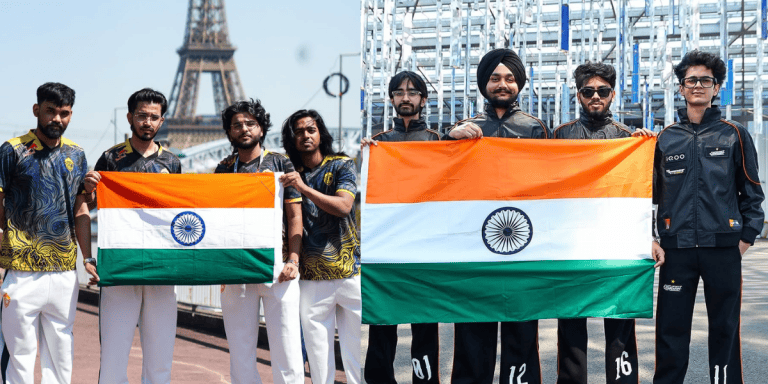
The final standings were disappointing for Indian fans, especially after both teams had impressed during the earlier stages. GodLike and Orangutan became India’s two representatives in the PMWC 2026 Grand Finals after strong Group Stage campaigns, making their runs an important chapter for Indian PUBG Mobile/BGMI esports despite the final placements.
S2G Esports win PUBG Mobile World Cup 2026
The difference between the top teams shows just how close the PMWC 2026 Grand Finals were. S2G finished with 154 points, NS RedForce ended only five points behind with 149, while Aurora Gaming was eight points behind the champions at 146. eArena completed the Top 4 with 140 points.
After several missed Smash Rule opportunities and a dramatic final match, S2G Esports are officially the PUBG Mobile World Cup 2026 champions. For India, GodLike Esports end the tournament in 13th place with 84 points, while Orangutan finish 15th with 76 points.
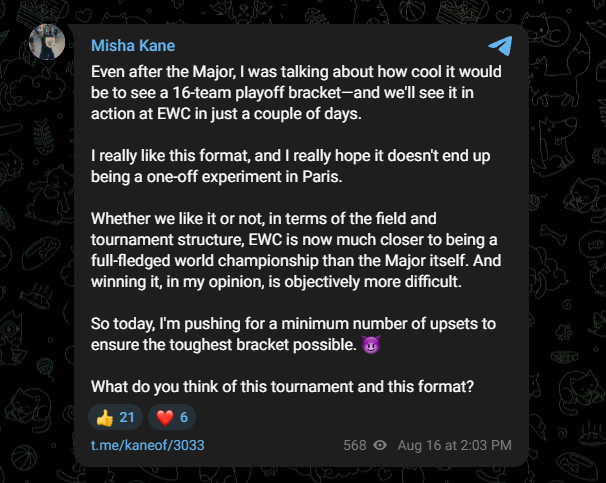
Former PassionUA coach Kane’s recent comments challenge the Major’s position as the biggest CS tournament claiming that the Esports World Cup might be closer to a true world championship has sparked a controversy dividing the community.
With the Esports World Cup in full swing as one of the early tournaments for the second part of the CS2 season, and while it is not treated as highly as the Majors, with a massive prize pool and the excitement around it, the community sees it on par with the likes of Cologne and Katowice. Given how every tournament gets the rotation Major status from time to time, that has to incubate the Valve-described format. Kane thinks that a controlled event like EWC is more of a world championship.
The driving factor behind his opinion is the format of how EWC is played compared to a Major. Format-wise, Major is a month-long event while the EWC CS2 tournament will run for less than two weeks. The high-stakes matches arrive sooner than waiting for three stages before we reach the playoffs, which dilutes the excitement factor. Early stages of the Major bring fewer upsets compared to EWC where teams are treated harshly, given that two losses in a row might see them head out.
Via Kane’s Telegram
While the CS Major format was called into question many times in the past, the event is arguably the most loved one among CS2 fans and for good reasons. Majors bring decades’ worth of tradition that every professional player dreams of winning, and for it to be compared with a rather new event like the EWC will upset a few sentiments. Kane’s comment might have come from the perspective of a coach, where a smaller number of matches allows him to keep control of how much of the playbook he wants to reveal.
The true intention of these comments were to speak his mind, but given how the sentiments of the community are around a Major, it is hard for everyone to accept anything besides it as the holy grail of competitive CS.
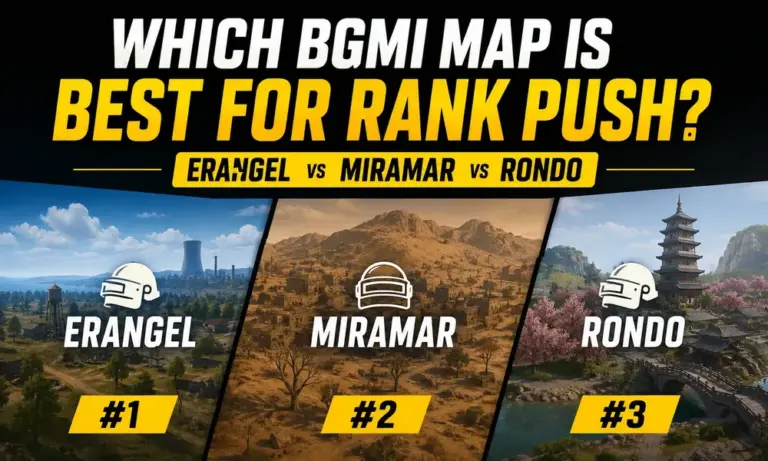
BGMI map for rank push can make a noticeable difference when you are trying to climb through higher tiers without wasting hours on low-value matches. Erangel, Miramar, and Rondo all offer different pacing, rotations, terrain, and fight opportunities, but BGMI does not publish an official map-wise “points per minute” statistic. The ranking system considers factors such as your final position, damage, survival time, kills, healing/support, and supplies. This guide compares the 3 maps based on match pacing, survival consistency, fight frequency, and how efficiently each can support a long rank push.
BGMI Map for Rank Push: Erangel vs Miramar vs Rondo
For most players, Erangel is the best BGMI map for rank push, followed by Miramar and then Rondo. Erangel offers the best balance between survival opportunities, rotations, loot, and controlled fights.
The important point is that map selection does not directly give you more rank points. BGMI’s ranking system evaluates your performance in the selected game mode, with survival, kills, damage, healing/support, supplies, and final rank all affecting the rating you gain or lose.
That means the best map is the one where you can consistently survive longer and finish higher while still collecting kills and damage.
Rank
Map
Rank Push Potential
Points Per Minute Potential
Best For
1
Erangel
Excellent
Highest for most players
Consistent rank push
2
Miramar
Very Good
High
Patient and experienced players
3
Rondo
Good
Moderate
Players comfortable with its rotations
1. Erangel: Best Overall for Rank Push
Erangel is the best BGMI map for rank push because it gives players the most balanced environment for consistent matches. The map has a mixture of cities, compounds, open fields, hills, and roads, allowing players to choose between aggressive and defensive strategies.
The biggest advantage is consistency. You can land at a relatively safe location, collect enough loot, take selected fights, and rotate toward the next zone without being forced into constant long-range engagements.
This matters because BGMI’s ranking system rewards survival time alongside other performance factors.
Erangel is also widely used in competitive BGMI. In the BMPS 2026 Survival Stage, the rotation included Rondo once, followed by multiple Erangel and Miramar matches.
For a normal rank push, Erangel is therefore the safest choice if your goal is consistent points rather than occasional huge games.
Best strategy: Choose a safe drop, loot quickly, rotate early and take fights only when you have a positional advantage.
2. Miramar: Best for Skilled Players
Miramar is the second-best BGMI map for rank push, particularly for players who are comfortable with long-range fights and vehicle rotations.
The map’s large open areas can make rotations more demanding than Erangel. A bad position can leave you exposed, while strong players can use hills, ridges, compounds, and long sightlines to control fights.
Miramar can produce excellent matches when you understand the terrain. However, mistakes can also be punished heavily because there is often less natural cover between major locations.
The map remains an important part of competitive BGMI. BMPS 2026 used Miramar in its official map rotations alongside Erangel and Rondo.
For points per minute, Miramar can work extremely well for experienced players who regularly reach the late game. For average players, however, its longer rotations and greater exposure can reduce consistency.
Best strategy: Prioritize vehicles, rotate before the zone becomes difficult, and avoid unnecessary open-field fights.
3. Rondo: Fun, But Less Reliable for a Long Rank Push
Rondo ranks third for BGMI rank push among these 3 maps. It is a large map with a mix of urban and rural areas, giving players several different ways to approach a match.
The problem is consistency. Rondo’s expansive layout can result in longer periods of looting and movement before players reach meaningful fights. Even PUBG’s developers have described Rondo as having slower early-game combat and introduced changes to make its pacing faster.
Rondo has still been part of competitive BGMI rotations. BMPS 2026, for example, opened its Survival Stage rotation with Rondo before moving into Erangel and Miramar.
For players who know the map well, Rondo can absolutely produce strong rank-push games. However, if your goal is to maximize useful rank progress per minute, Erangel generally offers a more predictable experience.
Best strategy: Learn efficient loot routes, avoid spending too much time travelling and prioritize early positioning for the next zone.
BGMI Maps Ranked by Points Per Minute
There is no official BGMI statistic that assigns a fixed number of rank points per minute to each map. Your rating depends on your actual performance, including survival and combat-related factors.
So, the practical ranking for most players is:
1. Erangel → 2. Miramar → 3. Rondo
Erangel comes first because it is easier to play consistently. Miramar can match or even outperform Erangel for skilled players, while Rondo requires stronger map knowledge to achieve similar efficiency.
The key is not simply how quickly a match ends. A 20-minute match with an early death is far worse for a rank push than a longer game that ends with a strong placement.
Which Map Should You Play for Conqueror?
If your main objective is Conqueror, Erangel should be your default choice.
Conqueror is a competitive race because the required position changes as other players continue gaining rating. That makes consistency more important than chasing one massive game.
Use this simple approach:
Erangel: Main map for consistent rank pushing.
Miramar: Use when you are confident with rotations and long-range fights.
Rondo: Use when you know the map well and can maintain strong survival rates.
If you consistently perform better on Miramar than Erangel, however, your personal points-per-minute efficiency may be higher on Miramar. Your performance matters more than the theoretical advantage of a map.
Erangel is the best BGMI map for rank push for most players in 2026. Its balanced terrain, predictable rotations, and wide range of playstyles make it easier to produce consistent high-placement games.
Miramar is an excellent alternative for experienced players who are comfortable with long rotations and open terrain. Rondo comes third because its large layout can make matches less efficient unless you already understand its routes and positioning.
Ultimately, don’t choose a map simply because it gives the fastest matches. Choose the map where you can survive longer, finish higher, and repeat strong performances consistently.
FAQs
Which is the best BGMI map for rank push? Erangel is the best overall map for rank push because it provides a strong balance of survival, rotations, loot, and combat opportunities.
Is Miramar better than Erangel for rank push? For highly skilled players, Miramar can be equally effective or better. For most players, Erangel is more consistent and easier to rank up on.
Is Rondo good for rank push in BGMI? Yes. Rondo can be effective if you understand its terrain and rotations, but Erangel generally offers a more consistent rank-push experience.
Does BGMI give more rank points on a specific map? There is no official map-specific bonus for rank points. BGMI’s ranking system considers factors including final rank, survival, kills, damage, healing/support, and supplies.
What is the best map for Conqueror push? Erangel is the safest overall choice for a Conqueror push, but players should prioritize the map on which they consistently achieve strong placements and survival times.
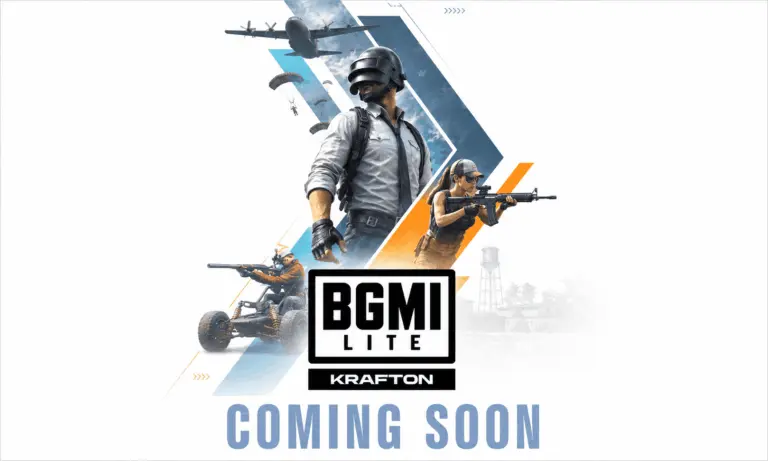
The BGMI Lite release date has finally received an official launch window. KRAFTON India announced on August 16, 2026, that Battlegrounds Mobile India Lite is coming to India and will launch by the end of 2026. The announcement ends months of speculation around a lighter version of Battlegrounds Mobile India and confirms that Indian players will soon have another way to experience the BGMI universe.
KRAFTON has not revealed the exact BGMI Lite launch date yet. Details about its gameplay, features, download size, system requirements and other changes will be announced closer to release.
BGMI Lite Release Date in India Officially Confirmed
According to the official announcement from KRAFTON India, Battlegrounds Mobile IndiaLite is scheduled to launch in India by the end of 2026.
This is currently the only confirmed release window. An exact date or time has not been announced.
KRAFTON said that BGMI Lite represents the next chapter in the evolution of the Battlegrounds Mobile India experience and is intended to provide a new way for players across India to engage with the game.
The company also said the Lite version is part of its efforts to make the Battlegrounds Mobile India experience accessible to a wider community of players.
BGMI Lite Pre-Registration Details
At the time of writing, KRAFTON India has not announced a BGMI Lite pre-registration date.
Players should therefore be careful with websites or social media posts claiming to provide official BGMI Lite pre-registration or early-access links.
More details are expected as the launch gets closer.
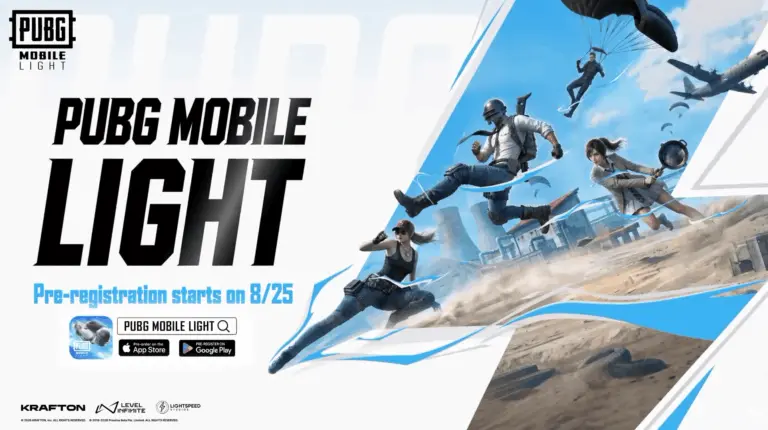
Interestingly, the confirmation comes alongside the announcement of PUBG Mobile LIGHT, the lighter global version of PUBG Mobile. PUBG Mobile LIGHT pre-registration is scheduled to start on August 25, 2026, with its global launch also targeted for later this year.
However, KRAFTON India’s press release does not confirm August 25 as the BGMI Lite pre-registration date, so Indian players should wait for a separate official announcement.
BGMI Lite Download and APK
There is currently no official BGMI Lite download or BGMI Lite APK available.
Since the game has only been announced, players searching for a BGMI Lite APK download should avoid unofficial files claiming to offer the upcoming version.
KRAFTON India has also not yet confirmed the final download size or device requirements for Battlegrounds Mobile India Lite.
The global PUBG Mobile LIGHT announcement provides an idea of what a lighter PUBG experience could look like, with an initial download of around 1GB on Android and under 2GB on iOS. However, KRAFTON India’s Battlegrounds Mobile India Lite press release does not confirm these exact sizes for the Indian version.
What Will BGMI Lite Offer?
KRAFTON has intentionally kept the first announcement simple.
The company has confirmed that BGMI Lite will provide a new way to engage with the world of BGMI, but has not yet revealed its gameplay features.
More information about the BGMI Lite gameplay experience and features will be announced closer to launch.
The main purpose behind the new version is clear, though. KRAFTON wants to expand BGMI to a wider group of Indian players as part of its long-term plans for the country’s gaming market.
This could be particularly important considering the scale BGMI has already achieved. According to KRAFTON India, the main Battlegrounds Mobile India has crossed 260 million downloads.
Battlegrounds Mobile IndiaLite is No Longer a Rumour
The biggest takeaway from today’s announcement is simple: Battlegrounds Mobile IndiaLite is officially happening.
Earlier teasers and discussions had created plenty of speculation about whether KRAFTON would actually bring a Lite version to India. That uncertainty is now over.
BGMI Lite will launch in India by the end of 2026. The exact launch date, pre-registration, download size, APK availability, system requirements and gameplay features remain unannounced and should be revealed over the coming months.
PUBG Mobile LIGHT has officially been announced during the final day of the PUBG Mobile World Cup 2026. PUBG Mobile Producer Rick Li revealed the new lighter version of the game, designed for players who want to save storage, enter matches faster and reduce the load on their devices. The new app will keep the core PUBG Mobile experience while requiring significantly less initial storage.
Along with the global announcement, there is also big news for Indian players. KRAFTON India has confirmed BGMI LITE, posting: “You Asked. We Listened. BGMI LITE Coming Soon.” This means Indian players will also get a lighter version of Battlegrounds Mobile India.
PUBG Mobile LIGHT Pre-Registration Date
The PUBG Mobile LIGHT pre-registration is scheduled to begin on August 25, 2026.
Rick Li announced that the developers are targeting the official launch of LIGHT later this year. However, an exact PUBG Mobile LIGHT release date has not been revealed yet.
Players should therefore remember these two details:
Pre-registration: August 25, 2026
PUBG Mobile LIGHT Release Date: Later in 2026; exact date TBD
More information about supported devices and the final launch schedule is expected closer to release.
What is PUBG Mobile LITE?
The game is being developed as a lighter version of PUBG Mobile, but the developers do not want it to feel like a heavily reduced version of the original game.
According to Rick Li, the idea is to maintain PUBG Mobile’s quality and core gameplay while providing a more accessible option.
The standard PUBG Mobile will remain the main choice for players who want the complete game with its full range of content. LIGHT, meanwhile, is aimed at players who want to save storage and reduce the burden on their devices.
PUBG Mobile LITE Download Size
One of the biggest highlights is its small initial download.
Platform
PUBG Mobile LIGHT Download Size
Android
Around 1GB
iOS
Under 2GB
There will be no mandatory extra package before the first match. Once players complete the initial download, they can directly enter the game.
Additional modules can then be downloaded depending on what content the player wants to use.
PUBG Mobile LIGHT Features
Despite its smaller size, LIGHT will retain important parts of the original game.
The Classic Erangel map, supplies and core combat experience are designed to match the main PUBG Mobile version. Players will therefore still get the familiar battle royale experience.
Existing PUBG Mobile players will also be able to use their current accounts on LIGHT. Owned items can carry over, allowing players to continue using their existing outfits.
Another important feature is cross-version play. PUBG Mobile LIGHT players will be able to team up with friends using the regular PUBG Mobile app.
The developers also plan to keep LIGHT updated alongside PUBG Mobile so players can experience new content together.
BGMI Lite Also Officially Confirmed for India
The announcement has been followed by major confirmation for India.
KRAFTON India’s official BGMI account announced:
“You Asked. We Listened. BGMI LITE Coming Soon.”
This officially confirms that BGMI Lite is coming to India.
However, KRAFTON India has not yet announced the exact BGMI Lite release date, pre-registration date or download size in the India-specific announcement. The August 25 pre-registration date announced by Rick Li was for LIGHT, so it should not automatically be treated as the confirmed BGMI Lite pre-registration date unless KRAFTON India announces the same schedule.
More information about the BGMI Lite launch date in India, BGMI Lite download, APK, supported devices and pre-registration should be revealed in future announcements.
For now, one thing is finally official: PUBG Mobile LIGHT is coming globally, and BGMI LITE is coming to India.
The PMWC 2026 Grand Finals points table Day 3 will decide the PUBG Mobile World Cup 2026 champion today, August 16, in Paris. After 12 matches, eArena leads the overall standings with 112 points, while NS RedForce, Aurora Gaming and S2G Esports are also above 100 points. The final day becomes even more interesting with the Smash Rule threshold starting at 122 points.
Indian teams GodLike Esports and Orangutan enter Day 3 in 12th and 15th positions, respectively. Six matches are scheduled today, giving both teams one final opportunity to make a big comeback and climb the PMWC 2026 Grand Finals points table.
PMWC 2026 Grand Finals Day 3 Live Points Table
Note: Please refresh this page after every match to see the latest PMWC 2026 Grand Finals points table, GodLike Esports standings, Orangutan standings, match results, and overall rankings.
After Match 18/18 – Day 3
S2G Champions of PMWC 2026
1st Place: S2G Esports – 154 Points
2nd Place: NS RedForce – 149 Points
3rd Place: Aurora Gaming – 146 Points
4th Place: eArena – 140 Points
5th Place: Tianba – 125 Points
6th Place: 4Thrives – 112 Points
7th Place: Team Flash – 111 Points
8th Place: Horaa Esports – 109 Points
9th Place: Nigma Galaxy – 106 Points
10th Place: FURIA – 105 Points
11th Place: ULF Esports – 99 Points
12th Place: BTR Vitality – 99 Points
13th Place: Godlike Esports – 84 Points
14th Place: AlUla Club – 83 Points
15th Place: Orangutan – 76 Points
16th Place: IDA Esports – 69 Points
These standings are carried forward from the first 12 Grand Finals matches. The table will be updated after every match on Day 3.
A total of six matches are scheduled for the final day. The action begins at 4:30 PM IST.
Match
Map
Time (IST)
Match 13
Rondo
4:30 PM
Match 14
Erangel
5:20 PM
Match 15
Erangel
6:10 PM
Match 16
Erangel
7:00 PM
Match 17
Miramar
7:50 PM
Match 18
Miramar
8:40 PM
The schedule could become even more interesting because the championship will now be played under the Smash Rule.
PMWC 2026 Smash Rule and 122 Points Explained
The PMWC 2026 Smash Rule threshold is 122 points at the start of Day 3.
A team first needs to reach or cross the required Smash Rule points to become Match Point Eligible. However, simply reaching 122 points will not make them the champion.
After becoming eligible, the team needs to secure a Winner Winner Chicken Dinner in a following match to win the PUBG Mobile World Cup 2026.
This puts eArena in a strong position. They begin Day 3 with 112 points and need only 10 more points to cross the initial threshold. NS RedForce needs 17, Aurora Gaming needs 18 and S2G Esports needs 19.
With four teams already above 100 points, multiple teams could become eligible during the early matches.
GodLike Esports Standings on Day 3
GodLike Esports starts PUBG Mobile World Cup 2026 Grand Finals Day 3 in 12th place with 57 points.
The Indian team has struggled to find the same consistency it showed during the Group Stage, where it directly qualified for the Grand Finals after finishing third in Group B with 105 points.
However, GodLike still has six matches remaining. The team is known for aggressive gameplay, and a couple of high-finish games could help GODL make a big jump in the standings.
The championship path is extremely difficult because GodLike currently needs another 65 points just to reach the initial 122-point threshold. Their immediate target will therefore be to produce a strong final day and climb as high as possible.
Orangutan Standings on Day 3
Orangutan currently sits 15th with 45 points.
OG’s Grand Finals performance has not gone according to plan so far. This is very different from their Group Stage campaign, where Orangutan finished second in Group A with 91 points and directly secured a Grand Finals spot.
The final six matches now give Orangutan one last opportunity to turn things around and improve their overall position.
Regardless of the final result, this tournament has been historic for Indian PUBG Mobile esports, with GodLike Esports and Orangutan both reaching the PMWC 2026 Grand Finals.
Where to Watch PUBG Mobile World Cup 2026 Grand Finals Day 3?
Fans can watch the PMWC 2026 Grand Finals Day 3 through the official PUBG Mobile Esports broadcast. Indian fans can follow the Hindi coverage through Esports World Cup India.
The first match is scheduled for 4:30 PM IST. Keep refreshing this page after every match for the latest PMWC 2026 Grand Finals points table, GodLike Esports ranking, Orangutan ranking, Smash Rule updates and PUBG Mobile World Cup 2026 results.
A total of six matches are scheduled today. Indian teams GodLike Esports and Orangutan are currently outside the top 10, but both still have six matches to improve their positions and finish their first PMWC Grand Finals campaign on a high.
PMWC 2026 Grand Finals Day 3 Schedule and Timings
The final day will feature six matches across Rondo, Erangel and Miramar. The action starts at 4:30 PM IST.
Match
Map
Time (IST)
Match 13
Rondo
4:30 PM
Match 14
Erangel
5:20 PM
Match 15
Erangel
6:10 PM
Match 16
Erangel
7:00 PM
Match 17
Miramar
7:50 PM
Match 18
Miramar
8:40 PM
Unlike the first two days, today’s championship can potentially be decided before all six scheduled matches are completed because of the Smash Rule.
PMWC 2026 Points Table Before Day 3
Here is the PMWC 2026 points table after the first 12 matches:
Rank
Team
Points
1
eArena
112
2
NS RedForce
105
3
Aurora Gaming
104
4
S2G Esports
103
5
Nigma Galaxy
89
6
ULF Esports
86
7
4Thrives
77
8
FURIA
74
9
Tianba
71
10
Team Flash
63
11
Horaa Esports
58
12
GodLike Esports
57
13
BTR Vitality
54
14
IDA Esports
48
15
Orangutan
45
16
AlUla Club
31
The top four are separated by only nine points, which makes the championship race extremely close heading into Day 3.
PUBG Mobile World Cup 2026 Smash Rule Explained: Why is the Match Point 122?
The PMWC 2026 Smash Rule threshold starts at 122 points on the final day.
The rule is simple. A team must first reach or cross the 122-point threshold to become Match Point Eligible. After becoming eligible, that team must win a Winner Winner Chicken Dinner in a following match to become the PMWC 2026 champion.
This means reaching 122 points alone does not make a team champion.
For example, eArena starts Day 3 with 112 points and needs only 10 more points to cross the initial threshold. However, even after reaching 122, they will still need to win a later match to secure the title.
With NS RedForce, Aurora Gaming and S2G Esports also already above 100 points, multiple teams could become eligible very early in the day.
If nobody completes the Smash Rule condition, the championship will ultimately be decided according to the tournament’s final-day rules after the scheduled matches.
Can GodLike Esports Still Win PUBG Mobile World Cup 2026?
Mathematically, GodLike Esports still have a chance, but they face a massive challenge.
GodLike starts Day 3 in 12th place with 57 points, meaning they are 65 points behind the initial 122-point Smash Rule threshold. With only six matches available, GODL will need an extraordinary final day with multiple high-elimination games, strong placements and potentially Chicken Dinners to enter the championship conversation.
More realistically, GodLike will first look to climb as high as possible in the standings. Their aggressive gameplay has already shown that they can produce huge individual matches, so one or two massive games could quickly improve their position.
What About Orangutan?
Orangutan enters the final day in 15th place with 45 points. They are 77 points away from the initial Smash Rule mark.
It has been a difficult Grand Finals so far for OG compared to their excellent Group Stage, where they finished second in Group A and directly qualified for the finals.
The team now has six final opportunities to make a comeback. A strong Day 3 could help Orangutan climb several positions and end their PMWC 2026 journey on a much better note.
For Indian fans, this is also a historic campaign regardless of the current standings. GodLike Esports and Orangutan became India’s two representatives in the PMWC 2026 Grand Finals, giving the country two teams on PUBG Mobile’s biggest World Cup stage.
Where to Watch EWC PUBG Mobile 2026 Grand Finals Day 3?
Fans can watch the PUBG Mobile World Cup 2026 Grand Finals Day 3 through the official PUBG Mobile Esports broadcast. Indian viewers can also follow the Hindi coverage through Esports World Cup India.
The final day begins at 4:30 PM IST, with six matches currently scheduled. With the 122-point Smash Rule active and four teams already above 100 points, the PMWC 2026 title race could become intense from the very first game.