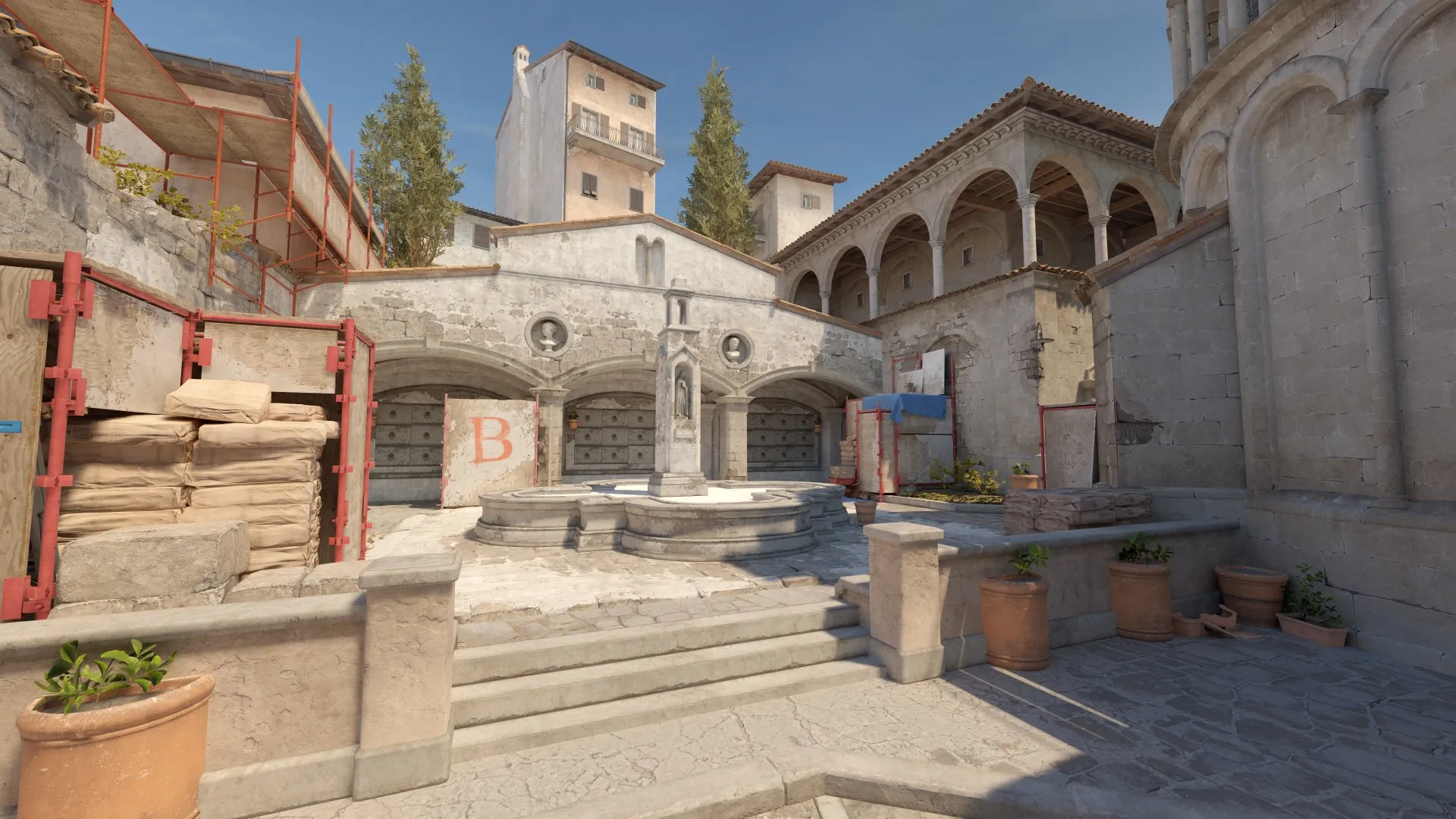
The gaming world is abuzz with the potential of Counter-Strike 2 (CS2) making its way to consoles. As the sequel to the iconic CSGO, expectations are high, and the community is eager for updates. Let’s dive into the current state of affairs regarding CS2’s possible console debut.
While CSGO had its roots deeply embedded in the PC gaming culture, it did eventually branch out to consoles. This move introduced the radial buy menu, which became an iconic part of the game. With the advent of CS2, players are curious: will history repeat itself?
Will Counter Strike 2 Come to Console?
Recent speculations have been fueled by hints and whispers within the gaming community. Notably, Chad “Spunj” Birchill, a renowned analyst and commentator, subtly hinted at a console version during a live stream. While this isn’t a confirmation, it has certainly added fuel to the fire of anticipation.
The transition from CSGO to CS2 brought about some significant changes. One of the most notable is the shift from the radial buy menu to a tile-based menu, reminiscent of games like VALORANT. This change has led some to believe that a console version might not be on the horizon, given that the radial menu was initially designed with consoles in mind.
However, it’s essential to remember that game development is a fluid process. While certain features might hint at future directions, they aren’t definitive indicators.
As of now, Valve has not made any official announcements regarding a console release for CS2. If history serves as a guide, any console version would likely follow the game’s full release on Steam. Valve’s primary focus has always been the PC platform, especially for the Counter-Strike series. Thus, even if a console version is in the works, it might take a backseat until the PC version is firmly established.
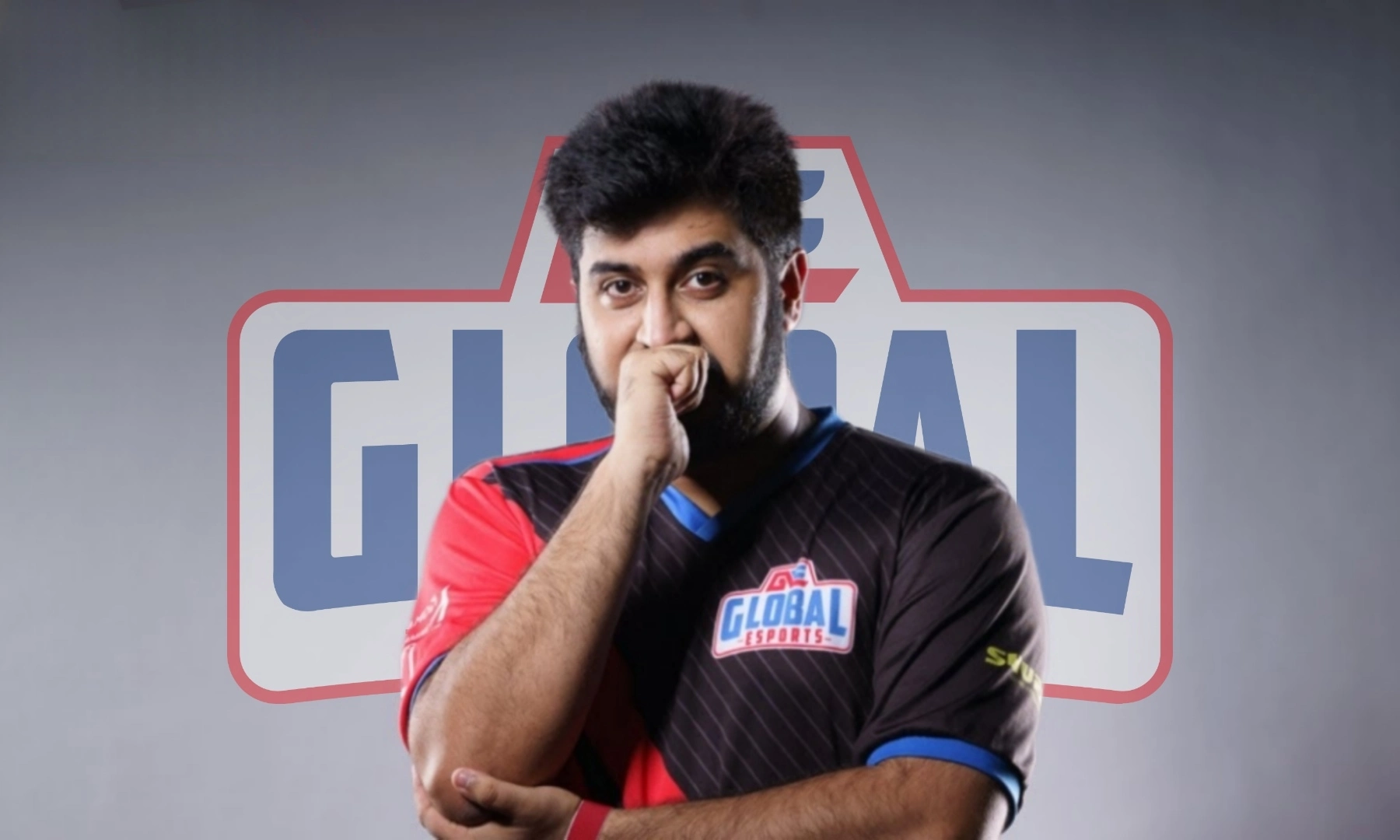
In a bid to address the surging controversies surrounding allegations on Team Mayavi and Global Esports (GE) Phoenix, Rushindra Sinha, the CEO of Global Esports, has taken a proactive step by formally reaching out to Krafton, the publisher of Battlegrounds Mobile India (BGMI). Sinha requested Krafton for a thorough investigation into accusations involving Team Mayavi’s cheating allegations and GE Phoenix’s slot scamming and ringing allegations. Additionally, Sinha also shared his views on the allegations against Team Mayavi and provided clarity on Global Esports’ association with Team Mayavi and GE Phoenix.
Allegations on Team Mayavi and GE Phoenix
SnehilOP, a well-known content creator with a track record for uncovering controversial issues in the gaming community, turned his attention to Team Mayavi, a BGMI formed by Global Esports’ coach, Shubham “Mayavi” Chawla. The content creator accused members of Team Mayavi of hacking during competitive matches, a serious accusation that raised concerns about fair play and the integrity of esports competitions. He created multiple videos and provided “conclusive proofs” to prove his allegations.
In addition to Team Mayavi, SnehilOP allegations also extended to GE Phoenix, an all-female BGMI lineup under the Global Esports banner. These accusations centered around slot scamming and ringing, practices explicitly prohibited in the BGIS 2023 Rulebook. Slot scamming involved allegedly exploiting connections to secure an invitation for the team, whereas ringing suggested that other players were competing on their behalf during a crucial round.
Rushindra Sinha Requests Krafton to Investigate Allegations on Team Mayavi and GE Phoenix
In a recent turn of events surrounding the esports community, Rushindra Sinha, the CEO of Global Esports, has taken a bold step by reaching out to Krafton, the publisher of popular battle royale game Battlegrounds Mobile India (BGMI), to initiate a formal investigation into serious allegations raised against two prominent teams under Global Esports’ banner – Team Mayavi and GE Phoenix. The accusations, ranging from hacking allegations to slot scamming and ringing, have created a chaos of controversy within the gaming community.
In his email to Krafton, Rushindra Sinha sought to address the serious allegations against Team Mayavi and GE Phoenix. Sinha expressed the organization’s deep concern about the accusations. He also emphasized the organization’s commitment to fair competition and adherence to the rules established by Krafton. The email called for a formal investigation into the matter, demonstrating Global Esports’ willingness to cooperate fully with the process and provide any necessary information or evidence to ensure a fair and unbiased resolution.
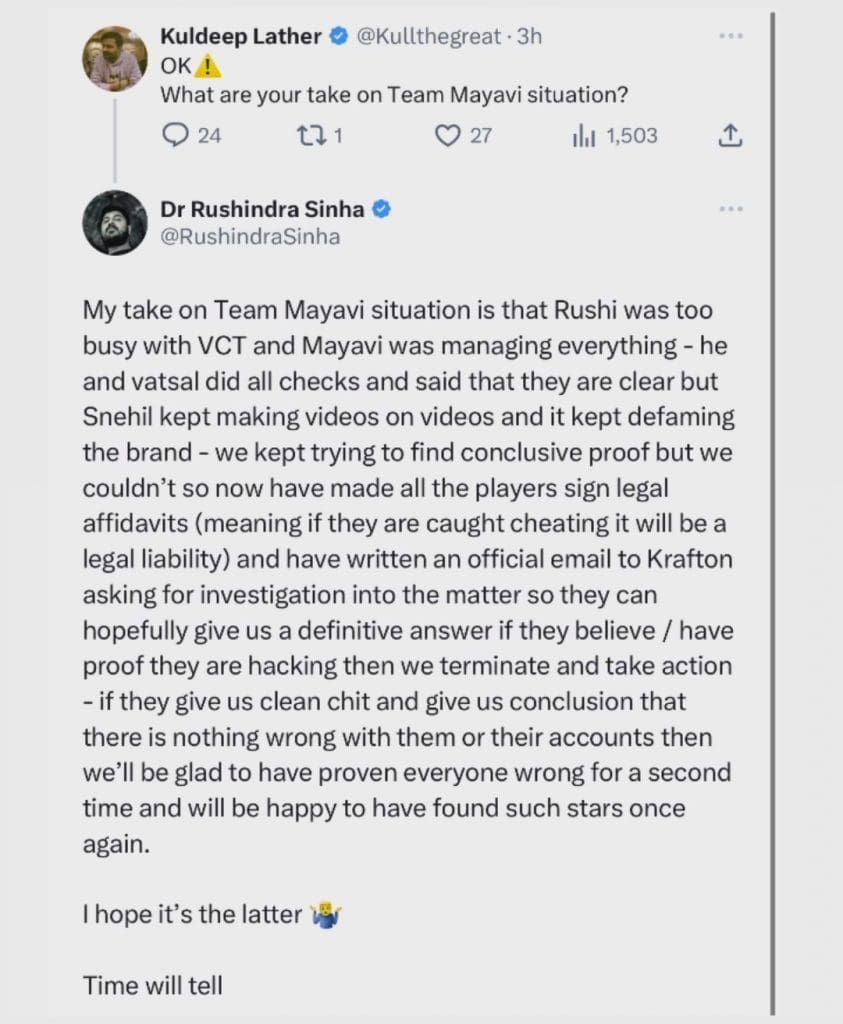
Rushindra Sinha Expresses His Views on Team Mayavi Hacking Allegations
A Twitter user recently asked Rushindra Sinha his views on the allegations put forth by SnehilOP. Responding to this, Sinha stated that the organization made attempts to verify the allegations. However, they were unable to find conclusive evidence of cheating. He added that, during this period, he was busy with Valorant Champions Tour. Hence, he had to rely on checks initial checks done by Mayavi and Vatsal.
To ensure transparency and accountability, Global Esports took a proactive approach by having all players sign legal affidavits. This will make the players legally liable in case of cheating. Simultaneously, they also requested Krafton for an investigation, hoping to obtain a definitive answer. This will help the organization to take action if allegations were confirmed or clear their players’ names if found innocent.
Rushindra Sinha Sheds Light on Global Esports’ Association with Team Mayavi and GE Phoenix
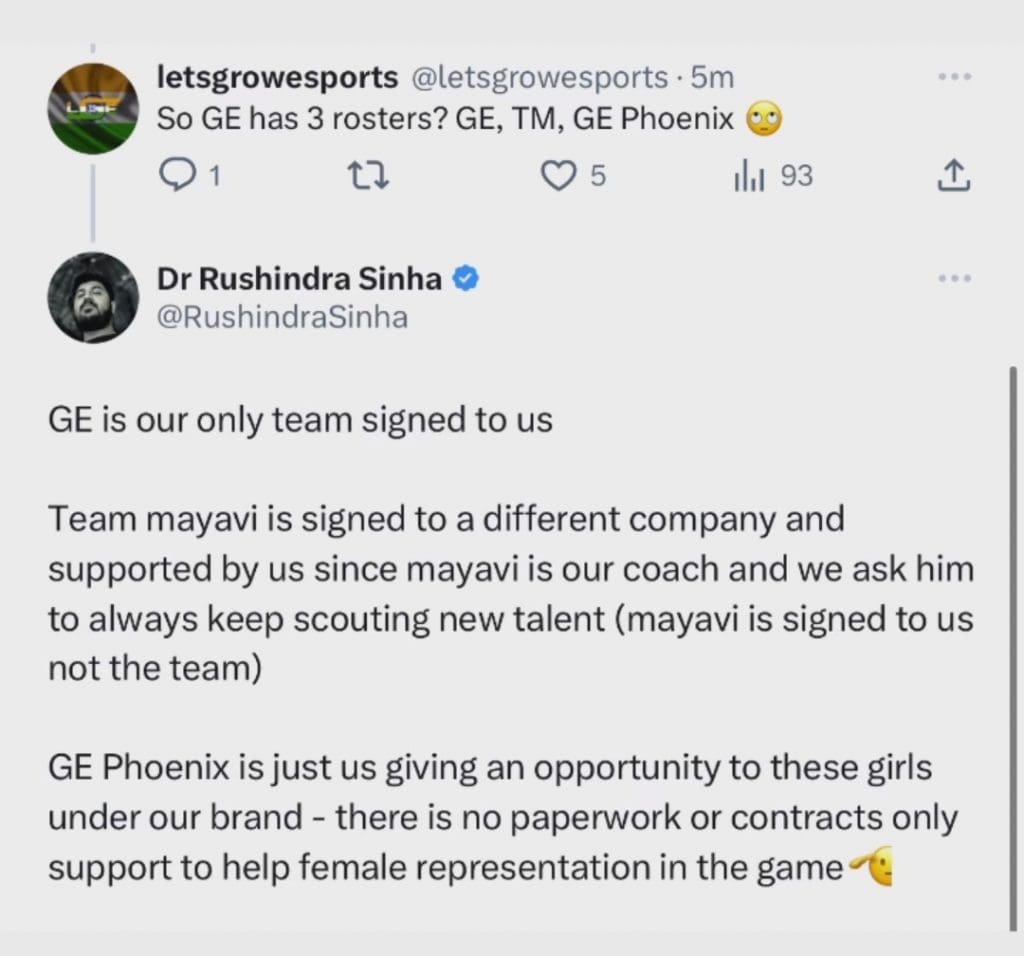
Global Esports’ involvement with Team Mayavi and GE Phoenix has also come under scrutiny. In response to a tweet, Sinha clarified the nature of these associations to provide clarity to the gaming community.
Although Team Mayavi is formed by Mayavi, Sinha pointed out that the team itself is signed to a different company. Global Esports, however, supports Team Mayavi due to Mayavi’s affiliation with the organization. On the other hand, GE Phoenix is a venture initiated by Global Esports to encourage and provide opportunities for female representation in competitive gaming. Sinha clarified that GE Phoenix does not involve any formal contracts or paperwork. However, it serves as a means of support under the Global Esports brand.
Global Esports reaching out to Krafton signifies a significant step toward resolving the controversies surrounding Team Mayavi and GE Phoenix. It will be interesting to see Krafton’s verdict, especially given all the fuss about it in the gaming community.
With Valve recently sending out a large wave of new invites for the Counter-Strike 2 closed beta, more and more players have seized the opportunity to check out the tactical shooter. As a result, the player count of CS2 is bigger than ever, with beta testers from throughout the globe jumping into the game to see their favorite Counter-Strike maps in the upgraded Source 2 engine.
If you’re one of the new CS2 beta testers who recently received an invitation to test out the game, then you might be struggling with common issues like low FPS, high ping, or constant stuttering. While these issues can be caused by various reasons, there are certain settings that you need to adopt to get the most out of your game.
In this article, we take a dive into the settings that you need to know to optimize your Counter-Strike 2 client. These settings will not only improve your FPS but will also provide you with a massive competitive edge over your opponents.
Best CS2 Settings for High Fps
First, let’s check out the basic video settings that you can set to increase your overall CS2 FPS:
Color mode: Computer Monitor
Brightness: 110%
Aspect Ratio: 16:9
Resolution: 1920×1080
Display mode: Fullscreen
Refresh rate: Max
Laptop power savings: Disabled
One thing to note here is that the aspect ratio and resolution that you set are almost entirely based on your personal preference. However, setting a lower resolution will always increase your FPS count while decreasing the visual quality of your game.
Now, we take a look at the Advanced Video Settings that will significantly improve your in-game CS2 FPS:
Boost player contrast: Enabled
Wait for vertical sync: Disabled
Current video values preset: Custom
Multisampling Anti-Aliasing Mode: 4X MSAA
Global Shadow Quality: Low
Model / Texture Detail: Low
Shader Detail: Low
Particle Detail: Low
Ambient Occlusion: Disabled
High Dynamic Range: Performance
FidelityFX Super Resolution: Disabled
NVIDIA Reflex Low Latency: Enabled + Boost
If you’re still facing stutters in the game, consider setting the NVIDIA Reflex Low Latency to ‘Enabled’ instead of ‘Enabled + Boost’.
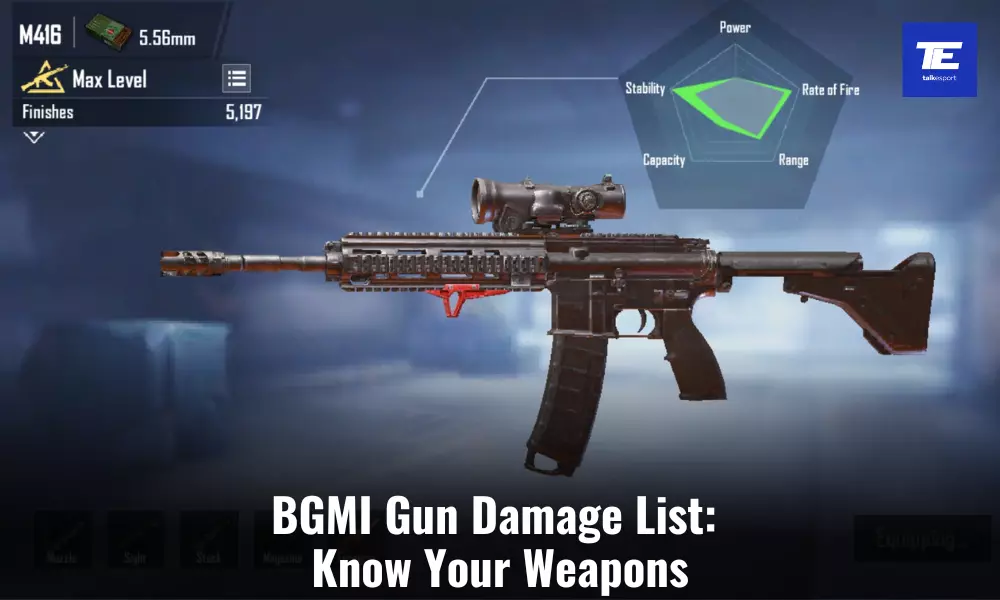
In Battlegrounds Mobile India (BGMI), mastering the use of weapons is essential for survival and victory. The game offers a diverse range of firearms, each with its own unique stats and characteristics. One crucial aspect of understanding your armory is knowing the damage potential of each firearm. Understanding the damage output of these weapons is crucial for any player looking to excel in the game. In this BGMI gun damage list, we’ll break down the damage, magazine size, fire rate, and other vital information for every firearm in the game. Here is the comeplete BGMI Gun Damage List.
Assault Rifles(AR)
Assault rifles are versatile firearms, suitable for various situations. These firearms are capable of dealing sustained damage in both close-quarters combat and mid-range engagements, making them a popular choice among players. With various firing modes, including single-shot, burst, and automatic, players can adapt their assault rifles to suit different scenarios. Here’s is the BGMI gun damage list for assault rifles:
Assault Rifle
Ammo Type
Base Damage
Magazine Size
Reload Time
Fire Rate
Firing Mode
M416
5.56mm
41
30 (Extended: 40)
2.1s
0.085/s
Single/Auto
G36C
5.56mm
41
30 (Extended: 40)
3.8s
0.086/s
Single/Auto
SCAR-L
5.56mm
41
30 (Extended: 40)
2.2s
0.096/s
Single/Auto
QBZ
5.56mm
41
30 (Extended: 40)
3.66s
0.092/s
Single/Auto
M762
7.62mm
46
30 (Extended: 40)
2.9s
0.086/s
Single/Burst/Auto
AKM
7.62mm
48
30 (Extended: 40)
2.9s
0.1/s
Single/Auto
Honey Badger
7.62mm
43
30 (Extended: 40)
3.8s
0.09/s
Single/Auto
AUG
5.56mm
41
30 (Extended: 40)
3.66s
0.085/s
Single/Auto
M16A4
5.56mm
41
30 (Extended: 40)
2.2s
0.075/s
Single/Burst
Groza
7.62mm
45
30 (Extended: 40)
3s
0.08/s
Single/Auto
Mk47
7.62mm
48
20 (Extended: 30)
3.36s
0.1/s
Single/Burst
FAMAS
5.56mm
38
25 (Extended: 35)
3.6s
0.15/s
Single/Burst/Auto
Light Machine Guns (LMG)
Light Machine Guns (LMGs) are designed for sustained automatic fire, providing players with extended magazines and consistent firepower. This make them formidable choices for suppressing enemies and controlling chokepoints. Here’s is the BGMI gun damage list for Light Machine Guns:
LMG
Ammo Type
Base Damage
Magazine Size
Reload Time
Fire Rate
Firing Mode
MG3
7.62mm
42
75
–
–
Auto
DP-28
7.62mm
51
47
5.5s
0.109/s
Auto
M249
5.56mm
40
75 (Extended: 150)
8.2s
0.075/s
Auto
Submachine Guns (SMG)
Submachine guns offer high rates of fire and maneuverability, making them ideal for close-quarters combat situations. Chambered for rounds like .45ACP and 9mm, SMGs provide rapid-fire capabilities, making them effective tools for clearing buildings and engaging opponents at short range. Here’s is the BGMI gun damage list for Submachine Guns:
SMG
Ammo Type
Base Damage
Magazine Size
Reload Time
Fire Rate
Firing Mode
Thompson SMG
.45ACP
40
30 (Extended: 40)
3.45s
0.086/s
Single/Auto
UMP45
.45ACP
39
25 (Extended: 35)
3.1s
0.092/s
Single/Auto/Burst
PP-19 Bizon
9mm
35
53
3.8s
0.086/s
Single/Auto
MP5K
9mm
33
30 (Extended: 40)
4.58s
0.067/s
Single/Auto/Burst
P90
9mm
–
50
–
–
Single/Auto/Burst
UZI
9mm
26
25 (Extended: 35)
3.1s
0.048/s
Single/Auto
Vector
9mm
31
19 (Extended: 33)
2.2s
0.054/s
Single/Auto/Burst
Shotgun (SG)
Shotguns are close-quarters specialists, delivering devastating damage with each pull of the trigger. Chambered for 12 Gauge rounds, these weapons excel in tight spaces and are capable of quickly eliminating opponents at short range. Here’s is the BGMI gun damage list for Shotguns:
Shotgun
Ammo Type
Base Damage
Magazine Size
Reload Time
Fire Rate
Firing Mode
S12K
12 Gauge
24
5 (Extended: 8)
3s
0.25/s
Single
M1014 Shotgun
12 Gauge
25
7
4s
0.25/s
Single
S686
12 Gauge
26
2
3s
0.2/s
Single
DBS
12 Gauge
26
14
–
–
Single
S1897
12 Gauge
26
5
4s
0.75/s
Single
NS2000
12 Gauge
–
12
–
–
Single
Designated Marksman Rifles (DMR)
Designated Marksman Rifles (DMRs) are known for their accuracy and semi-automatic capabilities, making them suitable for medium to long-range engagements. They often use higher caliber ammunition than assault rifles. Here’s is the BGMI gun damage list for DMRs:
DMR
Ammo Type
Base Damage
Magazine Size
Reload Time
Fire Rate
Firing Mode
Win94
.45ACP
66
8
4s
0.06/s
Single
Mk12
5.56mm
48
20 (Extended: 30)
3.5s
0.13/s
Single
Mini14
5.56mm
46
20 (Extended: 30)
3.6s
0.13/s
Single
VSS
9mm
41
10 (Extended: 20)
2.9s
0.086/s
Single/Auto
QBU
5.56mm
55
10 (Extended: 20)
3s
0.1/s
Single
SLR
7.62mm
58
10 (Extended: 20)
3.683s
0.1/s
Single
Mk14
7.62mm
61
10 (Extended: 20)
3.683s
0.09/s
Single/Auto
SKS
7.62mm
53
10 (Extended: 20)
4.55s
0.09/s
Single
Sniper Rifles (SR)
Sniper rifles are the epitome of long-range precision, delivering devastating single shots with high damage output. Chambered for heavy rounds like .300Magnum and 7.62mm, these rifles are the go-to choice for players seeking to eliminate foes from a distance. Iconic weapons are prized for their ability to down enemies with a single well-placed shot. Here’s is the BGMI gun damage list for Sniper Rifles:
Sniper Rifle
Ammo Type
Base Damage
Magazine Size (Extended)
Reload Time
Fire Rate
Firing Mode
AWM
300Magnum
105
5 (Extended: 7)
4.6s
1.85/s
Single
Mosin Nagant
7.62mm
79
5
4s
1.9/s
Single
Kar98k
7.62mm
79
5
4s
1.9/s
Single
M24
7.62mm
75
5 (Extended: 7)
4.2s
1.8/s
Single
AMR
.50BMG
118
5
4.6s
1.9/s
Single
Pistols
Pistols serve as reliable backup weapons in BGMI, offering a variety of ammo types and damage outputs. Whether it’s the high damage pistol or the rapid fire one, pistols are handy for last-ditch efforts when primary weapons run dry. Here’s is the BGMI gun damage list for Pistols:
Pistol
Ammo Type
Base Damage
Magazine Size
Reload Time
Fire Rate
Firing Mode
Flare Gun
Flare
–
1
3.5s
–
Single
R45
.45ACP
55
6
3.2s
0.25/s
Single
Desert Eagle
.45ACP
41
7 (Extended: 10)
2.1s
0.11/s
Single
Skorpion
9mm
22
20 (Extended: 40)
3.1s
0.07/s
Single/Auto
R1895
7.62mm
55
7
6.25s
0.4/s
Single
P92
9mm
35
15 (Extended: 20)
2s
0.09/s
Single
P18C
9mm
23
17 (Extended: 25)
2s
0.06/s
Single/Auto
P1911
.45ACP
41
7 (Extended: 12)
2.1s
0.11/s
Single
Sawed-off
12 Gauge
22
2
4s
0.25/s
Single
Crossbows
Crossbows are niche weapons that fire bolts with great precision and silence. With a low fire rate but high damage potential, these weapons are a favorite among players who prefer stealth and accuracy. Here’s is the damage list for Crossbows:
Weapon
Ammo Type
Magazine Size
Fire Rate
Firing Mode
Crossbow
Bolt
1
0.075/s
Single
Tactical Crossbow
Bolt
1
0.075/s
Single
Melee Weapons
Melee weapons are the ultimate fallback when ammunition runs out. While they have limited range, these weapons can be surprisingly lethal in close combat situations. Here’s is the damage list for Melee Weapons:
Weapon
Base Damage
Machete
60
Crowbar
60
Sickle
60
Pan
80
Throwables
Throwables are essential tools for strategic gameplay. Throwables provide players with a means to disrupt enemy positions, block vision, or flush out opponents from cover. Proper use of throwables can turn the tide of battle in BGMI. Here’s is the damage list for Throwables:
Throwable
Throw Time
Throw Cooldown
Frag Grenade
1.30s
2s
Smoke Grenade
1.30s
1s
Molotov Cocktail
0.85s
1s
Stun Grenade
1.30s
1s
The BGMI Gun Damage List serves as an invaluable resource for every BGMI player, whether they are seasoned veterans or newcomers to the game. Understanding the damage potential, magazine size, and fire rate of each firearm is the foundation of success in BGMI.
Krafton, the developers of Battlegrounds Mobile India (BGMI), has revealed the venue and schedule of the Battlegrounds Mobile India Series (BGIS) 2023. The Grand Finals of this tournament will take place between 12th and 15th October 2023 in Worli, Mumbai. With a historic venue, top-tier talent, and a colossal prize pool, the tournament is all set to redefine the esports landscape in India.
BGIS 2023 Grand Finals: Schedule and Venue
Talk Esport had the opportunity to attend Krafton’s recent press conference hosted on 31st August. This was its first press conference since Battlegrounds Mobile India’s (BGMI) relaunch. In this press conference, Krafton discussed its journey in India, investments made in the Indian market, BGMI, growth of esports in India, and its future plans for India. Additionally, it also revealed significant details about the highly anticipated BGIS 2023 Grand Finals.
The highly-anticipated Grand Finals of BGIS 2023 will take place at the NSCI Sardar Vallabhbhai Patel Dome in Mumbai. This iconic stadium is well-known for hosting a multitude of high-profile events. It will provide the perfect backdrop for the ultimate showdown.
About BGIS
Battlegrounds India Series 2023 features a staggering prize pool INR 2 Crore. The tournament has garnered attention not only for its massive prize pool, but also for its commitment to fostering talent from the grassroots level. The main event of the tournament commenced on 31st August, attracting top gaming talent from across India and beyond. The tournament began with BGIS 2023: The Grind on 20th July, a stage designed for invited teams to qualify for the main stage. The main tournament started on 10th August. Furthermore, BGIS 2023 has partnered with Jio Cinema for live broadcast of the tournament.
The Indian gaming community is all hyped up with rumors circulating about the potential appointment of Bollywood sensation Ranveer Singh as the brand ambassador for Battlegrounds Mobile India (BGMI). Unfortunately, Krafton, the developer of BGMI, has not made any official confirmation about this rumor. Nonetheless, the mere possibility of Ranveer Singh teaming up with BGMI has fans on the edge of their seats.
Rumors Suggests that Ranveer Singh Will Be the New Brand Ambassador of BGMI
The speculation gained momentum after Krafton held its press conference on 31st August 31st, marking the first such event since BGMI’s unban on May 29th. Various media companies and industry insiders attended this event, and Talk Esport had the opportunity to attend it as well. During this press conference, Krafton pulled back the curtains on its plans for the future in India.
One intriguing revelation Krafton made during this conference was a hint at an upcoming collaboration with a Bollywood celebrity. However, the company remained tight-lipped about the celebrity’s identity, leaving fans and gaming enthusiasts eager to discover who this mystery ambassador might be.
BGMI has experienced a meteoric rise in popularity since its relaunch, amassing over 100 million downloads within the first three months. Given this incredible success, the possibility of Ranveer Singh becoming the brand ambassador does not seem to be over ambitious.
Ranveer Singh is well-known for his charismatic and dynamic persona. With such a personality, he would be a natural fit as a brand ambassador for BGMI. His widespread appeal across demographics, especially the youth, could help further elevate the game’s profile in India and attract an even larger player base. Nonetheless, it is important to wait for an official announcement from Krafton instead of jumping to conclusions. Without any confirmation, these rumors will remain mere rumors.
Every frame counts in competitive gaming. Counter-Strike 2 (CS2), the latest iteration of the iconic shooter series, is no exception. Players are always finding ways to increase Frames Per Second (FPS). You first need to check how many FPS you are getting right now.
Here’s a detailed guide on how to display and understand FPS in CS2.
How to Show FPS in CS2?
For those transitioning from CSGO to CS2, the process remains familiar. Here is how to show your FPS in CS2:
Navigate to the game’s settings menu.
Ensure the Console is enabled.
Access the Console, typically by pressing the Tilde (~) button.
Enter the command [cl_showfps 1].
Press Enter
Post-command, an FPS count will appear on your screen, indicating the game’s current frame rate.
This FPS counter is a valuable tool, allowing players to gauge the game’s performance in real-time and adjust settings accordingly.
FPS, or Frames Per Second, represents the number of frames your computer can render and display every second while the game is active. A higher FPS count translates to smoother gameplay, which can be crucial in fast-paced games like CS2.
In competitive scenarios, a consistent and high FPS can mean the difference between victory and defeat.
How to Hide FPS in CS2?
If, for any reason, you wish to hide the FPS counter, the process is straightforward:
Access the Console.
Input the command [cl_showfps 0].
While the counter is minimalistic and non-intrusive, some players prefer a clutter-free screen. However, keeping an eye on your FPS while playing competitive games is always advisable.
Counter-Strike 2 (CS2) is the upcoming installment in the Counter-Strike franchise, set to succeed CSGO and has opened up the Limited Test phase ahead of the full release scheduled for the summer of 2023.
Following the initial announcement made on March 22nd, not all players were included in the testing group before, here’s how to secure access to the Counter-Strike 2 Limited Test and engage in gameplay.
To be eligible for a potential invitation, certain conditions must be satisfied:
Players must possess CSGO Prime Status.
Active Competitive Skill Group.
The majority of their official matchmaking matches should take place within one of the regions where the Counter-Strike 2 Limited Test is accessible.
The access is now available in more regions than before which makes it easy for a lot of gamers who weren’t able to get their hands on the beta before.
Counter Strike 2 (CS2) is a game that rarely experiences downtime. However, when it does, it leaves the gaming community in a state of confusion and frustration. Let’s explore the common reasons behind CS2 server outages and how to check the server status.
The most frequent cause of CS2 server outages is the release of a new update. Whenever the game receives an update, the servers may temporarily go offline to accommodate the changes. Typically, the downtime is short-lived, and servers are back up quickly. Another less common but plausible reason is a technical glitch in Valve’s servers. Although rare, such incidents have occurred in the past.
Counter-Strike: Global Offensive (CSGO) is a game that rarely experiences downtime. However, when it does, it leaves the gaming community in a state of confusion and frustration. Let’s explore the common reasons behind CSGO server outages and how to check the server status.
The most frequent cause of CSGO server outages is the release of a new update. Whenever the game receives an update, the servers may temporarily go offline to accommodate the changes. Typically, the downtime is short-lived, and servers are back up quickly. Another less common but plausible reason is a technical glitch in Valve’s servers. Although rare, such incidents have occurred in the past.