Thursday, May 14, 2026
Home Blog Page 608

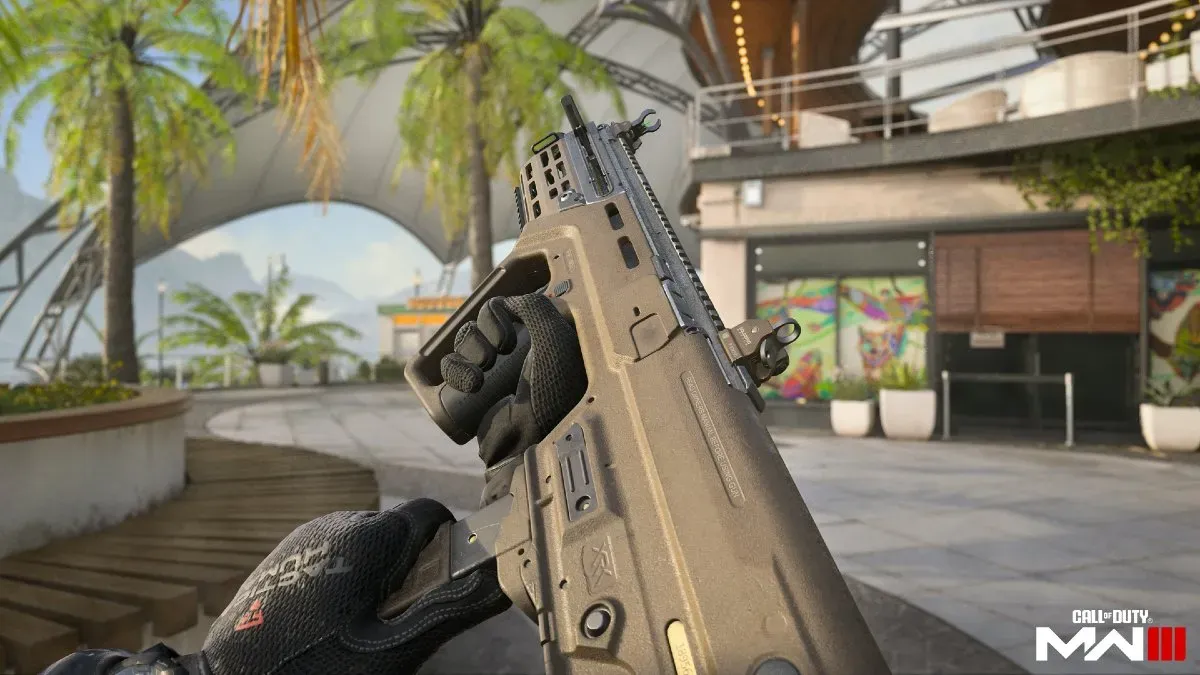
How to Unlock RAM-9 in MW3 and Warzone

0

Unlocking the RAM-9, the latest addition to the MW3 and Warzone arsenal, has piqued the interest of gamers eager to enhance their combat efficiency in close-quarters engagements. The RAM-9 submachine gun, lauded for its agility and lethal firepower at close range, can be acquired through a series of accessible steps detailed within the Season 2 Battle Pass framework. This guide is designed to walk you through the process, ensuring a smooth acquisition of the RAM-9, alongside insights into its gameplay impact and strategic use in the dynamic battlefields of MW3 and Warzone.

Unlocking Through the Season 2 Battle Pass

The primary method to unlock the RAM-9 involves progressing through the Season 2 Battle Pass. Specifically, players are required to complete Sector B6, a task that is both free and accessible to all players willing to invest some effort. This sector is conveniently located just two steps away from the starting space, B1, making it an achievable goal without excessive grind​​​​​​.

Alternative Unlocking Methods

For those seeking different paths to unlock the RAM-9, there are alternative methods available. One such method is through the Zombies game mode, where exfiltrating with the RAM-9 in your possession secures it permanently for your arsenal. Additionally, purchasing specific bundles, such as the upcoming Demon GLO Tracer Pack, offers a direct route to acquiring a blueprint of the RAM-9, bypassing the need for Battle Pass progression​​.

Gameplay Impact and Strategic Use

The RAM-9 distinguishes itself as a more maneuverable counterpart to its assault rifle predecessor, the RAM-7, with its bullpup design and 9mm chambering making it a formidable weapon in close-range encounters. Its full-auto and semi-auto firing modes, alongside a high rate of fire and manageable recoil, render the RAM-9 particularly effective in rapid assault strategies and close-quarters combat scenarios​​​​.

Meta Considerations

The RAM-9’s introduction into the game’s ecosystem brings with it considerations for the current meta. Its agility and firepower suggest a potential reshaping of close-range combat dynamics, with the potential to outperform existing SMGs depending on balance updates and player adaptation. As the gaming community explores the full capabilities of the RAM-9, its place within the competitive landscape will become clearer, potentially establishing it as a new favorite among SMG aficionados​​.

How to Find and Catch Relaxaurus in Palworld

0

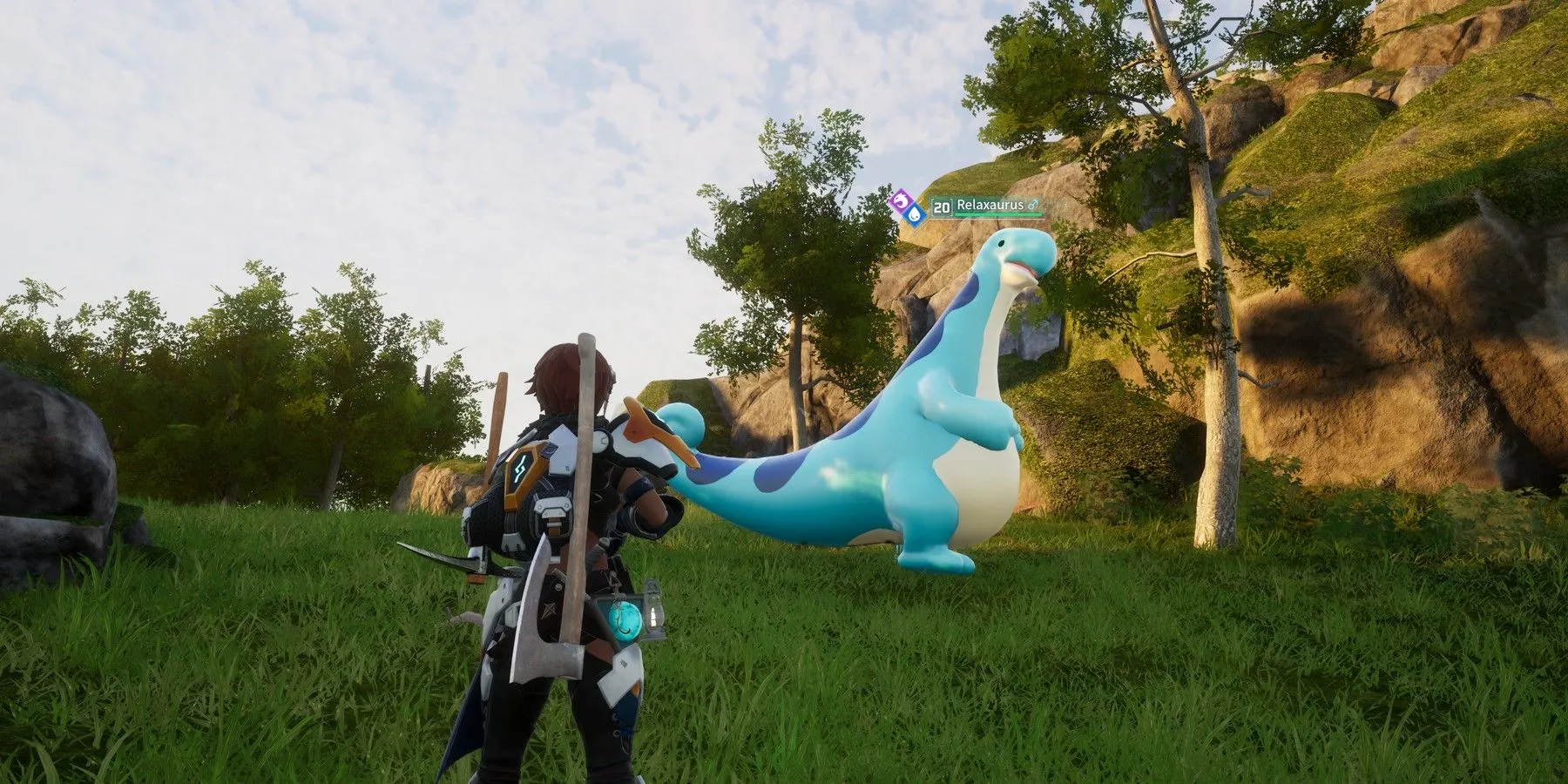
Discovering and capturing a Relaxaurus in Palworld can transform your gaming experience by adding a unique and powerful Pal to your collection. Known for its chill demeanor and impressive abilities, finding Relaxaurus can be a rewarding challenge for players. Here’s how you can find and catch this sought-after creature in the game.

Relaxaurus Location

Relaxaurus is predominantly found around the Ascetic Falls and Sealed Realm of the Thunder Dragon regions. While there isn’t a specific pinpoint location due to their tendency to roam, these two areas are your best bet for encountering Relaxaurus. Keep an eye out for their distinctive long necks and height, which make them easier to spot in their natural habitats.

Catching and Battling Relaxaurus

Relaxaurus employs water and dragon-type attacks, like Water Blasts and Dragon Shots, making them a formidable opponent. To successfully catch one, dodging these attacks is crucial. Utilizing grass-type Pals can give you an advantage due to Relaxaurus’s vulnerability to grass-type moves. When it comes to capturing, both Normal Pal Spheres and Mega Spheres are effective, so use whichever aligns with your resource availability.

Additionally, approaching Relaxaurus with higher level Pals and employing better Sphere Types, such as the Mega Sphere or Giga Sphere, can significantly improve your chances. Given that Relaxaurus can range between levels 10 and 20 and possesses strong attacks, preparation is key. Bringing a grass-type Pal for combat can make the encounter more manageable due to the type advantage.

Relaxaurus is not only a formidable Pal in battle but also serves practical purposes, such as transporting goods and aiding with tasks around your base. Whether you aim to capture Relaxaurus for its utility or the challenge it presents, it’s a rewarding addition to any Palworld player’s collection.

By focusing your search around Ascetic Falls and the Sealed Realm of the Thunder Dragon, preparing adequately for battle, and employing the right type of Pal and Sphere, you’ll increase your chances of successfully finding and capturing Relaxaurus. Happy hunting!

Cheapest CS2 Knives List – Counter Strike 2

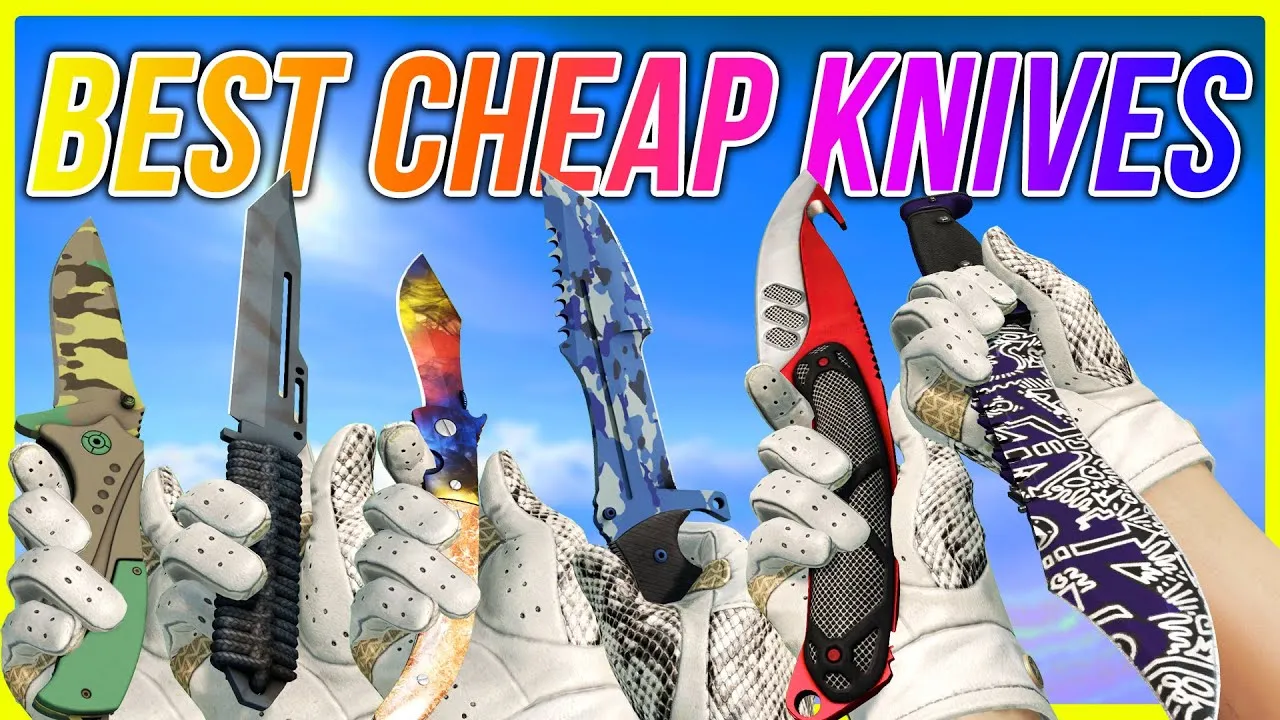
Finding a stylish yet affordable knife in Counter-Strike 2 doesn’t have to drain your wallet. Here’s a curated list of the top cheap knives in CS2, offering great value for money and a touch of flair to your gaming experience.

Top Affordable CS2 Knives

  1. Shadow Daggers | Rust Coat (Battle-Scarred) – With a menacing look that seems ready for a zombie apocalypse, these daggers add a dangerous aesthetic to your inventory.
  2. Gut Knife | Scorched (Field-Tested) – Boasting a unique black-and-grey color scheme, this knife offers an affordable yet stylish choice.
  3. Navaja Knife | Stained (Field-Tested) – Almost appearing vanilla, its metallic sheen provides a subtle yet appealing look.
  4. Gut Knife | Freehand (Field-Tested) – Features a mesmerizing purple and silver pattern, offering great visual appeal at a low price.
  5. Gut Knife | Ultraviolet (Field-Tested) – A classic combination of purple and black, bringing style to the Gut Knife design.

For those diving deeper into the market for economical knife skins, variations like the Navaja Knife | Blue Steel, Shadow Daggers | Ultraviolet, and Gut Knife | Night stand out for their unique designs and accessible price points.

Additional Noteworthy Mentions

  • Kukri Knife Safari Mesh, Shadow Daggers Lore, and Shadow Daggers Gamma Doppler offer distinct designs for under $200, providing more options for players looking to customize their loadout without breaking the bank.
  • Falchion Knife Lore and Huntsman Knife Lore present more intricate designs, while still being accessible for players on a tighter budget.

By exploring these options, you can find a knife that not only complements your playstyle but also adds a personal touch to your CS2 experience without costing a fortune. Whether you prefer the rugged appeal of a Rust Coat or the sleek design of an Ultraviolet skin, there’s a knife for every taste and budget.

Fix Unable to Establish a Connection With the Game Server

Facing the “Unable to Establish a Connection With the Game Server” error in Counter-Strike 2 (CS2) can be a major hindrance to your gaming experience. This error prevents you from joining both official and community-made servers, leaving many players searching for solutions. The issue often stems from network-related problems, but can also be caused by Steam download cache issues or corrupted game files.

Here’s a comprehensive guide to resolving this issue, synthesizing advice from multiple sources:

Restart and Reset

  1. Restart Your Computer and Steam: Begin by exiting the Steam client and restarting your computer. This simple step can often resolve temporary glitches affecting your connection to CS2 servers.
  2. Flush DNS and Reset Network Settings: Use Command Prompt (run as administrator) to flush your DNS by typing ipconfig /flushdns, then netsh winsock reset, and finally netsh int ip reset. This can help clear any network-related issues hindering your connection to the game servers.

Check Internet and Server Status

  1. Verify Your Internet Connection: Perform a speed test to ensure your connection is stable and fast enough for online gaming. An unstable connection could be the root of the problem.
  2. Check CS2 Server Status: Use websites like Steamstat.us to check if the CS2 servers are operational. If the servers are down, you’ll need to wait until they’re back online.

Game and Steam Fixes

  1. Clear Steam Download Cache: This can resolve issues caused by corrupted cache files. Open Steam settings, head to the Downloads tab, and click on “Clear Download Cache”.
  2. Change DNS Address: Switching to Google’s DNS addresses (8.8.8.8 for Preferred and 8.8.4.4 for Alternate) can sometimes improve your connection stability.
  3. Verify Integrity of CS2 Game Files: Corrupted or missing game files can cause connection issues. In Steam, right-click on CS2 in your library, select Properties > Local Files, and then click “Verify Integrity of Game Files”.
  4. Reinstall Steam (Without Deleting CS2): If all else fails, you may need to reinstall Steam. Make sure to not delete the Steamapps and Userdata folders to avoid losing your games.

Additional Tips

  • Disconnect from VPN services if you’re using any, as they can sometimes interfere with your connection to game servers.
  • Restart your router: If your internet connection is the issue, rebooting your router can often resolve connectivity problems.

By following these steps, you should be able to overcome the “Unable to Establish a Connection With the Game Server” error in CS2 and get back to playing. If the problem persists, it may be worth reaching out to Steam support for further assistance.

IEM Katowice Playoff Teams Opt for New CS2 Patch in Pre-RMR Qualifiers Move

0

In an unprecedented move that has sparked considerable excitement within the competitive Counter-Strike community, the playoff teams at IEM Katowice 2024 have collectively decided to play on the newest Counter-Strike 2 (CS2) patch, “A Call to Arms.” This decision comes right before the Regional Major Rankings (RMR) qualifiers, marking a significant shift in how updates are typically handled during major tournaments.

Historically, esports events have adhered to using the game version that was available at the tournament’s start, avoiding mid-tournament shifts to ensure consistency and fairness. However, the overwhelming positive feedback from professional players regarding the latest CS2 patch has led to an exception to this rule. The “A Call to Arms” patch introduces pivotal changes to gameplay mechanics, including adjustments to peeker’s advantage, sub-tick shooting, and smoke grenades. These modifications have been well received by the pros, addressing longstanding complaints within the community and offering quality-of-life improvements such as the ability to refund all purchases at the start of a round and disabling first-person tracers​​.

The unanimous decision to adopt the latest patch for the playoffs was driven by several critical gameplay changes. Notably, the update has revamped smoke grenades to cast shadows, enhancing rendering and animation, which, in turn, facilitates easier identification of enemy models within smokes and at certain angles. Another significant change is the reduction of peeker’s advantage by 16 milliseconds, which aims to balance engagements by not unduly rewarding players who aggressively peek around corners​​.

This strategic choice underscores the teams’ eagerness to adapt to the updated gameplay dynamics as they prepare for the upcoming European RMR event, which will determine the participants in the first CS2 Major in Copenhagen. By electing to play on the updated version, teams are seizing the opportunity to familiarize themselves with the new mechanics, potentially gaining a competitive edge in the crucial qualifiers ahead​​.

The IEM Katowice 2024 playoffs, set to commence on February 9th, represent a pivotal moment for the CS2 competitive scene. This adaptation to the latest game version midway through a major tournament highlights the community’s commitment to evolving with the game, ensuring that the highest level of competitive play is achieved. As teams gear up for the playoffs, all eyes will be on how these changes impact the dynamics of play and which team will best adapt to emerge victorious​​​​.

IShowSpeed calls for support with Apple Vision Pro but pulls Messi vs Ronaldo into it

0

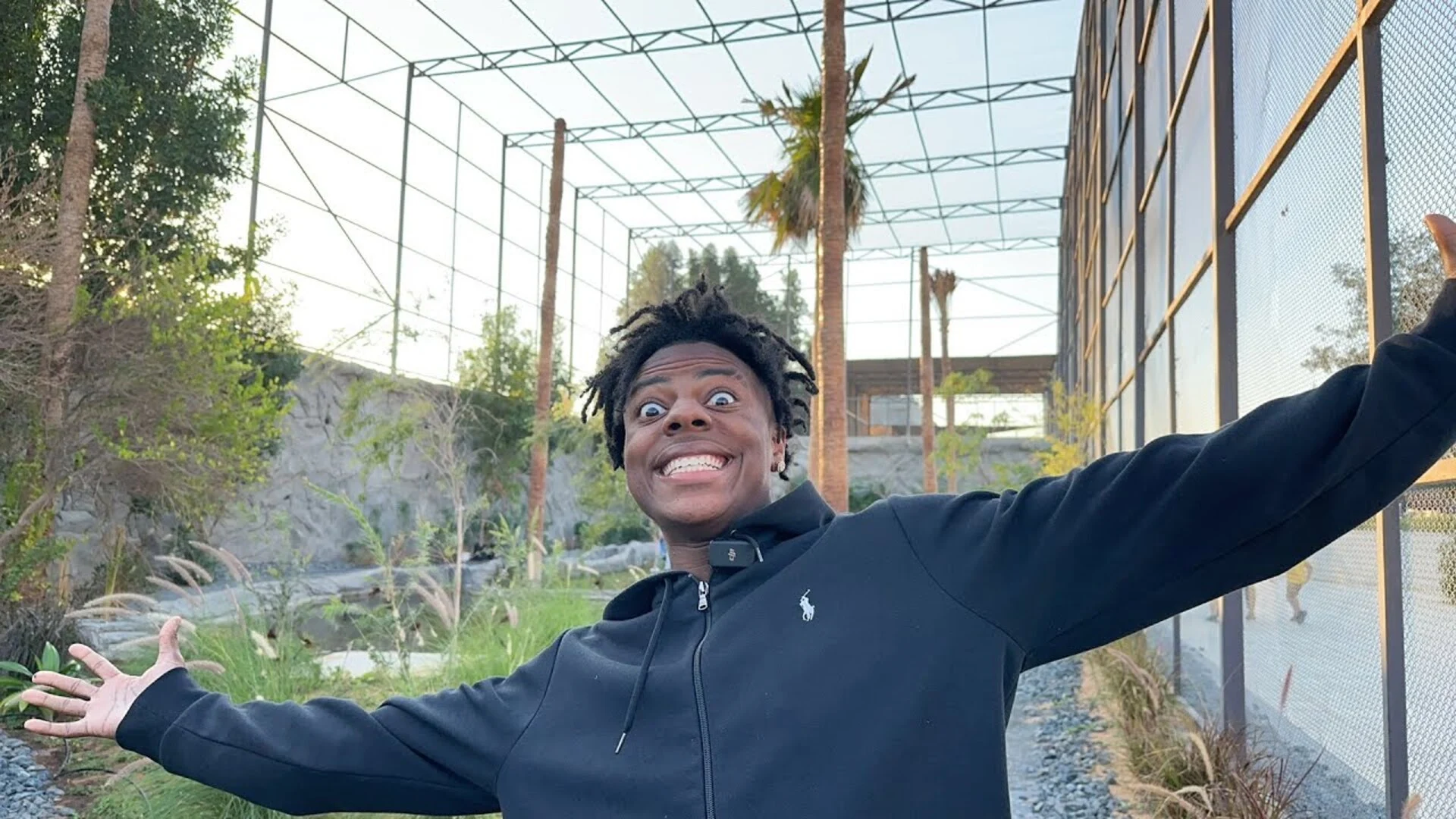
IShowSpeed has once again pulled the “Messi vs Ronaldo” debate while on a call with an Apple Employee trying to fix his Apple Vision Pro VR headset and ends up getting a hilarious response.

Apple has just started to hand out its Vision Pro VR headsets to the world and its mindblowing features have people across the globe excited. It has presented the future of spatial computing and while it may not be perfect and certainly not the first VR headset, Apple has made sure to integrate it into their ecosystem well enough to make it fit into the daily lives of consumers like no headset ever did.

Vision Pro comes with the usual troubles of first-gen products and while everyone is getting used to it, IShowSpeed ran into trouble thus leading him to call an Apple support employee to seek help.

During his call with the Apple employee, Speed randomly dropped the question to him asking what side of the “Messi vs Ronaldo” debate is he on.

“It’s just a question, actually Ronaldo or Messi Ric, Ronaldo or Messi?… Just choose one please, that’s all I am asking.”  asked Speed. To which the Apple employee took his time and chose Messi, thus triggering Speed.

“Rick what the f*ck… He was a Messi fan the whole f*cking time, that’s why it didn’t f*cking work, he was a Messi fan that’s why it is f*cking broke, I got scammed chat I ain’t gonna lie.” he said after learning that he was a Messi fan.

While Speed may be disappointed, the Messi fans in the chat were having the time of their lives pulling his leg. Speed is known for his eccentric reactions when things don’t go his way and this was just another one of those times and fans took their sweet time to squeeze fun out of it.

Stay updated with the latest news in gaming and esports by signing up for early access to TalkEsport’s Mobile App. Follow us on Twitter and Google News to ensure you never miss the exciting updates.

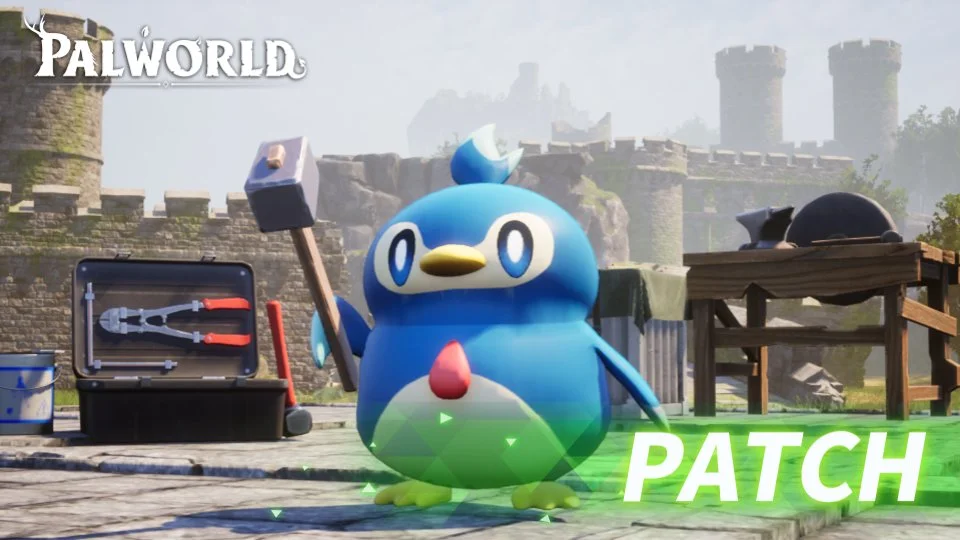
New Palworld Update Fixes Several Critical Bugs: V0.1.4.1 Patch Notes Revealed

0

One of the prime reasons behind the rising popularity of the new action-adventure title Palworld is the amount of effort that the developers are constantly putting in to keep the game updated and fix critical issues that are surfacing in the game. Only a few days after the Pocketpair title received its first major update, the devs have already shipped out a minor yet impactful update to address some annoying bugs that have been haunting the player base.

The new Palworld v0.1.4.1 update brings with it several welcome changes to the game including bug fixes and various QoL improvements. The patch also implements new countermeasures aimed at effectively mitigating various cheats and exploits that have been undermining the multiplayer experience for numerous players on servers.

The patch notes for the new Palworld update has already been revealed by Pocketpair, and fans can check out all the changes that the v0.1.4.1 update has brought to the game. In case you have missed the official patch notes of the latest Palworld update, we have you covered.

Palworld v0.1.4.1 Update: Patch Notes

Here are the detailed patch notes of the Palworld v0.1.4.1 Steam update, as officially confirmed by the developers:

Patch Notes:

 === 

▼Major Fixes

・Fixed an issue where the game would always crash and save data would be corrupted when the total number of Pals captured by the guild reached approximately 7000. 

・In the previous patch, save data that had already been in this state (for servers, the server’s world data) remained in a broken state that made it impossible to load, but after applying this patch it will be resolved and will load properly.

・Fixed an issue where some weapons equipped by other players would disappear when a player used a grenade in multiplayer. 

・Fixed an issue where, although the displayed capture probability increased when the capture power was strengthened with Lifmunk Effigies, the capture probability did not actually increase at all due to an internal processing bug. 

▼Base related 

・Fixed an issue where if a Pal that was manually assigned to a breeding farm went to sleep, it would not wake up forever. 

・Fixed an issue where no wood would drop when Pal at the base felled a tree.

▼Others 

・Implemented countermeasures against some cheats and exploits

.

How to Get Lewis Hamilton Skin in Fortnite?

0

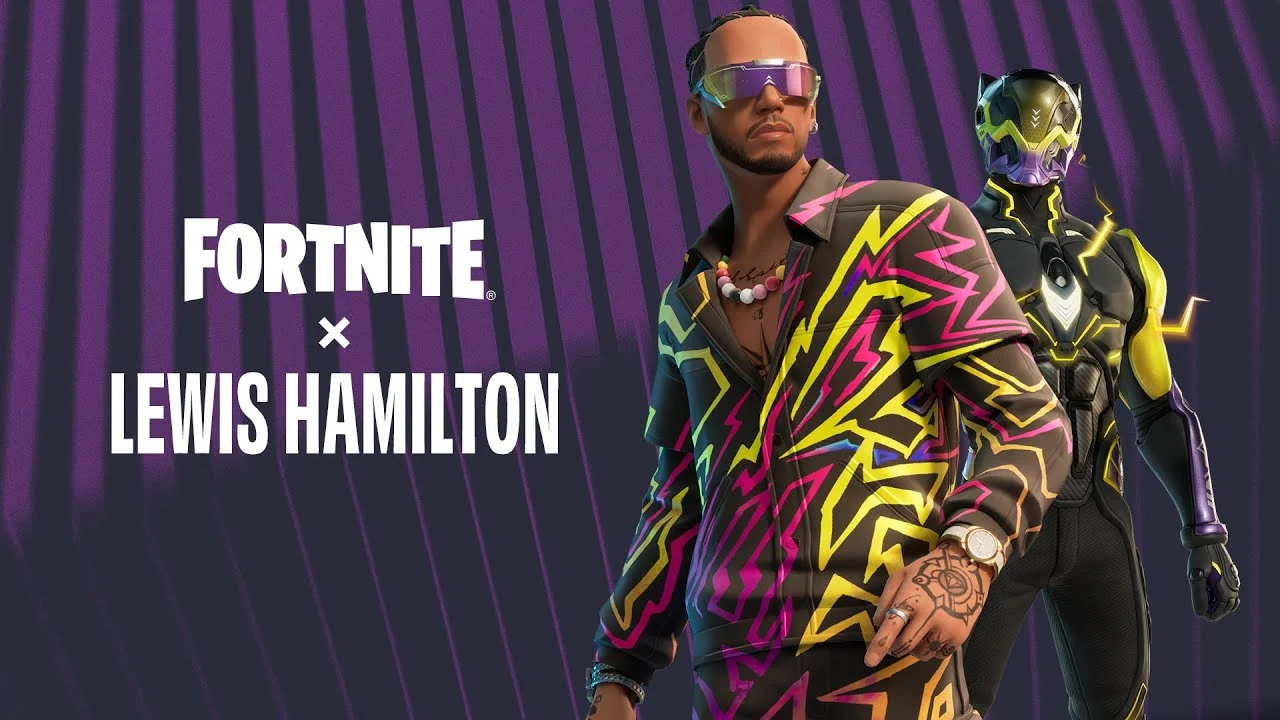
Fortnite’s virtual universe has once again blended with the high-speed world of Formula 1, reintroducing the iconic Lewis Hamilton into its ever-evolving gameplay. With the launch of the v28.20 update, the Fortnite community witnessed the thrilling return of Hamilton’s character, complete with his original outfits and a plethora of cosmetic sets that have captivated players around the globe.

Originally making his Fortnite debut during the game’s record-setting Chapter 4 Season OG, the addition of the F1 legend has since been a hit among fans, offering a unique blend of sports and gaming. This resurgence, following the February 7, 2024, update, has brought back the eagerly awaited Lewis Hamilton Icon Series collection to the Item Shop, allowing players to once again adorn their characters with the flair and prestige of one of motorsport’s most celebrated figures.

How to Acquire Lewis Hamilton’s Skin in Fortnite?

Securing the Lewis Hamilton skin and associated cosmetics requires players to navigate to Fortnite‘s in-game Item Shop. Once there, a selection of items awaits, ready to be purchased with V-Bucks, Fortnite’s virtual currency. Among the offerings are various bundles, each featuring Lewis Hamilton’s signature looks and the newly introduced LEGO Style, adding a playful twist to the game’s aesthetic.

The Item Shop features several bundles, each catering to different tastes and preferences:

  • Lewis Hamilton Bundle: Includes the Lewis Hamilton Outfit, LEGO Style, and Rocket-Ready Roscoe Back Bling for 1,500 V-Bucks.
  • Launch Day Lewis Hamilton: Features the Launch Day Outfit, LEGO Style, Pole Positioner Back Bling, and Pickaxe for 1,800 V-Bucks.
  • Comprehensive Lewis Hamilton Bundle: Combines all outfits, styles, back bling, and pickaxe for 2,400 V-Bucks.
  • Slipstream Surfer Glider and Race Day Flair Wrap are also available for 800 and 500 V-Bucks, respectively, offering additional customization options.

For players focusing solely on acquiring Lewis Hamilton’s iconic look, the individual Lewis Hamilton bundle presents the most cost-effective option, priced at 1,500 V-Bucks. This package not only includes the outfit and its LEGO variant but also features Hamilton’s dog as an innovative Back Bling accessory.

Moreover, all skins within each bundle now boast a LEGO Style, coinciding with the introduction of LEGO Fortnite at the commencement of Chapter 5. This unique feature adds a fresh and imaginative dimension to the game, allowing players to experience Fortnite through a new, creative lens.

However, it’s important to note that the Lewis Hamilton Gear Bundle and the Scootin’ Circles Emote, initially available during the character’s first introduction, have not made a comeback in this latest update. This decision highlights Fortnite’s dynamic content strategy, continually evolving to offer new and exciting experiences to its player base.

Disney Invests $1.5 Billion in Epic Games

0

Disney and Epic Games have unveiled plans for an “expansive and open games and entertainment universe.” This ambitious venture, backed by a significant $1.5 billion investment from Disney for an equity stake in Epic, aims to redefine the boundaries of virtual engagement and creativity.

This new digital universe promises to offer unprecedented opportunities for users to play, watch, shop, and interact with a rich tapestry of content spanning Disney’s vast portfolio, including Pixar, Marvel, Star Wars, Avatar, and more.

Leveraging the power of Unreal Engine, this platform is set to empower players and fans to craft their narratives, celebrate their fandom in uniquely Disney ways, and share their creations in a community-driven environment.

This partnership echoes Epic’s recent collaboration with Lego, which saw a $2 billion investment from Sony and KIRKBI, leading to the launch of the survival game Lego Fortnite. This move marked a significant pivot for Fortnite, expanding its horizon beyond its battle royale origins to host a variety of games and experiences, including the music-centric Fortnite Festival and Rocket Racing. The upcoming Disney-Epic universe seems to build on this foundation, aiming to create a more interconnected and expansive digital experience.

Disney and Fortnite have a rich history of collaboration, with numerous characters from Star Wars, Marvel, and other Disney franchises making appearances in the game. Notably, 2020 saw an entire Marvel-themed season in Fortnite, showcasing the potential of these partnerships to engage fans in new and immersive ways.

The announcement comes at a time when both companies have faced challenges within the metaverse space, with Disney scaling back its efforts and Epic recently reducing its workforce. However, this new venture signals a renewed commitment to exploring the possibilities of digital worlds, with Disney CEO Bob Iger expressing excitement for the “significant opportunities for growth and expansion” this collaboration brings.

Epic’s Tim Sweeney echoed this sentiment, highlighting the goal to create a “persistent, open, and interoperable ecosystem” that unites the Disney and Fortnite communities.

While details on the launch of this metaverse remain under wraps, the collaboration has already sparked interest with the announcement of a Mandalorian-themed update for Rocket League, featuring a Grogu car topper.

Valorant XEROFANG Bundle Revealed: Skins, Price, Release Date, & More

0

Previously, Riot Games had teased a new Valorant skin collection to celebrate the Lunar New Year which is just a few weeks away. On February 6, 2024, the contents of the new skin bundle were officially showcased by the company.

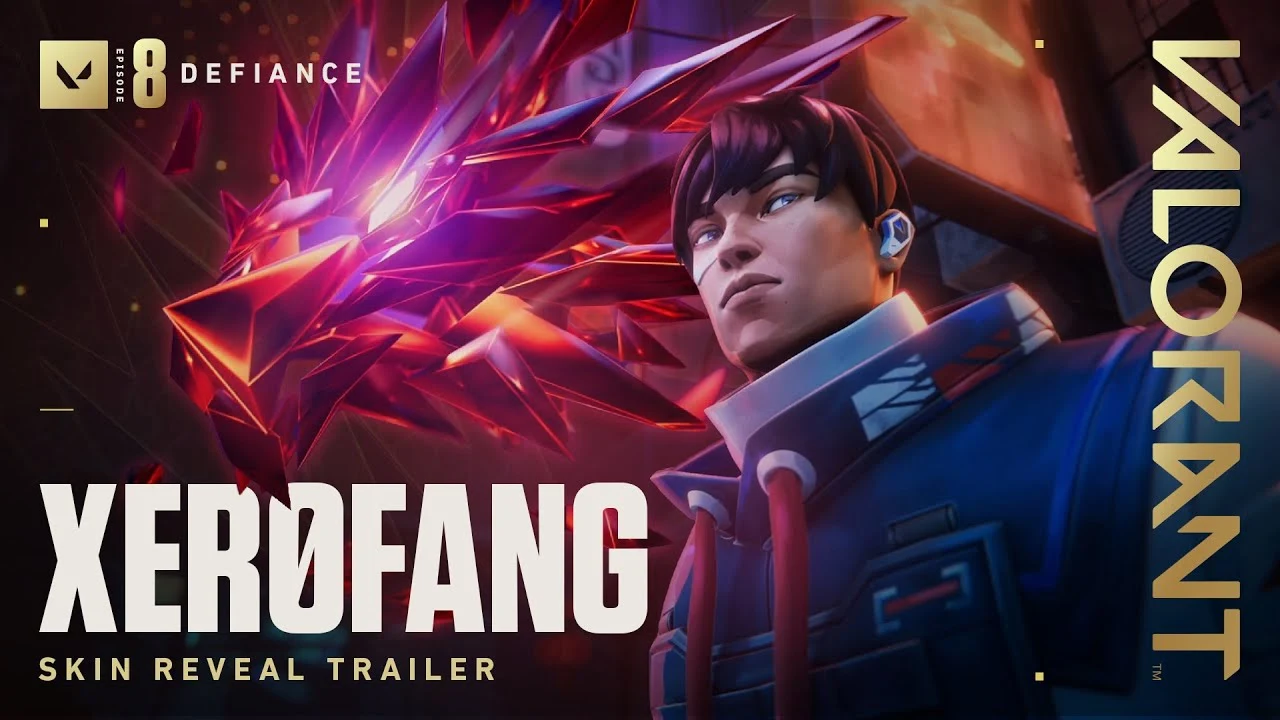
In a recent Tweet posted by the Valorant X handle, Riot Games unveiled the ‘XEROFANG’ bundle in Valorant. This bundle celebrates the ‘Year of the Dragon’ theme, showcasing stunning weapon aesthetics and finishers that embody the spirit of this legendary symbol.

Let’s take a look at everything you need to know about the XEROFANG bundle in Valorant, including its price, release date, and more.

Valorant XEROFANG Bundle: All Skins

Here are the skins included in the Valorant XEROFANG bundle:

  • Vandal
  • Ghost
  • Melee

Alongside the aforementioned weapon skins, the bundle will also have a new animated dragon-themed gun buddy and a player card.

Valorant XEROFANG Bundle: Price

While the price of the XEROFANG bundle is yet to be revealed by Riot, we do know that the bundle is set to be included in the ‘Premium’ tier. This means that it’s safe to assume that the full bundle will cost you around 6,355 VP. Purchasing the individual skins will cost you around 1,775 VP each, while the knife is likely to cost around 4,350 VP.

Valorant XEROFANG Bundle: Release Date

The highly anticipated Valorant XEROFANG skin bundle is scheduled for release alongside the upcoming patch 8.02 on February 6th, 2024.