Home Blog Page 600

Apeks Qualify for VCT 2025 EMEA League With Ascension Win

0

Apeks are your Valorant Champions Tour Ascension EMEA 2024 winners! The Norwegian organization took the title after a thrilling best-of-five grand final, edging out PCIFIC Esports in a nail-biting best-of-five showdown.

With a narrow 3-2 victory in the EMEA Ascension 2024 finals, Apeks have cemented their slot in the upcoming VCT 2025 EMEA League,

Only a year ago, Apeks found themselves in the grand finals of VCT Ascension EMEA 2023, but failed to secure their slot in the VCT 2024 circuit after a heartbreaking loss against Gentle Mates.

Currently ranked the #3 team in the European Valorant scene as per VLR, the Apeks roster includes the following players:

  • Tautvydas “hype” Paldavicius
  • Kajetan “kaajak” Haremski
  • Michał “MOLSI” Łącki
  • Dom “soulcas” Sulcas
  • Auni “AvovA” Chahade

With Apeks joining the ranks for the VCT 2025 EMEA League, here are the twelve teams set to compete in the upcoming season:

  • Fnatic
  • Team Vitality
  • Team Heretics
  • FUT Esports
  • Natus Vincere
  • Karmine Corp
  • BBL Esports
  • Team Liquid
  • Gentle Mates
  • GIANTX
  • KOI

How to Fix DirectX Runtime Error in Valorant?

0

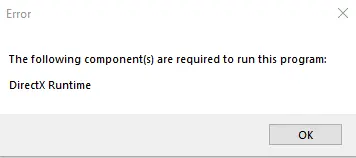
The DirectX Runtime Error in Valorant is one of the most common issues that players face when trying to play the competitive shooter. If you encounter the DirectX Runtime Error in Valorant, you’ll be unable to play the game at all till you resolve the issue. Luckily, for the majority of players, this problem can easily be fixed in just a few simple steps.

In this article, we take a look at everything you need to know about how to fix the DirectX Runtime Error in Valorant.

Valorant DirectX Runtime Error

DirectX Runtime Error Valorant

The Valorant DirectX Runtime Error is mostly caused by outdated graphics drivers. Whether you’re an NVIDIA or AMD user, if you’re encountering this error then your graphics drivers are probably due for an update.

Without further ado, let’s check out how you can fix the DirectX Runtime Error in Valorant.

How To Fix Valorant DirectX Runtime Error

First, make sure that your Windows and DirectX versions are up to date.

To do this, simply hit the Windows key on your keyboard and type in ‘Settings’. Once you’re in the settings menu, go to the updates section and hit ‘Check for Updates’.

DirectX Runtime Error

Wait for Windows to finish downloading any pending updates, and then you can proceed to update your graphics drivers.

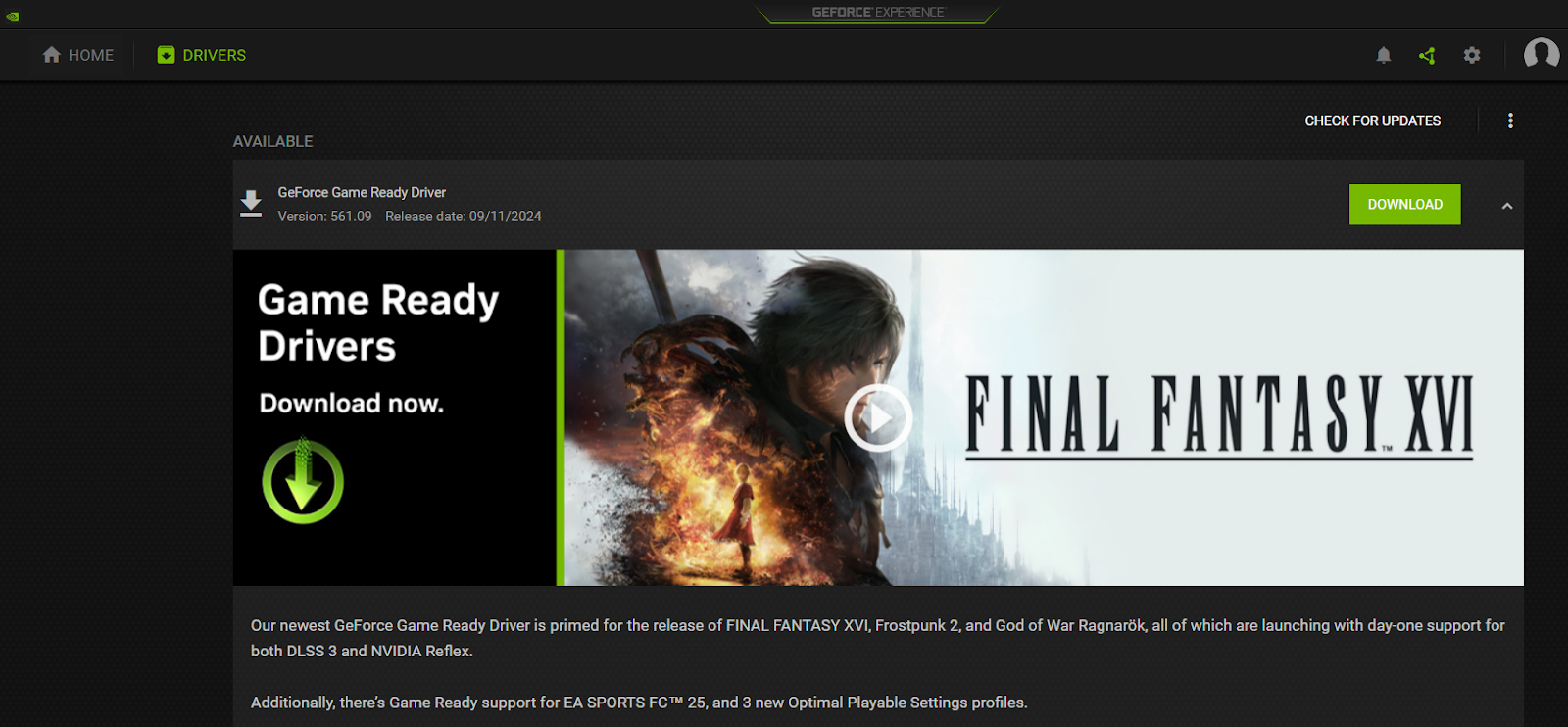
If you’re an NVIDIA user, you can open the GeForce Experience app, go to the ‘Drivers’ section and hit ‘Check for Updates’.

DirectX Runtime Error

AMD users can head over to the AMD Driver and Support page and download the updated drivers from there.

Once your drivers are updated, you’re all set to start playing Valorant once again. Remember to restart your PC before launching Valorant for the changes to take effect.

Tenz Announces Retirement From Competitive Valorant

0

Tyson ‘TenZ’ Ngo, the legendary Valorant pro and Sentinels star, has officially announced his retirement from competitive Valorant, marking the end of an era for one of the game’s most iconic players.

The news was shared by the 23-year-old through an emotional YouTube video posted on September 15th. In the video, he goes into detail about his decision to quit the pro-Valorant scene, while also talking about his plans for the future.

The video, titled ‘Thank You’ has garnered over a million views at the time of writing.

In the announcement, TenZ reveals that he had decided to quit professional Valorant earlier this year. In fact, Prior to Valorant Champions 2024, TenZ had already informed his teammates that this would be his final year competing.

“I’m glad we were able to win in some capacity this year, for my closure year,” he said.

Although TenZ is stepping away from competitive Valorant, his journey with the game is far from over. He’s confirmed plans to shift his focus to creating more Valorant-related content, ensuring that fans will still see plenty of him in the community.

As for the Sentinels, they have yet to announce who will fill TenZ’s shoes for the upcoming VCT season.

Swedish Talent Beats CS2 Kill Record

Danil “⁠donk⁠” Kryshkovets broke the record for most kills (38) on Anubis which seemed impossible at the time but a 17-year-old Swedish player for EYEBALLERS has shattered ⁠donk⁠’s previous record.

The LAN record is held by Danil “⁠donk⁠” Kryshkovets, and the online record is held by Alex “⁠poi⁠ii” Nyholm Sundgren. Zero Tenacity faced off against EYEBALLERS at the CCT Season 2 Europe Series 2. Despite losing 2-1 in the end, EYEBALLERS had an incredible map victory on Anubis, with Alex “⁠poi⁠ii” Nyholm Sundgren recording 39 kills in regulation.

It can be argued that this record is not achieved against a top-tier opposition but given the level of competition at the event, this is something beyond impressive and will definitely put poiii on the radar of some of the top teams.

Sweden continues to produce talent after talent and as we know, few of the greatest players and rosters hail from said region. poiii was already making a name for himself in the lower leagues and given his recent performances, the future looks bring for the young gun.

Swedish Talent Beats CS2 Kill Record

Danil “⁠donk⁠” Kryshkovets broke the record for most kills (38) on Anubis which seemed impossible at the time but a 17-year-old Swedish player for EYEBALLERS has shattered ⁠donk⁠’s previous record.

The LAN record is held by Danil “⁠donk⁠” Kryshkovets, and the online record is held by Alex “⁠poi⁠ii” Nyholm Sundgren. Zero Tenacity faced off against EYEBALLERS at the CCT Season 2 Europe Series 2. Despite losing 2-1 in the end, EYEBALLERS had an incredible map victory on Anubis, with Alex “⁠poi⁠ii” Nyholm Sundgren recording 39 kills in regulation.

It can be argued that this record is not achieved against a top-tier opposition but given the level of competition at the event, this is something beyond impressive and will definitely put poiii on the radar of some of the top teams.

Sweden continues to produce talent after talent and as we know, few of the greatest players and rosters hail from said region. poiii was already making a name for himself in the lower leagues and given his recent performances, the future looks bring for the young gun.

How To Fix Rubberbanding in Valorant

0

Rubberbanding in Valorant is one of the most annoying issues you can face when trying to play the competitive shooter. Due to the fast-paced nature of Valorant, even a small amount of rubberbanding can often lead you to lose easy duels that you otherwise would’ve won.

While it can often be quite difficult to identify the exact cause of your rubberbanding in Valorant, there are a number of steps you can take to try and fix the problem.

In this article, we take a look at everything you need to know about fixing rubberbanding in Valorant, while also helping you better understand what causes the problem and how you can avoid it in the future.

What Causes Rubberbanding in Valorant?

Before you go ahead and fix rubberbanding in Valorant, it’s important to find out the cause behind rubberbanding on your PC.

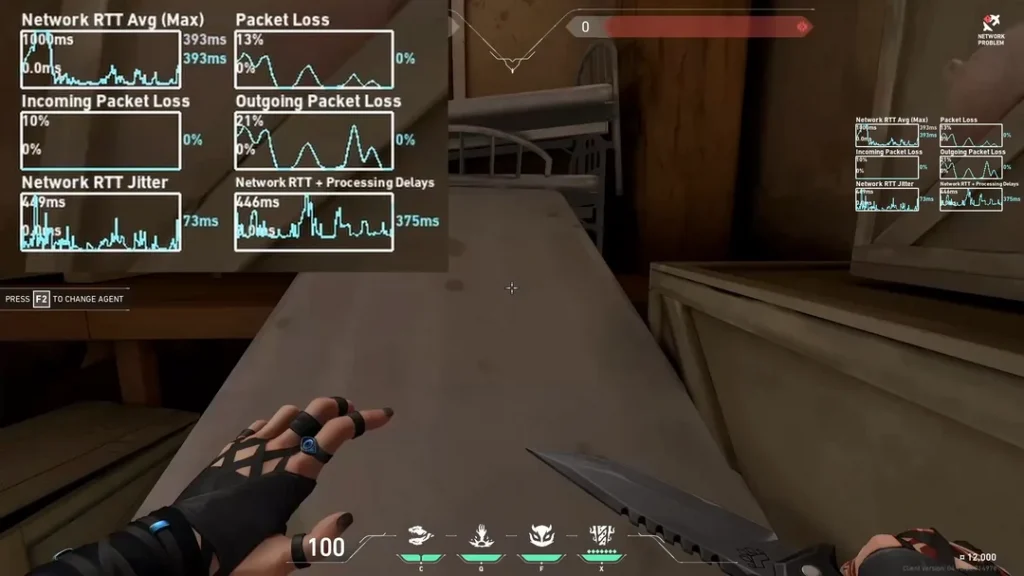
Generally, rubberbanding in Valorant is caused by bad internet or poor routing. If you’re experiencing rubberbanding when playing other games as well, it might be a good idea to check your internet speed before you proceed.

Rubberbanding can also occur if you have packet loss as a result of choosing the wrong server. However, this can generally be fixed in only a few minutes.

How To Fix Rubberbanding in Valorant?

Rubberbanding in Valorant

Below, we’ve listed a few steps that you can take to try and fix rubberbanding problems in Valorant:

  • Check Your Internet Connection: As mentioned earlier, bad internet is one of the prime reasons behind rubberbanding issues in Valorant. The first thing you should do if you experience rubberbanding in Valorant is check your internet connection and ensure it is working properly.
  • Change Your Valorant Server: Changing your Valorant server should often fix rubberbanding in Valorant if the problem is caused by poor routing. Don’t worry, you don’t have to create an account in a new region. Changing your server from the Valorant drop-down menu should be enough.
  • Restart Your Router: If you’re having bad internet, it might be a good idea for you to restart your router and try logging back into Valorant. If you’re using wi-fi, you should switch to ethernet and see if the problem persists.
  • Flush DNS: Flushing your DNS can also stop Valorant rubberbanding problems in some cases. To flush your DNS, press ‘Win’ + ‘R’ on your keyboard, type in ‘CMD’, press enter, and use the command ‘ipconfig /flushdns’.

If you followed this guide properly, your Valorant rubberbanding issues should likely be fixed. If you have a slow internet connection and can’t seem to solve the rubberbanding problems, then you should contact your ISP.

TI13 Treasure of the Crimson Witness 2024 Drops: How To Get It?

The main event for The International 2024 is underway, and the best Dota 2 teams from throughout the globe are competing at the Royal Arena in Copenhagen, Denmark, for a shot at the prestigious Aegis of the Champions.

As with every year, The International 2024 main event offers Dota 2 fans a chance to earn the Treasure of the Crimson Witness 2024. However, this treasure is exceptionally rare and can be quite challenging to obtain.

If you’re here to know more about the Treasure of the Crimson Witness 2024 in Dota 2, like all its possible drops and how to get the treasure itself, we have you covered.

Treasure of the Crimson Witness 2024 Dota 2: All Rewards

TI13 Treasure of the Crimson Witness

The Treasure of the Crimson Witness 2024 contains five Immortal items. Below is a list of items that you can get by opening the treasure:

  • Shadow of the Dark Age of the Crimson Witness (Nightstalker)
  • Everglyph Goggles of the Crimson Witness (Meepo)
  • Orb of Deliverance of the Crimson Witness (Disruptor)
  • Twilight Schism of the Crimson Witness (Luna)
  • Mantle of the Whispered Bond of the Crimson Witness (Templar Assassin)

How To Get Treasure of the Crimson Witness 2024 in Dota 2

The only way to get the Treasure of the Crimson Witness 2024 drop in Dota 2 is by witnessing a first blood during the TI13 live event.

Fans in the arena will be given a commemorative TI13 badge for each day of the live event, making them eligible for potential drops. Each badge contains a unique code, which can be linked to their Steam account by following the instructions provided on the badge.
If you’re not visiting the live event yourself, you’ll have to wait to grab a Treasure of the Crimson Witness 2024 when it hits the Steam Community Market sometime later.

TI13 Secret Shop Guide: How To Get Official Dota 2 Merch

It’s the best time of the year for Dota 2 fans, as the main event of The International 2024 is currently underway. The biggest annual Dota 2 tournament is seeing the finest teams from throughout the world fighting it out at the Royal Arena in Copenhagen, Denmark, for a shot at the prestigious Aegis of the Champions.

If you’re an avid Dota 2 fan, you might find yourself getting excited to grab some memorabilia from The International 2024. Fortunately, Valve has made it easy with a range of options available for you to commemorate the event.

Fans can either choose to buy TI13 merch directly from the on-site stores or have them shipped internationally through the official Secret Shop website.

How To Get The International 2024 Merch Dota 2

The official merchandise for TI13 includes t-shirts, jerseys, jackets, and much more. If you’re not looking to buy apparel, you can also choose from a variety of different accessories like mousepads, utility bags, and more. You won’t run out of options to pick from this year.

TI13 Secret Shop

TI13 Secret Shop Website

First, let’s take a look at how you can buy TI13 merch from your home via the online store and have it shipped to your address.

  • Head to the official TI13 Secret Shop website (there are separate websites for US and International shipping).
  • Select the products you want to purchase and add them to your cart.
  • Select your country and postal code.
  • Click on ‘Calculate’ to get the estimated shipping charge.
  • Agree to the ToS and finish the checkout process.

On-Site Stores

If you’re visiting the Royal Arena to catch The International 2024 live, you have a couple of options to grab your favorite merch from the on-site stores.

At TI13, you’ll find two Secret Shop locations at the venue. One is situated outside, right at the bottom of the steps by Entrance A, while the other is indoors, just to the left as you enter through the same entrance. Both shops carry identical merchandise, so you can grab your favorite items from either spot.

How To Invest in CS2: Counter-Strike 2 Investing Guide

Being one of the most popular competitive shooters on the internet and the biggest game on Steam, Counter-Strike 2 has managed to develop a steady and community-driven market for its cosmetics. The constantly growing nature of the CS2 market is evident by taking a quick glance at the Steam Community Market, the front page of which is dominated by CS2 skins and other items from the game.

Due to the wide variety of cosmetics that CS2 boasts, avid players often opt to invest in CS2 items with hopes of upgrading to better skins, getting their dream knife, or to simply increase their Steam wallet balance.

However, CS2 investing isn’t an easy task, especially if you’re new to the game. If you’re not aware of what you’re doing when starting out with investing in the CS2 market, then it’s easy to find yourself losing money and repeatedly making bad investments.

Making the right CS2 investments is crucial if you’re looking to upgrade your current inventory and make some money for your Steam wallet.

How To Invest in CS2

How To Invest in CS2

While investing in CS2 can certainly feel overwhelming for new players, it can get a lot easier once you know where to invest.

Without further ado, let’s check out some of the best CS2 investments you can make right away to have a good chance at increasing your inventory value:

  • Sticker Capsules: Tournament sticker capsules are some of the best investments that you can make in CS2. Since these capsules are only available to purchase for a limited amount of time in the game store, the prices of these items often escalate at a rapid pace on the market once the sticker sale ends. However, be aware that sticker capsules losing value over time is also not completely unheard of.
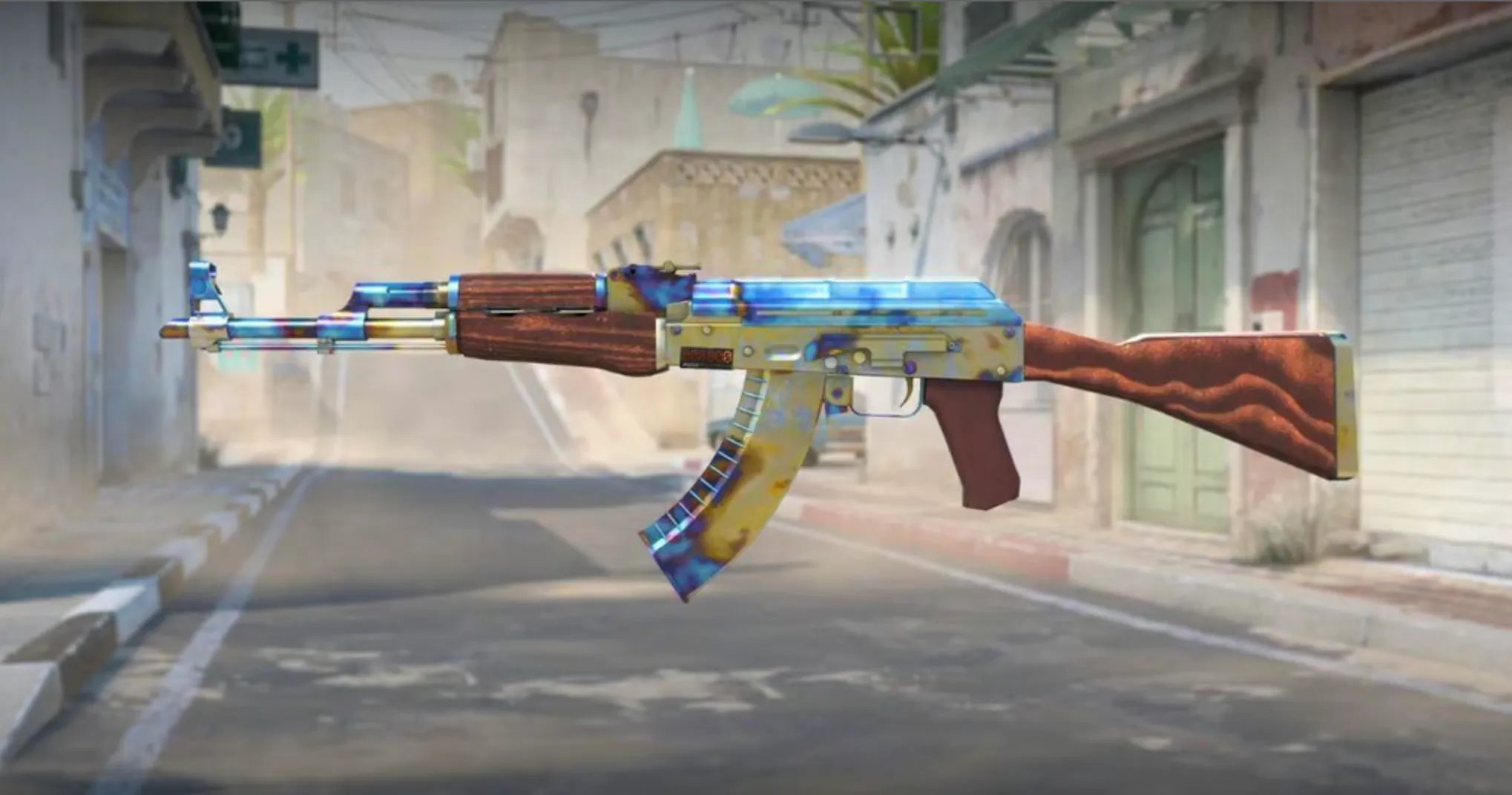
  • Rare Skins: Older skins like the AK-47 Vulcan and AWP Lightning Strike have served as great investments for players who managed to grab them when they were cheaper and more readily available. As Valve continues to release new cases in CS2, the older cases are becoming increasingly rare, driving up the value of their contents.
  • Operation Cases / Discontinued Cases: While some Operation cases are still a part of the rare drop pool in CS2, cases like the Operation Riptide Case or the Shattered Web Case have been completely discontinued and can no longer be obtained from drops. The only way to obtain them is by purchasing them directly from the Steam market. This has driven the values of these cases up significantly, and many players have made a good chunk of profit by investing in these discontinued cases.

While there are plenty of other lucrative investments in CS2, the aforementioned ones were some of the most popular investment methods that CS2 players opt for.

Note that there’s always a factor of risk involved while investing in CS2 skins. While the risk can be minimized by doing proper research before investing in CS2, don’t be surprised if you see your investments depreciating in value over time. 

When is the Next CS2 Care Package Drop Reset?

0

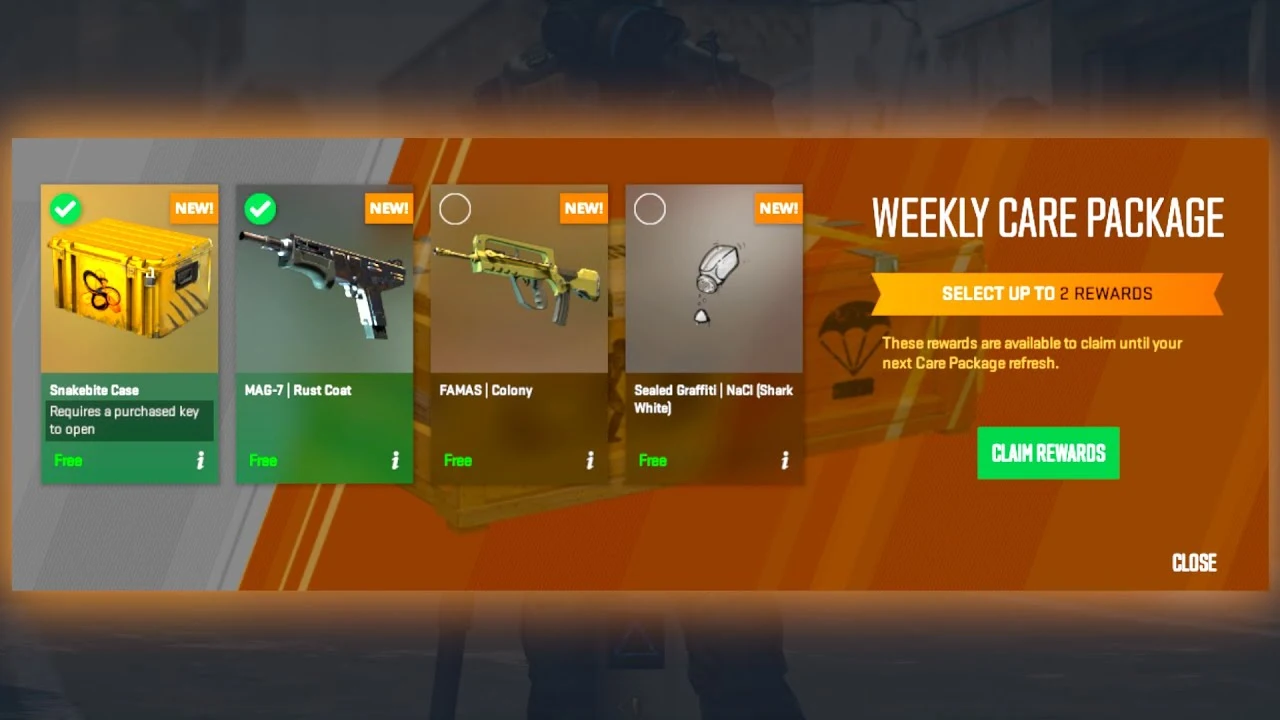
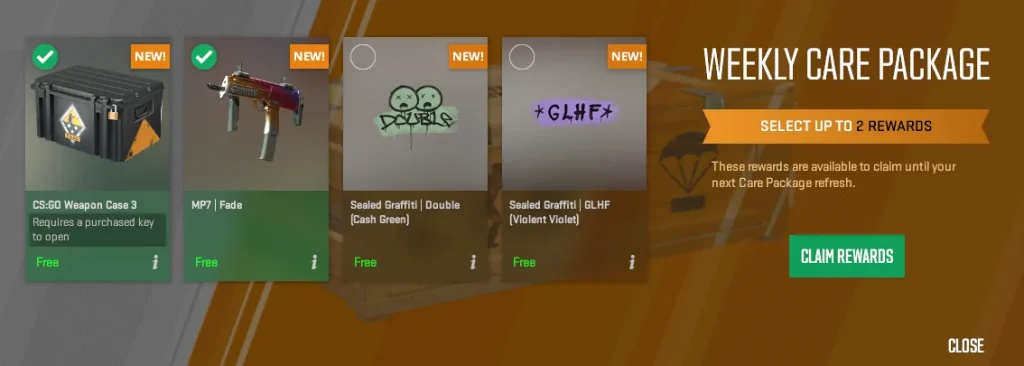
Counter-Strike 2 has a weekly drop system that enables players to earn Care Packages every week by simply playing the game for a few hours. The contents of the Care Package vary between players, with some players occasionally being able to obtain rare items like the SG Integrale or the CS:GO Weapon Case, which can easily be sold for hundreds of dollars.

The weekly Care Package drops in CS2 are a significant improvement over the former drop system of CS:GO. Not only does it encourage players to actively play the game instead of AFK-ing in Deathmatch servers, but it also enables CS2 players to pick the drops they prefer from a number of different items.

If you have already received this week’s CS2 drop, you might be wondering, ‘When will the next CS2 Care Package drop reset?’

In this article, we take a look at everything you need to know about the next CS2 Care Package drop reset time.

CS2 Care Package Drop Reset Time

CS2 Care Package

The Weekly Care Package for CS2 is refreshed every Tuesday at 8:00 PM CT / 6:00 PM PT. Based on this, it’s safe to say that the next CS2 drop reset will occur on Tuesday, September 17th, at the same time.

Once the Care Package drops reset, you will have to level up your account once to get your weekly CS2 drop.

Note that only Prime CS2 members are eligible to receive Care Packages in CS2. If you don’t have a Prime membership, you won’t be able to receive any in-game drops or participate in ranked games.