Monday, May 11, 2026
Home Blog Page 542

VCT Masters Shanghai: How To Get Drops on Twitch & YouTube

0

Only a few days remain before the heavily anticipated Valorant Masters Shanghai 2024 kicks off, and fans of the competitive shooter from throughout the globe are eagerly waiting to see their favorite teams battling it out on the big stages and in front of a live audience.

For those unable to attend the event in person, you can still partake in the excitement by tuning into one of its livestreams. Plus, there’s also a bonus of exciting rewards awaiting those who catch the action on Twitch or YouTube.

Like every other Valorant Masters event, VCT Shanghai 2024 will also feature some exclusive tournament drops that can be obtained by watching the live matches on Twitch or YouTube. These rewards can be earned by anyone who has their Riot Games profile linked to their Twitch or YouTube handles.

VCT Masters Shanghai 2024 Drops

Valorant fans will be able to obtain the following rewards by tuning in to the livestreams of VCT Masters Shanghai 2024:

  • “JIĀYÓU” – Title
  • “SHENG JIAN BAO” – Gun Buddy

How To Get VCT Masters Shanghai 2024 Drops

Fans can catch the live matches between May 23rd and June 8th for a chance to earn the “jiāyóu” Title. If you tune into the livestreams during the Grand Final on June 9th, you’ll be able to snag the exclusive “Sheng Jian Bao” Buddy.

Best Counter-Strike 2 Skins Under $5 You Can Buy Right Now

Counter-Strike 2 (CS2) players often look for ways to customize their gaming experience without breaking the bank. Skins are a popular way to do this, offering a fresh look for weapons at various price points. Here’s a comprehensive list of the best CS2 skins you can purchase for under $5, ensuring you can upgrade your arsenal stylishly and affordably.

Pistols

  • Glock-18 | Water Elemental (Field-Tested): A vibrant skin with a water-themed design.
Glock-18 Water Elemental
  • P250 | See Ya Later (Minimal Wear): Features a unique alligator design that stands out in the field.
  • USP-S | Cortex (Minimal Wear): A brainy choice with a neural network pattern, perfect for the strategic shooter.
  • Desert Eagle | Mecha Industries (Minimal Wear): Offers a sleek, futuristic look for a powerful sidearm.

Rifles

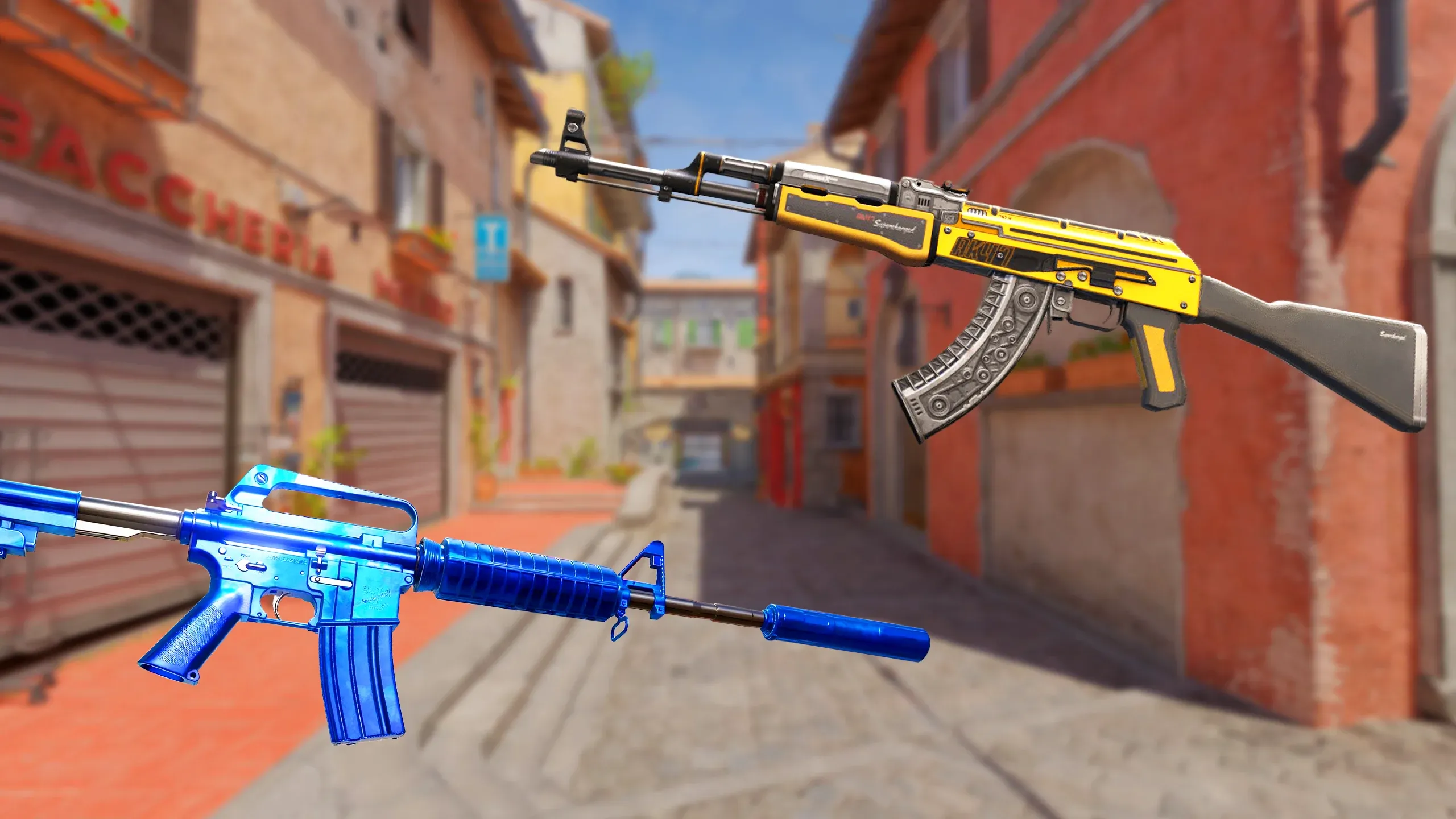
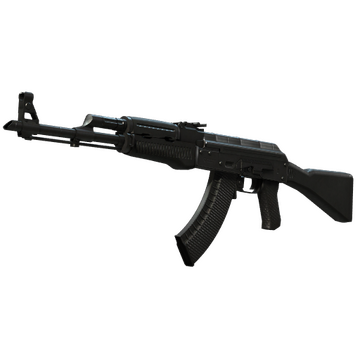
  • AK-47 | Slate (Minimal Wear): A clean and classic look that’s a favorite among players for its understated style.
AK-47 | Slate
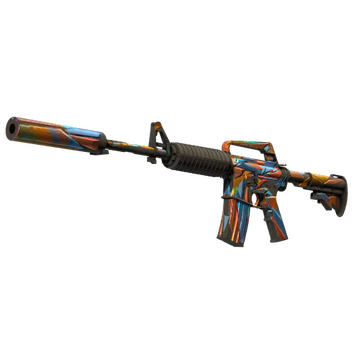
  • M4A1-S | Leaded Glass (Field-Tested): A colorful, stained-glass-inspired design that’s sure to turn heads.
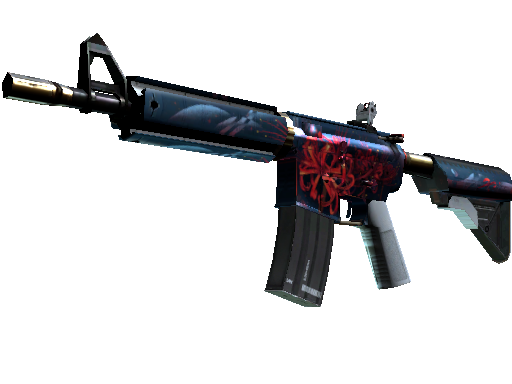
  • M4A4 | Spider Lily (Minimal Wear): A floral pattern that adds a touch of nature to your weapon.
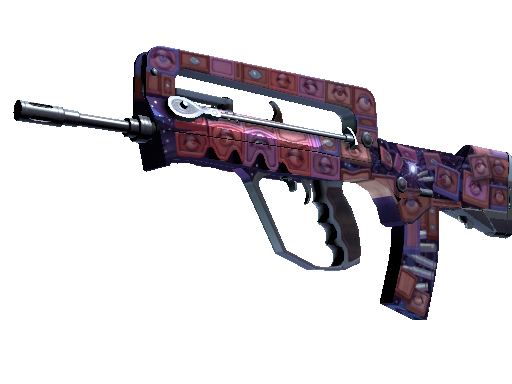
FAMAS | Rapid Eye Movement
  • FAMAS | Rapid Eye Movement (Minimal Wear): A dynamic and eye-catching skin at a very reasonable price.
FAMAS | Rapid Eye Movement

SMGs

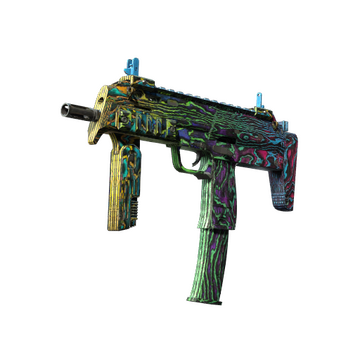
  • MP7 | Neon Ply (Factory New): Bright and bold, this skin brings a pop of color to the battlefield.
MP7 | Neon Ply
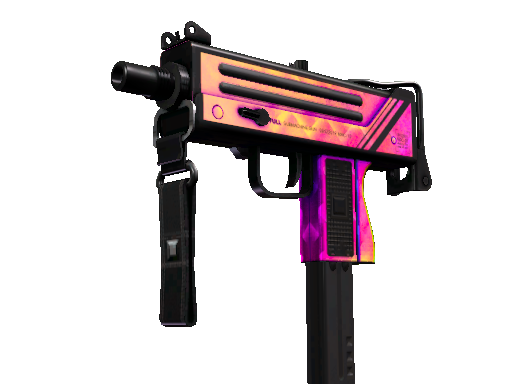
  • MAC-10 | Disco Tech (Minimal Wear): Dance your way through the fight with this flashy, disco-inspired skin.
MAC-10 | Disco Tech
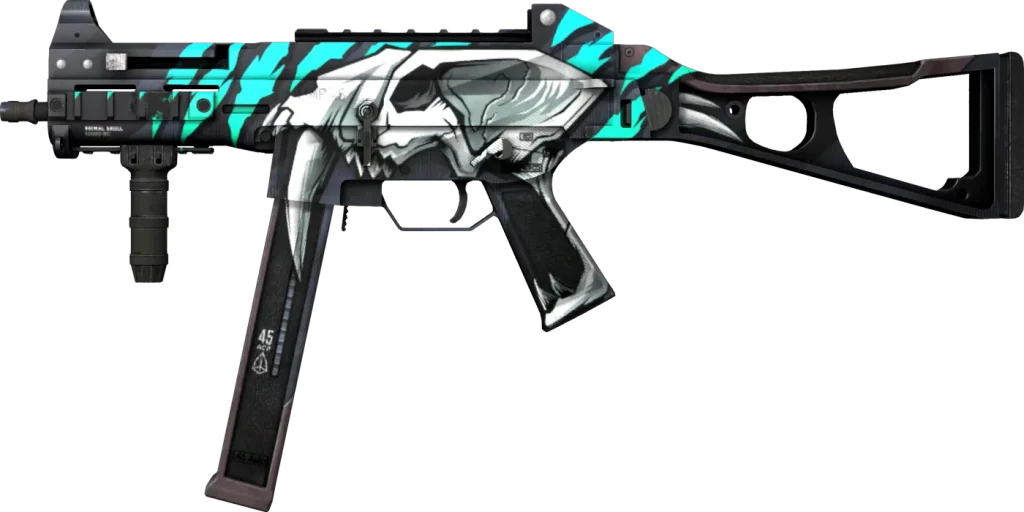
  • UMP-45 | Primal Saber (Minimal Wear): A prehistoric-themed skin that’s both fierce and affordable.
UMP-45 | Primal Saber

Snipers

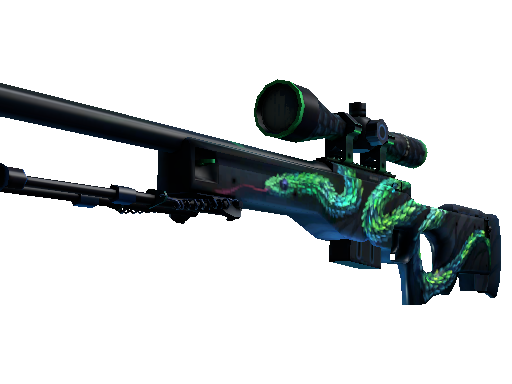
  • AWP | Atheris (Minimal Wear): A serpent-themed skin that’s as deadly as the weapon itself.
AWP | Atheris
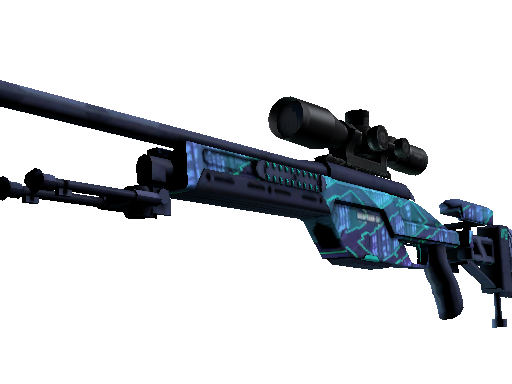
  • SSG 08 | Mainframe 001: A cool, cybernetic design for the budget-conscious sniper.
SSG 08 | Mainframe 001

Shotguns and Heavy

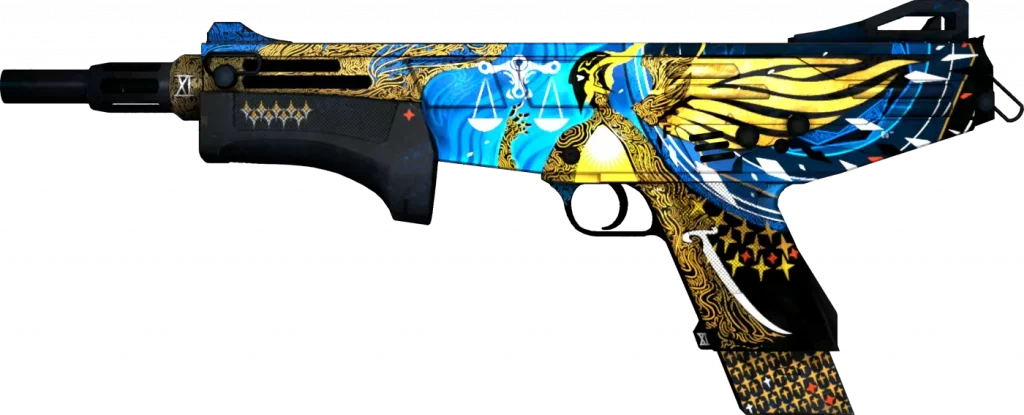
  • MAG-7 | Justice (Minimal Wear): A sleek and modern look for close-quarters combat.
MAG-7 | Justice
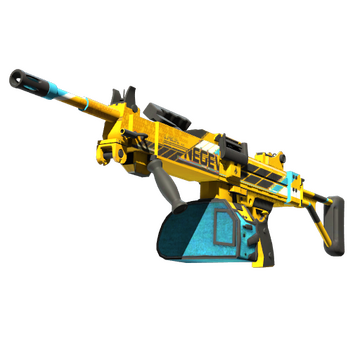
  • Negev | Power Loader: A mechanical design for those who prefer laying down a barrage of bullets.

Others

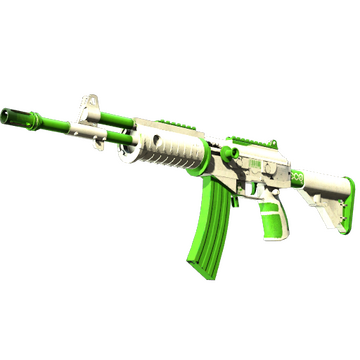
  • Galil AR | Eco (Field-Tested): A green-themed skin that’s both eco-friendly and wallet-friendly.
Galil AR | Eco
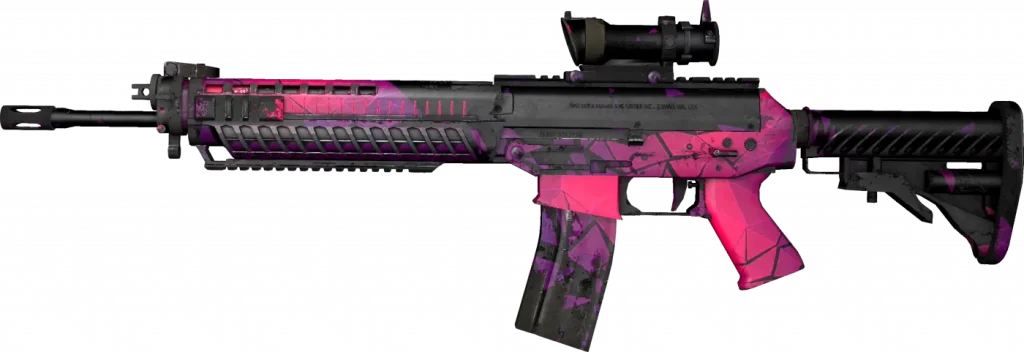
  • SG 553 | Pulse (Minimal Wear): A vibrant skin with a pulse-racing design, perfect for the aggressive player.
SG 553 | Pulse

These skins offer a great way to personalize your CS2 experience without spending a lot of money. Whether you prefer the stealthy approach with a USP-S Cortex or the loud and proud statement of an MP7 Neon Ply, there’s something for every player’s taste and budget.

Remember, the prices of skins can fluctuate based on the market, so it’s always a good idea to check the current prices before making a purchase. Happy skin hunting!

How to Use Third-Party Software in Counter-Strike 2 (CS2)

Counter-Strike 2 (CS2) has continued the legacy of its predecessors as a competitive first-person shooter that captivates gamers worldwide. However, players who wish to enhance their gaming experience with recording software, NVIDIA filters, or other third-party programs must first navigate through the game’s security features. Here’s a comprehensive guide on how to safely allow third-party software in CS2 without risking your account.

Allowing Third-Party Software In Counter Strike 2 (CS2)

To use third-party software with CS2, players must enable a specific option within the game settings. This is done by adding a launch option to the game’s properties. The command to be typed is “-allow_third_party_software”. This simple step opens the door to a variety of external applications that can enhance gameplay, provide recording capabilities, or apply visual filters to improve the visual experience.

Understanding Trusted Mode and Trust Factor

When you activate the option to allow third-party software, CS2’s Trusted Mode is automatically disabled. Trusted Mode is a security feature designed to prevent cheating by restricting the types of software that can interact with the game. While this mode is off, you can rest assured that you won’t be banned for using approved third-party applications in normal gameplay.

However, it’s important to note that consistently disabling Trusted Mode can potentially impact your Trust Factor negatively over time, particularly if you use software that is associated with cheating.

The Trust Factor is a system implemented by Valve to match players with others who have a similar level of trustworthiness, aiming to ensure a fair and enjoyable gaming environment.

Safe Use of Third-Party Software

For those who are cautious and want to maintain a high Trust Factor, it’s recommended to use third-party software responsibly. Recording software and visual filters, such as those provided by NVIDIA, are generally considered safe and should not affect your Trust Factor adversely.

These applications are widely used by gamers to record their gameplay or to enhance the game’s graphics without any malicious intent.

Alternative Recording Methods

If you’re hesitant about altering game settings or concerned about the potential impact on your Trust Factor, there’s an alternative method to record your gameplay. By switching CS2 to borderless window mode, you can use screen recording tools to capture your gameplay without directly interacting with the game’s files or settings. This method is less intrusive and can provide peace of mind for players who are wary of making changes to their game configuration.

Assassin’s Creed Shadows: Release Date, Expansions, Pre-Order Bonus & AC Infinity Integration

0

The gaming community is abuzz with anticipation as the latest installment in the Assassin’s Creed franchise, Assassin’s Creed Shadows, is confirmed to be released this November. The news comes from a recent leak that has revealed not only the release date but also exciting details about the upcoming expansions and features of the game.

Release Date and Time

Fans of the series can mark their calendars as Assassin’s Creed Shadows is scheduled to take place on Wednesday, May 15 at 9am PT / 12pm ET / 5pm BST, with the game itself set to be available in November. This gives players plenty of time to prepare for the next chapter in the storied franchise.

Expansions and Season Pass

Assassin’s Creed Shadows is raising the stakes with two separate expansions, each priced at $25/£25. For those looking to get the complete experience, a Season Pass will be available for $40/£40, offering a more cost-effective option for the dedicated fan. The Season Pass is not just about savings; it also grants access to a special questline titled “Origami Killer,” adding even more depth to the gameplay.

Pre-Order Bonus and In-Game Purchases

For early birds, pre-ordering Assassin’s Creed Shadows comes with an exclusive bonus called “Thrown to the Dogs”. This bonus is likely to add an extra layer of content for those eager to dive into the game’s world as soon as it launches. Additionally, players will have the option to purchase Helix in various quantities, which could be used for in-game transactions and enhancements.

AC Infinity Integration

In a significant development for the series, Shadows will be the first new Assassin’s Creed game to launch within AC Infinity – the series’ new hub service. This integration represents a new direction for the franchise, offering a centralized platform that could potentially streamline the gaming experience and foster a more connected community of players.

In summary, Assassin’s Creed Shadows is shaping up to be an exciting addition to the franchise with its November release. The game will feature two expansions, a Season Pass with exclusive content, a pre-order bonus, and integration with the new AC Infinity hub service. Fans have a lot to look forward to as they await the next adventure in the Assassin’s Creed saga.

VCT Masters Shanghai 2024: Teams, Schedule & Where To Watch

0

With the highly anticipated Valorant Masters Shanghai 2024 being just around the corner, Riot Games has officially unveiled the schedule for the upcoming tournament.

For the uninitiated, VCT Masters Shanghai 2024 is set to be one of the biggest Valorant events of the year, with twelve of the best teams from throughout the globe battling it out for Valorant Champions points and a lion’s share of the gigantic prize pool.

In this article, we take a look at everything you need to know about the event, including a list of all the participating teams, the tournament schedule, format, and more.

VCT Masters Shanghai 2024: Teams

Here’s a list of all the Valorant teams who have qualified for the VCT Masters Shanghai 2024:

  • Paper Rex
  • Gen.G Esports
  • T1
  • 100 Thieves
  • G2 Esports
  • Leviatan
  • Edward Gaming
  • FunPlus Phoenix
  • Dragon Ranger Gaming
  • Fnatic
  • Team Heretics
  • FUT Esports

The winners of Stage 1 in each league across the Pacific (Paper Rex), CN (EDward Gaming), EMEA (FNATIC), and Americas (100 Thieves) have secured a bye, propelling them straight into the Playoffs. Meanwhile, the remaining eight teams will have to go through the Swiss stage, set to unfold from May 23rd to May 27th.

VCT Masters Shanghai 2024: Schedule & Format

VCT Masters Shanghai

The top four teams out of the eight teams competing in the Swiss stage will find themselves advancing to the playoffs alongside the regional Stage 1 winners.

Once the Swiss stages have wrapped up, the top-seeded teams will have the privilege of handpicking their opponents in a draw.

After the playoff matchups are determined, the eight teams will have to fight it out in a knockout format to secure their advancement.

Here’s the detailed schedule of VCT Masters Shanghai 2024, as confirmed by Riot:

  • May 23, Thursday – Swiss Round 1
  • May 24, Friday – Swiss Round 1
  • Swiss Draw 1
  • May 25, Saturday – Swiss Round 2
  • May 26, Sunday – Swiss Round 2
  • Swiss Draw 2
  • May 27, Monday – Swiss Round 3
  • Playoff Draw
  • May 30, Thursday – Playoffs, Upper Bracket R1
  • May 31, Friday – Playoffs, Upper Bracket R1
  • June 1, Saturday – Playoffs, Lower Bracket R1
  • June 2, Sunday – Playoffs, Upper Bracket R2
  • June 3, Monday – Playoffs, Lower Bracket R2
  • June 7, Friday – UB Finals & LB Semifinals
  • June 8, Saturday – LB Finals
  • June 9, Sunday – Grand Finals

VCT Masters Shanghai 2024: Where To Watch

Fans will be able to catch all the action that unfolds during Masters Shanghai 2024 by tuning into the official livestreams on Valorant’s Twitch handle.

Wingman Mode In CS2 Explained: Secrets Revealed!

Counter-Strike 2 (CS2) has continued the legacy of its predecessor, CS:GO, by offering a variety of game modes to cater to the diverse preferences of its player base. Among these modes, Wingman stands out as a unique and thrilling experience that has captured the attention of many players.

What is Wingman Mode?

Wingman mode is a 2v2 competitive game mode that offers a more intimate and fast-paced gameplay experience compared to the traditional 5v5 matches in Counter-Strike. This mode is specifically designed for players who prefer a quicker game that still requires strategic thinking and strong teamwork.

Key Features of Wingman Mode

  • Team Size: Matches are played in teams of two, making communication and coordination more manageable and critical for success.
  • Map Size: The maps in Wingman are smaller, often modified versions of the larger maps, focusing on a single bombsite to intensify the action.
  • Rounds: The first team to win 16 rounds claims victory, with each round lasting 90 seconds, making matches potentially as short as 20 minutes.
  • Economy: The in-game economy operates slightly differently from the standard competitive mode, adding a layer of strategy to resource management.
  • Ranking System: Wingman has its own ranking system, ranging from Silver 1 to Global Elite, allowing players to progress and measure their skills in this specific mode.
  • Maps: Players can enjoy a variety of maps, including official, operation, and community maps, which adds diversity to the gameplay.

The Strategic Aspect of Wingman

Wingman mode is not just about quick reflexes and sharp shooting; it’s also about strategic play. Controlling critical areas of the map is crucial, and the strength of your partnership can make or break a match. Adaptability is key, as players must master the unique aspects of each map and manage their economy smartly to come out on top.

Unlocking and Playing Wingman

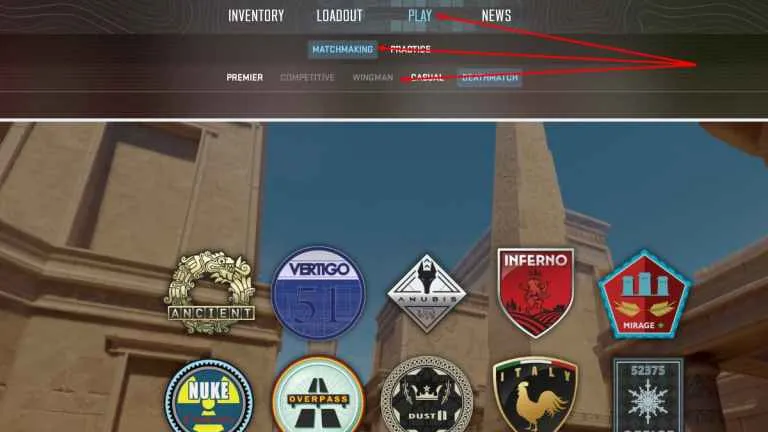
To unlock Wingman mode in CS2, players need to complete 5-7 matches in other game modes such as Casual or Deathmatch. This ensures that players have a basic understanding of the game before diving into the strategic challenges that Wingman presents.

The Competitive Edge

Wingman can be seen as a more competitive and challenging mode due to its smaller team size and map scale. It forces players to develop clever strategies, communicate effectively, and refine their skills to outsmart the opposition. Moreover, playing Wingman on private servers allows for practice without the risk of losing rank, which is ideal for honing skills and trying out new tactics.

Tournaments and Community Events

Counter-Strike 2’s Wingman mode also features its own tournaments, such as the Sprout x Endgame Gear Wingman Tournament, which adds a competitive edge and community involvement to the game.

Wingman mode in Counter-Strike 2 offers an intense and strategic gaming experience that is both accessible and deeply rewarding. Whether you’re looking to improve your communication skills, climb the ranks, or simply enjoy a fast-paced match with a friend, Wingman mode is an excellent choice for players seeking a different kind of challenge in the world of Counter-Strike. With its unique set of maps and dedicated ranking system, Wingman mode is a testament to the evolving and dynamic nature of CS2, providing players with a fresh and exciting way to engage with the game.

As Counter-Strike 2 continues to evolve, with updates like overhauled maps and new features, Wingman mode remains a beloved part of the experience that both newcomers and veterans can enjoy. Whether you’re a seasoned player or just starting out, Wingman mode is sure to offer a thrilling adventure that tests your skills and strategic prowess.

s1mple reveals ‘Play Like s1mple’ to Level Up Your CS2 Skills

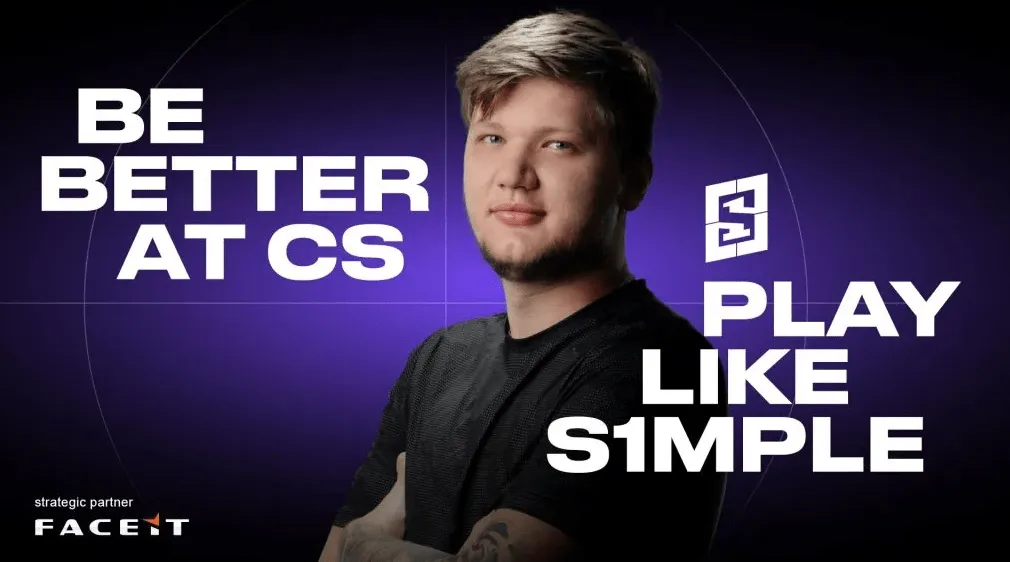
Counter-Strike enthusiasts now have a unique opportunity to elevate their gameplay with insights from one of the game’s most celebrated players. Oleksandr ‘s1mple’ Kostyliev, renowned for his exceptional skills and strategic prowess, has launched an educational initiative aptly named “Play Like s1mple“. This groundbreaking program promises to provide a comprehensive learning experience for players at all levels, aiming to replicate the success and style of s1mple himself.

Oleksandr s1mple Kostyliev

The “Play Like s1mple” course is a meticulously crafted curriculum that includes over 60 interactive video sessions, focusing on in-game tactics and career development. It covers a wide range of topics, from aim training and positioning to game sense, teamwork, and decision-making. The program is designed to cater to the needs of players at different skill levels, ensuring that everyone from beginners to advanced competitors can benefit from s1mple’s extensive knowledge.

Participants will not only learn through video tutorials and strategy guides but will also have the chance to engage in live coaching sessions conducted by s1mple himself. This direct interaction is a rare opportunity for players to receive personalized feedback and guidance from a top-tier professional.

The first three lessons of the course are offered for free, allowing players to get a taste of the quality and depth of the content before committing to the full program. Those who choose to pay for the course will gain access to over 50 additional lessons, each packed with valuable insights and practical exercises.

s1mple has expressed his enthusiasm for sharing all the knowledge he’s accumulated throughout his illustrious career. During his break from professional play for personal reasons, he gained different perspectives on the game, which he now brings to his teaching. Despite his venture into education, s1mple reassures fans that this new endeavor won’t distract him from competing at the highest level.

The program also offers unique features such as participating in tournaments, becoming part of a community of like-minded CS2 enthusiasts, and personal interaction with s1mple. Moreover, it has partnered with FACEIT to provide members with premium features and exclusive content.

An annual subscription to “Play Like s1mple” is priced at approximately $100, which is a small investment for continuous access to knowledge and resources that could significantly impact a player’s performance. Registration for the program is limited, ensuring that each participant receives ample attention and support.

For those looking to join the ranks of competitive CS2 players or simply improve their game, “Play Like s1mple” is an unparalleled resource. With s1mple’s proven track record of success and his commitment to sharing his expertise, this course is set to become a cornerstone of CS2 education.

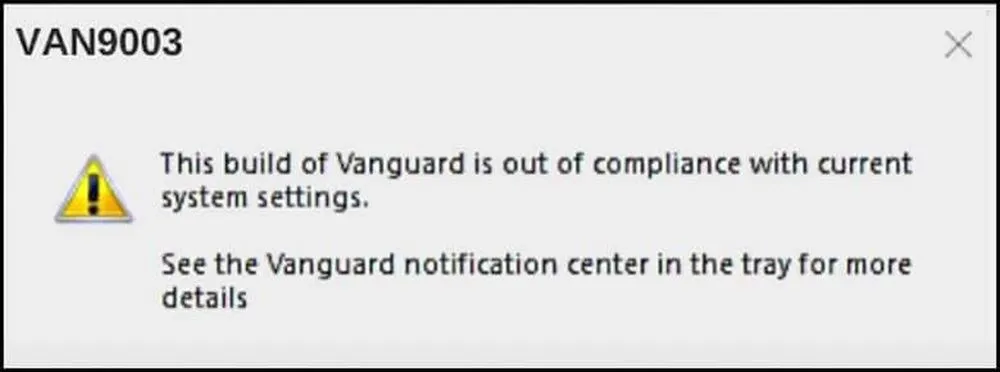
How to Resolve the VAN9003 Error in Valorant on Windows 11

Valorant players may occasionally face the VAN9003 error, which can disrupt their gaming experience. This error typically appears with a message stating, “Secure Boot not meeting requirements”. It’s a security measure implemented by Riot Games to ensure the integrity and fairness of the game. Essentially, if Secure Boot or TPM (Trusted Platform Module) is disabled on your computer, Valorant will refuse to start, resulting in the VAN9003 error.

Understanding Secure Boot and TPM 2.0

Secure Boot is a security standard that helps ensure that your PC boots using only firmware that is trusted by the manufacturer. It’s a key requirement for running Valorant on Windows 11, as both Riot Vanguard (Valorant’s anti-cheat system) and Windows 11 require Secure Boot and TPM 2.0 to be active. TPM is a hardware-based security feature that helps manage encryption keys and other security tasks. Without these features enabled, Valorant will not launch, and players will encounter the VAN9003 error.

Steps to Fix the VAN9003 Error

To resolve the VAN9003 error, follow these steps:

1. Enable Secure Boot on Your Computer

Access your computer’s BIOS settings and ensure that Secure Boot is enabled. This may involve switching the BIOS mode to UEFI if it’s set to Legacy or CSM. If Secure Boot is already enabled but the error persists, try disabling and then re-enabling it.

2. Check if TPM is Enabled

In the BIOS settings, look for the Trusted Computing option and make sure that the security device support is enabled, which will activate TPM 2.0.

3. Update Drivers and Windows

Ensure that your Windows operating system and graphics card drivers are up to date. This can help prevent compatibility issues that might cause the VAN9003 error.

4. Run Valorant in Compatibility Mode

If you’re still facing issues, try running Valorant in compatibility mode for Windows 8. This can be done by right-clicking on the Valorant icon, selecting properties, and then choosing the compatibility tab.

5. Reinstall Valorant and Drivers

As a last resort, consider reinstalling Valorant and your drivers. This can help eliminate any corrupt files or settings that might be causing the error.

6. Downgrade to Windows 10 (Optional)

While not the most desirable solution, downgrading to Windows 10 is an option if the error cannot be resolved on Windows 11. However, this should be considered a last resort.

Additional Tips

  • BIOS settings can vary depending on the motherboard manufacturer, so it’s important to consult your motherboard’s manual or seek help online for specific instructions.
  • If you’re not comfortable making these changes yourself, consider seeking assistance from a professional or a knowledgeable friend.

By following these steps, you should be able to resolve the VAN9003 error and get back to enjoying Valorant on your Windows 11 system. Remember to keep your system’s security features enabled to not only play Valorant but also to protect your PC from potential threats.

For visual learners, there are several YouTube tutorials available that provide step-by-step instructions on how to enable Secure Boot and TPM, update drivers, and run Valorant in compatibility mode.

By ensuring that your system meets the security requirements set by Riot Games, you can enjoy a seamless and secure gaming experience on Valorant.

How to Get Stickman Crosshair in Valorant

0

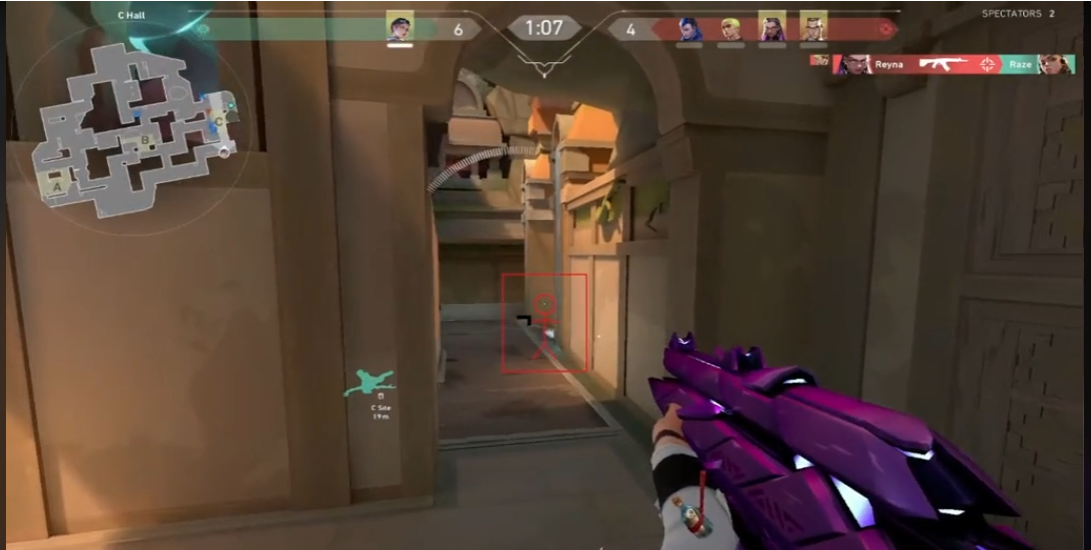
Valorant, the popular tactical shooter game, allows players to customize their crosshairs to fit their playstyle. Whether you’re a seasoned player or new to the game, understanding how to create and import custom crosshairs can significantly improve your gameplay. In this guide, we’ll walk you through the steps to get a stickman crosshair in Valorant and offer tips to enhance your aiming skills.

Customizing Your Crosshair

Step 1: Accessing Crosshair Settings

To begin customizing your crosshair, navigate to the “Settings” menu in Valorant and select the “Crosshair” tab. Here, you’ll find the “Primary” option, which reveals all customization options. You can manually adjust the color, outlines, opacity, and thickness of both inner and outer lines to create a crosshair that suits your preferences.

Step 2: Importing Crosshair Codes

Stickman Crosshair Code: 0;P;c;8;b;1;t;1;o;1;z;3;a;1;0t;0;0l;0;0v;0;0o;0;0a;0;0s;0;0e;3;1t;10;1l;0;1v;0;1o;40;1a;0;1s;1;1e;1;u;FFFFFF;d;1;h;1;0g;0;1g;0;0f;0;1f;0;0m;0;1m;0;0b;1;1b;1;m;1

Valorant allows players to import crosshair codes, which are a quick way to apply a custom crosshair to your profile. To use a stickman crosshair, you’ll need to find a code for it. Once you have the code, copy it and paste it into the settings under the “Import Profile code” button. Press “Import,” and the stickman crosshair will be applied to your profile.

Step 3: Experimenting with Crosshair Styles

It’s important to experiment with different crosshair styles to find what works best for you. Smaller crosshairs are generally more helpful at longer ranges, while larger crosshairs are easier to see at very long distances. If you’re looking for inspiration, consider using pro player crosshair codes. You can import these codes individually and see which one aligns with your playstyle.

Step 4: Adjusting Crosshair for Visibility

Choose a contrasting color for your crosshair to ensure it stands out against various backgrounds. The color should be clear and not blend with other objects in the game, allowing you to aim comfortably. You can enter a custom six-digit RGB Hex Code for colors to find the perfect shade.

Step 5: Saving and Sharing Crosshair Profiles

Valorant lets you save up to 15 crosshair profiles in your account. Once you’ve created a crosshair you’re happy with, you can export the code and share it with others. Remember to stick to one crosshair for a while before trying out others to maintain consistency.

Improving Crosshair Placement

Understanding Crosshair Placement

Crosshair placement is the act of positioning your crosshair so that it takes the least amount of time and mouse movement to kill an enemy. By keeping your crosshair at head level where enemies are most likely to appear, you can secure quick and efficient kills.

Pre-Aiming and Sound Cues

Pre-aiming common spots and using sound to predict enemy locations are excellent ways to gain an advantage in gunfights. Practice pre-aiming and cutting angles, which is a disciplined version of pre-aiming also known as slicing the pie.

Map Markers and Head Level Indicators

Use map markers and visual indicators to maintain your crosshair at head level. For example, on the map Haven, stacked boxes and metal platforms can serve as head height indicators. Walk around maps as if executing pushes in a ranked game, focusing on crosshair placement at all times.

Adjusting for Enemy Movement

If you expect enemies to wide swing, adjust your crosshair placement accordingly. Keep your crosshair about half an inch to a full inch from the angle to compensate for normal reaction times.

Creating a stickman crosshair in Valorant is a straightforward process that can be achieved by importing a crosshair code or customizing your own. Remember to choose a crosshair that enhances visibility and feels comfortable during gameplay. Practice your crosshair placement skills in deathmatch and by walking through maps to improve your aiming efficiency. With these tips and a bit of practice, you’ll be well on your way to mastering the art of the crosshair in Valorant.


Aim Assist in Fortnite: Tips, Settings, and Strategies

0

Hey Fortnite fanatics! If you’re rocking a controller, aim assist is your secret weapon for racking up those Victory Royales. It’s like having a trusty sidekick who helps you hit those crucial shots, especially in the heat of battle. But like any good tool, you need to know how to use it to its full potential. So, let’s dive in and get you aiming like a pro.

Aim Assist: What’s the Deal?

Think of aim assist as your controller’s built-in sharpshooter. It’s designed to give you a helping hand by slowing down your crosshair when you get an enemy in your sights. This makes it easier to track your target and land those all-important hits, especially in close-quarters combat. It’s not going to magically turn you into a pro, but it can definitely give you an edge.

Is Your Aim Assist MIA? Here’s How to Check (and Fix It)

If your aim assist isn’t feeling quite right, don’t panic. It might just need a little tweak. Here’s how to make sure it’s working its magic:

  1. Head to your settings menu in Fortnite.
  2. Find the “Controller Settings” section (it usually has a controller icon).
  3. Look for the “Sensitivity” section and make sure “Use Advanced Options” is turned on.
  4. Scroll down to “Aim Assist Strength” and crank it up to 100%.

Fine-Tuning Your Aim Assist: The Secret Sauce

Once you’ve got your aim assist turned on, you can take it to the next level by customizing it to your playstyle. Here are a couple of settings to experiment with:

  • Look Dampening Time: This affects how quickly your aim slows down when you’re aiming at a target. Try playing around with the values to see what feels best for you.
  • Look Input Curve: This determines how your aiming movements translate to your crosshair movement. Again, experiment with different settings to find your sweet spot.
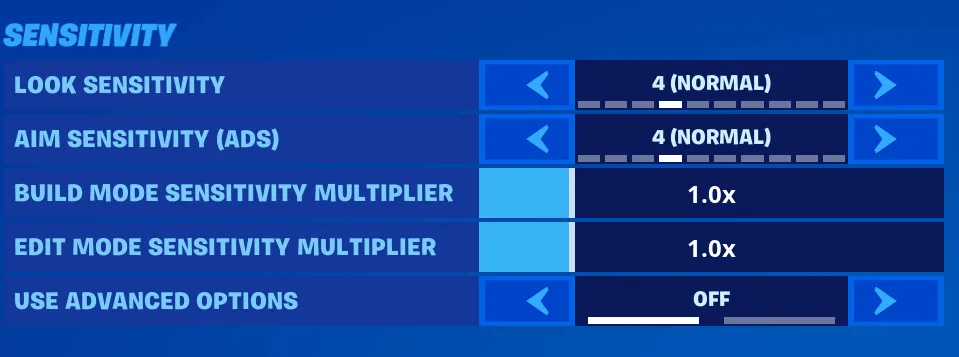
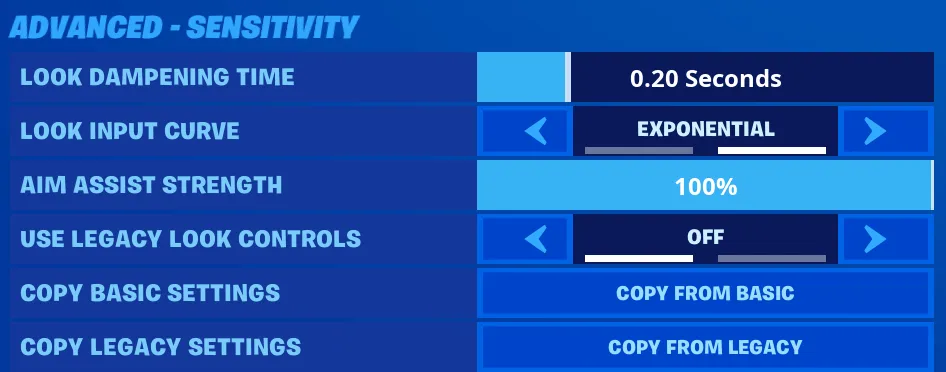
Remember, there’s no one-size-fits-all when it comes to aim assist. Play around with the settings, see what works best for you, and soon you’ll be hitting those shots like a seasoned pro.

Aim Assist: Not Just for Beginners

Some players think aim assist is only for newbies, but that’s just not true. Even seasoned Fortnite veterans can benefit from it, especially in those intense close-range firefights. So, don’t be afraid to embrace it – it might just be the difference between a Victory Royale and an early elimination.

Bonus Tip: If you’re really looking to up your aim game, practice in creative mode. This gives you a chance to experiment with different settings and weapons without the pressure of a real match. It’s a great way to hone your skills and find what works best for you.

Now get out there and start racking up those wins! Remember, with a little practice and the right aim assist settings, you’ll be dominating the battlefield in no time.