Erangel, the iconic map of PUBG: Battlegrounds, harbors a clandestine network of “Secret Rooms” – hidden chambers promising a trove of high-tier loot. However, access to these coveted locations is strictly guarded, requiring a specialized key.
Before we delve into the intricacies of acquiring the key, let’s explore the nature of these enigmatic rooms. Concealed beneath the surface, Secret Rooms are accessed by breaching wooden entrances. While they offer a tantalizing prospect of superior loot compared to standard locations, players shouldn’t expect guaranteed tier-three gear or crate drops.
How do you find the Erangel Secret Basement Key in PUBG?
The gateway to these hidden vaults is the aptly named “Secret Room Key,” or as some players affectionately call it, the “Basement Key.” To gain entry, players must first breach the wooden barrier using firearms or explosives. However, this act is not without its risks, as the sound of the breach can alert nearby enemies.
Unlike the rooms themselves, Secret Room Keys are distributed randomly throughout the map as global loot. Acquiring one is purely a matter of chance. To increase your odds, consider dropping into high-traffic areas such as Pochinki, the Military Base, or Georgopol, where the likelihood of encountering a key early in the match is significantly higher.
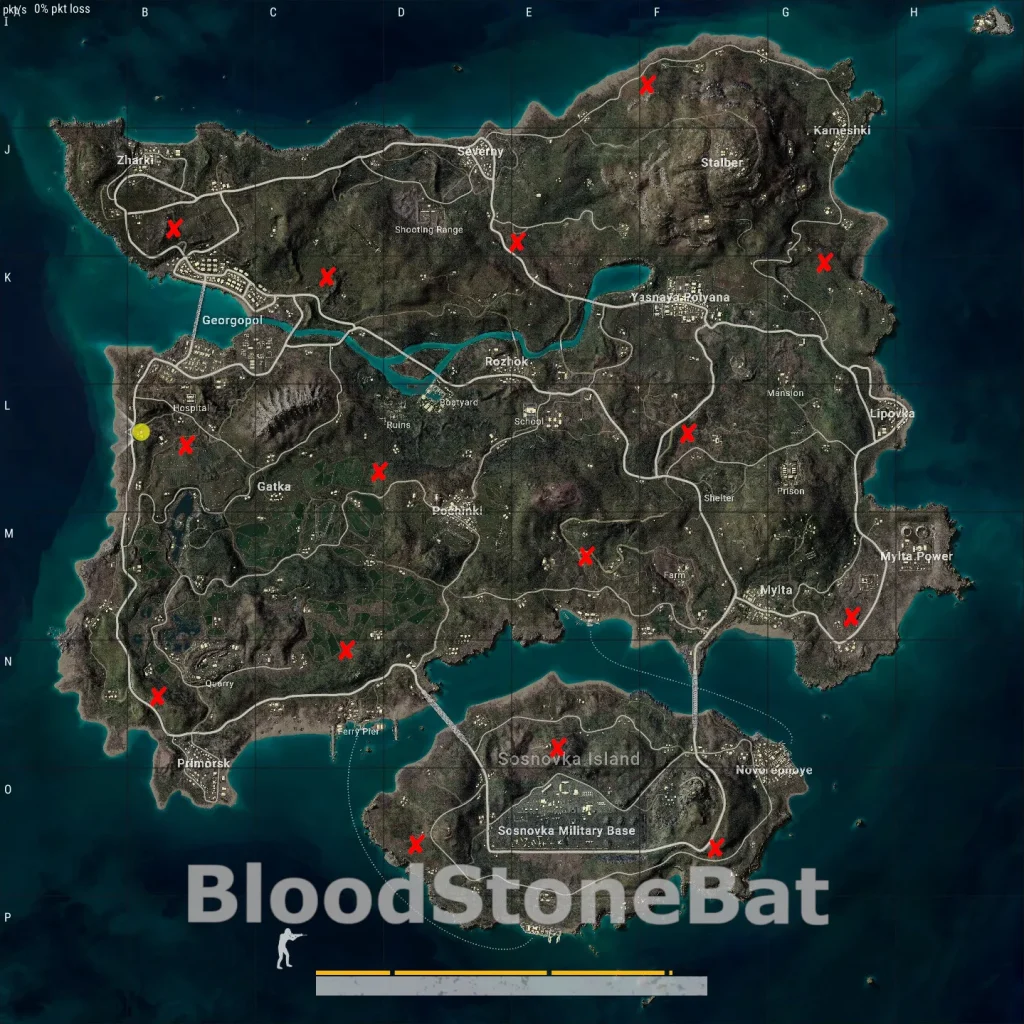
To assist in your exploration, a helpful map created by Steam user BloodStoneBat highlights the locations of all 15 Secret Rooms on Erangel. It’s crucial to remember that most of these rooms are situated near popular drop zones, making them prime targets for opportunistic enemy squads.
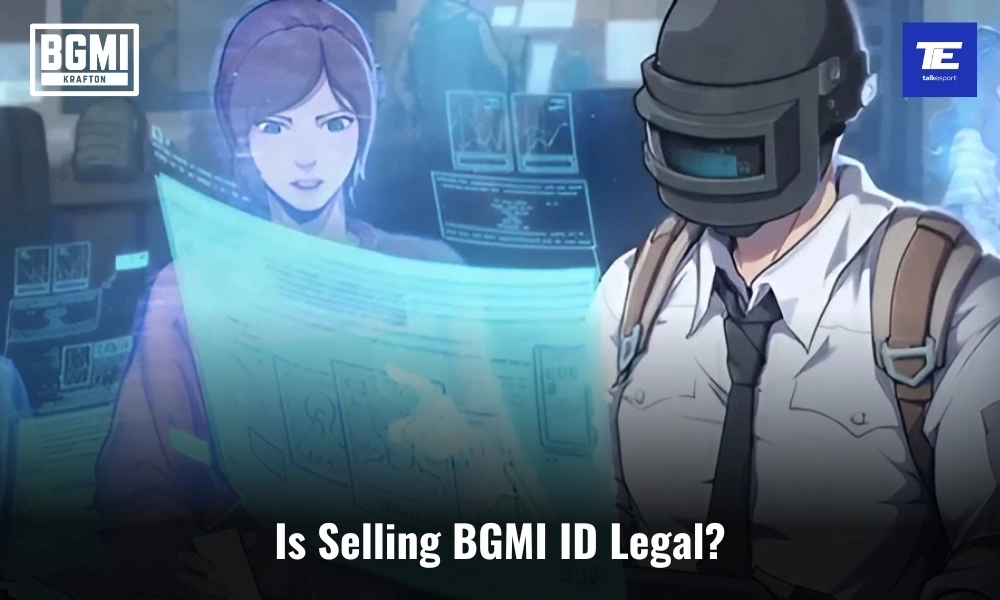
Battlegrounds Mobile India (BGMI) players often encounter the term BGMI ID Seller in online gaming communities. While the idea of buying or selling BGMI IDs may seem tempting for quick progression or rare items, it’s vital to examine its legality and the risks associated. Let’s dive into the rules set by Krafton, the game’s publisher, and explore whether dealing with BGMI ID sellers is worth the risk.
What Is a BGMI ID Seller?
A BGMI ID Seller is someone who sells in-game accounts for monetary gain. These accounts often come with high levels, rare skins, or exclusive items. The transaction usually takes place via third-party websites or social media platforms. Despite the appeal, these practices violate BGMI’s official terms.
BGMI ID Sellers: BGMI’s Official Stance on Account Selling
To understand the legality of selling a BGMI account for sale, one must refer to the official rules that govern the game, i.e. BGMI’s Rules of Conduct. Section 5 of the BGMI Rules of Conduct is particularly relevant here, with Sub-section 13 addressing the issue directly. It states:
“13) Do Not Trade/Sell Accounts: Measures will be taken against the act of accessing accounts that are not in your possession and trading or selling the accounts or its game data without the company’s written approval.”
This rule is unequivocal in its intent – trading or selling BGMI accounts or their associated game data without written approval from the company is strictly prohibited. The phrase “measures will be taken” explains that Krafton will not let go anyone found guilty and appropriate actions will be taken against them.
Risks of Engaging with BGMI ID Sellers
Players who violate this rule by engaging in the sale of a BGMI account face severe repercussions as outlined in the BATTLEGROUNDS MOBILE INDIA Rules of Conduct.
According to these rules, the penalty for trading or selling a BGMI account can result in a permanent ban. This means that players involved in such activities may lose access to their accounts indefinitely, along with any in-game purchases, progress, and items associated with their account. Individuals caught buying or selling accounts will face permanent exclusion from the BGMI community.
Therefore, the answer to whether selling a BGMI account for sale is legal remains a firm NO.
The Battlegrounds Mobile India Rules of Conduct explicitly prohibit the trade or sale of accounts and game data without the company’s written approval. This rule exists to maintain the safety, fairness, and integrity of the game. Violations of these rules can lead to severe consequences.
Why Is BGMI Against ID Selling?
Fair Play: Allowing players to buy advanced accounts undermines the competitive integrity of the game.
Fraud Prevention: BGMI aims to protect players from scams and unfair practices.
Community Trust: By enforcing these rules, BGMI ensures a trustworthy gaming environment.
How to Stay Safe and Play Fairly
Avoid third-party websites or platforms advertising BGMI ID sales.
Report any BGMI ID Sellers to Krafton through their official support channels.
Focus on organically leveling up your account to enhance your skills and reputation.
Stay ahead in the world of esports with the TalkEsport app! Download now to get instant access to the latest news, live points tables, comprehensive esports calendars, and live streams of your favorite tournaments. Don’t miss out—get the app today
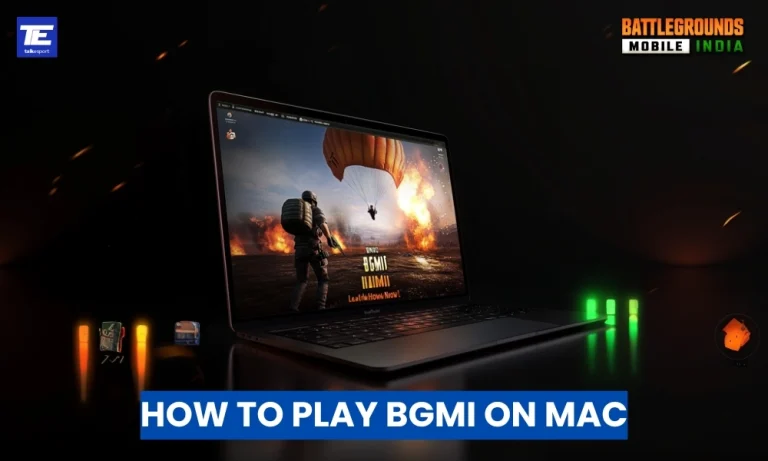
Battlegrounds Mobile India (BGMI) is a leading battle royale game loved by millions. While there’s no native macOS version, Mac users can still experience BGMI through reliable alternatives. From Android emulators and cloud gaming services to virtualization software, this comprehensive guide will help you play BGMI for Mac effortlessly while ensuring an optimal gaming experience.
Top 3 Ways to Play BGMI for Mac
Below, we explore the top 3 ways to play BGMI on Mac along with their benefits and other considerations:
1. Using Android Emulators for BGMI on Mac
Android emulators simulate an Android environment on macOS, enabling BGMI gameplay. Two of the most popular emulators for Mac are BlueStacks and NoxPlayer. These tools are ideal for recreating a mobile gaming experience on your Mac.
Install BlueStacks: Follow the installation prompts to set up BlueStacks on your Mac.
Set Up Google Play Store: Open BlueStacks, sign in with your Google account, and access the Play Store.
Install BGMI: Search for “Battlegrounds Mobile India,” download, and install it.
Configure Controls: Customize key mappings and settings for the best experience.
Benefits of Emulators:
Familiar Gameplay: Android emulators replicate the mobile interface, ensuring a seamless transition for mobile gamers.
Personalization: Emulators offer control customization and performance tweaks to enhance gameplay.
Considerations:
Performance Demands: Emulators can be resource-heavy, affecting performance on older Mac models.
Stability Issues: Occasional glitches or crashes may occur during gameplay.
2. Cloud Gaming Services for BGMI on Mac
Cloud gaming platforms offer a hassle-free way to play BGMI on Mac without downloads or installations. BlueStacks X is a notable cloud gaming solution that supports Android-based games.
Search for BGMI: Locate “Battlegrounds Mobile India” in the platform’s game library.
Start Playing: Launch the game directly in your browser.
Benefits of Cloud Gaming:
Instant Access: Play BGMI without downloading large files or occupying storage.
Minimal Hardware Dependency: Gameplay performance depends on internet speed rather than your Mac’s specifications.
Considerations:
Internet Reliance: A stable and high-speed connection is essential for lag-free gameplay.
Subscription Costs: Some cloud gaming services may require a paid subscription.
3. Virtualization Software for BGMI on Mac
Parallels Desktop is a powerful virtualization tool that allows you to run a Windows environment on macOS. By installing a Windows-compatible Android emulator like BlueStacks within Parallels, you can enjoy BGMI seamlessly.
Steps to Play BGMI for Mac via Parallels Desktop:
Install Parallels Desktop: Download and install Parallels from their official website.
Set Up Windows: Create a virtual machine and install Windows on your Mac.
Install an Android Emulator: Within Windows, install BlueStacks or NoxPlayer.
Download BGMI: Use the emulator to install and play BGMI.
Benefits of Virtualization:
Versatility: Run Windows applications alongside macOS without switching devices.
Comprehensive Solution: Access other Windows-exclusive programs while gaming.
Considerations:
Cost: Parallels Desktop and a Windows license may involve additional expenses.
System Strain: Running a virtual machine can demand significant system resources.
Stay ahead in the world of esports with the TalkEsport app! Download now to get instant access to the latest news, live points tables, comprehensive esports calendars, and live streams of your favorite tournaments. Don’t miss out—get the app today
Are you unable to log into Battlegrounds Mobile India (BGMI) using your X (formerly Twitter) account? The BGMI Twitter login issue has become a common challenge for many players, often caused by server glitches, platform errors, or network problems. If you’re encountering login failures or error messages, don’t worry—this guide covers the causes, fixes, and the latest updates from Krafton to help you get back to gaming seamlessly.
Common Causes of BGMI Twitter Login Issues
Following are few of the major causes of BGMI Twitter login issues:
Server Maintenance or Glitches: Technical bugs or maintenance updates in BGMI can cause disruptions. For example, in May 2024, iOS users faced issues logging in with their Twitter accounts.
Twitter-Specific Problems: Sometimes the issue lies with Twitter itself. In the past, Krafton identified login failures stemming from Twitter platform errors.
Network Connectivity Issues: A weak or unstable internet connection can hinder login attempts.
How to Fix BGMI Twitter Login Issues
If you’re dealing with alogin issue, follow these troubleshooting steps:
Restart the Game: Close BGMI completely and reopen it.
Check Your Internet Connection: Ensure your Wi-Fi or mobile data is stable.
Update BGMI to the Latest Version: Outdated game versions can cause login errors.
Use the In-Game Repair Tool: On the login screen, select the ‘Repair’ option to resolve client-side glitches.
Avoid Logging Out During Known Issues: If you’re logged in, avoid logging out until the issue is resolved.
The BGMI Twitter login issue can be frustrating, but most problems are temporary and resolved quickly by Krafton. By following the troubleshooting steps above, you can often fix the issue on your own. However, if you are still unable to login, have some patience, you will be able to get back into your account once the problem is resolved.
Stay ahead in the world of esports with the TalkEsport app! Download now to get instant access to the latest news, live points tables, comprehensive esports calendars, and live streams of your favorite tournaments. Don’t miss out—get the app today
Krafton India Esports has introduced the Rising Star Program, aiming to identify and nurture emerging esports talent across the nation. This initiative offers aspiring esports athletes a comprehensive development experience, including mentorship in gaming and content creation, mental well-being support, and guidance on maintaining a balanced lifestyle.
Krafton India Esports’ Rising Star Program Eligibility Criteria
Follower/Subscriber Count: Applicants must have a minimum of 1,000 followers or subscribers on platforms such as YouTube, Facebook, or other streaming services.
Content Consistency: Candidates should regularly produce and share content related to BATTLEGROUNDS MOBILE INDIA (BGMI), with at least 20% of their recent content focused on the game.
Age Requirement: Participants must be at least 16 years old.
Code of Conduct Compliance: Applicants should adhere to the Rising Star Program’s Code of Conduct, promoting respectful and appropriate content creation.
Official Events Participation: Candidates should have participated in at least two official BGMI events.
How to Apply for Krafton India Esports’ Rising Star Program
Eligible individuals can apply by completing the application form available on the official KRAFTON India Esports website. Applicants will need to provide personal information (name, age, city, and past tournament participation), game details (in-game name and game ID), and social media handles (YouTube, Instagram, Facebook, and others).
The Rising Star Program is dedicated to fostering upcoming esports players and content creators. It offers focused mentorship to enhance live streaming, develop social media content strategies, and strengthen personal branding for aspiring esports talent.
Stay ahead in the world of esports with the TalkEsport app! Download now to get instant access to the latest news, live points tables, comprehensive esports calendars, and live streams of your favorite tournaments. Don’t miss out—get the app today
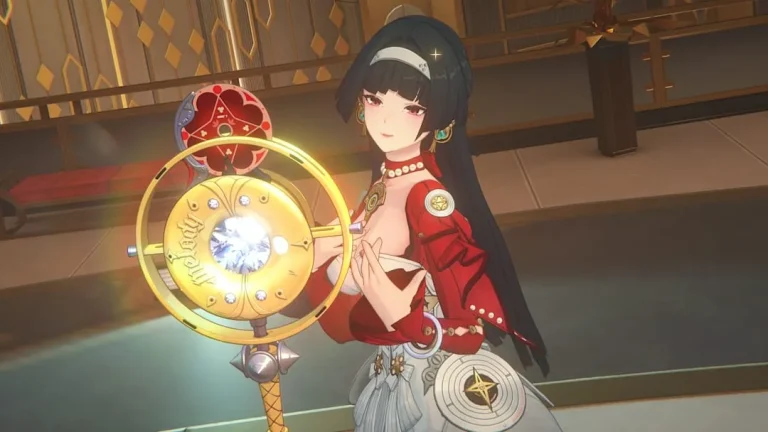
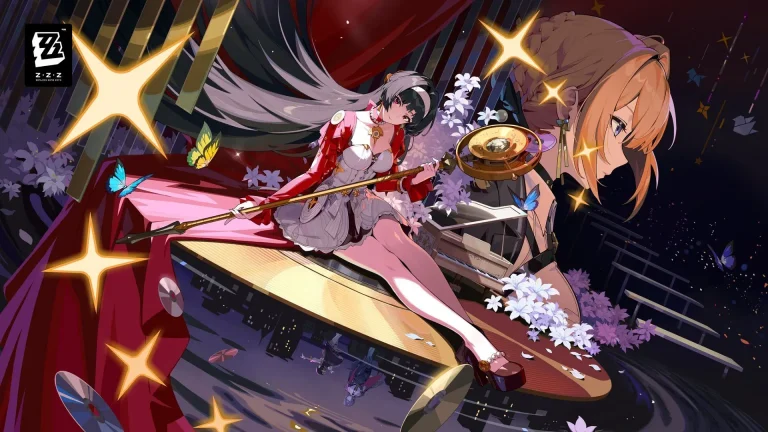
Astra Yao, the renowned singer from the Stars of Lyra faction, is set to join the roster of Zenless Zone Zero (ZZZ) as an S-Rank Ether Support Agent on January 22, 2025, coinciding with the game’s Version 1.5 update.
Astra Yao’s Abilities and Playstyle
Astra Yao introduces a unique blend of offensive buffs and healing capabilities, marking her as the game’s first healer. Her signature mechanic, Idyllic Cadenza, allows her to boost the damage and critical damage of all allies while in this state. During Idyllic Cadenza, Astra remains on the field even when other agents are active, providing continuous support. She can enter this state by using her Special Attack, and holding it with sufficient energy creates Chord, enabling Quick Assists and Tremolo attacks. Her Ultimate ability deals Ether damage to enemies and heals all squad members, further enhancing her support role.
Optimal Build for Astra Yao
To maximize Astra Yao’s potential, consider the following build components:
W-Engines:
Elegant Vanity (S-Rank): This is Astra’s signature W-Engine, offering a substantial attack boost and energy regeneration, which synergizes well with her abilities.
Kaboom the Cannon (A-Rank): A viable alternative that provides an attack buff to the team and enhances energy regeneration.
Drive Discs:
Four-piece Astral Voice and two-piece Swing Jazz: This combination increases attack and energy regeneration, aligning with Astra’s need for high attack stats and frequent ability usage.
Team Compositions Featuring Astra Yao
Astra Yao’s versatility allows her to fit into various team setups. Notable compositions include:
Disorder Team:
Agents: Miyabi, Yanagi, and Astra Yao
Synergy: Astra’s buffs enhance the damage output of Miyabi and Yanagi, facilitating smooth quick-swap rotations and maximizing disorder triggers.
Fire Quickswap Hypercarry:
Agents: Evelyn, Lighter, and Astra Yao
Synergy: Astra’s damage and critical buffs amplify Evelyn’s fire-based attacks, while Lighter provides additional fire buffs and debuffs, creating a powerful offensive trio.
Promotion Materials for Astra Yao
To fully upgrade Astra Yao, players will need the following materials:
Total Promotion Materials:
Basic Support Certification Seal x4
Advanced Support Certification Seal x32
Ruler Certification Seal x30
Denny x800,000
Total Skill Upgrade Materials:
Basic Ether Chip x5
Advanced Ether Chip x15
Specialized Ether Chip x50
Hamster Cage Pass x1
Denny x500,000
Total Core Skill Upgrade Materials:
Notorious Hunt Material x9
Expert Challenge Material x60
Denny x400,000
These materials are essential for enhancing Astra Yao’s performance and unlocking her full potential.
Astra Yao’s introduction to Zenless Zone Zero brings a fresh dynamic to team compositions with her unique support and healing abilities. Players should prepare to integrate her into their squads to take advantage of her versatile skill set upon her release.
HoYoverse’s action RPG, Zenless Zone Zero, is set to launch its Version 1.5 update, titled “Astra-nomical Moment,” on January 22, 2025, at 11:00 AM (UTC+8). This update introduces new characters, events, and game modes, enhancing the gaming experience for Proxies worldwide.
Zenless Zone Zero 1.5 update worldwide Release Schedule
The update will be available globally, with release times varying by region:
Americas:
Pacific Standard Time (PST): January 21, 2025, at 7:00 PM
Mountain Standard Time (MST): January 21, 2025, at 8:00 PM
Central Standard Time (CST): January 21, 2025, at 9:00 PM
Eastern Standard Time (EST): January 21, 2025, at 10:00 PM
Europe:
Western European Time (WET): January 22, 2025, at 3:00 AM
Central European Time (CET): January 22, 2025, at 4:00 AM
Eastern European Time (EET): January 22, 2025, at 5:00 AM
Asia:
India Standard Time (IST): January 22, 2025, at 8:30 AM
China Standard Time (CST): January 22, 2025, at 11:00 AM
Japan Standard Time (JST): January 22, 2025, at 12:00 PM
Korea Standard Time (KST): January 22, 2025, at 12:00 PM
New Characters and Banners
Version 1.5 introduces two S-Rank agents from the Stars of Lyra faction:
Astra Yao: An Ether Support agent, Astra is the game’s first healer, capable of restoring allies’ health and boosting their damage output.
Evelyn Chevalier: A Fire Attack agent, Evelyn serves as Astra’s manager and bodyguard, bringing formidable combat skills to the team.
The banner schedule is as follows:
Phase 1: January 22 to February 12, 2025
Astra Yao’s debut banner
Ellen’s rerun banner
Phase 2: February 12 to March 4, 2025
Evelyn Chevalier’s debut banner
Qingyi’s rerun banner
New Events and Game Modes
The update brings several engaging events and game modes:
Special Episode: “Astra-nomical Moment”
Join Astra Yao’s New Year concert at Starloop, New Eridu’s iconic landmark, and uncover the conspiracies threatening the event.
End Game Modes:
Endless Tower: The Last Stand: Test your endurance against waves of enemies in this challenging mode.
Hollow Zero: Cleanse Calamity: Engage in Perpetrator Battles using designated agents to cleanse the calamity.
Events:
The Day of Brilliant Wishes: Assist Eous in winning a beauty contest to become Astra Yao’s partner during the New Year celebration. Rewards include Nicole’s “Cunning Cutie” outfit, Polychromes, and collectibles.
Urban Video Game Festival: Participate in the new parkour game “Mach 25” and the 2-player PvE mode “Bizarre Brigade” for additional rewards.
Preload Information
To ensure a smooth transition, players can preload the Version 1.5 update starting January 20, 2025. This allows Proxies to access the new content immediately upon release.
Roblox’s “Hoops Life” is a dynamic basketball simulation game that allows players to experience the thrill of the court, from shooting hoops to perfecting dribbles and dunks. To enhance gameplay, developers periodically release codes that players can redeem for in-game rewards such as coins, experience points (XP), and exclusive crates. As of January 21, 2025, here are the active codes players can use:
Active Hoops Life Codes:
Skeletorangel: Redeem for 250 Coins
SpookySeason: Redeem for 150 Coins
Champion: Redeem for 10 “Chance” Crates
Chance: Redeem for 10 “Chance” Crates
CoinsStage: Redeem for 100 Coins
BugFix: Redeem for 100 Coins
TrophyEvent: Redeem for 1 Trophy
HLFutureSoon: Redeem for 500 Coins
Season3: Redeem for 150 Coins
NewPlaza: Redeem for 100 Coins
NewMascot: Redeem for 100 Coins
Snatchback: Redeem for 100 Coins
RepRewards: Redeem for 100 XP
GreenVFX: Redeem for 250 Coins
To redeem these codes, follow these steps:
Launch “Hoops Life” on Roblox.
Click on the Menu button.
Select the Codes option.
Enter the desired code into the text box.
Click Confirm to receive your reward.
It’s important to note that codes are case-sensitive and may have expiration dates. Players are encouraged to redeem them promptly to avoid missing out on rewards. For the most up-to-date information on new codes and game updates, consider joining the official Hoops Life Discord community.
By utilizing these codes, players can gain a competitive edge, unlocking various in-game items and boosts to enhance their basketball journey in Hoops Life.
Rockstar Games’ highly awaited title, Grand Theft Auto VI (GTA 6), is slated for release in the latter half of 2025, targeting PlayStation 5 and Xbox Series X/S platforms. This announcement has generated significant excitement among fans eager to explore the new offerings of the franchise.
Platform Availability and Potential PC Release
While the initial launch is confirmed for PS5 and Xbox Series X/S, the status of a PC version remains unannounced. Historically, Rockstar has introduced PC versions of their games after their console counterparts. For instance, Grand Theft Auto V was released on PC approximately 18 months following its console debut. This pattern suggests that PC gamers might anticipate a similar timeline for GTA 6, though official confirmation is pending.
Cross-Platform Play: Current Status and Considerations
The gaming community has increasingly advocated for cross-platform play, enabling gamers on different systems to interact seamlessly. Despite this growing trend, Rockstar’s previous titles, including GTA Online and Red Dead Redemption 2’s online mode, have not featured crossplay capabilities. This precedent indicates that GTA 6 may continue this approach. However, the rising demand for cross-platform functionality leaves room for potential developments.
Challenges in Implementing Crossplay
Implementing cross-platform play presents several challenges, notably in maintaining game balance and ensuring a fair playing environment. The PC versions of Rockstar’s games have historically faced issues with cheating, which could complicate crossplay integration. Addressing these concerns would require robust moderation and security measures to provide a seamless experience across platforms.
As the anticipated release of Grand Theft Auto VI approaches, fans are advised to stay tuned for official updates from Rockstar Games regarding platform availability and potential crossplay features. While current indications suggest a focus on console platforms without cross-platform play, the evolving landscape of gaming preferences underscores the importance of adaptability in meeting player expectations.
Steam, the world’s leading gaming platform, offers users extensive flexibility in managing their gaming libraries. Whether you’re protecting your privacy or curating a specific image among friends, Steam’s privacy settings empower you to hide specific games from public view. Here’s a comprehensive guide to doing just that.
Step 1: Access Your Steam Library
To begin, open the Steam application and navigate to the Library tab. This section lists all the games you own, providing a starting point for managing visibility settings.
Step 2: Select the Game to Hide
Find the game you want to hide. Right-click on its title and select Set Category from the dropdown menu. Then, choose Hide This Game to remove it from your public profile. This ensures the game remains visible only to you.
Step 3: Adjust Your Privacy Settings
Click on your username in the top-right corner of the Steam client and select Profile.
On your profile page, click Edit Profile, then head to the My Privacy Settings section.
Adjust Game Details visibility to either Friends Only or Private. This step allows control over who can see specific games or playtime statistics.
Step 4: Verify Profile Changes
After modifying your settings, visit your public profile to confirm the changes. This ensures the hidden game no longer appears to others, safeguarding your desired level of privacy.
Step 5: Enjoy Enhanced Privacy
Steam’s robust tools let you curate your gaming library while maintaining discretion. Whether you’re hiding a guilty pleasure or managing personal preferences, these steps ensure your gaming activity aligns with your expectations.
Why This Matters
With gaming becoming a significant social and cultural activity, maintaining control over your digital presence is essential. Steam’s privacy settings not only protect personal boundaries but also offer users the autonomy to enjoy gaming on their terms.