Friday, May 8, 2026
Home Blog Page 465

Can You Play League of Legends on Steam?

League of Legends is undoubtedly one of the most popular MOBA titles on the internet, with a constantly growing player base and active developer support. Despite being released over 10 years ago, the title continues to draw the attention of MOBA fans worldwide to this day.

If you’re new to League of Legends, or just looking to enter the vast world of LoL, one of the first questions you might find yourself asking is, “Is LoL available to play on Steam?

Steam, being the most popular online gaming platform, is often the go-to choice for gamers when looking for new titles to play. So, if you’re wondering whether LoL is available on Steam, look no further.
league of legends

Is LoL Available on Steam?

No, League of Legends is not available to play on Steam. However, this doesn’t mean that no one in the world has it in their Steam Library.

At the time of its release, the Digital Collector’s Edition of LoL was available to purchase on Steam for $20 USD. If you purchased the game back then, you can still play League of Legends through your Steam account.

The aforementioned bundle contained 20 champions, free runes, and an exclusive Black Alistair skin.

Currently, approximately 12,000 gamers still own League of Legends on Steam and can play it via the platform. However, if you don’t already have LoL in your Steam library, you won’t be able to obtain it on Steam unless Riot Games decides to reintroduce League to the platform.
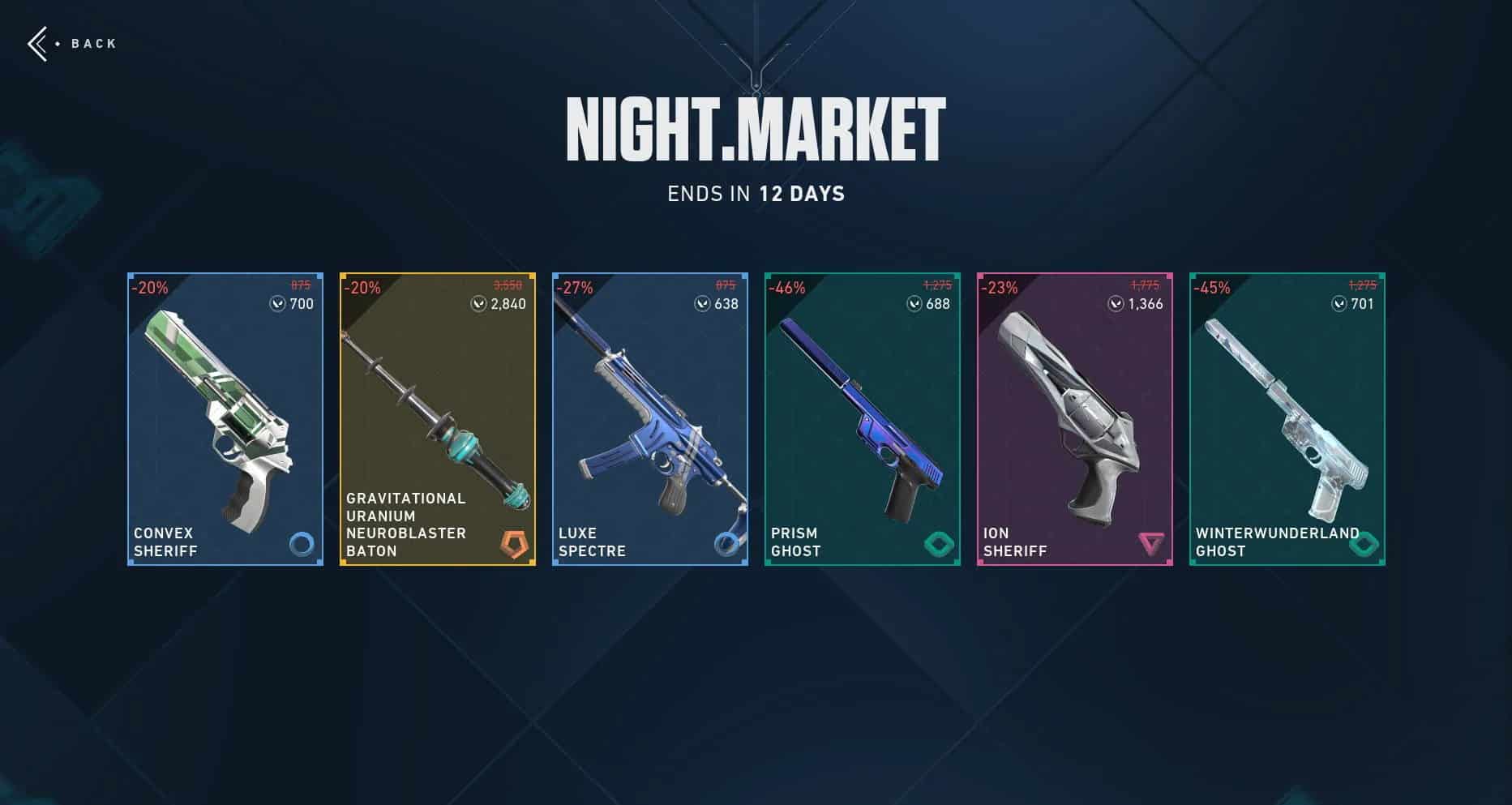
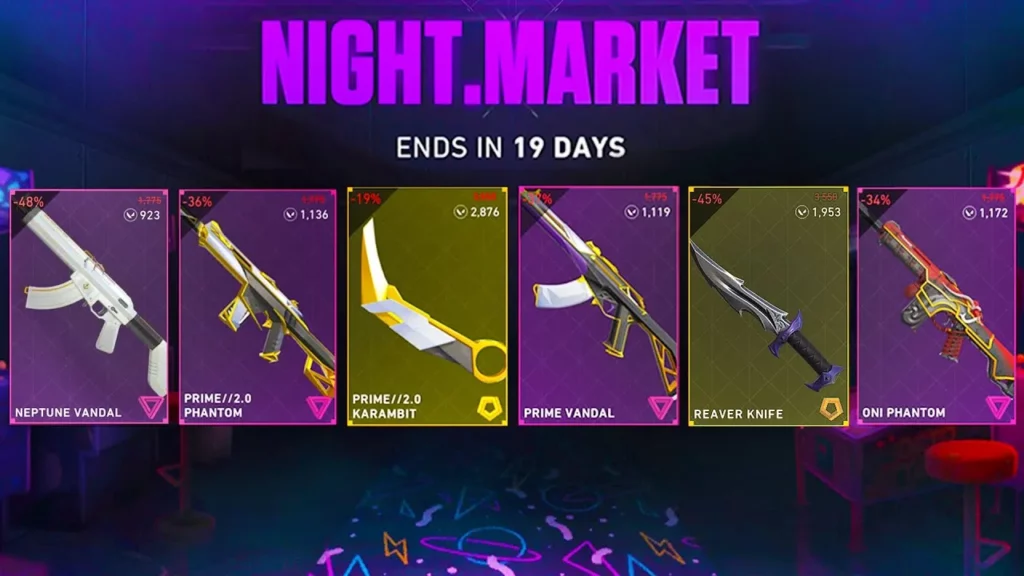
Valorant July 2024 Night Market Date & Time

0

Since the last Valorant Night Market concluded on June 12, 2024, fans of the shooter have been eagerly awaiting their next chance to get their favorite skins at discounted rates.

For the uninitiated, the Valorant Night Market is a periodic in-game event where players are offered a selection of randomly chosen weapon skins at reduced prices. Each player receives a unique set of offers, which adds an element of excitement as they check to see if their favorite skins are available. The Night Market typically runs for a limited time, making it a highly anticipated event in the Valorant community.

If you’re here to know more about the next Valorant Night Market and its date and time, we have you covered.

valorant night market

When is the Next Valorant Night Market

At the time of writing, Riot Games hasn’t revealed the exact date and time for the July 2024 Night Market. However, taking a glance at the previous Night Markets, we can get a pretty good estimate of when it might begin.

The Valorant Episode 8 Act 3 Night Market kicked off on May 22 and continued until June 12, while the one before that ran from April 10 to April 29, 2024.

With this in mind, it’s safe to assume that Riot Games will likely drop the next Valorant Night Market towards the end of July. The July 2024 Night Market is expected to continue until mid-August, giving players plenty of time to explore the discounted offerings and secure their favorite skins.

Do note that the launch date for the next Valorant Night Market has not been revealed by the developers yet. Fans should keep an eye on official announcements from Riot Games for the exact dates.

Rocket League: How to Enable Split Screen on PC and Console?

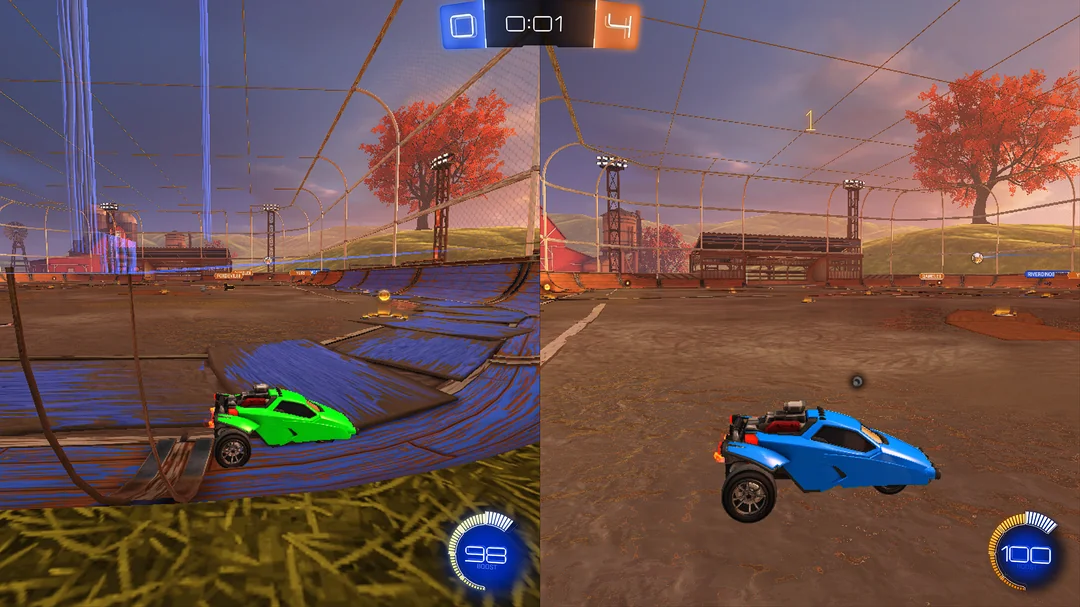
Imagine a world where you could get your friends at your place and play Rocket League with them side by side. To do this, you would need to enable split screen within Rocket League on PC and consoles.

What’s Rocket League Split Screen?

Well, Rocket League is a mashup between monster trucks and football (or soccer depending on where you’re from) where vehicles are the players in a 3-dimensional environmental stadium and have to score goals against other player’s cars! 

The game was first released for Microsoft Windows and PS4 in 2015 by Psyonix. Very soon, the game got ported to the Xbox One and Nintendo Switch.

The game has 8 players on each side and has rocket-powered vehicles that have to be used to play soccer. So, the game does have single-player and multiplayer modes available that can be played online and offline – locally, which is where Split screen comes into play.

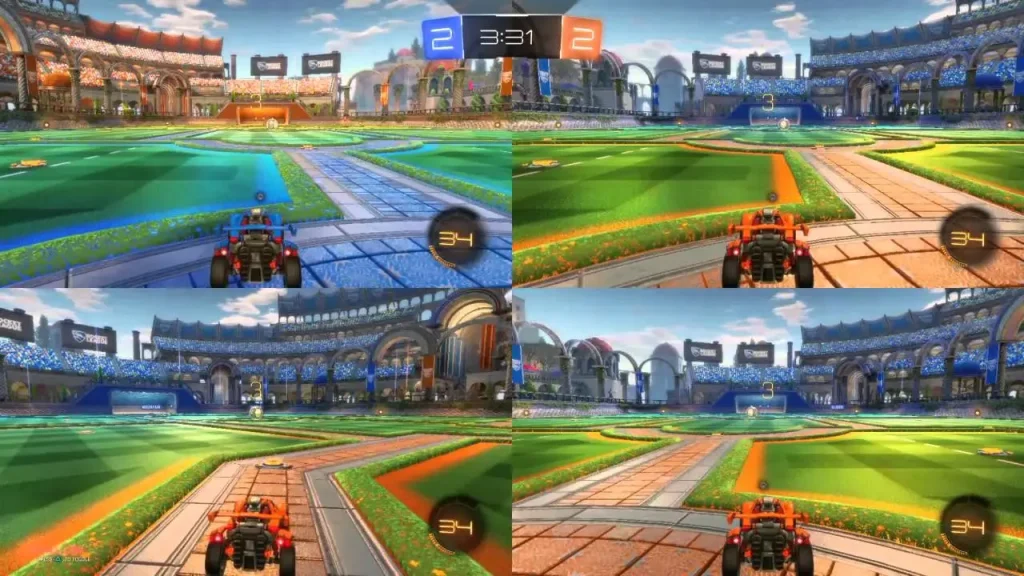
If you invite your friends to your place physically, you want to be able to play the game with them on the same console. This is where split screen enables an experience where the display you are playing on is split into two halves where one would be controlled by Player 1 and the other by Player 2. In this instance, Rocket League split screens support up to 4 players, meaning 3 of your friends including you can play the game simultaneously!

So, the next question is-

How to Activate the Split Screen Mode on Rocket League for Xbox?

  • Connect all controllers.
  • Log in with Player 2’s Xbox or guest account. Please note that guest accounts are limited to offline play.
  • Launch Rocket League and while in the Main Menu.
  • Player 2 presses the Menu button on the controller to join the party.
  • Player 2 will then join the party and you can play any Offline or Online mode together

How to Activate Split Screen Mode on Rocket League for PlayStation

  • Start your PlayStation.
  • Launch Rocket League with your main controller.
  • Press the PlayStation button with your second controller.
  • Using the second controller, select either one of the following:
    • Either Get Started
    • Or Sign In and Play 
    • Or choose Quick Play (where no PlayStation account is needed).
  • Once you have signed in, you will return to the game’s Main Menu.
  • Press Settings on the second controller.
  • Player 2 should now appear in the game lobby.
  • Player 1 can then choose the Playlist for both players to play in.
Rocket League split screen

If you are someone who plays the game on Nintendo Switch, we’ve got you covered!

How to Activate Rocket League’s Split Screen on the Nintendo Switch

Interestingly, unlike the PS4 and the Xbox One, the second-player functionality is much simpler on the Nintendo Switch. Once the other player joins, the game automatically lets you play any offline or online mode

  • Start Rocket League on your Switch.
  • The Player 2 presses the Minus Button (-) on his Joy-Con and then logs in to his Nintendo account or selects Skip to use a temporary local profile.
  • Both of you confirm your controller by pressing down the SL and SR buttons at the same time.
  • If you have 2 controllers (Joy-Con and Pro), please refer to the following steps:
  • Start Rocket League on your Switch.
  • The Player 2 presses the Plus Button (+) on his Joy-Con or Pro Controller and then logs in to his Nintendo account or selects Skip to use a temporary local profile.
  • Both of you confirm your controller by pressing down the L and R buttons at the same time.

How to Activate Split Screen Mode in  Rocket League on Steam

There is a knack here. Unfortunately, multiple “Keyboard & mice” combo is something that Windows doesn’t support, let alone Rocket League being able to do it. Hence to set up split screen in Rocket League, you would need two controllers to get started.

  • Connect all the controllers and launch Rocket League.
  • In the Main Menu, the Player 2 needs to press: Options button (when using DualShock 4 Controller); Menu button (when using Xbox One Controller); Start button (when using Steam Controller).
  • The Player 2 will then join the party and you can play any Offline or Online mode together.

If you found this piece on how to get split screen mode enabled in Rocket League useful, do leave us a follow on Instagram & stay tuned to this space for more!

Esports World Cup 2024: Games, Schedule & Where To Watch

0

The Esports World Cup 2024 is currently underway, with gamers from around the globe converging in Saudi Arabia to compete for substantial prize pools and championship titles.

With a whopping $60 million on the line, the Esports World Cup 2024 has captured the attention of both casual and hardcore gamers. Over the next two months, fans will passionately cheer for their favorite teams as champions are crowned across multiple prominent esports titles.

For the uninitiated, the Esports World Cup 2024 will host 22 distinct tournaments spanning 21 games between July 3rd and August 25th. These events will take place across four major esports arenas in Riyadh, Saudi Arabia.

In this article, we take a look at everything you need to know about the Esports World Cup 2024, including a list of games, its detailed schedule, and where you can catch the livestreams.

League of Legends Esports World Cup 2024

Esports World Cup 2024: Games & Schedule

Below, we’ve included a list of games that are a part of the EWC 2024 alongside their corresponding schedule:

Apex LegendsJuly 31-Aug. 4
Call of Duty: Modern Warfare IIIAug. 15-18
Call of Duty: WarzoneJuly 3-6
Counter-Strike 2July 17-21
Dota 2July 4-7, 10-14, 16-21
EA Sports FC 24Aug. 15-18
FortniteAug. 8-11
Garena Free FireJuly 10-14
Honor of KingsJuly 29-Aug. 4
Mobile Legends: Bang Bang (Men’s)July 3-7, 10-14
Mobile Legends: Bang Bang (Women’s)July 25-28
League of LegendsJuly 4-7
Overwatch 2July 24-28
PUBG: BattlegroundsAug. 21-25
PUBG MobileJuly 19-21, 23-24, 26-28
Rainbow Six SiegeJuly 31-Aug. 4
RennsportAug. 22-25
Rocket LeagueAug. 22-25
StarCraft IIAug. 14-18
Street Fighter 6Aug. 8-11
Teamfight TacticsAug. 8-11
Tekken 8Aug. 22-25

Esports World Cup 2024: Where To Watch

Fans will be able to catch all the action that unfolds during the Esports World Cup 2024 live by heading to the official EWC website. From there, you’ll be able to select your preferred game and see the ongoing livestreams.

Valorant Service Unavailable Error: How To Fix?

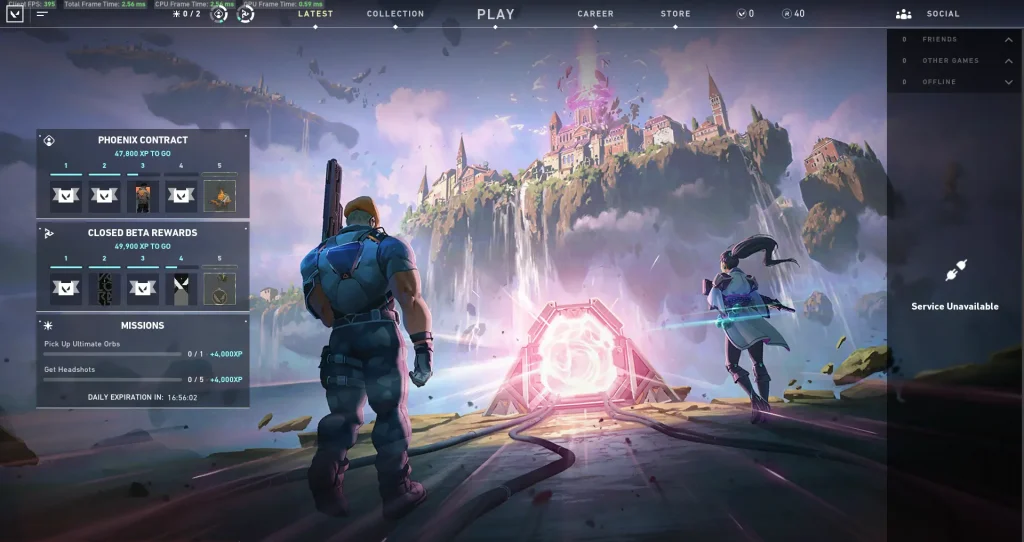
Recently, a lot of Valorant players have been encountering the ‘Service Unavailable’ error message when trying to play the shooter. It is one of the most annoying issues that you can face in Valorant, as it prevents you from playing the game and even logging into the client itself. Luckily, there are a bunch of methods that you can adopt to fix the service unavailable error in Valorant.

Have you been a victim of the service unavailable error in Valorant? Don’t worry, we have you covered.

In this article, we take a look at everything you need to know about fixing the service unavailable error in Valorant.

Valorant Service Unavailable

How To Fix the Service Unavailable Error in Valorant

Before you try and fix the service unavailable error in Valorant, you should check if it’s a server-side issue.

The service unavailable error in Valorant is a common problem that occurs when the servers of the game are down for maintenance. To check if the Valorant servers are up and running head over to websites like Down Detector and see if others are facing the same problem as you. You can also try the official Riot Games server status website to check the same.

If the Valorant servers are online, but you’re unable to get into the game, try the following steps:

  • Restart Valorant & the Riot Client: The first thing you should do is close Valorant and restart your Riot Client. You’d be surprised to find how often a simple restart is enough to fix the service unavailable error in Valorant.
  • Run Valorant as an administrator: To launch Valorant as an administrator, right-click on the Valorant icon, select ‘Run as Administrator’, and hit ‘Yes’ when prompted.
  • Restart your router: If the aforementioned methods don’t work for you, then try restarting your router and see if it fixes the issue.

Reinstall Valorant: Uninstalling and reinstalling Valorant is your last resort if none of the methods listed work out.

How To Check Your Valorant MMR?

0

Valorant is a highly competitive video game, with players from throughout the world constantly trying to climb up the ranking spectrum of the shooter. Featuring intense matches and strategic gameplay, Valorant has quickly become a favorite in the esports scene, attracting both casual gamers and professional players alike.

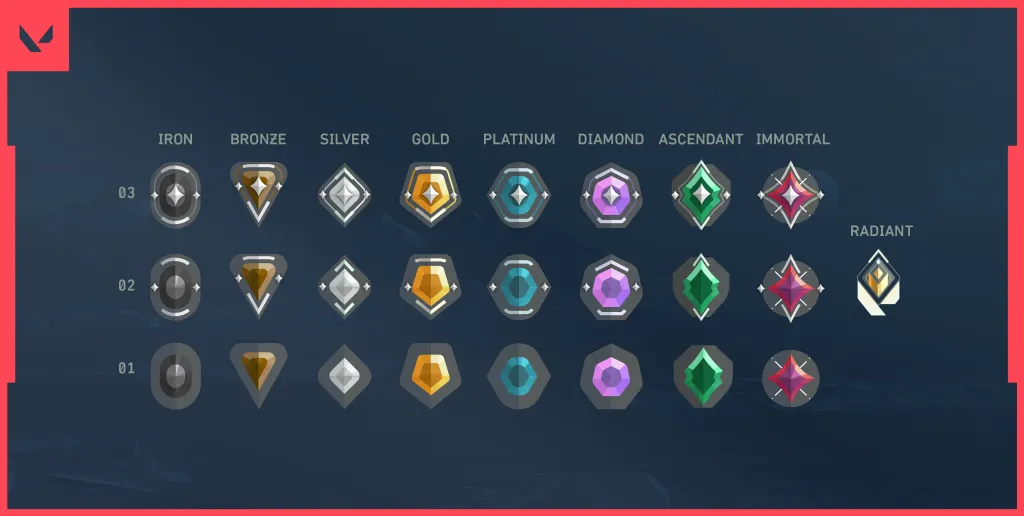
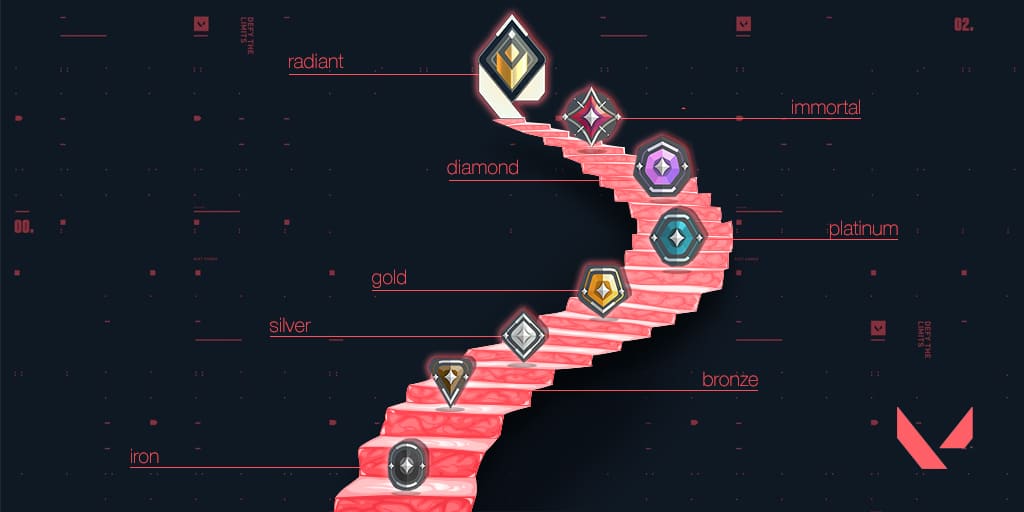
In essence, ranks in Valorant are a representation of your overall skill level. Your performance in the Competitive game mode determines your placement within one of the game’s nine skill groups including Iron, Bronze, Silver, Gold, Platinum, Diamond, Ascendant, Immortal, and Radiant. Except for Radiant, each skill group is further subdivided into three divisions.

However, the ranking system of Valorant might not be as simple as you think. The rank you see on your screen might not be an accurate representation of your actual skill group at all. This is why understanding your MMR (Matchmaking Rating) in Valorant is crucial.

What is MMR in Valorant?

In layman’s terms, your Valorant MMR is a hidden number that accurately reflects your performance in the competitive landscape of the game. This rating is never revealed to players, who can only see their visible skill group.

This MMR fluctuates based on how you play your Competitive games. Outperforming other players in your skill group will increase your MMR, while poor performance will cause it to decline.

If you take a break from playing Valorant, you may also experience MMR decay. This means your MMR will gradually decrease over time when you’re inactive.

Valorant MMR
Photo: Pinnacle

How To Check Your MMR in Valorant?

While there’s no way for players to accurately determine their MMR in Valorant, you can get a rough estimate of your MMR by taking a close look at your RR gains and losses after your competitive games.

Typically, if your MMR is higher than your current rank, you’ll notice yourself getting more Rank Rating (RR) from winning games and losing less RR on losses.

There are a number of other factors that affect your RR as well, like your individual performance, round difference, and more. But keeping an eye out for your RR gains and losses can easily help you identify your actual MMR in Valorant.

CS2 Shanghai Major 2024: PGL to Broadcast English Stream

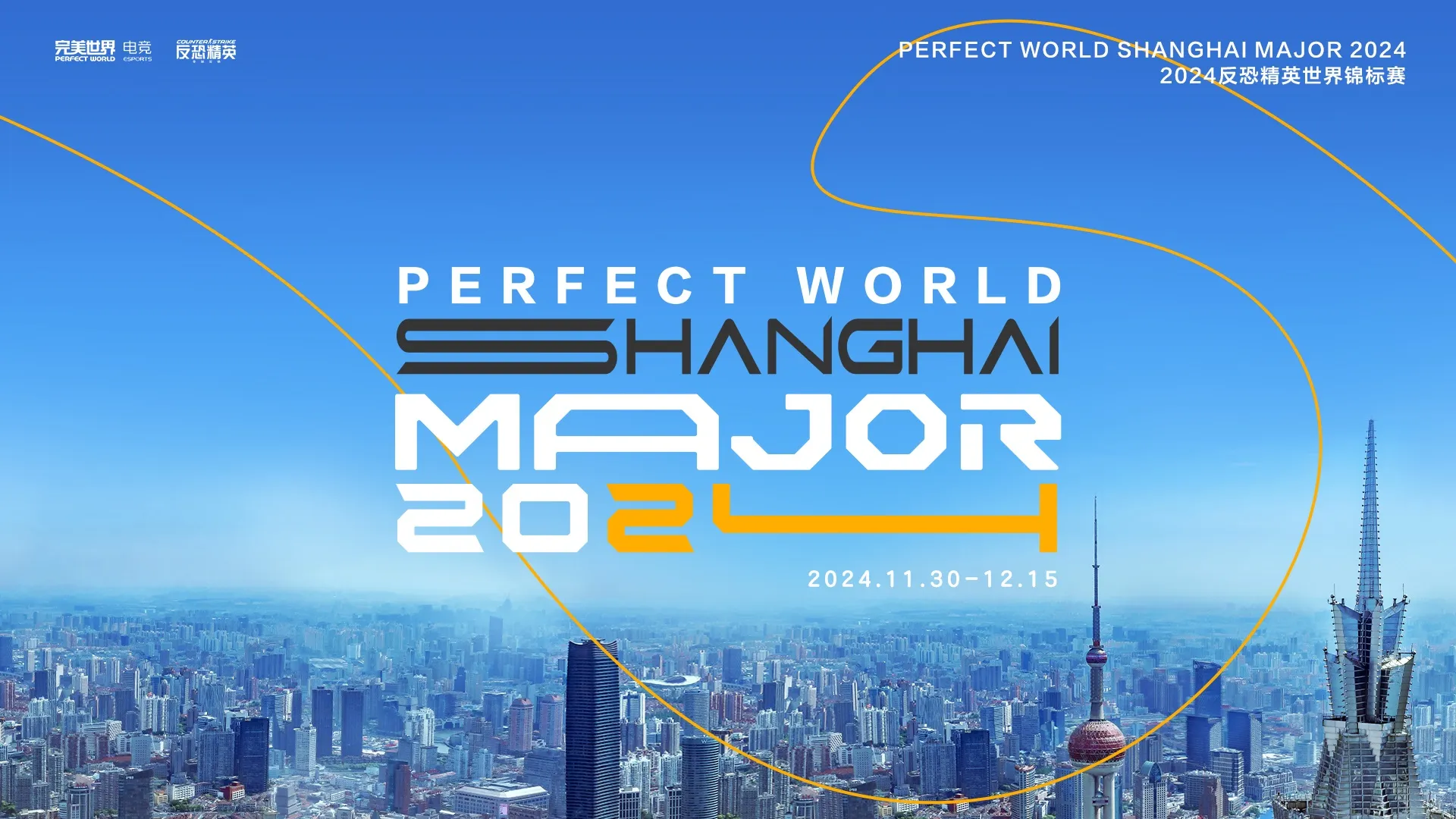
The Perfect World CS2 Shanghai Major is set to kick off in November and will be the second Major of CS2 and 2024.

Major is the ultimate prize of any CS player and it has been this way since its inception. While other tournaments could rival the Majors in terms of hype or prize pool, the unique celebration of CS, that is the Major has always set itself apart as a final step to cement your legacy as a player.

Valve’s Chinese partners, namely Perfect World are set to host the second Major of 2024 except for one key change. Even though PW will take the lion’s share of broadcasting responsibility, being Chinese, the English broadcasting rights have been outsourced to PGL.

PGL has a rich history of hosting CS events and he has already showcased their ability to host a CS Major. We have political reasons to blame behind, Perfect World letting go of the English broadcast given the English stream will pull the viewers across borders.

The tournament will start on 30th November, run till 15th December, and be divided between two stages like the previous Majors. Now that PGL has secured rights to broadcast the English stream, we can ease a bit knowing the uncertainties with Perfect World might be less of an issue.

Stay updated with the latest news in gaming and esports by signing up for early access to TalkEsport’s Mobile App. Follow us on Twitter and Google News to ensure you never miss the exciting updates.

Kick Streamer Natalie Reynolds Accused of “Scamming” Employee

Streamer Natalie Reynolds has once again found herself on the news for all the wrong reasons.

Natalie Reynolds doesn’t have a good reputation when it comes to keeping promises and one of the former associates has revealed how he was scammed by her following one of their adventures going sideways that ended up with him getting nabbed by the cops.

The crew planned to drive around in a van painted with “free candy” much like in GTA but it caught the attention of the cops before they managed to shoot any content. Once arrested, the crew got locked up upon which Reynolds promised to cover legal fees only to back out last second as revealed by Josiah Banks.

“Promised $4,700 a month and all legal fees covered. Time it came to legal fees? We’re locked up, she doesn’t pay.” said Joshiah Banks.

“She didn’t even do that in my best interest to help me out, they did it to protect her. So she could protect herself,” Josiah insisted. “I thought they were helping me out.”

He further pointed out how she tried to get her dad involved to defend Banks but all she was doing was looking out for herself by preventing him to testify against her. $4700 worth of legal fees was also cut from his salary Reylonds promising to pay it.

Natalie has defended herself and turned down all the allegations and now only time will tell what becomes of this drama.

Stay updated with the latest news in gaming and esports by signing up for early access to TalkEsport’s Mobile App. Follow us on Twitter and Google News to ensure you never miss the exciting updates.

Sony Might Introduce This Bizarre New Controller

0

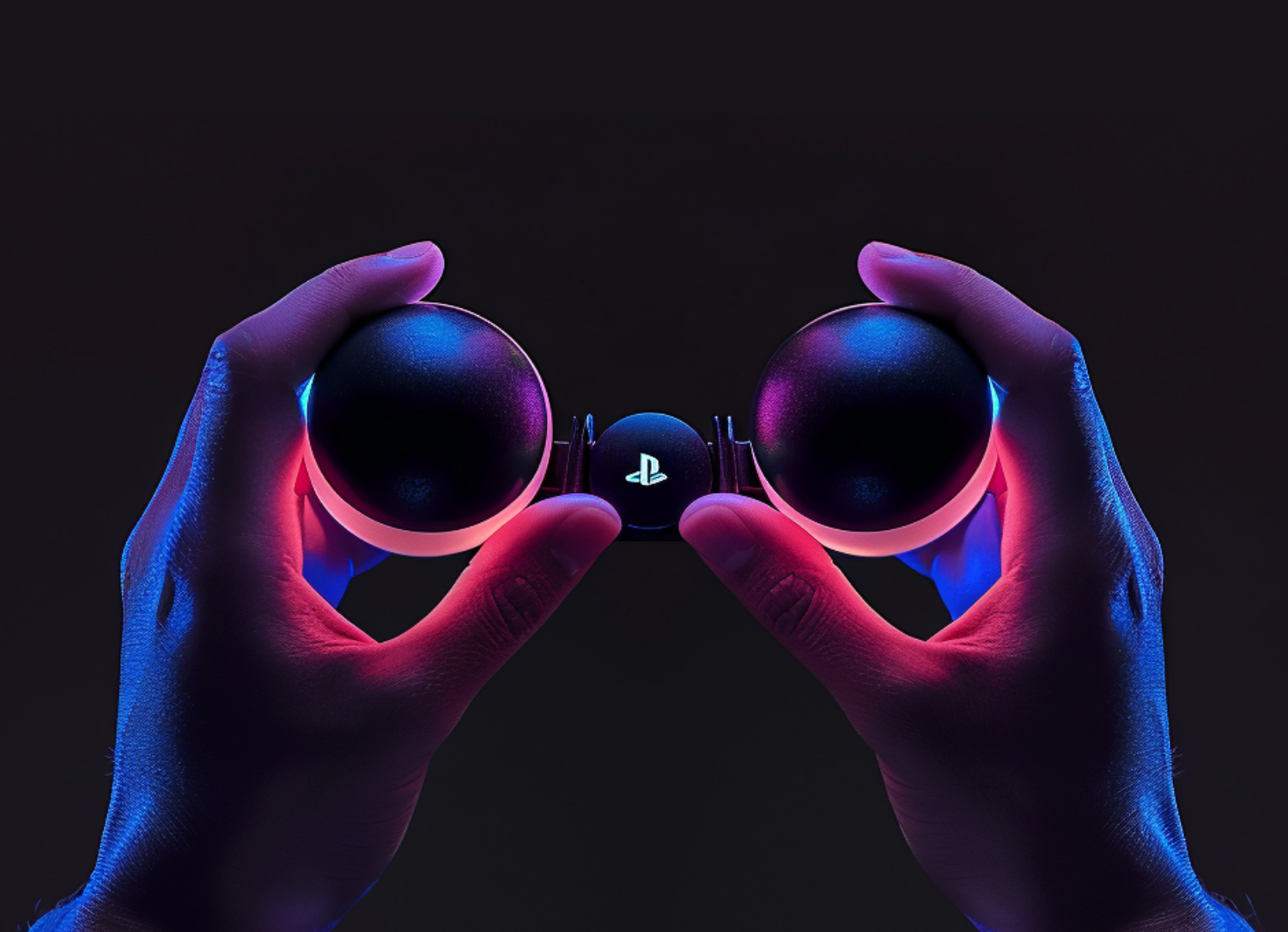
Sony may be developing a new deformable game controller featuring two squeezable and twistable balls, according to a leaked patent.

Console controllers have followed a basic pattern since their early days. A bridge anchored by controls on two sides. Either sides control different aspects of movement in a game which has been the same for both PlayStation and Xbox. Controllers underwent minor improvement from generation to generation but the leaked patent indicates a radical change.

Sony Deformable Controller
Image via NerdStash.

How does it work?

The new game controller will consist of two flexible, robust spheres joined by a hollow tube. The inside surfaces of each sphere and the tube itself are decorated with elaborate designs. The controller’s operation depends heavily on these patterns whose distortion is converted into input signals. By translating these distortions into particular input signals for the game, a new level of control is provided.

A controller like this will be aimed towards providing the gamers with a more intimate and natural level of control. However, with no keys available, how different games choose to map their controls will be interesting to see should Sony decide to introduce this controller.

We have only seen a leaked patent so far with no official word from Sony. It is standard for big corporations to have different technologies patented for future use but this doesn’t confirm the launch of the new set of controllers.

The new controllers will be far from the DualSense controllers that came with the new PS5. However, we are yet to find out how the community would react to this new way of interacting with video games.

Stay updated with the latest news in gaming and esports by signing up for early access to TalkEsport’s Mobile App. Follow us on Twitter and Google News to ensure you never miss the exciting updates.

PashaBiceps Brings up the Mercedes Controversy in Congratulatory Tweet

0

It has been years since the infamous Mercedes controversy took place which is believed by everyone to be the root cause behind the dominant VP roster falling apart and one would assume we have forgotten all about it but Pasha’s latest post on X unearthed the underlying resentments.

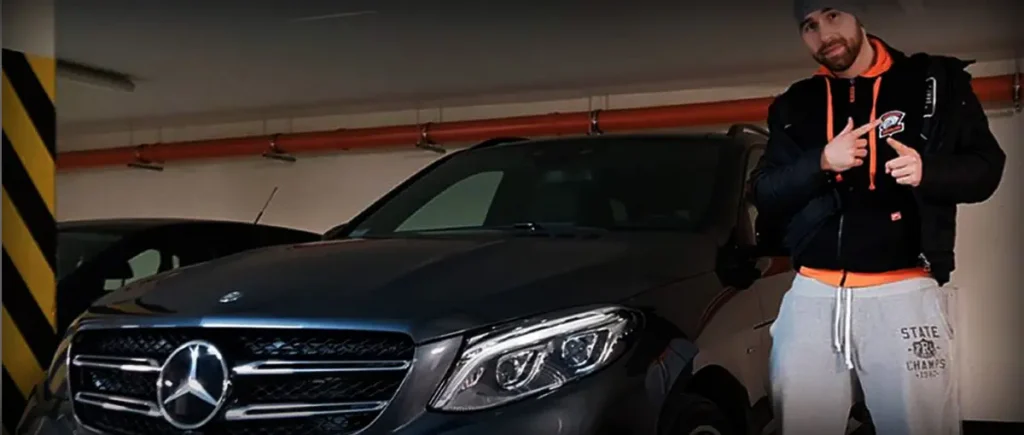
Back in 2017, Wiktor “TaZ” Wojtas was rewarded with a Mercedes E Class for VP’s triumph in DreamHack Masters Las Vegas 2017. The car caused a rift within the team as everyone, including the coach and other players, felt their contributions were overlooked. This led to the team falling apart and the players stopped being on talking terms since.

Fast forward to 2024, two members of that roster have resurfaced to tier 1 CS, with Wiktor “TaZ” Wojtas coaching G2 and Janusz “Snax” Pogorzelski taking over the IGL duties for the same side following Hooxi’s departure.

PashaBiceps was quick to congratulate his former teammates but it was readily apparent his feelings toward TaZ weren’t the same as those towards Snax.

PashaBiceps TaZ Mercedes

“I wish the coach perseverance and further success, I don’t mean it because you know how it is,” wrote Pasha.

This shows that the incident from 2017 has still managed to stand between the roster members. The resentment is far from over and, likely, they will not put it behind them anytime soon despite their playing days being far from over.

Stay updated with the latest news in gaming and esports by signing up for early access to TalkEsport’s Mobile App. Follow us on Twitter and Google News to ensure you never miss the exciting updates.