Thursday, May 7, 2026
Home Blog Page 453

Valorant RGX 3.0 Bundle: All Skins, Price, Release Date, & More

0

Riot Games has just revealed the RGX 3.0 bundle for Valorant, and fans of the shooter are excited to know more about what the third installment of the skin collection will bring to the title.

Unlike the previous RGX bundles, the RGX 3.0 skin bundle will include skins for only three weapons instead of the usual five.

In this article, we take a look at everything you need to know about the RGX 3.0 skin bundle, including its contents, price, release date, and more.

Valorant RGX 3.0 Bundle Skins

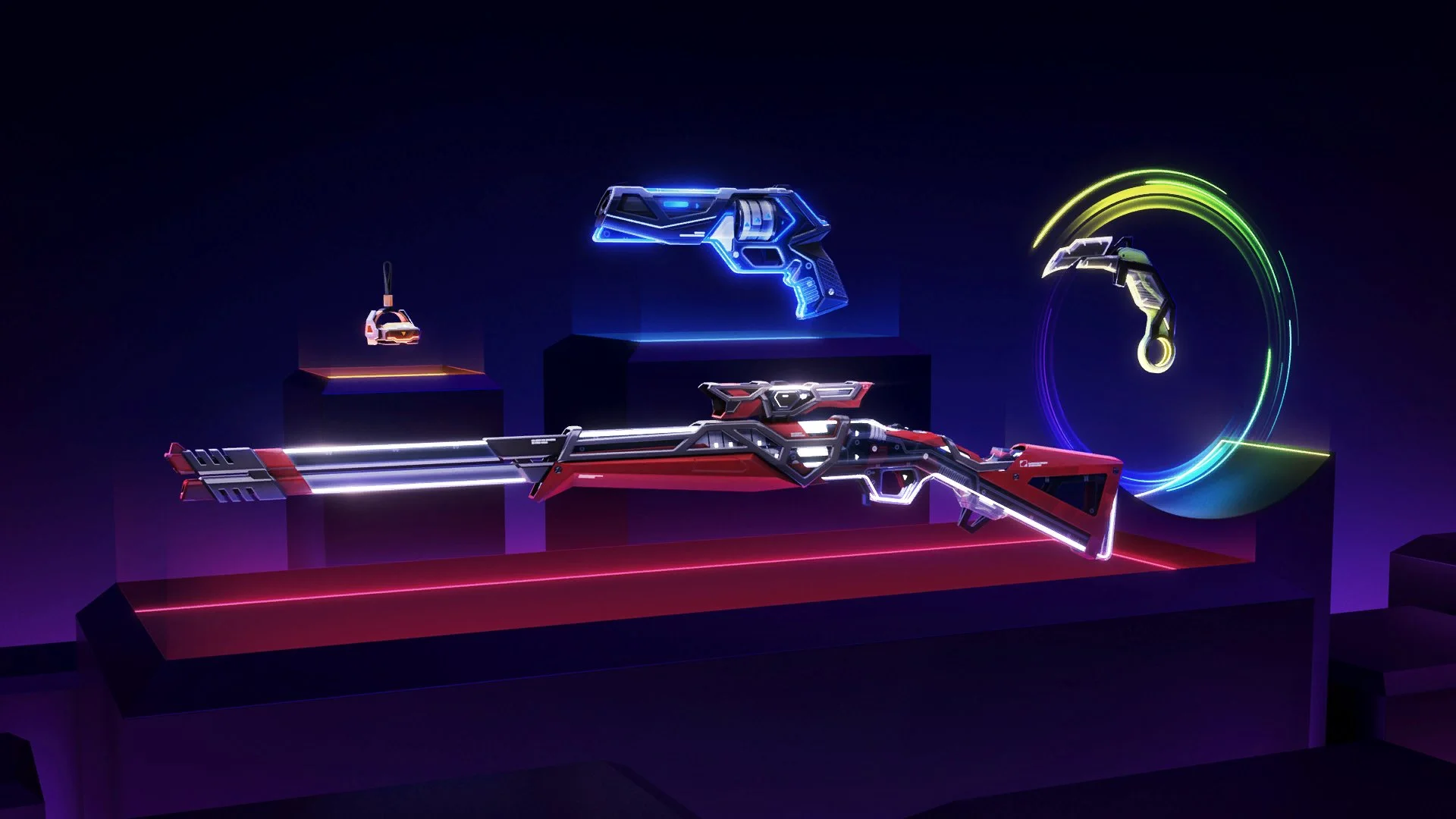
As already confirmed by Riot Games, the RGX 3.0 skin bundle will feature cosmetic finishes for the Outlaw, Sheriff, and Karambit.

Here are the skins you can get by purchasing the RGX 3.0 bundle:

  • RGX Outlaw
  • RGX Sheriff
  • RGX Karambit (Melee)

Valorant RGX 3.0 Bundle Price

Taking a look at the previous RGX bundles, we can see that both the RGX collections cost 8,700 VP each. However, it’s important to note that the previous RGX bundles included five skins each.

Considering the fact that the RGX 3.0 bundle only includes three skins, fans can expect to grab the new RGX bundle at a price much lower than 8,700 VP.

Valorant RGX 3.0 Bundle Release Date

Fans can expect the RGX 3.0 skin bundle to hit the Valorant store once the Evori Dreamwings collection departs the shop on July 18, 2024.

Valorant Patch Notes 9.01 Revealed: All Changes Explained

0

The patch notes for the Valorant 9.01 update has been revealed, and it’s set to bring a bunch of changes to both the PC and Console versions of the competitive shooter.

While the PC version of Valorant isn’t receiving any major changes, there will be a lot of crucial bug fixes to the game alongside an exciting Pick ‘Ems Beta for the upcoming Valorant Champions 2024.

A number of important changes are in store for Valorant Console, including Agent updates, Map updates, and more.

In this article, we take a look at the detailed patch notes for the Valorant 9.01 update.

Valorant 9.01 Update: Patch Notes Revealed

Below, we’ve listed the full patch notes for the Valorant 9.01 update:

WEAPONS UPDATES

  • Updated the animation for the Outlaw and its skinlines so that it is more apparent when the weapon is ready to be fired.

BUG FIXES

General 

  • Fixed a bug where Neon could equip faster out of her slide than intended by manually inputting an equip action.

Gameplay Systems

  • Fixed a bug where AFK players were able to start the vote for surrender.
  • Fixed an issue when exiting Cypher’s Spycam that causes a brief stutter for Spectators.
  • Fixed an issue with Tactical Callouts displaying in chat regardless of the option being turned off in Settings.
  • Fixed an issue with bullet tracers appearing for guns picked up regardless if they are turned off in Settings.
  • Fixed an issue regarding Sage and Clove resurrections not being visible for Spectators and Observers.
  • Fixed a performance degradation issue caused by auto-respawn by spike explosion in Custom Game modes.

Maps

  • Abyss
    • Cleaned up lots of Cypher’s Spycam spots to prevent visual issues or unintended placements.
    • Improved Wingman’s Spike plant pathing on A site.
    • Cleaned up ability and player collision in a variety of spots across the map.
    • Fixed a bug where the Minimap could be oriented upside down with certain settings active.
    • Fixed a visual bug seen when falling off of the map on A site.
    • Fixed a bug where Viper’s Pit could spread farther than intended on A site.

KNOWN ISSUES

Social

  • When changes happen to your party, there is a chance you may see “<MISSING STRING ENTRY TABLE>” in your chat log.

PC

ESPORTS FEATURES

  • Pick ‘Ems Beta is coming for VALORANT Champions 2024!
    • Starting on July 26th, you will have access to the Champions Seoul Group Stage in-client and on the web. You’ll get to:
      • Predict the advancing teams for points, earning extra points for correctly guessing the exact placement.
      • Earn rewards for playing, with the best of the best earning more exclusive rewards.
      • And see how you stack up against other experts and creators.
    • Finally, prepare for the Playoffs Stage next patch where you’ll fill out the full double elimination bracket at once.
  • Look out for more details on how to participate later this month!

BUG FIXES

Gameplay Systems

  • Fixed an issue involving the Ping Wheel getting stuck on the interface when bound to the Z key.

Premier

Hey IBIT zone Premier Players! 

There was an issue with matchmaking that prevented matches from being played in the first 2 weeks of the Episode 9 Act 1 stage. Contender and Invite divisions were unaffected and these teams successfully played their matches.

  • Issue has been fixed and teams should be able to find matches successfully for week 3 and on.
  • Any team that plays a match in the IBIT zone in week 6 and before will automatically qualify for playoffs.
  • Teams that have already played a match in another EU zone can still earn the playoff qualification in IBIT, but will require teams to create a new roster in the IBIT zone and play a match.
  • Teams will qualify for playoffs by receiving 600 points before the start of week 7 matches.
    • For example, if your team has 25 points at the end of week 6, then your team will have 625 points before you play your week 7 matches.

CONSOLE

GENERAL UPDATES

  • It is now possible to freely rebind non-ultimate Ability Button mappings. 
  • Added settings for inverting map cursor controls.

AGENT UPDATES

Neon

  • Slide
    • Re-equip Speed changed from Fast to Instant.

Raze

  • Second Blast Pack
    • Second Blast Pack’s horizontal force has been reduced.

Iso

  • Double Tap: Duration: 20s >>> 12s 
  • Signature kill reset removed.

MAP UPDATES

  • Lotus enters Competitive, Unrated, Swift Play, and Deathmatch queues. 

SOCIAL UPDATES

  • Updated the notification indicator on the social card so that it’s easier to tell when you have a party invite even when the social panel is closed.
  • Added voice indicators to the Party tab in the social panel, so you can see who is speaking.
  • Added a button to leave the party to the My Party section of the Party tab in the social panel.

BUG FIXES

General 

  • Traditional Preset Weapon Switching Fixes
    • Fixed issue where unequipping abilities wouldn’t respect the “Auto-Equip Prioritizes (Strongest/Latest Setting)”.
    • Fixed issue where you couldn’t switch off from the Spike when you had no primary when using the ‘Traditional Controls’ Preset.
    • Fixed an issue where you could sometimes lose visual highlighting on the buttons you hover over in the front-end menus.
    • Fixed issues that could cause you to be unable to leave the Range.

Agent 

  • Sova
    • Recon Bolt
      • Fixed an issue where Recon Bolt did not properly apply AimAssist to Revealed Targets.
  • Fade
    • Haunt
      • Fixed an issue where Haunt did not properly apply AimAssist to Revealed Targets.
  • Fixed an issue where AimAssist was incorrectly being applied when certain abilities were equipped:
    • Fade – Nightfall
    • Chamber – Rendezvous
    • Harbor – Cascade
    • Harbor – Cove
    • Viper – Poison Cloud
    • Viper – Toxic Screen
    • Viper – Viper’s Pit
    • Yoru – Fakeout
    • Yoru – Dimensional Drift

Gameplay Systems

  • Fixed issue where you could be in Focus Mode while inspecting your weapon.

Competitive Systems

  • Fixed an issue where EOG screens when viewing matches in Match History will disappear and be inaccessible

Social 

  • Fixed a bug where your presence sometimes failed to update after a match.

KNOWN ISSUES

General 

  • When navigating Surrender menus, there’s a chance your controls can become locked for an entire round. Due to this, we’ve elected to disable the Surrender and Remake menus until we can properly fix the issue. Draw will remain functional.

How To Fix Valorant Error Code 45

Encountering error codes in Valorant can certainly be frustrating for players. These error codes can arise from various issues, hindering players from joining game queues or even logging into the game altogether in case the problems are more severe.

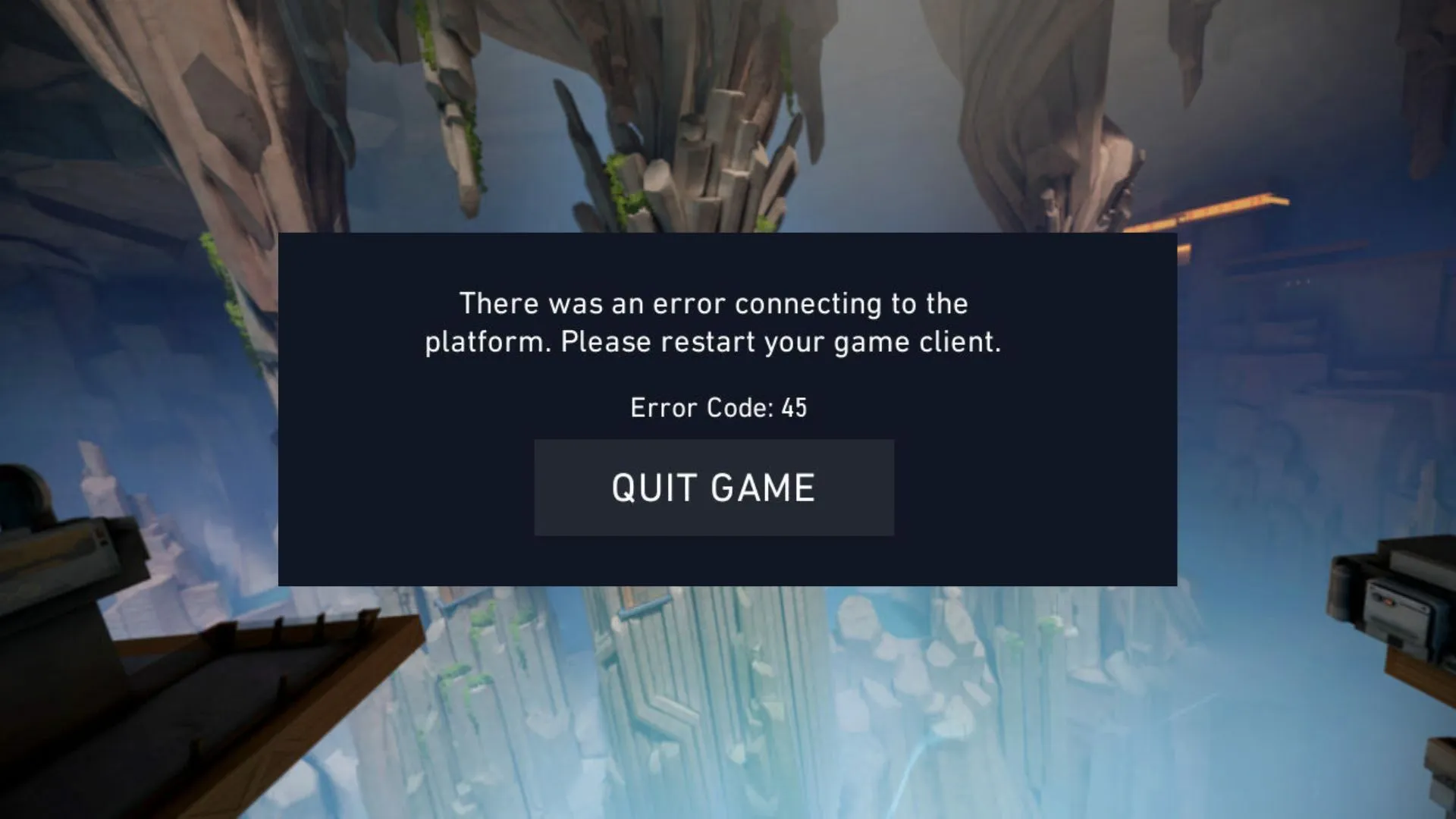
The error code 45 in Valorant is one of the most annoying error messages that you can face when trying to play the shooter. When you encounter this error, you’ll see the message ‘There was an error connecting to the platform. Please restart your game client’ before being kicked out from the game.

If you’re wondering how to fix the infamous error code 45 in Valorant, we have you covered.

Valorant Error Code 45

Valorant Error Code 45: How To Fix

Valorant error code 45 generally indicates that there’s a problem with Vanguard or your Riot client itself, which can often be solved in a few simple steps.

However, before you start fixing the problem, be sure to check whether the Valorant servers are up by visiting the official Riot Games server status website or third-party sites like Down Detector. If the servers are up and running, but you’re still facing error code 45 in Valorant, then you can move on to the solutions.

Below, we have listed a few fixes for the Valorant error code 45:

  • Restart Riot Client: As the error message reads, a simple restart is often enough to fix the error code 45 in Valorant. Exit out of Valorant, close the Riot Client from the taskbar, re-launch Valorant and see if it fixes the issue.
  • Restart Your Computer: If there’s an issue with Vanguard, the anti-cheat software for Valorant, then restarting the Riot client won’t be enough to solve the problem. To fix potential issues with Vanguard, you need to reboot your computer.
  • Reinstall Vanguard: If restarting your PC doesn’t fix the issue, and you’re still encountering the error code 45 in Valorant, then you may need to reinstall Vanguard entirely. To do so, right-click the Vanguard icon from your taskbar, hit ‘More’, select ‘Uninstall Vanguard’, and launch the Riot client once the uninstallation process is complete.
  • Reinstall Valorant: If everything else fails, then you need to reinstall Valorant as a last resort.

Vitality CEO Talks About Meeting Fans at Live Events

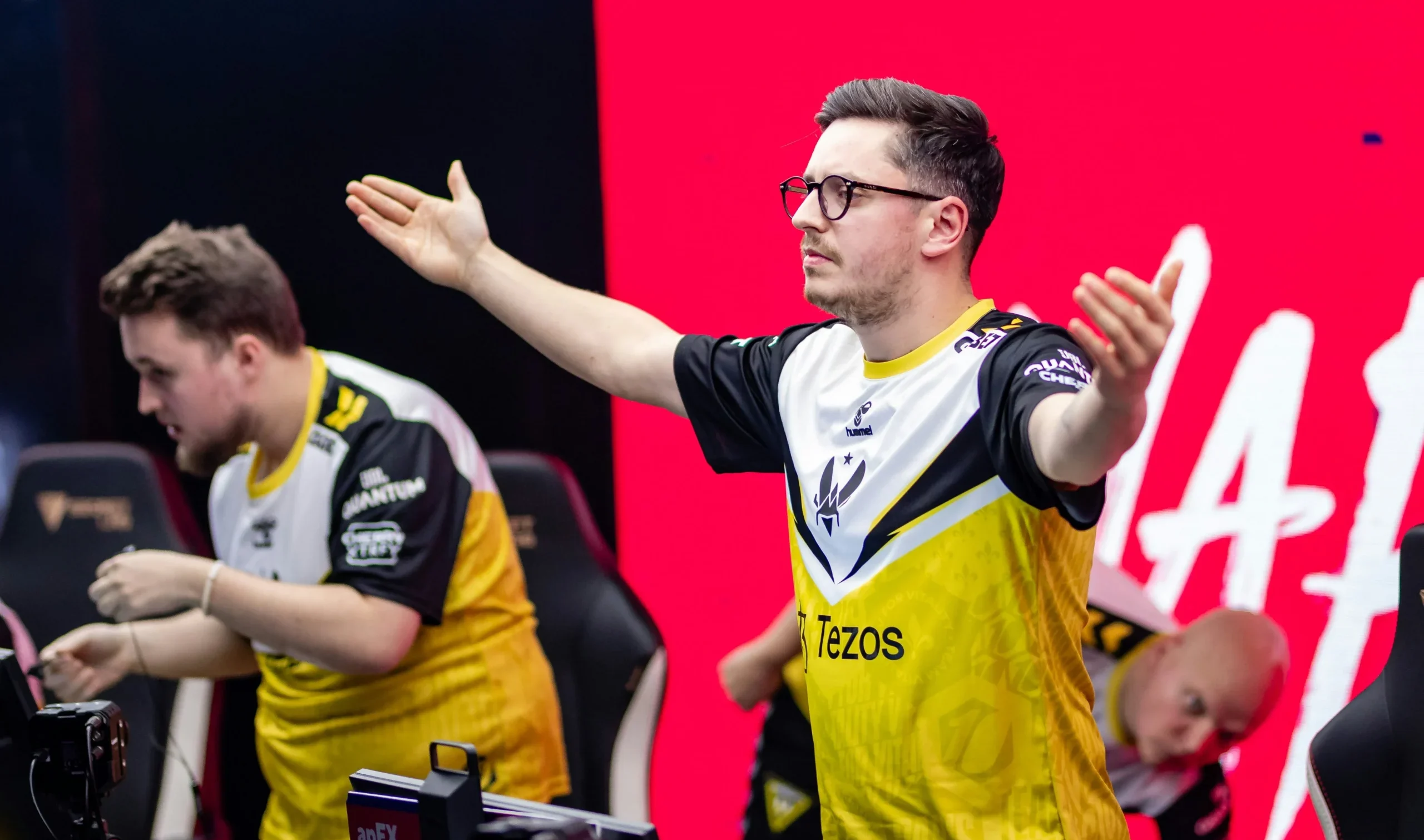
Vitality has been one of the best teams in CS2 having picked up a couple of trophies in recent times. They house some of the best players in the world including AWPing sensation ZyWoo who many believe to be the player in the world.

During LAN events, they always take the time out of their busy schedule to attend the fan meets which means a lot to anyone who looks up to them. While fans might think this is insignificant to the players, their CEO has explained how excited they always are to meet the fans.

“It means a lot,” said Team Vitality CEO Nicolas Maurer“For players who play a lot online, this kind of moment allows them to establish a real connection with their fans. It’s a chance to take photos, get jerseys signed, thank them for the support, or simply chat. ”

Fan meets mostly have players across a table and fans flock to get their gears signed. This helps with community engagement and meeting their idols in person does go down as a special memory for the fans.

Stay updated with the latest news in gaming and esports by signing up for early access to TalkEsport’s Mobile App. Follow us on Twitter and Google News to ensure you never miss the exciting updates.

How to Fix Dynasty Mode Not Working in College Football 25

0

College Football 25, like any other EA game, is facing a plethora of issues at launch and one the more persistent ones is the game stopping you from playing the Dynasty mode due to problems that are yet to receive a permanent fix. In this article, we will look at a workaround that might help with this.

CF25 has a ton of game modes like Madden or EA FC and Dynasty has been one of the more popular ones alongside Ultimate Team. However, EA servers often tend to hamper the experience by cutting you off. This might get annoying especially when you log into the game all excited to build your team.

How to Fix Dynasty Mode Not Working?

While there is no proper fix at the moment. The only way you can bypass any server connectivity issue is to completely cut it off, meaning, play the game in “Offline Mode“. Dynasty doesn’t require you to be online but you miss out on some features sadly this is the only way to play the game uninterrupted.

Being in Offline Mode will take plenty away from the game but anything that doesn’t require you to be online can be played without any interruptions or server issues.

Stay updated with the latest news in gaming and esports by signing up for early access to TalkEsport’s Mobile App. Follow us on Twitter and Google News to ensure you never miss the exciting updates.

How to Download BGMI for PC: Step-by-Step Guide

0

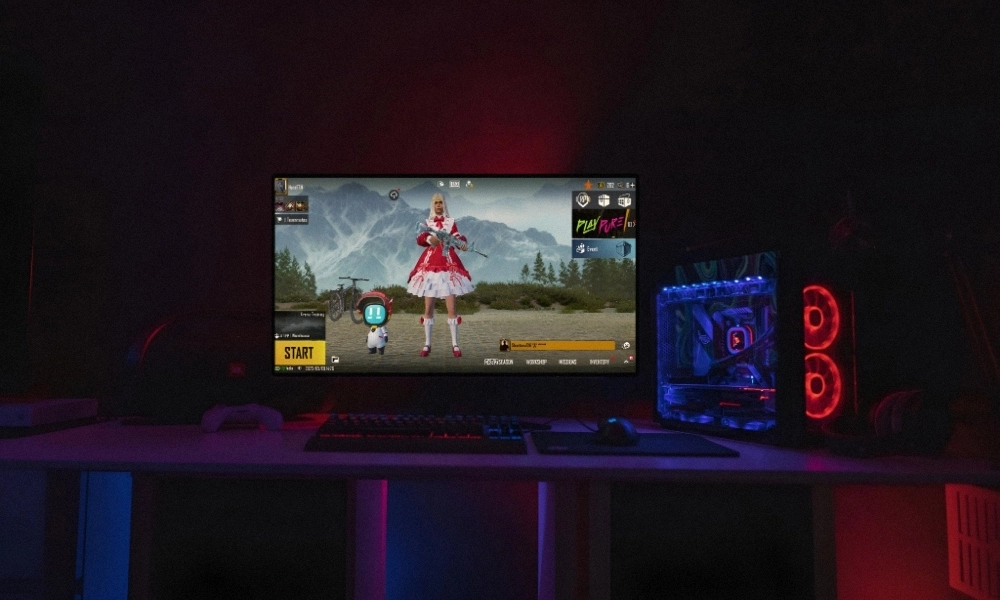
Battlegrounds Mobile India (BGMI) has taken the Indian gaming community by storm, with millions of daily active users. As the name suggests, the game is specifically made for mobile devices. However, many gamers prefer download BGMI for PC as it provides an opportunity to play on a larger screen, better controls, and better experience. If you’re one of them, you’re in the right place. In this guide, we’ll walk you through the step-by-step process of downloading and playing BGMI on your PC.

Stepwise Guide on How to Download BGMI for PC

Although there is no direct way to download BGMI on your PC like you do on mobile devices, there are workarounds using Android emulators. Follow the guide below:

Step 1: Choose Your Emulator

To download Battlegrounds Mobile India on your PC, you need a reliable Android emulator to run on your PC. Popular options include:

These emulators simulate an Android environment on your PC, allowing you to install and play mobile games.

Step 2: Download and Install Your Emulator

Once you’ve chosen your emulator, visit its official website and download the installer. Run the installer and follow the on-screen instructions to complete the installation process. This will set up the Android emulator on your PC.

Step 3: Configure Your Emulator

After installation, launch the emulator. You’ll be prompted to sign in with your Google account, just like on an Android device. This is essential to access the Google Play Store and download BGMI.

Step 4: Download Battlegrounds Mobile India on PC

Now that your emulator is set up, open the Google Play Store within the emulator. Search for “BGMI” in the search bar. When you find the game, click on it, and then press the “Install” button. Wait for the download and installation process to complete.

Step 5: Launch BGMI

Once the installation is finished, you can either click “Open” from the Google Play Store or locate BGMI on your emulator’s home screen. Click on the game to launch it.

Step 6: Configure Game Settings

With this, you have successfully downloaded BGMI for PC. However, before diving into the battleground, it’s important to configure your game settings. Adjust graphics, controls, and other options to suit your preferences and PC capabilities.

Step 7: Start Playing

With everything set up, you’re now ready to join the battle. Enjoy the immersive experience of playing BGMI on your PC, complete with superior graphics and smoother controls.

Playing BGMI on a PC offers several advantages:

  • Larger Screen: Enjoy the game on a bigger display for an immersive experience.
  • Better Graphics: Experience enhanced visuals with PC hardware.
  • Improved Controls: Use keyboard and mouse for superior control.

Downloading BGMI for PC is a game-changer. With the right emulator and a few simple steps, you can enjoy the game up to its fullest. Follow this guide to boost your gaming experience and join millions of players on the battleground.

Stay updated with the latest news in gaming and esports by signing up for early access to TalkEsport’s Mobile App. Follow us on Twitter and Google News to ensure you never miss the exciting updates.
Free Fire Redeem Codes Today (July 16, 2024): Get Free Rewards!

0

Free Fire, the renowned battle royale game, continues to captivate gamers worldwide with its intense gameplay and vast array of in-game rewards. One of the most sought-after features in the game are the Free Fire redeem codes, which grant players access to exclusive items and goodies without spending any money.

Free Fire redeem codes are special combinations of characters that, when entered correctly, provide players with various rewards such as weapon skins, character outfits, and in-game currency. While these codes are not released frequently, stumbling upon a working code can significantly enhance the gaming experience.

All New Free Fire Redeem Codes for Today July 16, 2024

Here are some Free Fire redeem codes redeem codes you can use to get free items in the game today 2024:

  • V1R8H4J7G9B2L6KP
  • FJ5L2H0P9R6G3W8Q
  • FB4F2D1C7G3K9L6R
  • FKDXNW2GJ8LZPK0V
  • FH6QD3S9T2YV5MRF
  • T2D6S4X7B8N1G3KL
  • F8N3W0C1F7X2H4L6
  • FZ9X3C5V6B8N1M7K
  • FG3B7X6V1K8N4M9H
  • FD2R5F8T3G7C1V9B
  • FL6X2C8V4B9N3M1K
  • H9R7N6L8X2S4G1B3
  • F5B2H8P3T6Q9M7XK
  • 5FJW3D2G7B9E6HKR
  • 8XN4M7KP3T2L6BHS
  • J9G4W2L1V6Q5R8XH
  • P7C5Z9R3K2M1W6FV
Free Fire Redeem Codes Today

HOW TO FREE FIRE REDEEM CODES TODAY

Redeeming codes in Free Fire is a quick and straightforward process. Follow these steps to claim your rewards:

  1. Navigate to the official Free Fire redemption website
  2. Sign in using your Free Fire account credentials. Ensure that you have a valid account linked to either Facebook, Google, VK, or Huawei.
  3. Enter the Redeem Code: Input the redeem code into the provided field and click on the “Confirm” button.
  4. Collect Your Rewards: Once the code is successfully redeemed, the rewards will be sent directly to your in-game mailbox. Launch Free Fire and claim your items from the mailbox.

Tips for Using Free Fire Redeem Codes

  • Timely Redemption: Redeem codes have expiration dates, so it’s essential to use them promptly to avoid missing out on rewards.
  • Regional Restrictions: Some codes may be region-specific and may not work if you are in a different region. If a code doesn’t work, try using another one.
  • Single Use: Most codes can only be redeemed once per account, so ensure you enter the code correctly the first time.

Free Fire redeem codes tend to expire very soon and hence, make sure to use them as soon as you can. Some of them can be region restricted and if you find one like that, simply move on to next one as region restricted codes cannot be used in other areas.

Stay updated with the latest news in gaming and esports by signing up for early access to TalkEsport’s Mobile App. Also, follow us on Twitter and Google News to ensure you never miss the exciting updates.

Free Fire MAX Redeem Codes for Today 16th July 2024

0

Free Fire is a very popular battle royale game with millions of active users per day. A large part of this fan base comes from India and despite the ban, players have shifted to its advanced version called Free Fire Max to enjoy the game.

The game has same core and hence, it has redeem codes as well. Here are some Free Fire Max redeem codes that you can use to get free items in the game.

Free Fire redeem codes are special codes that can be used to unlock several items for free in-game. They are not released on a regular basis hence coming across a working code is very hard. 

Free Fire MAX Redeem Codes

Garena Free Fire MAX Redeem Codes for Today 29th June 2024

As Free Fire now banned in India, players have shifted to Free Fire Max and the entire account history is ported to its servers. This means that players can still use their old accounts and make use of features like redeem codes to get rewards in it as well.

Free Fire MAX Redeem Codes for 16th July 2024:

  • V1R8H4J7G9B2L6KP
  • FJ5L2H0P9R6G3W8Q
  • FB4F2D1C7G3K9L6R
  • FKDXNW2GJ8LZPK0V
  • FH6QD3S9T2YV5MRF
  • T2D6S4X7B8N1G3KL
  • F8N3W0C1F7X2H4L6
  • FZ9X3C5V6B8N1M7K
  • FG3B7X6V1K8N4M9H
  • FD2R5F8T3G7C1V9B
  • FL6X2C8V4B9N3M1K
  • H9R7N6L8X2S4G1B3
  • F5B2H8P3T6Q9M7XK
  • 5FJW3D2G7B9E6HKR
  • 8XN4M7KP3T2L6BHS
  • J9G4W2L1V6Q5R8XH
  • P7C5Z9R3K2M1W6FV

HOW TO REDEEM CODES IN FREE FIRE MAX

It is quite simple to redeem these codes in Free Fire. Players just need to visit the redemption center and enter the code given below. Use the method given below to get these items.

  • Visit the Reward Redemption center of Garena Free Fire. Click here to visit.
  • Log in with your Free Fire account. One must have either Facebook or Google ID signed in as a Guest account does not work.
  • Enter the code and get free rewards in your in-game item vault.

The redeem codes tend to expire very soon and hence, make sure to use them as soon as you can. Some of them can be region restricted and if you find one like that, simply move on to next one as region restricted codes cannot be used in other areas.

Stay updated with the latest news in gaming and esports by signing up for early access to TalkEsport’s Mobile App. Also, follow us on Twitter and Google News to ensure you never miss the exciting updates.

EA FC 25 Official Reveal Trailer Coming Out Soon

0

The highly anticipated EA FC 25 is a few months away and we have the stars who will be gracing the cover of the game.

EA FC 25 is the second game of the franchise after EA severed ties with FIFA, thus forcing them to rename the game and give up everything that came with the FIFA tag. EA was able to secure licensing deals with most of the top leagues across the globe and thus was able to retain everything that made the game so amazing.

While there were a plethora of problems that the community found with EA FC 24, it remained the most popular football simulation game, far ahead of the competition.

Who will be on the cover?

EA FC 25 will have Gianluigi Buffon, Aitana Bonmati, Jude Bellingham, Zinedine Zidane, and David Beckham will be on the cover.

When is the trailer coming out?

According to the YouTube schedule, the trailer will go live at 9:27 PM IST on 17th July.

EA FC 25 promises several changes as the game heads in a new direction. EA FC 24, despite being a financial success for EA, is generally perceived as one of the worst games of the franchise and the new game will be looking to change that narrative.

Stay updated with the latest news in gaming and esports by signing up for early access to TalkEsport’s Mobile App. Follow us on Twitter and Google News to ensure you never miss the exciting updates.
How To Watch Esports World Cup 2024?

0

The Esports World Cup 2024 is in full swing, with gamers from around the world converging in Riyadh, Saudi Arabia, to participate in this multi-game tournament hosted by the Esports World Cup Foundation (EWCF) and ESL FACEIT Group.

Boasting a gigantic combined prize pool of $60 million USD, the event will see the best esports organizations battling it out across 22 different games.

Without further ado, let’s check out everything you need to know about this prestigious event.

Esports World Cup 2024: All Games & Schedule

Esports World Cup 2024 Will Not Feature Valorant

Below, we’ve attached a list of games that are included in the EWC 2024 alongside their corresponding schedule:

Apex LegendsJuly 31-Aug. 4
Call of Duty: Modern Warfare IIIAug. 15-18
Call of Duty: WarzoneJuly 3-6
Counter-Strike 2July 17-21
Dota 2July 4-7, 10-14, 16-21
EA Sports FC 24Aug. 15-18
FortniteAug. 8-11
Garena Free FireJuly 10-14
Honor of KingsJuly 29-Aug. 4
Mobile Legends: Bang Bang (Men’s)July 3-7, 10-14
Mobile Legends: Bang Bang (Women’s)July 25-28
League of LegendsJuly 4-7
Overwatch 2July 24-28
PUBG: BattlegroundsAug. 21-25
PUBG MobileJuly 19-21, 23-24, 26-28
Rainbow Six SiegeJuly 31-Aug. 4
RennsportAug. 22-25
Rocket LeagueAug. 22-25
StarCraft IIAug. 14-18
Street Fighter 6Aug. 8-11
Teamfight TacticsAug. 8-11
Tekken 8Aug. 22-25

How To Watch Esports World Cup 2024?

Fans can catch all the action of the Esports World Cup 2024 live on the official EWC website. Simply select your preferred game to watch the ongoing livestreams.