Wednesday, April 29, 2026
Home Blog Page 322

Valorant Mobile Release Date in India – Expected Launch Timeline & Features

0

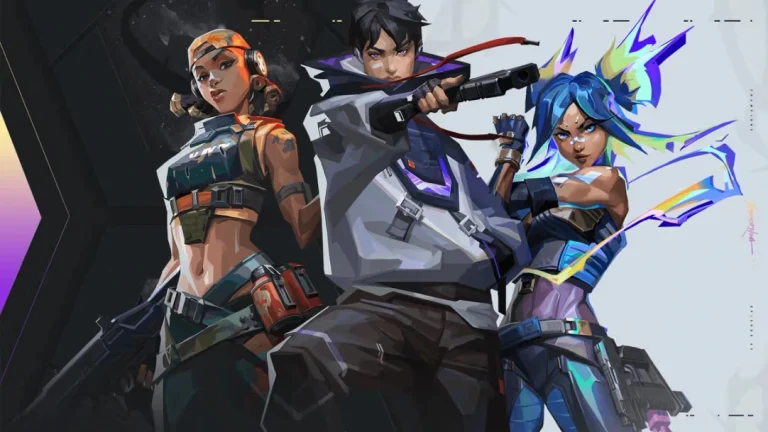
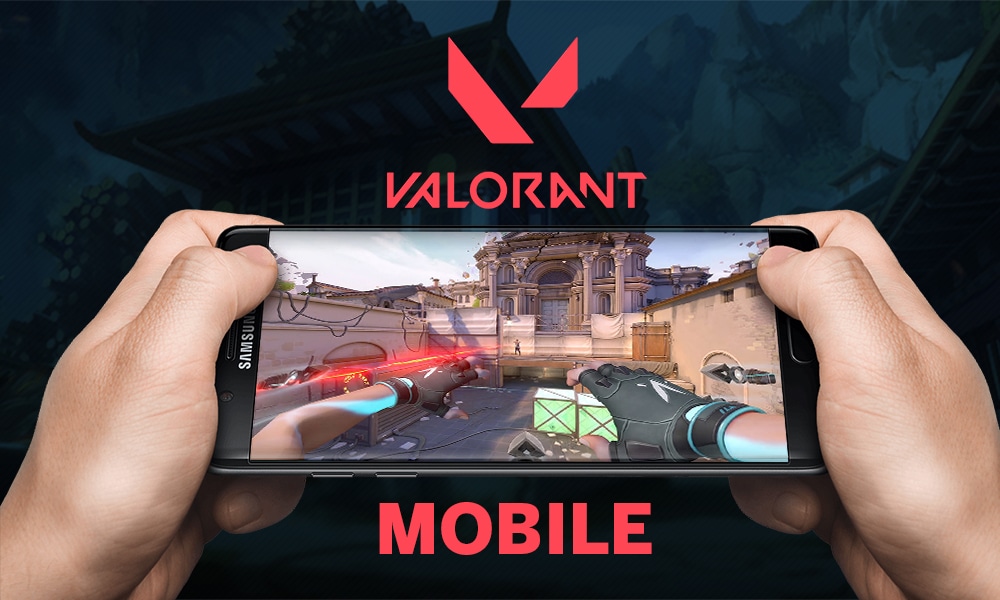
Valorant Mobile is the mobile version of Riot Games’ popular tactical shooter, Valorant. Indian players are eager to know when they can start playing it. This article covers the expected release date, features, beta testing, and gameplay details for Valorant Mobile in India.

Valorant Mobile Release Date and Availability

Riot Games has not announced an official release date for Valorant Mobile in India. The game is still in development, and testing has started in China. Early gameplay videos suggest the mobile version closely mirrors the PC experience.

Players in India may need to wait until testing phases finish before getting access. Riot Games could release pre-registration details or beta invites in the coming months.

What Can Indian Players Expect From Valorant Mobile?

Valorant Mobile is not a direct copy of the PC version. Riot Games is optimizing the controls and graphics for smartphones. Here are the expected features:

  • Shorter Matches – Faster rounds to suit mobile gaming.
  • Simplified Controls – Easy-to-use touch controls for smooth gameplay.
  • Familiar Agents and Abilities – Players can use the same characters and powers from the PC version.
  • New Skins and Items – Unique skins and cosmetics for mobile users.
  • High-Quality Graphics – Visuals optimized for mobile without reducing performance.

Valroant Mobile Beta Testing and Pre-Registration

Testing for Valorant Mobile has begun in China. Players there have shared videos and screenshots showing early versions of the game.

Riot Games may expand testing to other regions soon. Indian players should check Riot Games’ official website and social media for updates about pre-registration and beta testing.

How Does Valorant Mobile Compare to PC?

Valorant Mobile keeps the core gameplay of the PC version. Players can choose agents, use special abilities, and aim for team-based objectives.

However, there may be changes to match length, map size, and control layouts to suit mobile screens. Riot Games’ focus is to make the game run smoothly while keeping it fun and competitive.

Valorant Mobile is one of the most anticipated games for Indian mobile gamers. While Riot Games has not confirmed a release date in India, the game is in active development and undergoing testing.

Players can expect shorter matches, optimized controls, and familiar gameplay from the PC version. Follow Riot Games’ official channels for updates on beta tests, pre-registration, and the official launch date.

Stay tuned for more news about Valorant Mobile in India!
Valorant Ranks Guide: New Ranking System Explained

0

Valorant, the popular first-person shooter developed by Riot Games, features a competitive ranking system that allows players to test their skills and climb the ladder. Whether you’re a beginner or a seasoned player, understanding how ranks work in Valorant is crucial for improving gameplay and advancing to higher tiers.

This guide covers everything you need to know about Valorant ranks, their requirements, and tips to climb faster.


How Does Valorant’s Ranking System Work?

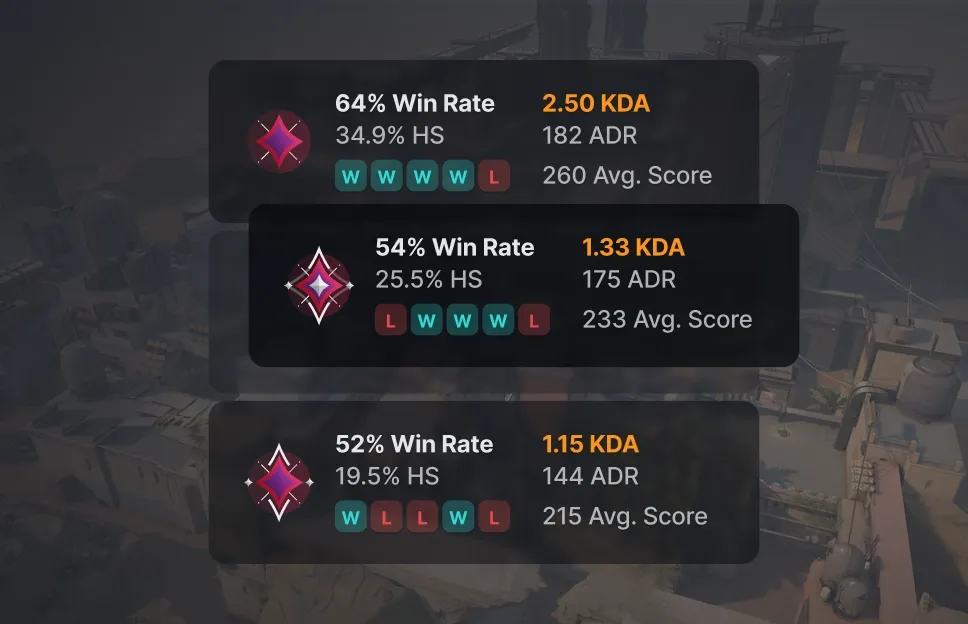
Valorant uses Matchmaking Rating (MMR) and Rank Rating (RR) to determine a player’s rank.

  • MMR (Hidden Skill Rating): Determines the opponents you face based on your skill level.
  • RR (Visible Points): Decides rank progression based on wins, losses, and in-game performance.

Key Points:

  • Winning matches grants +10 to +50 RR points while losing deducts -10 to -30 RR points.
  • High performance, such as maintaining a strong Kill/Death (K/D) ratio, helps minimize losses and maximize gains.
  • Players earn 100 RR points to advance to the next rank.

MMR cannot be seen directly, but it influences match pairings and rank resets.


Requirements to Unlock Ranked Mode in Valorant

To access Valorant’s ranked mode, players must:

  1. Reach account level 20.
  2. Complete five placement matches to receive an initial rank.

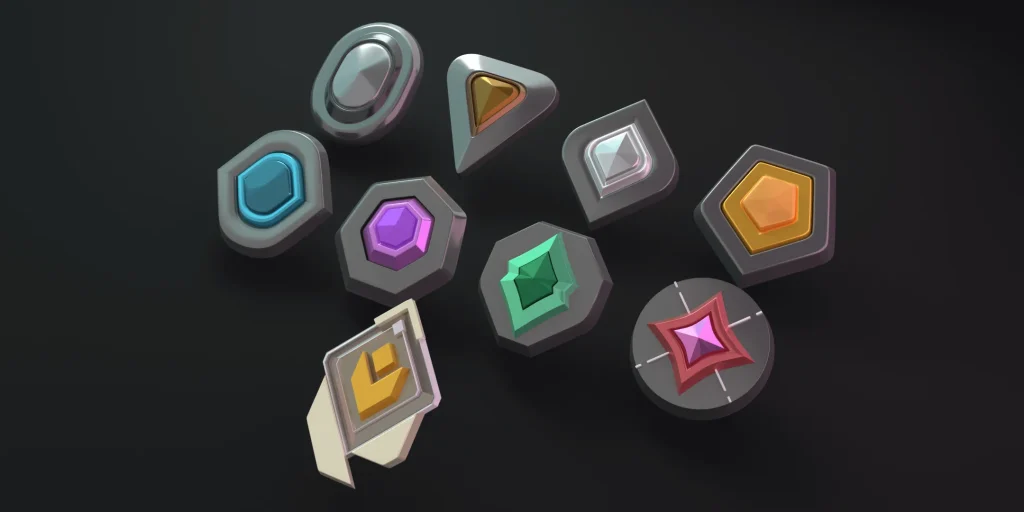
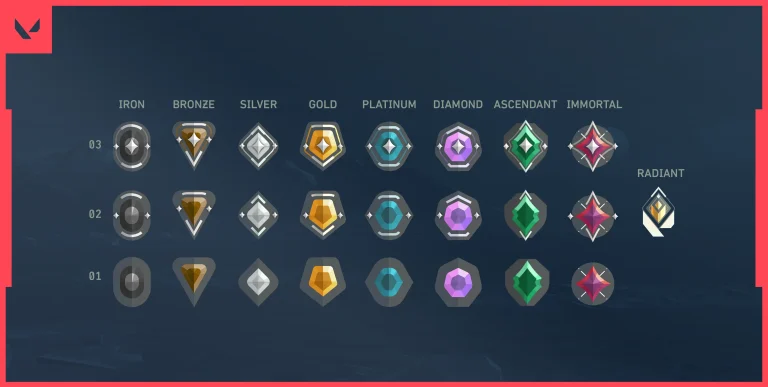
All Valorant Ranks and Tiers

Valorant offers 9 main ranks, with 8 of them divided into three tiers each to measure progress more accurately.

RankTiers
IronIron 1, Iron 2, Iron 3
BronzeBronze 1, Bronze 2, Bronze 3
SilverSilver 1, Silver 2, Silver 3
GoldGold 1, Gold 2, Gold 3
PlatinumPlatinum 1, Platinum 2, Platinum 3
DiamondDiamond 1, Diamond 2, Diamond 3
AscendantAscendant 1, Ascendant 2, Ascendant 3
ImmortalImmortal 1, Immortal 2, Immortal 3
RadiantNo tiers (Top 500 globally)

Radiant is the highest rank, reserved for elite players, and requires exceptional skill to achieve.


Valorant Rank Distribution

Valorant Ranks In 3d

Based on September 2024 data, most players are in lower or mid-level ranks.

RankPercentageApproximate Players
Iron7.47%678,354
Bronze18.7%1,697,319
Silver23.05%2,091,959
Gold21.63%1,962,844
Platinum14.79%1,342,557
Diamond9.26%840,741
Ascendant4.25%386,375
Immortal0.78%71,650
Radiant0.023%2,091

Only 5.05% of players are in Ascendant or above, showing the competitive difficulty of reaching higher ranks.


Valorant Rank Reset Rules

Ranks reset at the end of each Act or Episode:

  • Act Reset: Requires one match to re-establish rank, often close to the previous rank.
  • Episode Reset: Requires five placement matches and can significantly lower your rank based on performance.

Playing with Friends in Ranked Mode

Valorant allows playing with friends, but rules differ based on group size:

  • Five-Player Groups: No rank restrictions but point penalties apply based on the highest rank.
  • Two- or Three-Player Groups: Rank limitations apply. For example, Gold players can team up with Silver or Platinum, but not higher.
  • Immortal and Radiant: These players face stricter rules and often require 2 or 5-player queues.

Tips to Improve Your Rank in Valorant

  • Warm-Up Before Matches: Use practice ranges and quick matches to improve aim and confidence.
  • Focus on Teamwork: Effective communication with teammates helps win matches.
  • Choose the Right Agents: Pick agents suited to your playstyle, such as duelists like Jett for aggressive gameplay or controllers like Brimstone for strategy.
  • Analyze Gameplay: Review past matches to identify and fix mistakes.
  • Consistent Practice: Daily drills on shooting accuracy and map knowledge will gradually improve skills.

Valorant’s ranking system rewards skill, consistency, and strategic thinking. By understanding the mechanics of MMR and RR, meeting rank requirements, and applying effective strategies, players can steadily climb the ranks. Whether starting from Iron or aiming for the prestigious Radiant tier, success depends on dedication, teamwork, and continuous improvement.

Valorant Tracker: All You Need To Know

0

Valorant is a competitive shooter that demands strategy and precision. Players often use Valorant trackers to monitor performance, analyze statistics, and improve gameplay.

This guide explains what a Valorant tracker is, how it works, and which tools provide the best results. It also highlights safe usage practices to avoid penalties.

What is a Valorant Tracker?

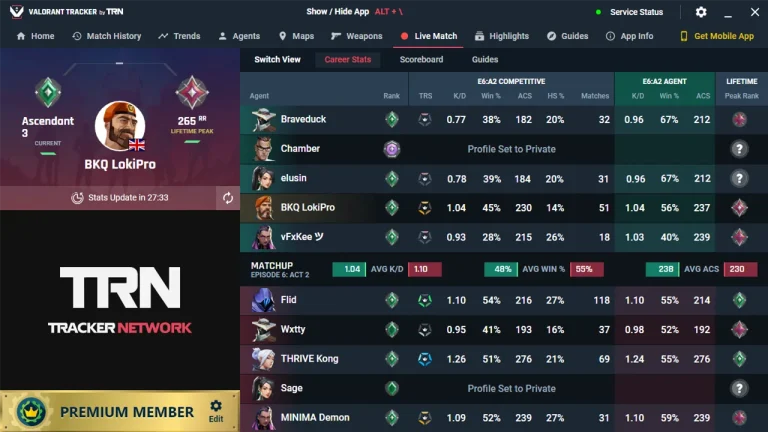
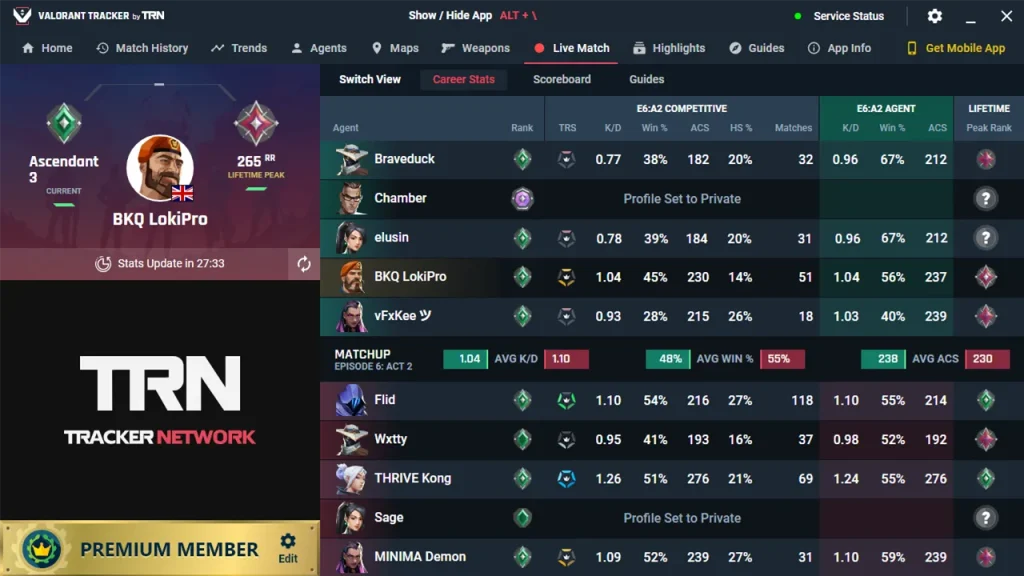
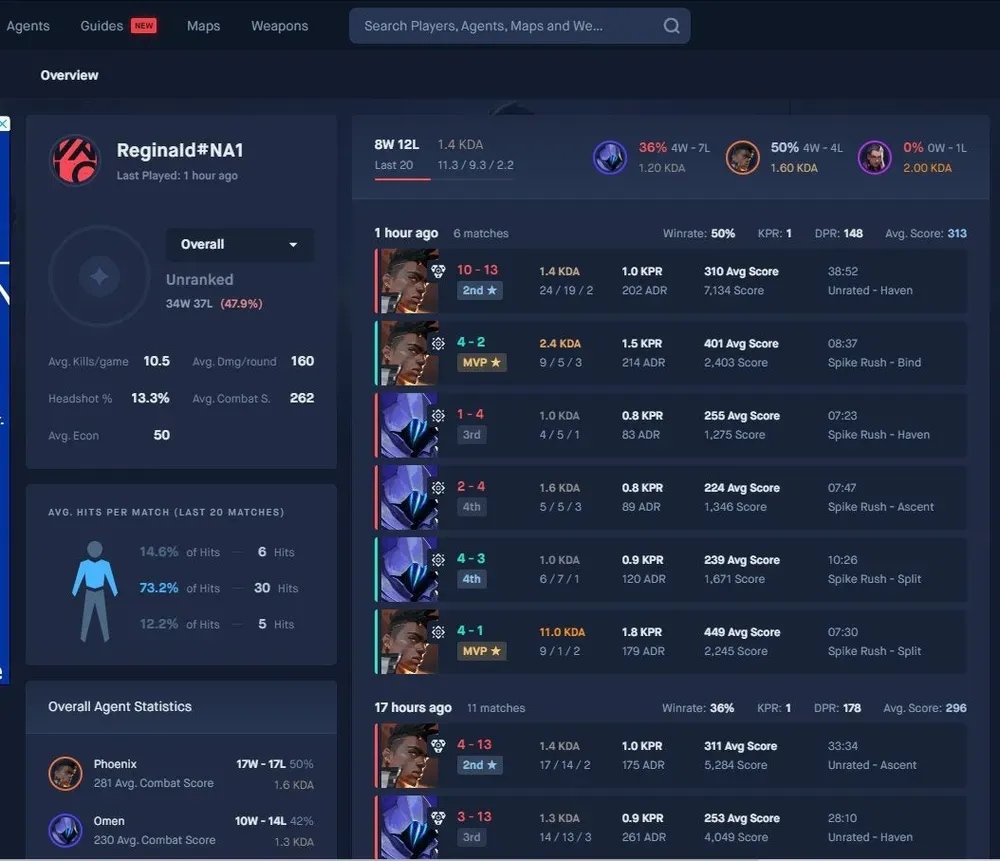
A Valorant tracker is a tool that collects and displays performance data from the game. It provides detailed statistics like:

  • Kills, deaths, and assists.
  • Win-loss records.
  • Agent and map performance.
  • Comparison with other players.

These tools help players identify strengths and weaknesses to improve performance.

How Do Valorant Trackers Work?

Valorant performance tools use Riot Games’ API to access in-game data. Players log in with their Riot ID to sync stats.

Trackers then generate reports showing:

  • Match history.
  • Rank progression.
  • Accuracy and damage statistics.

Some tools also include overlays, displaying data during matches without leaving the game.

Top Valorant Trackers

1. Tracker.GG

Tracker.GG is popular among professional players and streamers. It provides:

  • Real-time performance tracking.
  • Global leaderboards.
  • Agent-specific insights.
  • Lineup guides for skills and abilities.

Why Use It?
Tracker.GG offers detailed stats and strategies for players focused on ranked play.

2. Blitz.GG

Blitz.GG is known for its clean design and Riot-approved status. Features include:

  • Video highlight recording.
  • Agent and map performance metrics.
  • Built-in tips and tutorials.

Why Use It?
Blitz.GG helps players track stats while also providing tools to share gameplay highlights.

3. Dak.GG

Dak.GG focuses on competitive rankings and trends. Key features:

  • Rank and performance graphs.
  • Opponent analysis.
  • Team performance metrics.

Why Use It?
Dak.GG is ideal for tracking rank progression and analyzing competitive trends.

Are Valorant Trackers Safe?

Approved trackers, such as Tracker.GG and Blitz.GG, are safe and comply with Riot Games’ guidelines. They access data through Riot’s official API.

Safety Tips:

  • Avoid unapproved tools to prevent bans.
  • Use only one tracker at a time to avoid anti-cheat flags.

How to Track Valorant Stats Effectively

  1. Choose the Right Tool
    Pick a tracker based on your goals, whether improving performance or monitoring rank progression.
  2. Review Data Regularly
    Analyze patterns, including kill ratios and map performance, to identify weak areas.
  3. Set Goals
    Focus on specific improvements, like increasing accuracy or reducing deaths per match.
  4. Track Progress Over Time
    Use performance graphs to measure growth and refine strategies.

Valorant trackers give players insights to improve performance and climb the ranks. Tools like Tracker.GG, Blitz.GG, and Dak.GG offer detailed stats, match histories, and ranking data.

By analyzing trends and setting goals, players can sharpen their skills and compete at higher levels. Use Riot-approved trackers to stay safe and avoid penalties.

Best VALORANT Crosshair Color Codes to Boost Your Accuracy in 2025

0

In VALORANT, accurate aiming is critical for success. Customizing your crosshair improves visibility and precision. Players can change the size, shape, and color of their crosshairs. This guide explains the best VALORANT crosshair codes and FPS aim settings to help you improve performance.

Why Crosshair Colors Matter

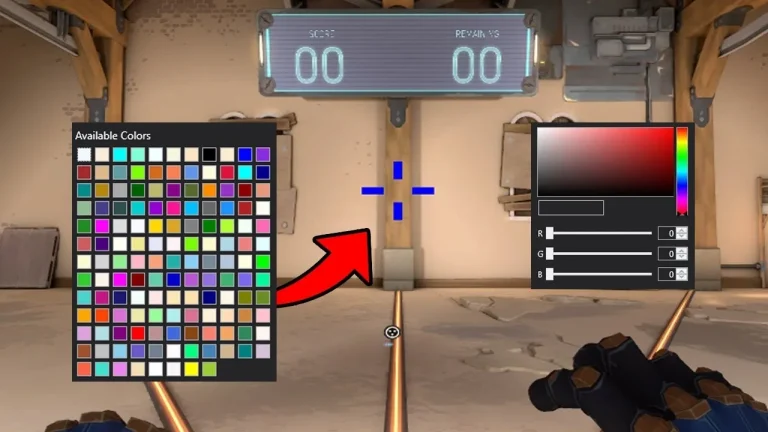
A crosshair that blends into the background can make it hard to aim. Bright and contrasting colors stand out and keep your aim sharp. Custom crosshairs can also suit different maps for better visibility.

Benefits of Color Customization:

  • Better Visibility: Stand out against map backgrounds.
  • Improved Focus: Keep your aim centered on the target.
  • Map-Specific Adjustments: Use colors that match each map’s layout.

What’s The Best Crosshair Color in VALORANT?

These HEX codes represent the most commonly used crosshair colors in VALORANT:

ColorHEX Code
Black#000000
White#FFFFFF
Neon Green#00FF00
Hot Pink#FF1493
Bright Orange#FF4500
Baby Blue#00B5FF

Pick a color that contrasts well with map tones. Test these codes in training sessions to find what works best for you.

Best Colors for Each Map

Maps in VALORANT have different themes and colors. Choose crosshair colors based on map designs to avoid blending in.

MapColorHEX Code
AscentCyan Blue#00E0FF
BindSky Blue#00A1FF
BreezeAqua#00FFDF
FractureDeep Blue#005BFF
HavenMedium Blue#0078FF
IceboxNeon Green#2AFF00
PearlBright Red#FF1D00
LotusTomato Red#FF6347

Change colors based on each map’s dominant shades. This helps keep your crosshair visible in every match.

Quick Tips for Better Aim Settings

  1. Test Transparency: Semi-transparent designs reduce distractions while staying clear.
  2. Use Static Crosshairs: Static crosshairs improve focus during precise shots.
  3. Adjust Thickness: Thin lines are great for accuracy, but thicker lines help visibility.
  4. Change Crosshairs by Map: Set up different profiles for each map to keep consistency.

How to Edit Valorant Crosshair Settings

  1. Open Settings in VALORANT.
  2. Go to the Crosshair Tab.
  3. Customize Inner Lines, Outer Lines, and Center Dot.
  4. Use HEX codes to change colors and test settings in practice mode.

Custom crosshair colors improve aim and visibility. Use the best VALORANT crosshair color codes to stand out on any map. Test and refine your settings for consistent performance. Apply these tips to improve accuracy and dominate your matches.

Try these codes today and boost your aim in VALORANT!

Best CS2 Viewmodel Settings for 2025

0

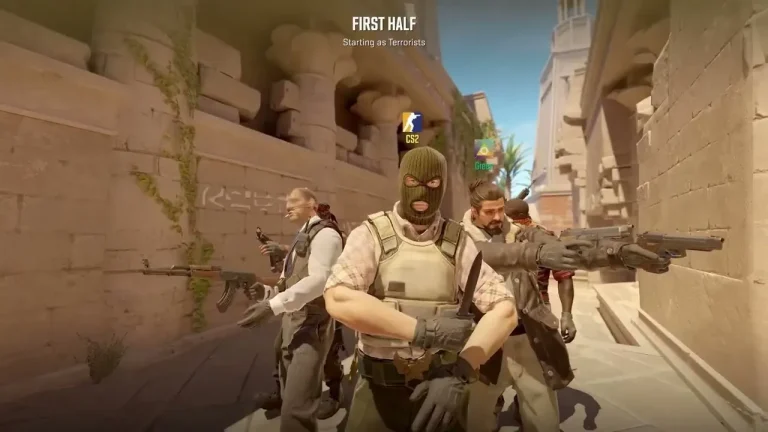
Counter-Strike 2 (CS2) allows players to adjust viewmodel settings. These settings control how weapons and hands appear on the screen. Customizing these options can improve visibility, aiming, and comfort.

This guide explains the best CS2 viewmodel settings. It also lists commands to help players customize their setup quickly.

What is a Viewmodel?

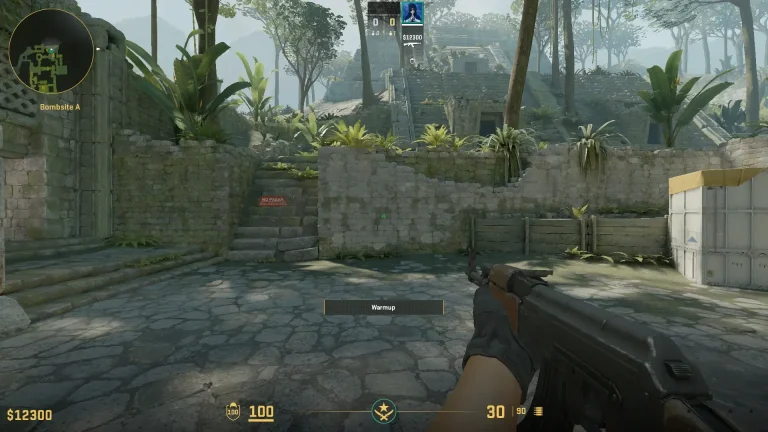
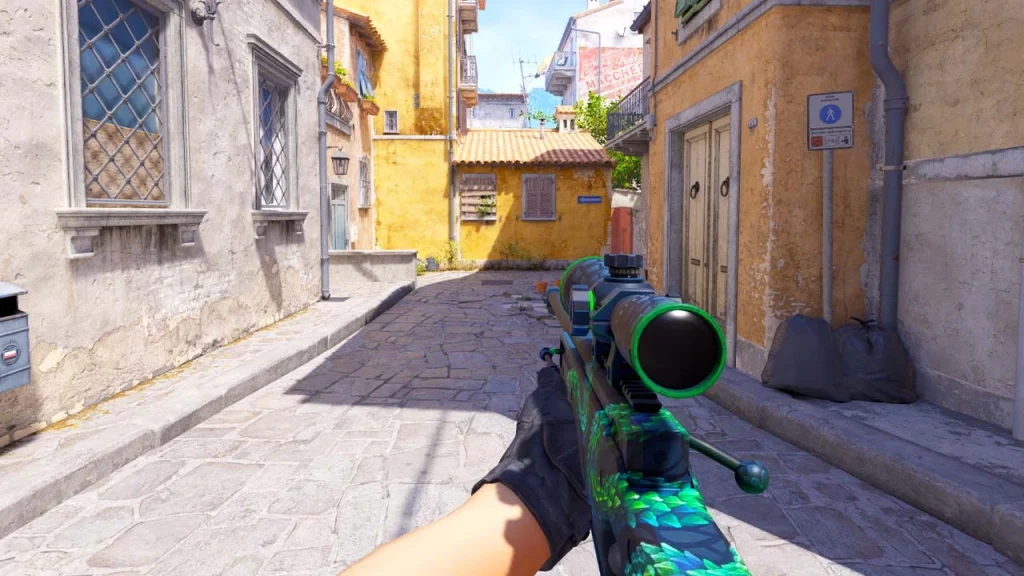
A viewmodel is the visible position of your weapon and hands during gameplay. It affects:

  • Field of View (FoV): Reduces visual clutter to help spot enemies.
  • Aiming Consistency: Keeps weapon position steady for better accuracy.
  • Personal Preference: Allows players to adjust visuals for comfort.

Key CS2 Viewmodel Commands

Players can use console commands to adjust viewmodels.

  1. viewmodel_offset_x [value] – Moves the weapon left or right.
  2. viewmodel_offset_y [value] – Moves the weapon forward or backward.
  3. viewmodel_offset_z [value] – Moves the weapon up or down.
  4. cl_righthand [0/1] – Switches the weapon between hands.
  5. viewmodel_fov [value] – Changes the Field of View (FoV).

Range Limits:

  • FOV: 54–68
  • Offsets: -2 to 2

How to Choose the Best Viewmodel for You

CS2 Viewmodel

1. Minimal Viewmodel

  • Commands:
    • viewmodel_offset_x -2
    • viewmodel_offset_y 2
    • viewmodel_offset_z -2

Pros:

  • Maximizes screen visibility.
    Cons:
  • Reduces weapon visibility.

2. Centered Viewmodel

  • Commands:
    • viewmodel_offset_x 0
    • viewmodel_offset_y 1
    • viewmodel_offset_z -1

Pros:

  • Balanced positioning.
    Cons:
  • Slightly reduces visibility.

3. Left-Handed Viewmodel

  • Command:
    • cl_righthand 0

Pros:

  • Useful for left-handed players.
    Cons:
  • May feel unusual for right-handed players.

4. Maximized Weapon Visibility

  • Commands:
    • viewmodel_offset_x 2
    • viewmodel_offset_y -2
    • viewmodel_offset_z 2

Pros:

  • Highlights weapon details.

Cons:

  • Adds screen clutter.

How to Change Viewmodel Settings in CS2

  1. Open Console: Press the ~ key.
  2. Enter Commands: Type viewmodel commands directly.
  3. Test Settings: Adjust values until satisfied.
  4. Save Changes: Add commands to autoexec.cfg for automatic application.

Adjusting CS2 viewmodel settings improves gameplay by enhancing visibility, precision, and comfort. Players should experiment with commands to find their ideal setup. Saving configurations ensure consistency for future matches.

This guide provides the commands and tips needed to create the best CS2 viewmodel settings for any player style.

Frequently Asked Questions

1. What is the best CS2 viewmodel for competitive play?
A minimal viewmodel is preferred for maximizing visibility and focus during gameplay.

2. Does viewmodel customization affect performance?
Yes, optimizing viewmodels reduces visual clutter and improves aiming precision.

3. How do I save my viewmodel settings?
Add commands to your autoexec.cfg file for automatic application.

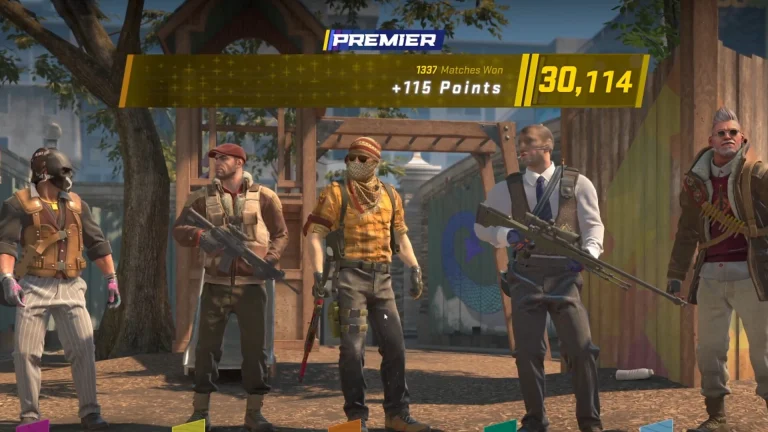
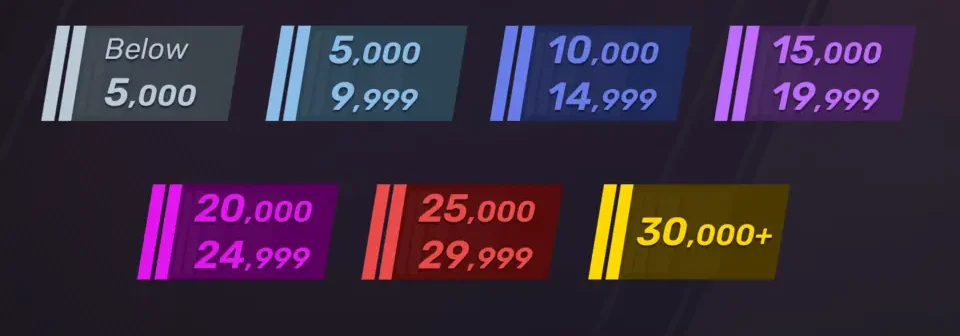
CS2 Ranking System Explained In 2025

The CS2 ranking system helps match players with opponents of similar skill levels. It uses Matchmaking Rating (MMR) to track performance. Winning matches increases MMR, while losing decreases it.

This guide explains CS2 ranks, MMR distribution, and ways to improve rank. It also covers profile ranks, service medals, and tips to protect progress.


How the CS2 Ranking System Works

The ranking system in Counter-Strike 2 is based on Matchmaking Rating (MMR). It evaluates performance through wins, losses, and individual contributions.

Key Features of the CS2 Ranking System:

  • Map-Based Ranking: Players have different ranks for each map.
  • Skill-Based Tiers: Ranks divide players based on skill level.
  • Rank Progression: Winning raises MMR, while losing lowers it.

CS2 Ranks and Tiers

CS2 Ranking System Explained

CS2 ranks include 18 levels grouped into six tiers.

Beginner Ranks (Silver Tier):

  • Silver I – Silver Elite Master: Focuses on basic skills, movement, and aim.

Intermediate Ranks (Gold Nova and Master Guardian):

  • Gold Nova I – Gold Nova Master: Introduces teamwork, strategies, and utility usage.
  • Master Guardian I – Master Guardian Elite: Improves tactical knowledge and shooting accuracy.

Advanced Ranks (Legendary Eagle to Global Elite):

  • Legendary Eagle – Supreme Master First Class: Highlights advanced tactics and coordination.
  • Global Elite: Represents the top players with professional-level skills.

Matchmaking Rating (MMR) Breakdown

MMR is grouped into ranges to represent skill levels.

MMR RangeSkill Group
0 – 4999Silver to Gold Nova
5000 – 9999Gold Nova to Master Guardian
10000 – 14999Legendary Eagle to Elite Levels
15000 – 19999Supreme Master First Class
20000+Global Elite

Most players rank between Gold Nova and Master Guardian, while only a few reach Global Elite.


Tips to Rank Up Faster in CS2

1. Practice Aim and Map Knowledge

  • Use training maps to improve shooting accuracy.
  • Learn map layouts and key callouts for better strategies.

2. Focus on Teamwork and Communication

  • Share enemy positions using voice chat.
  • Plan coordinated attacks and defenses with teammates.

3. Study Pro Players

  • Watch professional matches to understand advanced tactics.
  • Apply their strategies in your matches.

Profile Ranks and Service Medals

Profile ranks track overall progress through XP points earned in matches.

  • XP Ranks: Start at Private Rank 1 and go up to Global General Rank 40.
  • Service Medals: Players earn medals after reaching Rank 40. Medals reset each year, encouraging consistent gameplay.

Purpose of Profile Ranks:

  • Unlocks competitive mode for new players.
  • Shows dedication through medals displayed on profiles.

How to Protect Your Rank

1. Avoid Rank Decay:

  • Play at least one competitive match per month to prevent rank drops.

2. Follow Rules to Avoid Bans:

  • Do not quit matches or kick teammates to avoid penalties.
  • Avoid cheating as bans can be permanent.

The CS2 ranking system uses MMR to match players fairly. Ranks range from Silver I to Global Elite, offering goals for every skill level.

Improving rank requires daily practice, teamwork, and map knowledge. Following strategies from pro players and maintaining consistent performance helps players climb faster.

By understanding ranking mechanics and protecting progress, players can reach higher levels and enjoy competitive gameplay.

How to get cheap VALORANT Points

0

VALORANT, the popular game by Riot Games, has a thriving in-game economy. The currency, VALORANT Points (VP), is a key part of this system.

Players often purchase VP with real money to unlock skins, battle passes, and other items. But, these points can be expensive.

So, how can you get cheap valorant points? Is it even possible to find valorant points cheap?

This guide will provide you with legitimate methods to save money while purchasing VP. We’ll explore tips, tricks, and strategies to help you get the most out of your gaming budget.

Understanding VALORANT Points

VALORANT Points (VP) are the premium currency in the game. They allow players to buy various in-game items.

Skins, battle passes, and other special items can be acquired using VP. These enhance the gaming experience.

To obtain VP, players typically spend real money. This is the most common method.

However, acquiring VP can become costly over time. Thus, finding ways to get cheap VP is beneficial for regular players.

Official Promotions and Sales

Riot Games often runs promotions that offer VP discounts. These are legitimate ways to obtain cheap valorant points.

Keep an eye on official announcements for upcoming sales. This can save you a significant amount on purchases.

To stay informed, consider these methods:

  • Sign up for Riot Games’ newsletters
  • Follow official VALORANT social media accounts
  • Check the in-game store regularly for deals

Participating in Tournaments and Contests

Many official VALORANT tournaments and contests award VALORANT Points as prizes. By joining these, you could earn VP without spending any money.

Research upcoming events and sign up to participate. Winning or placing in these contests can provide significant savings on VP purchases.

Leveraging Regional Pricing Differences

Regional pricing differences can be a great way to get cheap VALORANT Points. Some regions offer VP at lower costs due to currency conversion rates or economic factors.

By understanding these pricing strategies, you could save money on your VP purchases. Always ensure such practices comply with the game’s terms and conditions.

Buying in Bulk for Better Value

Purchasing VALORANT Points in larger quantities can often provide better value. Bulk purchases usually offer more VP per dollar spent.

Consider waiting until you can afford a larger VP purchase. This method maximizes your spending efficiency without needing frequent transactions.

Authorized Retailer Gift Cards and Digital Wallet Promotions

Using gift cards from authorized retailers is a reliable way to buy cheap VALORANT Points. These cards often come with promotional offers.

Digital wallet promotions can also reduce your costs. They sometimes provide discounts or cashback deals that make VP more affordable.

Here’s how you can benefit from these methods:

  • Buy gift cards during sales or promotions.
  • Use digital wallets offering discounts or rewards.
  • Check for cashback opportunities with certain payment methods.

Social Media and Gaming Communities

Social media platforms are treasure troves of information for VALORANT deals. Follow official accounts for announcements about sales or promotions.

Gaming communities are equally valuable. Engage with players who often share insights on finding cheap vp. These communities are rich resources for time-sensitive discounts.

Credit Card Rewards and Gaming Memberships

Some credit cards offer cashback on gaming purchases. These rewards can be applied to buy valorant points cheap.

Moreover, gaming memberships sometimes include discounts on in-game purchases. Utilize these benefits to save on cheap VP.

Conclusion: Prioritizing Security and Legitimacy

Securing cheap Valorant Points is appealing, but always prioritize safety. Make sure you’re buying through official sources to avoid scams.

Unauthorized ways can lead to account bans. Stay informed about deals, and always prioritize secure and legitimate channels for acquiring VP.

How to Optimize CPU and GPU Performance in CS2 for Higher FPS

Counter-Strike 2 (CS2) players often face performance issues, such as low FPS and stuttering. Improving CPU and GPU performance can create smoother gameplay and reduce lag. This guide explains simple steps to boost FPS in CS2, adjust graphics settings, and update drivers for better performance.

How to Check Whether You’re CPU or GPU-Limited

Before diving into settings adjustments, determine whether your system is CPU or GPU-limited:

  1. Launch CS2 in offline mode and select any map.
  2. Open the console (' key) and enter: cl_showfps 2.
  3. Go to Video Settings and disable FSR (FidelityFX Super Resolution).
  4. Play a test round with bots, noting your FPS.
  5. Change FSR to Performance mode and replay the round.
  6. FPS Increase: If FPS improves, your system is GPU-limited.
  7. No Change in FPS: Your system is CPU-limited.

Optimizing Graphics Settings for GPU-Limited Systems

If your system struggles with graphics processing, lowering settings can provide a noticeable FPS boost in CS2:

  • Boost Player Contrast: Enabled
  • V-Sync: Disabled
  • Global Shadow Quality: Low
  • Model/Texture Detail: Low
  • Texture Filtering: Disabled
  • Shader Detail: Low
  • Particle Detail: Low
  • Ambient Occlusion: Low
  • HDR (High Dynamic Range): Performance
  • FSR (FidelityFX): Performance
  • NVIDIA Reflex Low Latency: On + Boost

This configuration prioritizes performance over visuals, providing smoother gameplay even on low-end systems.

Dealing with CPU-Limited Systems

For CPU-bound setups, graphics settings adjustments offer minimal improvements. Instead, focus on:

  1. Processor Upgrades: Consider upgrading to a faster processor.
  2. Close Background Processes: Shut down unnecessary applications to free up CPU resources.
  3. Enable High-Performance Mode: In Windows, set the Power Plan to High Performance via Control Panel > Power Options.

System-Wide Optimizations for FPS Boost in CS2

1. Update Windows and Drivers

  • Windows 11 Upgrade: Benchmarks reveal an FPS increase of 10-20 frames when switching from Windows 10 (22H2) to Windows 11 (23H2).
  • GPU Driver Updates: Ensure your Nvidia or AMD graphics drivers are up-to-date for the latest performance enhancements.

2. Optimize Windows Settings

  • Disable Game DVR and Xbox Game Bar: These can slow performance.
  • Turn Off Background Apps: Go to Settings > Privacy > Background Apps and disable unnecessary programs.
  • Adjust Virtual Memory: Increase paging file size to match system RAM for smoother performance.

3. Overclocking CPU and GPU (Advanced Users)

Overclocking can extract additional performance from your hardware but should be approached cautiously to avoid overheating and hardware damage. Use tools like MSI Afterburner for GPUs and Intel XTU for CPUs.

Additional Tips for Smooth Gameplay

  • Custom Launch Options: Add the following parameters in CS2 launch settings via Steam:-novid -high -threads <number of cores> -nojoy -fullscreen
  • Clear Shader Cache: Occasionally clear the shader cache to prevent stuttering caused by outdated files.
  • Network Optimization: Use a wired connection for more stable online play.

Improving CPU and GPU performance in CS2 requires identifying hardware limits, adjusting settings, and updating drivers. Players can fix low FPS issues by lowering graphics settings, closing background tasks, and enabling Windows performance modes. Following these steps ensures smoother gameplay and faster response times in CS2.

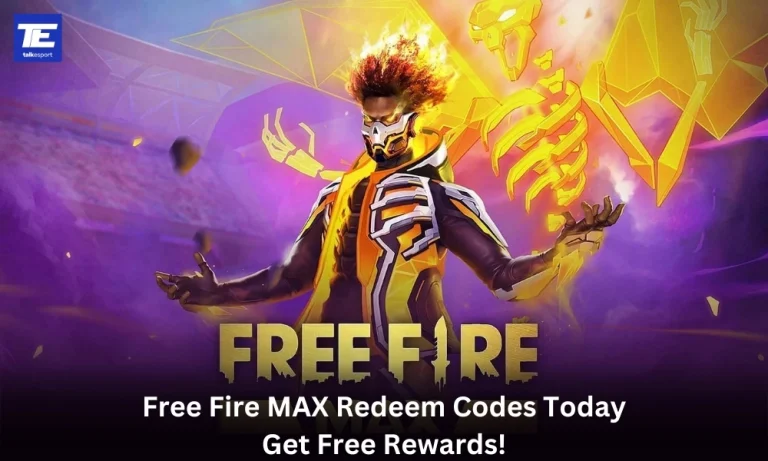
Free Fire MAX Redeem Codes Today (31st December, 2024): Get Free Rewards!

Free Fire MAX, the renowned battle royale game, continues to captivate gamers worldwide with its intense gameplay and vast array of in-game rewards. One of the most sought-after features in the game are the Free Fire MAX redeem codes, which grant players access to exclusive items and goodies without spending any money.

Free Fire MAX redeem codes are special combinations of characters that, when entered correctly, provide players with various rewards such as weapon skins, character outfits, and in-game currency. While these codes are not released frequently, stumbling upon a working code can significantly enhance the gaming experience.

All New Free Fire MAX Redeem Codes for Today 31st December 2024

Here are some redeem codes redeem codes you can use to get free items in the game today 31st December 2024:

  • 590XATDKPVRG28N
  • 2W9FVBM36O5QGTK
  • WOPLMFJ4NTDHR3V
  • 4PAS6TQ87CXMLNV
  • NRD8L6Y7M4E29U1
  • CT6P42J7GRH50Y8
  • YW2B64F7V8DHJM5
  • VQRB39SHXW10IM8
  • BMD8FUSQO4ZGINA
  • O74JF9YC6HXKGDU
  • AJEBVGL3ZYTKNUS
  • 68SZRP57IY4T2AH
  • V8CI2B3TL6QYXG7

HOW TO Free Fire MAX REDEEM CODES TODAY

Redeeming codes in FF MAX is a quick and straightforward process. Follow these steps to claim your rewards:

  1. Navigate to the official Free Fire MAX redemption website
  2. Sign in using your account credentials. Ensure that you have a valid account linked to either Facebook, Google, VK, or Huawei.
  3. Enter the Redeem Code: Input the redeem code into the provided field and click on the “Confirm” button.
  4. Collect Your Rewards: Once the code is successfully redeemed, the rewards will be sent directly to your in-game mailbox. Launch Free Fire MAX and claim your items from the mailbox.

Tips for Using Redeem Codes in Free Fire MAX

  • Timely Redemption: Redeem codes have expiration dates, so it’s essential to use them promptly to avoid missing out on rewards.
  • Regional Restrictions: Some codes may be region-specific and may not work if you are in a different region. If a code doesn’t work, try using another one.
  • Single Use: Most codes can only be redeemed once per account, so ensure you enter the code correctly the first time.

Free Fire MAX redeem codes tend to expire very soon and hence, make sure to use them as soon as you can. Some of them can be region restricted and if you find one like that, simply move on to the next one as region restricted codes cannot be used in other areas.

Stay ahead in the world of esports with the TalkEsport app! Download now to get instant access to the latest news, live points tables, comprehensive esports calendars, and live streams of your favorite tournaments. Don’t miss out—get the app today

How to Get Iron Man Armor Model 42 Skin in Marvel Rivals

0

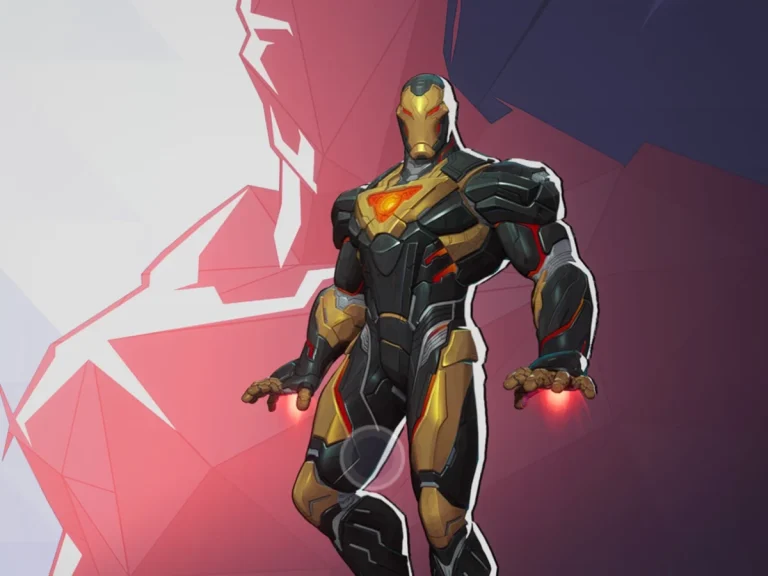
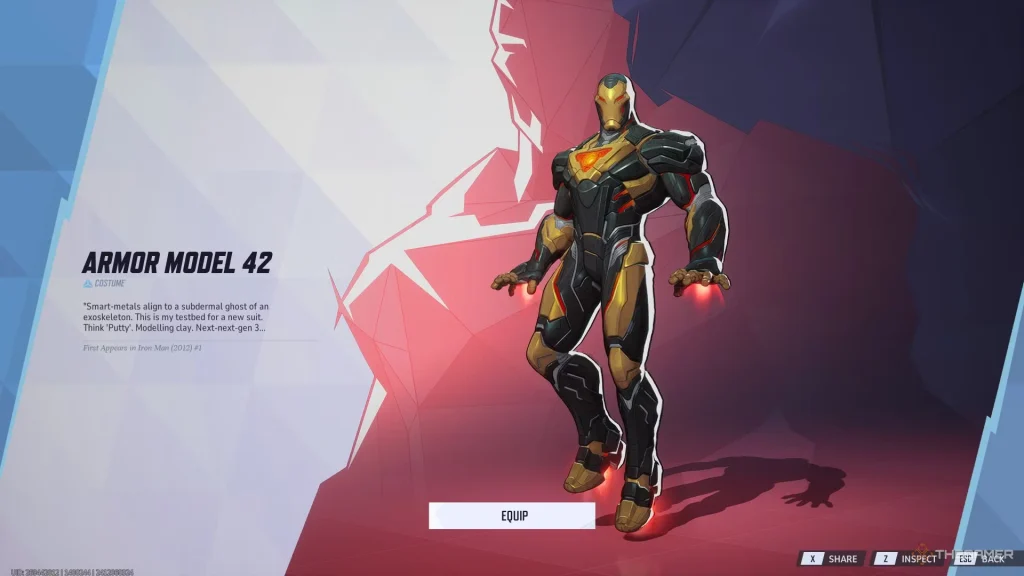
Marvel Rivals offers a free Iron Man Armor Model 42 skin. This black-and-gold suit is based on Iron Man’s design from the 2012 Marvel Now! comics. Players can unlock it using a redeem code.

This guide explains the steps to claim the skin, highlights its design and lists other free rewards available in Marvel Rivals.

Steps to Redeem the Armor Model 42 Skin

  1. Open the Game Settings
    • Launch Marvel Rivals and go to the Settings Menu.
  2. Find the Bundle Code Section
    • Look for the ‘Bundle Code’ option.
  3. Enter the Code
    • Type this code: nwarh4k3xqy (case-sensitive).
  4. Confirm and Equip the Skin
    • Submit the code and check your inventory.
    • Equip the skin under the Cosmetics Menu.

Note: The code expires on March 5, 2025. Claim it before the deadline.

Features of Iron Man Armor Model 42 Skin

Iron Man Armor Model 42 Skin in Marvel Rivals

The Armor Model 42 skin is based on Iron Man’s black-and-gold suit from the Marvel Now! comic series.

  • Design Highlights: Futuristic aesthetics with sleek gold and black plating.
  • Inspiration: Reflects Tony Stark’s advanced engineering style and comic-book origins.
  • Exclusive Availability: Free to all players during the promotional period.

This design not only resonates with comic fans but also stands out in Marvel Rivals’ fast-paced gameplay.

Design Features of the Armor Model 42 Skin

The Armor Model 42 skin has a sleek black-and-gold design inspired by Iron Man’s look in the Marvel Now! comics.

  • Modern Look – Features advanced plating and sharp angles.
  • Comic Accuracy – Matches the original color scheme from 2012.
  • Unique Style – Stands out in matches, making Iron Man more visually striking.

Other Free Rewards in Marvel Rivals

1. Magneto Will of Galacta Costume

  • Available through Twitch Drops.
  • Watch selected Twitch streams to earn the skin.

2. Season 0 Battle Pass

  • Includes free cosmetics and in-game bonuses.
  • Unlock rewards by playing matches and completing challenges.

3. Twitch Drop Waves

  • Rewards come in two phases.
  • Track Twitch event schedules to claim all items.

Why Claim the Armor Model 42 Skin?

The Iron Man Armor Model 42 skin adds variety to character customization. It gives players a chance to use a design based on Iron Man’s popular comic appearance.

Marvel Rivals offers more free rewards through Twitch Drops and the Season 0 Battle Pass, allowing players to expand their collection of cosmetics and skins.

Players can unlock the Iron Man Armor Model 42 skin in Marvel Rivals by entering the code nwarh4k3xqy before March 5, 2025.

Additional rewards, such as the Magneto Will of Galacta costume, are available through Twitch Drops. Players should also complete the Season 0 Battle Pass for more free items.

Claim these rewards and upgrade your Marvel Rivals experience today!