Home Blog Page 1573

Roblox Heroes Legacy Codes for May 2021

0

You probably know what is the popular Roblox Heroes Legacy game. Players have to fight against the bad guys to become a superhero otherwise they will become a supervillain. You have to buy swords, guns, and different weapons from the store to go for a neck and neck fight. However, it will cost you a lot of money. Don’t worry! We got your back. Here are the Roblox Heroes Legacy codes for May 2021.

Roblox Heroes Legacy Codes

Working Codes

  • Ty16M! – 2 rare spins
  • S0RRY! – 1800 seconds of 2x Experience
  • TyForPatience – 2 rare spins

Expired Codes

  • DessiAFO – 2 Spins
  • NoclypsoDOFA – 2 Rare Spins
  • 15KTHANKS! – 3600 seconds of 2x Experience
  • eXpBooStLoL – 1800 seconds of 2x Experience
  • StatRefund – Stat reset
  • Sub2Dessi – 10 Common Spins
  • 1KSUBS! – 3 Uncommon Spins
  • 100KFAVS! – 3 Uncommon Spins
  • 10THOUSANDLIKES – Free spins
  • DessiLegacy – 5,000 cash
  • thank_you!!  – Free cash
  • 750PLAYERS! – Free cash
  • paradiser – Free cash
  • goketsu – Free cash
  • bangthefighter – Free cash
  • 20KLIKES – 2000,000 cash
  • 18KLikes – 200,000 cash
  • Absolut3R!ghtful – 100,000 cash
  • 16KLikes – 100,000 cash
  • Boros – 100,000 cash
  • Aliens – 100,000 cash
  • LegendsNeverdie – 10,000 cash
  • RIPKobe – 10,000 cash
  • 13000LIKES – 200,000 cash
  • DEEPSEAKINGSEAWATER – 100,000 cash
  • RIPSpins – 200,000 cash
  • Zeke_y – 200,000 cash
  • LeePungg – 200,000 cash
  • BrokenClass – 5 spins
  • 12000LIKES – 5 spins
  • 10000LIKES – 5 spins
  • 9000LIKES – 5 spins

How to redeem Roblox Heroes Legacy Codes?

  • At first, open Roblox Heroes Legacy and click on the Settings button situated on the left.
  • Paste the code.
  • Click on Redeem button. Enjoy!

Recommended | Roblox Vehicle Legends Codes for May 2021
Apex Legends Infinite Loading Screen Error Fix

0

Apex Legends have been a popular game for a long time and players get to crew up or go about it solo and battle their rivals until they are unbeaten. However, there are bugs and errors in almost every game and Apex Legends is not an exception. The Infinite Loading Screen Error is one of the most annoying errors. Here is how to fix the Apex Legends Infinite Loading Screen Error.

How to fix Apex Legends Infinite Loading Screen Error?

  • At first disconnect your internet connection. If it shows a retry button click on it and it will start.
  • If you have multiple routers, switch to another router. It may fix the problem.
  • Restart your router.
  • If all of those fixes don’t work out, then try to log in with another account.

Hope these fixes worked out for you. If the problem still persist, let us know in the comment section below.

Recommended | Apex Legends Update 1.67 Patch Notes

Roblox Vehicle Legends Codes for May 2021
0

No doubt, a lot of players love to play Roblox. In this game, the vehicle race called Vehicle Legends is quite popular among the players. In Vehicle Legends, you can select any of those vehicles – trucks, helicopters, cars, and more. However, you need to upgrade your vehicle to win the race and it definitely costs a lot. You can upgrade your vehicle for free using the following Roblox Vehicle Legends Codes.

Roblox Vehicle Legends Codes

  • thxfor120k – 50,000 creds
  • thxfor100k – 50,000 creds
  • 200MilVisits – 40,000 credits
  • CodesReturned – Free cash
  • NewMapCode – Free cash
  • 25MVisitsIsNice – Free cash
  • 8DigitsOfVisits – $35,000 cash
  • Turbocharged – $40,000 cash
  • V3HICL3L3G3NDS

Note: The codes are account specific and available for a limited time. Try to redeem them as soon as possible.

How to redeem the Roblox Vehicle Legends Codes?

  • Open Roblox Vehicle Legends.
  • Click on the Twitter button on the top-right side and paste the code.
  • Then click on Redeem. Enjoy!

Recommended | Roblox – How to Get the 2D Cat in Adopt Me

Mobile Legends Bang Bang Redeem Codes for May 2021

Mobile Legends: Bang Bang is a very popular MOBA title in mobile games. This game is extremely famous in the Southeast Asian region and as a thanking gesture, MLBB often arranges several events or mini-collaborations with Gillette that gift some goodies to the players as a token of appreciation.

Mobile Legends: Bang Bang Redeem Codes

  • fqvxmy6ewevc22a75
  • ChouGift
  • ck3bcw9rc47622abu
  • SelenaGift
  • j27xwwqsg4ux22adj
  • ATN46GVMUV3N22ABQ
  • playlegends
  • Avpcgec28zg2229zt
  • 7d82zdkwy9c9229qx
  • 5eqjbc423k7t229z2
  • francochallenge
  • 34ws5frwwxhe229dw
  • gupyvk6yw2ka229wp
  • 8v4adedvfjcw229f9
  • bewithu
  • iloveu
  • ctm83ncv5a22um0i1
  • usynpwgsm48a229mq
  • jjnf25tys7st229k9
  • rnrvxqrpawjg229qs
  • vpnwf4jtgfhu229qx

How to redeem Mobile Legends redeem codes:

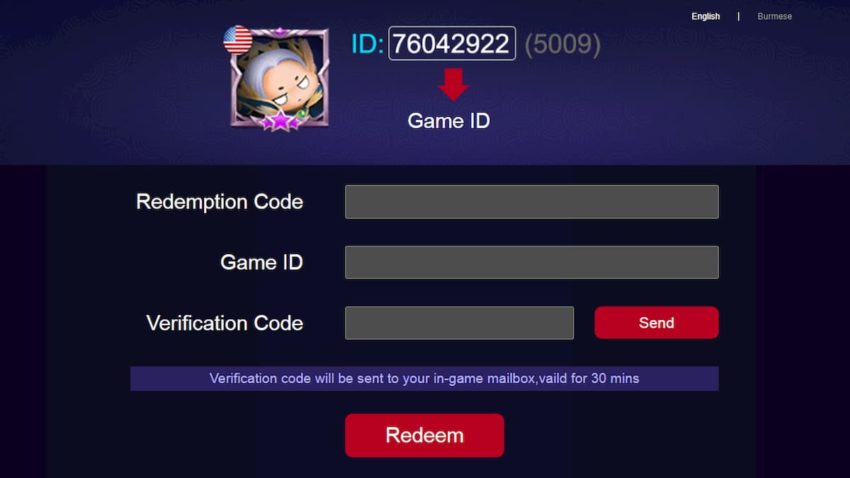
  1. Open Mobile Legends on your mobile and visit the profile section at the top left corner.
  2. Write down your ID and close the game
  3. Go to Mobile Legends: Bang Bang Redemption Center.
  4. Enter your Game ID and Redeem Code From The Above Given List in their respective boxes.
  5. Click on the Send option to receive the verification code in your ingame mailbox.
  6. Enter the verification code and click on the Redeem button.
  7. Now, open Mobile Legends again and check your mailbox to collect your reward.

COD Mobile Redeem Codes for May 2021

COD Mobile has achieved a large amount of success since its launch and occasionally, some redeem codes are released officially or via some influencers as a way to thank the community.

Some COD Mobile redeem codes were revealed recently and they offer some quality rewards for free. These rewards can be time-limited or permanent and can range from a normal gun skin to some legendary outfits. These codes are very easy to redeem but are region or time-specific and hence, get expired very quickly.

COD Mobile Redeem Codes For May 2021

Here is the list of Call Of Duty Mobile redeem codes that were released for May. Make sure to redeem them as soon as possible and keep in mind that the rewards can be region-specific and hence may or may not work for you.

  • BLILZCZ5UE
  • BJUNZBZBUA
  • BKHDZBZ7U5
  • BGRBZBZG3K
  • BJUCZBZ448
  • BFOBZBAVHJGZCSK
  • 3EREQN8HR4KXN 
  • BFNUZILDFZ4JU43
  • 170TSIINDQ9UZ 
  • ARPM3LUJ0JF97 
  • BFOGZBCPCFRZKSX
  • JNQ34TEANEG9R 
  • BFOBZDUCLOZ6DBT
  • QVABZA5RI7ZHQ 
  • BFQGZEBKCAZ97FP

How to redeem COD Mobile redeem codes

  • Launch COD Mobile and enter your profile section. Copy the UID code given on the top left corner of the screen.
  • Click here to visit COD Mobile Redemption Center.
  • Paste the UID Code in the first text box.
  • Enter the verification code and click on submit. Confirm your UID and exit.
  • Check your in-game mail box. The rewards will be gifted via mail and click on collect to get them in your inventory.

Use these codes as soon as you can before you run out of luck. These rewards are released very occasionally and hence, make sure to try your luck to get some exclusive items in the process.

Also Read: Best ways to level up in COD Mobile.

How to register for Free Fire OB28 Advance Server

Garena test servers allows players to get a taste of the upcoming updates thus explains the craze for registration when a major update is announced.

The test server APK is up for grabs even though the registration started over a week ago.

The APK alone isn’t enough and this is where the activation code comes in. Players are gifted the code by the developers themselves and given the limited resources, only a limited number of lucky players can get their hands on it.

The Free Fire OB28 Advance Server will enable players to test out upcoming features of the title before the global release of the OB26 update.

Players will also be able to provide feedback to the developers regarding the update after testing them in the advance server.

Free Fire OB28 Advance Server Release Date:

Free Fire OB28 Advance Server is expected to release on 8th June 2021 only be available for Android devices.

Steps to register for Free Fire OB28 Advance Server 

  • Link your Facebook account with Free Fire.
  • Visit the Free Fire OB28 Advance Server website and log in with your Facebook account.
  • Once you’re redirected to the registration page, fill in the details required in the form.
  • Click on ‘Submit’ to finish the registration process.

How to report someone who is getting boosted in CSGO?

Earlier this week, Valve took a decisive stand against boosting rank and level in Counter-Strike: Global Offensive. The developers have started locking steam accounts for boosting skill group and profile level.

“We do not support the boosting of CS:GO Skill Groups or profile levels, and as a result, the account has been permanently disabled and will not be enabled in the future,” said Valve to a user on Steam support.

Boosting of skill group and profile level is apparently a substantial market where a user pays to increase their skill group or profile level. This further leads to players owning multiple Steam accounts, a rise in smurfs and griefers ruining the experience for many.

The issue of boosting has long prevailed within the game and, intriguingly, Valve has eventually budged. With this move, the developers have set a precedent and whosoever boosts his rank or level might face a permanent ban in CS:GO.

How to report someone who is getting boosted in CSGO?

If you wish to report a player for unfairly boosting his skill group or profile level, here is how you can report them:

  • While playing with or against the boosted player, open the scoreboard and hold the key.
  • Right-click on the allegedly boosted player and click on “Report”.
  • Tick the appropriate checkboxes on the dialog box and finally click on “Submit”.

Hold back and relax! Wait at least until a fortnight for Valve to investigate and respond.

Destiny 2: Season of the Splicer Releases on May 11

0

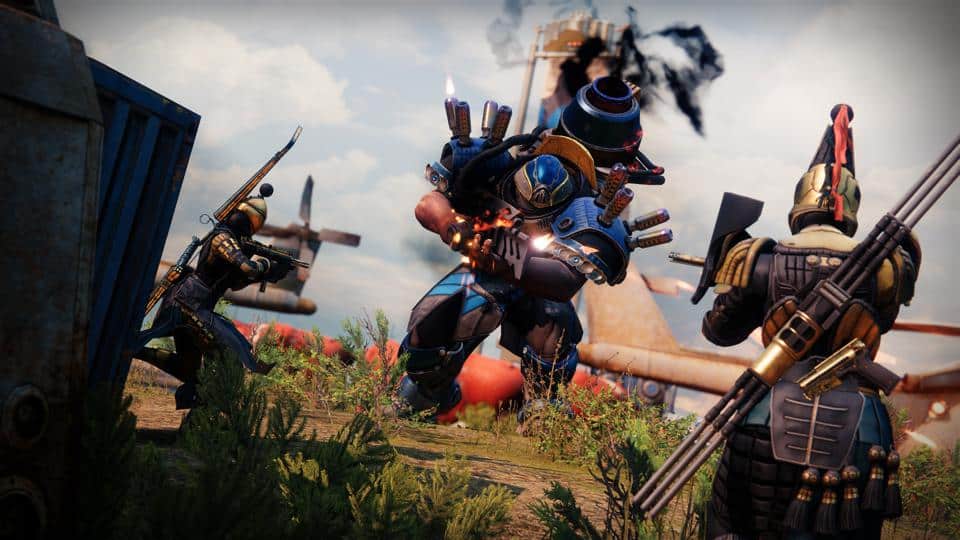
Destiny 2’s 14 season is almost upon us and brings a lot of goodies as usual. The season focuses on ‘Splicers’, a group of Fallen scientists that are allied with Mithrax – our Kell buddy from the exotic mission ‘Zero Hour’, as he tries to help the Guardians to restore the light in the Last City after the Vex cover it with endless nights.

Guardians will be utilizing the Splicer tech to break the Vex simulation down, which is a part of the 6-player Activity called Override. Season Pass holders can also partake in Expunge, a weekly pinnacle mission that allows up to 3 players to team up to find vulnerabilities in the Vex network.

Season of the Splicer also brings three new Exotic boots, Star-Eater Scales – Hunter, The Path of Burning Steps – Titan, Boots of the Assembler – Warlock, and a Stasis Exotic Sidearm, Crysothesia 77k.

Destiny’s iconic raid, Vault of Glass also returns on May 22 with various QoL features for a better experience. Destiny 2 will also get a transmog system this season where players can utilize Synthweave to convert any armor into a Universal Ornament.

You can read the complete details on Bungie’s blog.

Recommended | CSGO 360 Stats Tool: All You Need To Know

Valkyrae won’t quit streaming

The massive influx of rumors suggesting YouTube streamer Valkyrae moving away from streaming to look for a career in business and investment has been turned down by herself.

Rae was named the co-owner of 100 Thieves along with CouRageJD upon which she hinted at exploring her career option in business which made her fans think that she might part ways with streaming, which is clearly not the case as clarified by her. The rumours came as a surprise given that she was named the most-watched female streamer in the world, surpassing her former flatmate Pokimane.

Rae previously has expressed her disgust towards the trolls and hateful comments for which she was forced to take a break from social media. She was subjected to the malevolent intentions of stalkers and haters upon which she hinted at exploring a career in business/investment.

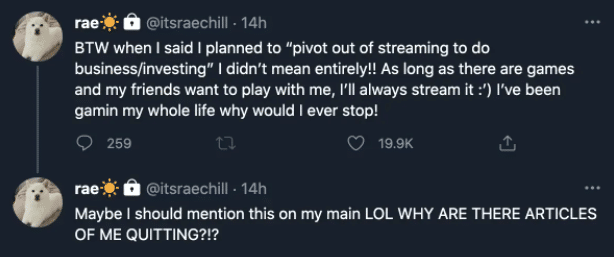
In the wake of these rumours, Rae clarified on her alt Twitter account that she won’t stop streaming. “BTW when I said I planned to “pivot out of streaming to do business/investing” I didn’t mean entirely,” she tweeted. “As long as there are games and my friends want to play with me, I’ll always stream it. I’ve been gamin’ my whole life why would I ever stop!”

Fans are happy to hear the news from their beloved streamer. She also addressed that there several articles contradictory to her decision to continue streaming. Despite being named the co-owner of 100 Thieves, it does seem that her love for gaming has kept her attached with fans.

CSGO 360 Stats Tool: All You Need To Know

Earlier today, Valve shipped out an update that finally marked the end of Operation Broken Fang.

Along with it, a series of changes have been made within the first-person tactical shooter with the game developers revealing a new case called “Snakebite” This update saw Train be excluded from the Active Duty map pool though the map will still be played in the upcoming European RMR (Regional major Ranking) Tournament.

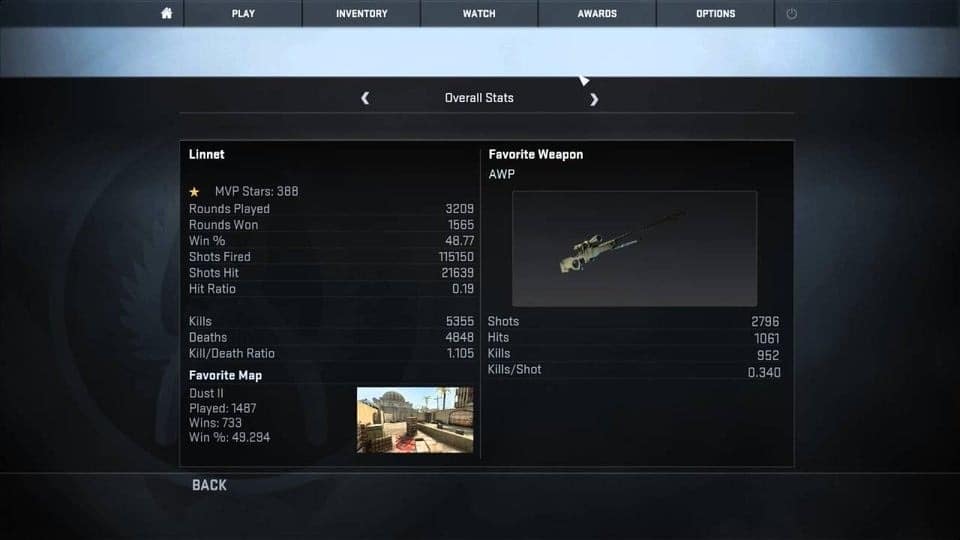
Previously Operation Broken Fang provided us with a statistics tracker, which would summarize us about our games, including our Kill/Death ratio, heat maps, information about players you played with and performances across maps played.

At first, it was known that this stat tracker would go off once the operation concluded, but due to its popularity, Valve decided to make it as a permanent feature in this brand new CSGO update.

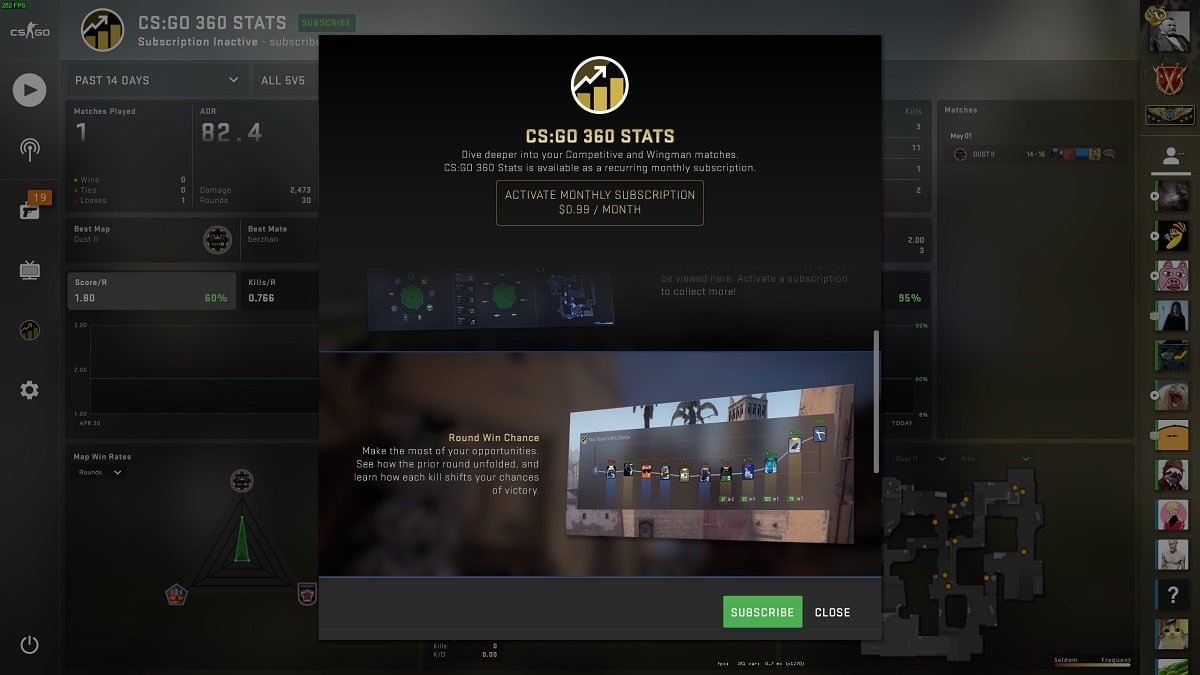
Priced at $0.99 USD (74 INR), you can get the CSGO 360 Stats tool from in-game. The subscription lasts one calendar month and will automatically renew on the same date each month unless you cancel during your current billing cycle.

As mentioned above, it will provide you with an overall summary of your previous games played along with a round win chance meter and last match report analysis, the likes of which you saw in the recently concluded operation.

Players would now be able to use this feature as an official part of the game and won’t resort to third party websites for the same.

This tool does resemble the stat tracker which was available in the game before the Panorama update. But if you look on the bright side, the 360 Stats would only record the numbers from your official matches and not Bot matches or customs.