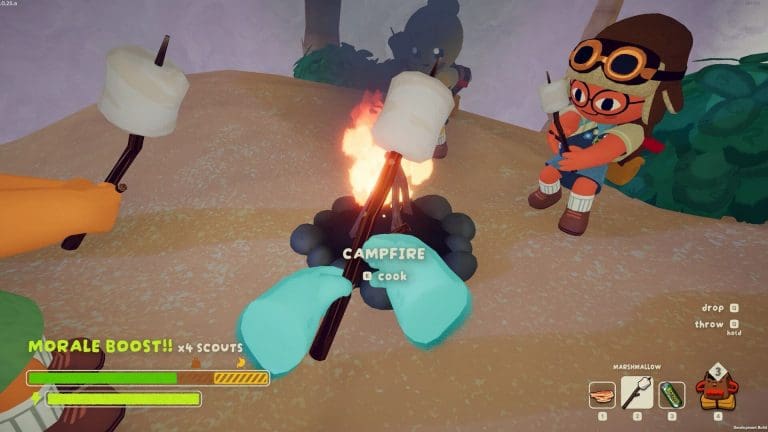
Peak—the viral co-op climbing game from Landcrab and Aggro Crab that’s selling millions and making friendship groups question their loyalties—is only available on PC (Steam) right now. Despite massive demand, there’s no official Xbox, PlayStation, or Nintendo Switch port as of September 2025, and the developers’ official stance is clear: PC first, consoles maybe later.
“At the moment we’re only supporting Windows PC’s for the game, in the future we might decide to support more platforms.”
That’s as concrete as it gets—no commitment, no timeline, no promises. The team is small, and their focus is on fixing bugs and stabilizing the Steam release before considering anything else.
No new content is planned right now—the priority is polish, not expansion. This isn’t unusual for indie breakouts; many successful Steam games take months or years to hit consoles, if they ever do.
Why Wait? What’s the Hold Up?
Peak’s success is real—over 2 million copies sold in less than two weeks—but porting takes time, resources, and a stable PC version as a foundation. The devs have said they’re focused on “network issues and server improvements” and have even added controller support in recent patches, which some see as a possible signal of future console plans. But as of now, it’s all speculation.
Is a Console Version Inevitable?
Maybe, but not guaranteed.
Developers Landcrab and Aggro Crab have experience porting other games to console, so they know the process. But with no official announcement or roadmap, it’s safe to assume next-gen consoles are off the table until further notice.
Community rumors and wishful thinking are everywhere. Some YouTubers and forum posters insist a port is “in the works” or “coming soon,” but there’s no official confirmation. For now, Steam is the only place to play.
What About Those Fake Console Versions?
There are copycat listings and “Peak-like” shovelware popping up on console stores—these are scams or rip-offs. The real deal is only available on Steam. If you see “Peak” on PS, Xbox, or Switch, it’s not from the actual developers.
The Bottom Line
Peak is a PC (Steam) exclusive right now—no PS5, Xbox, or Switch version exists.
The developers have said they “might” support more platforms in the future—but there’s no official plan or timeline.
Don’t expect a console port soon. The team is focused on the Steam experience and bug fixes.
Ignore fake listings and rumors. The real Peak is only on Steam.
If you’re a console player eager for Peak, your best option is to keep an eye on official channels (Discord, Twitter, Steam news) and hope for good news down the line. For now, though, PC is the only true peak.
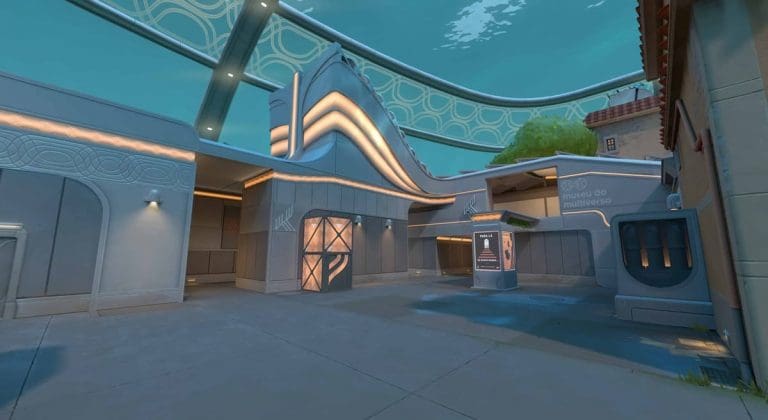
Riot Games has officially announced that Pearl and Split will rejoin VALORANT’s active map pool on October 14, 2025, as part of the V25 Act 6 update. This rotation will see Ascent and Lotus exit the active pool. The decision was confirmed via the game’s official channels, ensuring players and teams have ample notice to prepare for the new competitive landscape.
What’s Changing
Here’s what the VALORANT map pool will look like starting October 14, 2025:
Pearl and Split are making a big comeback after being temporarily benched, returning some veteran favorites to the mix. Meanwhile, the departure of Ascent and Lotus—both staples in recent months—means teams and ranked warriors will need to adapt quickly.
Riot also mentioned that the Game Changers Championship will be the first major event played on this updated map pool, so expect high-level matches to showcase new strategies and playstyles right out of the gate.
This rotation follows the August 19 update, which saw Abyss reintroduced and Icebox removed. For anyone following VCT Champions 2025, that event is using the current (pre-October) map pool.
Why Map Rotations Matter
VALORANT’s map rotation system keeps the meta fresh, ensures no single map dominates the pro or ranked scene for too long, and gives players a reason to revisit older maps with new eyes. For pros, it means resetting team strategies; for casuals, it brings back maps that might have been gathering dust in their map vetoes.
Pearl and Split’s return signals Riot’s willingness to cycle maps in and out, keeping both flexibility and nostalgia in the mix. Ascent and Lotus fans shouldn’t panic—they’ll almost certainly return down the line, as the map pool refresh is an ongoing process.
Quick Takeaways
Pearl and Split are back—Abyss, Bind, Corrode, Haven, Sunset, Pearl, Split will be the new active map pool starting October 14, 2025.
Ascent and Lotus rotate out and will not be available in ranked or VCT until future rotations.
Game Changers Championship will debut the new map pool at the pro level.
Expect the unexpected—competitive and ranked play will see new metas emerge as players re-familiarize themselves with Pearl and Split.
VALORANT’s map rotation is never just a cosmetic change—it resets strategies, shakes up tier lists, and breathes new life into the game. October’s update is a perfect excuse to brush up on those Pearl and Split callouts.
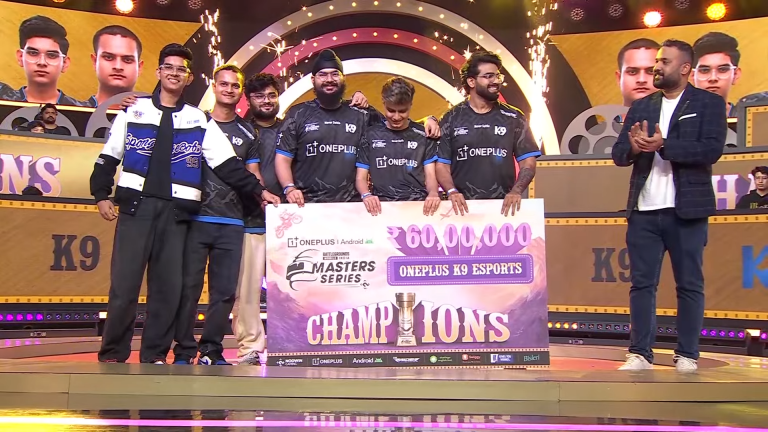
The Grand Finals of Battlegrounds Mobile India Masters Series (BGMS) Season 4 has concluded with K9 Esports being crowned the champions, taking home the massive cash prize of ₹60,00,000. After three weeks of extremely intense action, K9 Esports dominated to secure their place as the BGMS Season 4 winners.
K9 Esports’ Journey to Becoming BGMS Season 4 Winners
K9 Esports’ run began in the League Stage, where they consistently performed well to qualify for the Semi-Finals. In the Semis, they carried their momentum, finishing second on the leaderboard and booking their ticket to the Grand Finals with authority. Once in the Finals, they elevated their gameplay further, delivering back-to-back wins and cementing themselves as the standout squad of the tournament.
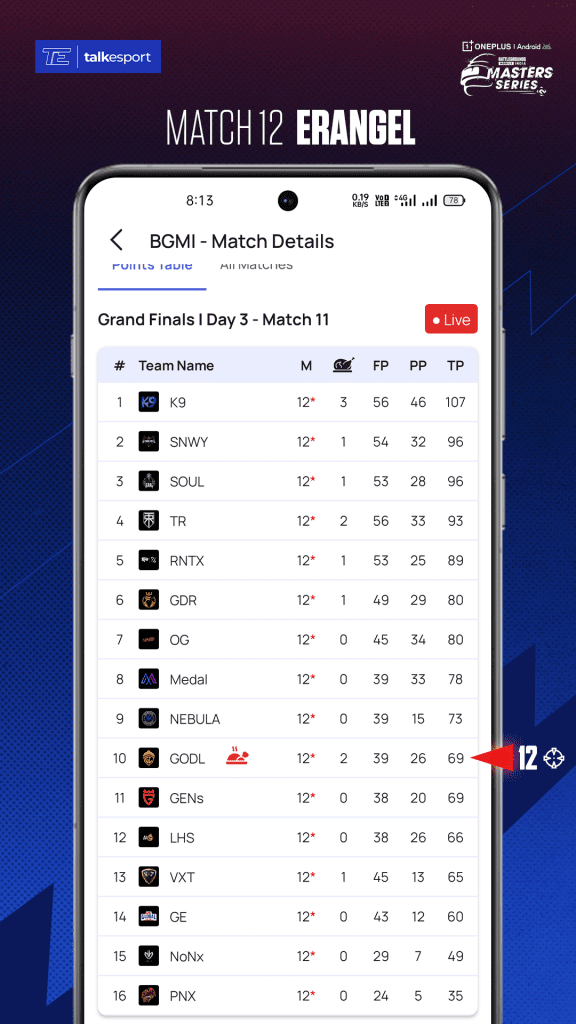
In the Grand Finals, K9 Esports stood tall against the best teams in India. Across 12 matches, they accumulated 107 total points, with 56 finish points and 46 placement points, along with 3 chicken dinners. Their aggressive playstyle, smart rotations, and clutch end-game calls ensured they always stayed ahead of the pack.
BGMS Season 4 Overall Standings
On the second and third position, Sinewy Esports and iQOO SouL, respectively, both followed closely with 96 points each. Sinewy took tome the cash prize of ₹20,00,000, whereas SouL took home ₹12,50,000.
True Rippers showed a great performance and were in the content till the last match. However, the team got eliminated early in the last match. The team secured fourth place with 93 points with 56 finishes and two chicken dinners, winning ₹7,50,000 cash prize.
Revenant Esports (RNTX) rounded off the top five with 89 points, including 53 finishes and one WWCD.
With BGMS Season 4 done and dusted, BGMI teams will now aim towards the upcoming challenge BGMI Showdown 2025. With only 4 days to go, K9 Esports will aim to maintain their consistency, while other teams will aim to rectify their mistakes.
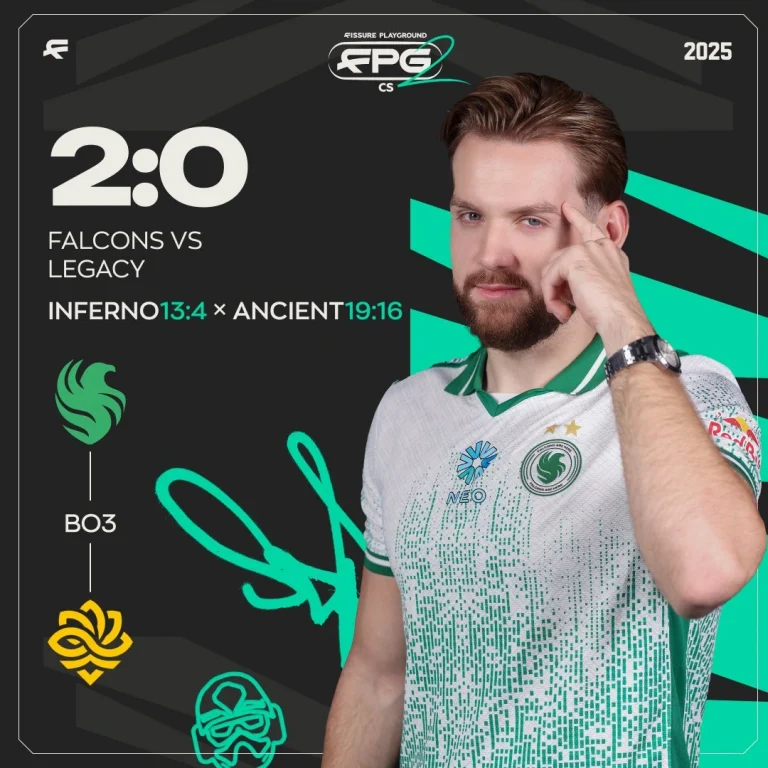
Team Falcons has picked up their second dominant win of the Fissure Playground 2, beating Legacy with a 2-0 scoreline. With two wins under their belt, the Falcons are just a win away from booking their playoff spot. The trio of m0NESY, NiKo, and Kyosuke is firing on all cylinders, and that translates to trouble for the rest of the teams.
VETO
Legacy removed Train
Falcons removed Overpass
Legacy picked Inferno
Falcons picked Ancient
Legacy removed Mirage
Falcons removed Dust2
Nuke was left over
What a match we just witnessed! 🤯@FalconsEsport come out on top in this intense battle
A strong start for Falcons in Inferno saw the team rack up 6 rounds before LEGACY posted a round on the scoreboard. Rare mistakes from the individuals saw the Brazilian side win back-to-back rounds before the Falcons won 4 rounds in a row to close the half with a very strong lead of 10-2. Losing the pistol round, the Falcons lost momentum to an impressive retake from LEGACY, but the first gun round put them back on the board. Once back on the board, the Falcons closed the map in no time with a 13-4 win, asserting their dominance and firepower over the Brazilians.
Map 2: Ancient; Pick: Falcons: Winner: Falcons
Starting strong with a 2v1 clutch from Dumau, LEGACY started strong to take an early lead until Falcons hit the board with a half buy. The surprising recovery from the Brazilians made rounds scarce for the Falcons, as they only managed 4 by the end of the first half. Losing the pistol round sent the super team 4-10 behind before they started mounting their comeback, not only to level the scoreline but to hit series point before LEGACY, who was leading for the better part of the series, somehow pushed the game to overtime by stopping the Falcons’ comeback in the final round of regulation. One overtime failed to separate the teams before the 2nd one led to the Falcons pushing the match over the line to close out the series.
To be able to push Falcons to the extreme, LEGACY showcased their true potential in front of the world. Now they sit with a 1-1 scoreline and have everything they need to secure two more wins to reach the playoffs.
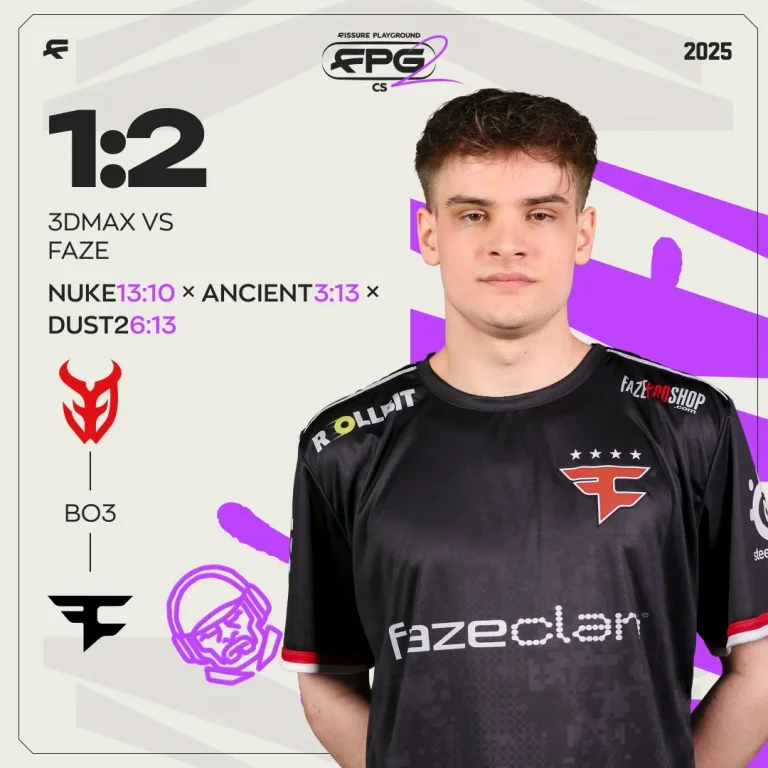
FaZe Clan completes their comeback against 3DMAX after losing Nuke to reach the next round of play in Fissure Playground 2. With the news of roster change looming over their head, FaZe’s gameplay remains unaffected as they survive the 3DMAX scare.
A 3-0 start to the defense from FaZe had 3DMAX on the back foot before the French stack started mounting their comeback. Both teams traded rounds fairly well until the very end of the half, when FaZe snatched the final round to step into the T side with a 7-5 lead. Upon winning the pistol round, FaZe dropped the ball, leading to 3DMAX levelling the scoreline before FaZe could get back on the board. Despite their best efforts, FaZe could not keep up with the French defense, who won 6 rounds in a row to win the map with a 13-10 scoreline. Bodyy,despite not topping the charts, proved instrumental with impact all over the map that kept FaZe from getting in their mojo.
Map 2: Ancient; Pick: FaZe; Winner: FaZe
Having disastrously lost Nuke, FaZe started strong with a fast-paced pistol round as 3DMAX’s defense was rendered useless for the better part of the half. While 3DMAX did manage to win rounds, they were few and far between. FaZe walked away with a strong scoreline of 9-3, making Dust 2 inevitable before the second half began. 3DMAX’s chances of a comeback were put to bed with the pistol going the way of FaZe, who went on to win the map without dropping a single round. Rain, who hardly had any impact on Nuke, proved instrumental on Ancient with 20 kills to his name to push the game to the next level.
Map 3: Dust 2; Pick: Decider; Winner: FaZe
A successful retake of the A site started FaZe Clan’s defense in the final map. The French side threw everything that they could until the 6th round when they got on the board. A 5-0 start for FaZe soon collapsed, leading to 3DMAX pulling in 4 rounds to close the half with an 8-4 deficit. 3DMAX started their defense with a pistol win before FaZe managed to get back on the board with a force buy conversion. 3DMAX won one round in between, but that was all that they managed with FaZe cruising past to secure a win with a 13-6 scoreline. Topping the charts for the second time was Rain with 16 kills, but it was a FaZe Clan firing on all cylinders that sealed the deal here for them.
FaZe are through to the next round of play, but the cracks have started to show. Jcobbb’s addition did mend the structural issues, but the concerning lack of firepower across the board is what Twistzz will be aiming to fix. If this is the last time we see this roster together, then a win here would be a fitting way to bow out.
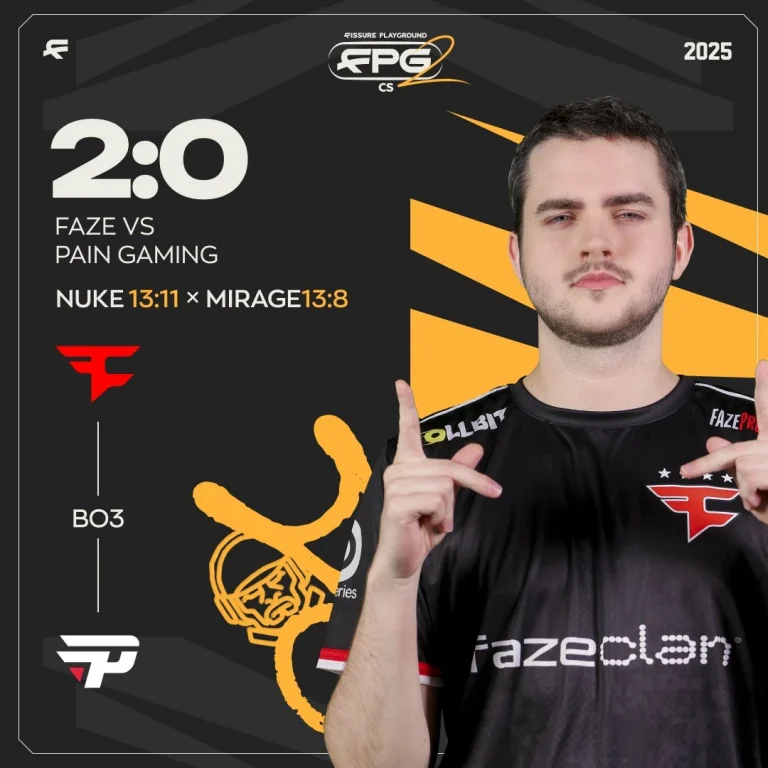
FaZe Clan opens their Fissure Playground 2 campaign with a stunning win over paiN Gaming. A 2-0 score line to put behind the youngsters from Brazil, the FaZe machine looked to be working in unison, but a lot more would be needed from the individuals if they are to go up against the likes of Falcons and G2.
A 2-0 start on Nuke for paiN quickly saw it getting levelled with the first gun round. FaZe went on to garner a streak of rounds before both teams traded rounds to close the half with FaZe significantly leading with an 8-4 score line. FaZe offense dropped the ball, leading to paiN quickly catching up on their own defense to put FaZe on the back foot. Despite a massive lead in the first half, FaZe found themselves 11-10 down before a streak of 3 rounds pushed it over the line for them. Broky and frozeN stepped big time with 17 kills to their name before the rest of the supporting cast did their part when called for.
Map 2: Mirage; Pick: FaZe; Winner: FaZe
Starting their own map pick on the offense, FaZe could not keep the momentum up for long before paiN defense managed to put together a few rounds of their own. As both teams traded rounds, it was FaZe that edged out the first half with 7 rounds to their name. PaiN won the pistol round close in on FaZe, but FaZe went on to put a streak of rounds until they reached the series point. The game was done and dusted by a fantastic defensive half put together by FaZe, who let paiN have one more round before closing the series. Dropping 26 heads, frozeN topped the charts, but this time he had jcobbb pulling the weight instead of broky from Nuke.
FaZe Clan with jcobbb is doing better than expected, and this new system is something top teams should keep an eye on. PaiN barely put up a fight, and on their day, FaZe could be pulling off massive upsets against bigger names.
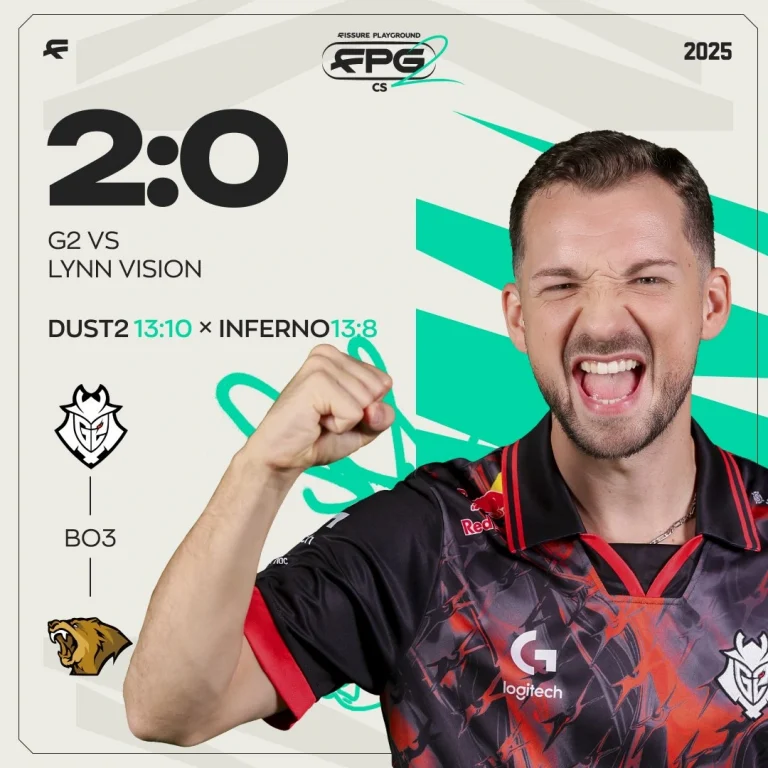
G2 Esports has taken down Lynn Vision with a 2-0 scoreline to open up their Fissure Playground 2 campaign. Having secured a monumental win over Vitality to win BLAST Open London, G2 have become a force to be reckoned with, and their potential was on display for the world to see.
A solid early start for Lynn Vision got leveled with the first gun round from G2, and while both teams remained inseparable for the better part of the first half, G2 managed to edge out a narrow lead before switching sides. Lynn Vision once again leveled the score line at the beginning of the second half, but that was far from enough as G2 put together a streak of rounds hit map points. Lynn Vision pulled in a few rounds from the edge of defeat, but G2 closed the map before the snowball could gain traction. Winning the map with a 13-10 score line, G2 took an early lead in the series with MATYS topping the charts with 25 frags to his name.
Map 2: Inferno; Pick: G2; Winner: G2
Inferno has proven to be a winning ground for G2 against the biggest names, and Lynn Vision failed to change that. G2 hit the scoreboard with a force buy conversion and started to build from there to go onto a lead that would secure them an 8-4 half. Having taken a beating on their defense, the Lynn Vision offense started on a high note, but that momentum was quickly leveled by a solid G2 defense, which stopped any chance of a comeback right in its tracks as G2 wasted no time to close the game with a 13-08 score line.
G2 looked strong, but Lynn Vision forced them to open up their playbook a bit more than they should have. Despite facing a tricky Asian side, G2 managed to stand tall, and if their recent form is anything to go by, they are the strongest contenders for the title despite the presence of FaZe and Falcons.
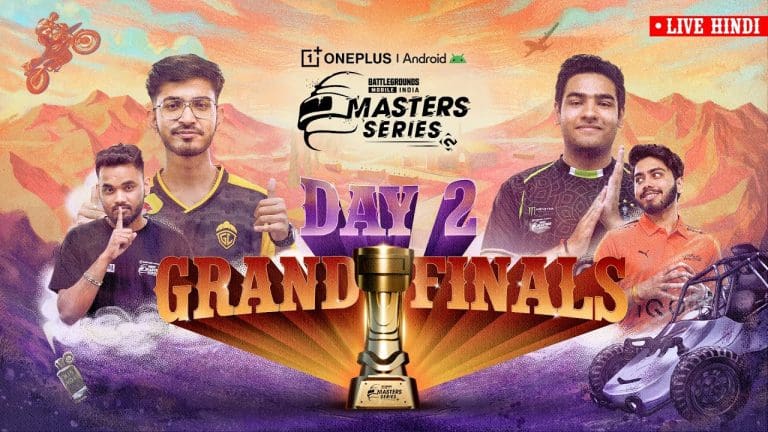
Day 2 of the BGMI Masters Series (BGMS) Season 4 Grand Finals delivered nail-biting battles, impressive performances, and some victories. From Versatile Esports’ calculated control to RevenantXSpark’s flawless execution, and Gods Reign’s comeback to K9 Esports’ consistency, today’s matches reshaped the leaderboard and intensified the race for the championship.
BGMS Season 4 Grand Finals Day 1 Match-wise Recap
Below is the match-wise recap of BGMS Season 4 Grand Finals Day 2:
Match 1: Erangel
The day opened with a high-stakes 4v3v2 showdown between Versatile Esports, Genesis Esports, and Sinewy Esports. Versatile first cleared out the last surviving Sinewy player, then went head-to-head in a 4v3 with Genesis. With composure and teamwork, Versatile Esports emerged as the victors.
Match 2: Miramar
The second match saw a chaotic 4v3v1v1 between RevenantXSpark, Los Hermanos, Nebula Esports, and Gods Reign. A highlight moment came when Phoenix from Nebula Esports clutched a 1v3 against Gods Reign. Yet, with all four players alive in the final circles, RevenantXSpark held their ground and secured the win.
Match 3: Sanhok
In Match 3, the battleground boiled down to Medal Esports, Gods Reign, and Global Esports in a 4v3v1. With Global’s last man, Aadii, falling to the playzone, the fight became a 4v2 in Medal’s favor. But Gods Reign turned the tide with sharp execution, claiming a well-deserved chicken dinner.
Match 4: Erangel
The closing match of the day featured a 4v4v3 clash between K9 Esports, Sinewy Esports, and Medal Esports. After an extended standoff, K9 Esports emerged victorious, proving their consistency and grabbing momentum heading into the next day.
Overall Leaderboard After Day 2
After eight matches, K9 Esports lead the BGMS Season 4 Grand Finals with 87 points, powered by three chicken dinners and aggressive finishes. iQOO SouL follow closely with 78 points, while iQOO Orangutan sit in third with 66. The likes of True Rippers, RevenantXSpark, and Gods Reign round out the top six, keeping the title race wide open heading into the final days.
Stay tuned to the TalkEsport app for detailed gaming and esports coverage, latest news, and much more!
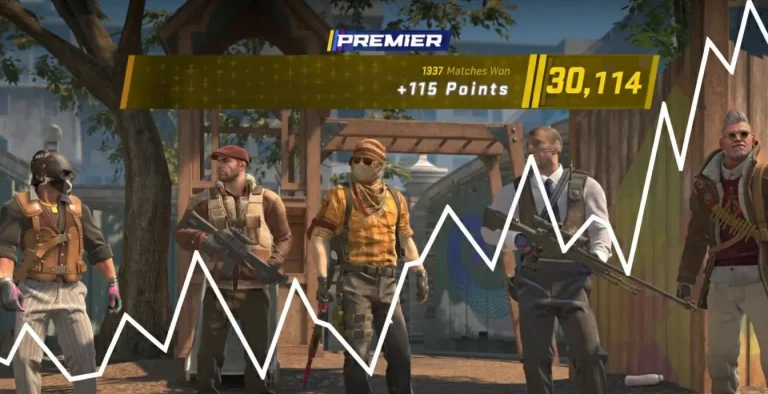
The professional Counter-Strike 2 scene is undergoing a major shift that goes far deeper than game mechanics and competition formats. At the core of this change is an advanced rethinking of how to measure, analyze, and optimize the performance of players using advanced analytical tools that are essentially redefining what it means to be a great competitive esports player.
The CS2 Professional Analytics Revolution
Competitive Counter-Strike has never been a data-intensive world, but the move to CS2 has triggered an unparalleled age of analytical rebirth. Organizations such as Team Liquid have been spending more than thousands of dollars per year on analytics technology, crunching over 1.6 terabytes of historical game data from 10 million contests. That is a sea change away from the old ways of performance measurement towards extensive, multi-faceted analytical tools that register every aspect of competitive play.
The basis for this revolution lies in advanced platforms that analyze millions of points of data in real-time. Platforms such as Bo3.gg now monitor granular data from thousands of professional games, offering insights that would have been impossible to achieve before. The platforms themselves have developed from basic statistical databases to dynamic analysis engines with the capability to forecast results, detect performance trends, and optimize strategic choice-making.
The New Standard for Performance Measurement
The most important innovation in CS2 performance assessment has come in the form of HLTV’s Rating 3.0 system, which is a complete rethinking of the way professional players are measured. The current version uses groundbreaking metrics, such as the “Round Swing” system that quantifies the effect of individual kills on round outcome probabilities and economy-adjusted metrics that eliminate low-influence eliminations against economically down opponents.
The repercussions of Rating 3.0 reach far beyond the numerical changes. The system now penalizes for passive saving actions while rewarding for effective actions that have a direct impact on round wins. This change has especially impacted player archetypes. Sucky riflers who once profited from eco-frags are now held to stricter evaluation measures, while support players and clutch experts gain greater accolades for their strategic play.
Professional franchises have started rebuilding their analytical methods around these new metrics. The system’s focus on contextual performance assessment results in a player’s rating often changing drastically depending on the economic health of their opponents and the strategic significance of their eliminations. This sophisticated method offers coaches and analysts unparalleled insight into true player influence versus metric inflation.
Artificial Intelligence and Machine Learning Integration
The use of artificial intelligence in CS2 analytics is arguably the most revolutionary advancement in professional performance assessment. Sophisticated AI tools now examine patterns of play with capacities beyond the limits of human analytical capability, uncovering trends in strategy and player action that would go undetected otherwise.
Team Liquid’s collaboration with SAP has led the way in AI copilot technology, providing the capability for natural language questioning of large data sets. Coaches are now able to pose elaborate strategic questions and receive instant analysis of trends in player performance, weaknesses of opponents, and tactical success. Advanced analytics have been democratized, changing the competitive landscape where advanced analytical knowledge is now available to coaching staff lacking technical knowledge.
Machine learning models have progressed to identify imperceptible gameplay patterns that are associated with performance results. Transformer-based models were recently shown to accurately analyze player behavior with 89.17% precision in detecting performance anomalies and strategic patterns. These models are able to input 256-tick sequences of gameplay information, or four seconds worth of match time, and detect significant performance metrics that fall beneath human perception.
Real-Time Performance Monitoring and Biometric Integration
The future of CS2 analytics goes beyond the confines of conventional gameplay statistics to include physiological monitoring technologies that offer unparalleled insights into player performance under conditions of competition. Studies have shown that biometric indicators such as heart rate variability, skin temperature, and pupil dilation patterns can revolutionize performance assessment models.
Professional clubs are starting to play around with eye-tracking technology to better learn visual attention patterns and strategic decision-making processes. Research has demonstrated that CS2 professional players have clearly different eye movement profiles than amateur players, with professionals having more effective visual scanning patterns and quicker target acquisition times. This information allows coaches to create customized training programs that fix specific perceptual and cognitive deficits.
The incorporation of physiological monitoring presents the possibility of customized performance optimization plans. Through observation of how specific players react to competitive pressure, coaches can craft specific interventions that enhance concentration, minimize stress-induced performance loss, and optimize recovery procedures. This integrative model of performance assessment marks a vast change from strict statistical analysis towards whole-player wellness and optimization models.
Effect on Player Development and Strategic Planning
Deep analytics have transformed the way professional players learn and prepare strategically. Tools such as Leetify and Scope.gg offer detailed performance insights, such as movement efficiency, optimization of utility usage, and tactical position analysis. Players can use these to pinpoint areas to improve and monitor progress over time.
The strategic scope of advanced analytics goes beyond opponent preparation and tactical planning. Opponent tendencies, preference maps, and strategic weaknesses are now analyzed with AI-based systems by teams. This analysis allows coaches to create very detailed counter-strategies and tactical tweaks that give them a competitive edge in high-pressure matches.
Long-term player development has been revolutionized by the use of longitudinal performance monitoring and predictive modeling. Organizations can now identify emerging talent through detailed statistical analysis of amateur games and ranked play. Analytical identification of talent is a considerable advancement over previous scouting methods founded on largely subjective appraisal.
Final Thoughts
Even though advanced analytics have the potential to revolutionize esports, there are also substantial pitfalls to their use and interpretation. Advanced analytical models are sophisticated and often depend on specialized skill sets that are not always easily accessible to all organizations. This opens the possibility for competitive inequalities between large, well-funded teams with advanced analytical skills and smaller organizations without substantial budgets.
The future of CS2 analysis is heading toward more advanced integration of artificial intelligence, biometric tracking, and predictive model technologies. Future trends indicate that performance analysis will move away from conventional statistical analysis to holistic assessment systems incorporating cognitive, physiological, and strategic aspects of player performance.
The streaming world just got shaken up in a major way. MrBeast officially joined Kick on August 11th and announced something that’s never been attempted before – a charity stream that literally cannot end until they hit their target.
Here’s what makes this absolutely wild: Jimmy Donaldson is teaming up with Adin Ross and xQc for his Kick debut on August 14th, and they’ve committed to streaming non-stop until they raise $5 million for TeamWater. That’s not a typo – they genuinely cannot end the broadcast until the goal gets hit.
What TeamWater Is Really About
This isn’t just another charity stream. TeamWater aims to provide clean water to 2 million people worldwide through a $40 million campaign that runs until August 31st. MrBeast co-founded this initiative alongside Mark Rober, and they’re working with creators from over 31 countries to make it happen.
The timing matters here. With almost half the month gone, the campaign has raised just over $15 million – meaning they’re slightly behind schedule. That’s exactly why MrBeast decided to take things nuclear with this marathon approach.
The Kick Connection
What this really represents is MrBeast’s first major move outside his usual YouTube ecosystem. Kick welcomed him with their traditional creator announcement post, the same treatment they give to major signings. The platform has been aggressively courting mainstream creators to shed its edgier reputation, and landing the world’s most subscribed YouTuber is massive.
Previous collaborations between these three already proved the chemistry works. During early August streams, Adin Ross pledged $100,000 while xQc committed $400,000 to TeamWater. Now they’re taking that partnership to the next level with this marathon format.
What Could Actually Happen
Here’s the thing about their “hopefully it doesn’t take days” comment – it actually might. Marathon streams have become huge lately, with creators like Kai Cenat proving audiences will stick around for subathons that stretch for weeks. The difference here is the charitable angle instead of just subscriber goals.
The stream format remains unclear, but expect gaming sessions, vlogs, and probably some of those signature MrBeast moments that keep people glued to screens. All three streamers will broadcast simultaneously on their respective Kick channels, giving viewers multiple viewing options.
The Bigger Picture
This collaboration does more than just raise money. It positions Kick as a platform serious about mainstream content creation, not just the controversial stuff that built its early reputation. Getting MrBeast, even temporarily, legitimizes their push toward family-friendly content that appeals to broader audiences.
Whether MrBeast sticks around Kick beyond this campaign remains the million-dollar question. But for TeamWater and the communities waiting for clean water access, August 14th could change everything.