Home Blog Page 110

Steam Update Adds Wishlist Categories and Easier Gifting

Valve has rolled out a new Steam update that changes how players organize wishlists and send gifts. The update adds custom wishlist categories, guest checkout for gifts, email gifting, and cross-region gifting. It also introduces smaller wishlist upgrades like demo tracking and hover trailers.

The changes went live on July 22 and 23, 2026. Valve announced them in two separate posts on the Steam news page.

Steam Wishlist Categories Explained

The biggest wishlist change lets players sort their list into custom categories. Users can create their own tags and apply them to any game already on their wishlist.

For example, a player could label games as “buy day one,” “wait for sale,” or “watching early access.” These tags then appear as filter tabs at the top of the wishlist page.

Valve said players had asked for more ways to manage growing wishlists, beyond the existing ranking and filtering tools. Once a category has been used, it shows up in the “Add to Wishlist” dropdown on game store pages. This lets players sort new additions right away instead of tagging them later.

Players can also set wishlist notifications to apply only to specific categories.

New Wishlist Search and Browsing Features

Alongside categories, Steam has upgraded wishlist search with autocomplete. Games that have a demo available are now marked directly on the wishlist, and players can turn on notifications for when a new demo goes live.

The update also adds microtrailers. These are short clips that play automatically when a player hovers over a game’s image in their wishlist. Valve says browsing between pages should now do a better job of returning players to where they left off.

Sharing a Wishlist Category

Steam already allowed players to share their full wishlist. Now, players can share just one category using a custom link.

Anyone who receives that link can view the selected games, even if the rest of the wishlist stays private. This makes it easier to send a specific list, such as a birthday wishlist, without showing everything else saved on the account. Players can revoke the shared link at any time to stop it from being used again.

Steam Gifting Update

The gifting changes address a long-standing limitation. Previously, sending a Steam gift meant knowing the recipient’s Steam account name and being friends with them on the platform.

Guest checkout was, until now, only available for digital gift cards and hardware. Valve has extended it to cover any game on Steam. This means a gift can now be sent to someone who does not have a Steam account at all.

If a recipient opens a shared wishlist link, they can click “Purchase as a gift” directly from that page. This auto-fills the required details, without needing a Steam account or a friend connection.

Email Gifting and Cross-Region Purchases

Steam has also introduced email gifting. Players can send a game purchase straight to an email address, even one not linked to the recipient’s Steam account. This works well for players who want to send a surprise without asking for account details first.

Email gifts come with a few conditions. They are automatically refunded if not accepted within 30 days, cannot be scheduled for future delivery, and must go to someone in the sender’s own region.

Cross-region gifting is also now available. This lets players send a gift to a friend in a different region, with Steam charging the price set for that recipient’s region. This can mean paying more than the sender would for their own copy of the game. Using this feature requires the sender and recipient to already be Steam friends, since Steam needs to confirm the recipient’s account region.

Together, these changes remove several long-standing friction points around gifting on Steam. Players no longer need to trade account names or add each other as friends just to send a game. Guest checkout and email gifting open the door to gifting for people outside a sender’s existing friend list.
Marvel Tลkon: Fighting Souls Open Beta Starts July 24

0

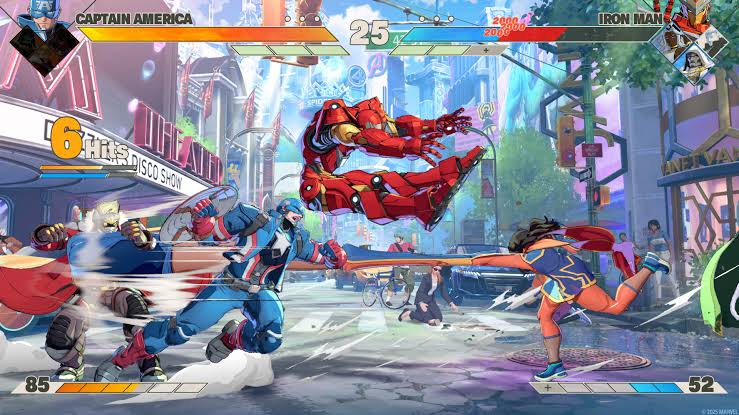
Marvel Tลkon: Fighting Souls is almost ready to open its doors to players, with the game’s global Open Beta scheduled to begin on July 24. However, fans will have to wait one more day before jumping into Arc System Works’ highly anticipated Marvel fighting game.

The Open Beta will be available on PlayStation 5, Steam and the Epic Games Store. It will run for 72 hours, giving players their final opportunity to try the game before its full launch.

Marvel Tลkon Open Beta: What to Expect

The Open Beta features the game’s 4v4 tag-team combat system. Players can build teams from a roster of Marvel heroes and villains, then combine their abilities during fast-paced battles.

The beta also includes a Start Up Battle tutorial and Training Mode. These options are designed to help newcomers learn the game’s mechanics before entering online matches.

Players can also experience part of the game’s Episode Mode. The beta includes the first three chapters of the Amazing Guardians storyline, following Spider-Man as he assembles a team to confront a mysterious threat.

The beta’s roster has also expanded since the previous Closed Beta. Green Goblin has been added as a playable character, bringing the planned roster to 16 playable fighters for the Open Beta. The lineup includes characters such as Spider-Man, Iron Man, Captain America, Black Panther, Wolverine, Storm, Magik, Ms. Marvel, Star-Lord, Ghost Rider, Blade, Doctor Doom and Magneto.

Phoenix Cyclops Announced for Marvel Tลkon

July 23 also brought a major announcement for the game’s post-launch plans.

Arc System Works revealed Phoenix Cyclops as the first Year 1 DLC character for Marvel Tลkon: Fighting Souls. The developers also confirmed that more characters, stages and other updates are planned following launch.

For now, players have one final chance to experience the game before release. The Open Beta begins on July 24 and will remain available through July 26.

With a large Marvel roster, 4v4 battles and a competitive fighting-game foundation from Arc System Works, Marvel Tลkon: Fighting Souls is shaping up to be one of the biggest fighting-game releases of 2026.

How to Improve Aim in BGMI: 10 Pro Tips

0

Improving aim in Battlegrounds Mobile India (BGMI) is less about luck and more about building a setup that matches your device, control style, and muscle memory. BGMIโ€™s official settings already support detailed control tuning, including firearm-specific sensitivity, gyroscope reverse, sprint sensitivity, and 90 FPS on supported high-end devices. That means aim improvement is something you can work on systematically, not something you have to guess at.

This guide is written for players who want practical, repeatable improvement. It avoids fake โ€œinstant headshotโ€ claims and focuses on the real factors that affect aim: crosshair placement, recoil control, sensitivity balance, HUD comfort, device stability, and consistent practice.

10 Pro Tips to Improve Aim in BGMI

Following are the ten pro tips to improve your aim in BGMI.

1. Start with a stable sensitivity baseline

Your first step is not copying a random pro code. It is choosing a sensitivity that feels controlled on your own phone. BGMI officially lets players tune firearm sensitivity and related camera behavior, so a small, deliberate baseline is the smartest starting point.

A good approach is:

  • keep camera sensitivity moderate
  • avoid maxing every scope
  • test red dot and 2x first
  • adjust in small steps only

If your aim keeps stopping below the enemyโ€™s head, raise sensitivity slightly. If it flies past the target, lower it. That kind of micro-adjustment is more reliable than big changes.

2. Learn crosshair placement before you practice recoil

Most missed shots happen before you even fire. Keep your crosshair at chest-to-neck height while moving through buildings, corners, and open ground. Then your first shot starts closer to the head, which makes tracking much easier.

This matters even more in BGMI because the game supports fine control across different firearm and camera layers, so good placement gives you a much better return than random spraying.

3. Use the right HUD size and button spacing

A cramped HUD makes aiming worse because your fingers fight each other. Your fire button should be big enough to tap consistently, but not so large that it blocks vision. Jump, crouch, peek, and fire should all be reachable without stretching too far.

A strong HUD usually does three things:

  • reduces thumb travel
  • keeps movement and firing separate
  • lets you aim while strafing comfortably

If your buttons overlap or feel awkward, your aim will look worse even if your sensitivity is good.

4. Decide whether you are a gyro player

Gyroscope can make recoil control much easier, but only if you commit to it. BGMI officially supports gyroscope-related tuning, including reverse settings, which means gyro is not an edge case; it is a core control option you can personalize.

Use gyro if you want:

  • smoother recoil control
  • better spray consistency
  • faster fine adjustments in close fights

Skip gyro for now if:

  • your device feels unstable
  • you keep changing settings
  • you have not built basic recoil control yet

5. Practice recoil control with one weapon at a time

Do not try to master every gun on the same day. Pick one assault rifle, one SMG, and one close-range weapon. Learn how each one behaves when you drag down during spray.

The goal is not to memorize every pattern perfectly. The goal is to make your hand react naturally when the weapon climbs. BGMIโ€™s per-weapon sensitivity support makes this kind of practice especially useful because your settings can be refined around the weapons you use most.

6. Make sure your FPS is stable

Aim gets worse when the frame rate drops. BGMIโ€™s official 90 FPS guide confirms that high frame rates are available only on supported high-end devices and through the in-game graphics settings. If your device supports it, smoother FPS can make your tracking and flicks feel more responsive.

Practical rule:

  • if you can hold stable high FPS, use it
  • if your device stutters, prioritize stability over visual quality

A stable 60 FPS often beats an unstable higher setting.

7. Control your movement while shooting

Bad movement ruins good aim. Strafe with purpose, avoid random jumping, and do not panic-crouch every second. BGMIโ€™s settings also include sprint sensitivity, which affects how quickly you move from standing into sprinting, so your movement transitions can be tuned for comfort.

For better accuracy:

  • stop over-pressing movement keys
  • keep strafes short and readable
  • fire when your movement is controlled
  • reset your aim before a new spray

8. Train in short, focused sessions

Ten focused minutes beat one unfocused hour. Practice head-level tracking, recoil control, and target switching in short blocks so your muscle memory actually improves.

A good routine:

  • 3 minutes: crosshair placement
  • 3 minutes: recoil control
  • 2 minutes: target switching
  • 2 minutes: real-match review

The important part is consistency. BGMIโ€™s own responsible gaming guidance also encourages players to balance gaming with regular breaks, which is good advice for focused practice as well.

9. Play with settings long enough to adapt

One of the biggest mistakes players make is changing settings after every bad match. Your aim needs repetition. If you switch sensitivity constantly, your muscle memory never settles.

Stick to one setup for at least several sessions before judging it. Then make small changes only.

This is especially important in BGMI because the game supports multiple control layers, and every extra setting changes how your hands interpret the screen.

10. Review your mistakes after every match

The fastest way to improve aim is to understand why a shot missed.

After each match, ask:

  • Was my crosshair too low?
  • Did I spray too early?
  • Was my sensitivity too fast?
  • Did lag or FPS hurt the fight?
  • Was my HUD awkward?

This turns every match into feedback. Over time, you stop guessing and start improving with intention.

Also read: BGMI Sensitivity Settings for Headshots in 2026: Best HUD, Gyroscope, and Control Tips

Best Final Mindset For Aim Improvement in BGMI

There is no magic setting that makes you win every fight. BGMI gives you the tools to tune your aim, but the real edge comes from steady practice, good sensitivity choices, clean HUD placement, and stable performance. When those pieces work together, your aim becomes much more predictable.

FAQs

What is the fastest way to improve aim in BGMI?
The fastest path is to combine a stable sensitivity, clean HUD, and daily recoil practice instead of changing settings repeatedly.

Is gyro better for aim in BGMI?
Gyro can be very effective for recoil control and micro-adjustments, but it works best when you commit to learning it consistently. BGMI supports gyro tuning and reverse options.

Does 90 FPS help aim in BGMI?
Yes, smoother FPS can improve how responsive aiming feels, but 90 FPS is only available on supported high-end devices through the graphics settings.

Should I use a pro playerโ€™s sensitivity code?
Use it only as a starting point. Your device, frame rate, finger placement, and playstyle may be very different from theirs.

Valorant 13.02 To Introduce a New Game Mode: Release Date and What We Know So Far

The highly anticipated Valorant 13.02 update is just a week away, and itโ€™s all set to introduce a brand-new game mode to the tactical shooter.

The upcoming Valorant game mode, named โ€œAll Random One Site: Replication,โ€ brings a fresh spin on the existing AROS format by merging it with Replication, increasing the overall chaos the mode offers as every player locks the same random agent and battles it out on a single site.

Hereโ€™s everything you need to know about the Valorant 13.02 update and the new game mode ahead of its official release.

Valorant 13.02 Release Date

The Valorant 13.02 update is expected to hit the live servers on July 28, 2026. Note that this date is expected to vary based on your gameโ€™s region.

The brand-new AROS Replication game mode is also expected to go live on the same date.

New Valorant Game Mode Explained

The new All Random One Site: Replication game mode is expected to be a limited-time mode that will be playable in Valorant starting July 28th.

The new mode will see two teams battling it out in the classic AROS format, confined to a single site with a random Agent assigned each round. The twist comes from the Replication element: instead of every player getting a different Agent, the whole team is locked into playing the same one.

Abilities and ultimates are also enabled in this game mode, so expect to see some creative and chaotic plays in this upcoming Valorant game mode.

Note that Riot Games hasnโ€™t officially unveiled the details of the AROS Replication mode at the time of writing. The company has also yet to disclose the full patch notes for the 13.02 update, so changes like Agent buffs and nerfs are still not known.

Siuhy Gets Benched From Liquid CS2 Roster

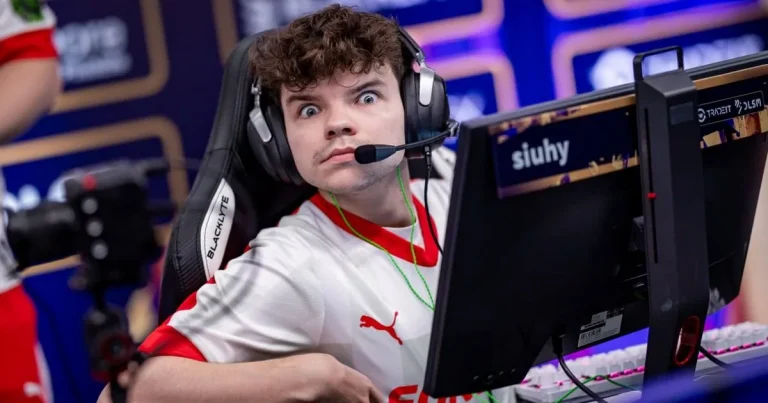
Team Liquid has officially announced the benching of Kamil “siuhy” Szkaradek from its Counter-Strike 2 roster, continuing the North American organization’s roster shake-up throughout the summer.

The Polish IGL joins Roland “ultimate” Tomkowiak on Liquid’s bench, as the team looks to find its footing after a rough stretch following IEM Cologne 2026.

The 23-year-old will reportedly be replaced by Johnny “โ JTโ ” Theodosiou, who was already submitted as part of the Liquid lineup for BLAST Bounty Season 2 but has never formally been confirmed to be a part of the roster.

The move comes just weeks after Liquid benched ultimate and brought in Georgi “Jorko” Mitev, signaling that the organization isn’t done tinkering with its core as it searches for consistency heading into the fall season.

With two players now sidelined, questions still remain regarding who will step in to fill the final active slot and whether Liquid plans further additions before their next event.

With this removal, the Team Liquid CS2 roster now includes the following players:

  • Keith “โ NAFโ ” Markovic
  • Jonathan “โ EliGEโ ” Jablonowski
  • Mario “โ malbsMdโ ” Samayoa
  • Georgi “โ Jorkoโ ” Mitev
  • Viktor “โ flashieโ ” Tamรกs Bea (coach)
  • Roland “โ ultimateโ ” Tomkowiak (benched)
  • Kamil “โ siuhyโ ” Szkaradek (benched)

Fans will be able to catch the new Liquid lineup in action as itโ€™s all set to debut against Vitality on July 24 in BLAST Bounty Season 2.

How to Loot Safes or Cash Registers in Fortnite

The Fortnite DC Hot Bat Summer event has added a new quest that asks players to loot Safes or Cash Registers. Completing this task rewards Battle Pass XP and brings players closer to free event rewards. Here is a complete guide on where to find these containers and how to finish the quest quickly.

What Are Safes in Fortnite

Safes are a special container type found across the Fortnite Chapter 7 Season 3 map. Unlike normal chests, Safes only drop Gold Bars when opened. Players also earn XP for opening a Safe instead of destroying it.

Safes take longer to crack open than regular containers. This delay can leave players exposed to enemy fire while looting, so timing and location matter.

Safe Locations in Fortnite Chapter 7 Season 3

There are 15 Safes placed across the map, mostly inside major POIs and Vaults. Here is where to find them:

  • Lifty Lodge: 1 Safe
  • Wonkeeland: 4 Safes
  • Golden Grove: 1 Safe
  • Cluster Coast: 2 Safes
  • Sunken Shores: 1 Safe northeast of the POI, 1 Safe west of the main POI
  • Heatwave Harbor: 1 Safe southwest of the POI
  • Sinister Strip: 1 Safe north of the POI
  • Frosted Flats: 1 Safe inside the vault
  • The Battlewoods: 1 Safe in the main POI, 1 Safe west of the POI

What Are Cash Registers in Fortnite

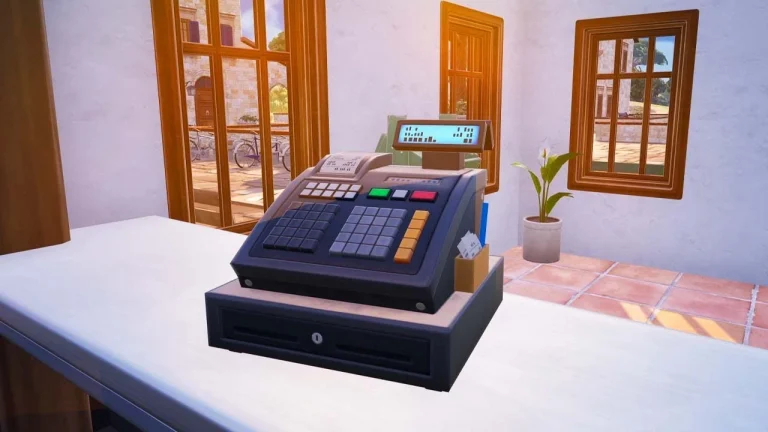
Cash Registers are another lootable container that drops Gold Bars, similar to Safes. The payout is smaller than what a Safe offers, but Cash Registers have a 100% spawn rate. This makes them a more consistent source of Gold Bars. Opening a Cash Register also grants 100 XP.

Cash Register Locations in Fortnite Chapter 7 Season 3

There are 64 Cash Registers spread across the map. Most are found inside stores and other commercial buildings within POIs. Here is the full location list:

  • Lifty Lodge: 6 in the main POI, 3 to the west, 1 to the east
  • Latte Landing: 8 Cash Registers
  • Wonkeeland: 4 Cash Registers
  • Golden Grove: 2 Cash Registers
  • Frosted Flats: 7 in the main POI, 2 to the southwest
  • Cluster Coast: 4 in the main POI, 1 to the northeast
  • Sunken Shores: 2 to the east, 2 to the northeast
  • Heatwave Harbor: 4 in the main POI, 2 to the west
  • Sinister Strip: 1 in the main POI, 1 to the north
  • Calamari Canyon: 1 Cash Register
  • Chopped Shop: 3 to the south
  • The Battlewoods: 10 Cash Registers

How to Complete the Loot Safes or Cash Registers Quest

The quest only requires searching 3 Safes or Cash Registers, so it can be finished in a single match. Follow these steps for a quick and safe completion:

  1. Land at Cluster Coast or any other POI with a high number of Cash Registers, ideally near the edge of the map.
  2. Check the area for enemies before looting.
  3. Enter stores or commercial buildings and search the Cash Registers inside.
  4. Stick to Cash Registers over Safes, since Safes have a lower spawn rate and are harder to find.

Once 3 Safes or Cash Registers are looted, players earn 10,000 XP toward the Chapter 7 Season 3 Battle Pass and move one step closer to unlocking free DC Hot Bat Summer rewards.

BGMI Sensitivity Settings for Headshots in 2026: Best HUD, Gyroscope, and Control Tips

0

If you are trying to improve your aim in Battlegrounds Mobile India (BGMI), sensitivity is one of the first settings to get right. BGMIโ€™s official game updates show that the game supports multiple layers of control tuning, including dedicated firearm sensitivity, third-person camera view adjustment, gyroscope reverse, sprint sensitivity, and device-dependent 90 FPS support on compatible phones. That means the best setup is not one fixed number for everyone; it is a combination of sensitivity, device performance, and practice.

This guide is designed to be practical, repeatable, and safe to follow. It does not promise โ€œmagicโ€ headshot settings, because BGMI itself exposes several variables that affect aim feel, and your ideal setup depends on whether you play with gyro, your phoneโ€™s frame rate, and how comfortably you control recoil.

What sensitivity does in BGMI

Sensitivity controls how fast your camera and aim respond to touch input. In BGMI, the settings are not limited to a single slider. Official updates confirm that players can customize sensitivity per firearm, tune third-person camera view, reverse gyro direction, and adjust sprint sensitivity from 0 to 100.

For players, that means three things matter most:

  1. Camera movement must feel smooth.
  2. ADS movement must feel controllable.
  3. Gyroscope, if used, must help recoil rather than fight it.

Best BGMI sensitivity settings for headshots

These are strong starting points, not final truth. Use them, then adjust in small steps after real matches.

For non-gyro players

  • TPP Camera: 120โ€“140
  • FPP Camera: 100โ€“120
  • Red Dot / Holo / Iron Sight: 45โ€“60
  • 2x Scope: 35โ€“50
  • 3x Scope: 25โ€“40
  • 4x Scope: 20โ€“30
  • 6x Scope: 15โ€“20
  • 8x Scope: 10โ€“15

For gyro players

  • TPP Camera: 100โ€“120
  • FPP Camera: 90โ€“110
  • Red Dot / Holo / Iron Sight: 25โ€“45
  • 2x Scope: 20โ€“35
  • 3x Scope: 15โ€“30
  • 4x Scope: 12โ€“25
  • 6x Scope: 10โ€“18
  • 8x Scope: 8โ€“12

Gyroscope sensitivity

  • Red Dot / Holo: 250โ€“300
  • 2x Scope: 220โ€“260
  • 3x Scope: 200โ€“240
  • 4x Scope: 180โ€“220
  • 6x Scope: 120โ€“160
  • 8x Scope: 90โ€“130

These ranges work because BGMI officially supports gyroscope configuration and per-weapon tuning, so you can refine the setup instead of forcing one universal profile.

Best BGMI HUD for headshots

A good HUD does not just look clean. It reduces finger travel, keeps your crosshair stable, and helps you fire while strafing.

A simple HUD structure works well:

  • Fire button on the right side, large enough to tap comfortably
  • Crouch and jump close to the fire control
  • Peek buttons near the aim side if you use peek-and-fire
  • Gloo wall button within instant reach
  • Scope and reload placed so they do not overlap movement controls

BGMIโ€™s official UI updates show that the game keeps improving combat and settings convenience, which is a good reminder that your HUD should be functional first and aesthetic second.

Best settings by device type

BGMIโ€™s official 90 FPS guide makes one thing clear: high frame rates are only available on supported high-end devices, and 90 FPS must be enabled through the gameโ€™s graphics settings when the device supports it.

Low-end phones

Use slightly lower sensitivity and prioritize stability.

  • Keep graphics smooth
  • Avoid unnecessary background apps
  • Do not max out every scope sensitivity
  • Focus on consistency rather than fast flicks

Mid-range phones

You can use balanced values and a moderate gyro profile.

  • Use medium-high red dot sensitivity
  • Raise gyro only as far as recoil remains controllable
  • Test in training before competitive matches

High-end phones

If your device supports higher FPS, you can usually play with more responsive control. BGMIโ€™s official guidance confirms that 90 FPS is tied to supported high-end devices and the in-game graphics setting.

Gyroscope or no gyroscope?

If you are new to gyro, start with scope-only control first. BGMIโ€™s settings support gyroscope reverse, which shows that gyro is a real part of the gameโ€™s control system rather than a niche workaround.

Use gyro if:

  • you want better recoil control
  • you spray with ARs often
  • you can spend time learning muscle memory

Avoid gyro for now if:

  • your device feels unstable
  • you change sensitivity too often
  • you have not practiced enough in Training Ground

How to tune your sensitivity the right way

Do not copy a pro playerโ€™s code and assume it will work immediately. Instead, change one setting at a time.

A reliable tuning method is:

  1. Start with the baseline settings above.
  2. Play several matches or a training session.
  3. If your crosshair stops below the enemyโ€™s head, raise sensitivity slightly.
  4. If your aim flies above the target, lower it slightly.
  5. Repeat until your spray feels predictable.

That method works because BGMI gives you enough control to customize firearm sensitivity, camera behavior, and gyro behavior separately.

Common mistakes to avoid

Do not:

  • use maximum sensitivity everywhere
  • keep changing settings after every match
  • ignore FPS stability
  • use a HUD that feels cramped
  • expect instant headshots without practice

BGMIโ€™s own responsible gaming page also reminds players to keep play in moderation and balance gaming with the real world. That is good advice for training too: short, focused practice usually beats endless random matches.

Also read: BGMI Name Style: Best Fonts, Symbols & Free Generator (2026)

The best BGMI sensitivity settings for headshots are the ones that fit your device, your FPS stability, and your control style. BGMIโ€™s official settings structure supports detailed customization, so the smartest approach is to start with a balanced profile, test it in training, and then refine it slowly.

If you want higher rankings and better retention, this article should also be paired with a full FAQ section, a settings screenshot, a short training drill, and an internal link to a โ€œbest BGMI HUD layoutโ€ guide. Those additions make the page more helpful, more trustworthy, and more likely to satisfy search intent.

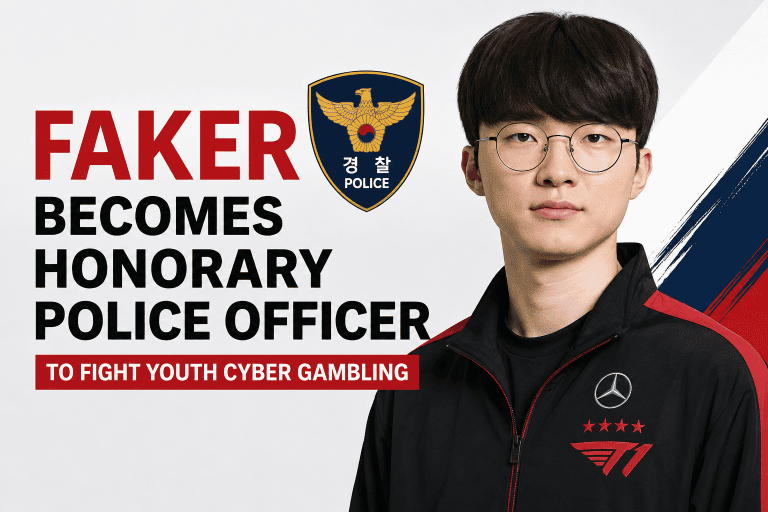
Faker Becomes Honorary Police Officer in South Korea to Fight Youth Cyber Gambling

0

League of Legends legend Lee โ€œFakerโ€ Sang-hyeok has taken on an unusual new role after being appointed an honorary police officer and ambassador for cyber gambling prevention in South Korea.

The Korean National Police Agency announced the appointment on Wednesday, July 22, during a ceremony at its headquarters in Seoul. Faker will use his influence among young people to help raise awareness about the dangers of cyber gambling.

Faker Joins South Koreaโ€™s Cyber Gambling Prevention Campaign

Faker was appointed as an honorary police officer with the rank of Gyeongjang, a rank comparable to a senior constable and used in South Koreaโ€™s police career-track recruitment for cyber investigation roles.

The police said Fakerโ€™s strong reputation in South Korea and internationally made him a suitable ambassador for the campaign. His long esports career was also highlighted, particularly his discipline, focus and self-management.

As part of his new role, Faker is expected to participate in promotional activities supporting South Koreaโ€™s Youth Cyber Gambling Voluntary Reporting System.

The campaign is particularly focused on encouraging young people to seek help before gambling problems become more serious.

Faker to Promote Voluntary Reporting

Faker will participate in promotional videos and posters designed to raise awareness of the reporting system. The campaign aims to encourage young people involved in cyber gambling to come forward and seek assistance.

Speaking about his appointment, Faker said he felt honored and responsible for the opportunity. He also said he would actively participate in efforts to highlight the dangers of cyber gambling and promote the voluntary reporting program.

The police launched the youth cyber gambling voluntary reporting system in May 2026. It is scheduled to operate through August 31.

Police officials said early intervention is important when dealing with youth gambling problems. The reporting system is intended to connect young people with counselling, assessment and treatment rather than allowing problems to worsen.

Why Fakerโ€™s Role Matters

Faker is one of the most recognizable figures in esports, giving the campaign access to an audience that traditional public-awareness campaigns may struggle to reach.

His appointment also highlights the growing connection between esports personalities and wider social issues affecting young gamers.

For Faker, however, this latest role comes alongside his continuing career as a professional League of Legends player. The 30-year-old remains one of the biggest names in competitive gaming and continues to represent T1 on the international esports stage.

As of July 22, 2026, Fakerโ€™s new position is focused on awareness and prevention rather than conventional police duties.

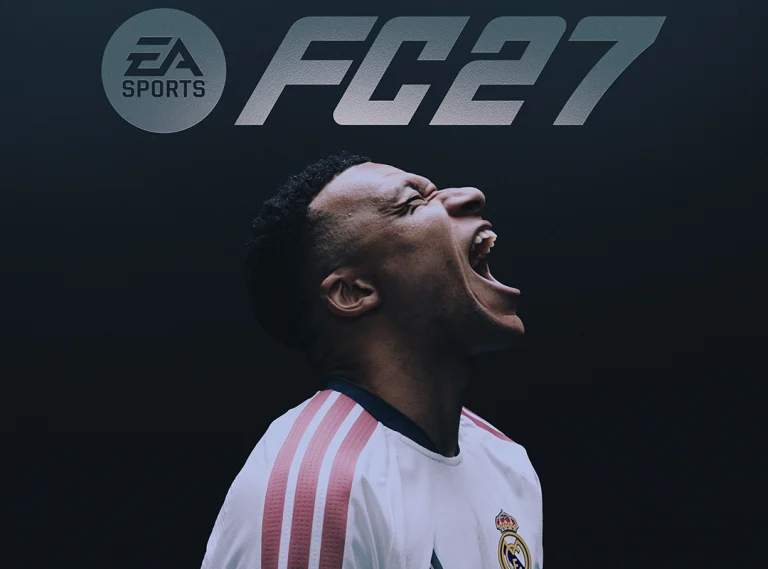
Kylian Mbappe Named EA Sports FC 27 Cover Star After World Cup Heroics

Kylian Mbappe is back on the cover of EA Sports FC. EA Sports has confirmed the Real Madrid and France forward as the cover athlete for EA Sports FC 27 Ultimate Edition. He will also front EA Sports FC Mobile.

This marks Mbappe’s return to the franchise cover after a four-year gap. It is also his first time appearing on a cover under the EA Sports FC name, since the series dropped the FIFA branding.

Mbappe returns to the FC cover after four years

Mbappe previously appeared on three straight covers, for FIFA 21, FIFA 22 and FIFA 23. Back then, he wore the Paris Saint-Germain kit. This time, the cover shows him in Real Madrid colours, the club he joined in 2024.

He takes over cover duties from teammate Jude Bellingham, who fronted EA Sports FC 26.

What Mbappe and EA had to say

Mbappe called the moment special in a statement. He said:

To be featured on the cover of an EA Sports FC title for the first time is a very special moment for me.

Kylian Mbappe

Jeff Sharma, Vice President of Franchise Strategy and Marketing at EA Sports, also spoke about the decision. He said Mbappe’s achievements for club and country have made him one of the defining players of his generation.

The season and stats behind the selection

EA’s decision follows a strong run of form for Mbappe. Since joining Real Madrid in 2024, he has finished as LaLiga’s top scorer in both of his seasons at the club.

He also won the Golden Boot in the 2025/26 UEFA Champions League after scoring 15 goals in the competition. His form continued into the summer, where he was named Golden Boot winner at the 2026 FIFA World Cup after scoring 10 goals for France.

Real Madrid’s long history on FC covers

Mbappe joins a long list of Real Madrid players who have featured on the franchise’s cover over the years. Cristiano Ronaldo led marketing campaigns for FIFA 18 during his time at the club, while Eden Hazard was the cover star for FIFA 20.

The Real Madrid connection to the franchise’s cover goes back further too. Roberto Carlos appeared on the global edition of FIFA Football 2003, and Kaka was a cover face for FIFA 11.

What comes next for FC 27

The cover reveal is the start of a bigger rollout of news for EA Sports FC 27. EA has confirmed that the first gameplay trailer will premiere on YouTube at 17:00 BST on Thursday, July 23.

More reveals, including details on gameplay modes and the Standard Edition cover, are expected through the week.

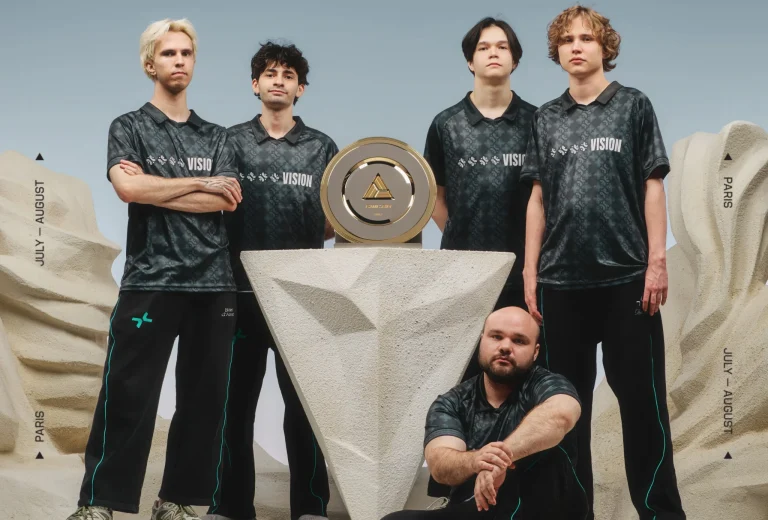
PARIVISION Crowned Dota 2 Champions at Esports World Cup 2026

PARIVISION, also known as PVISION, has claimed the Dota 2 Esports World Cup 2026 title after taking down BetBoom Team in the grand final. The final game of the event, which was staged in Paris on July 20, saw over 326,000 viewers tuning in to witness PVISION dominate BetBoom Team 3-1.

With this victory, the Eastern European roster took home $750,000 USD, the bulk of a total $2 million USD prize pool, while BetBoom walked away with $340,000 USD as runners-up of the tournament.

While PVISION were able to claim the BO5 without much hassle, BetBoom Team did put up a good fight at the early stages.

In case you missed the action live, BetBoom took the first game following a punishing 48-minute fight, putting PARIVISION on the back foot. From there, though, the eventual champions found their rhythm, wearing down BetBoom’s defenses and eventually blowing the series open with an hour-long deciding game.

PARIVISION’s tournament run at the EWC 2026 was nearly flawless, as they lost only three maps across the whole event. The team exited the group stage with an impressive 9-1 record, and later got past Rune Eaters Esports and Team Yandex en route to the championship match.

The EWC 2026 title is PVISIONโ€™s second Tier-1 trophy this season, both won under head coach Clement “Puppey” Ivanov, who joined the organization back in January 2026.

With The International 2026 fast approaching, PARIVISION now enters the biggest annual Dota 2 event as the clear favorites to lift the Aegis of Champions. Then again, if TI history has taught us anything, being the favorite has never been a guarantee.